


Slow load times and laggy performance can drive users away before they experience your app's value—research shows 53% abandon apps taking longer than 3 seconds to load. These eight optimization techniques will help you fix that.
One key advantage when optimizing is building on a platform where improvements apply everywhere at once. Adalo is a no-code app builder for database-driven web apps and native iOS and Android apps—one version across all three platforms, published to the Apple App Store and Google Play. This means database query optimizations, caching strategies, and workflow improvements you implement once automatically enhance performance across web, iOS, and Android simultaneously.
From smarter data operations to strategic API calls, these proven techniques will make your app faster and ready to reach the largest possible audience through app store distribution and push notifications.

You've built your app, but users are abandoning it before they even get started. The culprit? Performance. Research shows that 53% of users abandon apps that take longer than 3 seconds to load, and even a 0.1-second improvement in load times can boost conversion rates by 8.4%. In the app building world, where speed-to-market is a key advantage, poor optimization can quickly undermine all your hard work.
The good news is that optimizing your app doesn't require technical expertise—just the right strategies. Whether you're managing database queries, streamlining workflows, or reducing front-end load, small changes can deliver dramatic results. Adalo, an AI-powered app builder, lets you build database-driven web apps and native iOS and Android apps—published to the App Store and Google Play—from a single editor. This means optimization efforts you make once benefit every platform your app runs on.
This guide covers eight proven techniques to make your app faster, more reliable, and ready to scale. From caching strategies to smarter API calls, you'll learn practical optimizations you can implement today to keep users engaged and your app performing at its best.
1. Improve Database Queries and Data Operations
Impact on App Speed and Responsiveness
Fast, responsive apps depend heavily on efficient database queries. Every database query, complex logic execution, or external API call adds latency to your app's performance. With Adalo 3.0's infrastructure overhaul delivering 3-4x faster performance, your database optimization efforts now yield even more dramatic results.
One common pitfall is retrieving more data than necessary. To avoid this, limit the number of items fetched to only what users actually need. Similarly, steer clear of nested lists, as they can significantly increase the number of database requests—each row triggering its own query can lead to exponential slowdowns.
Ease of Implementation
Optimizing database performance doesn't have to be complicated. For instance, you can pre-calculate and store values like counts, sums, or averages in dedicated properties, eliminating the need for real-time calculations. Another effective approach is to limit the number of items displayed per view. Use features like pagination or "Load items as user scrolls" to make the initial load faster and more user-friendly, especially for larger datasets.
Adalo's paid plans now include no record limit caps—unlimited database records mean you can focus on optimization strategies rather than worrying about hitting storage ceilings. This removes a significant constraint that other platforms impose, allowing your database architecture to scale naturally with your user base.
Scalability for Growing User Bases
As your app grows, inefficient database queries can quickly become a major obstacle. Simple strategies, such as pulling counts directly from record properties instead of applying filters, can dramatically improve performance—doubling app speed in some cases. Focus on filtering by straightforward properties like "status" or "date" instead of relying on complex formulas.
Additionally, archiving older data can help keep your main database lean and efficient. With Adalo's modular infrastructure capable of scaling to serve apps with millions of monthly active users, these optimizations not only enhance current performance but also lay a solid foundation for growth. The platform's purpose-built architecture maintains performance at scale, unlike app wrappers that hit speed constraints under load.
2. Build Better Workflow Architecture
Impact on App Speed and Responsiveness
The way you structure workflows has a direct effect on how fast and responsive your app feels. Sequential actions can create bottlenecks, slowing down user interactions. For instance, triggering multiple actions from a single button click or screen load—especially when those actions involve complex conditional logic—can lead to noticeable delays.
One way to tackle this is by breaking down complex screens into smaller, simpler ones. Each screen then handles fewer widgets and processes less data, reducing the load on the front end. Another strategy is to move resource-heavy calculations to background workflows that run quietly in the background. This approach helps prevent the user interface from freezing during page loads.
Adalo's X-Ray feature can help identify these performance issues before they affect users, highlighting workflow bottlenecks that might otherwise go unnoticed until your app scales.
Ease of Implementation
Efficient implementation starts with batching actions. Instead of triggering multiple separate actions, combine them into a single step to update fields more efficiently. You can also use lazy loading, where data is loaded only when the user needs it, to improve performance.
It's also important to review your screens for hidden components that might be unnecessarily consuming resources. Avoid nesting components deeper than four levels, as excessive nesting can slow load times and cause erratic behavior. When working with large datasets, consider processing items incrementally using recursive workflows or scheduled API workflows. This method prevents timeouts and ensures smoother operations.
These practices not only improve performance but also create a scalable framework that can grow with your app. Magic Add, Adalo's AI feature for adding functionality through natural language requests, can help you implement these optimizations by describing what you want to achieve rather than manually configuring each workflow step.
Scalability for Growing User Bases
Optimized workflows don't just make your app faster today—they also prepare it for future growth. Poorly designed workflows can become major roadblocks as your user base expands. For example, serially chained queries can cause significant delays, especially if the first query returns a large dataset. To avoid this, reduce sequential dependencies and process tasks in parallel whenever possible.
Heavy computations should be offloaded to the server. Pre-calculate values like counts or sums and store them in dedicated database fields, updating them only when the underlying data changes. This eliminates the need to recalculate these values every time a screen loads.
With Adalo's infrastructure now 3-4x faster following the 3.0 overhaul, well-architected workflows perform even better. The platform's ability to scale infrastructure with app needs means your workflow optimizations compound as your user base grows, rather than hitting artificial ceilings.
3. Optimize API Calls and External Integrations
Impact on App Speed and Responsiveness
Every time your app communicates with a third-party service—whether it's Google Maps, a payment processor, or a data API—it can slow things down. The Adalo Help Center explains:
"Every single time your app... talks to a third-party network (searching google maps), app performance will suffer".
Performance issues become more pronounced with larger payloads. For example, payloads exceeding 1.6MB can cause noticeable slowdowns, and those over 3MB can lead to significant delays. Query runtimes are another factor—anything longer than 3 seconds begins to impact responsiveness, and runtimes exceeding 5 seconds can severely degrade the user experience.
Geographic location also matters. International users may experience higher latency when accessing data from distant servers. This issue is compounded when apps fetch unnecessary data fields or entire datasets instead of just the information needed for a specific screen. Remember: 53% of mobile users abandon an app if it takes more than 3 seconds to load. Optimizing API usage isn't just about speed—it's essential for keeping users engaged.
Ease of Implementation
Once you've identified performance bottlenecks, you can take actionable steps to address them. Start by auditing automatic queries and limiting them to user-triggered actions. Instead of fetching all fields with a "SELECT *" query, request only the data that's required for the current screen.
Another effective tactic is server-side pagination, which breaks large datasets into smaller, more manageable chunks rather than loading thousands of records at once. Caching data that doesn't change frequently can also reduce the number of network calls. Additionally, batch updates into a single API call to streamline processes.
For user-generated images, use services like Imgix to dynamically resize and compress files via API before displaying them in your app. Adalo integrates with Imgix automatically, making this optimization straightforward to implement.
Scalability for Growing User Bases
As your app's audience grows, unoptimized API calls can create bottlenecks and even lead to crashes. To prepare for this, run independent queries in parallel to minimize wait times. Shift complex data processing tasks to the server side, ensuring consistent performance across devices with varying capabilities.
Before scaling to larger audiences, conduct mobile app testing like load testing to simulate high traffic and evaluate how well your app handles the pressure. Also, consider the differences in how iOS and Android handle concurrent network requests, as each platform has its own limitations.
Adalo's modular infrastructure scales to serve apps with 1M+ monthly active users, with no upper ceiling. By reducing the total number of requests, optimizing payloads, and using native platform connectors where possible, you'll create a solid foundation for growth without sacrificing speed. Unlike platforms that rely on web wrappers for mobile apps, Adalo's native compilation means your API optimizations translate directly to better performance on both iOS and Android.
4. Use Caching to Speed Up Your App
Impact on App Speed and Responsiveness
Caching stores frequently accessed data in a faster, more accessible location, cutting down on the need to repeatedly fetch it from the database. This is especially useful for data that doesn't change often, like user profiles, product lists, or app settings. As AWS puts it, "Lazy caching should serve as the foundation of any good caching strategy". In other words, you only load data into the cache when it's actually needed.
The performance improvements can be striking. For instance, storing pre-calculated values—such as record counts—directly in the database instead of recalculating them every time a screen loads can double your app's speed. Similarly, serving app components through a Content Delivery Network (CDN) like Amazon CloudFront can slash download times from 8 seconds to just 165.92 milliseconds on average.
These improvements not only make your app faster but also simplify scaling and deployment. With Adalo's 3.0 infrastructure delivering 3-4x faster base performance, caching optimizations compound these gains even further.
Ease of Implementation
Adding caching to your app is relatively straightforward. A good starting point is lazy caching, where data is only loaded into the cache when requested. This keeps the cache lightweight as your app grows. For data that users will access immediately after an update—like a profile picture—write-through caching is a better choice. This ensures the database and cache are updated at the same time.
Another easy optimization is storing calculated values directly in the database. Instead of filtering records to get a count every time a screen loads, you can create a property that tracks the count and only updates when records are added or removed. You can also use a Time-to-Live (TTL) setting to refresh cached data periodically. For fast-changing data like leaderboards, a short TTL of around 5 seconds can prevent your database from being overwhelmed during high-traffic times.
Adalo incorporates advanced features like Fastly for caching and region-based sharding, ensuring that apps are served from servers closer to your users. This platform-level optimization works alongside your app-specific caching strategies.
Scalability for Growing User Bases
As your user base grows, unoptimized data retrieval can quickly become a bottleneck. Caching shifts the workload from the read phase—when users view data—to the write phase—when data updates occur. This aligns better with user expectations for a fast, seamless experience.
If you're scaling up by adding new cache nodes, it's a good idea to prewarm the cache with common requests before peak usage to avoid a flood of simultaneous data queries. For apps with a global audience, using a CDN for static assets and images is crucial. CDNs not only distribute content more efficiently but also compress images, cutting load times from 6.32 seconds to just 1.15 seconds.
With Adalo's unlimited database records on paid plans, you can implement comprehensive caching strategies without worrying about storage constraints. These strategies ensure your app stays fast and reliable, even as thousands of users access it simultaneously.
5. Reduce Front-End Rendering Load
Impact on App Speed and Responsiveness
Every element you add to a screen increases the processing demand on a user's device. Even components that are hidden or conditionally displayed still load in the background, which can slow down rendering. The more widgets you include, the longer it takes for the interface to respond to user interactions.
Just like optimizing relational databases and APIs improves backend performance, progressive loading can significantly reduce front-end strain. For instance, enabling "Load Items as User Scrolls" for a list containing 5,000 records can slash the initial screen load time by a staggering 86%. This method ensures your app only processes the content currently visible on the screen, instead of attempting to render thousands of items all at once—a game-changer when dealing with large datasets.
Ease of Implementation
Once you've streamlined your database and workflows, the next step is to reduce the front-end load to maintain a seamless user experience. Optimizing front-end rendering is straightforward. Start by auditing your screens: limit the number of groups and keep nesting levels to a maximum of four. If a screen feels cluttered, break it down into multiple, simpler screens—each focusing on a single concept.
Whenever possible, stick to native list components (like simple, card, or image lists) instead of custom-built ones. Native components are designed to work efficiently with the platform's rendering engine, reducing unnecessary overhead.
Adalo's canvas can display up to 400 screens at a time if needed, giving you a comprehensive view of your app's structure. This visibility makes it easier to identify screens that have become too complex and need to be simplified. Compare this to builders with limited viewport options that make it harder to see the big picture of your app's architecture.
Scalability for Growing User Bases
A streamlined front end allows your optimized workflows and APIs to perform at their best. As your app attracts more users, front-end rendering can become a bottleneck if not managed properly. To avoid this, offload tasks like record counting to the database. Instead of filtering and recounting records each time, create a number property in the database that updates only when records are added or removed.
Additionally, visual feedback can make a huge difference in how users perceive performance. Incorporate skeleton loading states or other visual indicators to show that data is being fetched. This keeps the app feeling responsive, even during load times.
By applying a combination of these strategies—using native lists, optimizing images, enabling scroll-loading, avoiding deeply nested lists, and pre-calculating counts—you can effectively double your app's performance. With Adalo's native iOS and Android compilation (rather than web wrappers), these front-end optimizations translate directly to smoother experiences on mobile devices.
6. Cut Down Network Requests and Data Size
Impact on App Speed and Responsiveness
Managing network requests is a key factor in ensuring your app runs smoothly. Every time your app fetches data, it initiates a network request. If these requests are frequent or involve large data packets, performance takes a hit. For instance, on a standard LTE connection, downloading a gallery of 10 images at 1 MB each takes about 4 seconds. But if you compress those images to 40 kB each, the download time drops dramatically to just 0.16 seconds.
It's not just the number of requests that matters—the size of the data payload is equally important. For example, running a database query without setting limits can return thousands of records, overwhelming both the server and the user's device. This challenge becomes even more noticeable for users outside the United States, where geographic latency can further slow things down.
By combining efficient network management with optimized database queries, you can create a much smoother experience for your users.
Ease of Implementation
Managing network requests is relatively simple. One easy step is setting a "Maximum number of items" in list configurations. For example, you can limit results to the latest 10 products or 20 comments.
For image optimization, services like Imgix can automatically resize and compress files, drastically reducing data transfer. In one test, optimizing five images cut load time from 6.32 seconds to just 1.15 seconds—over five times faster. You can even apply compression directly by modifying image URLs (e.g., appending ?q=30) without needing to edit the files manually.
Adalo integrates with Imgix automatically, making image optimization a built-in feature rather than an additional configuration step. This platform-level optimization works alongside your manual efforts to reduce data transfer.
Scalability for Growing User Bases
As your app grows and attracts more users, inefficient network requests can quickly become a major problem. Practices like using lists within lists or deeply nested components can cause a spike in database queries, leading to compounded delays as the amount of data increases.
To avoid this, store calculated values—like comment counts or total sales—as static properties in your database instead of recalculating them every time a screen loads. Pairing this approach with progressive loading and record limits ensures that your app remains responsive, even as your user base and data grow.
With Adalo's paid plans offering no data caps, you can focus on optimizing how data is retrieved rather than worrying about hitting storage limits. The platform's modular infrastructure scales with your app's needs, meaning these network optimizations become increasingly valuable as your user base expands to hundreds of thousands or millions of users.
7. Use Adalo for Scalable Development
Impact on App Speed and Responsiveness
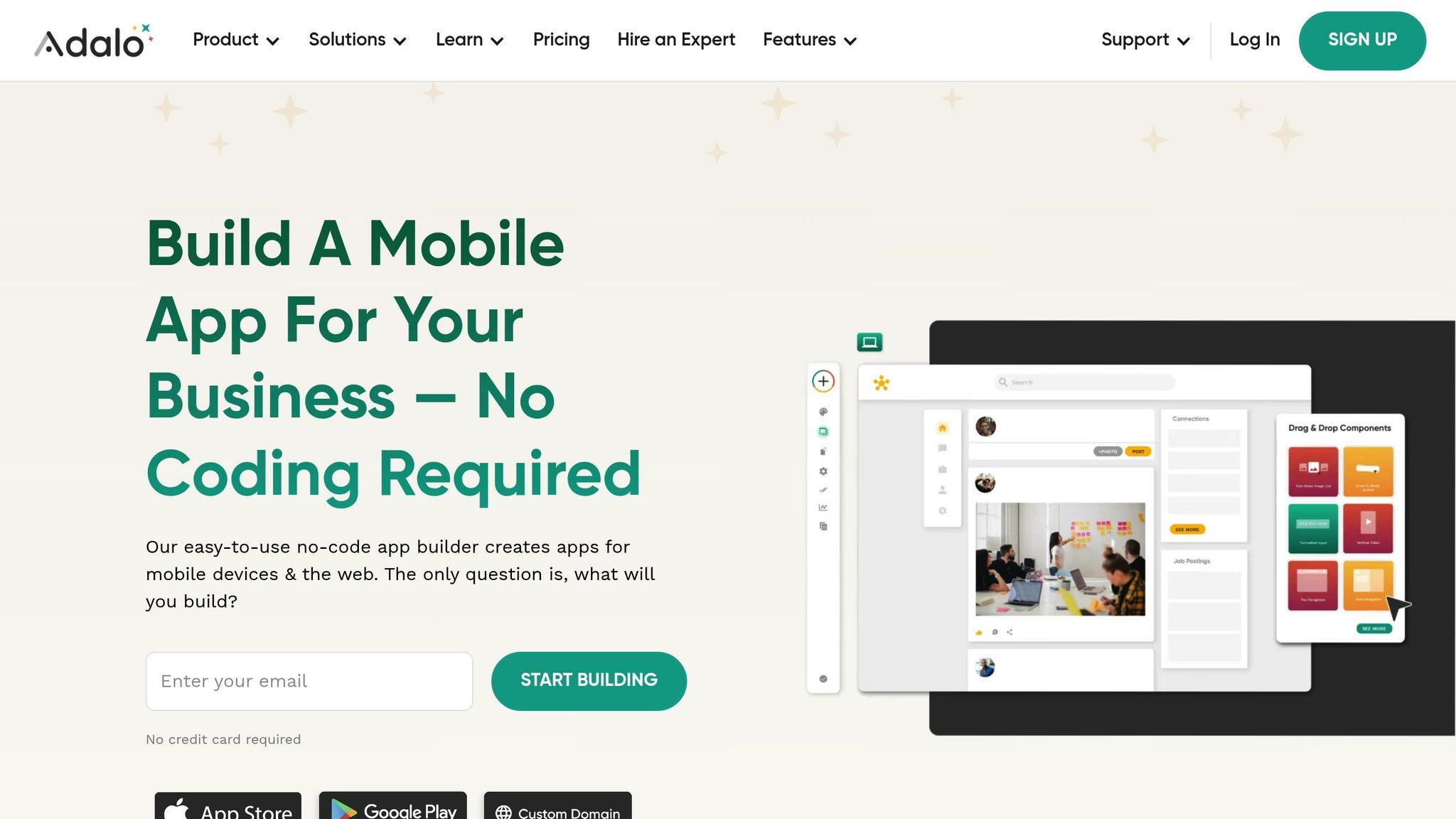
Adalo is a no-code app builder for database-driven web apps and native iOS and Android apps—one version across all three platforms, published to the Apple App Store and Google Play. The platform takes several steps to ensure your app performs well, even as it grows.
Following the Adalo 3.0 infrastructure overhaul in late 2026, the platform now delivers 3-4x faster performance with the ability to scale infrastructure with app needs. This means there's no record limit—paid plans include unlimited database records, removing a constraint that other platforms impose.
Adalo has transitioned from Heroku to AWS, enabling database autoscaling to manage heavy and fluctuating traffic loads effectively. Additionally, Adalo offloads complex application logic from users' devices to its servers. This shift reduces loading times and keeps users more engaged with your app, regardless of its size. As David Adkin, Co-Founder of Adalo, and Cameron Nuckols, Director of Engineering, highlight, this server-side approach improves overall user experience by minimizing interruptions like loading screens.
Adalo also incorporates advanced features like Fastly for caching and region-based sharding, ensuring that apps are served from servers closer to your users. This setup further enhances responsiveness and reliability.
Ease of Implementation
Adalo simplifies performance optimization, making it easy to build efficient apps. For example, the platform automatically indexes tables when you create new collections. This feature speeds up data retrieval in lists and detail views, saving you time and effort. Link actions also execute instantly, providing immediate user feedback while background processes run seamlessly.
The AI-assisted features make optimization even more accessible:
- Magic Start generates complete app foundations from a simple description—tell it you need a booking app for a dog grooming business, and it creates your database structure, screens, and user flows automatically
- Magic Add lets you add features by describing what you want in natural language
- X-Ray identifies performance issues before they affect users, highlighting bottlenecks that might otherwise go unnoticed
To further enhance performance, Adalo integrates with Imgix for image compression. By adding parameters like ?q=30 to image URLs, you can significantly reduce file sizes, which helps improve load times without compromising image quality.
Scalability for Growing User Bases
Adalo is built to handle growth. The platform has increased its server capacity by over 50% and reduced app sizes by nearly 25% through a complete overhaul of app configuration storage. For web apps and PWAs, components are delivered via Amazon CloudFront CDN, which has drastically improved download times—from as long as 8 seconds to an average of just 165.92ms.
The modular infrastructure scales to serve apps with 1M+ monthly active users, with no upper ceiling. Unlike app wrappers that hit speed constraints under load, Adalo's purpose-built architecture maintains performance at scale. With the right data relationship setups, Adalo apps can scale beyond 1 million monthly active users without requiring hired experts or custom infrastructure work.
All Adalo plans now have unlimited usage—App Actions, the previous usage-based charge, have been removed from all plans. This means no bill shock as your app grows, unlike platforms that charge based on workload units or impose unclear usage calculations.
Over 3 million apps have been created on Adalo, with the visual builder described as "as easy as PowerPoint." These platform-level improvements make scaling your app a hassle-free experience.
How Adalo Compares to Alternatives
When evaluating app builders for performance-critical applications, the underlying architecture matters significantly:
| Platform | Starting Price | Mobile App Type | Database Limits | Usage Charges |
|---|---|---|---|---|
| Adalo | $36/month | True native iOS & Android | Unlimited on paid plans | None |
| Bubble | $59/month | Web wrapper | Limited by Workload Units | Usage-based |
| FlutterFlow | $70/month per user | Native (requires separate DB) | Depends on external DB | Varies by DB provider |
| Glide | $60/month | No App Store publishing | Row limits apply | Additional charges |
Bubble offers more customization options, but that flexibility often results in slower applications that suffer under increased load. Many Bubble users end up hiring experts to optimize performance, and claims of millions of MAU typically require significant expert assistance. Bubble's mobile app solution is also a wrapper for the web app, introducing potential challenges at scale—and one app version doesn't automatically update web, Android, and iOS apps deployed to their respective app stores.
FlutterFlow is "low-code" rather than "no-code" and targets technical users. Users must also manage and set up their own unrelated database, which requires significant learning complexity. Anything less than optimal setup can create scale problems, which is why the FlutterFlow ecosystem is rich with experts—many users need help and end up spending significant sums chasing scalability. Their builder is also limited in view, making it slower to see more than 2 screens at once, whereas Adalo can display up to 400 screens at a time on one canvas.
Glide excels at spreadsheet-based apps with its template-focused approach, making it fast to build and publish. However, this creates generic, simplistic apps with limited creative freedom. For spreadsheet-based apps, Adalo's SheetBridge offers similar convenience—turning a Google Sheet into an actual database for easy control without database-related learning—while maintaining the flexibility to build more sophisticated applications.
8. Track Performance Metrics and Keep Improving
Addressing Common Performance Challenges
To keep your app running smoothly, it's essential to monitor key metrics like initial load times, query response speeds, and navigation latency. These metrics help identify performance hiccups early on. As Adalo explains:
"We encourage you to think about mobile app performance in similar terms [to GTMetrix], and regularly ponder how a particular application change or addition will affect performance."
Tracking these metrics can reveal exactly where your app might be lagging. For example, issues could stem from a complex screen overloaded with hidden components, a sluggish API call, or a list trying to load thousands of records simultaneously.
Adalo's X-Ray feature proactively identifies performance issues before they affect users, highlighting potential bottlenecks that might otherwise go unnoticed until your app scales. This AI-powered analysis helps you address problems during development rather than after users start complaining.
Tools for Monitoring
Adalo's built-in Analytics makes it easy to keep an eye on screen load times and database performance. Regularly auditing your app's screens can help you spot potential troublemakers, like screens with too many nested groups (over four levels deep), excessive components, or text inputs that increase processing demands.
For database performance, Adalo provides tools to monitor query response times and identify bottlenecks. It's also a good idea to test your app on various devices—iOS, Android, and PWAs handle data differently, so what works well on one platform might not perform as efficiently on another.
Because Adalo compiles to true native iOS and Android apps rather than web wrappers, your performance testing reflects actual native app behavior. This is particularly important for apps that will be published to the App Store and Google Play, where users expect native-level responsiveness.
Boosting App Speed and Responsiveness
Tracking performance metrics can lead to noticeable improvements. For instance, Adalo optimized its notification service, cutting latency by up to 100x. Similarly, integrating a CDN slashed download times from 8 seconds to just 165.92 milliseconds. By reworking app configuration storage, they also managed to reduce overall app sizes by nearly 25%.
These platform-level optimizations compound with your app-specific improvements. With Adalo 3.0's 3-4x faster base performance, the optimization strategies covered in this guide yield even more dramatic results than they would on slower platforms.
How to Solve App Performance Issues
Conclusion
Boosting the performance of your app involves implementing a mix of focused strategies to ensure consistent improvements. Whether it's fine-tuning database queries, simplifying workflows, reducing front-end load times, or keeping an eye on key metrics, every step contributes to making your app faster and more dependable. These methods, outlined throughout this guide, serve as the foundation for efficient app development.
As your app grows and handles increasing amounts of data, ongoing performance optimization becomes crucial. Imagine your app's speed as a score from 0 to 100—every new feature, image, or piece of logic influences that score, for better or worse. To maintain high performance, regularly audit your screens, shift complex calculations to database properties, and use progressive loading techniques to keep things running smoothly as your user base expands.
Even small tweaks can yield big results. For instance, pulling counts directly from record properties instead of applying filters can double your app's speed. Similarly, enabling progressive loading can slash initial load times by up to 86% for large lists. These measurable improvements make a noticeable difference in responsiveness.
Focus on eliminating bottlenecks: use native components for slow-loading lists, remove unnecessary groups from laggy screens, and leverage caching to optimize API calls. Each of these targeted adjustments adds up, creating a significantly better experience for your users. By staying proactive and continuously refining your app, you can ensure it performs at its best as it evolves.
Adalo's AI-powered platform makes these optimizations more accessible than ever, with features like X-Ray identifying issues before they affect users and Magic Add letting you implement improvements through natural language requests. If you need specialized help, there are several benefits of working with a no-code expert to optimize your build.
Related Blog Posts
- 5 Steps to Monetize Your No-Code Mobile Application
- Publishing Apps to App Stores: A Beginner's Guide
- How to Launch Your First Mobile App Without Coding
- App Idea Generator for Creative Minds
FAQ
| Question | Answer |
|---|---|
| Why choose Adalo over other app building solutions? | Adalo is an AI-powered app builder that creates true native iOS and Android apps. Unlike web wrappers, it compiles to native code and publishes directly to both the Apple App Store and Google Play Store from a single codebase—the hardest part of launching an app handled automatically. With unlimited database records on paid plans and no usage-based charges, you can scale without bill shock. |
| What's the fastest way to build and publish an app to the App Store? | Adalo's drag-and-drop interface and AI-assisted building let you go from idea to published app in days rather than months. Magic Start generates complete app foundations from descriptions, and the platform handles the complex App Store submission process—certificates, provisioning profiles, and store guidelines—so you can focus on your app's features. |
| What are the best ways to improve the load time of my app? | Compress images using Adalo's Imgix integration, enable lazy loading for lists with "Load Items as User Scrolls," simplify components by eliminating unnecessary groups and hidden elements, and fine-tune database queries to retrieve only essential data. These steps can reduce load times by up to 86% for large datasets. |
| How can I optimize API calls to improve performance? | Batch and paginate requests to load data in smaller chunks, cache frequent responses for static data, trim payloads to request only needed fields, and consolidate redundant API logic. These strategies reduce network overhead and keep your app responsive as it scales. |
| What is caching and how can it improve my app's performance? | Caching stores frequently accessed data in a faster location, reducing repeated database fetches. Adalo uses Fastly for caching and Amazon CloudFront CDN for content delivery, cutting download times from seconds to milliseconds. Implementing lazy caching for infrequently changing data can double your app's speed. |
| How does Adalo ensure my app performs well as my user base grows? | Adalo's modular infrastructure scales to serve apps with 1M+ monthly active users, with no upper ceiling. The Adalo 3.0 infrastructure overhaul delivered 3-4x faster performance, and paid plans include unlimited database records with no usage-based charges. Unlike app wrappers that hit speed constraints under load, Adalo's purpose-built architecture maintains performance at scale. |
| Which is more affordable, Adalo or Bubble? | Adalo starts at $36/month with unlimited usage and app store publishing. Bubble starts at $59/month with usage-based Workload Unit charges and limits on records. Adalo's pricing is more predictable since there are no usage-based charges that can cause bill shock as your app grows. |
| Which is better for mobile apps, Adalo or FlutterFlow? | Adalo creates true native iOS and Android apps from a single codebase with an integrated database. FlutterFlow is "low-code" targeting technical users and requires setting up a separate database, which adds complexity and potential scale problems. FlutterFlow starts at $70/month per user and still doesn't include a database. |
| What metrics should I track to monitor my app's performance? | Monitor initial load times, query response speeds, and navigation latency. Adalo's built-in Analytics tracks screen load times and database performance. The X-Ray feature proactively identifies performance issues before they affect users, helping you address problems during development. |
| Can I migrate from another platform to Adalo? | Yes, you can migrate to Adalo from other platforms. The platform's visual builder is described as "as easy as PowerPoint," and Magic Start can help you quickly recreate your app's foundation. With over 3 million apps created on Adalo, the platform has proven capable of handling diverse app types and use cases. |







