


You've poured hours into building your no-code mobile app, but now you're facing the real challenge: turning it into a revenue-generating business. With millions of free apps flooding the marketplaces, standing out requires more than just a great idea—it demands a smart monetization strategy that works seamlessly across platforms without requiring technical expertise to implement.
The right no-code platform makes all the difference when building an app designed to generate income. Adalo is a no-code app builder for database-driven web apps and native iOS and Android apps—one version across all three platforms. AI-assisted building and streamlined publishing enable launch to the Apple App Store and Google Play in days rather than months, giving you more time to focus on implementing subscription models, in-app purchases, and other revenue features that transform your app from a passion project into a profitable venture.
Why Adalo Is Ideal for Building Revenue-Generating Apps
Adalo is a no-code app builder for database-driven web apps and native iOS and Android apps—one version across all three platforms, published to the Apple App Store and Google Play. This native app store presence is essential for monetization—it gives you access to built-in payment processing through Apple Pay and Google Pay, enables in-app purchases and subscriptions, and puts your app where billions of users are actively searching for solutions.
Beyond distribution, Adalo's database capabilities let you build the user management systems, content libraries, and transaction tracking that monetization requires. Whether you're implementing a freemium model, selling premium features, or managing subscriber tiers, you can create the backend logic without writing code. Combined with push notifications to re-engage users and drive conversions, you have everything needed to turn your app idea into a sustainable business.
You've built an app—now what? While creating an app without writing code has never been easier, turning that app into a revenue-generating business is where the real challenge begins. With mobile apps projected to generate over $613 billion by 2026, the opportunity is massive. But here's the catch: 92% of Apple App Store apps and 96% of Google Play Store apps are free, which means successful developers need smart monetization strategies to actually make money.
The good news? You don't need to be a developer to implement proven revenue models like in-app purchases, subscriptions, or advertising. Adalo, an AI-powered app builder, lets you create database-driven web apps and native iOS and Android apps—published to the App Store and Google Play—from a single editor. With unlimited database records on paid plans and no usage-based charges, you can focus entirely on building revenue features without worrying about hitting data caps or unexpected bills as your user base grows.
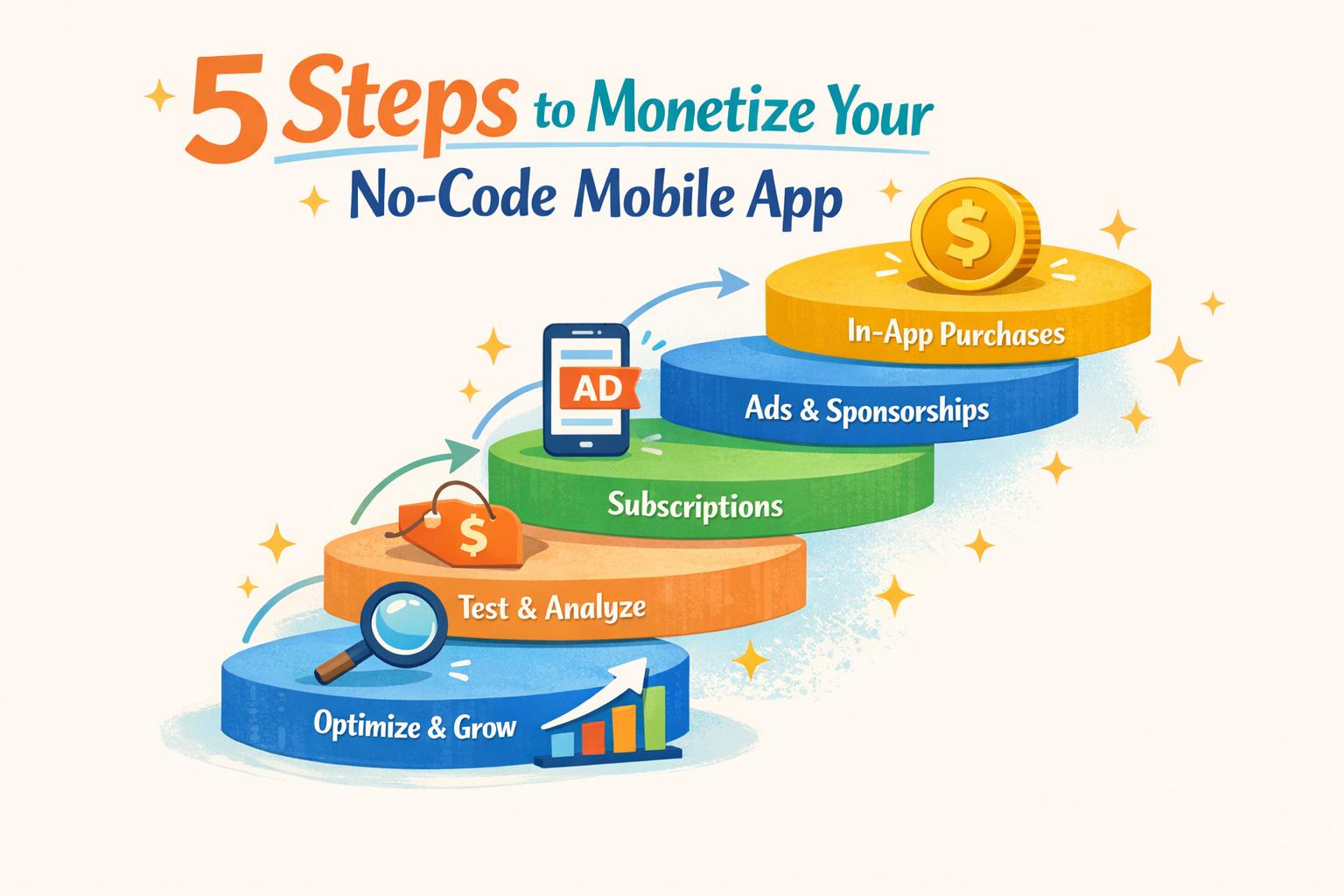
In this guide, you'll learn five essential steps to turn your app into a sustainable income stream: understanding your users, choosing the right monetization model, integrating payments and ads, setting strategic pricing, and optimizing performance over time. Whether you're launching your first app or looking to boost revenue from an existing one, these strategies will help you join the ranks of profitable app creators.
Why Adalo Is Perfect for Building Monetizable Apps
Adalo is an AI-powered app builder for database-driven web apps and native iOS and Android apps—one version across all three platforms, published to the Apple App Store and Google Play. This means you can focus on implementing revenue-generating features like subscription models, in-app purchases, and premium content tiers without worrying about maintaining separate codebases or navigating complex app store submission processes.
Having your app listed on both major app stores is essential for monetization success—it's where users expect to find and pay for apps, and it gives you access to built-in payment processing infrastructure. With Adalo's native push notifications, you can also re-engage users with promotional offers, subscription reminders, and personalized upsells that drive recurring revenue.
The platform's modular infrastructure scales to serve apps with millions of monthly active users, with no upper ceiling. Unlike app wrappers that hit performance constraints under load, Adalo's purpose-built architecture maintains speed at scale—critical when your monetization depends on smooth checkout flows and responsive user experiences. Let's explore the five steps to turn your app into a profitable business.
How To Build a "1 PAGE" App That ACTUALLY Makes Money
Step 1: Know Your App and Users
Before diving into integrating payments or ads, it's essential to understand your app's audience and their expectations. A poorly aligned monetization strategy can lead to user frustration and increased uninstall rates. What works for a mobile game might fail miserably for a productivity tool or a marketplace app.
Review Your App Category
Different app categories naturally align with specific revenue models. For instance, in-app purchases dominate gaming apps, with nearly 79% of them relying on this model for revenue. In fact, mobile games made up 66% of the Apple App Store's total revenue share in 2020. Gamers often expect free downloads, supported by optional purchases for things like speed-ups, extra lives, or cosmetic upgrades.
On the other hand, productivity apps often thrive with paid downloads or subscription models. Users in this category are usually willing to pay for tools that save time or provide measurable benefits. Marketplace apps, like Uber or Airbnb, typically succeed by charging transaction fees, while utility apps often lean toward one-time purchases to unlock premium features.
The key is to align your revenue strategy with what users in your app category already expect when you build a mobile app. Adalo's Magic Start feature can help here—describe your app concept and target audience, and it generates a complete foundation including database structure, screens, and user flows that align with your category's best practices.
Study User Behavior
Once you've identified your app's category, the next step is to analyze how users interact with it. This insight helps you fine-tune both the timing and methods of monetization. For example, casual users might be more tolerant of ads, while dedicated "power users" are often willing to pay for advanced features or better performance.
For apps that deliver one-time outcomes—like a photo editing filter—a single payment model works best. But if your app offers ongoing or compounding value, such as a fitness tracker or project management tool, subscriptions tend to perform better.
"Monetization is not just about adding payments... Users pay when the app clearly saves time, reduces cost, or solves a painful problem they already care about."
- Jesus Vargas, Founder, LowCode Agency
The scale of the problem your app solves—and the number of users it impacts—plays a big role in its earning potential. For example, a B2B app that delivers high value can justify charging earlier and more aggressively than a consumer app, which might need to focus on building a large user base first.
Before introducing payment features, ensure your app addresses a real, pressing problem. Otherwise, you risk creating friction in an experience users may not value enough to pay for. Adalo's X-Ray feature can help identify performance issues before they affect users, ensuring your app delivers the smooth experience that justifies premium pricing.
Step 2: Pick Your Monetization Model
Once you've identified your user base and app category, it's time to decide how your app will generate revenue. Interestingly, over 35% of apps now rely on hybrid monetization strategies.
There are several monetization models to consider: freemium, in-app purchases, subscriptions, and advertising. Each has its strengths, depending on your app type, user habits, and engagement levels. Let's break them down.
Freemium Model
The freemium model offers users access to your app's basic features for free, while charging for premium upgrades, advanced tools, or exclusive content. This strategy is great for building a large user base quickly by letting people experience your app before committing to pay. A well-known example is LinkedIn, which provides a free version alongside paid premium features.
The key to success here is balance. Your free version should deliver enough value to attract users, while your paid tier must offer clear, worthwhile benefits. If the free version feels too limited, users may lose interest before upgrading. Conversely, if it's too generous, they might not see a reason to pay.
This approach works especially well for productivity apps, social platforms, and SaaS products where users appreciate a "try-before-you-buy" experience. With Adalo's no data caps on paid plans, you can offer generous free tiers without worrying about database costs eating into your margins as users accumulate data.
In-App Purchases and Subscriptions
In-app purchases (IAP) allow users to buy specific features or items directly within your app. These purchases generally fall into two categories:
- Consumables: Items that can be used once, like extra game lives or credits.
- Non-consumables: Permanent unlocks, such as removing ads or accessing advanced tools.
IAPs are particularly effective for gaming apps. Take Pokémon Go, for instance, which lets users purchase items like Pokéballs or exclusive features.
Subscriptions, on the other hand, create a recurring revenue stream—typically monthly or yearly—by granting ongoing access to content or services. This model is ideal for apps that provide continuous value, such as fitness trackers, meditation tools, news platforms, or project management apps. For apps that users interact with frequently, subscriptions tend to be a strong option.
Adalo makes it simple to test both methods. For example, you could offer a one-time purchase for casual users while providing a subscription tier for those who want unlimited access or advanced features. The platform's infrastructure handles the complexity of managing different user tiers and purchase states automatically.
In-App Advertising
In-app advertising generates income by displaying ads like banners, interstitials, or rewarded videos. While this model can be profitable with a high user volume, the revenue per user is relatively low. For instance, 1,000 users viewing ads might only bring in a few dollars per month. In contrast, 1,000 subscribers paying $1 monthly would generate $12,000 annually.
Globally, 38% of mobile apps include some form of advertising, though this figure drops to 24% in the U.S. Ads tend to work best for casual games or high-traffic utility apps where users engage in short, repeated sessions and are less likely to pay upfront.
However, overloading your app with ads can harm the user experience. As Ariel Gonzalez from Thunkable points out:
"If you start with the goal of putting in as many ads as possible, you'll inevitably create a poor user experience. The best way to monetize your app is to create a great app."
If you choose to include ads, consider offering a premium subscription to remove them. This hybrid approach allows you to earn from both casual users and those willing to pay for an ad-free experience.
Monetization Model Comparison
| Model | Best For | Revenue Type | User Impact |
|---|---|---|---|
| Freemium | Productivity, social, and SaaS apps | One-time/Recurring | Low friction; encourages trial |
| In-App Purchases | Games, niche utilities, e-commerce | One-time | Optional; enhances specific tasks |
| Subscriptions | Content, fitness, news, daily-use tools | Recurring | High; requires ongoing value |
| In-App Advertising | Casual games, high-traffic utilities | Passive | High; can be intrusive if overused |
Many apps now combine these models. For example, hybrid strategies are used by 61.7% of gaming apps and 39.4% of social apps. A typical approach might include a free version with ads, a mid-tier subscription to remove ads, and optional in-app purchases for users who want extra features or perks.
The best monetization model depends on your app's purpose, the behavior of your users, and the problem you're solving. Don't hesitate to experiment with different strategies to find the right fit. Adalo's Magic Add feature lets you quickly add new monetization features by simply describing what you want—"add a premium subscription tier with exclusive content access"—making it easy to test and refine your approach.
Step 3: Build Monetization Into Your App
Now that you've chosen your monetization model in Step 2, it's time to bring it to life by integrating these features into your app. Setting up these components correctly from the start is key to ensuring everything runs smoothly. With Adalo's specialized components, you can easily add payment options and ads directly into your app.
Connect Payment Gateways
Adalo provides several tools to help you set up in-app payments. For one-time purchases, like unlocking premium features or buying in-game items, you can use the Digital Purchase component. For subscriptions or marketplace payments, the Stripe component is your go-to option.
Here's how to get started:
- Create a "Products" collection in your Adalo database. Each product needs a unique Product ID that matches the configurations in both the Apple App Store and Google Play Store.
- Drag the Digital Purchase component from Adalo's Marketplace onto your app screen. Use Magic Text to link the Product ID field to your database.
- Configure three essential actions:
- Successful: Update user records when a payment is completed.
- Error: Log any issues that arise during transactions.
- Canceled: Handle events where users cancel their purchases.
Both Apple and Google require a "Restore Purchases" button in your app. Add this feature by including an IAP button labeled "Restore." This button checks the user's purchase history and updates their access as needed. These steps help ensure users have a reliable way to complete transactions.
Pro Tip: Add payment features near the end of your development process. Apps with payment systems often face stricter reviews, which can slow down testing for other parts of your app.
Because Adalo publishes true native iOS and Android apps from a single codebase, your payment integrations work seamlessly across both platforms. This is a significant advantage over web wrapper solutions, where payment flows can behave inconsistently between platforms or require separate implementations.
Add Ad Networks
If you're planning to include in-app advertising, Adalo offers an integration with Google AdMob through a dedicated component. You'll need to create separate app entries in your AdMob account for iOS and Android, as each platform requires its own unique App ID. Then, set up Ad Units (like Banner or Interstitial ads) in AdMob to generate the necessary Ad IDs. Keep in mind that processing times for new accounts and Ad Units can vary.
During development, always use the test ad IDs provided by Google instead of real ones. This helps you avoid account issues and ensures your testing environment mirrors the live experience. By integrating ads, you create a passive revenue stream that can complement your other monetization methods, such as building and selling white-label apps.
Test Payment and Ad Features
Once you've integrated payments and ads, it's crucial to test everything thoroughly. For Stripe payments, use Test Mode with test API keys (e.g., pk_test and sk_test) to simulate transactions. Stripe also provides test card numbers for common scenarios:
- 4242 4242 4242 4242: Successful transaction.
- 4000 0000 0000 0002: Declined card.
- 4000 0027 6000 3184: 3D Secure authentication.
For iOS, use Apple TestFlight to test purchases (which are free in this environment). On Android, add Gmail addresses as "Licensed Testers" in the Google Play Console to avoid real charges. To streamline troubleshooting, create an "Error Log" collection in your database and use the "Error" action on payment components to capture issues.
Don't forget to test edge cases like expired cards, insufficient funds, and duplicate transactions. Make sure your app provides clear error messages, such as "Card Declined" or "Insufficient Funds", so users understand what went wrong. For ads, check that they don't interfere with navigation or disrupt the user experience. Use visibility rules to show ads only to specific user groups, like free-tier users, while hiding them for paying subscribers.
| Testing Phase | Tool | What to Verify |
|---|---|---|
| Payment Setup | Stripe Test Mode | API connectivity and success/failure scenarios |
| Ad Placement | AdMob Test IDs | Proper positioning, visibility, and UI compatibility |
| iOS Testing | Apple TestFlight | Purchase flow, restore functionality, error handling |
| Android Testing | Google Play Licensed Testers | Purchase flow and platform-specific behavior |
When you're ready to go live, update your API keys and Ad IDs to their production versions. Double-check that transaction fees (such as 2.9% + $0.30) are calculated correctly and that user balances update accurately after each payment.
Adalo's X-Ray feature can help identify performance bottlenecks in your payment flows before they affect real users. By testing rigorously, you can ensure your monetization features work seamlessly, laying the groundwork for sustainable revenue.
Step 4: Set Prices and Improve User Experience
When it comes to pricing, the key is understanding how much users are willing to pay while keeping them engaged. The challenge is to find that sweet spot where your app generates revenue without pushing users away.
Research and Set Your Prices
Start by checking out what similar apps are charging. Browse the App Store and Google Play Store to see which features competitors offer for free and which ones they hide behind a paywall. This gives you a sense of what users in your market are already used to paying.
Your pricing should align with user behavior and market norms. For example, B2B apps can often charge earlier because they solve expensive productivity issues. On the other hand, consumer apps usually need to attract a large user base first with low-friction options like free trials. As Jesus Vargas, Founder of LowCode Agency, explains:
"The fastest way to break adoption is to charge in the wrong place or at the wrong time."
Think about who uses your app and how often. Casual users may prefer ad-supported features or occasional purchases, while regular users might appreciate subscription options for premium features. It's important not to introduce paywalls too soon—users should experience your app's "aha!" moment first, so they feel the value before being asked to pay.
A mix of pricing models can also work well. For instance, you could offer ads for free users and provide a subscription option to remove them, letting users choose how they want to interact with your app.
Pricing Model Comparison
| Pricing Approach | Best For | Example Structure |
|---|---|---|
| Monthly Subscription | Apps with ongoing value (e.g., SaaS, content) | $4.99/month with a 7-day free trial |
| Annual Subscription | Securing loyal customers upfront | $49.99/year (save about 17%) |
| One-Time Purchase | Apps offering one-time value (e.g., utilities) | $2.99 for permanent access |
| Tiered Plans | Meeting diverse user needs | Basic (free), Pro ($9.99/mo), Business ($29.99/mo) |
Most apps are free to download, so users expect to try before they buy. Don't forget to factor in platform fees—Apple and Google typically take 30% of revenue, though this may drop to 15% for small businesses earning under $1 million annually or for subscriptions after the first year. Additionally, account for processing fees, like Stripe's 2.9% + $0.30 per transaction.
Once you've set your prices, focus on making the purchasing process seamless.
Make Buying Easy
After nailing down competitive pricing, the next step is to simplify the purchase process. A complicated or lengthy checkout flow can derail conversions. Use trusted payment gateways like Stripe, and for digital goods or subscriptions, rely on the in-app purchase systems from the App Store and Google Play for a smooth and familiar experience.
Timing matters. When users hit a gated feature, offer them a free trial instead of outright blocking access. During onboarding, showcase the app's most valuable features early, so users see the benefits of upgrading right away.
Test and tweak your paywall designs regularly. For example, over 35% of apps now combine subscriptions with one-time purchases or consumables, giving users more options. You might find that offering both a monthly plan (e.g., $9.99) and an annual plan (e.g., $99.99, which breaks down to $8.33/month) can appeal to different user preferences and boost revenue.
Even small details can make a big difference. Adding a simple loading indicator during the payment process reassures users that their transaction is being processed. Also, clear error messages like "Card Declined" or "Insufficient Funds" (instead of a vague "Payment Failed") can help reduce abandoned purchases.
Adalo's 3-4x faster performance since the 3.0 infrastructure overhaul means your checkout flows feel snappy and responsive—critical for reducing cart abandonment. When users tap "Subscribe" or "Purchase," they expect instant feedback, not loading spinners.
Ultimately, users are willing to pay when your app demonstrates real value—whether it saves time, cuts costs, or solves a problem they care about. By combining a smart pricing strategy with an easy, user-friendly purchase experience, you can keep users engaged while building a more profitable app.
Step 5: Measure and Improve Revenue
Once your monetization and pricing strategies are in place, the next step is to measure how they're performing. By keeping a close eye on key metrics, you can spot issues, make adjustments, and fine-tune your approach to boost revenue.
Track Revenue Metrics
To truly understand your app's financial health, focus on metrics that impact your earnings:
- Average Revenue Per User (ARPU): This tells you how much revenue each user generates on average. Top-performing apps typically see monthly ARPU between $0.20 and $0.50, while subscription-based models often exceed $1.00.
- Average Revenue Per Daily Active User (ARPDAU): This offers a more detailed view of revenue from active users. Mobile games hitting an ARPDAU above $0.07 are often in the global top 10% for revenue performance.
- Lifetime Value (LTV): Calculated as ARPU × (1 / Churn Rate), LTV shows the total revenue a user is expected to generate before leaving your app. A healthy LTV-to-Customer Acquisition Cost (CAC) ratio is at least 3:1—anything lower means you're overspending on user acquisition.
Retention metrics are equally important. Apps typically lose 70–80% of new users within the first three months. If your Day 1 retention drops below 40%, it's time to revisit your onboarding process. Even a 5% improvement in Day 1 retention can increase total revenue per install by 7%. Additionally, keep an eye on your Stickiness Ratio (DAU/MAU), which reflects user engagement. Aim for over 20% for utility apps and 35% for social tools to encourage regular use.
For ad-supported apps, effective Cost Per Mille (eCPM) and ad fill rates are critical. In 2026, the average eCPM for rewarded video ads on Android was $1.40 in the U.S. and $0.25 globally. Low eCPM or fill rates can signal revenue leaks that need immediate attention.
With Adalo's unlimited database storage on paid plans, you can track detailed user behavior and transaction history without worrying about hitting record limits. This data becomes invaluable for understanding which features drive conversions and which user segments are most profitable.
Once you've gathered these insights, it's time to test and refine your strategies.
Test Different Approaches
Experimentation is key to finding what works best. Use tools like Firebase Remote Config to A/B test pricing tiers, ad placements, and subscription options without needing to release new app versions.
Try different ad formats—banners, interstitials, rewarded videos, or native ads—and see which ones perform well without annoying users. For instance, placing ads in high-intent areas of your app can minimize disruptions. If you're targeting free users, consider showing fewer ads initially and focusing on those who are already highly engaged.
You can also test feature gating—determining which features should remain free to attract users and which ones to place behind a paywall to encourage upgrades. A great example of this is CookApps, a Seoul-based studio. In June 2022, they implemented AppLovin's MAX in-app bidding solution, leading to an 800% increase in revenue.
Adalo's Magic Add feature makes testing new monetization approaches fast. Describe what you want to try—"add a weekly subscription option alongside monthly"—and implement it quickly without rebuilding your payment infrastructure from scratch.
Once you've identified the winning strategies, focus on scaling them effectively.
Expand What Works
When you find strategies that consistently drive revenue, double down on them. For example, if a particular pricing tier or ad placement is performing well, expand its use. You might also consider adding premium features or introducing new subscription tiers based on user behavior and feedback.
Reducing churn is another way to maximize LTV. If your first-month churn rate exceeds 40%, look for friction points in your app's core flows. Often, improving retention is more cost-effective than acquiring new users.
Use cohort analysis to identify user groups with high LTV and low churn. Set up alerts for key metrics like ARPU, LTV, and churn so you can act quickly if something goes off track. If your Return on Ad Spend (ROAS) is strong—profitable apps in North America often achieve 125%+ ROAS by Day 7—you can confidently invest more in user acquisition. Just ensure your CAC stays well below your LTV to maintain profitability.
Adalo's modular infrastructure means your app can scale alongside your success. As your user base grows from hundreds to thousands to millions, the platform's architecture handles the increased load without requiring you to re-architect your app or migrate to a different solution.
How Adalo Compares for Monetizable Apps
When choosing a platform for building monetizable apps, the ability to publish to app stores and handle payments smoothly is critical. Here's how Adalo stacks up against common alternatives:
Adalo vs. Bubble: Bubble's web and mobile wrapper offering starts at $59/month with usage-based charges and limits on records due to Workload Units. Adalo's web and true-native mobile builder starts at $36/month with unlimited usage and app store publishing with unlimited updates. Bubble's mobile solution is a wrapper for the web app, which can introduce performance challenges at scale and means updates don't automatically sync across web, Android, and iOS deployments. For monetizable apps where checkout speed and reliability matter, Adalo's native compilation provides more consistent performance.
Adalo vs. Glide: Glide excels at spreadsheet-based apps but is heavily template-focused, limiting creative freedom. Pricing starts at $60/month for custom domain apps, but you're still limited by app updates and data record rows that attract additional charges. Critically, Glide does not support Apple App Store or Google Play Store publishing—a dealbreaker for apps relying on in-app purchases through official store payment systems.
Adalo vs. FlutterFlow: FlutterFlow is a low-code tool designed for technical users. You'll need to set up and manage your own external database, which requires significant learning and can create scalability problems if not configured optimally. Pricing starts at $70/month per user for app store publishing, but that still doesn't include database costs. For non-technical founders focused on monetization rather than infrastructure, Adalo's integrated approach is more practical.
Adalo vs. Softr: Softr pricing starts from $167/month to publish a Progressive Web App, still restricted by records per app. Softr does not support Apple App Store and Google Play Store publishing or native iOS and Android app creation—limiting your access to the built-in payment infrastructure that makes in-app purchases and subscriptions straightforward.
Conclusion
You don't need a computer science degree or a hefty budget to turn your app into a revenue-generating product. By following five key steps—understanding your users, selecting the right monetization model, integrating payment features, fine-tuning pricing and user experience, and consistently tracking performance—you can transform app engagement into a reliable income stream.
Here's a staggering fact: around 92% of apps on the Apple App Store and 96% on the Google Play Store are free to download, yet nearly 47% of non-gaming apps rely on in-app purchases to make money. This shows the immense potential of the app market, but success is all about execution.
Adalo equips you with the tools to implement these strategies without coding. With features like Stripe integration for payments, IAPHUB for in-app purchases, and access to over 5,000 services via Zapier, you can start monetizing your app right away. Over 3 million apps have been built on the platform, with published apps processing 20 million daily data requests with 99%+ uptime—proof that Adalo can handle business at scale.
"The best way to monetize your app is to create a great app. If you build it right, your users will come. And stay." - Ariel Gonzalez
Adalo's free version makes it easy to test your monetization ideas. When you're ready to publish, you can upgrade to a paid plan for $36/month—with no usage-based charges and unlimited database records, so your costs stay predictable as your revenue grows. Need extra help? Take advantage of 70+ courses through the Adalo App Academy or hire an Adalo Expert for more complex features.
Related Blog Posts
- Top 7 Database Integration Options for No-Code Apps
- App Idea Generator for Creative Minds
- How to Reduce App Load Times with Data Optimization
- Best Practices for NLP in No-Code Chatbots
FAQ
| Question | Answer |
|---|---|
| Why choose Adalo over other app building solutions? | Adalo is an AI-powered app builder that creates true native iOS and Android apps. Unlike web wrappers, it compiles to native code and publishes directly to both the Apple App Store and Google Play Store from a single codebase—the hardest part of launching an app handled automatically. With unlimited database records on paid plans and no usage-based charges, your costs stay predictable as your app scales. |
| What's the fastest way to build and publish an app to the App Store? | Adalo's drag-and-drop interface and AI-assisted building let you go from idea to published app in days rather than months. Magic Start generates complete app foundations from descriptions, and the platform handles the complex App Store submission process so you can focus on features and user experience instead of certificates and provisioning profiles. |
| Can I easily monetize my app with subscriptions and in-app purchases? | Yes. Adalo integrates with Stripe for payment processing and offers Digital Purchase components that connect directly to Apple App Store and Google Play billing systems. You can implement freemium models, subscriptions, and one-time purchases without writing code, and test different monetization approaches quickly using Magic Add. |
| What monetization models work best for apps built without code? | The best model depends on your app category and user behavior. Gaming apps typically succeed with in-app purchases, productivity apps thrive with subscriptions, and high-traffic utility apps can generate passive income through advertising. Over 35% of apps now use hybrid strategies combining multiple revenue models for maximum profitability. |
| How do I test payment features before launching my app? | Use Stripe's Test Mode with test API keys and test card numbers to simulate transactions safely. For iOS, Apple TestFlight allows free purchase testing, while Android lets you add Gmail addresses as Licensed Testers in the Google Play Console. Always test edge cases like declined cards and duplicate transactions before going live. |
| Which is more affordable, Adalo or Bubble? | Adalo starts at $36/month with unlimited usage and no record limits on paid plans. Bubble starts at $59/month with usage-based Workload Unit charges and record limits that can lead to unexpected costs as your app scales. For predictable pricing on monetizable apps, Adalo offers better value. |
| Can I publish to the App Store with Glide or Softr? | No. Neither Glide nor Softr supports Apple App Store or Google Play Store publishing. This limits your access to built-in payment infrastructure for in-app purchases and subscriptions. Adalo publishes native iOS and Android apps directly to both stores from a single codebase. |
| What metrics should I track to measure my app's monetization success? | Focus on Average Revenue Per User (ARPU), Lifetime Value (LTV), and retention rates. Aim for an LTV-to-Customer Acquisition Cost ratio of at least 3:1, and monitor Day 1 retention—even a 5% improvement can increase total revenue per install by 7%. |
| How much does it cost to build a monetizable app? | Adalo's free version lets you test monetization ideas. When ready to publish, paid plans start at $36/month with unlimited usage and no database record caps. Factor in platform fees (Apple and Google take 15-30% of revenue) and payment processing fees (Stripe charges 2.9% + $0.30 per transaction). |
| Is Adalo better than FlutterFlow for mobile apps? | For non-technical founders focused on monetization, yes. FlutterFlow is low-code designed for technical users and requires you to set up and pay for a separate database. Adalo includes an integrated database with no record limits on paid plans, and its visual builder is described as "easy as PowerPoint" while still producing native apps. |







