
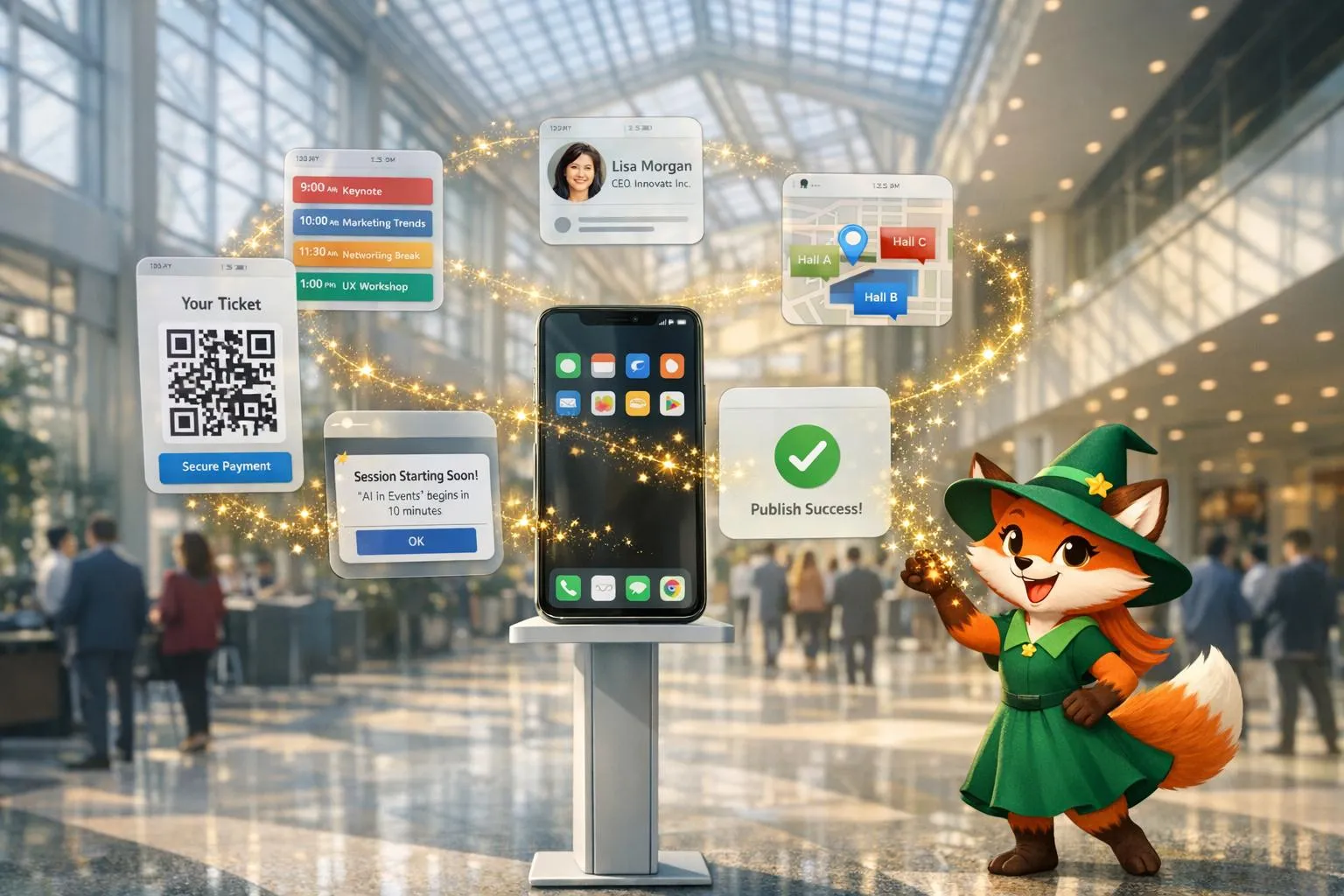
Why Adalo Works for Event and Conference Apps
Adalo is a no-code app builder for database-driven web apps and native iOS and Android apps—one version across all three platforms, published to the Apple App Store and Google Play. This makes it the perfect solution for event organizers who need a professional mobile app without the time or budget for custom development.
Having your event app available in both major app stores ensures maximum accessibility for attendees, whether they're using iPhones or Android devices. With built-in push notification capabilities, you can instantly alert attendees about schedule changes, session reminders, and networking opportunities—keeping everyone engaged throughout your conference or event.
Want to build an event app quickly without hiring developers? Adalo lets you create fully functional, native apps for iOS, Android, and web in just days. From event schedules and speaker profiles to venue maps and push notifications, everything is customizable using an intuitive drag-and-drop editor. No coding required.
Ada, Adalo's AI builder, lets you describe what you want and generates your app. Magic Start creates complete app foundations from a description, while Magic Add adds features through natural language.
Here’s what makes Adalo perfect for event apps:
- Speed: Launch your app in days, not months, using tools like Magic Start, which builds your app’s foundation from a simple description.
- Features: Add schedules, ticketing, maps, networking tools, and push notifications - all integrated with your event’s needs.
- Cost: Plans start at $36/month, covering unlimited database records and app store publishing.
- Ease of Use: Publish directly to the Apple App Store and Google Play Store without managing complex codebases.
Whether you’re managing a small workshop or a large conference, Adalo provides all the tools you need to create a polished app that keeps attendees informed and engaged.
Setting Up Your Event App in Adalo
Starting a New Adalo Project
Begin by selecting "Create New App" in your Adalo dashboard. You can choose between native mobile apps or responsive web apps depending on your audience's needs. From there, select your preferred starting point:
- Magic Start: Describe your event app in plain language, and Adalo's AI Builder generates your database structure, screens, and user flows automatically. Tell it you need a conference app with speaker profiles, session schedules, and attendee networking—what used to take days of planning happens in minutes.
- Pre-configured Template: Choose a ready-made option like "Event Calendar" to accelerate development.
- Blank Canvas: Start from scratch for complete creative control over every element.
For complex data structures like event ticketing systems that link users, events, tickets, and registrations, Magic Start saves significant time by generating the foundational architecture automatically.
"Adalo's building interface is so intuitive that you can start building your app immediately after signing up." - Adalo Team
Once your app framework is ready, you can move on to setting up your event data and customizing user login options.
Setting Up Event Data and User Login
With your project structure in place, define the core collections that will drive your app. For an event app, you'll need five key collections: Users, Events, Tickets, Registrations, and Categories. Each collection should include specific properties:
- Text: Names, descriptions, or event details.
- Date/Time: Event schedules or ticket availability.
- Images: Speaker photos, banners, or event visuals.
- Numbers: Ticket prices, attendee counts, or other metrics.
Set up one-to-many or many-to-many relationships where necessary to ensure smooth data flow between collections.
Adalo simplifies user registration with built-in login features. To manage different roles, add a "User Type" field in the Users collection. This lets you create distinct interfaces—an Organizer Dashboard for event creators and an Event Discovery screen for attendees.
Need to load substantial event data? Use the CSV import feature or sync your data with Google Sheets using SheetBridge. With Adalo's unlimited database records on paid plans, you can import complete attendee lists, session catalogs, and speaker databases without worrying about storage caps or overage charges.
Keep in mind that authentication tokens expire every 20 days. Sessions will also end if users log in on a new device or clear their browser cache.
Building Core Event App Features
Creating Event Schedules and Speaker Profiles
To build a functional event schedule, start by installing the Calendar component from the Adalo Marketplace. Place it on your schedule screen and connect it to your Events collection, ensuring each event includes start and end date properties. The calendar automatically displays sessions in a timeline format, allowing attendees to browse events by day or week. For easier navigation, add filters—such as category or date—above the schedule.
For speaker profiles, create a Speakers collection linked to your Events collection. Include fields like Name, Bio (using Long Description Text), Image, and social media links. On the Event Details screen, add a list component to display "This Event's Speakers" with their photo, name, and bio. You can populate speaker data quickly by uploading a CSV file or using an admin interface. You can also use Google Sheets as a database to manage your speaker and event data externally.
"Adalo is by far the easiest web app builder in terms of functionality x flexibility. For the vast majority of apps, Adalo is your best bet." - Erik Goins
When attendees tap a session on the calendar, use a Link action to navigate them to the Event Details screen. This screen can include the session description, speaker bios, and session time. To enhance usability, add an "Add to Calendar" button that exports session details to the attendee's native calendar app.
With Magic Add, you can expand these features by simply describing what you want. Type "add a favorites feature so attendees can save sessions" and Adalo generates the necessary database fields, UI components, and logic automatically.
Adding Venue Maps and Navigation
To integrate venue maps, you'll need a Google Maps API Key with the required Google Maps APIs enabled. Google provides a $250/monthly credit, which is sufficient for most event apps.
Add a Location property to your Venues or Events collection to store addresses or coordinates. Then, install the Maps component from the Adalo Marketplace, paste your API key into the settings, and configure it to display either a single marker for one venue or multiple markers for all event locations.
To enhance attendee convenience, use the "Request Location Permissions" action to access the device's location and calculate distances, such as KILOMETERS(Current Location, Venue Location). While Adalo doesn't support turn-by-turn navigation, you can include a "Get Directions" button that links to https://maps.google.com/maps?daddr=[Latitude],[Longitude]. This opens the attendee's preferred GPS app with the destination pre-loaded.
For a polished look, use the Google Maps Styling Wizard to customize the map's appearance to match your event's branding. Generate JSON code for your desired style and paste it into the "Custom Style JSON" field in Adalo.
Building Networking and Engagement Tools
Networking is a key part of any event, and you can create tools to facilitate meaningful connections. Use your existing Users collection to build an attendee directory. Design a "Public Profile" screen to display attendee names, photos, company details, and contact preferences. Then, add a list component to the networking screen, filtered to show only users with the "Attendee" role.
For in-app messaging, install the User Chat template. This provides pre-built screens, database collections, and logic for one-on-one or group conversations. Features include message threading, read receipts, and push notifications for new messages.
To encourage interaction during sessions, add live polls and Q&A features. Create a "Polls" collection with fields for Question Text, Options List, and Votes Number. On session screens, include a form for attendees to submit questions or votes, and a list to display live results as the database updates. For Q&A, add an Upvotes field to help popular questions rise to the top. Use conditional visibility to ensure these features appear only during relevant sessions.
Creating Sponsor Pages
Sponsors are an important part of event apps, providing value to both organizers and attendees. Build a Sponsors collection with fields like Company Name, Logo (Image), Description (Long Text), Website URL, and Booth Number. If sponsors are tied to specific sessions, add a relationship field linking them to Events.
Create a Sponsors screen that displays sponsor logos in a grid layout. When attendees tap a logo, they'll be taken to a Sponsor Detail screen with full information about the company. This setup not only highlights sponsors but also makes it easy for attendees to engage with them during the event.
Setting Up Push Notifications and Live Updates
Configuring Push Notifications
To enable push notifications, you'll need native iOS and Android apps, which are available with Adalo's Professional plan ($36/month, billed annually) or higher. Begin by going to the App Settings in the Adalo builder and turning on Push Notifications. For iOS, generate an APNs key from the Apple Developer Console and upload it to Adalo. For Android, create a Firebase project and link its server key.
Users must grant permission for notifications. Add a "Request Notification Permission" action to your app's Home Screen for native apps, or tie it to a button like "Enable Event Updates" for Progressive Web Apps. Once permissions are granted, you can send notifications by adding a "Send Push Notification" action to app components. For example, place a "Send Reminder" button on your admin dashboard. Customize the notification's title (e.g., "Keynote Starting in 15 Minutes") and message (e.g., "Join us at Main Hall now") using Magic Text to include dynamic details like session names or speaker information.
For automated reminders, connect with Zapier or External Collections to trigger notifications based on schedules or events. For instance, after a ticket purchase, you can automatically send a push notification with directions and parking details. Test notifications on devices using Test Publish to ensure they work on both iOS and Android. Use two separate accounts for testing, as the admin sending the notification won't receive it.
Targeting Notifications by Attendee Group
To send updates to specific attendee groups, choose "Multiple Users" in the notification settings and apply filters based on properties or relationships in your Users collection. For example, if attendees are linked to particular event tracks, you can filter notifications to reach only those registered for a specific session. This way, you avoid sending irrelevant updates, like "Room Change: AI Workshop moved to Hall B", to everyone.
You can also use Magic Text to personalize notifications. Instead of a generic "Session starting soon", you might send something like, "John, your Networking Lunch starts in 10 minutes at Terrace Lounge." For native apps, you can set a Target Screen that directs users to updated schedules or session details when they tap the notification. Remember, attendees need to have been active in the app within the past two weeks to receive notifications, so encourage them to download and log in early before the event.
Adalo Tutorial: Create Your Own Event Booking App
Publishing and Scaling Your Event App
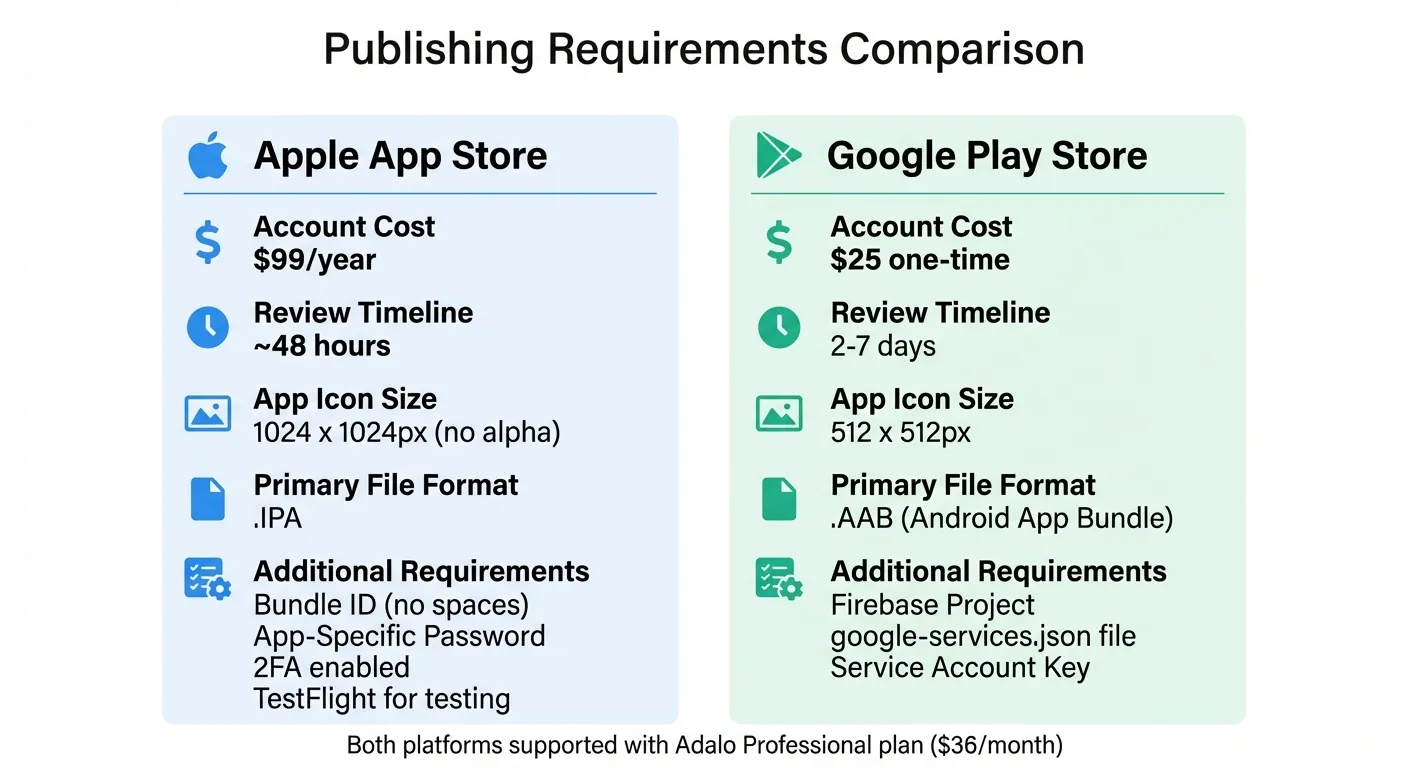
Apple App Store vs Google Play Store Publishing Requirements for Adalo Event Apps
Publishing to the Apple App Store and Google Play Store
Adalo simplifies app publishing by building native iOS and Android apps from a single codebase. This approach means you can release your app on the Apple App Store and Google Play Store without managing separate development processes. Even better, Adalo handles much of the submission process for you.
For iOS publishing, you'll need an Apple Developer Account, which costs $99 per year. Start by creating a unique Bundle ID in App Store Connect—be sure there are no extra spaces. Then, generate an App-Specific Password in your Apple ID settings. Once that's ready, head to the Adalo builder, navigate to the Launch tab, and select "iOS App." Enter your Bundle ID, Apple ID, and App-Specific Password. You'll also need to configure your Display Name (maximum of 30 characters), Launch Screen, and custom permission request texts for features like Camera or Location access. After setting everything up, click "Start New Testflight Build." Once the build is complete, you can distribute it via TestFlight for testing before submitting it for review in App Store Connect. Apple's review process typically takes about 48 hours.
"In order to publish an iOS build in Adalo, you must be able to approve sign-ins from Mac, iPhone, iPad, or Apple Watch with 2FA enabled." - Adalo Help Documentation
For Android publishing, you'll need a Google Developer Account, which has a one-time fee of $25. Begin by setting up a Firebase Project and downloading the google-services.json configuration file. You'll also need to download the Service Account Key. In Adalo, go to the Publish tab, select "Android App", and upload the Firebase config and Service Account Key to start a new build. Once your build is ready, download the Android App Bundle (.AAB) file. Then, create a new listing in the Google Play Console, upload the .AAB file, and add your app's metadata and assets. After completing these steps, release your app. Google's review process usually takes between 2–7 days.
| Requirement | Apple App Store | Google Play Store |
|---|---|---|
| Account Cost | $99/year | $25 one-time |
| Review Timeline | ~48 hours | 2–7 days |
| App Icon Size | 1024 x 1024px (no alpha) | 512 x 512px |
| Primary File Format | .IPA | .AAB (Android App Bundle) |
Once your app is live, share installation instructions with attendees. Include direct links to both app stores in confirmation emails and on your event's website. For attendees who prefer not to download native apps, offer a Progressive Web App (PWA) version that works directly in their browser.
Preparing for High Attendee Volume
After launching your app, ensure it handles large events without performance issues. Adalo's paid plans start at $36 per month and include no caps on actions, users, records, or storage. Unlike competitors that charge usage-based fees (Bubble's Workload Units, for example, can create unpredictable costs), Adalo's pricing remains consistent whether you're managing 100 attendees or 100,000.
Adalo's modular infrastructure, upgraded with the 3.0 release in late 2025, supports apps with millions of monthly active users. The platform processes over 20 million daily requests with 99%+ uptime—critical reliability for events where thousands of users access schedules, maps, and networking tools simultaneously.
Prepare your app by pre-loading it with essential event details like schedules, speaker profiles, session times, and venue maps. Test critical features such as push notifications, QR code scanning for check-ins, and offline functionality across different devices and network conditions. Adalo's X-Ray feature helps you pinpoint potential performance issues before they impact attendees—it highlights bottlenecks in your app's logic and data queries so you can optimize before launch.
For larger conferences, encourage attendees to download and log in early. Monitor metrics like crash rates and load times so you can address any issues quickly. Having a support team ready during the event is also a good idea, as they can assist attendees with download or installation problems.
Once the event is over, analyze how your app was used. Look at metrics like feature adoption, attendee engagement, and overall usage patterns to identify areas for improvement. Collect feedback directly from users through in-app reviews and ratings to refine your app for future events.
Conclusion
Create a fully functional, native event app in days—without months-long development cycles or enterprise-level budgets. For $36 per month, Adalo enables event organizers to build professional, branded apps for both iOS and Android. With no caps on database records, users, or actions, your costs stay predictable whether you're managing a small workshop or a multi-day conference with tens of thousands of attendees.
Adalo's AI Builder streamlines the entire process. Magic Start generates your app's foundation from a simple description, while Magic Add lets you expand features by describing what you want in natural language. This AI-assisted approach means you can go from concept to published app in days rather than months.
The platform compiles your app into native code for seamless publishing on both the Apple App Store and Google Play Store, ensuring a polished, professional experience for attendees. This direct app store publishing is often the hardest part of launching an app—Adalo removes this barrier entirely.
With integrated Stripe payments and access to over 5,500 software integrations, Adalo provides everything you need for comprehensive event management. Start with the Free plan to prototype your app, and upgrade when you're ready to launch.
Related Blog Posts
- Building Booking and Reservation Apps with Adalo: A Complete Guide
- Adalo for Custom Software and App Development Agencies
- Church App Development: How Adalo Serves Communities
- Building Nonprofit Apps: Why Organizations Choose Adalo
FAQ
Why choose Adalo over other app building solutions?
Adalo is an AI-powered app builder that creates true native iOS and Android apps from a single codebase. Unlike web wrappers or PWA-only platforms, it compiles to native code and publishes directly to both the Apple App Store and Google Play Store. At $36/month with unlimited usage (no caps on actions, users, records, or storage), it offers the lowest price for native app store publishing with predictable costs.
What's the fastest way to build and publish an app to the App Store?
Adalo's AI Builder with Magic Start generates complete app foundations from text descriptions—describe your event app and it creates your database structure, screens, and user flows automatically. Combined with the drag-and-drop interface and streamlined App Store submission process, you can go from idea to published app in days rather than months.
How much does it cost to build and publish an event app with Adalo?
Adalo plans start at $36/month (billed annually), which includes unlimited database records, unlimited users, and app store publishing to both iOS and Android. You'll also need an Apple Developer Account ($99/year) and Google Developer Account ($25 one-time fee) for publishing. Unlike competitors with usage-based charges, there are no overage fees regardless of attendee volume.
Can I send push notifications to event attendees with Adalo?
Yes, Adalo includes built-in push notification capabilities for native iOS and Android apps on the Professional plan and higher. You can send targeted notifications to specific attendee groups, personalize messages using dynamic data, and automate reminders for schedule changes, session start times, and networking opportunities.
How do I add venue maps and navigation to my event app?
Integrate Google Maps by adding your Google Maps API Key and installing the Maps component from the Adalo Marketplace. The map can display single or multiple venue markers, and you can add a "Get Directions" button that opens attendees' preferred GPS app with the destination pre-loaded. Google provides a $250/monthly credit that covers most event apps.
Can my Adalo event app handle large conferences with thousands of attendees?
Yes, Adalo's modular infrastructure (upgraded with the 3.0 release in late 2025) supports apps with millions of monthly active users. The platform processes over 20 million daily requests with 99%+ uptime. With no caps on database records or usage, your app handles thousands of attendees accessing schedules, maps, and networking tools simultaneously without performance issues or surprise costs.
Do I need coding experience to build an event app with Adalo?
No coding experience is required. Adalo's drag-and-drop editor and AI-assisted building tools let you create fully functional event apps visually. Magic Start generates your app's foundation from a description, and Magic Add lets you expand features by simply describing what you want in natural language.
How long does it take to build an event app with Adalo?
Most event apps can be built and published in days rather than months. Magic Start generates your database structure, screens, and user flows automatically from a description, dramatically reducing planning time. The streamlined publishing process handles App Store submission complexity, so you can focus on customizing features rather than wrestling with certificates and provisioning profiles.
What features should an event app have?
Essential event app features include: event schedules with calendar views, speaker profiles with bios and photos, venue maps with navigation, push notifications for updates and reminders, attendee networking and messaging, sponsor pages, ticketing and registration, and live polls or Q&A for session engagement. Adalo supports all of these through its component library and marketplace.
Can I integrate payment processing for ticket sales?
Yes, Adalo integrates with Stripe for secure payment processing, allowing you to sell tickets directly within your event app. Combined with access to over 5,500 software integrations through Zapier and External Collections, you can connect your app to existing ticketing systems, CRMs, and marketing tools.

Build your app fast with one of our pre-made app templates
Begin Building with no codeRelated Content
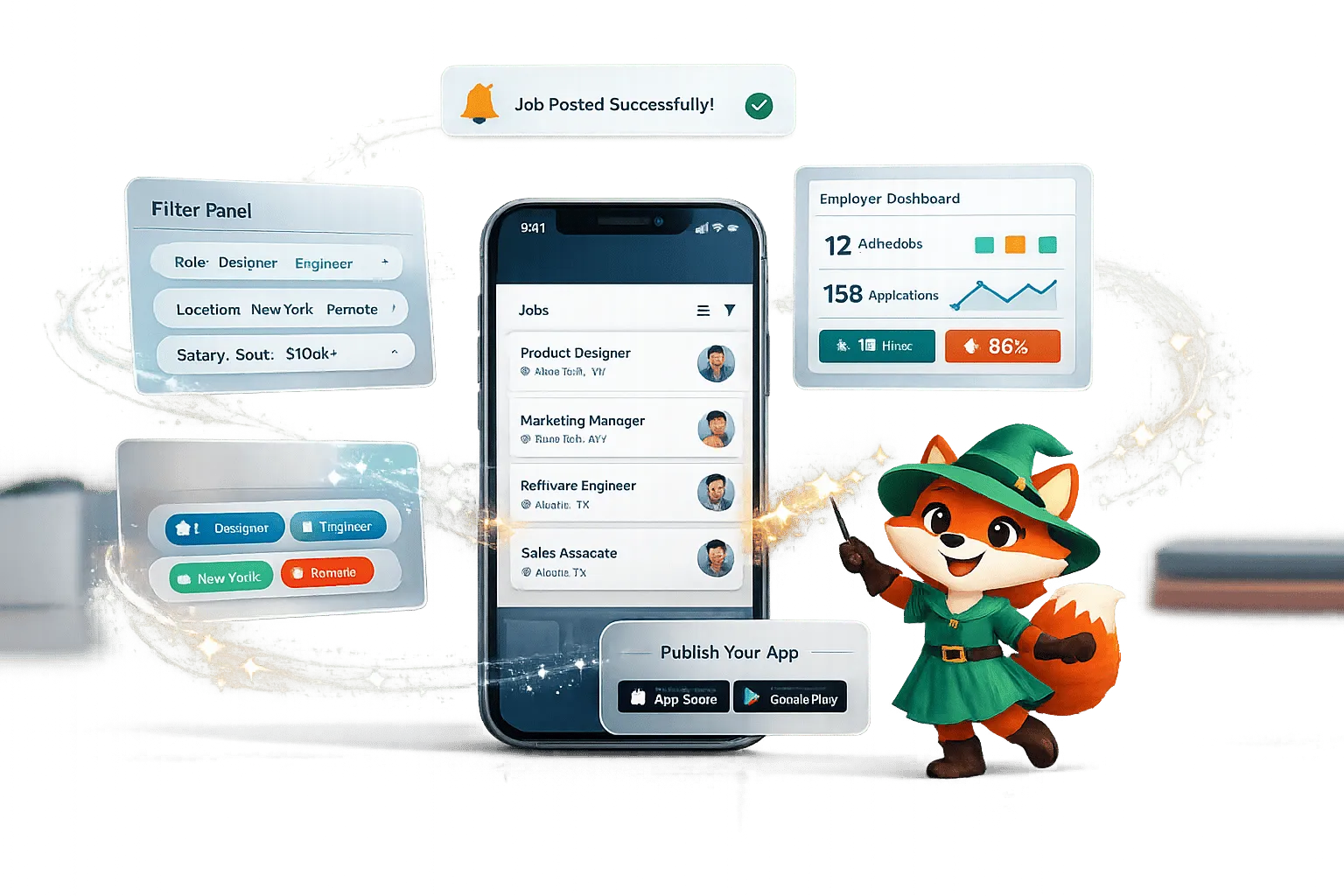
No-Code Job Board and Career Platform: Build It with Adalo
Step-by-step guide to create a native mobile job board with search, filters, employer dashboards, push notifications, and app store publishi
Building Your Mobile App: Adalo's Complete Development and Deployment Guide
Step-by-step guide to design, build, test, and publish cross-platform mobile apps and PWAs with AI tools, databases, testing, and app store
The 2026 Pricing Guide for No Code Mobile App Maker Platforms: Key Factors to Consider
The 2026 Pricing Guide for No Code Mobile App Maker Platforms: Key Factors to Consider
Adalo simplifies choosing an AI-Native No Code Mobile App Builder Platform with clear pricing and product feature insights. Get started free
Latest Adalo Pricing Update: Free Plan for Mobile App Building
Adalo’s Free Plan gives startups robust AI-driven no-code tools to create and deploy responsive mobile apps effortlessly on the web.