


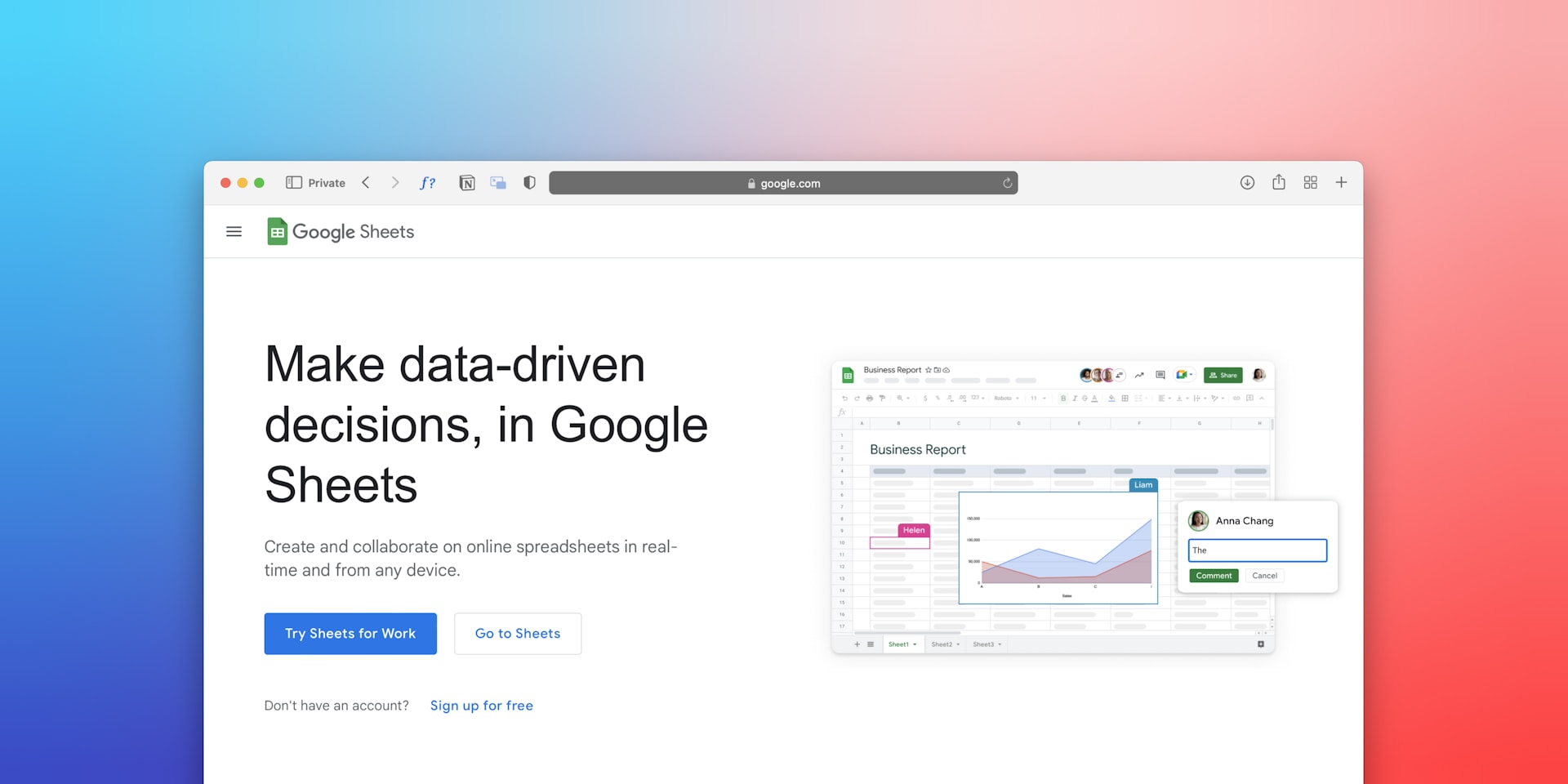
Why Adalo Works for Turning Google Sheets Into Mobile Apps
Adalo is a no-code app builder for database-driven web apps and native iOS and Android apps—one version across all three platforms, published to the Apple App Store and Google Play. This makes it the perfect solution for transforming your existing Google Sheets data into fully functional mobile applications that your team can access anywhere, without writing a single line of code.
When your spreadsheet data lives inside a native app store application, you gain capabilities that web-only tools can't deliver. Push notifications instantly alert team members when inventory drops or new orders arrive, while offline functionality keeps field workers productive even without cell service. Instead of emailing spreadsheet links or training employees on complex sharing permissions, you simply point them to a polished app in the store they already use.
Your spreadsheets already contain the blueprint for a powerful mobile application—trapped in desktop-only workflows that frustrate 91% of employees struggling with workplace technology. While competitors race ahead with mobile-first operations, teams waste hours accessing data from laptops instead of smartphones.
Adalo, an AI-powered app builder, solves this with SheetBridge—a feature that connects your existing Google Sheets directly to native iOS and Android apps. The platform delivers 90% faster development than traditional coding while eliminating the need for expensive developers. One build publishes to web, the Apple App Store, and Google Play Store simultaneously.
When you publish your spreadsheet-powered app to the app stores, you unlock capabilities that browser-based solutions simply can't match. Push notifications alert field teams the moment critical data changes, while native performance ensures smooth scrolling through thousands of records. Whether your employees are updating inventory from a warehouse floor or logging client visits from a job site, app store distribution puts your Google Sheets data directly in their pockets—no laptop required.
Key Takeaways
- Spreadsheet-to-app conversion eliminates desktop dependency, enabling field teams to update data in real-time from mobile devices with 40-60% fewer data entry errors
- Three integration methods serve different needs: SheetBridge for simplicity, Zapier for automation, External Collections for API control
- Organizations save an average of $1.7 million annually using no-code platforms, with break-even typically arriving within 2-6 months
The Spreadsheet Prison Trapping Your Business Data
Your most valuable business information sits locked in Google Sheets, accessible only to team members chained to desks with laptops open. Field service technicians can't update job statuses from customer sites. Sales representatives lose deals because customer history remains trapped in office-bound spreadsheets. Warehouse managers watch inventory accuracy plummet to 75% because teams can't scan barcodes directly into mobile-accessible databases.
The cost extends beyond lost productivity. When data lives exclusively in spreadsheets, organizations face:
- Desktop dependency blocking real-time mobile access for field teams
- Manual data entry consuming 10-20 hours weekly per team member
- Version control nightmares with multiple copies creating conflicting information
- Security vulnerabilities from uncontrolled spreadsheet sharing across email
- Scaling limitations as Google Sheets degrades with complex formulas and large datasets
Studies reveal 91% of employees experience frustration with workplace technology, with workers wasting over three hours daily due to inefficient systems. When your customer relationship data, inventory counts, and service records remain spreadsheet-bound, teams can't access critical information during the moments that matter most.
Why Spreadsheets Fail Mobile-First Operations
Google Sheets wasn't designed for the workflows modern businesses demand. The platform simultaneously attempts to serve collaborative data management across distributed teams, real-time mobile access for field operations, complex business logic through formulas and scripts, security controls for sensitive information, integration capabilities with CRM and payment systems, and scalability requirements for growing datasets.
This impossible balancing act creates predictable failure points. Spreadsheets handle basic data storage adequately but collapse under the weight of modern enterprise demands. When your team needs GPS-enabled check-ins, barcode scanning, photo uploads with job records, or offline data collection, spreadsheets simply can't deliver.
The 10 million cell limit per spreadsheet seems generous until you calculate real-world capacity: a customer database with 20 columns reaches this ceiling at just 500,000 records. Performance degradation starts much earlier, with noticeable slowdowns above 100,000 rows as complex formulas struggle to recalculate across massive datasets.
Critical Failure Points in Spreadsheet Workflows
Field Data Collection (Constant): Service technicians complete jobs but can't update status until returning to the office, leaving dispatchers operating with outdated information and customers uncertain about completion.
Inventory Management (Real-Time): Warehouse teams manually count stock and enter numbers into spreadsheets hours later, creating gaps where purchasing decisions rely on stale data and stockouts occur despite safety stock policies.
Customer Relationship Tracking (Mobile): Sales representatives meet prospects without access to interaction history, previous quotes, or account notes—information locked in office computers while deals happen in conference rooms and coffee shops.
Compliance and Audit Trails: Healthcare and financial services teams struggle to demonstrate who accessed what data when, as spreadsheet sharing creates security vulnerabilities without proper audit logging or row-level permissions.
Traditional Solutions That Miss the Mark
The Custom Development Trap
Hiring developers to build mobile apps seems logical until you calculate the true investment. Traditional mobile app development requires separate iOS and Android teams, backend infrastructure, API development, and ongoing maintenance. Total costs easily reach $40,000-$60,000 for basic functionality—assuming 6-12 month development timelines that delay value delivery.
Beyond financial burden, custom development creates new problems. Business users lose direct control over their data, submitting change requests to IT departments with 2-4 week turnaround times. The flexibility that made spreadsheets attractive disappears behind development backlogs and technical jargon.
Database Migration Limitations
Moving spreadsheet data to proper databases like MySQL or PostgreSQL addresses scaling concerns but introduces complexity most teams aren't equipped to handle. Database administration requires specialized skills, server infrastructure demands ongoing costs, and business users lose the familiar spreadsheet interface they've mastered over years.
McKinsey research reveals 70% of digital transformations fail to achieve their goals, often because organizations underestimate the disruption of wholesale platform changes. Teams trained on spreadsheets resist database systems they perceive as overly technical and inflexible.
Mobile Spreadsheet Apps Fall Short
Google Sheets offers mobile apps, but the experience frustrates users attempting serious work. Small screens make editing difficult, offline functionality remains limited, and the interface optimized for desktop spreadsheets translates poorly to touch-based navigation. Teams need purpose-built mobile experiences, not shrunk-down spreadsheet views crammed onto phone screens.
No-Code Solutions That Transform Spreadsheets Into Apps
SheetBridge: Your Spreadsheet-to-App Conversion Engine
SheetBridge represents the breakthrough that makes spreadsheet modernization accessible to non-technical teams. This native Adalo tool transforms Google Sheets data into fully functional mobile and web applications through automated conversion that preserves your existing data structure while adding enterprise-grade capabilities.
The platform delivers immediate transformation:
- Automatic schema detection identifies columns, data types, and relationships from spreadsheet structure
- Real-time synchronization maintains bidirectional updates between spreadsheet and app within seconds
- Mobile-native interfaces replace desktop spreadsheet views with touch-optimized screens for iOS and Android
- Visual data mapping connects spreadsheet columns to app components through drag-and-drop builders
- Zero-code migration eliminates the need for developers, APIs, or technical implementation
Organizations using SheetBridge complete conversions in 30 minutes that would require months of traditional development. Field service teams access work orders via native mobile apps while office staff continue using familiar spreadsheet interfaces. Inventory systems gain barcode scanning and photo uploads without abandoning existing data structures.
Zapier Integration for Workflow Automation
When spreadsheet data needs to flow through multiple business systems, Zapier integration provides the automation layer connecting Google Sheets to Adalo apps alongside 5,000+ other platforms. This approach excels for scenarios requiring:
- Multi-system synchronization keeping spreadsheets, apps, and CRM platforms aligned
- Conditional automation triggering actions based on data changes or business rules
- Email notifications alerting teams when spreadsheet records meet specific criteria
- Cross-platform workflows connecting spreadsheet updates to Slack messages, email campaigns, and payment processing
Zapier automation handles complex scenarios like "when new customer added to spreadsheet, create Adalo app record AND send welcome email AND add to Mailchimp list." The platform supports scheduled polling with 15-minute intervals on free tiers, scaling to near-instant triggers on paid plans starting at $19.99 monthly.
External Collections for API-Level Control
Technical teams requiring maximum flexibility leverage External Collections for direct API integration between Google Sheets and Adalo. Available on Professional plans and higher, this method enables:
- Custom data transformations processing spreadsheet information before app import
- Real-time performance with instant updates via REST API calls
- Advanced security controls implementing custom authentication and encryption
- Scalability planning facilitating future migration from Sheets to enterprise databases
External Collections demand technical knowledge of JSON and REST APIs but deliver absolute control over data flow and business logic. Organizations use this approach when preparing to transition from Google Sheets to dedicated backends like Xano or Airtable as data volumes grow beyond spreadsheet capacity.
Real-World Transformations: Spreadsheets to Mobile Apps
Field Service Management: 15 Hours Weekly Saved
A regional HVAC company managed 200+ weekly service calls through Google Sheets, forcing technicians to phone the office with job status updates while dispatchers manually updated spreadsheets. The desktop-dependent workflow created bottlenecks, delayed customer notifications, and prevented real-time scheduling optimization.
Implementation via SheetBridge delivered:
- 30-minute conversion from spreadsheet to mobile app with work order management
- GPS tracking automatically logging service call locations and timestamps
- Photo uploads capturing equipment images directly into job records via smartphone cameras
- Status updates pushed to dispatchers in real-time as technicians completed tasks
- 15 hours weekly saved eliminating phone calls and manual data entry
The team achieved 95% inventory accuracy improvements and reduced administrative overhead while maintaining their familiar spreadsheet structure for office-based planning and reporting.
Retail Inventory: 40% Stockout Reduction
A multi-location boutique retailer tracked inventory across five stores using Google Sheets, with staff manually counting products weekly and emailing updates to the purchasing manager. The delayed, error-prone process led to stockouts of popular items while slow-moving inventory accumulated.
Spreadsheet-to-app transformation created:
- Barcode scanning via smartphone cameras for instant stock adjustments
- Low-stock alerts through Zapier automation notifying managers when reorder points hit
- Location filtering showing real-time inventory by store for transfer decisions
- Purchase order generation triggered automatically based on inventory rules
- 40% reduction in stockout incidents and improved cash flow
The solution maintained Google Sheets as the data source while adding mobile access and automation capabilities that transformed inventory accuracy from 75% to 95%.
Sales CRM: 25% Productivity Increase
A B2B sales team of 12 representatives managed customer relationships through a shared Google Sheet with contact information, interaction history, and opportunity tracking. Representatives accessed data only from office computers, leaving them unprepared for client meetings and unable to log activities immediately after calls.
Mobile CRM built from spreadsheets provided:
- Complete customer history accessible during sales calls and client meetings
- Activity logging via mobile forms with voice-to-text note capture
- Opportunity pipeline visualization showing deal status in real-time
- Search and filtering by industry, deal stage, and account owner
- 25% productivity gain with more client touches per day and better information access
The team achieved 15% faster deal closure times while maintaining their spreadsheet-based reporting workflows that management preferred.
Step-by-Step Implementation Roadmap
Week 1: Spreadsheet Preparation and Assessment
Action Items:
- Format data with clear column headers in Row 1 using underscore naming (Customer_Name, Order_Date)
- Remove merged cells, hidden columns, and complex formula arrays
- Create unique identifier columns (ID, Order_Number) for each data table
- Define consistent data types per column ensuring dates are dates, numbers are numbers
- Separate related data into distinct sheets (Customers, Orders, Products)
Expected Result: Clean, structured spreadsheet ready for automated import with predictable data types and relationship pathways.
Time Investment: 2-4 hours depending on initial data quality and complexity.
Week 2: SheetBridge Conversion
Action Items:
- Visit SheetBridge and authenticate with your Adalo account
- Connect Google account and select target spreadsheet
- Review auto-detected schema confirming column types and relationship mappings
- Adjust any misidentified data types in the schema review interface
- Complete import creating Adalo collections automatically from spreadsheet structure
Expected Result: Functional Adalo database mirroring spreadsheet data with real-time synchronization active.
Time Investment: 30-60 minutes for straightforward spreadsheets; up to 2 hours for complex multi-sheet workbooks.
Week 3-4: Mobile App Interface Design
Action Items:
- Access Adalo Builder and verify imported collections in Database tab
- Select app template matching your use case (inventory, CRM, field service)
- Customize screens using drag-drop components (Lists, Forms, Detail screens)
- Bind spreadsheet data to visual components through the data mapper
- Configure user permissions and authentication for secure access
- Test workflows on actual iOS and Android devices using Adalo preview
Expected Result: Fully functional mobile app displaying and manipulating spreadsheet data with native features like camera access, GPS, and offline capability.
Time Investment: 4-8 hours for basic apps; 2-3 weeks for complex multi-screen applications with advanced features.
Week 5-6: Automation and Integration
Action Items:
- Connect Zapier for multi-system workflows if needed
- Configure email notifications, Slack alerts, or CRM synchronization
- Set up automated backups and data validation rules
- Implement barcode scanning or payment processing from component marketplace
- Create user documentation and training materials
Expected Result: Complete mobile-first system with automation replacing manual processes while maintaining spreadsheet as optional interface for power users.
Time Investment: 1-2 weeks for comprehensive automation setup; ongoing refinement based on user feedback.
Why Adalo Stands Apart for Spreadsheet Transformation
While multiple platforms claim spreadsheet integration, Adalo delivers purpose-built capabilities specifically designed for transforming Google Sheets into production-ready mobile applications—backed by infrastructure that's been completely overhauled with the Adalo 3.0 release in late 2025.
SheetBridge: The Definitive Spreadsheet Conversion Tool
SheetBridge represents Adalo's unique advantage in the spreadsheet-to-app category. Unlike competitors requiring manual schema configuration or API setup, SheetBridge automates the entire conversion process:
- Intelligent schema detection analyzes spreadsheet structure identifying data types, primary keys, and relationship patterns automatically
- Bidirectional real-time sync maintains updates between spreadsheet and app within seconds, allowing teams to choose their preferred interface
- Zero technical knowledge required eliminating the need for API keys, JSON configuration, or developer intervention
- Relationship preservation correctly maps foreign keys and one-to-many connections from spreadsheet references
- Incremental migration support enabling gradual transition from spreadsheets to Adalo's built-in database as needs evolve
Organizations complete SheetBridge conversions in 30 minutes that would require 2-3 months of traditional development. Field teams gain mobile access immediately while power users maintain spreadsheet workflows during the transition period.
True Native Mobile Publishing
Adalo delivers genuine iOS and Android applications published to the Apple App Store and Google Play Store—not web wrappers or progressive web apps limited by browser constraints. This distinction proves critical for spreadsheet modernization:
- Offline functionality allowing field teams to access and update data without cellular connectivity
- Native device integration leveraging cameras for barcode scanning and photo capture, GPS for location tracking
- Push notifications alerting users to critical spreadsheet changes or workflow triggers
- Superior performance with native rendering instead of web-based interfaces loaded in mobile browsers
When inventory teams need barcode scanning or service technicians require photo documentation, web-based spreadsheet apps can't compete with native mobile capabilities. Platforms like Glide and Softr don't support App Store or Play Store publishing at all, limiting distribution options for teams that need true mobile deployment.
Seamless Database Evolution Path
Adalo recognizes that Google Sheets serves as an excellent starting point but not a permanent database solution. The platform provides migration pathways as data needs evolve:
- Built-in relational database with no record limits on paid plans—unlimited storage as your data grows
- Xano integration (included with Team plans) providing enterprise-grade backend infrastructure
- Airtable connectivity for teams preferring enhanced spreadsheet-database hybrid platforms
- Custom API integrations on Professional plans enabling connections to any data source
This flexibility means teams start with familiar spreadsheets and transition to proper databases without rebuilding applications—preserving the investment in app development while addressing scaling requirements. With the right data relationship setups, Adalo apps can scale beyond 1 million monthly active users.
Proven ROI and Cost Structure
Adalo pricing starts at $36/month for Starter plans enabling single app deployments with custom domains and native mobile publishing. Professional plans at $52/month unlock External Collections for advanced integrations, while Team plans at $160/month include Xano backend integration worth $99/month standalone. All paid plans include unlimited usage with no record caps—eliminating the bill shock common with usage-based platforms.
Organizations save an average of $1.7 million annually using no-code platforms with up to 70% reduction in development costs versus traditional coding. The break-even point typically arrives within 2-6 months based on productivity gains from mobile access and workflow automation.
How Adalo Compares to Alternative Platforms
Several platforms compete in the spreadsheet-to-app space, each with distinct trade-offs worth understanding.
Glide focuses heavily on template-based apps, making it fast to build but limiting creative freedom. While Glide excels at spreadsheet-based apps, it doesn't support Apple App Store or Google Play Store publishing—a significant limitation for teams needing true mobile distribution. Pricing starts at $60/month for custom domain apps, but includes limits on app updates and data rows that attract additional charges.
Softr targets spreadsheet app building for web-only use cases. Pricing starts from $167/month to publish a Progressive Web App, still restricted by records per app and records per datasource. Like Glide, Softr doesn't support native iOS and Android app creation or app store publishing.
Bubble offers more customization options but with significant trade-offs. Their mobile solution wraps the web app rather than compiling native code, introducing potential performance challenges at scale. Bubble's pricing starts at $59/month with usage-based Workload Units that create unpredictable costs, plus limits on records and app re-publishing. One app version doesn't automatically update web, Android, and iOS deployments simultaneously.
FlutterFlow is a low-code platform designed for technical users. Users must set up and manage their own separate database, requiring significant learning complexity—especially when optimizing for scale, as suboptimal setup creates performance problems. Pricing starts at $70/month per user for app store publishing, but still doesn't include a database, which must be sourced, configured, and paid for separately.
Adalo's combination of SheetBridge for effortless spreadsheet conversion, true native app compilation, unlimited database records on paid plans, and predictable pricing at $36/month makes it the most complete solution for teams transforming spreadsheets into production mobile apps.
Performance Benchmarks Reveal the Opportunity
No-code platforms like Adalo transform spreadsheet workflows through measurable improvements:
- Development speed: 10x faster application delivery compared to traditional coding approaches
- Error reduction: 40-60% fewer data entry mistakes through mobile validation and automated workflows
- Time savings: 10-20 hours weekly per team eliminating manual entry and desktop-only access
- Accuracy gains: Inventory systems improve from 75% to 95% accuracy with mobile scanning
- Platform adoption: Over 3 million apps have been created on Adalo, with the visual builder described "as easy as PowerPoint"
When field service teams achieve real-time updates instead of end-of-day data entry, revenue opportunities expand through improved customer experience and operational efficiency. Sales teams accessing customer history during calls close deals 15% faster, while warehouse operations reduce stockouts by 40% through mobile-enabled inventory management.
The Adalo 3.0 infrastructure overhaul delivered 3-4x faster performance with modular infrastructure that scales with app needs. Most third-party platform ratings and comparisons predate this major update, so external reviews may not reflect current capabilities.
Getting Started: From Spreadsheet to App Store
Transforming your Google Sheets into a native mobile app follows a straightforward path. Start with SheetBridge for the fastest conversion—30 minutes from spreadsheet to functional app. The visual builder, described by users as "easy as PowerPoint," lets you customize screens, add features, and configure workflows without writing code.
For teams ready to move beyond spreadsheets entirely, Adalo's built-in database offers unlimited records on paid plans with no usage-based charges. As your app grows, the platform's modular infrastructure scales to support millions of monthly active users without performance degradation.
The combination of immediate spreadsheet conversion, true native app publishing, and a clear evolution path to enterprise-scale databases makes Adalo the practical choice for teams ready to escape the spreadsheet prison and put their data where it belongs—in their team's pockets.
FAQ
Why choose Adalo over other app building solutions?
Adalo is an AI-powered app builder that creates true native iOS and Android apps from a single codebase. Unlike web wrappers, it compiles to native code and publishes directly to both the Apple App Store and Google Play Store. With unlimited database records on paid plans, no usage-based charges, and 3-4x faster performance after the Adalo 3.0 infrastructure overhaul, it handles the hardest part of launching an app automatically.
What's the fastest way to build and publish an app to the App Store?
Adalo's drag-and-drop interface, described as "easy as PowerPoint," combined with SheetBridge for spreadsheet conversion, lets you go from Google Sheets to published app in days rather than months. Adalo handles the complex App Store submission process—certificates, provisioning profiles, and store guidelines—so you can focus on your app's features and user experience.
Which is more affordable, Adalo or Bubble?
Adalo starts at $36/month with unlimited usage and no record caps. Bubble starts at $59/month with usage-based Workload Units that create unpredictable costs, plus limits on records and app re-publishing. Adalo's predictable pricing eliminates bill shock while delivering true native mobile apps.
Which is more affordable, Adalo or Glide?
Adalo starts at $36/month with unlimited database records and app store publishing. Glide starts at $60/month for custom domain apps but includes limits on app updates and data rows that attract additional charges—and doesn't support Apple App Store or Google Play Store publishing at all.
Which is more affordable, Adalo or FlutterFlow?
Adalo starts at $36/month including a built-in database with unlimited records. FlutterFlow starts at $70/month per user for app store publishing, but doesn't include a database—you must source, configure, and pay for that separately, adding significant cost and complexity.
Can I easily turn my Google Sheets into a mobile app?
Yes, with SheetBridge, Adalo's native spreadsheet conversion tool, you can transform your existing spreadsheet data into native iOS and Android apps in as little as 30 minutes. It features automatic schema detection, real-time synchronization, and zero coding required.
What are the main limitations of using Google Sheets for mobile-first operations?
Google Sheets wasn't designed for modern mobile workflows, creating several critical limitations: desktop dependency blocking real-time field access, performance degradation above 100,000 rows, no native support for barcode scanning or GPS tracking, and limited offline functionality. These constraints lead to 10-20 hours of manual data entry weekly per team member.
How does SheetBridge differ from other spreadsheet integration methods?
SheetBridge is Adalo's purpose-built tool that automates the entire spreadsheet-to-app conversion process with intelligent schema detection, bidirectional real-time sync, and zero technical knowledge required. Unlike Zapier (which focuses on workflow automation) or External Collections (which require API expertise), SheetBridge delivers a complete app conversion in 30 minutes without any coding.
What kind of ROI can I expect from converting my spreadsheets to mobile apps?
Organizations using no-code platforms like Adalo save an average of $1.7 million annually with up to 70% reduction in development costs versus traditional coding. Real-world results include 15 hours saved weekly for field service teams, 40% reduction in inventory stockouts, and 25% productivity increases for sales teams—with break-even typically arriving within 2-6 months.
What happens when my data outgrows Google Sheets?
Adalo provides seamless migration pathways including a built-in relational database with unlimited records on paid plans, Xano integration for enterprise-grade backends (included with Team plans), and Airtable connectivity. You can start with familiar spreadsheets and transition to proper databases without rebuilding your applications—with the right setup, Adalo apps scale beyond 1 million monthly active users.







