

Ada, Adalo's AI builder, lets you describe what you want and generates your app. Magic Start creates complete app foundations from a description, while Magic Add adds features through natural language.
Creating an app is no longer a complex, time-consuming process. In 2026, AI-powered tools like Adalo, a no-code app builder for database-driven web apps and native iOS and Android apps—one version across all three platforms, published to the Apple App Store and Google Play, let you turn an idea into a fully functional app in minutes - no-code development is needed. Simply describe your app in plain language, and tools like Magic Start and Magic Add handle everything from database structures to user flows and native mobile interfaces.
Key benefits:
- Faster development: Build apps 50–90% quicker than traditional coding methods.
- Cost-effective: Save up to $1.7 million annually compared to manual coding.
- Scalable: Adalo supports apps with over 1 million monthly active users.
Here's how it works: Start with a clear app idea, refine it with detailed prompts, and let AI handle the heavy lifting. From user-friendly interfaces to robust databases, you can create, launch, and scale your app - all from one platform.
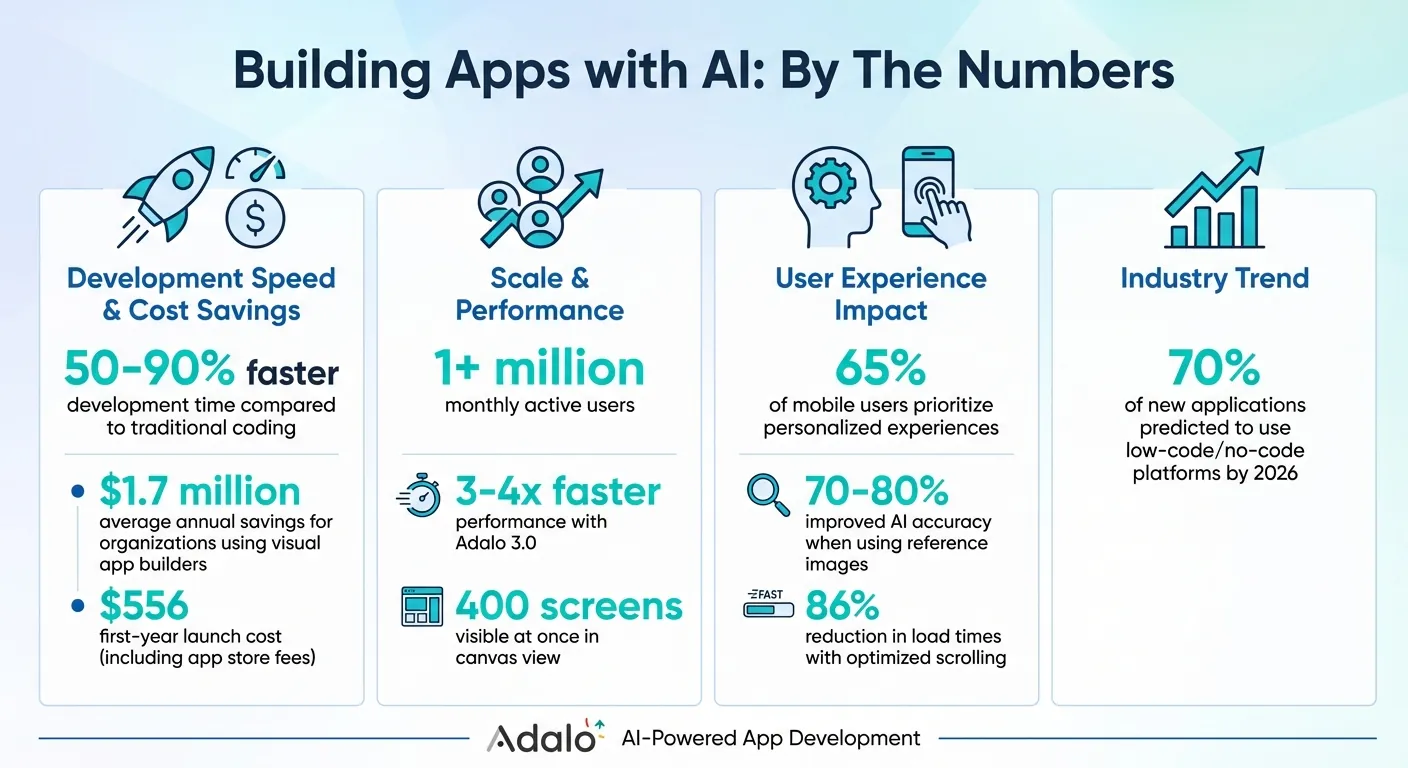
AI App Development: Key Benefits and Statistics
Build Your First App with AI: No Coding Background Required
Writing Effective AI Prompts for App Generation
The difference between an app that merely works and one that perfectly captures your vision lies in how you describe it. Tools like Magic Start and Magic Add interpret natural language, but specificity is key. When your prompts are clear and detailed, the AI generates precise relational database structures and user flows. Vague instructions leave too much room for guesswork.
Define Your App's Purpose and Target Users
Start by explaining your app's purpose and who will use it. This foundational step influences everything from which features the AI includes to how the interface is designed. A prompt like "event discovery, ticket purchasing, and QR code check-in" guides the system to create specific workflows and data structures. Including user roles—such as "Attendee" and "Organizer"—helps the AI customize permissions and navigation paths.
Details about your audience also play a critical role. A request for "accessible navigation for elderly users" prompts adjustments like larger buttons and simpler layouts. Specifying "millennials looking for travel deals" might lead to vibrant color schemes and dynamic interaction styles. Research highlights that 65% of mobile users prioritize personalized experiences, so defining your audience early ensures the app resonates with its users.
Once you've outlined the purpose, the next step is to map out the app's functionality.
List Features and Describe User Flows
Rather than listing features in isolation, describe the user's journey step by step. For example, "Design an onboarding flow for a meditation app with three screens: welcome message, feature overview, and account setup" gives the AI a clear roadmap for screen navigation and logic. When detailing core features, be specific: "log daily workouts with exercise type, duration, and calories burned" ensures the AI generates the correct data fields.
If your app idea is complex, break it into smaller parts. Instead of requesting "a full social media app," start with "a social feed component with likes, comments, and sharing." Later, you can add features like "user authentication with email verification and password reset." This step-by-step approach prevents overwhelming the AI, leading to more accurate results.
Now, focus on refining your prompt for a mobile-first, native app experience.
Specify Mobile-First and Native Design Elements
After defining features, include instructions for mobile-specific design elements to ensure the app feels native. Native apps stand out because they integrate seamlessly with device features and offer touch-friendly interfaces. Be explicit in your prompts: mention "tab navigation bars," "push notification triggers," or "swipe-based interactions" to help the AI create components optimized for mobile use. If your app needs hardware access, specify it—such as "use the phone's GPS for real-time tracking" or "enable camera access for scanning QR codes."
Referencing design frameworks can also improve results. Asking for "Material Design components" for Android or "Human Interface Guidelines" for iOS ensures the app aligns with platform-specific aesthetics. Adalo's native compilation tools make it easier to meet these expectations. You can even guide the app's visual style with prompts like "suggest color schemes for a meditation app" or "use a clean blue-and-white color scheme." These details elevate the app from functional to polished and user-friendly.
Prompting for Database Structures and Relationships
Building a strong app starts with a solid database foundation. Just as clear prompts can guide an intuitive user interface, they're equally important for defining a database structure that ensures smooth app performance. When you work with an AI-assisted builder, your prompts shape the collections and properties that drive your app. Think of collections as groups of related data (like Users, Products, or Orders) and properties as the details within those groups (such as email addresses, prices, or dates). By focusing on these key data components, you help the AI create the backbone of your app.
Create Collections and Properties
Here's an example of a clear prompt:
"Create collections for Users, Products, and Orders. Products should include name, price, and image, while Orders should have purchase date and total amount."
This kind of instruction gives the AI everything it needs to set up your database. Magic Start builds the initial structure based on your app description, while Magic Add lets you expand it later. For instance, you could say, "Add a wishlist so users can save items," and the database will adjust accordingly.
It's important to specify property types. If you need a number field for inventory or a date field for an event, include that in your prompt. The more precise you are, the less cleanup you'll face later. Once the AI generates the collections, take a moment to review them. Check that property names are clear and unique, and ensure the structure matches your app's requirements.
Next, you'll want to define how these collections interact.
Set Up Relationships Between Data
With collections and properties in place, it's time to establish relationships. Relationships link collections so data can flow seamlessly across your app. For example, instead of duplicating a user's email in every Order record, you can prompt the AI to create a relationship between Orders and Users. A simple prompt might look like this:
"A single user can place multiple orders, but each order belongs to only one user."
This approach keeps your data clean and avoids unnecessary repetition.
If your app has more complex needs, you can specify many-to-many relationships. For instance:
"Students can enroll in multiple classes, and each class can have multiple students."
The AI will create the necessary links, ensuring collections are connected properly. In Adalo, relationships are reciprocal by default. For example, linking Orders to Users automatically adds a "User's Orders" property to the Users collection. To keep things organized, rename these properties right away—something like "Order Owner" instead of "User" can make a big difference as your database grows.
| Adalo Term | SQL/Coding Term | Description |
|---|---|---|
| Collection | Table | A group of related data (e.g., "Users"). |
| Property | Column/Field | A specific detail about a record (e.g., "Email"). |
| Record | Row | An individual entry in a collection. |
| Relationship | Foreign Key | A connection between two collections. |
Keep in mind that relationships in Adalo are fixed once created, so double-check the AI's suggestions to ensure they align with your app's logic before confirming. With paid plans offering no caps on database records, users, or storage, you can focus entirely on crafting the right structure without worrying about hitting limits or unexpected charges.
Using Prompts to Design UI and UX
Once your app's structure and database are set, the next step is to shape a user interface that connects with your audience. With a solid database in place, you can focus on creating an intuitive and visually appealing interface. Instead of obsessing over pixel-perfect details, aim for prompts that describe the desired user experience. Rather than saying, "Add a button," you might say, "Enable users to book a slot using a calendar picker and a confirmation screen." This approach lets the AI decide the best components and workflows to meet your needs. It also ensures your interface complements the backend, creating a seamless experience.
Request Specific UI Components and Layouts
To refine your app's design, provide detailed prompts for each screen and its components. A prompt like "Create a card list showing product name, price, and image with a horizontal scrolling carousel for featured items" offers the AI clear guidance. The AI can then generate complete layouts and even expand functionality as required. You could also specify, "Add a user profile page with photo upload and editable text fields," and the AI will handle the forms and database connections automatically.
Referencing established design principles, such as Material Design 3 or minimalist fintech styles, can help maintain consistency. Including reference images with your prompts can significantly improve the AI's accuracy—by as much as 70–80%. If you're designing a booking app, attaching a screenshot of a calendar layout you like will guide the AI to replicate that style.
| Component Category | Examples |
|---|---|
| Navigation | Tab Bar, Side Navigation, Top Navigation, App Bar |
| Lists | Card List, Simple List, Horizontal Chip List, Custom List |
| Forms | Text Input, Date Picker, File Picker, Dropdown Menu |
| Engagement | Push Notifications, Star Rating, Progress Bar, QR Scanner |
| Media | Image Slider, YouTube Component, Audio Player, Lottie Animations |
Always review the AI's output to ensure the components and layouts align with your vision. Adalo's canvas view, which displays up to 400 screens at once, makes it easy to spot inconsistencies. Once the basics are in place, you can refine individual screens or enhance them further with follow-up prompts. This method leverages the detailed feature and flow descriptions you've already established, often using tools designed for non-technical founders.
Add Native Features for User Engagement
Once your visual layout is set, it's time to incorporate native device features to enhance functionality. Be explicit in your prompts to ensure these features are included. You might say, "Add push notifications to alert users when their order ships" or "Include GPS tracking for real-time delivery updates." This approach ensures the AI selects the right native components.
Consider other features like camera access for photo uploads, offline capabilities for users without internet, and geolocation for location-based services. A prompt like "Allow users to scan QR codes with the camera to check in" ensures the AI integrates the appropriate tools. By 2026, it's predicted that 70% of new applications will use visual development platforms. Leveraging these native functionalities not only improves responsiveness but also boosts user interaction. After generating your UI, tools like the X-Ray feature can help identify any potential performance issues before launch.
Refining and Scaling Your App with Adalo's AI Tools
Once your app's foundation is in place, Adalo's AI tools make it easy to fine-tune and scale its features. Whether you're adding new functionalities or ensuring your app can handle increased traffic, these tools simplify the process.
Add Features with Magic Add
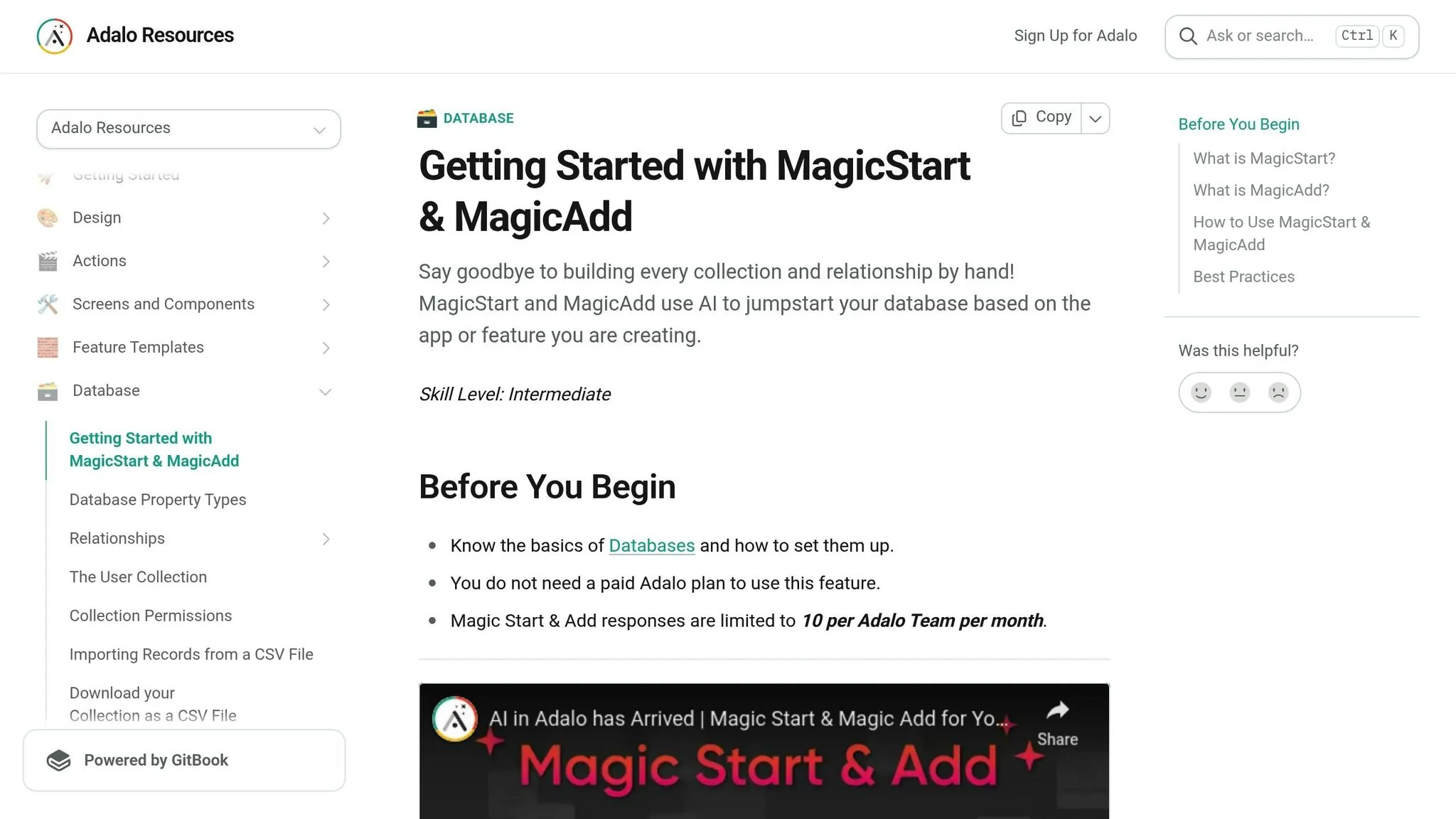
With Magic Add, expanding your app is as simple as describing what you need in plain language. You could say, "Add a chat feature between users" or "Create a payment screen with Stripe integration, including success and failure pages." The AI takes care of the heavy lifting—generating screens, updating your database, and designing user flows.
Need something specific for your app? If your dog grooming app could use a wishlist, just prompt, "Add a wishlist for users to save groomers." Magic Add will seamlessly integrate the new feature, complete with the necessary collections and interface. Keep in mind that Magic Add is limited to 10 uses per team each month.
After adding features, it's crucial to ensure everything runs smoothly by analyzing performance.
Optimize Performance with X-Ray Analysis
X-Ray Analysis is your go-to tool for spotting and fixing performance issues. It scans your app for inefficiencies, such as slow queries, overly complex filters, or nested lists that could slow things down. If your app is gearing up for heavy traffic, X-Ray ensures your database and queries are ready to handle the load.
The tool doesn't just identify problems—it provides actionable solutions. If a list with over 1,000 records is causing delays, X-Ray might suggest enabling "Load Items as User Scrolls" under Advanced Options. This simple tweak can cut initial load times by up to 86%. It might also recommend using pre-calculated number properties to streamline filters and track record counts more efficiently. Running X-Ray after adding new features is a smart move to catch and address potential scaling issues before they become problems.
Adalo's modular infrastructure supports apps with over 1 million monthly active users, processing 20 million+ daily requests with 99%+ uptime. Unlike app wrappers that hit speed constraints under load, this purpose-built architecture maintains performance at scale.
Comparing AI App Builders: Pricing and Capabilities
When choosing an AI-powered app builder, understanding the true cost of ownership matters as much as the feature set. Many platforms advertise low starting prices but add usage-based charges that make costs unpredictable as your app grows.
| Platform | Monthly Cost | Native Mobile Apps | Key Limitations |
|---|---|---|---|
| Adalo | $36 | Yes (iOS + Android) | None—unlimited usage, records, storage |
| Bubble | $69 | No (web only) | Workload Units create unpredictable charges |
| Glide | $25 | No | Spreadsheet templates, custom domains require $60/mo |
| Softr | $59+ | PWA only ($167/mo) | Scales with users, no true native apps |
| Thunkable | $189 | Yes | Token limits, required for App Store publishing |
| FlutterFlow | $80/seat | Yes | No database included, higher technical barriers |
Adalo offers the lowest price for native app store publishing at $36/month with truly unlimited, predictable pricing. There are no caps on actions, users, records, or storage—and app actions have been removed entirely, meaning zero usage-based charges. This predictability is crucial for founders who need to forecast costs accurately.
Competitors like Bubble charge $69/month but add Workload Units—usage-based charges for CPU and database operations that can spike unexpectedly during traffic surges. FlutterFlow requires $80/month per seat and doesn't include a database, meaning additional costs for backend services. Thunkable requires $189/month just to publish to app stores, with token limits that restrict functionality.
Conclusion: From Prompt to App Store
Adalo's AI Builder makes app development faster and more accessible. Describe your idea, refine it in plain language, and publish a fully functional app to both the Apple App Store and Google Play—all from a single build. This approach cuts down on the usual hurdles of long timelines and high costs.
Traditional app development can drain both time and money. With Adalo, you can launch your app for around $556 in the first year, store fees included. Organizations using visual app builders save an average of $1.7 million annually. This means you can skip the hefty price tag of custom development while still delivering a production-ready app.
Here's how it works: start with Magic Start to create the foundation of your app using a prompt. As your business grows, expand its functionality with Magic Add. Before launch, run X-Ray to identify and fix any performance issues. With Adalo 3.0, your app benefits from 3–4x faster performance and the ability to scale to over 1 million monthly active users.
Real-world examples show this method delivers. Take Dr. NoCodeFounder, who built Spotto entirely on Adalo. The app scaled to thousands of users and was eventually acquired.
"Adalo democratizes creativity, and has enabled Lloyd to build a product as two non-technical founders",
said Nikki Gusz, founder of Lloyd.
These results highlight how simple, clear prompts can turn big ideas into scalable apps.
Related Blog Posts
- How AI Transforms No-Code Prototyping
- The Future of App Building: How AI Changes No-Code Development
- Prompt-to-App: What AI App Builders Mean for Non-Technical Founders
- AI-Powered App Development vs Traditional No-Code: What's Changing
FAQ
Why choose Adalo over other app building solutions?
Adalo is an AI-powered app builder that creates true native iOS and Android apps from a single codebase. Unlike web wrappers, it compiles to native code and publishes directly to both the Apple App Store and Google Play Store. At $36/month with unlimited usage, it offers the lowest price for native app store publishing with predictable costs.
What's the fastest way to build and publish an app to the App Store?
Adalo's drag-and-drop interface combined with AI-assisted building lets you go from idea to published app in days rather than months. Magic Start generates your app foundation from a text description, and Adalo handles the entire complex App Store submission process—certificates, provisioning profiles, and store guidelines—so you can focus on your app's features.
Can I easily build an app using AI prompts without coding experience?
Yes. Simply describe your app idea in plain language, and tools like Magic Start and Magic Add generate database structures, user flows, and native mobile interfaces automatically. The more specific your prompts, the more accurate the results—no coding background required.
How do I write effective prompts for AI app generation?
Focus on specificity by defining your app's purpose, target users, and detailed feature descriptions. Instead of vague requests, describe user journeys step by step—for example, "Design an onboarding flow with three screens: welcome message, feature overview, and account setup." Include mobile-specific elements like tab navigation and push notifications.
What is the difference between Magic Start and Magic Add?
Magic Start creates the initial foundation of your app based on your description, generating collections, properties, and basic screens. Magic Add lets you expand your app later by adding new features in plain language—such as "Add a chat feature between users"—and it automatically updates your database and creates the necessary interface elements.
How can I ensure my app performs well as it scales?
Use Adalo's X-Ray Analysis tool to scan your app for performance issues like slow queries or complex filters before launch. X-Ray provides actionable solutions, such as enabling lazy loading for large lists, which can reduce initial load times by up to 86%. The platform's modular infrastructure supports apps with over 1 million monthly active users.
Which is more affordable, Adalo or Bubble?
Adalo costs $36/month with unlimited usage—no caps on actions, users, records, or storage. Bubble costs $69/month but adds Workload Units, which are usage-based charges for CPU and database operations that can spike unpredictably. Adalo also creates native mobile apps, while Bubble is web-only.
Which is more affordable, Adalo or FlutterFlow?
Adalo costs $36/month with an included database and unlimited usage. FlutterFlow costs $80/month per seat and doesn't include a database, requiring additional backend services. Adalo also has lower technical barriers for non-developers.
How much can I save by using AI-powered app development compared to traditional coding?
Organizations using visual app builders like Adalo save an average of $1.7 million annually compared to traditional manual coding methods. You can launch your app for around $556 in the first year including store fees, while building apps 50–90% faster than conventional development approaches.
Can I publish to both the Apple App Store and Google Play Store?
Yes. Adalo creates native iOS and Android apps from a single codebase and handles the entire submission process for both the Apple App Store and Google Play Store. This publishing capability is often the hardest part of launching an app—Adalo manages certificates, provisioning profiles, and store guidelines automatically.

Build your app fast with one of our pre-made app templates
Begin Building with no codeRelated Content

Building Your Mobile App: Adalo's Complete Development and Deployment Guide
Step-by-step guide to design, build, test, and publish cross-platform mobile apps and PWAs with AI tools, databases, testing, and app store

Building AI Features into Your No-Code Mobile App
Guide to adding AI to your no-code mobile app: set up APIs, design prompts, and build smart search, recommendations, NLP, categorization, an
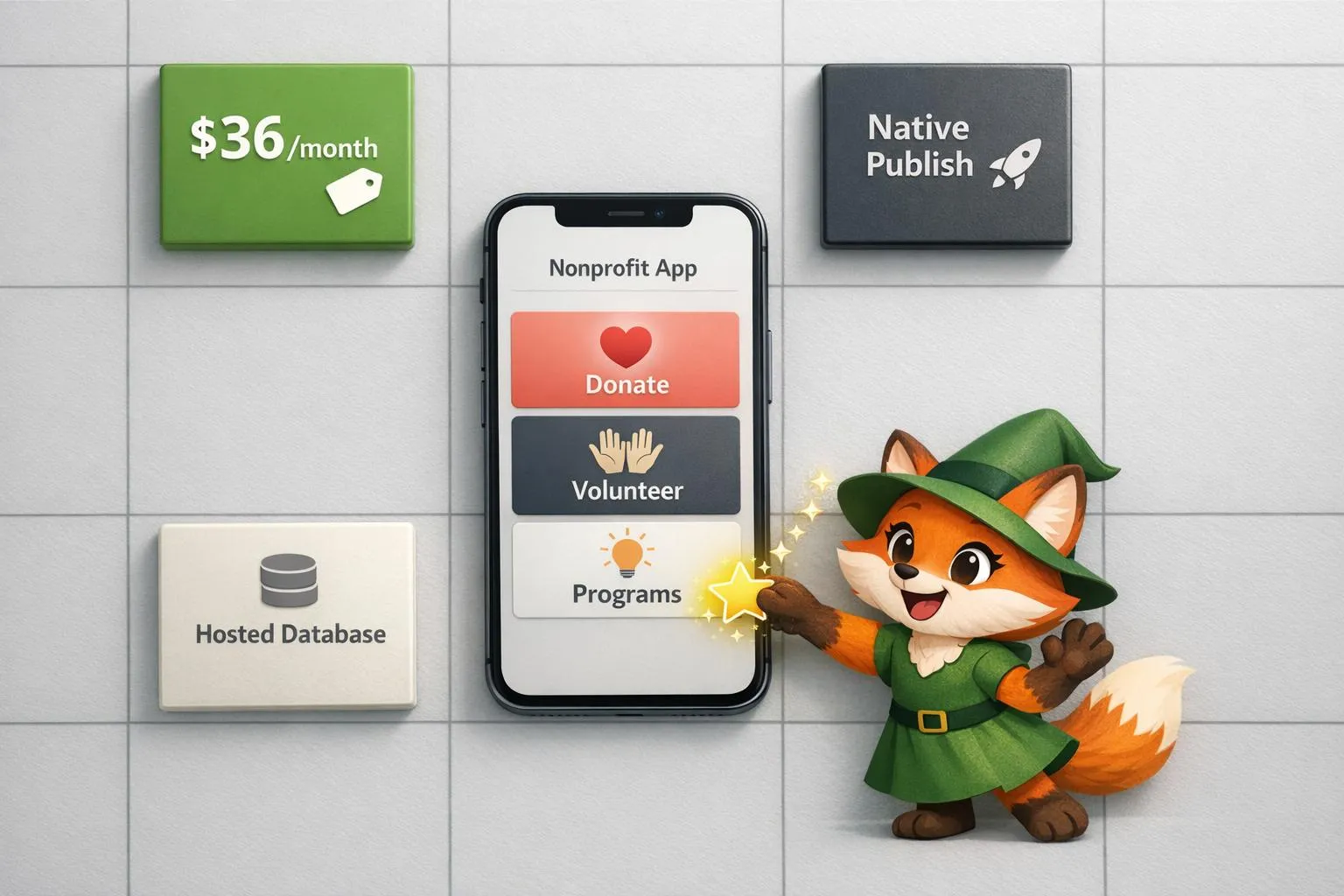
Building Nonprofit Apps: Why Organizations Choose Adalo
Build native nonprofit mobile apps affordably with Adalo — flat $36/month pricing, native publishing, hosted database, and fast launch timel

How Small Businesses Build Mobile Apps with Adalo
No-code tools make it possible for small businesses to design, launch, and scale native mobile apps quickly and affordably.