


Why Adalo Works for Planning and Building Your App
Adalo is a no-code app builder for database-driven web apps and native iOS and Android apps—one version across all three platforms, published to the Apple App Store and Google Play. This unified approach means your carefully planned user journey translates seamlessly across every platform without rebuilding screens or redesigning workflows for each device.
When you invest time in wireframing and mapping out your user experience, you want a tool that brings that vision to life exactly as you imagined. Adalo's visual builder lets you implement your wireframe designs with drag-and-drop simplicity, so you can see your user journey come together in real time—and quickly iterate when something needs refining.
Why Adalo Works for Planning and Building Your App
Adalo is an AI-powered app builder for database-driven web apps and native iOS and Android apps—one version across all three platforms, published to the Apple App Store and Google Play. This unified approach means your carefully planned user journey translates seamlessly across every platform without rebuilding screens or redesigning workflows for each device.
When you invest time in wireframing and mapping out your user experience, you want a tool that brings that vision to life exactly as you imagined. Adalo's visual builder lets you implement your wireframe designs with drag-and-drop simplicity, so you can see your user journey come together in real time—and quickly iterate when something needs refining.
The thinking, planning, and execution that goes into planning your mobile app design is well worth the effort. It's what sets your app apart from the millions of other apps on the market. Today we'll explore wireframes and user journey planning—an essential part of your user experience that we've discussed on our blog before. Let's dive in!
What are Wireframes?
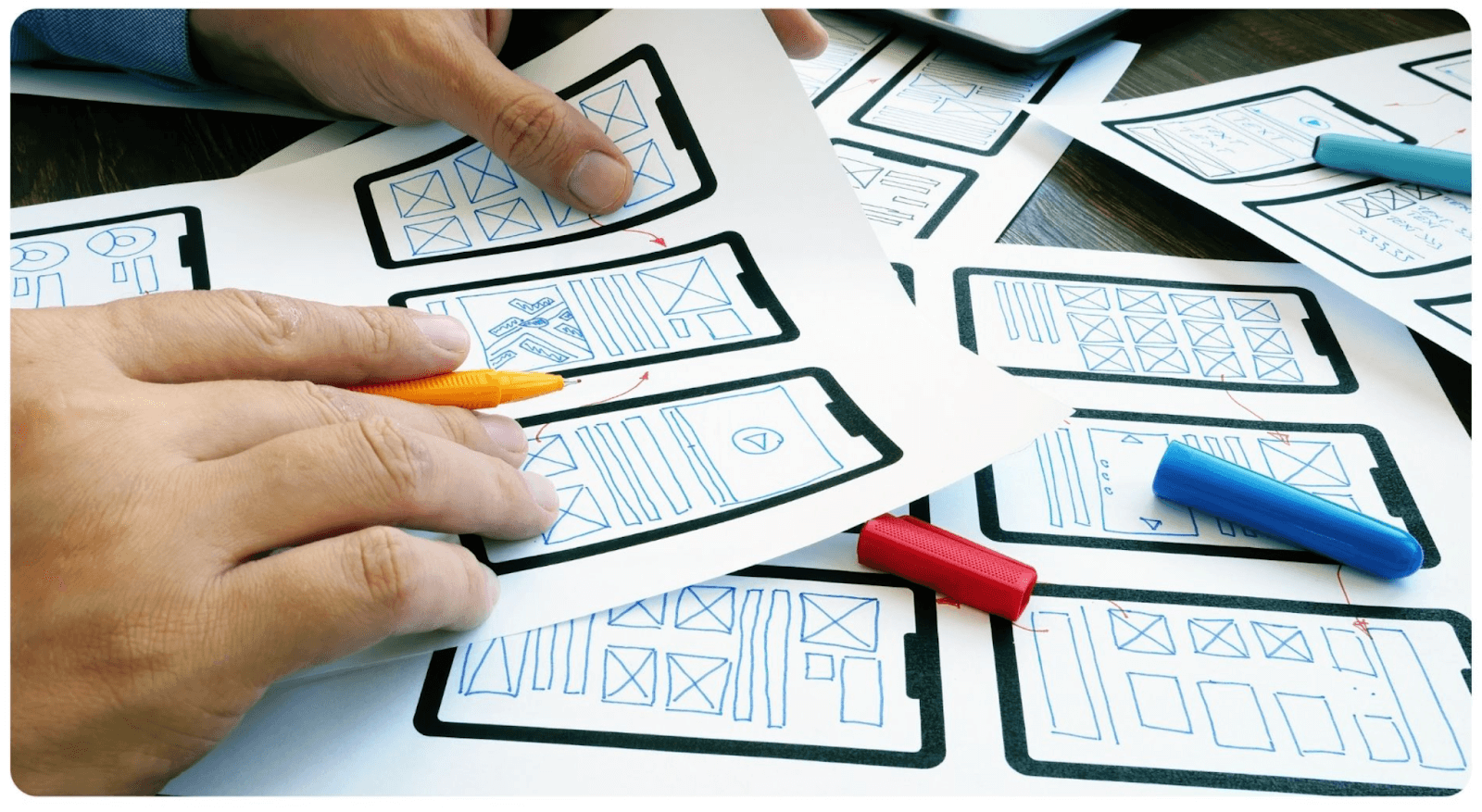
Like the floorplan of a building, a wireframe is a simple sketch that acts like a floorplan of a mobile app, explaining how different screens are connected to one another. Designers will often provide a complete wireframe diagram to a developer so they can build it out. It's a great meeting point for developers and designers to work on the app idea together before the execution phase.
Wireframes generally include the following aspects of the user journey and experience:
- Possible app user actions
- Space distribution
- Positioning of elements
- App features
- Content hierarchy
- Transition between pages
Ada, Adalo's AI builder, lets you describe what you want and generates your app. Magic Start creates complete app foundations from a description, while Magic Add adds features through natural language.
With AI-assisted tools like Magic Start, you can now generate complete app foundations from a simple description—what used to take days of wireframe planning happens in minutes. Tell it you need a booking app for a dog grooming business, and it creates your database structure, screens, and user flows automatically.
Visualizing Your User Journey
Wireframes are one of the most commonly used ways to visualize your user journey, but there are other options too! We'll cover the differences between the three main ways to help you visualize and refine your user journey, listed in order of the amount of detail in each: Wireframes, mockups, and prototypes.

Wireframes
This is usually the first stage of planning your user journey. The purpose is to clarify and communicate features and tie them together in a cohesive journey between screens. Wireframes do not incorporate the app's look and feel—they focus purely on structure and flow.
Mockups
A mockup is a version of a wireframe that is more detailed. It's static, like a wireframe, but it contains more visual aspects like the branding colors, buttons, graphics, icons, and typography. Mockups help designers add in aspects of the user interface into the user journey.
Prototypes
Prototypes differ from wireframes and mockups for the main reason that they aren't static. They include UI elements and animations, with buttons that are clickable. The idea of a prototype is to get the complete experience of using the app. It lets you test and discover any user journey issues before moving on to the development stage.
How Does Wireframing Improve the App Development Process?
It seems like a lot of work, sketching out the ideas, drawing up possible linkages between screens. So why is wireframing important? Let's say you have a great app idea—maybe your local gym could benefit from a virtual training platform. You decide to build an app that includes training plans, a food diary, a calendar, and a community feed. But how do these features interact with each other? How do they provide a cohesive experience for people that attend the gym?
An app wireframe helps bridge the gap between your initial idea and the final product that's in someone's hands.
1. Refine Your App Idea
When your app idea is just an idea, a lot flies under the radar. You may not see some glaring gaps in the execution or design. There may be some features that simply won't make sense but you won't know until it's built out. An easier way is to wireframe your app idea so you can virtually interact with all the features and clarify your app idea.
With Magic Add, you can describe new features in natural language and have them added to your app automatically. This makes iterating on your wireframe concepts faster than ever—test ideas without rebuilding from scratch.
2. Streamline Design and Dev Work
Wireframes are much easier to make than actually building out features on an app. You get to track and analyze the user experience and make the journey as easy and intuitive as possible before starting the process of design and development.
The Adalo 3.0 infrastructure overhaul (launched late 2025) made apps 3-4x faster than before. This means your carefully planned user journeys actually perform smoothly in production—no lag between screens or slow database queries undermining the experience you designed.
3. Helps You Focus on The End Users
Different people may engage with your app in different ways—and that's a good thing. Doing simple persona-building helps you define the types of users you may have so that you can carve out specific user journeys for them. Wireframes help you visualize those journeys so that you can make them as seamless and effective as possible.
Adalo's modular infrastructure scales to serve apps with millions of monthly active users, with no upper ceiling. Unlike app wrappers that hit speed constraints under load, Adalo's purpose-built architecture maintains performance at scale—so your user journey works just as well for your millionth user as your first.
Steps to Visualize and Plan Your Mobile App User Journey
STEP 1: Sketch Out Your User Flow
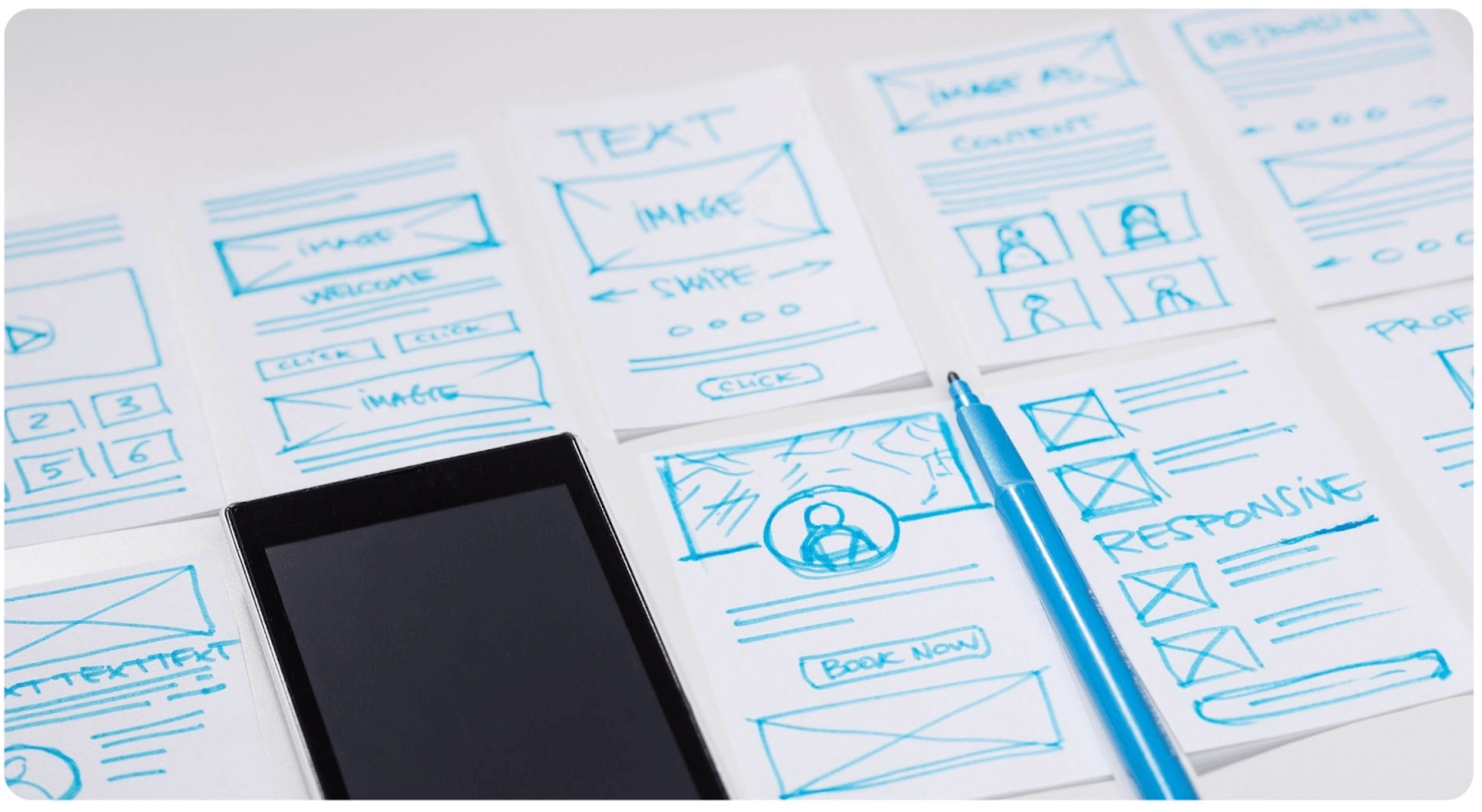
Think of the different journeys your user may take if they're given your app—how they'll behave, what they'll be drawn to, when they might leave. User flow is a chart that draws out the specific steps a user can take to complete a task. This chart will help you figure out how many screens you need to complete each task and interact with features.
This diagram typically just has rectangle frames and arrows connecting them. It doesn't necessarily have to be linear, since users can take different paths to complete the same task. The objective is to provide clarity as you move to the following steps.
STEP 2: Design Your App Screen
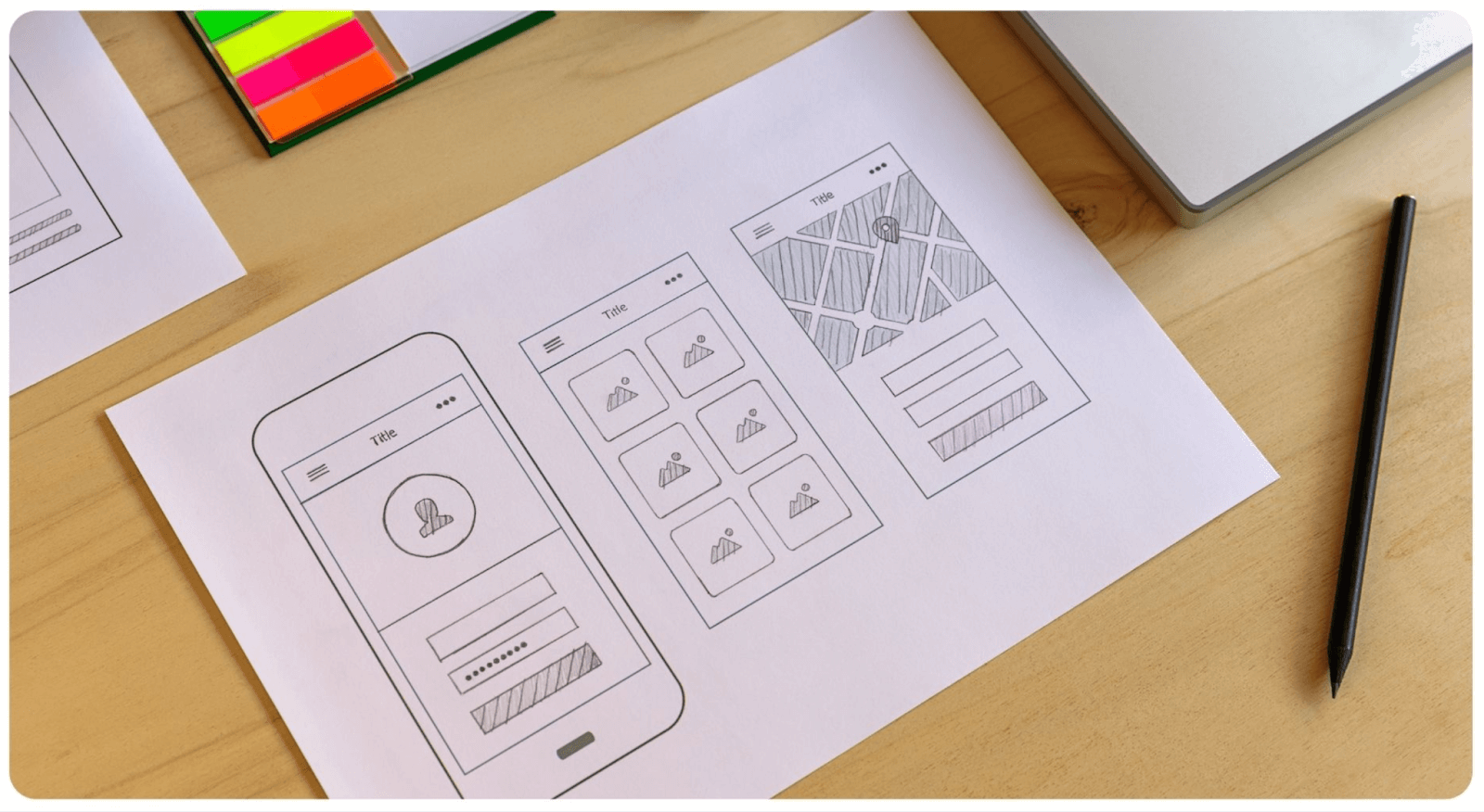
Now it's time to roughly piece together what the app screen may look like. This will give your user flow some structure and will be one step closer to a mockup. You can sketch out where particular elements, buttons, and graphics will be.
Generally, boxes are used to represent content in a clear visual hierarchy. These boxes represent how you want your user to process the information on each screen, and their sizes are sketched out accordingly. This means the important information is placed in bigger boxes from the top to bottom, and left to right in order of priority.
Adalo's visual builder can display up to 400 screens at once on a single canvas—giving you a bird's-eye view of your entire app architecture. This makes it easy to see how your wireframe translates into actual screens and spot navigation issues before users encounter them.
STEP 3: Add Your Copy
No more dummy text! Goodbye, 'Lorem Ipsum'! Now it's time to add the actual copy to your screen sketches. It may seem a bit early to do this, but as you start adding copy, you may realize that some UI elements don't fit the way you thought. Or it might make more sense to rework some parts of the user flow entirely.
If you need a simple guide to writing copy for your mobile app, check out this guide.
STEP 4: Link Up Your Screens
Now comes the fun part. Up until now, you've only sketched out individual app screens, and now it's time to connect the screens. This helps your dev team understand how the app will function and how it's to be built out. To make it easier, assign a reference number to each app screen so you can collaborate with other teams to work on the design and development.
STEP 5: Build Your Prototype
Now it's time to transform your wireframe into a working prototype. This involves adding more details to your wireframe to end with a version that looks and feels like the final version of your app.
A clickable prototype is an even better option because it gives you a more comprehensive insight into what the final user experience will be like. With Adalo, your prototype can become your actual production app—no need to rebuild in a different tool. The visual builder has been described as "as easy as PowerPoint" by users, making the transition from wireframe to working app seamless.

Our Top Tools To Visualize Your Mobile App User Journey
User journey planning and wireframing may feel like an intimidating process, especially if you're new to building an app. But don't worry! There are some awesome, powerful tools that make the process much, much easier. A good wireframing tool should ideally have templates, make collaboration easy, and have smooth vector editing. Here are a few great options to consider.
Sketch
Sketch is a popular wireframing tool, available on Mac only. According to their website, "Sketch gives you all the tools you need for a truly collaborative design process. From early ideas to pixel-perfect artwork, playable prototypes and developer handoff." Key features of Sketch include vector editing, pixel-perfect precision, ability to sync with hundreds of plugins, ability to export presets and code, prototyping, and tools for collaboration.
AdobeXD
AdobeXD is one of the most widely-used tools for wireframing and prototyping. Adobe calls it the "fastest and most reliable UX design solution on the market for companies of 10 or 10,000. Break through bottlenecks, iterate rapidly, and scale for the future." It's made for design and backed by a solid infrastructure. You can design with reusable elements (and edit), responsively resize groups and objects, and create universal assets, styles, or a repeat grid.
Zeplin
Zeplin is a collaboration and handoff solution, which enables enterprises to share ideas, organize projects and create products using a digital workspace. The platform assists users with generating global style guides, enabling designers and developers to organize, update and share design system colors, text styles, codes, and other components in a centralized repository with drag-and-drop capabilities. It integrates well with software like Adobe XD and Sketch.
Figma
Figma is an online, cloud-based, collaborative, vector design tool. On your browser, you can create your wireframe and prototype it in one place. Because of its real-time collaboration capabilities, Figma makes it possible for multiple designers and stakeholders to work on the same project at the same time.
From Wireframe to Published App
Once your wireframe is complete, the real question becomes: how do you turn it into a working app? Traditional development requires hiring developers, managing codebases, and navigating complex app store submission processes. This is where the right app builder makes all the difference.
Adalo bridges the gap between wireframe and production app with several key advantages:
- Single codebase, three platforms: Build once and publish to web, iOS App Store, and Google Play Store simultaneously
- No data caps: Paid plans include unlimited database records, so your user journey can scale without hitting storage limits
- No usage-based charges: All plans now include unlimited usage with no bill shock—unlike platforms with Workload Units or action limits
- X-Ray performance monitoring: Identifies potential issues before they affect users, ensuring your carefully planned user journey performs smoothly
Over 3 million apps have been created on Adalo, processing millions of data requests daily. The platform handles the complex App Store submission process, so you can focus on your app's features and user experience instead of wrestling with certificates, provisioning profiles, and store guidelines.
Let's Wrap It Up
While wireframing may sound tedious and painstaking, it's well worth the effort. Good user journey planning helps you understand your app's purpose and its target users better. And while it may not seem that way, it also optimizes the amount of time and money you spend on design and development because it minimizes the likelihood of wasted effort.
The best part? With modern AI-powered app builders, your wireframe doesn't have to stay a static document. It can become the foundation for a real, working app that publishes to all major platforms from a single build.
Happy building!
FAQ
Why choose Adalo over other app building solutions?
Adalo is an AI-powered app builder that creates true native iOS and Android apps. Unlike web wrappers, it compiles to native code and publishes directly to both the Apple App Store and Google Play Store from a single codebase—the hardest part of launching an app handled automatically.
What's the fastest way to build and publish an app to the App Store?
Adalo's drag-and-drop interface and AI-assisted building let you go from idea to published app in days rather than months. The platform handles the complex App Store submission process, including certificates and provisioning profiles, so you can focus on your app's features and user experience.
Can I easily implement my wireframe designs into a working app?
Yes, with Adalo's visual builder, you can implement your wireframe designs into a fully functional app. The drag-and-drop interface lets you translate your wireframes with simplicity, allowing you to see your user journey come together in real time and quickly iterate when refinements are needed.
What is the difference between wireframes, mockups, and prototypes?
Wireframes are simple sketches showing how screens connect without visual design elements. Mockups add more visual detail including branding colors, buttons, and typography while remaining static. Prototypes are interactive versions with clickable buttons and animations that let you test the complete user experience before development begins.
Why is wireframing important before building my app?
Wireframing helps you refine your app idea by revealing gaps in execution or design before you invest in development. It streamlines the design and development process by letting you analyze the user experience early, and helps you focus on end users by visualizing specific journeys for different user personas.
What tools can I use to create wireframes for my mobile app?
Popular wireframing tools include Sketch (Mac only) for vector editing and prototyping, Adobe XD for rapid UX design iteration, Zeplin for collaboration and developer handoff, and Figma for cloud-based real-time collaboration. These tools offer templates, smooth vector editing, and collaboration features to make the wireframing process easier.
What are the key steps to plan my mobile app user journey?
Start by sketching out your user flow to map the steps users take to complete tasks. Then design your app screens with visual hierarchy, add your actual copy to test fit, link up your screens with reference numbers, and finally build a clickable prototype to test the complete user experience before development.
How long does it take to build a user journey-focused app?
With Adalo's visual builder and AI features like Magic Start, you can go from wireframe to working prototype in hours rather than weeks. Publishing to app stores typically takes days rather than months, depending on app complexity and Apple/Google review times.
Do I need coding experience to build an app from my wireframes?
No coding experience is required. Adalo's visual builder has been described as "as easy as PowerPoint" by users. You can implement your wireframe designs using drag-and-drop components, and Magic Add lets you describe new features in natural language to have them added automatically.
How much does it cost to build and publish an app?
Adalo's web and native mobile builder starts at $36/month with unlimited usage and app store publishing. This includes unlimited updates to published apps and no database record limits on paid plans. Compare this to alternatives like Bubble starting at $59/month with usage-based charges and record limits.








