

Ada, Adalo's AI builder, lets you describe what you want and generates your app. Magic Start creates complete app foundations from a description, while Magic Add adds features through natural language.
Adalo is a no-code app builder for database-driven web apps and native iOS and Android apps—one version across all three platforms, published to the Apple App Store and Google Play. The free tier makes building mobile apps simple and cost-free. With a drag-and-drop interface, you can design, test, and share your app without writing code. Features include unlimited test apps, up to 500 database records per app, and AI tools like Magic Start, which generates your app's foundation in minutes. Publish to an Adalo subdomain for testing and feedback - all without needing a credit card.
When your app is ready to scale, the $36/moplan unlocks native publishing for iOS and Android, unlimited records, and custom domains.
Key Benefits of Adalo's Free Tier:
- Unlimited test apps for experimentation.
- 200-record database limit for prototyping.
- AI tools to speed up app creation.
- Drag-and-drop builder for easy design.
- Shareable previews for feedback.
Adalo empowers startups to launch app ideas quickly and test them with users before committing to a paid plan. Perfect for turning concepts into working prototypes for your MVP.
How to Get Started with Adalo's Free Tier
Step 1: Sign Up for Your Free Adalo Account
Go to adalo.com and click "Get Started for Free" or "Sign Up" to begin. Simply provide your email, create a password, and verify your email address. No credit card required. Within minutes, you'll access your Adalo dashboard and the visual builder.
Your dashboard is your hub - it shows your apps, account settings, and a clear option to create a new app. Feel free to experiment without worrying about project limits. For the best experience, use Chrome or Firefox on a desktop. The drag-and-drop builder works best with a full-sized screen and a mouse, though you can sign up on mobile if necessary.
Once your account is set up, you're ready to dive into building your first app.
Step 2: Create Your First App Project
To start, click "New App" on your dashboard. You can begin with a blank canvas, pick a template, or try Magic Start to let AI generate your app's foundation. For specific ideas - like a booking app or a marketplace - Magic Start is the quickest option. Just describe your concept (e.g., "a dog grooming booking app"), and Adalo will create your database structure, screens, and user flows in just a few minutes. This makes it easy to validate your idea using the free tier's full visual editor.
Once inside the builder, use the Add Panel to drag and drop components, manage your app's data under the Database tab, and preview your app instantly. The free tier provides access to the full visual editor, the component marketplace, and all essential features. However, keep in mind that the free tier limits each app to 500 records, which is perfect for prototyping.
After designing your initial screens, you can publish your app to an Adalo subdomain (like yourapp.adalo.com) for web testing. You can also share preview links through the Adalo mobile app for testing on iOS and Android - no app store submission required. This lets you gather feedback from testers and stakeholders immediately, helping you refine your app and prove your concept before spending a dime.
Adalo for Beginners 2026: AI-Powered App Builder
What's Included in Adalo's Free Tier
Adalo's free tier provides everything you need to build functional apps without spending a dime. You can create unlimited test apps, giving you freedom to experiment with as many ideas as you like without project restrictions.
The plan includes unlimited screens and actions, so you won't hit design or workflow limitations while prototyping. You'll have one editor seat to manage your projects and access to a component marketplace for standard UI elements. The free tier also connects you with community resources including forums, documentation, and the App Academy to help you learn the platform.
Access to Adalo's Visual Builder
At the heart of the platform is a drag-and-drop visual builder that eliminates the need for coding. Design screens by dragging components onto your workspace, then link them to your database and set up workflows visually. The builder provides real-time previews as you configure actions, navigation, and data connections. Its responsive design ensures your app adjusts seamlessly across mobile, tablet, and web platforms.
Unlike competitors that charge extra for advanced features or limit what you can build on free tiers, Adalo gives you access to the full visual editor from day one. This means your prototype can include the same sophisticated interactions and data relationships you'd use in a production app.
AI-Powered App Creation with Magic Start
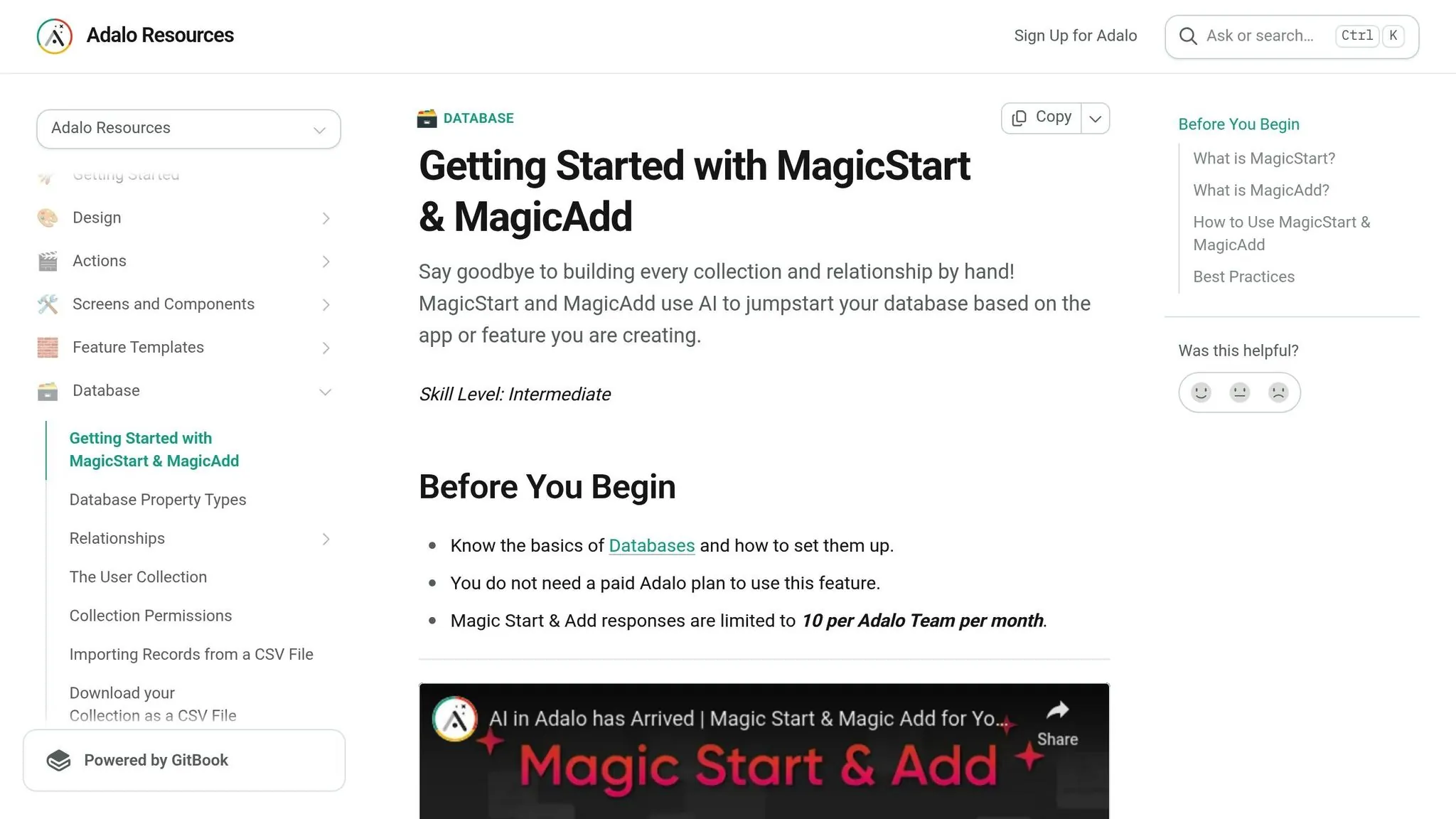
Adalo's Magic Start leverages AI to jumpstart your app-building process. Describe your idea—something like "a booking app for dog grooming with customer profiles and scheduling"—and the tool generates your app's database structure, screens, and workflows in minutes. What used to take days of planning happens automatically.
This feature is included in the free tier and can save you significant setup time. Once Magic Start lays the groundwork, refine the app using the visual builder or add new features by describing them with Magic Add. Tell it you need a payment screen or a notification system, and it builds the components for you. This AI-assisted approach means even complete beginners can create sophisticated apps quickly.
Hosted Database and Testing Tools
The free tier includes a built-in relational database that supports custom formulas and data relationships, making it easy to structure your app's backend without technical knowledge. While the database supports up to 500 records per app on the free tier, this limit is ideal for prototyping and early-stage validation.
For testing, use preview mode via Adalo's mobile app to share your app with testers on both iOS and Android without app store submissions. You can also publish to a custom Adalo subdomain (like yourapp.adalo.com) for web testing. The tier includes the X-Ray tool, which highlights potential performance issues before they impact users—helping you identify slow-loading screens or inefficient queries early in development.
These features make the free tier a solid foundation for rapid prototyping and validating ideas before committing to a paid plan.
Building and Testing Your First App on the Free Tier
Design and Build Your MVP
Once your project is set up, it's time to bring your app idea to life. Start with Magic Start by describing your concept—something like "a task manager for remote teams." The AI generates your database collections, screen layouts, and basic user flows automatically.
From there, dive into the drag-and-drop visual builder, where you can piece together your app using over 50 available components: lists, forms, buttons, charts, and more. For a task manager, you might create a home screen displaying tasks in a filterable list and a form screen for adding new ones with due dates and priority levels.
Adalo's built-in authentication makes managing user access simple—add login and signup screens with a few clicks. You can visually link data collections, connecting a "Tasks" collection to a "Users" collection so each task is tied to its creator. With the free tier's 200-record limit, focus on showcasing your app's core features rather than trying to include everything. This constraint actually helps you build a more focused, effective prototype.
Once your MVP is ready, it's time to put it to the test with live previews.
Test and Refine Using Preview Mode
The Preview feature lets you test your app instantly without any deployment steps. Choose between mobile and responsive previews to see how your app performs across devices. Share a unique preview URL with beta users—they won't need an Adalo account to try it out.
Gather feedback using in-app forms or external tools like Google Forms, then tweak your app directly in the visual editor. Changes appear immediately in preview mode, creating a tight feedback loop. The free tier allows unlimited test apps, so you can experiment with different versions or A/B test features without restrictions.
This rapid iteration cycle helps you refine your app based on real user input without spending a cent. Many founders use this approach to validate their concept with dozens of users before investing in paid features.
Use X-Ray to Check Performance
The X-Ray tool is your go-to for identifying performance issues during previews. It highlights areas like slow-loading screens, inefficient database queries, or delays in action chains. For example, X-Ray might suggest filtering data at the collection level rather than on-screen to speed up loading times.
Regularly running X-Ray ensures your app remains responsive, even as you approach the 200-record limit. The tool provides specific, actionable recommendations rather than vague warnings—telling you exactly which screen or action needs optimization.
This diagnostic capability is especially valuable as you add features or prepare to showcase your MVP to investors or potential users. A smooth, responsive prototype makes a stronger impression than one that lags or stutters during a demo.
When to Upgrade from the Free Tier
Once you've validated your idea using Adalo's free tools, the next step is scaling your app for real users. Here's how to recognize when it's time to move beyond prototyping.
Signs It's Time to Upgrade
You'll know it's time to upgrade when your app starts outgrowing the free tier's limitations. Key indicators include:
- Hitting the 200-record limit as real users generate data
- Needing a custom domain for professional branding
- Preparing for native app publishing to the App Store and Google Play
- Adding team members beyond the single editor seat
- Wanting to remove Adalo branding from your app
These milestones signal that your app is transitioning from a prototype to a fully functional product ready for market.
What You Get with the $36/moPlan
The Starter plan, priced at $36/mo (or $36/month with annual billing), removes the restrictions of the free tier and unlocks capabilities essential for launching a real product:
| Feature | Free Tier | Starter Plan ($36/mo annual) |
|---|---|---|
| Database Records | 200 per app | Unlimited |
| App Store Publishing | Not available | Native iOS/Android + PWA |
| Custom Domain | Adalo subdomain only | Your own domain |
| Branding | Adalo branding included | No Adalo branding |
| Storage | Limited | 5GB team data storage |
| Support | Community only | Standard email support |
Unlike competitors that charge based on usage—Bubble's Workload Units, Thunkable's token limits, or Softr's per-user pricing—Adalo's Starter plan offers predictable monthly costs with no caps on actions, users, or storage. You won't face surprise charges as your app grows.
How to Upgrade Your Account
Upgrading is straightforward. Navigate to Profile Icon > Settings > Teams & Billing > Update Plan. Choose your plan and billing preference (annual billing saves around 20%), then enter your payment details. If you're upgrading mid-cycle, charges are prorated fairly.
Your app's data stays intact during the upgrade—no migration required. You can start publishing immediately after upgrading. Keep in mind that app store publishing requires separate developer accounts: $99/year for Apple and a one-time $25 fee for Google Play. Adalo handles the complex submission process, but you'll need these accounts to publish under your own name.
Conclusion
Adalo's free tier offers startups a genuine path to bring app ideas to life without upfront costs. With drag-and-drop design, AI-powered tools like Magic Start and Magic Add, and a 200-record database, it's well-suited for creating and testing your MVP while collecting feedback from early users.
Over 1 million apps have been built on Adalo, with the platform processing 20 million+ daily requests at 99%+ uptime. By eliminating upfront expenses, the free tier lets you experiment, refine your concepts, and share prototypes through Adalo subdomains or build a no-code web app—all without spending a dime.
Here's what one creator had to say:
"Adalo has helped me to speed up this project at such a low cost that it's crazy. I am able to fulfill my dreams in half the time & that is the largest cost-benefit."
- Alexandrina Mabonga, Maker of Sunscreen
When you're ready to take your app beyond the prototype stage, the paid plan provides an easy next step. For $36/month (billed annually), you gain unlimited records, native publishing for iOS and Android, and the tools to scale your app confidently—all with predictable pricing and no usage-based surprises.
Related Blog Posts
- Prototyping vs Production: How Adalo Handles Both
- Adalo for Software Development Teams: Rapid Internal Tool Building
- Adalo for Prototyping and Wireframing: Why It's More Than a Mockup Tool
- Adalo for Custom Software and App Development Agencies
FAQ
Why choose Adalo over other app building solutions?
Adalo is an AI-powered app builder that creates true native iOS and Android apps from a single codebase. Unlike web wrappers, it compiles to native code and publishes directly to both the Apple App Store and Google Play Store. The platform handles the complex submission process—often the hardest part of launching an app—so you can focus on building rather than wrestling with certificates and store guidelines.
What's the fastest way to build and publish an app to the App Store?
Adalo's drag-and-drop interface combined with AI-assisted building through Magic Start and Magic Add lets you go from idea to published app in days rather than months. Describe your app concept, let the AI generate your foundation, refine it visually, and Adalo handles the App Store submission process automatically.
Can I build and test a mobile app for free?
Yes. Adalo's free tier includes unlimited test apps, a drag-and-drop visual builder, AI tools like Magic Start, and up to 500 database records per app—all without needing a credit card. You can share preview links with testers on iOS and Android without app store submissions.
What is Magic Start and how does it help build apps faster?
Magic Start is Adalo's AI-powered tool that generates your app's foundation in minutes. Describe your concept—like "a dog grooming booking app"—and it automatically creates your database structure, screens, and user flows. What used to take days of planning happens automatically, and it's included in the free tier.
What are the limitations of Adalo's free tier?
The free tier includes a 200-record database limit per app, one editor seat, and apps publish to Adalo subdomains rather than custom domains. Native iOS and Android publishing to app stores requires upgrading to the $36/moStarter plan ($36/month with annual billing), which also unlocks unlimited records and removes Adalo branding.
How much does Adalo cost compared to competitors?
Adalo's Starter plan costs $36/month (annual billing) for native iOS and Android publishing with unlimited records, actions, and users. Competitors at equivalent functionality cost more: Bubble ($69/mo) with usage-based charges, Thunkable ($189/mo) for app store publishing, FlutterFlow ($80/mo/seat) without database included. Adalo offers the lowest price for native app store publishing with predictable pricing.
How can I test my app with users before publishing to app stores?
Adalo provides multiple testing options on the free tier. Use preview mode via the Adalo mobile app to share your app with testers on iOS and Android without app store submissions. You can also publish to an Adalo subdomain for web testing and share preview links with stakeholders to gather feedback immediately.
What does the X-Ray tool do in Adalo?
The X-Ray tool identifies performance issues during app previews by highlighting slow-loading screens, inefficient database queries, and delays in action chains. It provides specific, actionable recommendations—like filtering data at the collection level to improve loading times—ensuring your app remains responsive as it grows.
Do I need coding experience to use Adalo?
No coding experience is required. Adalo's drag-and-drop visual builder and AI-assisted tools like Magic Start and Magic Add let you build sophisticated apps by describing what you want and arranging components visually. The platform handles all the underlying code automatically.
Can I migrate from another platform to Adalo?
Yes, you can rebuild your app in Adalo using the visual builder and AI tools. While there's no automatic migration from other platforms, Magic Start can generate a new foundation based on your app description, and you can import data into Adalo's database. Many users find rebuilding in Adalo faster than expected due to the AI-assisted building features.

Build your app fast with one of our pre-made app templates
Begin Building with no codeRelated Content
Adalo's 2026 Guide to AI-Powered No-Code Mobile App Builders
Adalo's 2026 Guide to AI-Powered No-Code Mobile App Builders
Adalo offers AI-powered no-code tools to help founders and startups build and publish responsive apps using APIs and custom integrations.
The 2026 Pricing Guide for No Code Mobile App Maker Platforms: Key Factors to Consider
The 2026 Pricing Guide for No Code Mobile App Maker Platforms: Key Factors to Consider
Adalo simplifies choosing an AI-Native No Code Mobile App Builder Platform with clear pricing and product feature insights. Get started free
How to Build a Responsive Mobile App Without Code
Step-by-step guide to design, test, and publish a responsive no-code mobile app using drag-and-drop components, database collections, and na

Adalo Free Plan Pricing Guide: Easy, No-Code, AI Driven Mobile App Creation
Adalo’s Free tier lets founders build and publish responsive AI-powered mobile apps with robust no-code tools and integrations.