
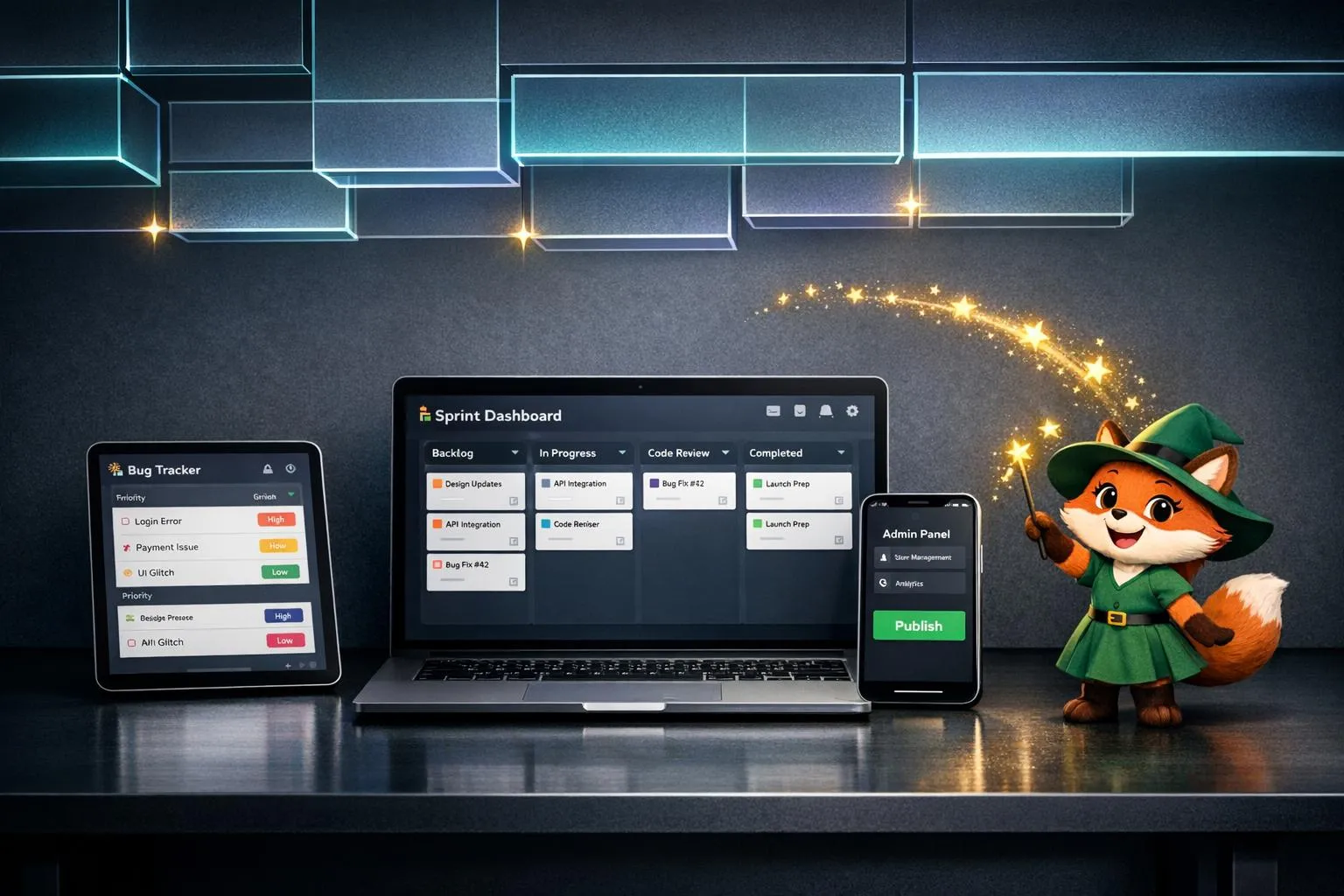
Adalo empowers software teams to build internal tools like bug trackers, sprint dashboards, and admin panels without coding. Non-technical team members can use AI-powered features to create functional apps in minutes, freeing developers to focus on critical projects. With a single build, apps work seamlessly across iOS, Android, and web, cutting costs by 48% and speeding up delivery by 50%. Plans start at $36/month with unlimited database records and no usage-based fees, making it a cost-effective alternative to traditional development.
Key features include:
- AI Builder: Describe your app idea, and Adalo generates the foundation instantly.
- Single Build: One codebase for iOS, Android, and web.
- SheetBridge: Turn Google Sheets into app-ready databases without SQL.
- Scalability: Supports over 1 million monthly users with 99%+ uptime.
Adalo eliminates the need for platform-specific teams, enabling faster and more affordable app development while maintaining reliability and performance.
Key Features for Building Internal Tools
AI Builder for Fast Prototyping
Adalo's AI Builder transforms simple descriptions into fully functional apps in just minutes. With Magic Start, you can generate an entire app foundation - complete with database schemas, screens, and user workflows - using prompts like, "Create a bug tracker with user assignment and status updates." Need a sprint dashboard? Just describe your needs, such as "Build a dashboard showing sprint progress and member availability", and Adalo will automatically create relational data models with fields for priorities, assignees, and timestamps.
Adding features is just as quick with Magic Add. Instead of manually configuring components, you simply describe the new functionality you want, and Adalo integrates it seamlessly. This drastically cuts down on prototyping time, freeing your developers to focus on fine-tuning rather than starting from scratch. To ensure smooth performance, the X-Ray tool identifies potential bottlenecks - like slow queries in dashboards - before they impact users. This makes it easy to scale internal tools as your team grows.
Single Build for iOS, Android, and Web
Adalo simplifies cross-platform development with a unified codebase that works for iOS, Android, and web. From a single build, Adalo compiles native apps and Progressive Web Apps (PWAs) for the Apple App Store and Google Play. This eliminates the need for separate development teams or rebuilding apps for different platforms. Whether your team uses a bug tracker on mobile devices in the field or accesses a web dashboard in the office, it’s all powered by the same codebase.
Platform-specific features, such as push notifications for team alerts and offline functionality through PWA caching, are handled automatically. Plus, Adalo’s infrastructure can scale to support over 1 million monthly active users, making it ideal for growing teams without the need for extra engineering resources to manage platform-specific versions.
Built-In Backend and Data Integrations
Adalo's built-in backend streamlines development by removing common resource bottlenecks. Paid plans, starting at $36/month, include unlimited database records, users, actions, and storage. The platform’s modular architecture, introduced in Adalo 3.0, delivers performance that’s 3-4x faster while avoiding the unpredictable costs often associated with usage-based billing. This means you can store as much data as you need - whether it’s bug reports, sprint details, or team updates - without worrying about extra fees.
Adalo also integrates seamlessly with tools your team may already use, like Airtable, Google Sheets, Xano, and even legacy databases. Using drag-and-drop actions, you can sync live data from these sources directly into your app, all without writing a single line of code. For example, if you’re tracking bugs in Google Sheets or managing sprint data in Airtable, you can connect that information to your app effortlessly.
sbb-itb-d4116c7
Internal Tools You Can Build with Adalo
Bug Tracker App
Create a fully functional bug tracker in just days. With Magic Start, you can quickly set up the backbone of your app. Define collections like Tickets (fields for subject, description, status, priority, and category), Users (name, email, role, profile photo), and Comments (linked to tickets and users through relationships).
The visual builder allows you to design user-friendly screens for logging bugs, viewing assigned issues, and tracking progress. Add features like forms for submitting tickets, filters to sort bugs by status or assignee, and detailed views for updates. Plus, push notifications ensure team members stay informed about changes, whether they’re on iOS, Android, or web - all from a single build.
For teams already relying on spreadsheets, SheetBridge provides seamless, real-time syncing with Google Sheets. Managers can update bug statuses directly in the spreadsheet, and developers see those updates reflected instantly in the app. This eliminates the hassle of data silos and ensures remote or field workers can make updates in real time, no matter where they are.
Adalo doesn’t stop at bug tracking - it also supports dynamic sprint dashboards to streamline your team’s workflow.
Sprint Dashboards and Team Status Apps
Adalo’s tools make it easy to build real-time sprint dashboards that keep your team on track. Start by setting up a relational database with collections like Sprints (fields for name, start/end dates, and goals), Tasks (title, assignee, story points, and status), and Activity (a detailed log of changes). Use the drag-and-drop builder to create a central dashboard with quick stats, such as "Due Today", "Overdue", and "Completed This Week", alongside a list of active sprints.
You can customize the dashboard with Kanban boards, list views, or calendar components to suit your workflow and improve deadline visibility. Add marketplace components like bar or line charts to track sprint velocity and burndown rates visually. Automate updates to project progress percentages when tasks are marked as "Completed", and log every change in an audit trail for full transparency. This setup allows developers to focus on core projects while the dashboard handles routine tracking.
To ensure smooth performance, X-Ray identifies database query bottlenecks before deployment, so your app scales effortlessly as team usage grows. With Adalo’s infrastructure supporting over 1 million monthly active users and maintaining over 99% uptime, your sprint dashboard will remain dependable even as your team expands.
Deployment and Scaling Your Internal Tools
Publishing to App Stores
Adalo simplifies the process of turning your app into native code, so you don’t need separate builds for iOS and Android. When it’s time to deploy, Adalo automates the submission process, allowing you to publish directly to the Apple App Store and Google Play Store - no manual configurations required.
The process is quick too - your app can be compiled and published in under 7 minutes. To get started, you’ll need developer accounts for both platforms. Once those are set up, Adalo’s paid plans (starting at $36/month) include unlimited app store updates, so you can make changes to your app - whether it’s fixing bugs or adding new features - without worrying about hitting a limit.
If you’re on the $52/month plan or higher, you’ll also gain access to push notifications. This feature allows you to send real-time alerts about urgent updates, like bug fixes or sprint changes, directly through your app. Plus, with manual publishing controls, you can make updates and test them without affecting the live version until you’re ready to push them out.
As your app grows and reaches more users, Adalo’s infrastructure ensures it scales smoothly to accommodate larger teams.
Scaling to Support Large Teams
Publishing is just one part of the equation - your app also needs to perform well as your team expands. Adalo’s modular architecture is designed for speed and reliability, delivering 3-4x faster performance while supporting over 1 million monthly active users. The platform is built for reliability, providing cluster-level stability across its entire ecosystem.
With Adalo’s paid plans, you’ll get unlimited database records, with no restrictions on users, actions, or storage. This means your app - whether it’s a bug tracker or a sprint dashboard - won’t face arbitrary limits as your team grows. The platform’s single build strategy makes scaling straightforward, while the X-Ray performance monitoring tool helps you identify and fix database bottlenecks before they slow things down.
For teams handling large amounts of data, Adalo integrates directly with Xano, a scalable backend solution that ensures your app can keep up with increasing demands. Whether you're growing your team or expanding your app's functionality, Adalo’s infrastructure is built to handle it.
Adalo Beginners Crash Course: The Ultimate Guide
Pricing for Software Development Teams
Adalo vs Traditional Development: Cost and Time Savings Comparison
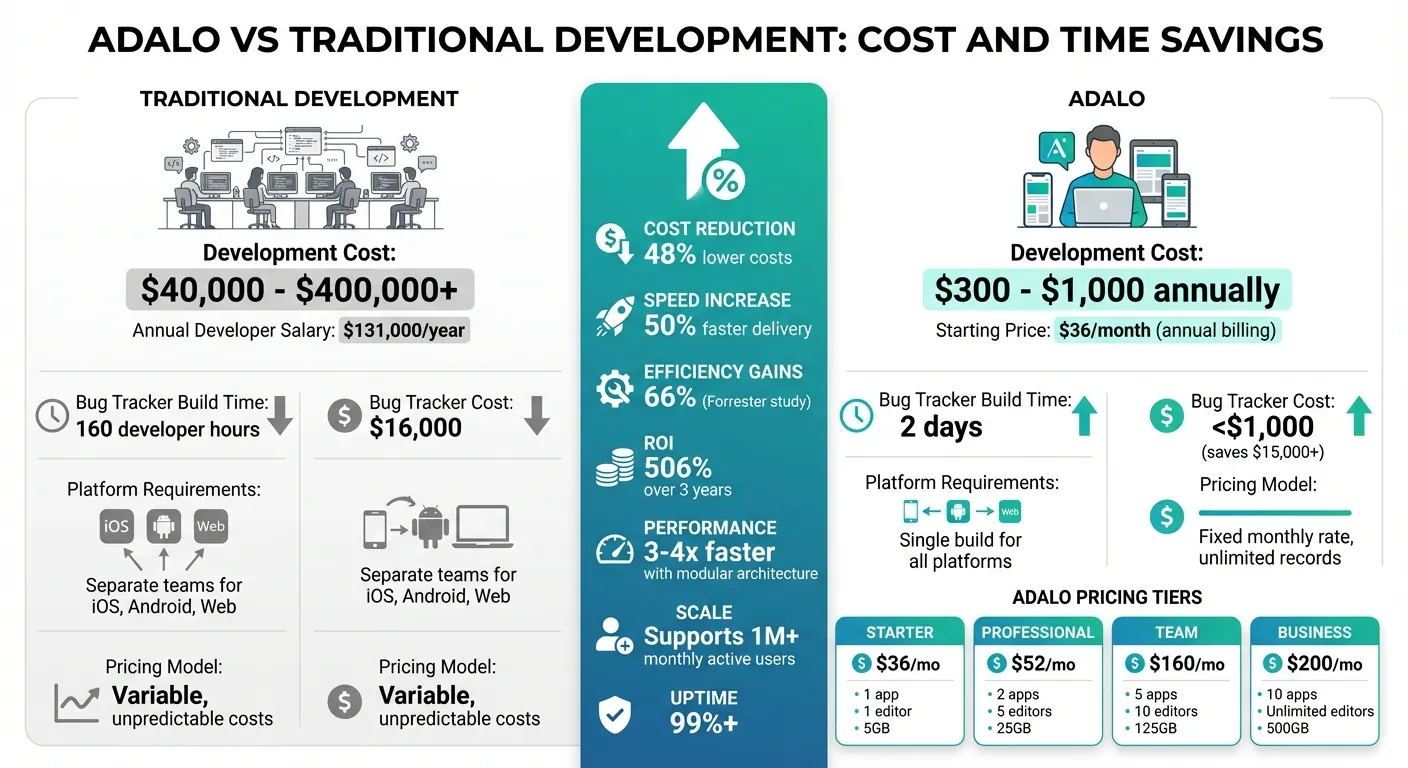
Adalo's pricing approach is tailored for software teams seeking predictable costs without surprises. Unlike usage-based pricing, Adalo offers fixed monthly rates, starting at $36/month (billed annually), which includes unlimited database records and app actions - ensuring you won't face unexpected charges.
Here’s a breakdown of the plans:
- Starter Plan: Priced at $36/month annually ($45/month if billed monthly), this plan is perfect for small teams. It includes 1 published app, 1 app editor, and 5GB of storage.
- Professional Plan: At $52/month annually ($65/month monthly), this plan supports 2 published apps, 5 app editors, and 25GB of storage. It's a great fit for teams managing multiple apps or dashboards.
- Team Plan: Designed for larger teams, this plan costs $160/month annually ($200/month monthly). It includes 5 published apps, 10 app editors, 125GB of storage, and a 1-day support SLA.
- Business Plan: For even greater needs, this plan costs $200/month annually ($250/month monthly), offering 10 published apps, unlimited app editors, and 500GB of storage.
Need more? Add-ons are available: extra published apps cost $25/month, and additional app editors are $15/month. Opting for annual billing saves 20% on these add-ons.
"By removing usage-based charges entirely, we're betting on your success. Build the features you need. Scale to as many users as your app can attract. Your monthly cost stays predictable."
- David Adkin, Co-Founder, Adalo
For context, traditional app development costs can range from $40,000 to $400,000+, but Adalo delivers similar functionality for just $300–$1,000 annually. With median U.S. developer salaries around $131,000 per year, Adalo lets you ship production-ready apps for a fraction of a developer's monthly paycheck. In fact, a Forrester study highlighted up to 66% efficiency gains and a 506% ROI over three years for businesses using low-code platforms.
Adalo's pricing model empowers teams to build faster and more affordably, freeing up core engineering resources for other priorities.
Conclusion: Build Internal Tools Faster with Adalo
Internal tools are critical for smooth operations, but building them often pulls engineers away from focusing on core product development. Adalo changes the game by enabling non-technical team members to create functional bug trackers, sprint dashboards, and admin panels in just days, not weeks.
With Adalo's single-code system, you can build once and deploy across iOS, Android, and web platforms. Updates are instant - no need to resubmit to app stores. Plus, starting at just $36/month, with database integration options with unlimited records and no usage-based fees, your costs remain steady even as your tools scale to support hundreds of users.
For perspective, a bug tracker that might have required 160 developer hours (costing $16,000) can now be completed in two days - saving over $15,000 and freeing up developer time for higher-priority tasks.
Adalo handles over 20 million daily data requests with 99%+ uptime, and its infrastructure scales effortlessly from small teams to more than 1 million monthly active users. This ensures your tools remain reliable, no matter how much your organization grows.
Adalo isn't about replacing developers; it's about giving them back their time to tackle challenges that demand custom solutions. Internal tools no longer have to drain valuable engineering resources.
FAQs
What internal tools can I build with Adalo?
With Adalo, you can build internal tools tailored to your team's needs - like bug trackers, sprint dashboards, team status apps, internal message boards, role-based permission systems, client portals, and workflow prototypes. These tools simplify processes and boost team productivity, all without the need for a large development team.
How does AI Builder speed up app creation?
AI Builder simplifies app development by transforming natural language descriptions into fully functional app components and prototypes. This approach cuts down on development time and reduces the need for hands-on coding, making the entire process quicker and easier.
Can Adalo handle large teams and lots of data?
Adalo is built with scalability in mind, making it a solid choice for large teams and data-heavy applications. By following industry best practices, it ensures optimized app performance and efficient data management. This allows internal tools and apps to run smoothly, even as your team and data needs grow.
Related Blog Posts

Build your app fast with one of our pre-made app templates
Begin Building with no codeRelated Content
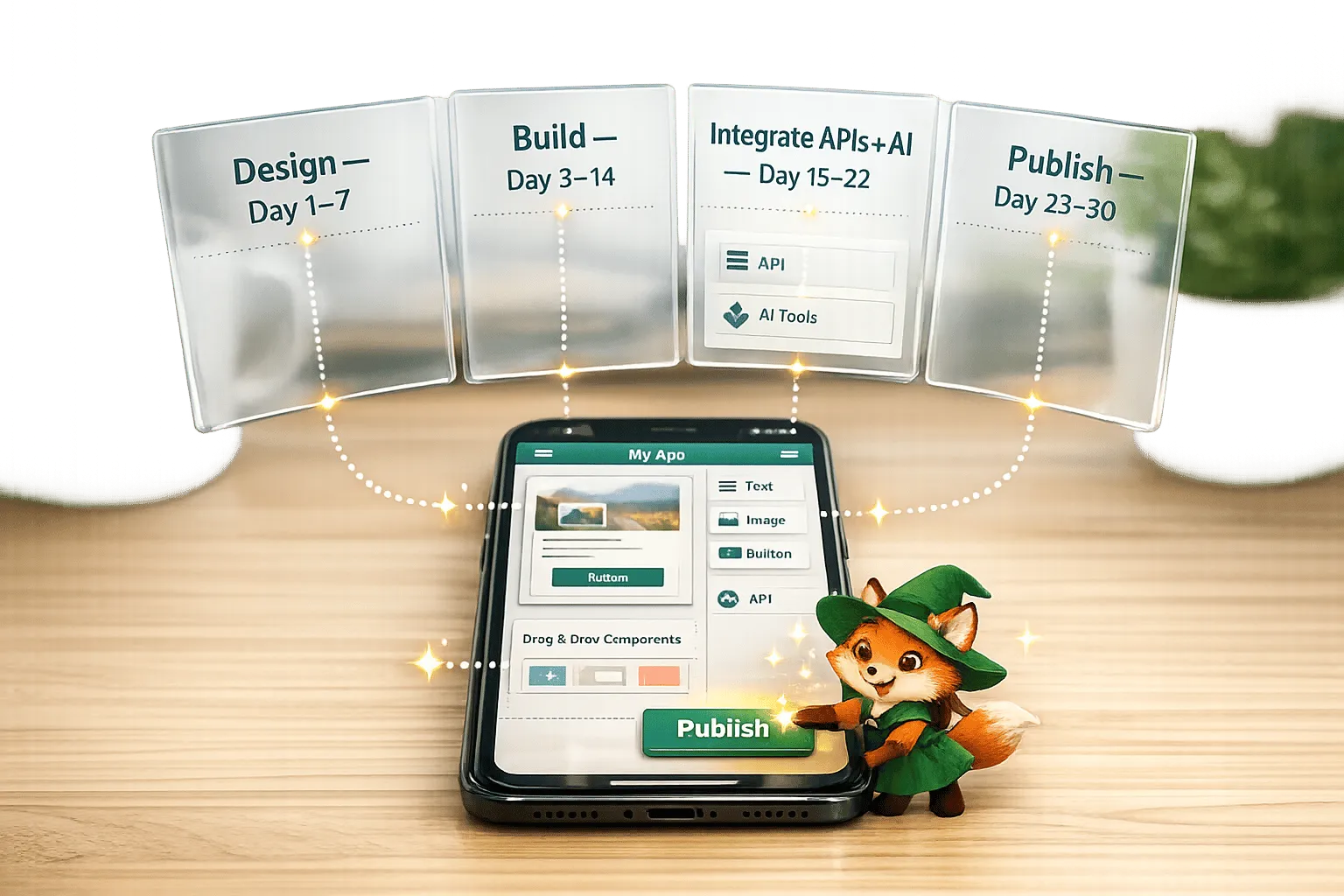
No-Code App Development for Beginners: Your First App in 30 Days
Step-by-step 30-day plan to design, build, and publish a native iOS/Android app with no-code tools, using drag-and-drop editors, AI, and ext
The Complete No-Code Digital Marketing Stack: Build Client Apps with Adalo
Build native iOS, Android, and web marketing apps without code. Fast prototyping, real-time dashboards, lead capture, and predictable pricin
Drag-and-Drop App Building: Adalo's Visual Builder Guide
Build iOS, Android, and web apps with Adalo's drag-and-drop visual builder. Learn components, databases, workflows, and publishing.
The No-Code AI Revolution: Why Adalo Is Adding Prompt Building
Turn plain-English app ideas into native iOS, Android and web apps with AI prompt building—fast, low-cost app creation with visual editing a