


Building a dating app traditionally requires significant technical expertise in database management, real-time messaging systems, and native mobile development—skills that can take years to master or cost thousands to outsource. The complexity multiplies when you need your app to work seamlessly across iOS, Android, and web platforms, each with its own codebase and publishing requirements.
That's where Adalo comes in. Adalo is a no-code app builder for database-driven web apps and native iOS and Android apps—one version across all three platforms. AI-assisted building and streamlined publishing enable launch to the Apple App Store and Google Play in days rather than months.

Why Adalo Is the Perfect Platform for Building Your Dating App
Creating a dating app requires handling complex user data, matching algorithms, and real-time communication—all while being available wherever your users are. Adalo is a no-code app builder for database-driven web apps and native iOS and Android apps—one version across all three platforms, published to the Apple App Store and Google Play. This makes it uniquely suited for dating apps, where reaching users on their preferred devices can make or break your platform's success.
Beyond cross-platform publishing, Adalo's visual database tools let you structure user profiles, preferences, and match data without touching code. Push notifications keep users engaged when they receive new matches or messages, while the drag-and-drop interface lets you design the swipe-based interactions that modern dating app users expect.
The dating app industry generates billions in revenue annually, yet you don't need a massive budget or a team of developers to enter this space. Whether you're launching a niche dating platform or testing a unique matchmaking concept, modern app building tools have made development accessible to anyone with a vision and a willingness to learn.
Adalo, an AI-powered app builder, makes this possible by creating database-driven web apps and native iOS and Android apps from a single editor. One build publishes to web, the Apple App Store, and Google Play Store—the hardest part of launching an app handled automatically. With features like Magic Start generating complete app foundations from descriptions and Magic Add building features from natural language requests, you can go from idea to functional prototype in days rather than months.
In this guide, you'll discover exactly how to create a fully functional dating app without writing a single line of code—and without spending money during the development phase. We'll walk through essential features like user profiles, swipe-based matching, real-time messaging, and safety tools, then show you how to bring it all together using Adalo's drag-and-drop interface and AI-assisted building capabilities.
From planning your app's structure to publishing it on major app stores, here's everything you need to turn your dating app idea into reality.
Why Adalo Is Ideal for Dating App Development
Dating apps demand robust database functionality to manage user profiles, match preferences, and conversation histories—all while reaching users on their preferred devices. Adalo's architecture handles this complexity through a single codebase that deploys true native iOS and Android apps alongside web versions.
Having your dating app available in both major app stores is essential for maximizing reach and building trust with users. Adalo supports push notifications, which are critical for dating apps—alerting users to new matches, messages, and profile views keeps them engaged and coming back. With paid plans offering unlimited database records and no usage-based charges, you can scale your user base without worrying about hitting data caps or unexpected bills.
The platform's modular infrastructure scales to serve apps with millions of monthly active users, with no upper ceiling. Unlike app wrappers that hit performance constraints under load, Adalo's purpose-built architecture maintains speed at scale—3-4x faster than previous versions following the Adalo 3.0 infrastructure overhaul in late 2026.
What Features Does a Dating App Need?
A dating app thrives when its features guide users smoothly from signing up to starting conversations. To achieve this, the app must offer enough functionality to create a complete user experience while keeping the initial build focused. This approach allows room to expand based on feedback from real users.
The essential features include user profiles, discovery and matching tools, messaging capabilities, geolocation services, and safety measures. Together, these elements take users from initial curiosity to meaningful connections.
Required Features for Your Dating App
User profiles are the backbone of any dating app. Each profile should allow users to upload multiple photos (preferably in a carousel format), write a bio, and share basic details. To make profiles more engaging and reflective of personality, consider adding prompts like "My ideal Sunday is…" or "The best trip I've ever taken was…".
Discovery and matching features let users browse potential connections. A swipe-based card stack is a popular choice, where users can like or pass on profiles. When two users like each other, it creates a match. Filters for age range and distance allow users to customize their search, and a basic matching algorithm—focusing on criteria like location, age, and shared interests—can be refined over time as user data provides insights.
Real-time messaging is what turns matches into meaningful interactions. A solid chat system should include features like read receipts, typing indicators, and photo sharing. Push notifications are critical here, as they alert users to new messages or matches, keeping them engaged and conversations active.
Geolocation services use GPS to show nearby matches, making connections more relevant and enabling spontaneous meetups. Showing distances in miles and offering a customizable search radius can further enhance this feature, giving users more control over their experience.
Safety and moderation tools are vital for maintaining trust and ensuring a positive environment. Basic features should allow users to report inappropriate behavior or block profiles. Adding verification options—like phone number or photo confirmation—can reduce fake accounts and foster a sense of security.
How Each Feature Affects User Experience
These features work together to create a smooth and enjoyable journey for users. After signing up and building their profile, users enter the discovery section to browse potential matches. When a mutual like occurs, both parties are notified and can start chatting right away.
The quality of these features directly impacts how users perceive and engage with the app. Detailed profiles with creative prompts lead to better conversations compared to minimal, generic bios. A fast and responsive swiping experience keeps users engaged, while delays or glitches can drive them away. Similarly, a reliable messaging system with timely notifications transforms matches into real connections.
Safety features, while often overlooked, are critical for long-term success. Poor moderation can lead to fake profiles or harassment, which erodes trust and drives users away.
| Feature | Primary Impact | Key Components |
|---|---|---|
| User Profiles | Builds trust and showcases personality | Photos, bio, prompts, age, location, verification |
| Discovery & Matching | Drives engagement and connections | Swipe cards, filters (age/distance), mutual likes |
| Messaging | Turns matches into conversations | Real-time chat, push notifications, read receipts, photo sharing |
| Geolocation | Ensures relevant matches | GPS integration, distance display, adjustable radius |
| Safety Tools | Protects users and the platform | Reporting, blocking, verification, admin review |
When these features are well-executed, they create a seamless flow from user engagement to meaningful connections. For example, Tinder, valued at around $40 billion, has generated over 65 billion matches globally by refining these core mechanics. While your app might not aim to compete at that scale, it should offer the same essentials: easy profile setup, engaging discovery, instant matching, and reliable messaging.
What You Need to Get Started
To begin, all you need is a computer with internet access and a free Adalo account. Beyond the technical setup, it's critical to have a clear vision of your app's purpose and a well-defined target audience before jumping into development.
Basic Requirements
Any computer with a web browser and a stable internet connection will do the trick.
The first step is to identify your target audience. Narrowing this down—whether it's professionals, fitness enthusiasts, or gamers—helps you design features that resonate with your users. Tools like Google Forms can be a great way to survey potential users about their needs. Additionally, studying similar apps can provide valuable insights into what works and what doesn't.
Before building, sketch out basic wireframes using free tools like Figma. These sketches will help you visualize the user journey, from signing up to initiating a conversation. You can even build a messaging app with similar logic. Planning your database structure is equally important. Think about collections such as Users, Photos, Matches, and Messages, and how these will interact with one another.
Once your hardware is set and your concept is clearly mapped out, you're ready to create your Adalo account and start building.
Creating Your Adalo Account and Project
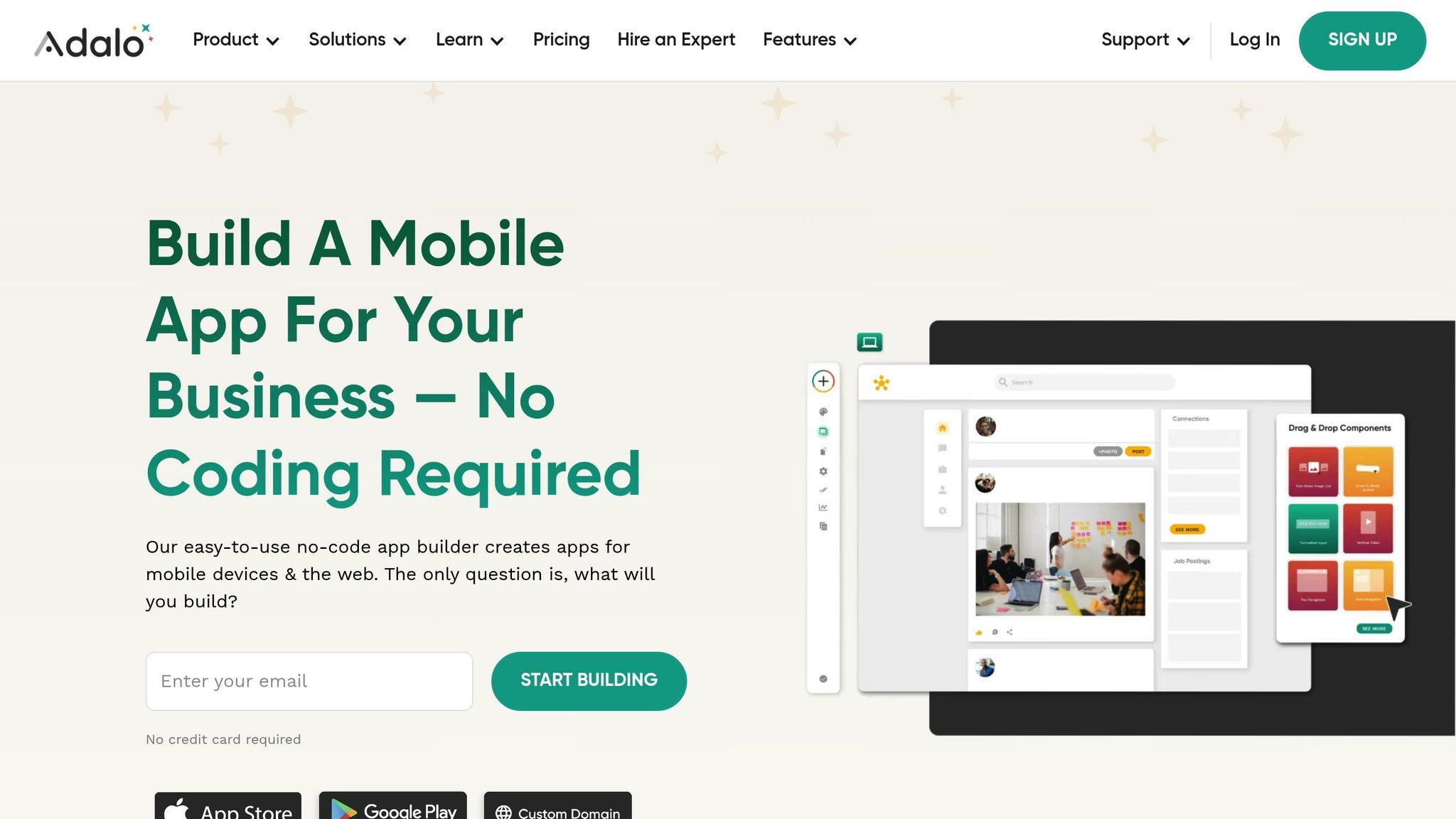
With everything in place, it's time to set up your Adalo project. Head over to Adalo.com and click on "Start Building for Free." Sign up using your email or Google account, then verify your email address.
From your dashboard, click "Create New App." Choose "Mobile App" instead of "Desktop Web App" to ensure compatibility with key dating app features like GPS location, camera access, and push notifications. You can either start from scratch for full customization or use Magic Start to generate a complete app foundation from a simple description of your dating app concept.
During the setup process, name your app and personalize its branding. Pick a color palette, typography, and layout that align with your app's theme. Enable both iOS and Android options, set the orientation to portrait, and make sure you have a privacy policy URL ready—this is a requirement for app store submissions.
"Adalo requires you to know zero code and has a simple learning curve. In fact, most people can start building their Adalo-made mobile app without reading any help documents or watching tutorials." – Adalo
With your account created and your project initialized, you're ready to start building. Over 3 million apps have been created on Adalo, with the visual builder described as "easy as PowerPoint." The platform processes 20 million+ data requests daily with 99%+ uptime, so your dating app will be built on battle-tested infrastructure.
How to Build Your Dating App

4-Step Process to Build a Dating App Without Coding
Once you've set up your project, it's time to bring your dating app to life by implementing its core features. Adalo's intuitive drag-and-drop interface makes this process approachable, even without coding expertise, ranking it among the best free mobile app builders for beginners. By using components from the Adalo Marketplace and configuring database collections, you can craft a fully functional and engaging dating experience.
Step 1: Set Up User Login and Profiles
Begin by designing authentication screens. Adalo provides a built-in Users collection with essential fields like Email, Password, Username, and Full Name. Create a three-step registration process to gather account details, personal information, and profile data. For example, you can include fields like Date of Birth to calculate age automatically and use an image picker for users to upload multiple profile photos.
Expand the Users collection by adding fields such as Bio (up to 500 characters), Gender, Interested In, Location (latitude/longitude), and Profile Verified (true/false). To allow users to showcase multiple photos, create separate image fields labeled "Photo 1" through "Photo 6." Use the Image Picker for uploads and the Camera component for photo verification, storing selfies in a dedicated property for added security.
With Magic Add, you can speed up this process by describing what you need: "Add a profile verification system that requires users to take a selfie matching their profile photo." The AI generates the necessary database fields, screens, and logic automatically.
Step 2: Build the Discovery and Matching System
To implement the swipe feature, install the Swipe/Card Stack component from the Adalo Marketplace. Configure each card to display key details like the main profile photo, name, age (calculated), a short bio, and, if applicable, the distance between users.
Set up three essential database collections: Swipes (to track user interactions), Matches (to store mutual connections), and Users. The Swipes collection should include fields for Direction (e.g., Like, Pass, Super Like), Swipe Date (auto-captured), Swiper (relation to Users), and Swiped User (relation to Users).
Configure workflows for each interaction:
- A Right Swipe creates a "Like" record and checks for mutual likes to generate a match.
- A Left Swipe creates a "Pass" record and excludes that user from future discovery.
- An Up Swipe creates a "Super Like" record and notifies the recipient.
Filter the discovery list to exclude users already marked as "Passed" or "Liked" and apply user preferences like gender, age range, and distance. For location-based filtering, store latitude and longitude for each user and calculate distances using the Haversine formula, as the Maps component is limited to UI functionality.
Performance tip: With Adalo's unlimited database records on paid plans, you don't need to worry about hitting storage caps as your user base grows. The platform's modular infrastructure handles scaling automatically, maintaining the 3-4x speed improvements from Adalo 3.0 even as your match data accumulates.
Step 3: Add the Messaging Feature
Create a Messages collection containing fields for the Sender (relation to Users), the Match (relation to Matches), message text, and a timestamp. Build a Conversation List screen to display matches with messaging enabled. Include details such as the user's avatar, a preview of the last message, the timestamp, and an unread badge.
Use Adalo's Chat UI component on the Chat screen, linking it to the Messages collection. Customize message bubbles to include sender details and timestamps. Set up workflows so tapping a match in the Conversation List opens the Chat screen with the relevant match data. When users initiate a chat, update the Matches collection to enable messaging.
Since Adalo uses foreground polling instead of websockets, add a Timer component to refresh data every few seconds, creating a near-real-time experience. Enhance the chat feature by adding image sharing—include an image property in the Messages collection and a file uploader in the chat composer.
The messaging system benefits significantly from Adalo 3.0's performance improvements. Message delivery and retrieval are noticeably faster, creating a smoother conversation experience that keeps users engaged.
Step 4: Add Notifications and Extra Features
Integrate push notifications using third-party services like Twilio or ClickSend via Adalo's Custom Actions. Configure workflows to trigger notifications when users receive a new match, message, or Super Like.
To promote safety, add a Report & Block feature, allowing users to flag inappropriate behavior. Create a Blocked Users relationship to immediately exclude flagged profiles from discovery. Improve app performance by enabling pagination for profile discovery lists, preventing unnecessary data loads. Additionally, compress profile images before upload to minimize data transfer.
X-Ray for optimization: Use Adalo's X-Ray feature to identify performance issues before they affect users. X-Ray highlights potential bottlenecks in your app's data relationships and screen logic, helping you optimize the user experience proactively rather than reactively.
Finally, test your app on real devices using Adalo's preview feature to ensure all components, including notifications, function properly across both iOS and Android platforms.
How to Publish Your Dating App
Publishing to Web and App Stores
Once your dating app is built, the next step is getting it into the hands of users. You can start by sharing your app for free using an Adalo subdomain (e.g., yoursite.adalo.com). This is an excellent way to test the waters—share the link with friends to gather feedback. Users can access this Progressive Web App (PWA) via mobile or desktop browsers, but keep in mind, it won't appear in app stores.
If you want your app available on the Apple App Store or Google Play Store, you'll need to upgrade to Adalo's Starter plan ($36/month) and cover additional developer fees: $99/year for an Apple Developer Account and a one-time $25 fee for the Google Play Console. These platforms are critical for reaching a broad audience—Apple's App Store attracts over 650 million weekly visitors, and Android devices make up about 70% of the global mobile market.
| Platform | Cost | Adalo Plan Required | Key Requirement |
|---|---|---|---|
| Web (Adalo Subdomain) | Free | Free | None |
| Web (Custom Domain) | $10–$45/year | Starter or higher | Domain purchase |
| Apple App Store | $99/year | Starter or higher | Apple Developer Account |
| Google Play Store | $25 (one-time) | Starter or higher | Google Play Console |
Before submitting your app to the stores, you'll need to prepare a few essentials: 4–5 screenshots for each device type, a 4,000-character app description, and a privacy policy URL. Apple's strict Guideline 4.3 (Spam/Duplicate) requires dating apps to stand out with unique features or a targeted niche, so make sure your app isn't generic to avoid rejection. Most apps on the Apple App Store are approved within 48 hours.
For testing, use TestFlight to beta test your iOS app with up to 10,000 external testers. On Android, the Google Play Console offers similar testing options. Adalo also provides a manual publishing feature, so you can make updates without affecting your live app until you're ready to roll them out—with unlimited updates to published apps on all paid plans.
After publishing, focus on ensuring your app meets safety and performance expectations through thorough testing.
Comparing Publishing Options
When evaluating app building platforms for dating apps, publishing capabilities matter significantly. Here's how Adalo compares to alternatives:
Adalo vs. Bubble: Bubble's web and mobile wrapper offering starts at $59/month with usage-based charges (Workload Units) and limits on records. Adalo starts at $36/month with unlimited usage and no record caps on paid plans. Critically, Bubble's mobile solution is a wrapper for web apps, which can introduce performance challenges at scale. Adalo compiles true native iOS and Android apps, and one codebase automatically updates web, Android, and iOS versions simultaneously.
Adalo vs. Glide: Glide excels at spreadsheet-based apps but doesn't support Apple App Store or Google Play Store publishing. At $60/month, you get custom domain capability but remain limited by app updates and data record rows. For dating apps requiring native mobile presence, this is a significant limitation.
Adalo vs. FlutterFlow: FlutterFlow is a low-code platform for technical users, starting at $70/month per user for app store publishing—and that doesn't include database costs, which you must source, set up, and pay for separately. The learning complexity is substantial, especially when optimizing for scale. Adalo includes an integrated database with no record limits on paid plans.
Testing and Monitoring Your App
Once your app is live, ongoing testing and monitoring are essential to maintaining its quality. Test your app on a variety of real devices to uncover hardware-specific issues. Pay special attention to key features like registration, profile creation, matching, and messaging.
Check how the app performs under real-world conditions. For example, test its behavior during calls, texts, or low-battery situations while users are navigating critical features. Also, ensure offline functionality works smoothly, with proper data caching and meaningful error messages when the internet connection drops.
After launch, leverage Adalo's built-in analytics to track performance metrics. Monitor engagement stats like Daily Active Users (DAU), Monthly Active Users (MAU), and retention rates at Day 1, Day 7, and Day 30. For dating apps, it's also important to track match rates, message reply rates, signup completion percentages, and the time it takes users to get their first match.
If you want to ease into your app's release, Apple's Phased Release feature allows you to gradually roll it out over seven days. Additionally, consider setting up a "Reports" collection to manage user-submitted flags for harassment or fake profiles, ensuring a safer user experience.
Next Steps
You've built your dating app from the ground up without spending a penny. You've outlined the key features—user profiles, matching algorithms, and messaging—set up your Adalo account, pieced together the main components, and even published your app. Now what?
It's time to test. Dive into your app's core user flows, including onboarding, matching algorithms, and safety features. Make sure the matching algorithm works as intended, and double-check that your "Report User" and "Block" features are fully functional to meet app store safety standards. Create 20–30 diverse test profiles to simulate real-world scenarios and thoroughly assess performance. These tests are critical for ironing out any issues and ensuring a seamless user experience.
To keep things running smoothly, optimize performance by compressing images and loading profile lists in smaller batches of 10–20 items. If you're planning to offer premium features, make sure your in-app purchase setup complies with Apple and Google's guidelines.
Looking ahead, the dating app market is projected to hit $10.3 billion by 2026. Adalo provides a budget-friendly way to get in on the action. Start with their Free plan to build and test your app, and when you're ready to take the next step, upgrade to the Starter plan for $36/month to publish your app to major app stores.
Ready to launch? Adalo's drag-and-drop interface and AI-assisted building make it possible to create a working prototype in just a few days. With the AI Builder releasing in early 2026, prompt-based app creation will make this process even faster. Sign up today and take the first step toward turning your dating app idea into reality.
Related Blog Posts
- 5 Steps to Monetize Your No-Code Mobile Application
- How to Launch Your First Mobile App Without Coding
- App Idea Generator for Creative Minds
- Build a No-Code Ticketing System in 3 Days
FAQ
| Question | Answer |
|---|---|
| Why choose Adalo over other app building solutions? | Adalo is an AI-powered app builder that creates true native iOS and Android apps. Unlike web wrappers, it compiles to native code and publishes directly to both the Apple App Store and Google Play Store from a single codebase—the hardest part of launching an app handled automatically. With unlimited database records on paid plans and no usage-based charges, you avoid the bill shock common with other platforms. |
| What's the fastest way to build and publish an app to the App Store? | Adalo's drag-and-drop interface and AI-assisted building let you go from idea to published app in days rather than months. Magic Start generates complete app foundations from descriptions, and the platform handles the complex App Store submission process—certificates, provisioning profiles, and store guidelines—so you can focus on your app's features. |
| Can I easily build a dating app without coding experience? | Yes, Adalo's visual builder is described as "easy as PowerPoint." You can create user profiles, swipe-based matching, real-time messaging, and safety features using drag-and-drop components. Magic Add lets you describe features in plain language, and the AI generates the necessary database fields, screens, and logic automatically. |
| Which is more affordable, Adalo or Bubble? | Adalo starts at $36/month with unlimited usage and no record caps on paid plans. Bubble starts at $59/month with usage-based Workload Unit charges and record limits. Adalo's pricing is more predictable, with no surprise bills from usage spikes. |
| Which is better for mobile apps, Adalo or Bubble? | Adalo compiles true native iOS and Android apps from a single codebase. Bubble's mobile solution is a wrapper for web apps, which can introduce performance challenges at scale. For dating apps requiring responsive swiping and real-time messaging, native compilation provides a smoother user experience. |
| How much does it cost to publish a dating app built with Adalo? | You can build and test for free. To publish to app stores, you need Adalo's Starter plan ($36/month), an Apple Developer Account ($99/year), and a Google Play Console account ($25 one-time). This is significantly more affordable than traditional development or alternatives like FlutterFlow ($70/month plus separate database costs). |
| Can I add push notifications to my dating app? | Yes, Adalo supports push notifications through integration with services like Twilio or ClickSend via Custom Actions. You can configure workflows to alert users about new matches, messages, and Super Likes—keeping them engaged and returning to your app. |
| How do I test my dating app before launching? | Adalo provides a preview feature to test on real devices during development. For iOS, use TestFlight to beta test with up to 10,000 external testers. Google Play Console offers similar Android testing options. Create 20-30 diverse test profiles to simulate real-world scenarios before launch. |
| What essential features should my dating app include? | Your dating app needs user profiles with photos and bios, a discovery and matching system with swipe functionality, real-time messaging with push notifications, geolocation services for nearby matches, and safety tools like reporting and blocking. These core features create a complete user journey from signup to meaningful connections. |
| Can Adalo handle a dating app with many users? | Yes, Adalo's modular infrastructure scales to serve apps with millions of monthly active users, with no upper ceiling. The Adalo 3.0 infrastructure overhaul in late 2026 made apps 3-4x faster, and paid plans have no database record limits. With proper data relationship setups, Adalo apps can scale beyond 1 million MAU. |







