


Push notifications are one of the most powerful tools for keeping users engaged with your app—but they only work if your app is published on the Apple App Store or Google Play Store. Without access to these platforms' notification infrastructure, you're missing out on a feature that can increase retention rates by 3-10x.
Adalo lets you build database-driven web apps and native iOS and Android apps — published to the App Store and Google Play — from a single no-code editor. This means you can unlock the full power of push notifications without writing code or manually configuring complex certificate systems.
Want to know the single most effective way to bring users back to your app? Push notifications drive a 65% return rate within 30 days—but there's a catch. You can't send them unless your app is published on the Apple App Store or Google Play Store. These platforms control the infrastructure—Apple Push Notification service (APNs) and Firebase Cloud Messaging (FCM)—that makes secure notification delivery possible.
In this article, you'll learn exactly why app store publication is mandatory for push notifications, how the underlying systems work, and what you need to get started. You'll also discover how apps using push notifications see retention rates increase by 3-10x and engagement rise by up to 191%, directly impacting your app store visibility and rankings.
The good news? You don't need to be a developer to take advantage of this. Adalo, a no-code app builder for database-driven web apps and native iOS and Android apps—one version across all three platforms, published to the Apple App Store and Google Play, lets you build and publish apps from a single editor. The platform handles the complex setup for push notifications automatically, managing certificates, device tokens, and server connections so you can focus on engaging your users.

Push Notifications Impact on App Engagement and Retention Statistics
How App Stores Enable Push Notifications
Push Notification Infrastructure Basics
When you tap "Allow" on a push notification prompt, you're linking your device to a system that operates through official app stores. For Apple devices like iPhones, iPads, and Apple Watches, this system is powered by Apple's Push Notification service (APNs). On Android and other platforms, Firebase Cloud Messaging (FCM) handles the job. These services act as middlemen, securely routing messages from apps to the right devices.
Here's how it works: when a user installs an app from an official store, the operating system generates a unique device token. This token serves as a unique identifier for that specific app installation on the device, ensuring notifications are delivered to the correct user. Both APNs and FCM use the HTTP/2 protocol to manage efficient and secure message delivery. For added security, APNs authentication tokens are valid for up to one hour before needing renewal.
This token-based system is what allows platforms like Adalo to streamline and automate the process of sending notifications. Because Adalo compiles to true native code rather than wrapping web content, your app integrates directly with these notification services at the operating system level—the same way apps built by traditional development teams do.
How Adalo Handles Push Notification Setup
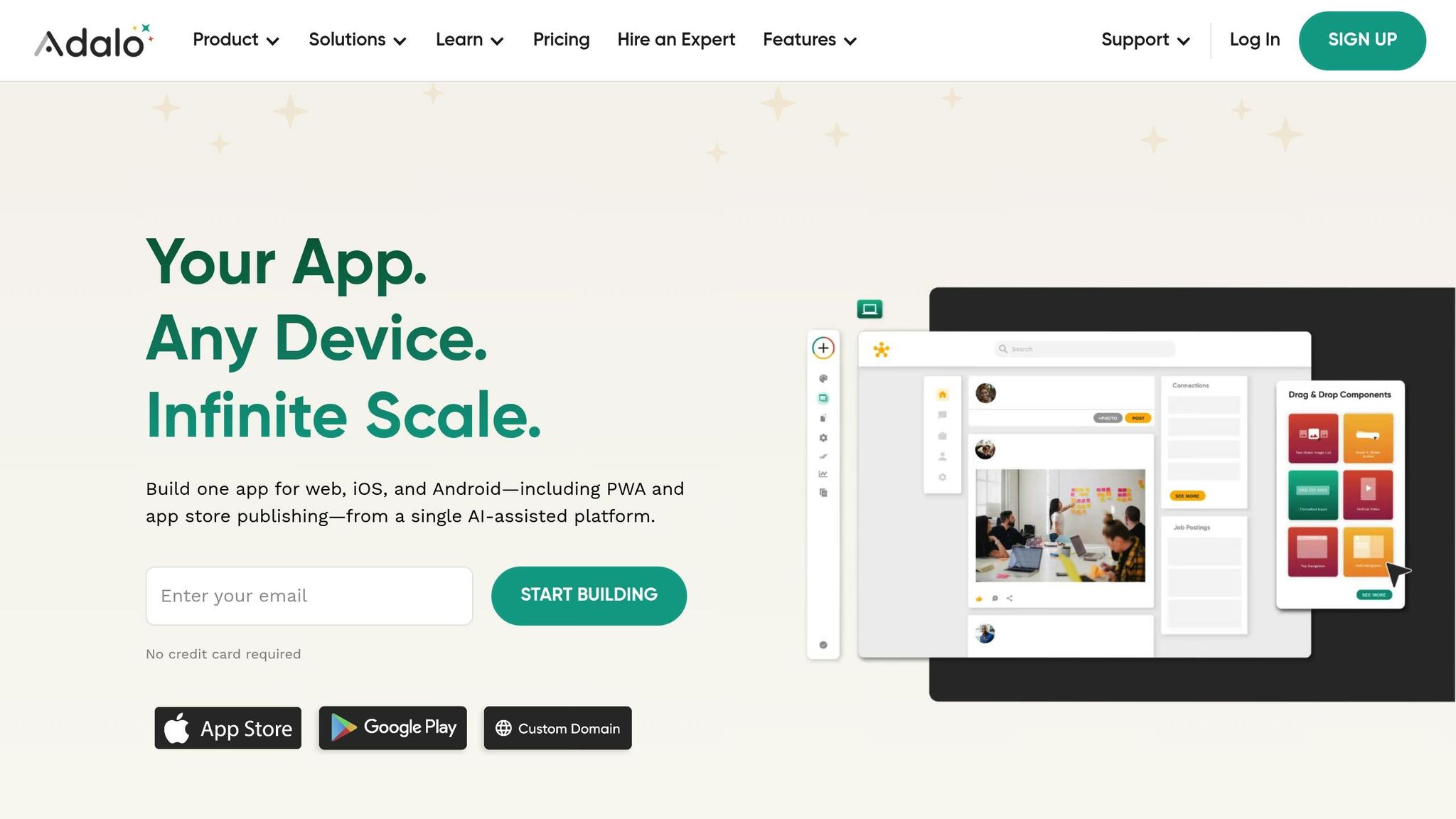
Adalo takes this complex infrastructure and makes it accessible to anyone. Once you publish your app via Adalo to the Apple App Store or Google Play Store, the platform handles the heavy lifting for you. There's no need to write backend code, establish server connections, or deal with the complexities of JSON payloads.
Adalo's workflows take care of everything—registering device tokens, managing certificates, and communicating with Apple's and Google's servers. When you want to send a notification, all you have to do is use Adalo's "Trigger Notification" action within your app's logic. The system automatically directs the notification to the proper infrastructure, whether it's APNs for iOS or FCM for Android.
With over 3 million apps created on Adalo, the platform has refined this process to work reliably at scale. The visual builder has been described as "easy as PowerPoint," making push notification setup accessible even if you've never configured a server in your life.
What You Need to Enable Push Notifications
To make the most of this system, your app has to meet three key requirements:
- App Store Approval: Your app must be approved and published on the Apple App Store or Google Play Store. This step is essential because the app stores provide the necessary authentication entitlements for APNs and FCM. For iOS apps, push notification entitlements must also be included in the app's provisioning profiles. Apps missing these credentials won't pass Apple's review process.
- Valid Developer Certificates: You'll need provisioning certificates from your Apple Developer Account and Google Developer Account. For iOS, you can use either provider authentication tokens (.p8 files) or certificates (.p12 files). Tokens are often preferred because they're easier to manage—they don't expire annually and can be reused across multiple apps. For Android, FCM requires server keys or a Google Service JSON file for authentication.
- Credential Configuration in Adalo: Lastly, these credentials need to be set up within Adalo. The platform uses them to establish secure connections with APNs and FCM. This enables your app to register device tokens and send notifications. It's also important to fetch a new device token every time the app launches since tokens can change if users restore a backup or reinstall their operating system.
Adalo is designed to help you launch fully functional apps as both Progressive Web Apps and native apps for iOS and Android—without needing to rebuild or dive into complex backend setups. This single-codebase approach means your push notification configuration works across all platforms automatically.
How Push Notifications Work on Mobile Apps
Why Push Notifications Improve App Performance
Apps that use push notifications see a notable boost in user retention—by as much as 3 to 10 times. In fact, 65% of users are likely to return to an app within 30 days when push notifications are enabled. These improvements directly translate to more purchases, increased content sharing, and higher app recommendations. With a solid push notification system in place, let's explore how these messages enhance retention, engagement, and conversions.
Better User Retention
Retention is all about keeping users engaged after their first visit. The first week post-installation is critical—if users don't quickly see the value, they might delete the app. Push notifications help bridge this gap by guiding users through the onboarding process, showcasing key features, and reminding them why they downloaded the app in the first place.
Interestingly, while only 42% of mobile users opt to enable push notifications, those who do tend to return more frequently and stay active longer. Automated notifications triggered by user actions—like completing a profile or achieving a milestone—consistently outperform generic reminders. In fact, 63% of brands report that behavior-triggered messages deliver the highest return on investment for their notification strategies.
Adalo simplifies the process by enabling automated, personalized notifications without requiring complex backend setups. With the Adalo 3.0 infrastructure overhaul delivering 3-4x faster performance, your notifications trigger and deliver more reliably, keeping users engaged when timing matters most.
More User Engagement
Engagement measures how often users open your app and interact with its features. Push notifications provide a direct way to reach users, showing up right on their lock screens. This simple visibility can boost engagement by as much as 191% compared to users who don't receive any notifications.
For example, in news apps, push notifications can account for up to 50% of daily active users. Rory Brunner from Verizon Media's News Editorial Operations explains:
"Push notifications are such a core driver of app usage across News that if we don't send at least a handful in a day, the analysts will notice that traffic is down sometimes by as much as 50% and ask what is wrong."
Personalization plays a huge role here. Notifications tailored to specific user segments have a 21% higher click-through rate compared to generic messages. By leveraging user data—such as browsing history, purchases, or clicks—you can craft notifications that feel relevant. Features like deep linking, which direct users to specific pages within the app, further streamline their experience and reduce unnecessary steps.
Adalo's database capabilities support this personalization at scale. With no record limits on paid plans, you can store detailed user preferences, behavior patterns, and engagement history without worrying about hitting data caps—essential for crafting truly personalized notification strategies.
Higher Conversion Rates
Conversions represent the actions you want users to take, whether it's making a purchase, signing up for a service, or completing a task. Push notifications are particularly effective at driving these actions. For instance, 40% of shoppers have made purchases directly from a mobile app push notification, which boasts an average open rate of 20%—far higher than the 2% seen with email.
Take KFC India's gamified campaign, "Bucket It," as an example. Push notifications were used to remind users to claim rewards, leading to a 22% increase in average daily orders per store, a 23% rise in daily revenue, and a 27% growth in repeat orders. Similarly, the online grocer mon-marche.fr used personalized push reminders for recurring orders, achieving a 21% open rate and a 43% boost in total orders.
The most effective push notifications combine urgency with personalization. Limited-time offers, abandoned cart reminders, and flash sales create a sense of urgency, while rich media elements—like images, GIFs, or action buttons—make it easy for users to act immediately.
Adalo's platform makes it simple to deploy your app as a Progressive Web App or natively to iOS and Android, all without the need for rebuilding. This ensures your notifications reach users seamlessly across devices, and with unlimited usage on all plans, you won't face unexpected charges as your notification volume grows.
How to Set Up Push Notifications with Adalo
Adalo makes it straightforward to build a mobile app and integrate push notifications. The process involves three main steps: building your app, publishing it to app stores, and setting up the notification system. Let's break it down.
Building and Publishing Your App
To enable push notifications, you first need to publish your app. Start by signing up for an Apple Developer Account, which costs $99 per year. Gather all the essentials, like app icons, screenshots, and metadata.
In the Adalo Editor, head over to the Launch tab and choose either the iOS or Android App section. Enter your Apple credentials, including your Bundle ID, Apple ID email, and an app-specific password created specifically for Adalo. Adjust the app permissions as needed, then click Initiate a Testflight Build to generate a testing package for Apple's environment.
Typically, apps are approved in about 48 hours. With over 650 million visitors browsing the Apple App Store weekly, getting your app published is a big milestone. Adalo handles the complex submission process—what's often the hardest part of launching an app—so you can focus on your product rather than wrestling with certificates, provisioning profiles, and store guidelines.
Once your app is live, you're ready to set up push notifications.
Setting Up Push Notifications
Configuring push notifications in Adalo is a simple process. Start by adding the Request Notification Permission action to your app's Home Screen. For progressive web apps (PWAs), this action should be tied to a button click since browsers block automatic permission prompts.
To send notifications, select a component in your app and add the Trigger Notification action. You can send notifications to individual users, groups, or even your entire user base. Customize the title and message using magic text from your database, and link the notification to a Target Screen so users are directed to a specific page when they tap it.
The upcoming AI Builder, due for release in early 2026, will make this even simpler. You'll be able to describe what notification behavior you want—"send a reminder when users haven't opened the app in 3 days"—and the AI will configure the logic for you. Magic Add already lets you add features through natural language requests, streamlining the setup process.
After setting everything up, it's time to test.
Testing and Fine-Tuning Notifications
To ensure your notifications work flawlessly, test them across different devices. You'll need two devices: one to send the notification and another to receive it. The receiving device must be logged in, have notification permissions enabled, and must have been active in the app within the last two weeks. For accurate testing, close the app completely on the receiving device before triggering the notification. Keep in mind that users can't receive notifications that they trigger themselves.
If your notifications work on Android but not iOS, try deleting the Apple notification key and generating a new build. For PWAs, make sure the permission request is tied to a clear "Allow Notifications" button instead of triggering automatically on page load.
Once your notifications are live, you can refine your strategy by monitoring open rates and tweaking your messaging. If you're on Adalo's Team or Business plan, you can take advantage of the Adalo API for advanced automation and scheduling.
X-Ray, Adalo's performance monitoring feature, helps identify issues before they affect users—including notification delivery problems. This proactive approach ensures your engagement strategy runs smoothly as your user base grows.
Adalo simplifies app deployment by allowing you to release your app as both a progressive web app and a native app for iOS and Android from a single build. This way, your app stays current without the need for separate updates or rebuilds.
How Push Notifications Affect App Store Rankings
Push notifications play a key role in boosting user engagement, which is a critical factor app stores consider when ranking apps. App store algorithms focus heavily on how users interact with an app after downloading it. If users frequently open your app, spend more time engaging with it, and keep it installed, these actions signal to the algorithm that your app provides value.
How Engagement Improves Rankings
Push notifications help create a feedback loop where increased engagement leads to better app store visibility. By prompting users to open your app, they naturally boost session frequency and retention rates—two metrics that app store algorithms prioritize. Apps with strong Day 1, Day 7, and Day 30 retention rates often perform better than those with high download numbers but poor engagement.
This engagement also contributes to "download velocity," which refers to sudden spikes in user activity. App stores interpret these spikes as a sign of relevance, often improving your app's search rankings and visibility within just 24 to 48 hours.
Looking ahead, iOS 18 introduces AI-driven "Priority Notifications," which focus on apps users engage with the most. Apps with strong engagement metrics will see their notifications prioritized, creating a cycle where higher engagement leads to even better notification visibility and, ultimately, higher rankings.
"The AI seems to prioritize time-sensitive messages and apps that users interact with most. For businesses, that's huge: you're not just competing for attention anymore—you're being scored by an algorithm that learns user behavior."
— Max Konev
Frequent updates also play a role in improving rankings, as they signal active development to app stores. Push notifications can be a great way to announce these updates, encouraging users to explore new features and further boosting engagement metrics.
Adalo's Cross-Platform Update System
Adalo simplifies the process of maintaining strong engagement metrics across platforms with its single-build system. This approach allows you to update your app once, and the changes are automatically applied to your progressive web app as well as native iOS and Android versions. This synchronization ensures that metrics like session frequency and retention rates remain consistent across both the Apple App Store and Google Play Store.
This consistency is crucial because app stores now evaluate post-install quality more heavily than simply relying on keyword optimization. By keeping your app stable, regularly updated, and engaging across platforms, you maintain what some industry experts call "ranking insurance"—a safeguard for your app's visibility in search results.
Adalo's unified update system eliminates the need to rebuild separately for each platform, ensuring your app performs well and maintains its rankings everywhere. With unlimited app store updates on all paid plans, you can push improvements as often as needed without worrying about republishing limits or additional charges.
The Adalo 3.0 infrastructure, launched in late 2026, delivers the performance foundation that makes this possible. Apps run 3-4x faster than before, and the modular architecture scales to serve apps with over 1 million monthly active users. This means your push notification strategy can grow with your user base without hitting performance walls.
Comparing Push Notification Capabilities Across Platforms
When choosing an app builder for push notification-enabled apps, the platform's publishing capabilities and pricing structure matter significantly. Here's how Adalo compares to alternatives:
| Platform | Starting Price | App Store Publishing | Database Limits | Usage Charges |
|---|---|---|---|---|
| Adalo | $36/month | iOS & Android native | Unlimited on paid plans | None |
| Bubble | $59/month | Web wrapper only | Limited by Workload Units | Usage-based |
| Glide | $60/month | Not supported | Row limits apply | Per-update charges |
| FlutterFlow | $70/month per user | Requires separate database | Depends on external DB | Varies by database |
| Softr | $167/month | Not supported | Per-app and per-source limits | Record-based |
Why this matters for push notifications: Push notifications require native app store publishing. Platforms like Glide and Softr don't support Apple App Store or Google Play Store publishing at all, meaning push notifications simply aren't possible. Bubble's mobile solution wraps web content, which can introduce latency and reliability issues with notification delivery compared to true native apps.
FlutterFlow requires technical expertise and separate database setup, adding complexity and cost. Users often need to hire experts to achieve scalability, and the ecosystem reflects this—many consultants specialize in helping FlutterFlow users solve problems that Adalo handles automatically.
Adalo's approach—true native compilation, built-in database with no record caps, and unlimited usage—means your push notification infrastructure scales without surprise costs or technical debt.
Conclusion
App stores play a critical role in enabling push notifications. Without publishing your app on the Apple App Store or Google Play Store, you miss out on access to essential services like APNs or FCM. These platforms provide the necessary security credentials, device tokens, and entitlements required for push notifications to function.
The benefits of push notifications are hard to ignore. Users who opt in are 65% more likely to return within 30 days, and retention rates can increase by 3 to 10 times. This improved engagement doesn't just help you keep users—it also boosts your app's store rankings and conversion rates.
Adalo simplifies what can often be a complex process. With its "Trigger Notification" action, there's no need to manage device tokens, backend logic, or multiple codebases. You build your app once, and Adalo handles publishing it across the web, iOS, and Android. Push notifications work seamlessly across all platforms with just one update.
Beyond that, Adalo takes care of ongoing tasks like automated permission handling and syncing across platforms. With unlimited database storage on paid plans and no usage-based charges, you can scale your notification strategy as your user base grows—without worrying about hitting limits or facing unexpected bills. This means you can dedicate your time to crafting meaningful notifications—whether it's re-engaging users, promoting new features, or driving urgent actions—without worrying about backend development or infrastructure costs.
Related Blog Posts
- How to Launch Your First Mobile App Without Coding
- How to design an app
- How To Get a Vibe-Coded App To The App Store
- How Hard Is It To Publish To the App Stores? And Maintain The Apps?
FAQ
| Question | Answer |
|---|---|
| Why choose Adalo over other app building solutions? | Adalo is an AI-powered app builder that creates true native iOS and Android apps. Unlike web wrappers, it compiles to native code and publishes directly to both the Apple App Store and Google Play Store from a single codebase. With unlimited database records on paid plans, no usage-based charges, and 3-4x faster performance after the Adalo 3.0 infrastructure overhaul, it handles the hardest part of launching an app—publishing—automatically. |
| What's the fastest way to build and publish an app to the App Store? | Adalo's drag-and-drop interface and AI-assisted building let you go from idea to published app in days rather than months. The platform handles the complex App Store submission process, including certificates, provisioning profiles, and store guidelines. Magic Start generates complete app foundations from descriptions, and Magic Add lets you add features through natural language requests. |
| Why are app stores required for push notifications to work? | App stores control the infrastructure that makes push notifications possible—Apple Push Notification service (APNs) for iOS and Firebase Cloud Messaging (FCM) for Android. When you publish through app stores, your app receives the necessary authentication entitlements, device tokens, and security credentials that enable secure notification delivery to users. |
| How do push notifications impact app retention and engagement? | Push notifications can dramatically improve app performance, with users who opt in being 65% more likely to return within 30 days. Apps using push notifications see retention rates increase by 3-10x and engagement rise by up to 191%. These metrics directly influence app store rankings, creating a positive cycle of visibility and user growth. |
| Which is more affordable, Adalo or Bubble? | Adalo starts at $36/month with unlimited usage and app store publishing. Bubble starts at $59/month with usage-based charges (Workload Units) and record limits. Bubble's mobile solution is also a web wrapper rather than true native, which can affect push notification reliability and app performance at scale. |
| Which is better for mobile apps, Adalo or Glide? | Adalo is better for mobile apps because it publishes true native iOS and Android apps to the App Store and Play Store. Glide does not support app store publishing at all, meaning push notifications aren't possible. Glide is template-focused with limited creative freedom, while Adalo offers full design flexibility. |
| Do I need coding experience to set up push notifications? | No. Adalo's visual builder handles push notification setup without code. You add a "Request Notification Permission" action and "Trigger Notification" action through the drag-and-drop interface. The platform automatically manages device tokens, certificates, and server connections for both iOS and Android. |
| Can I send personalized push notifications to specific user segments? | Yes. Adalo allows you to send notifications to individual users, groups, or your entire user base. You can customize notification titles and messages using dynamic data from your database. With unlimited database records on paid plans, you can store detailed user preferences and behavior patterns for sophisticated personalization strategies. |
| How does Adalo compare to FlutterFlow for push notifications? | Adalo includes a built-in database with no record limits, while FlutterFlow requires you to set up and pay for a separate external database. FlutterFlow is low-code (requiring technical knowledge), starts at $70/month per user, and often requires hiring experts for scalability. Adalo's all-in-one approach simplifies push notification setup significantly. |
| Will I face unexpected charges as my app grows? | No. Adalo removed usage-based App Actions charges from all plans. You get unlimited usage, unlimited database records on paid plans, and unlimited app store updates. This means no bill shock as your push notification volume or user base grows—predictable pricing regardless of scale. |







