Building internal apps doesn’t have to take months. Teams are skipping central IT delays by using low-code or no-code platforms like Adalo to create the tools they need - fast.
Here’s the situation: IT backlogs stretch for months, with 70–80% of budgets tied up maintaining outdated systems. Meanwhile, demand for apps grows 5x faster than IT can deliver. The result? Teams are taking matters into their own hands. By 2026, 70% of enterprise apps will be built with no-code or low-code tools, and most will bypass IT entirely.
Why no-code works:
- Speed: Apps are built in days, not months.
- Cost: Development costs drop by up to 70%.
- Ease: Non-technical users can create apps with drag-and-drop tools.
- Scalability: Apps deploy to web, iOS, and Android in one step.
Adalo’s platform stands out with features like AI-powered app creation, seamless integrations with existing systems, and enterprise-grade security. Whether it’s a custom CRM, a booking app, or a simple workflow tool, teams are solving problems without waiting for IT.
Bottom line: Skip the delays. Build the apps you need - on your timeline.

No-Code Platform Impact: Time Savings, Cost Reduction, and Enterprise Adoption Statistics
I built 50 apps without code. Here’s what I learned.
Why Central IT Creates Delays for Teams
Central IT departments aren't trying to slow anyone down - they're just overwhelmed. When your team submits a request for an internal app, it gets added to a backlog that can stretch anywhere from three months to a full year. It’s no surprise, then, that 72% of IT leaders say they’re blocked from focusing on strategic work because they’re buried under project backlogs. This capacity crunch is a major factor behind the delays in getting applications approved.
The approval process itself also adds layers of complexity. Requests have to pass through Change Approval Boards, Architecture Review Boards, security checks, and QA sign-offs. Each of these steps can take as long as the development process, especially if a stakeholder is unavailable or asks for more details - adding about a week of delay per phase. Security reviews, in particular, are often seen as a sticking point, with 71% of CISOs reporting that these checks are perceived as bottlenecks to fast development.
As Team Kissflow explains:
"Demand for applications grows at least 5 times faster than IT capacity to deliver them. Traditional solutions - hiring more developers, outsourcing development, or buying no-code software platforms - provide only temporary relief because they don't address the fundamental capacity mismatch."
The reality is, IT teams are stretched thin. Large IT projects typically go 45% over budget and 7% over schedule. This is why many are turning to the best no-code web app builders to bypass these constraints. On top of that, 82% of companies report difficulty finding qualified engineers. This means your app request isn’t just competing with other app ideas - it’s up against every other tech-related need in the organization. It’s no wonder that 25% of business problems remain unresolved due to these development backlogs.
Even routine requests can derail strategic initiatives. Something as simple as approving a $50 software license might face the same rigorous scrutiny as a $50,000 project. Teams often spend weeks waiting for infrastructure provisioning or data access that should take just minutes. Nearly half of organizations report that unclear decision-making processes slow everything down, turning straightforward requests into months-long headaches. Ultimately, these delays ripple across the organization, stalling progress on both small and large-scale initiatives.
How No-Code Platforms Enable Internal App Development
No-code platforms are transforming how teams approach software development. Instead of waiting months for IT to deliver an app, teams can now create solutions in a matter of days. By 2026, experts predict that 70% of new enterprise applications will rely on no-code or low-code technologies. Additionally, nearly 60% of custom apps are expected to be developed outside traditional IT departments. Companies leveraging these tools report impressive outcomes: a 48% reduction in development costs and app delivery that’s 50% faster. At large enterprises, non-technical employees, or "citizen developers", are projected to outnumber professional developers by a ratio of 4:1 by 2026. This shift highlights the growing potential of no-code platforms to simplify and accelerate app creation.
What No-Code Tools Do for Teams
No-code platforms replace complex coding with intuitive, visual interfaces. Teams can drag and drop components to design screens, set up databases, and build workflows - all without needing specialized engineering skills.
One major advantage is how these tools simplify integrations. Modern no-code platforms connect seamlessly to existing business systems like Salesforce, HubSpot, and other CRMs using pre-built connectors. For example, teams can automate tasks like transferring leads from a web form into a CRM and sending real-time Slack notifications - all without needing to understand APIs or depend on developer resources.
These platforms also handle infrastructure automatically. Built on cloud-native technology, they scale effortlessly to accommodate traffic spikes without manual intervention. Teams can add users, link new systems, or expand functionality without worrying about servers, security patches, or database upkeep. This shift allows teams to focus solely on solving business challenges rather than wrestling with technical hurdles. These benefits set the stage for how Adalo takes no-code development even further.
How Adalo Supports No-Code Development
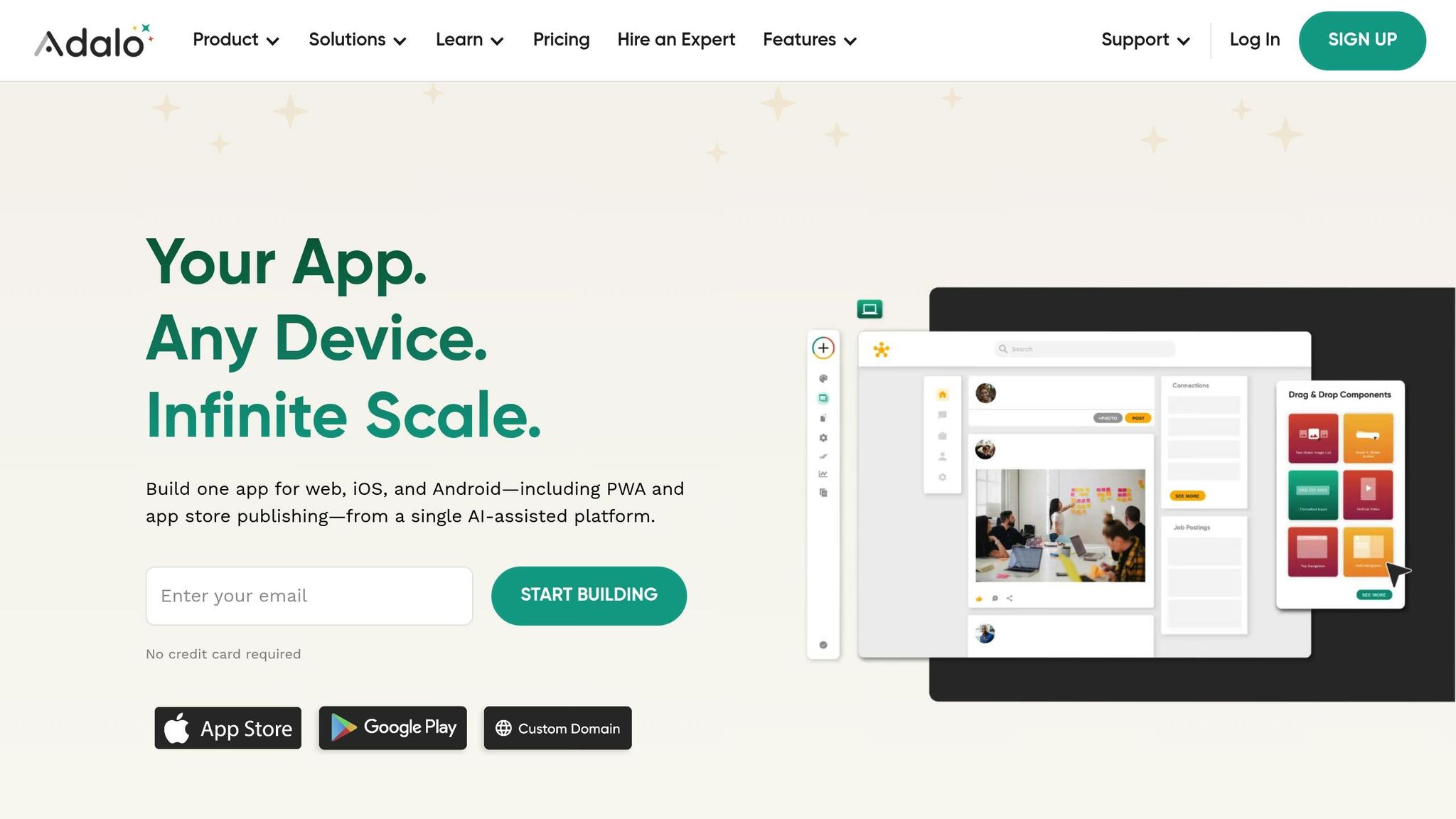
Adalo builds on the core principles of no-code by offering AI-powered app creation and true cross-platform deployment. Its AI Builder lets users describe their app idea in plain language, automatically generating the app’s structure, database, and screens. Refinements can be made through natural language interactions, removing the need for any technical expertise.
Adalo’s single-build deployment ensures that one app works seamlessly across web, iOS, and Android platforms. Updates are synchronized across all platforms with a single action, saving time and effort.
The platform includes everything needed to launch an app: a hosted backend, built-in database management, user authentication, and push notification support. Through its DreamFactory integration, Adalo connects to any data source, even legacy systems like ERPs that lack APIs. This capability enables teams to modernize interfaces and leverage existing data without costly system upgrades or IT bottlenecks.
For enterprise users, Adalo Blue offers advanced security features like single sign-on (SSO), detailed permissions, and compliance tools. These features make Adalo suitable for industries that handle sensitive data or require strict regulatory compliance. With over 20 million daily data requests and 99%+ uptime, Adalo has proven its ability to handle large-scale, production-level workloads confidently.
Adalo Features That Enable Independent Development
Adalo’s tools are designed to help teams build and launch apps without relying heavily on outside resources. These features tackle common challenges, making the journey from idea to app much smoother.
AI-Powered App Creation with Adalo AI Builder
With Adalo AI Builder, creating app foundations is as easy as typing a sentence. Teams can describe their needs - like “Build an inventory tracker for our warehouse team” - and the AI generates the database, screens, and user flows. For example, a sales team used it to create a mobile CRM in under 30 minutes, cutting lead update times from days to just hours - all without involving IT.
The AI takes care of the technical groundwork, such as database relationships and screen flows, which would normally require a developer’s expertise. Teams can then refine the prototype using additional prompts or switch to a visual editor for detailed adjustments. This process drastically shortens the timeline for creating a functional prototype, paving the way for easy deployment across multiple platforms.
Deploy Once to Web, iOS, and Android
Adalo simplifies the deployment process by compiling a single app build that works on web browsers, the iOS App Store, and Google Play. You design the app once, preview it on various devices, and publish it with just one click. What typically takes 4-6 weeks with traditional low-code platforms or native development can be done in 1-2 days with Adalo.
This feature is perfect for teams like marketing departments, who need to launch apps quickly and make them accessible everywhere - without hiring developers for each platform. Updates are just as seamless: make a change once, and it syncs across all platforms, eliminating version control issues and the hassle of maintaining separate codebases.
Connect to Existing Systems with DreamFactory
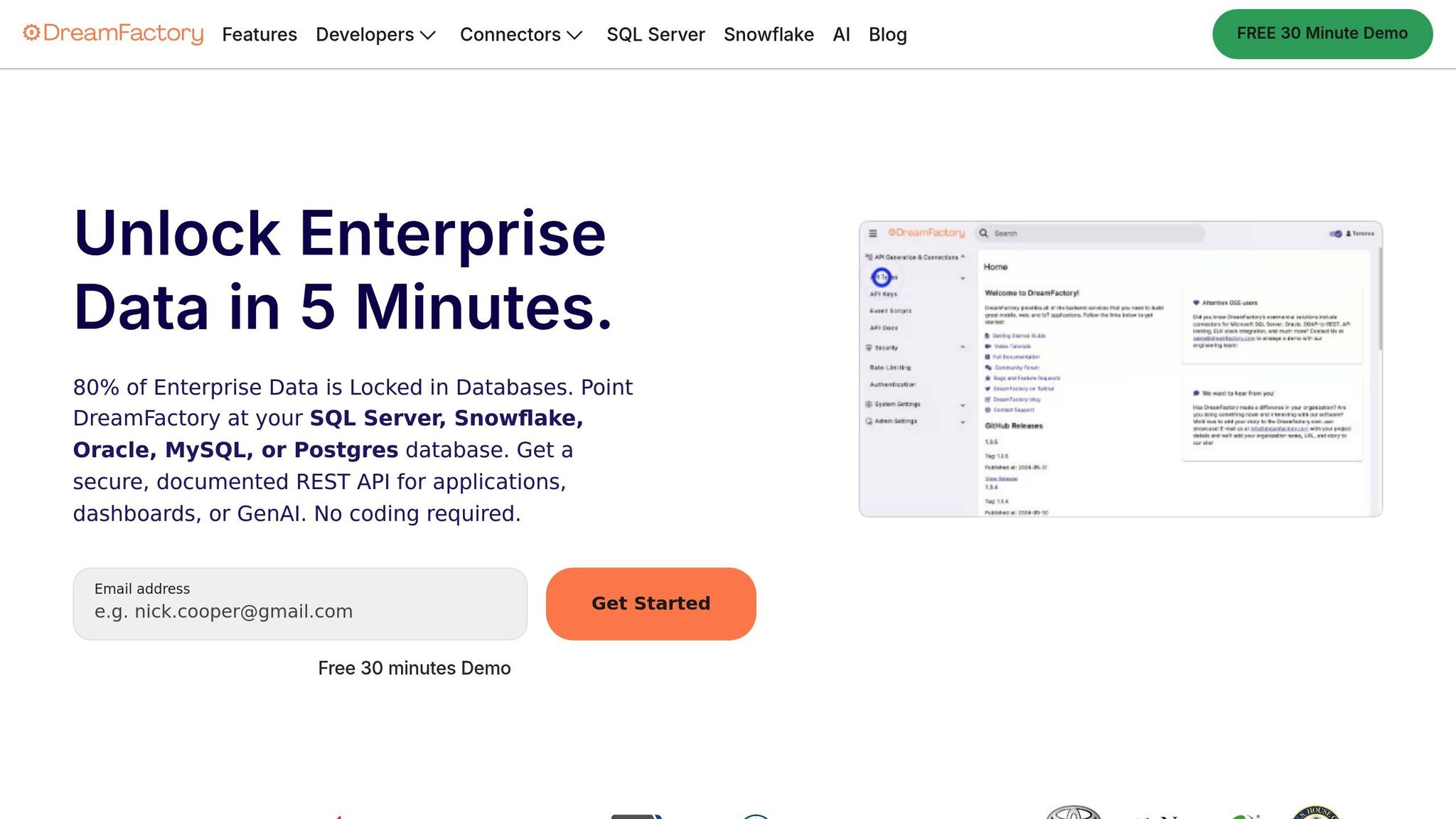
Adalo integrates with legacy systems through DreamFactory, enabling connections to databases and services that don’t have modern APIs. This includes older systems like Oracle databases, SOAP-based services, and legacy ERPs. For instance, a logistics company used Adalo to link their on-premise Oracle ERP system to a custom app, giving warehouse staff real-time access to inventory data via secure REST APIs.
This integration allows teams to modernize outdated systems by building user-friendly interfaces on top of them. Pilot projects can be launched in under 30 days by wrapping older databases with secure APIs, reducing the need for IT involvement.
Enterprise Security with Adalo Blue
Adalo Blue offers robust security features tailored to meet enterprise IT requirements. These include Single Sign-On (SSO) with SAML and OAuth, role-based access controls, dedicated cloud infrastructure, SOC 2 Type II compliance, end-to-end encryption, and audit logs. It also supports compliance with regulations like GDPR and HIPAA, making it ideal for industries that handle sensitive data.
One Fortune 500 company used Adalo Blue to create an HR app that integrated with Azure AD authentication, achieving 95% user adoption and running for 18 months without a single security breach. The platform also guarantees 99.99% uptime SLAs and offers single-tenant hosting for organizations requiring isolated environments. Thanks to pre-certifications for common security standards, approval processes that usually take months can be completed in days, further reducing reliance on IT teams.
sbb-itb-d4116c7
How to Build Internal Apps Using Adalo
Creating an internal app with Adalo is a streamlined process, designed to take you from concept to deployment quickly. It eliminates the need for complex coding or lengthy IT approval cycles, so your team can focus on building a solution that works.
Step 1: Start with Magic Prompts
Begin by clearly describing what you need. For example, you could say, "Create an inventory tracker for our warehouse team" or "Build a mobile time-off request system for HR." With this input, Adalo's AI Builder lays the foundation for your app by generating a database structure, screens, and user flows in just minutes. This feature saves you from the hassle of starting from scratch.
Step 2: Customize Your App Visually
Once the AI generates the app's base, you can personalize it using Adalo's drag-and-drop editor. Add components like buttons, forms, and charts directly to the canvas - no-code programming required. The Branding tool allows you to adjust colors and fonts across all screens at once, ensuring a consistent look.
Adalo describes its interface as:
"Adalo's building interface is so intuitive that you can start building your app immediately after signing up." – Adalo
You can also preview your app in real time using the "View App" and Staging Preview features, making sure it looks great on any device.
Step 3: Connect Existing Data Sources
If your team already relies on tools like Airtable, Google Sheets, or even legacy systems, Adalo makes integration simple. Use the "Add External Collection" feature to connect these data sources directly to your app. This eliminates the need to rebuild databases or manually transfer data. With Magic Text, you can dynamically display this data - like matching product names and prices in a list - without extra setup.
For teams dealing with older systems, tools like DreamFactory can wrap legacy databases in secure REST APIs, enabling seamless connections. This approach lets you launch pilot projects quickly without overhauling your existing infrastructure.
Step 4: Test and Optimize with X-Ray AI
Before launching, run your app through X-Ray AI to identify potential performance issues. This tool highlights bottlenecks and offers suggestions to optimize your app, ensuring it runs smoothly as your user base grows. Catching these issues early can save time and money down the road.
Once you've completed internal testing, gather feedback from your team or stakeholders. With performance fine-tuned, your app will be ready for deployment.
Step 5: Publish and Scale
When it's time to go live, Adalo allows you to publish your app to the web, iOS, and Android simultaneously. Web apps can be published instantly via an Adalo subdomain, while Progressive Web Apps and native mobile apps are available starting at $45/month. Keep in mind, publishing to app stores requires separate developer accounts and brief approval periods.
After launch, any updates you make are synced across all platforms automatically. This eliminates the need for managing multiple codebases or worrying about version control. Adalo apps boast an average uptime of over 99% and handle more than 20 million daily data requests. With infrastructure capable of supporting over 1 million monthly active users, your app can grow alongside your team’s needs.
How Teams Bypass IT Approvals
Skip the delays of IT approvals by taking matters into your own hands. Across industries, teams are proving that building independently with no-code web app builders can lead to faster, more efficient results.
Take the UK Crown Prosecution Service, for example. Over six years, they expanded their citizen developer team from just 2 people to 16. Together, they built over 30 applications, each taking an average of only four months to complete. These apps replaced outdated systems that, if left to central IT, would have taken years to modernize.
Mazda Motor Corporation faced an even bigger challenge: migrating 500 legacy systems by 2026. Instead of relying solely on IT, they empowered business teams with top no-code tools. The result? Developer productivity quadrupled, and deployment cycles were 70% faster. IT shifted from being a bottleneck to becoming a strategic partner.
One effective way to bypass IT is through layered modernization. Instead of overhauling entire systems, teams use secure APIs to wrap existing databases and independently build modern frontends. This approach allows organizations to connect systems like Oracle, SAP, or COBOL without the need for lengthy migrations or backend reconstructions.
Covenant Christian High School took a similar path when updating their lunch payment system. Using Adalo, they created "Covenant Connect", a touchless mobile QR solution that replaced cash and paper tickets. Without needing developers, the school went from idea to deployment in just weeks.
These examples show how bypassing IT approvals, when done thoughtfully, can save time and deliver impactful results.
How to Measure Internal App Success
Tracking the right metrics is key to understanding whether your app is delivering real value or falling short. Metrics like time savings, cost reductions, user engagement, and scalability reveal if your app is driving efficiency or sitting idle.
Time to Launch
Speed is a major advantage. Traditional enterprise app development often drags on for 3–6 months, bogged down by detailed requirements, coding, and testing phases. In contrast, teams using Adalo have launched apps in as little as 1–4 weeks. For instance, a sales team built a CRM dashboard in just 5 days with the AI Builder, slashing 12 weeks off the timeline compared to traditional methods. With Adalo, teams can prototype in under a week and wrap up full development within 2–4 weeks. These time savings don’t just get your app out faster - they also cut costs significantly.
Cost Savings
When it comes to costs, Adalo offers a clear edge. Custom app development typically costs $50,000–$150,000, with hourly rates ranging from $100 to $200. Meanwhile, Adalo’s plans start at just $50 per month for basic needs (up to 50 users) and scale to $200+ for enterprise solutions. Consider this example: a marketing team saved $80,000 by opting for an annual Adalo plan that cost $36. Using a straightforward ROI calculation - saving 200 developer hours at $150/hour ($30,000 total) versus an annual Adalo Pro cost of $2,400 - you get an ROI of over 1,200%. Beyond cost, user engagement is another critical measure of success.
User Adoption and Engagement
An app’s success depends on how actively it’s used. Key metrics include download and install rates (targeting 70%+ of your audience), daily/monthly active users (aiming for over 50% of registered users), and an average of 3+ sessions per user daily. Adalo’s one-click deployment across web, iOS, and Android has increased adoption rates by 40–60% by offering a seamless native app experience. For example, an HR team’s onboarding app achieved an impressive 85% adoption within 2 weeks - far surpassing the 30% adoption rate typical for web-only tools. Push notifications also doubled user engagement. Plus, Adalo’s built-in analytics let you track installs, retention, sessions, and custom events, making it easier to fine-tune your app post-launch.
Scalability and Long-Term Viability
Your app needs to grow with your team. Metrics like user growth capacity (scaling 10x without downtime), uptime (99.9%+), and maintenance costs (keeping them below 10% of the initial development budget) are essential. For example, a finance team scaled effortlessly from 50 to 500 users using Adalo Blue’s enterprise-grade security. They also cut long-term costs by 50% by leveraging no-code updates instead of expensive recoding. Thanks to Adalo’s cloud-native modular design, apps can support large user bases with proven reliability.
Conclusion
Skip the wait for central IT and create apps in just days. With Adalo, teams can tackle their challenges head-on using AI-powered Magic Prompts, intuitive visual tools, smooth data integration through DreamFactory, and one-click publishing for web, iOS, and Android. Fully functional apps are ready to launch in record time.
By 2026, it's projected that 70% of new enterprise applications will rely on no-code or low-code platforms, with 60% of custom apps being developed outside of traditional IT departments. This approach delivers impressive results, including 90% faster development cycles and 70% cost savings compared to older methods.
Adalo’s cloud-native platform ensures scalability with 99%+ uptime and enterprise-level mobile app security through Adalo Blue. Teams can stay agile while meeting high standards for reliability.
Get started today with Adalo’s free tier or premium plans starting at $45/month. No-code isn’t just a tool - it’s a way to streamline workflows, eliminate delays, and deliver solutions that meet the speed of modern business.
FAQs
How does Adalo ensure enterprise apps are secure and compliant?
Adalo takes security and compliance seriously, implementing top-tier practices to safeguard sensitive information and align with regulatory requirements. From secure authentication systems to strong data privacy protections and reliable API integrations, the platform is designed to keep enterprise apps secure and dependable.
For businesses with higher demands, Adalo provides options like private cloud hosting and ongoing monitoring. These features not only boost uptime but also enhance data protection, helping organizations stay compliant while minimizing risks - all without sacrificing development speed or flexibility.
What challenges should teams consider when using no-code platforms to build internal apps?
No-code platforms allow teams to build internal apps quickly, but they come with a few challenges worth considering.
Security often tops the list of concerns. These platforms might not offer the same level of fine-tuned protection for sensitive data as traditional development approaches. This means teams need to manage risks carefully and ensure the platform aligns with their security needs.
Another potential hurdle is scalability. Some no-code tools may falter when tasked with supporting large-scale or complex applications. This can pose challenges for businesses that anticipate growth or require intricate workflows.
When it comes to design flexibility, these platforms typically rely on pre-built templates and visual components. While convenient, this can be limiting for organizations that need custom branding or advanced features tailored to their unique needs.
Finally, there’s the risk of vendor lock-in. Relying heavily on a single no-code platform can make it harder to switch tools or integrate with other systems down the line. While these platforms excel in speed and simplicity, it’s important to weigh these trade-offs before using them for critical projects.
How can teams connect their legacy systems with new apps built using Adalo?
Teams can easily link their legacy systems with new apps built on Adalo, thanks to its no-code integration tools. Even if older systems lack modern APIs or still use outdated protocols, Adalo simplifies the process with visual tools that make these connections straightforward. For instance, teams can create secure APIs to connect older databases or ERP systems with new apps, ensuring seamless data flow without needing to overhaul existing infrastructure.
Adalo also supports syncing legacy data with platforms like Airtable or Excel, allowing for smooth external data integrations. This approach helps cut costs, reduce risks, and speed up development, giving teams the ability to modernize workflows without replacing their legacy systems. With Adalo’s intuitive tools, teams can build efficient internal apps without waiting on IT or investing in costly system upgrades.
Related Blog Posts