



Scaling an app from a few hundred to thousands—or even millions—of records can be challenging. Without proper optimization, performance issues like slow load times, data limits, and system crashes frustrate users and hurt reliability. Here's what you need to know:
Platforms like Adalo, a no-code app builder for database-driven web apps and native iOS and Android apps—one version across all three platforms, published to the Apple App Store and Google Play, are designed to help developers tackle these scaling challenges head-on.
- Performance Drops: Query times increase as data grows, especially for dashboards or analytics.
- Storage Limits: Many platforms cap records (e.g., 50,000–100,000) or throttle API requests.
- Complex Relationships: Relational data and nested structures can slow down queries significantly.
Adalo, an AI-powered app builder for web and native iOS and Android apps, provides the foundation for building apps that handle this kind of growth. With unlimited database records on paid plans and infrastructure that scales to over 1 million monthly active users, understanding how to optimize your data architecture becomes essential as your user base expands.
To combat these issues, focus on strategies like data normalization, pagination, and indexing. Use tools like Adalo's hosted backend for automatic scaling or connect to external database integration options for specialized storage needs. Monitoring performance, caching, and offloading heavy tasks to serverless functions also help maintain speed and stability as your app scales.
The platform stands out by enabling you to build once and deploy across platforms (iOS, Android, and PWA) without rebuilding. Whether you're managing thousands or millions of records, these methods ensure your app stays responsive and reliable.
Why Adalo Works for Scalable Apps
Adalo 3.0, launched in late 2025, completely overhauled the backend infrastructure to deliver 3-4x faster performance than previous versions. The modular architecture scales with your app's needs, meaning there's no record limit holding you back. This purpose-built system outperforms app wrappers at scale, maintaining consistent performance even under heavy load.
With over 3 million apps created on the platform and 20 million+ daily data requests processed at 99%+ uptime, Adalo has proven its ability to handle production-scale applications. The visual builder is described as "easy as PowerPoint," while AI features Builder features promise vibe-coding creation speed for even faster development.
Building Scalable Applications Without Code
Common Problems with Large Data Sets
As your app's data grows from a few hundred records to tens of thousands, scaling becomes a real challenge. Issues like slow performance, storage limits, and handling complex data relationships can quickly turn into bottlenecks. Let's break these down.
Slow Performance
When your data volume increases, query times can skyrocket. With smaller datasets, records load almost instantly. But once you hit 10,000 rows or more, query speeds can drop by 2–5 times unless proper indexing is in place. What used to take milliseconds can stretch into seconds, frustrating users.
Things get even worse with reporting features or dashboards. Processing thousands of records for analytics can push load times past 10 seconds. Add high concurrent user access to the mix, and these delays ripple across your entire app, making the experience sluggish for everyone.
Storage and Data Limits
Platform restrictions can cap your app's growth. Many app building platforms have hard limits—row counts capped at 50,000–100,000 records or storage restricted to specific tiers. Once you hit these limits, your app simply stops accepting new data.
API rate limits are another hurdle. Platforms often throttle API requests, which can choke performance during heavy usage. For example, Airtable allows just 5 API requests per second per base and limits responses to 100 records per request.
Adalo's paid plans eliminate these constraints entirely with no record limit cap on the database. With the right data relationship setups, apps can scale beyond 1 million monthly active users without hitting artificial ceilings.
Managing Complex Data Relationships
Relational data becomes a major drag on performance as it scales. Simple one-to-many relationships work fine with smaller datasets. But once you exceed 100,000 related records, the performance issues start to show. Many platforms lack optimized joins, so instead of efficiently pulling data, they perform full table scans, slowing everything down.
Nested relationships make things even worse. While a one-to-one relationship might hold up, introducing many-to-many relationships or nesting data more than four levels deep can stretch query times into minutes. This is especially problematic for apps managing hierarchical data, like e-commerce systems (products → orders → line items → inventory) or enterprise apps with multi-level organizational structures.
To handle these challenges, robust data modeling is essential to keep your app running smoothly at scale.
How to Design Data Models That Scale
The way you organize data, load it, and optimize queries can make or break your database performance as your records grow. Let's dive into some key strategies—normalization, pagination, and indexing—that can help your data model scale effectively.
Normalize Your Data Structures
Cut down on redundancy with relationships. Instead of duplicating details like an event host's name, email, and phone number across every event record, create a separate "Hosts" collection and link to it. That way, when you update a host's information, it happens in one place rather than across dozens of records.
Consolidate similar data types. Instead of managing separate collections for items like "Shoes", "Shirts", and "Pants", combine them into a single "Clothing" collection with a "Type" property. This keeps your database simpler and avoids the performance hit of managing multiple collections with overlapping properties. Also, steer clear of many-to-many relationships whenever possible—they complicate queries and can slow down performance.
Pre-calculate frequently used values. For example, instead of filtering the entire orders collection every time you want to show how many purchases a customer has made, add a "Total Orders" property to their record. Update this property whenever new orders come in, saving significant processing time.
Use Pagination and Lazy Loading
Load only what's needed at first. Rather than pulling in your entire catalog, start with a limited set of data—such as the 10 most recent products. Pair this with sorting (e.g., by "Created Date") to ensure users see the most relevant information right away.
Fetch data progressively. Enable features like "Load items as user scrolls" to retrieve additional records as needed. This avoids overwhelming the app with thousands of records at once, which could cause freezing or lag. Adalo 3.0's infrastructure improvements have reduced initial load times by 86% for data-heavy apps, but pagination remains essential for maintaining speed as datasets grow.
Be mindful of auto-refresh features. If you're working with large lists, disable or limit auto-refresh, as it reloads and re-filters data every few seconds—a process that can tax both devices and servers. For external databases like Airtable, create filtered backend views to deliver only the necessary records. This reduces the API payload and helps you stay within Airtable's 5-requests-per-second rate limit.
Index Frequently Queried Fields
Optimizing your data structure is just the start—indexing is what truly accelerates data retrieval. Focus on fields that are critical for sorting, filtering, and searching. Properties like "Created At" dates, "Category", "Status", or "Price" are excellent candidates for indexing. Properly indexed fields can significantly speed up list rendering and reduce query times.
Leverage unique identifiers. Use IDs or Order Numbers for efficient record mapping. In Adalo, the first property in a collection serves as the record's label, so using unique values here boosts organization and retrieval. Relationship fields also act as indexes, letting you look up related data without duplicating properties across collections.
Avoid on-the-fly calculations. For example, instead of calculating how many items are in a user's cart every time they open the screen, maintain a "Cart Count" property that updates as items are added or removed. This eliminates the need for the server to perform repeated calculations during list rendering.
| Optimization Technique | Best Practice | Performance Impact |
|---|---|---|
| Record Retrieval | Limit items loaded initially | Reduces JSON payload size and rendering time |
| Data Loading | Enable "Load items as user scrolls" | Prevents app freezing by fetching data in chunks |
| Calculations | Store counts as record properties | Avoids server-side calculations for every list row |
| External Data | Use filtered backend views | Cuts down on data transfer and API call volume |
Using Adalo's Features for Scaling
Adalo makes scaling your apps straightforward by taking care of resource management behind the scenes. With its hosted backend and the ability to connect to external databases or legacy systems, the platform ensures your app can handle complex data needs as it grows.
Adalo's Hosted Backend for Automatic Scaling
Adalo's cloud-based infrastructure automatically adjusts storage and computing resources to match your app's growing demands. This means there's no need to manually configure servers. Apps with thousands of records can handle increased traffic seamlessly thanks to the serverless architecture, which dynamically adds workers during peak usage.
"Autoscaling allows us to automatically increase the amount of workers we're using to have even more capacity at peak load times." - Cameron Nuckols, Director of Engineering, Adalo
The platform processes over 20 million data requests daily with 99%+ uptime. To further enhance performance, Adalo uses "Region Based Sharding", deploying servers in different geographic locations. This reduces latency by serving users from the nearest server. Whether your app has 100 users or 100,000, this setup ensures it stays responsive.
This automatic scaling feature works hand-in-hand with Adalo's ability to connect to external databases, making it easier to manage even larger data volumes effectively.
Connecting to External Databases
Adalo allows direct connections to external databases like PostgreSQL, MS SQL Server, Airtable, or Google Sheets. By offloading data storage to these systems, you can work with massive datasets—like millions of rows in PostgreSQL—while still using Adalo's visual tools for app logic.
For instance, a business app displaying sales data might connect to a PostgreSQL database with over 500,000 records. Adalo retrieves only the filtered data needed via API, keeping the app fast and responsive. This approach has helped enterprises launch data-heavy mobile apps in weeks, saving 5–10× the cost compared to custom development.
To connect to an external database, you'll need at least the Professional plan, which starts at $36/month. When setting up Airtable, use a Personal Access Token for authentication, set the "Results Key" to records, and switch the update method from PUT to PATCH to avoid overwriting data. Creating filtered views—such as "Active Tasks"—instead of querying entire tables can also improve performance.
For spreadsheet-based workflows, Adalo's SheetBridge feature enables you to turn a Google Sheet into an actual database for the easiest control without database-related learning curves.
Connecting to Legacy Systems with DreamFactory
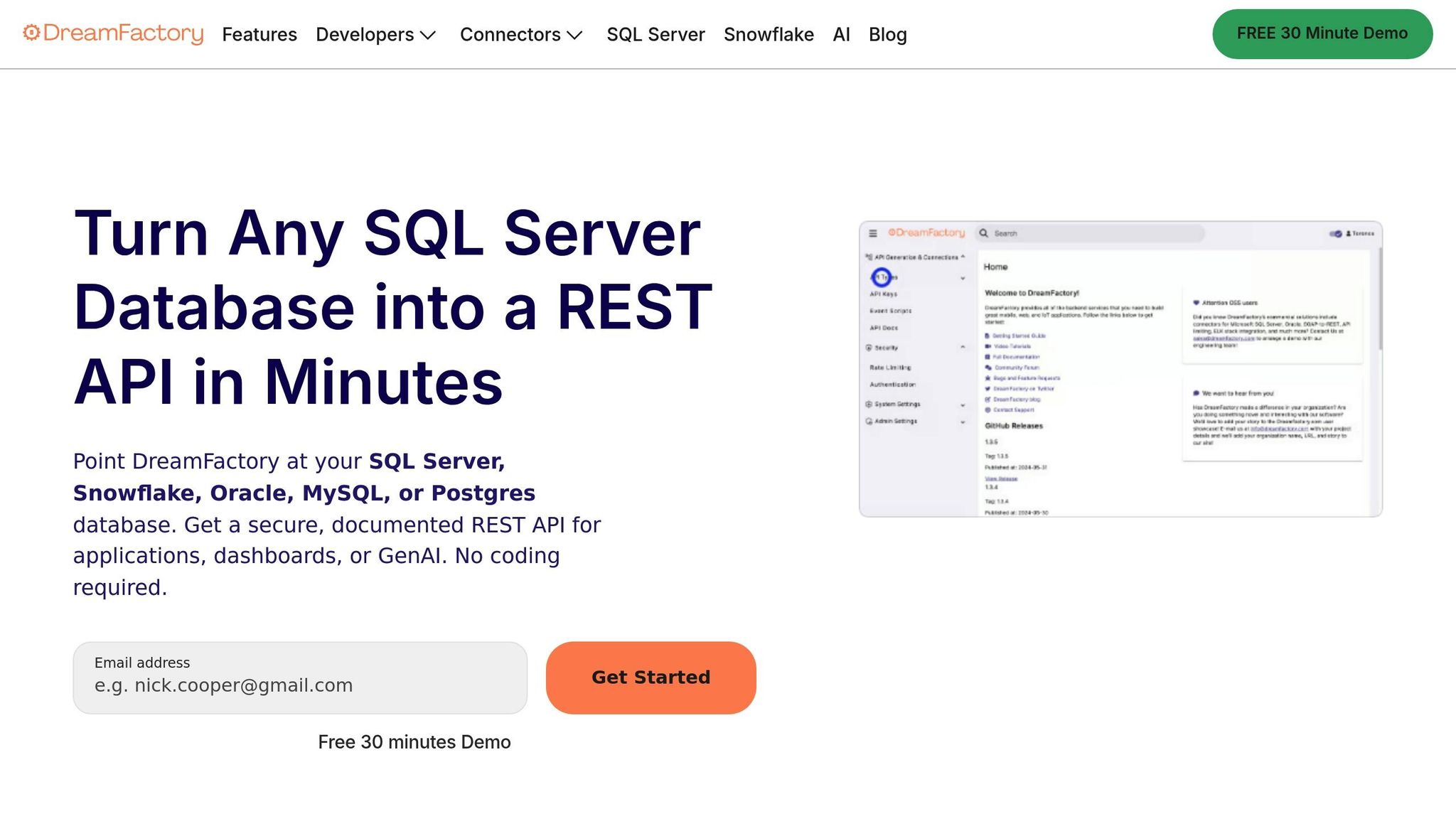
Legacy systems like IBM DB2 or older ERP platforms often don't support modern APIs or rely on outdated formats like XML. DreamFactory bridges this gap by automatically generating RESTful APIs from these databases, ranking among the best no-code API builders, enabling Adalo to securely access and scale their data.
Here's how it works: Install DreamFactory and connect it to your legacy database. The tool generates APIs automatically through its dashboard. In Adalo, you can add an External Collection using the DreamFactory API endpoint, authenticate with API keys, map fields visually, and apply filters or pagination. Testing sample queries ensures smooth, low-latency access, even as data scales to enterprise levels.
This integration is particularly beneficial for Adalo Blue users who need to connect internal apps to older datasets or systems with limited API support. By using DreamFactory as middleware, you can build modern mobile apps on top of decades-old data—without needing to replatform or develop a custom backend.
How Adalo Compares to Other Platforms for Scaling
When evaluating app builders for scalable applications, understanding the trade-offs between platforms helps you make the right choice for your specific needs.
Adalo vs Bubble for Large Datasets
Bubble, a visual web app builder, offers extensive customization but comes with complexity trade-offs. Bubble's pricing starts at $59/month with usage-based charges through Workload Units—calculations that can be unclear and lead to unexpected bills. Record limits and app re-publishing restrictions add further constraints.
Adalo's approach differs fundamentally. At $36/month, you get unlimited usage, no record caps on paid plans, and unlimited app store publishing updates. The platform compiles to true native iOS and Android code, while Bubble's mobile solution wraps the web app—introducing potential performance challenges at scale.
With Bubble, achieving millions of monthly active users often requires hiring experts to optimize performance. The extensive customization that makes Bubble powerful can also result in slower applications under increased load. Adalo's purpose-built architecture maintains consistent performance without requiring specialized optimization expertise.
Adalo vs FlutterFlow for Technical Requirements
FlutterFlow is a low-code platform designed for technical users. While powerful, it requires users to manage and set up their own external database—a significant learning curve, especially when optimizing for scale. Suboptimal database setup can create scaling problems that require expert intervention.
FlutterFlow's pricing starts at $70/month per user for easy app store publishing, but this doesn't include database costs. Users must source, configure, and pay for their database separately. The builder also limits viewport to viewing only 2 screens at once, while Adalo can display up to 400 screens on one canvas for faster navigation.
Adalo vs Glide and Softr for Simplicity
Glide excels at spreadsheet-based apps with fast setup, but its template-focused approach creates generic, simplistic apps with limited creative freedom. Pricing starts at $60/month for custom domain capability, but you're still limited by app updates and data record rows that attract additional charges. Critically, Glide doesn't support Apple App Store or Google Play Store publishing.
Softr requires $167/month to publish a Progressive Web App, with restrictions on records per app and per datasource. Like Glide, Softr doesn't support native iOS and Android app creation or app store publishing.
Adalo's SheetBridge provides spreadsheet convenience without these limitations—turn a Google Sheet into an actual database while maintaining the ability to publish true native apps to both app stores from a single codebase.
Monitoring and Improving Performance as Your App Grows
When your app is live and handling large datasets, keeping an eye on its performance is key. Regular monitoring ensures your app runs smoothly, even as it scales. The aim? Keep response times under two seconds and error rates below 1%, whether your database holds thousands or millions of records. Techniques like optimizing your app performance through caching and lazy loading can help minimize load times and maintain a seamless user experience.
Use Caching and Lazy Loading
Caching is a game-changer for reducing server load, especially during high-traffic periods. By storing frequently accessed data in memory, caching can cut server workload by up to 80%. Adalo 3.0 has built-in caching capabilities that prevent unnecessary table reloads, boosting speed by 100-200% over baseline performance.
Lazy loading ensures only the data needed at the moment is loaded. Adalo's "Load Items as User Scrolls" feature in advanced list options significantly reduces initial screen load times. This keeps your app snappy, even when connected to external databases like PostgreSQL with hundreds of thousands of rows.
For the best results, combine these approaches. Use caching for static data like product catalogs or user profiles, and lazy loading for dynamic content such as activity feeds or search results. Be cautious with nested lists, as they can lead to multiple database queries that negate the benefits of lazy loading.
Track Performance Metrics
Keeping tabs on metrics like response times, error rates, and database query speeds helps you catch scaling issues before they affect users. Adalo 3.0 offers advanced monitoring dashboards, allowing you to track these metrics in real time. You can also integrate tools like Google Analytics to monitor page load speeds and concurrent user activity.
The upcoming X-Ray feature will identify performance issues before they affect users, providing proactive optimization recommendations. This AI-assisted monitoring helps you address potential bottlenecks during development rather than after launch.
Think of app performance as a score, similar to tools like GTMetrix or Lighthouse. Each new feature or data addition impacts this score, so regular audits are essential. Look out for excessive groups, hidden components that load unnecessary data, or components nested more than four levels deep, as these increase processing demands.
Apps that use monitoring tools report 40-60% faster response times, even with datasets exceeding one million rows. By staying proactive with performance tracking, you can optimize your app before users encounter issues.
Offload Heavy Tasks with Serverless Functions
Serverless architecture is a smart way to handle resource-intensive tasks without slowing down your app. Instead of running complex calculations or bulk data exports directly on users' devices, these tasks can be offloaded to serverless endpoints that scale automatically based on demand.
For example, if you need to generate detailed reports from a PostgreSQL database with over 100,000 records, using a serverless backend like Xano or DreamFactory ensures smooth performance. Your app can display the final results without subjecting users to long wait times. Platforms like Supabase can handle traffic spikes up to 10 times higher than normal while cutting costs by 70% compared to traditional fixed servers.
"We're working to migrate much of the application logic processing from your users' devices to our servers. This means that your users will spend less time looking at loading screens." - Cameron Nuckols, Director of Engineering, Adalo
This strategy is particularly effective for tasks like real-time analytics, data aggregation, or machine learning inferences. By keeping these compute-heavy processes off the user's device, your app can maintain consistent performance, even as your data grows exponentially.
AI Features for Faster Development
Ada, Adalo's AI builder, lets you describe what you want and generates your app. Magic Start creates complete app foundations from a description, while Magic Add adds features through natural language.
Beyond scaling infrastructure, Adalo's AI capabilities accelerate the development process itself. Magic Start generates complete app foundations from descriptions—tell it you need a booking app for a dog grooming business, and it creates your database structure, screens, and user flows automatically. What used to take days of planning happens in minutes.
Magic Add lets you add features by describing what you want in natural language. Need a payment screen? A user profile section? Describe it, and the AI generates the components and logic. The AI Builder for prompt-based app creation and editing, due for release in early 2026, will extend this capability across the entire development workflow.
These AI features don't just speed up initial development—they help you iterate faster as your app scales. When you need to add new functionality to handle growing user demands, AI-assisted building means you can ship updates in hours rather than days.
Conclusion
To keep your app running smoothly as your user base grows and data volumes expand, it's essential to design efficient data models and rely on solid infrastructure. Techniques like normalization, indexing, pagination, caching, lazy loading, performance monitoring, and serverless offloading play a key role in maintaining responsiveness, even under heavy loads.
Adalo's hosted backend, built on AWS, automatically adjusts to your needs with dynamic load management. Plus, it offers seamless integration with external databases like PostgreSQL, Airtable, and Google Sheets, allowing you to extend beyond native storage when needed. For enterprise solutions, Adalo Blue adds even more flexibility with DreamFactory, enabling connections to older systems that lack modern APIs.
These strategies ensure your app performs reliably, whether you're managing thousands or millions of records. As highlighted by the engineering team:
"AWS will allow us to autoscale our database and be better prepared to handle large and uneven loads. So no matter how large your Adalo app gets, we'll be able to handle it."
Beyond performance, these measures lead to tangible benefits like lower costs and faster deployment. Many apps achieve 5–10× cost savings while reducing launch timelines to days or weeks instead of months. With unlimited database records on paid plans, no usage-based charges, and infrastructure that scales to 1M+ MAU, Adalo provides the foundation for production-quality performance as your app scales.
Related Blog Posts
- 8 Ways to Optimize Your No-Code App Performance
- Building an E-commerce App: No-Code Platform Guide
- How To Create An App using Flexnet ERP Data
- 5 Metrics to Track No-Code App Performance
FAQ
Why choose Adalo over other app building solutions?
Adalo is an AI-powered app builder that creates true native iOS and Android apps. Unlike web wrappers, it compiles to native code and publishes directly to both the Apple App Store and Google Play Store from a single codebase—the hardest part of launching an app handled automatically. With unlimited database records on paid plans and no usage-based charges, you get predictable costs as you scale.
What's the fastest way to build and publish an app to the App Store?
Adalo's drag-and-drop interface and AI-assisted building let you go from idea to published app in days rather than months. Magic Start generates complete app foundations from descriptions, while Magic Add lets you add features by describing what you want. Adalo handles the complex App Store submission process, so you can focus on your app's features instead of wrestling with certificates and store guidelines.
Which is more affordable, Adalo or Bubble?
Adalo starts at $36/month with unlimited usage, no record caps, and unlimited app store publishing updates. Bubble starts at $59/month with usage-based Workload Unit charges that can lead to unexpected bills, plus limits on records and app re-publishing. For predictable costs at scale, Adalo offers better value.
Which is faster to build with, Adalo or Bubble?
Adalo's visual builder is described as "easy as PowerPoint," with AI features like Magic Start that generate complete app foundations from descriptions. Bubble offers more customization but requires more time to learn and often needs expert help to optimize for performance. For faster time-to-launch, Adalo typically wins.
Is Adalo better than FlutterFlow for mobile apps?
FlutterFlow is a low-code platform for technical users that requires managing your own external database—a significant learning curve. Adalo includes an integrated database with unlimited records on paid plans, plus a visual builder that non-technical users can master quickly. FlutterFlow starts at $70/month per user without database costs included.
Can I migrate from Glide or Softr to Adalo?
Yes. If you've outgrown Glide's template restrictions or Softr's record limits, Adalo offers more creative freedom and unlimited database records. Unlike Glide and Softr, Adalo publishes true native apps to the Apple App Store and Google Play Store—not just web apps or PWAs.
What causes slow performance in apps with large datasets?
Performance drops occur when query times increase as data grows, especially for dashboards or analytics. Without proper indexing, queries on 10,000+ rows can be 2-5 times slower. Complex relational data, nested structures, and many-to-many relationships compound these issues. Adalo 3.0's infrastructure is 3-4x faster than previous versions to address these challenges.
How can I optimize my app's data model for better scaling?
Focus on three strategies: normalize your data to reduce redundancy by using relationships instead of duplicating information, implement pagination and lazy loading to only fetch data as needed, and index frequently queried fields like dates, categories, and status fields. Pre-calculating frequently used values also helps avoid repeated server-side calculations.
Can Adalo handle millions of records?
Yes. Adalo's paid plans have no record limit cap on the database. With the right data relationship setups, Adalo apps can scale beyond 1 million monthly active users. The modular infrastructure scales with your app's needs, and the platform processes over 20 million data requests daily with 99%+ uptime.
Do third-party reviews reflect Adalo's current performance?
Most third-party platform ratings and comparisons predate Adalo 3.0's infrastructure overhaul, which launched in late 2025. The new backend delivers 3-4x faster performance with unlimited database records on paid plans. Reviews from before this update don't reflect current capabilities.







