
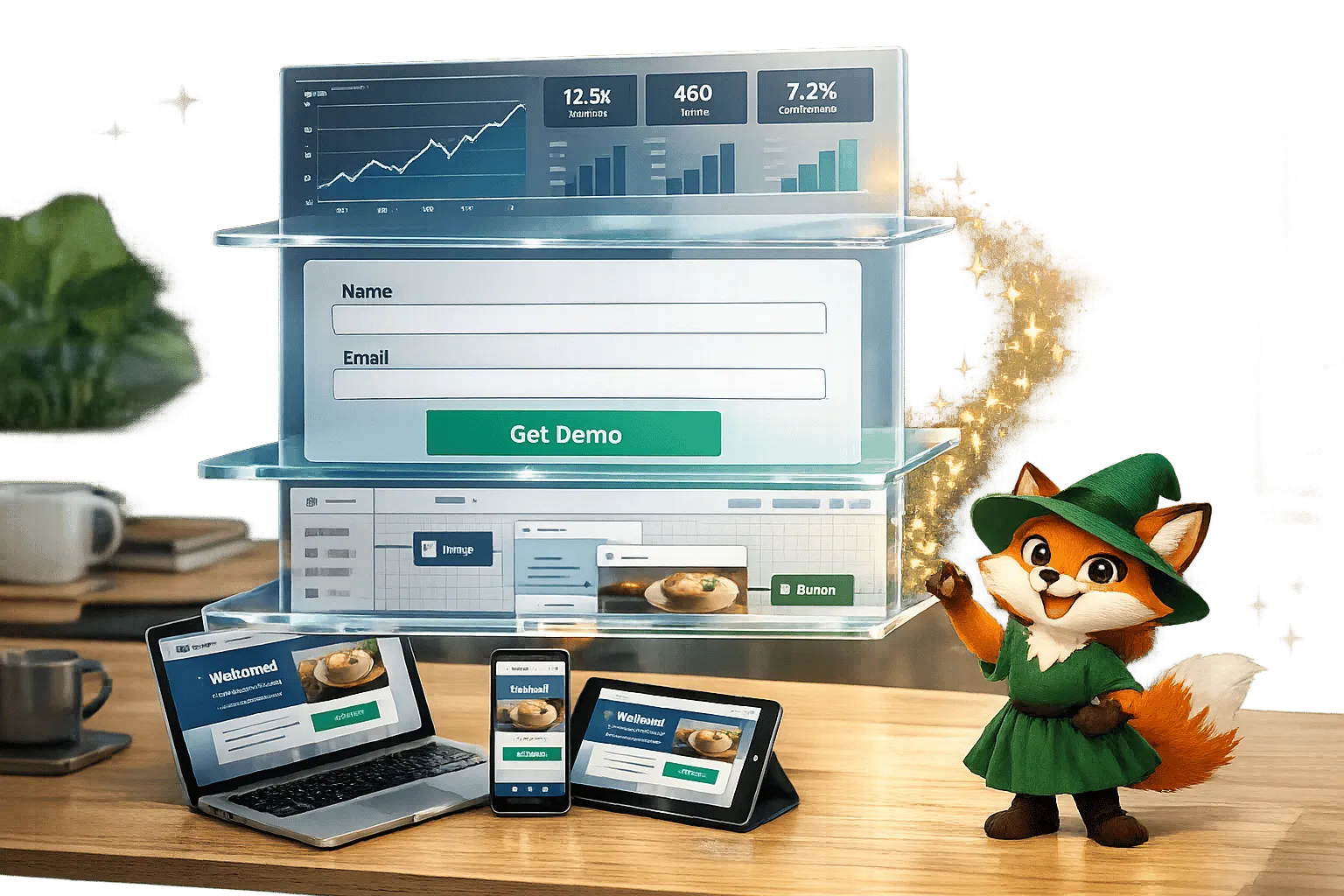
Ada, Adalo's AI builder, lets you describe what you want and generates your app. Magic Start creates complete app foundations from a description, while Magic Add adds features through natural language.
Adalo, a no-code app builder for database-driven web apps and native iOS and Android apps—one version across all three platforms, published to the Apple App Store and Google Play, lets digital marketing agencies build apps without coding. Instead of outsourcing or spending heavily on traditional development, agencies can use Adalo's visual tools to create apps for iOS, Android, and web from a single build. Features like Magic Start and Magic Add generate app foundations and functionalities in minutes, saving time and reducing costs. Integration with tools like Zapier and Airtable simplifies workflows, while publishing apps to app stores ensures professional results. At $36/month, Adalo offers predictable pricing with no usage-based fees, making it ideal for managing multiple client projects efficiently. Apps scale to over 1 million users with 99% uptime.
Key Highlights:
- Build Once, Deploy Everywhere: Create one app for iOS, Android, and web.
- AI-Powered Tools: Quickly generate databases, screens, and features.
- Seamless Integration: Connect apps with CRMs, analytics, and automation tools.
- Affordable Pricing: Plans start at $36/month with no hidden fees.
- Scalable Infrastructure: Supports over 1 million monthly active users.
Adalo transforms app development for agencies, enabling faster, cost-effective solutions for dashboards, lead capture, reporting tools, and more.
An Overview of Adalo | A No Code App Builder Tutorial
Building Campaign Dashboards with Adalo
Campaign dashboards provide instant insights into performance metrics, all automated and easy to access. With Adalo's visual builder, you can create dashboards that display real-time data—like impressions, clicks, conversions, and ROI—accessible on native iOS, Android apps, and web browsers. Here's how to design and integrate these dashboards effectively.
Designing Custom Dashboards for Campaign Metrics
Adalo's drag-and-drop interface makes it simple to build dashboards tailored to campaign performance. You can use dynamic components like Lists, Charts, and Progress bars to showcase metrics such as impressions, clicks, and conversions. For example, a conversion dashboard could feature a pie chart showing success rates, a list of top-performing campaigns, and text displays for total impressions and click-through rates.
Need help getting started? Magic Start can auto-generate layouts based on your description—tell it you need a "marketing dashboard for Facebook ad campaigns" and it creates your database structure, screens, and user flows automatically. Magic Add lets you quickly introduce new elements by describing what you want in plain language. This streamlined process reduces prototyping time from days to just hours, which is a game-changer for agencies managing multiple client campaigns.
Connecting Data Sources for Real-Time Tracking
Real-time tracking is all about connecting live data sources. In Adalo, head to the Data tab, select External Collections, and integrate tools like Google Sheets or Airtable using API keys or services like Zapier. For instance, SheetBridge can import live records from Google Sheets and keep them synced automatically. Similarly, Airtable connections allow you to sync data between Adalo and Airtable to organize CRM metrics or campaign data in a familiar spreadsheet format.
You can set auto-sync actions to run when the app opens or at scheduled intervals, ensuring data stays current. With Airtable, using filtered Views instead of full tables helps enhance security and stay within API rate limits of 5 requests per second. Adalo's modular infrastructure supports scaling for over 1 million monthly active users, processing 20 million+ daily requests with 99%+ uptime—so your dashboards remain responsive even as your client base grows.
Using Push Notifications to Update Clients
Dashboards are great for live data, but push notifications take client engagement to the next level. These alerts transform dashboards into active communication tools. For instance, when a campaign hits a key milestone—like 10,000 impressions or a spike in conversions—clients can get instant updates on their phones.
Adalo makes it easy to enable push notifications for events like reaching 10,000 impressions. You can set up triggers using built-in actions or API integrations. Since Adalo apps compile to true native iOS and Android builds, notifications appear as professional app alerts—not web browser notifications that users often ignore. You can also apply visibility rules to ensure notifications go only to the relevant client or team member, maintaining data privacy across your agency's portfolio.
Creating Lead Capture Apps with Adalo
Expanding on the capabilities of campaign dashboards, lead capture apps are a game-changer for turning user interactions into actionable insights. Whether you're managing event registrations, product inquiries, or newsletter signups, Adalo equips you to build mobile apps that not only collect leads but also seamlessly route them to your CRM. Here's a closer look at how to set up lead capture forms, connect them to your tools, and use AI to speed up app development.
Setting Up Lead Capture Forms
Forms are the backbone of any lead capture app. With Adalo, you start by creating a "Leads" collection in your database to store essential details like names, emails, phone numbers, and companies. From there, you can drag and drop a form component, link it to your "Leads" collection, and customize the fields to fit your needs.
Adalo supports various input types—text, numbers, dates, dropdowns, and even image uploads. To make things easier for users, you can use the "Set Automatically" feature to pre-fill fields like timestamps or campaign links without requiring manual input. These features help streamline the form, making it quicker for users to complete.
To maintain data accuracy, you can mark fields as required and enforce specific formats, ensuring only valid entries are saved. Once a user submits the form, the data is automatically stored, and they're redirected to a confirmation screen. Since Adalo apps are published as native builds for both iOS and Android, your forms will work effortlessly across devices, fitting right into your app's overall design. Unlike web-based form builders, native app forms feel responsive and professional—users tap, type, and submit without the lag that comes with browser-based solutions.
Connecting to CRMs for Lead Management
After capturing data, the next step is to sync it with your CRM, or even build a simple CRM with Adalo and Airtable. Adalo makes this simple by integrating with popular CRMs through automation tools like Zapier or Make, eliminating the need for custom coding. All you have to do is set up your lead capture form, configure an automation to trigger when new leads are submitted, and map the form fields to your CRM fields.
For more advanced needs, Adalo's External Collections feature allows you to use a CRM's API as your app's database. This enables real-time updates and operations. For instance, you can use a personal access token with the PATCH method to update records without overwriting other data. If you want even more control, Custom Actions let you sync data to your CRM at specific moments, such as when a user clicks a button.
With no caps on database records on paid plans, you can store as many leads as your campaigns generate without worrying about hitting limits or paying overage fees. This is particularly valuable for agencies running high-volume campaigns across multiple clients—your costs remain predictable regardless of how successful your lead generation efforts become.
Using AI Tools for Quick App Prototyping
Adalo's AI tools make building lead capture apps faster than ever. With Magic Start, you can describe your app idea—like "a lead capture app for a real estate agency"—and instantly generate a working foundation. This includes a pre-configured database, screens, and user flows, saving you hours of setup. What used to take days of planning happens in minutes.
Magic Add works similarly but focuses on individual components. You can specify features in plain language, and Adalo will create them for you. Need a dropdown that filters leads by source? Just describe it. Want a chart showing lead conversion rates? Type what you need. Before launching, you can use the X-Ray tool to identify and fix any performance issues in your app's data connections, ensuring your lead capture app runs smoothly from day one.
Building Client Reporting Tools with Adalo
Imagine consolidating all your campaign data into one app, creating a clear and actionable overview for your clients. With Adalo, you can go beyond static PDFs and spreadsheets by building dynamic client reporting tools. These apps gather metrics from various sources and update in real time, offering instant access to key insights. Adalo achieves this by integrating with platforms like Google Analytics, Facebook Ads, or HubSpot through tools like Zapier or Make. Once connected, the data syncs directly into your app's database and refreshes automatically—no more manual updates or copy-pasting. Let's dive into how you can automate reporting and deliver real-time insights.
Automating Report Generation
Automating your reports begins with setting up seamless data connections. By linking your marketing tools to Adalo via automation platforms, you can configure triggers to pull fresh data at specific intervals or when certain events occur. For example, you might schedule a daily sync that gathers clicks, conversions, and ROI from multiple campaigns into a "Daily Summary" screen. All users need to do is open the app to see the latest numbers.
Adalo's database is built to handle unlimited records without extra fees, making it ideal for agencies juggling multiple clients. The modular infrastructure introduced in Adalo 3.0 processes data 3–4x faster than before, ensuring smooth performance even with large datasets. For agencies managing multiple accounts, you can create a single reporting template and customize it for each client by adjusting filters and permissions. This way, every client only sees their own data, streamlining the reporting process while maintaining strict data separation.
Building Custom Charts and Visualizations
Once your data flows automatically, the next step is to make it visually compelling. Charts and graphs can turn raw numbers into clear stories. Adalo's drag-and-drop builder lets you create visualizations like bar graphs for engagement, pie charts for traffic sources, or line graphs for trends. Simply drag a chart component, link it to your database, and configure the axes—for instance, using MM/DD/YYYY for dates on the X-axis and standard US formatting (with commas) for numbers on the Y-axis.
"No-code allows those with zero programming or tech skills to create professional-looking, highly functional software, including dashboards." - Adalo
You can also match visualizations to your client's branding. With the Branding tool, apply consistent color schemes and fonts across all charts. Conditional formatting makes it easy to highlight key performance indicators—for instance, showing metrics with over 10% growth in green and underperforming ones in red. For an even quicker setup, use Magic Add: just describe what you need in plain language (like "bar chart for email open rates"), and Adalo generates the layout. To ensure smooth performance, the X-Ray tool can identify potential bottlenecks in data-heavy screens before you launch.
Deploying Across iOS, Android, and Web
One of Adalo's standout features is its ability to deploy your app across multiple platforms from a single build. Whether it's a native iOS app for the Apple App Store, an Android app for Google Play, or a Progressive Web App for desktop browsers, Adalo compiles everything from the same codebase. This ensures your reporting tool works seamlessly on any device, with the interface adapting to screen sizes and platform-specific conventions.
Native app deployment also unlocks features like push notifications. For example, you can alert clients when KPIs hit specific thresholds or when new reports are ready, keeping them informed without requiring a login. Updates made in the Adalo builder are instantly reflected across all platforms, making it easy to manage multiple client apps efficiently. This single-codebase approach means you're not maintaining three separate versions of the same app—changes propagate everywhere simultaneously.
Designing Social Media Content Management Apps with Adalo
Managing social media for multiple clients can feel like juggling too many balls at once—calendars, workflows, performance metrics—all scattered across different platforms. Adalo simplifies this chaos by letting you create a single app that works seamlessly on iOS, Android, and the web. Forget spreadsheets, endless email threads, and juggling different tools. With its drag-and-drop builder, you can create content calendars, approval workflows, and performance dashboards—all without writing a single line of code. You can even build an Asana-style app to manage these complex tasks. This streamlined system helps you move from planning to scheduling and tracking with ease.
Creating Content Calendars and Approval Workflows
Imagine having all your social media posts neatly organized in one place. Using Adalo, you can set up a database collection to manage posts with fields like date, platform (e.g., Instagram, Facebook, LinkedIn), content, status (Draft, Review, Approved, Scheduled), and assignee. The calendar component lets you visualize your schedule and even drag posts to reschedule them—just like moving events on a calendar. Need to sync deadlines with external calendars? Adalo connects to tools like Zapier, keeping everyone on the same page.
Approval workflows are just as simple. Add action buttons to move posts between statuses. For instance, a reviewer can click "Approve", instantly changing a post's status and triggering a push notification to the content creator. By setting up user roles, you can ensure clients only see their own content while your team manages the entire calendar. Agencies using automated approval systems have reported slashing client approval times from 5 days to just 1.5 days, cutting down on email back-and-forth and speeding up the publishing process.
Tracking Social Media Performance
Once your posts are live, the next step is tracking how they perform. Adalo allows you to monitor metrics like likes, comments, shares, and reach by adding properties to your "Content Posts" collection. For example, likes can be tracked through a relationship property linked to a "Users" collection, showing a count of users who liked the post.
Visualizing this data is straightforward. Use drag-and-drop chart components to create line graphs for follower growth, pie charts for engagement breakdowns, or bar graphs for post performance. Pair these visuals with Magic Text to display real-time stats like total likes or comments directly on your app. If you're managing a high volume of posts (over 20 items), you can enable the "Load As User Scrolls" option in list components to maintain app speed.
The platform's infrastructure handles the data load without breaking a sweat—with over 1 million apps built on Adalo processing millions of requests daily, your social media management app will remain responsive even as you add more clients and track more metrics.
Adding Features with AI-Assisted Tools
Want to take your app even further? Adalo's AI tools make advanced features easy to add. With Magic Start, you can describe your app idea—like "social media scheduler with approval workflows"—and it instantly generates a foundation, including database structures, screens, and user flows. Need something specific? Magic Add lets you describe a feature in plain language. For example, type "auto-suggest posts based on trends", and it creates a component that pulls trend data via APIs like Zapier.
Adalo also integrates with over 5,000 AI services, including OpenAI and ChatGPT. This opens up possibilities like automated caption generation or sentiment analysis for client comments. These AI-assisted tools not only save time but also make it easier for non-technical users to build robust apps, reducing development time from weeks to just days. By combining these tools with the performance data your app collects, you can create a more efficient and data-driven workflow.
Adalo Pricing and Value for Agencies
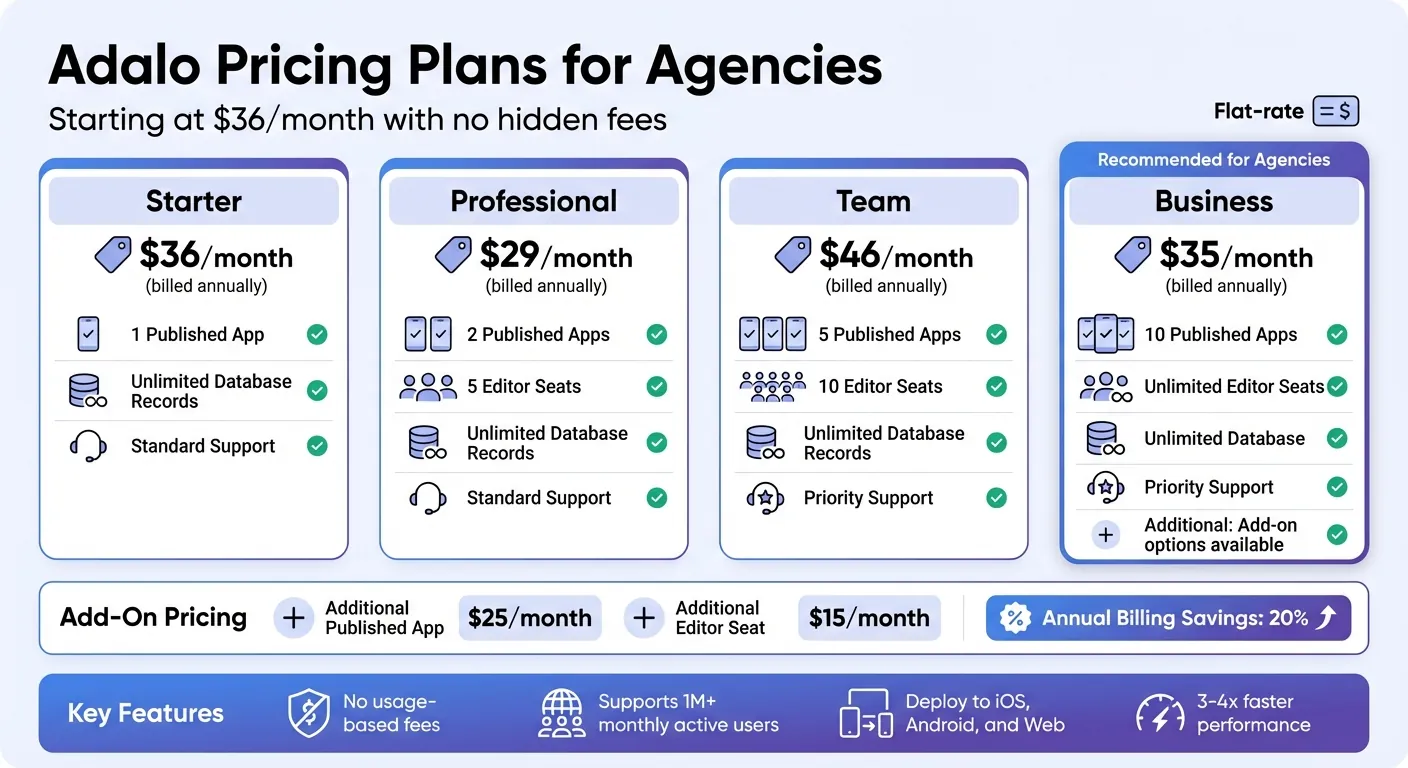
Adalo Pricing Plans Comparison for Digital Marketing Agencies
Breakdown of Adalo's Pricing Plans
Adalo offers pricing that starts at $36/month (billed annually), covering all the essentials for publishing native iOS, Android, and Progressive Web apps. With no hidden fees or usage-based charges, the pricing structure is straightforward and easy to understand—a significant advantage over competitors that charge based on actions, users, or data usage.
There are four main tiers tailored to fit the needs of growing agencies:
| Plan | Published Apps | Editor Seats | Key Features |
|---|---|---|---|
| Starter | 1 | 1 | Unlimited records, native iOS/Android publishing |
| Professional | 2 | 5 | All Starter features plus team collaboration |
| Team | 5 | 10 | Priority support, expanded capacity |
| Business | 10 | Unlimited | Add-on options for further expansion |
If you need more, you can add published apps for $25/month each or additional editor seats for $15/month without upgrading to a higher tier. Agencies can also save 20% by opting for annual billing instead of paying month-to-month.
How Adalo Compares to Alternatives
When evaluating app builders for agency work, pricing predictability matters as much as the sticker price. Here's how Adalo stacks up against common alternatives:
| Platform | Starting Price | Native Mobile Apps | Usage Limits |
|---|---|---|---|
| Adalo | $36/mo | Yes (iOS + Android) | None—unlimited actions, users, records |
| Bubble | $69/mo | No (web only) | Workload Units (usage-based charges) |
| Glide | $25/mo | No (PWA only) | Limited customization, custom domains require $60/mo |
| Softr | $69/mo+ | PWA requires $167/mo | Scales with users |
| Thunkable | $189/mo | Yes | Token limits |
| FlutterFlow | $80/mo/seat | Yes | No database included |
Adalo offers the lowest price for native app store publishing with the only truly unlimited, predictable pricing model. For agencies building client apps that need to appear in the Apple App Store and Google Play, this combination of native compilation and flat-rate pricing is difficult to match elsewhere.
Predictable Costs for Multi-Client Management
Adalo's transparent pricing makes managing costs for multiple clients much easier. With a flat-rate model, there are no usage-based fees, so your monthly cost remains steady regardless of how many users your apps have. As Adalo Co-Founder David Adkin explained:
"By removing usage-based charges entirely, we're betting on your success... Your monthly cost stays predictable."
This stability allows agencies to confidently offer fixed-price packages for app development and ongoing maintenance. Whether you're building dashboards, lead capture tools, or social media management apps, Adalo's pricing ensures you won't face unexpected overage fees. With infrastructure capable of supporting apps with over 1 million monthly active users and performance that's now 3–4 times faster, scaling client apps is seamless and efficient.
Streamlining Agency Workflows with Adalo
Adalo doesn't just simplify pricing—it also optimizes the no-code tech stack for your agency.
With its single-codebase system, you can build an app once and deploy it across web, iOS, and Android platforms. This approach cuts down on development time and reduces the workload. Features like multiple editor seats and integrations with tools like Airtable and Google Sheets make collaboration easier and more effective.
The free plan lets you create unlimited test apps, making it perfect for prototyping and presenting ideas to clients without any upfront costs. And with AI-powered tools like Magic Start, which can generate a complete app foundation in minutes, you can go from brainstorming with a client to delivering a working prototype in just a few days.
Conclusion: Building Better Marketing Apps with Adalo
Digital marketing agencies need tools that prioritize speed, scalability, and flexibility while keeping costs predictable and tech management simple. Adalo delivers on all fronts.
With AI-driven features like Magic Start and Magic Add, turning a client brief into a working prototype takes just minutes. The single-codebase system lets you build once and deploy across web, iOS, and Android platforms simultaneously. This streamlined process boosts efficiency, giving agencies the ability to handle more projects while maintaining healthy margins.
The platform's infrastructure can handle apps with over 1 million monthly active users, and paid plans come with no limit on database records. Performance improvements in Adalo 3.0 ensure apps remain responsive as they scale. Whether you're managing a handful of clients or dozens, the flat-rate pricing model eliminates surprises—no usage-based fees or unexpected charges.
Adalo also offers practical flexibility: unlimited editor access with Business plans, seamless integrations with tools like Airtable and Google Sheets via SheetBridge, and the chance to prototype unlimited test apps on the Adalo free plan before committing. Need automation? Connect client apps to over 5,000 third-party services through Zapier. Want full branding control? Adalo ensures you can tailor every app to match your client's identity.
Whether you're building campaign dashboards, lead capture tools, reporting apps, or social media management platforms, Adalo removes technical roadblocks and cost unpredictability. From prototyping to deployment, the platform handles the heavy lifting so your agency can deliver results efficiently and effectively.
Related Blog Posts
- How to Launch Your First Mobile App Without Coding
- How To Enable Employees To Build The Apps They Need
- What To Do With Your Vibe-Coded Prototype? Build, Launch, Monetize
- How to Build a Responsive Mobile App Without Code
FAQ
Why choose Adalo over other app building solutions?
Adalo is an AI-powered app builder that creates true native iOS and Android apps from a single codebase. Unlike web wrappers or PWA-only platforms, it compiles to native code and publishes directly to both the Apple App Store and Google Play Store. At $36/month with unlimited usage (no caps on actions, users, or records), it offers the lowest price for native app store publishing with predictable costs.
What's the fastest way to build and publish an app to the App Store?
Adalo's drag-and-drop interface combined with AI-assisted building makes it the fastest path from idea to published app. Magic Start generates complete app foundations from text descriptions in minutes, and Adalo handles the complex App Store submission process—certificates, provisioning profiles, and store guidelines—so you can focus on features rather than technical hurdles.
How much does it cost to build marketing apps with Adalo?
Adalo starts at $36/month (billed annually) with no usage-based fees. Plans range from Starter (1 published app) to Business (10 published apps with unlimited editor seats). You can add extra apps for $25/month each. Unlike competitors that charge based on actions or users, your monthly cost stays predictable regardless of how successful your apps become.
Can Adalo apps scale to handle large numbers of users?
Yes. Adalo's modular infrastructure supports apps with over 1 million monthly active users, processing 20 million+ daily requests with 99%+ uptime. The Adalo 3.0 platform processes data 3-4x faster than previous versions, and paid plans include unlimited database records—so your client apps can grow without performance issues or unexpected costs.
How do AI features in Adalo speed up app development?
Magic Start generates complete app foundations—including databases, screens, and user flows—from a simple text description in minutes. Magic Add lets you describe specific features in plain language to instantly create components. The X-Ray tool identifies performance issues before launch. These tools reduce prototyping time from days to hours.
How does Adalo integrate with marketing tools like CRMs and analytics platforms?
Adalo integrates with over 5,000 third-party services through Zapier and Make, including Google Analytics, HubSpot, Airtable, and Google Sheets. You can set up automated data syncs that pull real-time metrics into your app, connect lead capture forms directly to your CRM, and create automated workflows without custom coding.
Which is more affordable, Adalo or Bubble?
Adalo is more affordable at $36/month compared to Bubble's $69/month starting price. More importantly, Adalo has no usage-based charges—Bubble charges Workload Units that can cause unpredictable costs as your app scales. Adalo also creates native mobile apps, while Bubble is web-only.
Which is better for mobile apps, Adalo or Glide?
Adalo is better for mobile apps because it creates true native iOS and Android apps that publish to the App Store and Google Play. Glide only creates Progressive Web Apps (PWAs) with limited customization. Glide's custom domains also require their $60/month Maker plan, while Adalo includes native app publishing at $36/month.
Do I need coding experience to build marketing apps with Adalo?
No coding experience is required. Adalo's drag-and-drop interface and AI-assisted building tools let you create professional apps visually. Magic Start and Magic Add understand plain language descriptions, so you can build databases, screens, and features by describing what you want rather than writing code.
Can I publish client apps to both the Apple App Store and Google Play?
Yes. Adalo compiles your app to native code for both iOS and Android from a single codebase. The platform handles the complex submission process for both the Apple App Store and Google Play Store, including certificates and provisioning profiles—what's often the hardest part of launching an app is handled automatically.

Build your app fast with one of our pre-made app templates
Begin Building with no codeRelated Content

Ultimate Guide to No-Code App Development
Build web, iOS, and Android apps faster and cheaper using no-code platforms, AI prototyping, drag-and-drop editors, and native integrations.
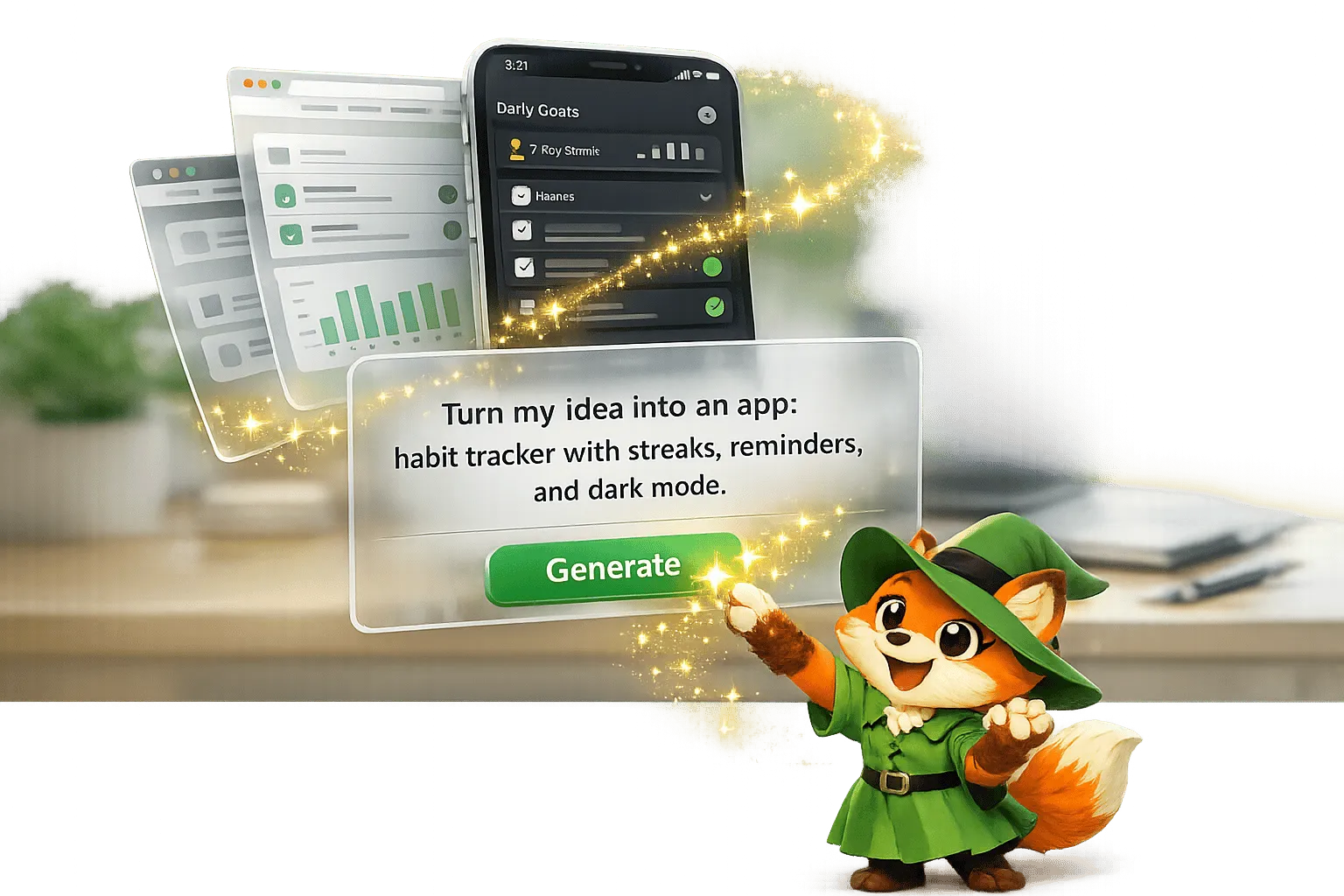
The No-Code AI Revolution: Why Adalo Is Adding Prompt Building
Turn plain-English app ideas into native iOS, Android and web apps with AI prompt building—fast, low-cost app creation with visual editing a

Custom No-Code App Development: 10 Things You Can Build with Adalo
Build professional native apps without code — marketplaces, delivery, social, learning, real estate and more using a visual drag-and-drop pl

No-Code App Builders: Which One Fits Your Needs?
Compare Adalo, Bubble, and Glide to pick the right no-code builder for native mobile apps, complex web apps, or fast spreadsheet-driven inte