



Why Adalo Works for Building Medical Apps with Epic Integration
Adalo is a no-code app builder for database-driven web apps and native iOS and Android apps—one version across all three platforms, published to the Apple App Store and Google Play. This makes it an ideal foundation for healthcare applications that need to connect with Epic's FHIR APIs while reaching patients and providers across every device they use.
Having your medical app available in both app stores is critical for healthcare adoption—patients expect to find health tools where they download everything else, and clinical staff need reliable native performance on their mobile devices. With Adalo's built-in push notifications, you can deliver appointment reminders, medication alerts, and care updates that keep patients engaged with their health journey. Now let's explore how to connect your Adalo-built app to Epic's powerful healthcare data infrastructure.
Why Adalo Works for Building Medical Apps with Epic Integration
Adalo is an AI-powered app builder for database-driven web apps and native iOS and Android apps—one version across all three platforms, published to the Apple App Store and Google Play. This makes it an ideal foundation for healthcare applications that need to connect with Epic's FHIR APIs while reaching patients and providers across every device they use.
Having your medical app available in both app stores is critical for healthcare adoption—patients expect to find health tools where they download everything else, and clinical staff need reliable native performance on their mobile devices. With Adalo's built-in push notifications, you can deliver appointment reminders, medication alerts, and care updates that keep patients engaged with their health journey. The platform's unlimited database records on paid plans means you won't hit storage walls as your patient base grows. Now let's explore how to connect your Adalo-built app to Epic's powerful healthcare data infrastructure.
Building a medical app that integrates with electronic health records can feel like navigating a maze of compliance requirements, technical standards, and healthcare system complexities. But with Epic Software powering over 2,343 live apps and exchanging 8.4 billion patient records annually, tapping into this ecosystem opens doors to meaningful healthcare innovation.
In this guide, you'll learn how to create a secure, HIPAA-compliant medical app using Epic's HL7 FHIR standards—from setting up your developer account and understanding Epic's federated connection model to planning your API integrations and ensuring regulatory compliance. Whether you're building a patient portal, a clinical workflow tool, or a health monitoring solution, you'll walk away with a clear roadmap for development.
The best part? You don't need a team of developers to bring your vision to life. Adalo lets you build database-driven web apps and native iOS and Android apps—published to the App Store and Google Play—from a single visual editor. With over 3 million apps created on the platform and an interface described as "easy as PowerPoint," combined with Epic's robust API infrastructure, this approach lets you focus on solving healthcare challenges rather than wrestling with code.
Quickly Build SMART-on-FHIR Patient App That Connects to Epic
What You Need Before You Start
Before diving into development, you'll need to gather some key prerequisites. Epic operates on a federated connection model, meaning there's no central server. Instead, each healthcare organization manages its own Epic instance. This setup allows developers to access public documentation and self-service sandboxes without prior agreements or approvals. However, it also means you'll need to connect individually with multiple healthcare organizations rather than relying on a single Epic endpoint. Planning for these multiple connections is essential.
Another critical step is defining your data sharing design. You'll need to decide what types of data your app will handle—such as RxNorm codes for medications or dosage details—and whether your app will read, write, or do both. Additionally, think through what will trigger your app's workflows, whether it's an event like a patient discharge or an on-demand launch. These decisions will guide your development process and help you determine which APIs to register.
Setting Up Your Epic App Orchard Account
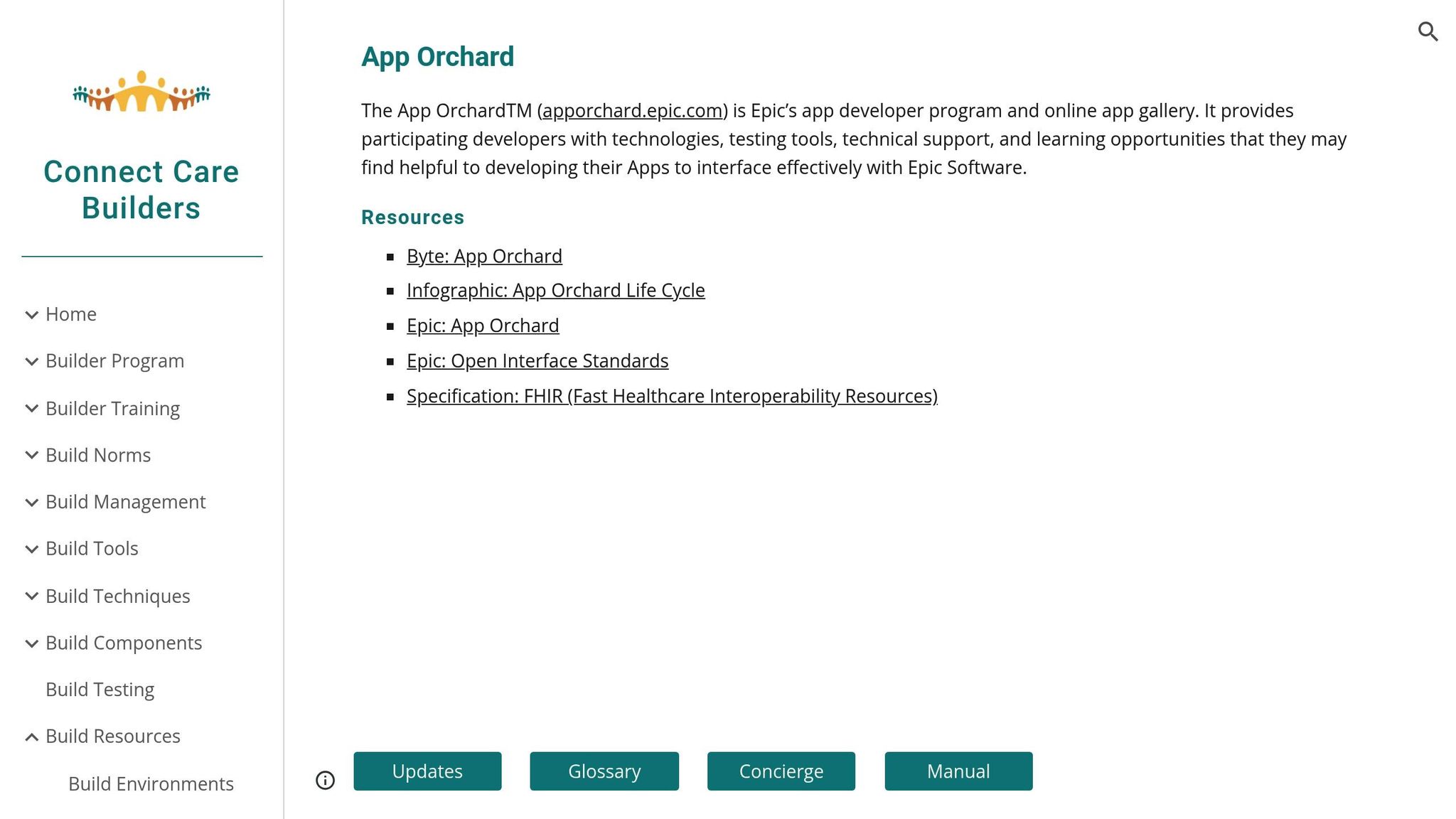
Once you've outlined your development plan, the next step is setting up your Epic App Orchard account. Start by registering for a free Epic on FHIR account at open.epic.com. This gives you access to testing sandboxes, documentation, and tools for client registration. If you plan to sell apps through Epic's marketplace, you'll need to request a Vendor Services account (formerly App Orchard). Simply click "I'm Interested" on the portal and wait for the registration email. As of early 2026, App Orchard hosts around 790 apps, with 344 new entries added since 2026.
After registration, you'll receive a Client ID through self-service tools at open.epic.com. This ID specifies the data scopes your app can access. You'll need both production and non-production identifiers, and you'll have to list the exact APIs your app will use. Including only the necessary APIs helps healthcare organizations evaluate your app's security and licensing requirements.
Epic offers three sandbox environments for testing: R4, STU3, and DSTU2. The R4 sandbox, found at https://fhir.epic.com/interconnect-fhir-oauth/api/FHIR/R4/, is the current standard. You can use the "Try It" feature within API specifications to test no-code API calls against sample patient data. This hands-on approach helps you understand data flow before committing to your development strategy.
Learning FHIR Standards and APIs
Epic relies on FHIR R4 (Fast Healthcare Interoperability Resources), a standardized format for exchanging healthcare data. With over 1,160 FHIR R4 production endpoints across healthcare organizations, understanding this standard is crucial. Think of FHIR as a universal language that allows different systems to communicate seamlessly.
Your app should use SMART on FHIR with OAuth 2.0 for authentication and authorization. This approach is ideal for user-interactive apps, enabling them to integrate directly into Epic's interface for a smooth experience. Additionally, your app must align with U.S. Core Data for Interoperability (USCDI) standards to meet federal guidelines.
Since access tokens are short-lived, you'll need to implement automated refresh mechanisms to maintain uninterrupted access, especially if your app is cloud-based. Avoid performing runtime queries for endpoint data on open.epic; instead, download this information weekly and host it on your infrastructure to ensure stability.
Meeting Healthcare Regulations
Handling healthcare data comes with serious responsibilities. Your app must prioritize privacy, security, and data integrity. Compliance with HIPAA is mandatory, requiring encryption, access controls, and audit logging throughout your app's design.
By 2026, Epic recommends utilizing TEFCA Individual Access Services (IAS), a national framework for secure, patient-authorized data exchange. TEFCA expands your app's capabilities, allowing it to retrieve records from multiple health systems through a single trusted connection. In 2026 alone, over 500 patient-authorized health apps connected to Epic's network.
If your app writes data back to Epic—such as lab results or orders—you'll need to ensure accuracy and associate the data with the correct patient to avoid safety risks. Writing data requires stricter validation and safety checks compared to reading data. Epic provides detailed guidelines on security, privacy, and scalability to help you build a secure and reliable app. Following these measures will set the foundation for a robust and compliant application.
How to Build a Medical App with Epic Software
Now that you're familiar with the prerequisites, let's dive into the process of building a medical app using Epic software. This process builds on your work with Epic App Orchard and your understanding of FHIR standards. Developing a medical app with Epic involves five main steps—from setting up your account to deploying the app. Each phase requires careful attention to technical details and compliance with regulations.
Step 1: Create Your Epic Developer Account
Start by setting up your Epic developer account. Head over to https://open.epic.com to register for a free account. This will give you access to FHIR resources, sandboxes, and documentation. Once you've registered, verify your email to complete the process. If you're part of an organization, additional approvals might be required.
After verification, log in using either a Vendor Services account or a UserWeb account if you're an Epic community member. The next step is registering your product to get a Client ID. This ID determines the scope of data your app can access. You'll receive identifiers for both production and sandbox environments during registration.
"Using Open.Epic's standards-based tech, developers can use public documentation, sandbox, self-service tools to register apps, connect to customer systems, and go live – all without needing Epic's involvement." – Epic
When registering your Client ID, only include the APIs your app will use in production. This keeps security and privacy reviews straightforward. The R4 environment (https://fhir.epic.com/interconnect-fhir-oauth/api/FHIR/R4/) is the current standard. Use the "Try It" feature on API specification pages to test no-code calls with sample patient data.
Step 2: Connect App Features to FHIR Resources
Before diving into API integration, map your app's features to specific FHIR resources. Start by identifying the types of data your app needs (like medications) and the specific elements within them (such as dosage details or RxNorm codes). Next, determine whether your app will read data, write data, or handle both.
Think about when data exchange should occur. Will it happen when a clinician places an order, on a schedule, or when the app launches? For scheduling features, use resources like Appointment, Schedule, and Slot. For clinical records, rely on Condition (diagnoses), AllergyIntolerance, and Immunization. Diagnostics can be handled using ServiceRequest for orders and Observation or DiagnosticReport for results. For demographic and insurance data, use Patient and Coverage resources.
Consult Epic's technical specifications and Data Sharing Playbooks to confirm that each resource supports the interactions your app needs, such as Read, Search, Create, or Update. Proper planning here will save you time and effort later.
Step 3: Integrate Epic FHIR APIs
Once you've mapped your app's features, it's time to integrate the necessary APIs. Epic uses a federated connection model, meaning you'll connect directly to each healthcare organization's Epic instance rather than a central endpoint. Your app must implement SMART on FHIR with OAuth 2.0, supporting EHR launch, standalone launch, and backend services. For mobile apps, use the Authorization Code flow with PKCE (Proof Key for Code Exchange) for added security.
To manage endpoints, avoid querying open.epic.com at runtime. Instead, download and host endpoint data weekly. Use the "User-access Brands Bundle" for production endpoints, which complies with SMART App Launch standards and includes branding and facility identifiers.
Pagination is key to efficient data handling—stick to a default page size of 20 to 50 resources for faster loading. Use date range filters to limit payloads and request only the minimal data scope your app needs to pass security reviews. Robust token management is also crucial for handling clock skew and token expiration.
Stick to standard coding systems like UCUM for units, SNOMED CT for diagnoses, and RxNorm for medications. Since patient records may not always include every field (like structured allergies or dosage details), design your app to handle missing data gracefully. Use the OperationOutcome resource to parse errors and provide user-friendly messages.
Step 4: Build and Test Your App
With APIs integrated, shift your focus to building the app's user interface and backend logic. This is where Adalo's visual builder accelerates your development timeline. Design a UI that aligns seamlessly with healthcare workflows. Include provenance data, such as the source system and last updated date, to ensure users trust the data's origin.
Ada, Adalo's AI builder, lets you describe what you want and generates your app. Magic Start creates complete app foundations from a description, while Magic Add adds features through natural language.
Adalo's Magic Start feature can generate complete app foundations from a simple description. Tell it you need a patient portal that displays medication lists and appointment schedules, and it creates your database structure, screens, and user flows automatically—what used to take days of planning happens in minutes. From there, Magic Add lets you add features through natural language requests, like "add a screen showing lab results with date filters."
Epic's Launchpad tool can help you simulate launching your app from within an Epic EHR session. Test your app in the R4 sandbox with sample patient data. Organize your data into canonical fields, optional fields, and extensions to account for the variability in clinical records.
For better performance, implement server-side sorting when possible, or create stable client-side alternatives. Test edge cases, like patients with no allergy records or incomplete medication histories, to ensure your app performs well in real-world scenarios. Adalo's X-Ray feature identifies performance issues before they affect users, helping you catch bottlenecks during development rather than after launch.
Step 5: Deploy Your App
Before deployment, confirm your app meets all compliance requirements outlined during the planning phase. If you intend to distribute your app through Epic's marketplace, you'll need a Vendor Services account. This costs $1,900 annually and grants access to private APIs, expanded testing tools, and dedicated support.
Prepare for submission by documenting your app's API scopes, security protocols, and data-handling practices. These materials will be reviewed by healthcare organizations before approving your app for integration.
For internal use within a single healthcare organization, collaborate with their IT team to configure access and conduct production-level testing. After launch, monitor your app's performance by tracking API response times, error rates, and user feedback. With Epic supporting 219 billion annual web service transactions and over 2,300 live apps, you'll be joining a thriving ecosystem.
Adalo handles the complex App Store submission process for both Apple and Google Play, so you can focus on your app's features and user experience instead of wrestling with certificates, provisioning profiles, and store guidelines. One build publishes to web, iOS, and Android simultaneously—critical for healthcare apps that need to reach patients and providers across all their devices.
Keeping Your App Secure and Compliant
Security and compliance are the cornerstones of any reliable medical app. Once your app is live, safeguarding patient data and adhering to regulations should be a continuous effort. Consider this: as of February 2026, healthcare organizations in the U.S. paid over $137 million in penalties for HIPAA violations. Additionally, between January and September 2026, there were 491 major data breaches in U.S. healthcare, each involving over 500 compromised records. Clearly, maintaining security and compliance after deployment is not optional—it's essential. Here's how to design a secure system, meet HIPAA and GDPR requirements, and ensure ongoing protection for your app.
Designing a Secure Data System
The backbone of any secure app lies in its backend architecture. For starters, store Protected Health Information (PHI) in a separate database from general app data. This not only strengthens your security perimeter but also reduces encryption overhead. Encrypt all data—whether stored or in transit—and establish secure connections to each organization's Epic instance.
To enhance access control, implement multi-factor authentication (MFA) using options like biometrics or two-factor authentication. Add automatic session timeouts and avoid caching or transmitting PHI through mobile devices or notifications. Assign unique user IDs to log every action involving PHI, creating a tamper-proof audit trail.
"OAuth 2.0 is the preferred method of security for apps in which Epic users interact with data."
– Epic Systems Corporation
Token management is another critical aspect. Use a backend component to exchange authorization codes and securely store refresh tokens. Sensitive endpoints should never be exposed directly to client-side browsers. Also, limit permissions to the minimum necessary. For instance, request patient/Observation.read instead of broader access to reduce your app's vulnerability and simplify security reviews.
Adalo's infrastructure, completely overhauled with the 3.0 release in late 2025, provides the performance foundation healthcare apps require. The platform is now 3-4x faster than previous versions, with modular infrastructure that scales with your app's needs. This matters for healthcare applications where response time directly impacts clinical workflows and patient safety.
Meeting HIPAA and GDPR Requirements
Beyond securing data, your app must comply with regulations like HIPAA and GDPR. For HIPAA, this involves a mix of administrative, technical, and physical safeguards. Administratively, appoint a privacy officer, provide regular workforce training, and maintain clear, written privacy policies. Technically, encryption, MFA, and digital signatures are key to preventing unauthorized data access or tampering.
If your app works with third-party vendors handling PHI, ensure you have Business Associate Agreements (BAAs) in place. Apps acting as Business Associates for healthcare providers must also execute BAAs with Epic customers.
For patient-facing apps, Epic requires a detailed questionnaire covering funding sources, data-sharing practices with third parties, and whether users can delete their records. This information is shared with patients during the "Allow Access" phase in MyChart, and patients can manage or revoke access via the "Manage My Linked Apps and Devices" page.
Establish a breach notification protocol to comply with HIPAA rules. Notify affected individuals within 60 days of discovering a breach. If more than 500 individuals are affected, report it immediately to the Department of Health and Human Services (HHS) and issue a public notification. In 2026 alone, over 540 organizations reported health data breaches, impacting more than 112 million individuals.
Maintaining and Updating Your App
Security isn't a one-and-done deal—it's an ongoing process. Conduct annual security audits and penetration tests, especially after major updates. Costs for third-party audits typically range from $1,000 to $5,000 for smaller assessments. Stay up-to-date with Epic's technical specifications, including updates to FHIR versions, and adjust your app accordingly.
Aligning with the Trusted Exchange Framework and Common Agreement (TEFCA) is also crucial for secure, large-scale data sharing. By 2026, over 500 patient-authorized health apps had successfully connected to the Epic community using modern FHIR APIs and OAuth 2.0. Regularly monitor API response times, error rates, and user feedback to catch potential security issues early.
"As between you and Epic, you are solely responsible for your products and services... and for all liability and consequences (e.g., privacy breaches and security vulnerabilities) that arise from or relate to the use of your products."
– open.epic Terms of Use
Keep your security measures fresh by updating TLS/SSL certificates and reviewing access logs for suspicious activity. Collect only the PHI necessary for your app's core functionality. This not only reduces your compliance workload but also limits the damage in case of a breach. Regular updates and audits are key to preserving the integrity and trustworthiness of your medical app.
Adalo's paid plans include no data caps, meaning your patient database can grow without hitting artificial limits. This removes a common scaling concern for healthcare applications that accumulate patient records over time. Combined with no usage-based charges—App Actions have been removed from all plans—you won't face unexpected bills as your user base expands.
Scaling Your Healthcare App
Healthcare apps face unique scaling challenges. Patient populations grow, clinical workflows expand, and data accumulates continuously. Your app architecture needs to handle this growth without performance degradation or unexpected costs.
Adalo's modular infrastructure scales to serve apps with millions of monthly active users, with no upper ceiling. Unlike app wrappers that hit speed constraints under load, Adalo's purpose-built architecture maintains performance at scale. This matters particularly for healthcare applications where slow response times can disrupt clinical workflows and frustrate patients trying to access their health information.
The platform processes 20 million+ data requests daily with 99%+ uptime—the kind of reliability healthcare applications demand. When a nurse needs to pull up patient information during rounds, or a patient checks their lab results before a doctor's appointment, the app needs to respond immediately.
For healthcare organizations evaluating app builders, it's worth noting that most third-party platform ratings and comparisons predate Adalo 3.0's infrastructure overhaul in late 2025. The performance improvements—3-4x faster speeds and scalable infrastructure—represent a significant leap from earlier versions. If you've seen older reviews mentioning performance concerns, those assessments no longer reflect the current platform capabilities.
Conclusion
Creating a secure and compliant app with Epic integration requires careful attention to detail and precise execution. The process starts with obtaining your Client ID from open.epic.com, mapping out data flows using Epic's Playbooks, and connecting FHIR APIs through sandbox testing. Epic's federated model also means working closely with each healthcare organization's IT team to ensure smooth integration.
Protecting user data and meeting compliance standards hinges on implementing OAuth 2.0 and other industry-standard security measures. While the technical aspects of Epic integration can be challenging, tools like robust APIs and the free Sandbox environment make development more manageable. However, the financial investment is substantial, with costs ranging from $1 million to $5 million for data migration and exceeding $10 million for enterprise-level integration. Given that 63% of U.S. adults now use health apps to track their health and receive remote medical advice, the potential rewards for a well-executed application are significant.
Epic's ecosystem is vast, handling 8.40 billion patient records annually and supporting 2,343 live apps as of 2026. In such a critical environment, reliability and compliance are essential. Regular audits, staying updated with FHIR advancements, and closely monitoring API performance are all necessary to keep your app functioning smoothly. Once deployed, continuous monitoring ensures your app remains dependable and responsive over time.
Adalo simplifies the deployment process by managing your app as a Progressive Web App or native application for iOS and Android. With a single build, you can deliver a seamless, production-ready experience to patients and healthcare providers across all their devices.
Related Blog Posts
- How to Launch Your First Mobile App Without Coding
- How To Get a Vibe-Coded App To The App Store
- How To Create an AI Scanning and Checking App
- How To Create The Digital Calendar App You Need for iPhone and iOS
FAQ
Why choose Adalo over other app building solutions?
Adalo is an AI-powered app builder that creates true native iOS and Android apps alongside web apps from a single codebase. Unlike web wrappers, it compiles to native code and publishes directly to both the Apple App Store and Google Play Store. With unlimited database records on paid plans and no usage-based charges, you won't face unexpected costs as your healthcare app scales.
What's the fastest way to build and publish an app to the App Store?
Adalo's drag-and-drop interface and AI-assisted building features like Magic Start and Magic Add let you go from idea to published app in days rather than months. The platform handles the complex App Store submission process for both Apple and Google Play, so you can focus on your app's features instead of wrestling with certificates and provisioning profiles.
How can I make sure my medical app built with Epic Software complies with HIPAA regulations?
Start by leveraging Epic's developer tools, including FHIR and HL7 v2 APIs with OAuth 2.0 authentication and encrypted connections. Implement role-based permissions, audit logging, and encrypt Protected Health Information both at rest and during transmission. Before deployment, test thoroughly in Epic's sandbox environment and secure Business Associate Agreements with healthcare organizations.
How do I integrate FHIR APIs into my medical app using Epic Software?
Create a developer account on Epic's FHIR portal at open.epic.com to access their sandbox environment. Set up your app to generate a client ID and secret for OAuth 2.0 authentication. Work with sandbox endpoints matching your target FHIR version, configure OAuth 2.0 to obtain access tokens, and make RESTful API calls to interact with resources like patients, observations, and medications.
How do I connect my medical app to multiple healthcare organizations using Epic's federated model?
Each health system runs its own Epic instance and independently manages app access. Register your app on Open.Epic to get a reusable client ID, then download each organization's specific endpoint bundle and save the base FHIR URL. Implement OAuth 2.0 SMART on FHIR using organization-specific authorization URLs, and manage access tokens separately for each health system.
What are the costs associated with building an Epic-integrated medical app?
An Epic App Orchard Vendor Services account costs $1,900 annually for marketplace distribution. Enterprise-level integration can range from $1 million to $5 million for data migration and exceed $10 million for full implementations. Third-party security audits typically cost $1,000 to $5,000. Adalo's paid plans start at $36/month with unlimited usage and no record limits.
How do I test my medical app before connecting to real patient data?
Epic provides sandbox environments for testing, with the R4 sandbox being the current standard at https://fhir.epic.com/interconnect-fhir-oauth/api/FHIR/R4/. Use Epic's "Try It" feature within API specifications to test API calls against sample patient data. Epic's Launchpad tool simulates launching your app from within an Epic EHR session.
What security measures are required for a medical app handling patient data?
Implement OAuth 2.0 with SMART on FHIR for authentication, encrypt all data at rest and in transit, and maintain comprehensive audit trails. Multi-factor authentication, automatic session timeouts, and unique user IDs for tracking PHI access are essential. Business Associate Agreements are mandatory when working with third-party vendors handling PHI.
How long does it take to build a medical app with Epic integration?
Timeline varies based on complexity, but Adalo's visual builder and AI features significantly accelerate development. Magic Start generates complete app foundations in minutes, and Magic Add lets you add features through natural language. The Epic integration process—including sandbox testing, security reviews, and healthcare organization approvals—typically adds several weeks to months depending on scope.
Can I publish my healthcare app to both iOS and Android from one codebase?
Yes. Adalo creates native iOS and Android apps from a single build, publishing to both the Apple App Store and Google Play Store. This is critical for healthcare apps that need to reach patients and clinical staff across all devices. Updates to your app automatically deploy to web, iOS, and Android simultaneously.







