
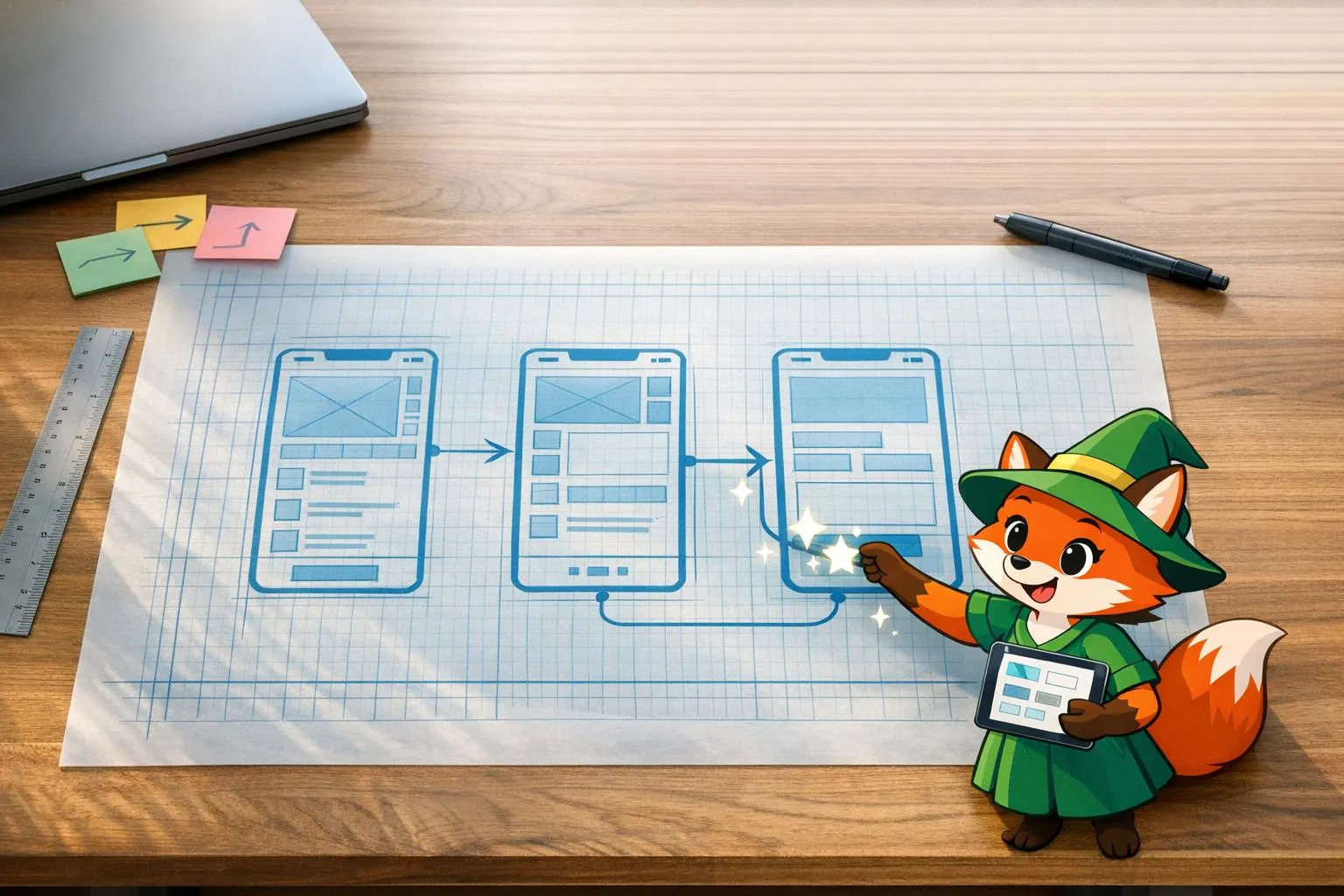
Wireframing is the unsung hero of no-code app development. It’s your app’s blueprint - a simple sketch that maps out structure, user flow, and navigation before you dive into building. Skipping this step often leads to delays, costly rework, and user experience issues. Here’s why wireframing is critical:
Platforms like Adalo, a no-code app builder for database-driven web apps and native iOS and Android apps—one version across all three platforms, published to the Apple App Store and Google Play, make wireframing even more valuable by allowing you to transform those early sketches into functional prototypes and production-ready applications.
- Clear Planning: It visually lays out screens, connections, and user journeys to avoid confusion.
- Improved Collaboration: Teams align better when everyone has a shared visual guide.
- Fewer Mistakes: Spotting design flaws early prevents expensive fixes later.
- Faster Feedback: Quick, low-fidelity designs make iteration easier and cheaper.
Platforms like Adalo take wireframing further by turning sketches into working prototypes and even production-ready apps - all from a single platform. With tools like these, you can save time, reduce errors, and stay focused on building a functional, user-friendly app.
How To Create Your First Wireframe (A UX Tutorial)
The Problem: What Happens When You Skip Wireframing
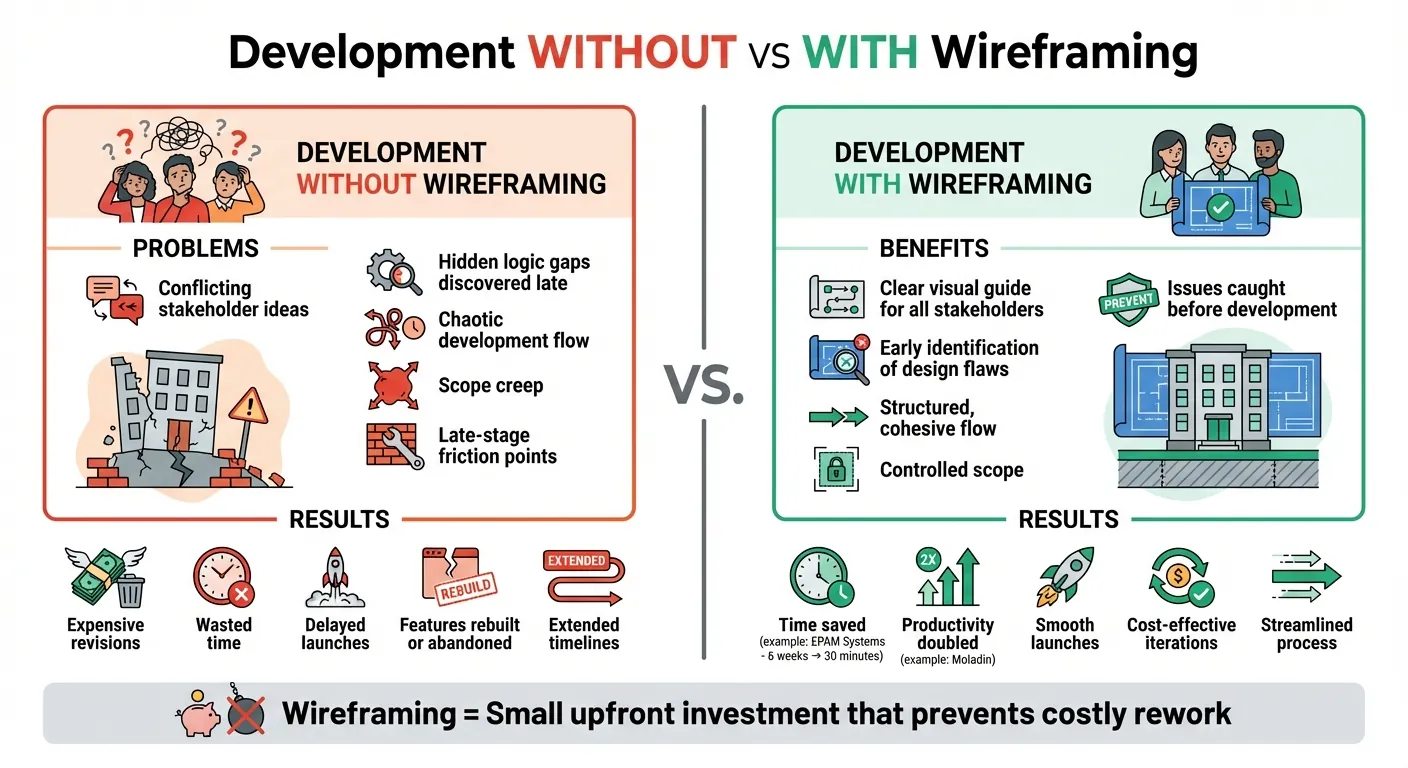
Development With vs Without Wireframing: Cost and Time Impact
Common Problems Without Wireframing
Skipping the wireframing stage can throw your project into chaos. As Jane Adojutelegan from Marvel puts it, "Describing the project without something tangible can be quite difficult, and where decisions on the future need to be made, any ambiguity can lead to costly mistakes". Without a clear visual guide, stakeholders and developers often form conflicting ideas about the project. This disconnect leads to logic gaps that only become apparent after significant time and effort have been invested.
These hidden logic gaps can derail progress. Sonia Rebecca Menezes from Adalo explains, "When your app idea is just an idea, a lot flies under the radar. You may not see some glaring gaps in the execution or design". Features that seem perfect in theory often stumble in practice. User flows that sound intuitive during discussions might confuse users when brought to life. Unfortunately, these problems often remain unnoticed until deep into the development process.
Without a structured layout, development can also become chaotic. Teams may struggle to maintain a cohesive flow, and developers might stray from the original vision - not due to incompetence, but because the initial instructions lacked clarity. This disorganization opens the door to scope creep and unnecessary complications.
The result? A project bogged down by confusion and set up for costly revisions.
Expensive Revisions and Wasted Time
By skipping wireframing, you risk wasting both time and money. Friction points in the user experience often emerge late in development, requiring extensive rework. Entire sections of the project may need to be rebuilt, and some features might prove technically unfeasible, forcing teams to abandon completed work. These setbacks can delay launches and drive up costs, turning what should have been a smooth process into a drawn-out ordeal.
Wireframing acts as a safeguard, helping you identify potential problems early and ensuring a more streamlined development process. It’s a small investment that can save significant resources down the line.
How Wireframing Solves No-Code Development Problems
Wireframing transforms abstract ideas into clear, visual blueprints, tackling key challenges in no-code development. Verbal explanations often leave room for misinterpretation, but wireframes provide a shared visual guide that everyone can follow. Jane Adojutelegan, Customer Support Manager at Marvel, highlights their importance:
"Wireframes are seen as the skeleton of a prototype. With a wireframe, it's easy to outline what elements you'd like to see on your design."
This visual clarity improves navigation, streamlines collaboration, and speeds up the iteration process.
Better User Flow and Navigation
Wireframes act as a roadmap for how users interact with an app, showing the journey from one screen to the next. Sonia Rebecca Menezes from Adalo captures this idea:
"Like the floorplan of a building, a wireframe is a simple sketch that acts like a floorplan of a mobile app, explaining how different screens are connected to one another."
By visualizing this flow, teams can determine the exact number of screens needed and ensure that navigation elements like search bars and pagination are placed logically. Tools like Adalo make this process even more efficient, allowing teams to view up to 400 screens at once on a single canvas. This makes it easier to spot and fix navigation issues early, saving time and effort later.
Better Team Collaboration
Wireframes also simplify teamwork. Using basic shapes and grayscale designs, they keep the focus on functionality rather than aesthetics. Adding reference numbers to each wireframe ensures that when specific features are discussed, everyone is aligned. This shared understanding reduces the risk of miscommunication and ensures that the final product meets stakeholder expectations.
Early Feedback and Iteration
Low-fidelity wireframes are quick to create and adjust, making them perfect for gathering feedback before development begins. Faith Olohijere, a UI/UX Designer, emphasizes their value:
"Wireframing can save time and money in the long run by identifying potential problems and making necessary changes early on in the design process, rather than during the development phase."
Ada, Adalo's AI builder, lets you describe what you want and generates your app. Magic Start creates complete app foundations from a description, while Magic Add adds features through natural language.
This early validation helps teams catch issues while they’re still inexpensive to fix. Including realistic text in wireframes can also reveal layout problems or gaps in user flow. Modern tools like Adalo’s Magic Start take this a step further by using AI to generate complete app foundations - including database structures and user flows - from a simple description. This allows teams to test ideas and iterate quickly, all before committing to full-scale development.
How to Speed Up Prototyping with Wireframing and Adalo
From Wireframe to Working Prototype
Using a no-code platform can significantly shorten the journey from wireframe to a functional prototype. Wireframing helps you save time by identifying design flaws early in the process. Start by designing your wireframes in tools like Figma, focusing on the core user flows and essential screens. Once finalized, import these wireframes into Adalo's visual editor to kick off the prototyping phase.
Adalo's AI Builder simplifies this next step even further. By interpreting your wireframe details, it creates functional prototypes. For example, you can specify, "Add a login screen", and the AI will generate the necessary screens and logic automatically. What makes Adalo stand out is that your prototype doesn’t stop at being a prototype - it evolves directly into your production app. This eliminates the need to rebuild from scratch, making the transition from concept to reality incredibly efficient.
Deploy Once to Web, iOS, and Android
Once your wireframes have been transformed into a prototype, Adalo makes cross-platform deployment a breeze. Traditional development often requires separate builds for web, iOS, and Android, which can drag out timelines by months. Adalo’s single-codebase system removes this hurdle entirely. With one deployment, your app is ready for web, iOS, and Android, including Progressive Web Apps (PWAs) and app store releases. Updates made to your app are instantly reflected across all platforms, saving time and effort. Plus, Adalo’s affordable pricing ensures that even smaller teams can take advantage of this streamlined approach to deployment.
Key Benefits of Wireframing for No-Code Teams
Clear Visualization of App Structure
Wireframes act as the blueprint for your app, giving your team a clear picture of its structure before development begins. Think of them as the floorplan for your digital product - laying out how screens connect, where users will navigate, and what content goes where. This shared visual guide ensures everyone - designers, developers, and stakeholders - stays on the same page, reducing the chances of costly navigation errors or overlooked elements down the line.
For example, EPAM Systems dramatically cut their wireframing time from six weeks to just 30 minutes by using AI-powered tools. This kind of clarity early on sets the stage for a smoother, more efficient development process.
Faster, More Focused Development
In no-code workflows, wireframes take the guesswork out of development by mapping out user flows upfront. Spotting friction points or structural issues early saves both time and money, as it's far easier to tweak a wireframe than to rebuild a prototype or app later. As Figma puts it, "It's way easier to re-work part of a wireframe than it is to rebuild a prototype or web application".
Take Moladin, an Indonesian automotive marketplace, as an example - they doubled their team's productivity by incorporating AI-driven wireframing and collaboration tools into their process. This boost in efficiency comes from catching potential problems early, like missing screens, unclear navigation paths, or overlooked edge cases such as loading or error states.
Scalable User Experience Design
Wireframing doesn't just speed up development; it sets the stage for scalable design. By focusing on user flow and information hierarchy from the beginning, you create an app that can grow without sacrificing usability. This is especially helpful for startups and smaller teams working within tight budgets. For instance, Adalo's $36/month pricing makes it accessible to refine wireframes and build adaptable app architectures.
Advanced wireframing also involves planning for different app states - loading, empty, error, and success - ensuring your app handles edge cases smoothly as it scales. Including details like mobile-friendly touch targets (44x44 pixels) in your wireframe helps ensure usability right from the start.
Conclusion
Wireframing plays a crucial role in no-code app development. It helps avoid expensive rework and ensures your app's structure can handle real-world demands. By providing clarity, speeding up development, and creating a solid foundation, wireframes set your app up for growth without compromising usability or team collaboration.
Studies show that proper wireframing significantly cuts down development time and boosts productivity. This isn't just theory - it's clear evidence that investing time in planning your app's structure upfront saves both time and money.
Whether you're building your first MVP or developing an internal tool, wireframing helps identify navigation issues, prepare for edge cases like loading or error states, and align your team before development begins. It shifts the process from guesswork to confident, well-planned execution. And when paired with a single-code deployment platform, this clarity translates into immediate, actionable results.
Adalo takes wireframing to the next level. With Adalo, you can turn a static wireframe into a working prototype in minutes and deploy that app to web, iOS, and Android - all without rebuilding for each platform. Starting at just $36/month, Adalo turns your vision into a production-ready app.
Related Blog Posts
- How to Build Prototypes in Days with No-Code
- Why User-Centric Design Matters for MVPs
- Checklist: Reducing Enterprise App Costs with No-Code
- How AI Transforms No-Code Prototyping
FAQs
Why is wireframing important in no-code app development?
Wireframing plays a key role in no-code app development by laying out the app's structure, layout, and functionality before jumping into design or development. It acts as a visual blueprint, helping everyone - team members and stakeholders - stay on the same page right from the start.
Since wireframes focus on the app's core components without getting bogged down by design details, they make it easier to gather input, test ideas, and fine-tune concepts quickly. This upfront clarity not only saves time and resources but also minimizes the chance of expensive revisions later. Once approved, wireframes can effortlessly transition into prototypes, speeding up the process of turning an idea into a working app.
What happens if I skip wireframing when building a no-code app?
Skipping the wireframing stage in no-code app development is like building a house without a blueprint - you're setting yourself up for confusion and setbacks. Without a wireframe, teams can struggle with miscommunication about the app's structure and user flow. This often leads to misunderstandings, repeated revisions, and wasted time during development.
Wireframes are also a critical tool for spotting usability problems early. They help ensure the app is intuitive and serves user needs effectively. Skipping this step can result in a clunky or confusing interface, which could hurt the app's overall success. Plus, making changes later in the process is typically far more costly and time-intensive, defeating the purpose of using a no-code platform to streamline development.
Taking the time to wireframe gives your project a solid foundation. It minimizes risks, keeps the process efficient, and increases the chances of delivering an app that meets both your goals and your users' expectations.
How does wireframing improve collaboration and speed up no-code app development?
Wireframing plays a key role in bringing teams together by offering a clear, visual plan for an app’s structure and user flow before any development starts. It creates a shared understanding among designers, developers, and stakeholders, ensuring everyone is on the same page about the app’s layout and functionality. This reduces the chances of miscommunication and keeps the entire team aligned toward a common goal.
In the world of no-code development, wireframing also helps speed things up by allowing teams to test and tweak ideas quickly. Spotting potential problems early means adjustments can be made without major disruptions, saving both time and resources. The result? A smoother development process and a polished, well-functioning app.

Build your app fast with one of our pre-made app templates
Begin Building with no codeRelated Content

No-Code E-commerce App Development: Build Your Store with Adalo
Build a full-featured mobile and web e-commerce app without coding—product catalogs, carts, secure payments, user accounts, and store publis

Why Mobile-First Design Matters in No-Code Apps
Why building no-code apps mobile-first improves load times, retention, SEO, and cuts development time and costs.

Ultimate Guide to No-Code App Development
Build web, iOS, and Android apps faster and cheaper using no-code platforms, AI prototyping, drag-and-drop editors, and native integrations.

No-Code Development: What is No-Code, and Is It for You?
You build your own app, website, tool, and software using no-code. Want to learn more? Read our article about no-code development!