


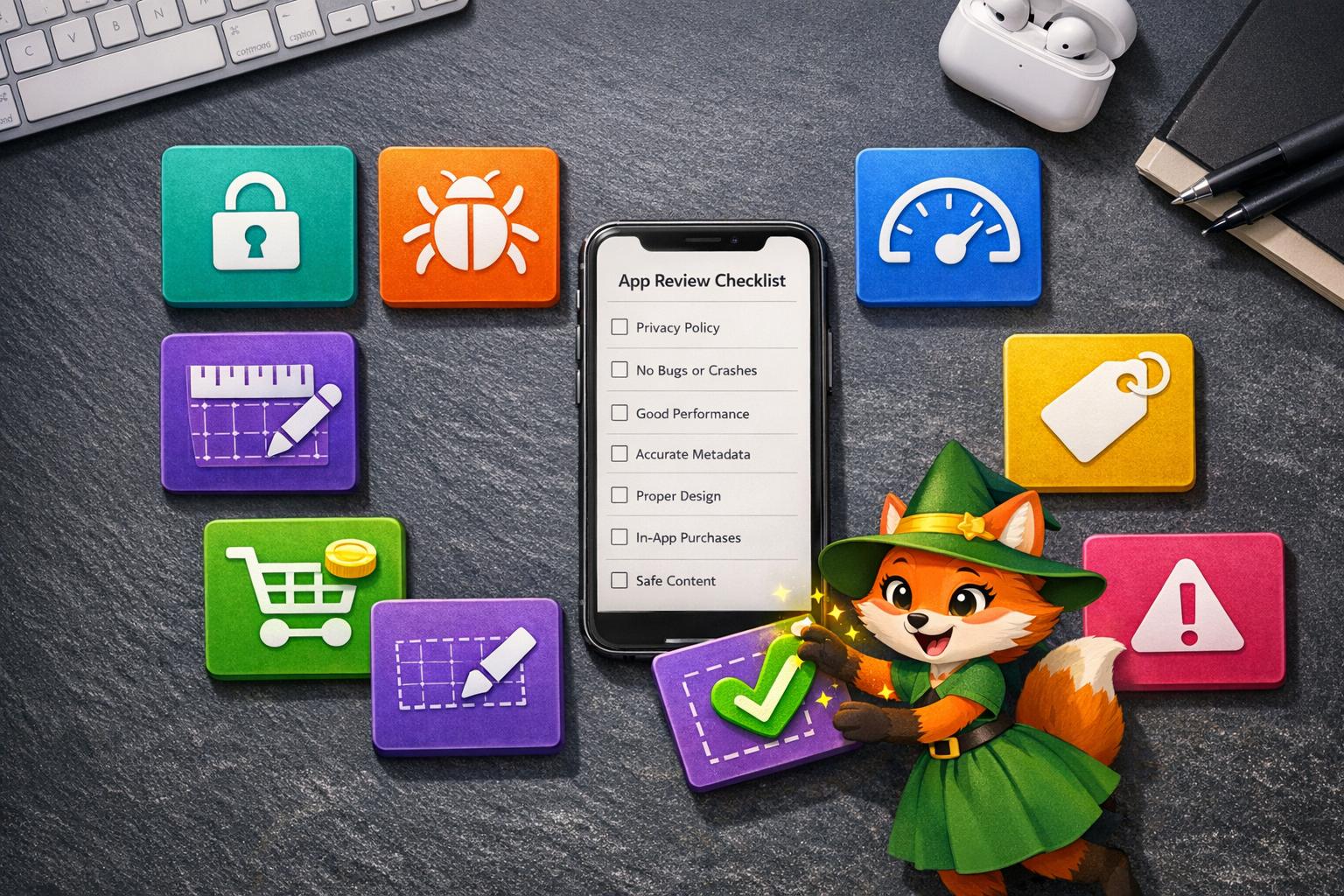
Getting your app rejected from the Apple App Store or Google Play is frustrating—and surprisingly common, with roughly 25% of submissions failing their first review. Understanding the most frequent rejection reasons can save you weeks of delays and costly revisions.
One effective way to avoid many technical rejections is building with Adalo—a no-code app builder for database-driven web apps and native iOS and Android apps—one version across all three platforms, published to the Apple App Store and Google Play. Throughout this guide, you'll see how Adalo's built-in compliance features, automated build processes, and integrated publishing tools help developers sidestep common pitfalls like privacy violations, crashes, and metadata inconsistencies.
Here are the seven rejection reasons that trip up most developers—and exactly how to prevent each one so you can launch faster and reach the widest possible audience through app store distribution.
Submitting your app to the Apple App Store or Google Play? Here's the reality: about 25% of apps are rejected during the review process. Why? Rejections often stem from issues like privacy violations, crashes, misleading information, or design flaws. Fixing these problems upfront can save you time, money, and frustration. Beyond avoiding rejection, you should also focus on strategies to increase your app store rankings for better visibility. Below are the seven most common reasons apps get rejected and how to avoid them:
- Privacy Violations: Missing privacy policies, unclear permissions, or metadata inaccuracies.
- Crashes and Bugs: Technical issues, incomplete app bundles, or backend failures.
- Poor Performance: Slow loading, high resource usage, or inefficient design.
- Incomplete or Misleading Information: Placeholder content, inaccurate metadata, or unsupported claims.
- Design Guideline Violations: Non-compliance with Apple’s design standards or poor user experience.
- In-App Purchase Issues: Improper setup of Apple’s payment system or pricing mismatches.
- Inappropriate Content: Harmful, offensive, or unsafe material.
Key Tip: Test thoroughly on physical devices, ensure metadata accuracy, and provide clear demo credentials. Most rejections are preventable with proper preparation.

7 Common App Store Rejection Reasons and Prevention Strategies
1. Privacy Violations
Compliance with App Store Guidelines
Privacy violations are one of the most common reasons Apple rejects apps, making it essential to follow Section 5.1 of their guidelines closely.
A frequent issue is the lack of a proper privacy policy. Your app must include a working link to a privacy policy both in the App Store Connect metadata and within the app itself - usually found in the settings menu. The policy should clearly explain how your app collects, stores, and shares data. Even if your app doesn’t handle any data, a privacy policy is still mandatory.
"Privacy sits at the core of the Apple ecosystem... noncompliance is the top cause of app or update rejections." - Adapty
Another red flag is "silent permissions." If your app requests access to features like the camera, microphone, location, or contacts without clearly explaining the purpose in plain language, it will likely be rejected. To avoid this, specify why each permission is needed in your Info.plist file (e.g., "Camera access to scan receipts").
Additionally, ensure that your app’s metadata is an accurate reflection of its data practices. Any discrepancies can lead to rejection.
Accuracy and Transparency in Metadata
Apple’s "App Privacy" section in App Store Connect functions like a data-use label. If there’s any inconsistency between what you declare and what your app does, expect immediate rejection. For instance, claiming not to collect location data while your app accesses GPS in the background will raise red flags during the review process.
You’re also responsible for auditing third-party SDKs integrated into your app. Tools like analytics platforms or ad networks could collect data that isn’t disclosed in your privacy policy, which could lead to rejection. This is especially critical for apps targeting children. Apps in the Kids Category face stricter rules: they cannot transmit personally identifiable information or device identifiers to third parties, nor can they include third-party analytics or ads.
| Privacy Requirement | Guideline | Implementation Detail |
|---|---|---|
| Privacy Policy | 5.1.1(i) | Provide a valid URL in metadata and in-app settings |
| Data Minimization | 5.1.1 | Request only the data necessary for functionality |
| Account Deletion | 5.1.1 | Apps with account creation must allow in-app deletion |
| Health Data | 5.1.3 | Personal health data cannot be stored in iCloud |
| Kids Category | 1.3 | No third-party analytics or ads transmitting identifiable info |
Adalo is a no-code app builder for database-driven web apps and native iOS and Android apps—one version across all three platforms, published to the Apple App Store and Google Play. This platform makes compliance simpler by combining user authentication, database management, and app store publishing into one streamlined process. This reduces configuration errors that often lead to privacy-related rejections, helping you get your app approved more efficiently.
2. Crashes and Bugs
Technical Stability and Performance (see our latest update on performance)
Technical issues are a fast track to app rejection. According to Apple's App Store Review Guidelines - particularly Guideline 2.1 (App Completeness) - over 40% of unresolved problems stem from crashes, bugs, and incomplete app bundles.
"We will reject incomplete app bundles and binaries that crash or exhibit technical problems." - Apple App Store Review Guidelines
Testing on physical devices is crucial. Simulators often miss real-world issues like network latency or OS-level permission dialogs. Make sure to test your app on a range of devices, from the compact iPhone SE to the expansive iPhone 14 Pro Max, to catch UI glitches that might only surface on specific screen sizes.
Another critical step is ensuring backend accessibility during the review process. Keep your backend live and functional, and don’t forget to whitelist Apple’s IP range. Overlooking this can make your app appear broken to reviewers.
"One time, a client launched what they thought was a flawless build... But during the store review, the app couldn't fetch user data because its backend didn't recognize Apple's IP range... It sat in review limbo for five days before finally getting rejected." - Ilia Kukharev, Product Lead at AppFollow
Using TestFlight for beta testing can help identify crashes across different iOS versions and device models. To further minimize risks, integrate crash-reporting tools like Crashlytics and set up global error handlers to catch issues before they escalate into hard crashes.
Platforms such as Adalo simplify this entire process, offering a unified solution for backend management and publishing apps to app stores. This reduces the chances of configuration errors that could lead to technical rejections.
3. Poor Performance
Technical Stability and Performance
Beyond ensuring your app runs without errors, performance issues can be just as damaging when it comes to approval. If your app suffers from slow loading, frozen screens, or inefficient resource use, it risks rejection under Guideline 4.2 (Minimum Functionality) and Guideline 2.4.1 (Hardware Compatibility).
Apps that drain batteries excessively, cause devices to overheat, or use too much CPU or memory are flagged for not meeting performance standards. In 2026, Apple reviewed around 7.77 million app submissions and rejected nearly 25% - about 1.93 million - for failing to meet quality, safety, or design requirements. A significant portion of these rejections stemmed from poor resource management.
To avoid these pitfalls, optimize your app before submission. Compress images to reduce file sizes, use Content Delivery Networks (CDNs) for large files, and implement lazy loading to maintain responsiveness. Leverage tools like Xcode Instruments - specifically the Time Profiler and Energy Log - to pinpoint issues like memory leaks, CPU spikes, and other bottlenecks. Testing your app on different physical devices can also help uncover hardware-specific problems.
Platforms like Adalo simplify performance optimization by managing backend infrastructure and database configurations for you. This reduces the likelihood of errors that could slow down your app, ensuring it meets app store performance benchmarks without requiring you to juggle multiple services.
4. Incomplete or Misleading Information
Accuracy and Transparency in Metadata
Your app's metadata - like descriptions, screenshots, and pricing - acts as a promise to both Apple and your users. If there’s any mismatch between what you advertise and what your app delivers, you could face immediate rejection under Guideline 2.3 (Accurate Metadata). For instance, listing a subscription at $4.99 but charging $5.99 in reality caused a four-day launch delay for one app.
Avoid placeholder text, temporary images, or "coming soon" banners at all costs. Before submitting, comb through your app for "Lorem ipsum" text or any temporary visuals. Similarly, using terms like "beta", "alpha", or "trial" in your app name - or version numbers such as "0.1" - signals an unfinished product. These belong on TestFlight, not the App Store. This commitment to accuracy should extend to every visual element in your app.
Make sure your screenshots reflect the actual user interface. Using unavailable UI elements can violate Apple's standards. Also, steer clear of exaggerated claims or vague descriptions designed to boost visibility; these can lead to rejections.
As Karen Taborda, Customer Growth Lead at AppFollow, puts it:
"Your app description is a contract - write it like one. Every word has to be clear, accurate, and testable."
- Karen Taborda
If your app requires demo credentials, ensure they’re provided, and double-check that your support and privacy policy URLs are live and functional. For apps with premium features or unconventional flows, use the "Review Notes" field to explain these details to the reviewer. Don’t assume they’ll figure it out on their own.
Guideline 2.1 (App Completeness) is responsible for over 40% of unresolved App Store rejections. Clear and accurate metadata is just as important as technical stability in ensuring a smooth approval process and can save you from unnecessary delays.
5. Design Guideline Violations
User Experience and Interface Design
Your app's design is just as critical as its technical stability and data practices when it comes to securing approval. Apple's Human Interface Guidelines (HIG) aren't merely suggestions - they're non-negotiable rules. If your app's interface doesn't meet their standards, rejection is almost guaranteed. Apple’s commitment to high design standards means any poorly executed interface is likely to be flagged.
Steer clear of copying popular services too closely, turning websites into apps with minimal effort, or submitting multiple versions of the same app. Apps that feel like "thin wrappers" for websites - essentially repackaged URLs - don’t make the cut. Similarly, creating multiple versions of an app with identical features, such as separate apps for different cities, is considered spam by Apple and can even result in account termination.
"If your user interface is complex or less than very good, it may be rejected."
- Apple App Store Review Guidelines
Be thoughtful about how and when you request permissions. Asking for access to the camera, location, or health data right at launch - without explaining why - violates Apple’s policies and erodes user trust. Instead, trigger these requests only when the feature is needed, and include a clear, purpose-driven explanation. For example, in social apps, failing to provide essential moderation tools like "report" or "block" buttons is a direct violation of Guideline 1.2. A well-designed, native experience not only adheres to these rules but also builds trust with users.
Finally, don’t forget to include demo credentials in the Review Notes so Apple’s reviewers can access all parts of your app during the review process. This simple step can prevent unnecessary delays.
6. In-App Purchase and Payment Issues
Compliance with App Store Guidelines
Apple has strict rules when it comes to payments. If your app offers digital goods, subscriptions, or features, you’re required to use Apple’s in-app purchase (IAP) system, known as StoreKit. Trying to bypass this system - whether through external links, license keys, or QR codes - will lead to immediate rejection. Apple enforces this rule rigorously, as they take a 15% to 30% commission on these transactions.
That said, there are exceptions. Apps in categories like Reader apps (books, music, video), multiplatform services, enterprise tools, and person-to-person services (e.g., tutoring) can use alternative payment options. Physical goods sold outside the app are also exempt. However, even Reader apps must obtain Apple’s "External Link Account Entitlement" to include a single link for account management on their website. For apps targeting children, the rules are even tighter: all purchases must be protected by a parental gate, and external purchase links are strictly forbidden (Guideline 1.3).
To avoid delays in the App Store approval process, your IAP setup needs to be flawless. Test every aspect of your payment flow thoroughly and improve your app performance to ensure it works as intended.
Technical Stability and Performance
When Apple reviews your app, any glitches in your IAP system can lead to rejection. If testers encounter issues like products not loading, unresponsive "Buy" buttons, or crashes during sandbox purchases, your app won’t make it through.
"If the review team faces glitches while performing test in-app purchases, you'll likely see rejections."
- Adapty
To avoid this, make sure your app properly implements the SKPaymentTransactionObserver method to handle transactions smoothly when users open the app. Use TestFlight’s sandbox environment to run thorough tests before submission. If your IAP items require users to log in or provide specific data, include a demo account with active credentials in your App Review notes. Additionally, whitelist Apple’s IP ranges on your backend to prevent errors like "product not found" during the review process.
Once your payment system is technically sound, shift your focus to ensuring your metadata aligns with Apple’s pricing and transparency requirements.
Accuracy and Transparency in Metadata
Consistency is key when presenting in-app purchase details. Your app’s description and screenshots must clearly indicate which features or content require additional purchases, as per Guideline 2.3.2. Even minor inconsistencies - like a $1 difference between your in-app paywall and the pricing listed in App Store Connect - can result in rejection.
"One client listed their monthly subscription at $4.99, while the actual in-app pricing was $5.99. That $1 discrepancy was enough to trigger a rejection under the Apple app store review process."
- Dzianis Shalkou, Senior Services Manager, AppFollow
Make sure subscription terms, pricing, and durations are clearly displayed. Avoid misleading tactics, such as hiding cancel buttons or creating fake urgency (e.g., "offer ends in 10 minutes"). Additionally, Apple does not allow apps to charge for built-in iOS features like push notifications or iCloud storage.
These App Submission Mistakes Cost Me Days
7. Inappropriate or Harmful Content
Ensuring your app adheres to strict content safety and representation standards is essential to avoid rejection from app stores due to inappropriate or harmful material.
Compliance with App Store Guidelines
Apple enforces strict rules to protect users and uphold community standards. Apps that include defamatory, discriminatory, or mean-spirited content targeting religion, race, sexual orientation, gender, or ethnic origin will be rejected outright. Similarly, content depicting realistic violence - such as scenes of people or animals being harmed, tortured, or killed - or games portraying specific real-world races, governments, or corporations as enemies will not pass approval. Apps containing explicit sexual content, pornography, or those designed to facilitate prostitution or human trafficking are strictly prohibited.
Apple also rejects apps that encourage illegal activities, such as reckless weapon use or unlicensed firearm sales. Apps exploiting recent tragedies, violent events, or public health crises, or promoting the use or sale of regulated substances like tobacco, vaping products, illegal drugs, or alcohol in excess, are banned as well.
"We strongly support all points of view being represented on the App Store, as long as the apps are respectful to users with differing opinions... We will reject apps for any content or behavior that we believe is over the line. What line, you ask? Well... 'I'll know it when I see it'." - Apple Developer Guidelines
These guidelines highlight the importance of maintaining respectful and safe content when designing apps.
Health and Safety Concerns
Apps that could risk users' physical safety are another red flag. For instance, apps falsely claiming to provide medical functions - like using device sensors to perform X-rays or measure blood pressure - are immediately rejected. Medical apps must clearly explain their methods and back up accuracy claims with credible data. For example, drug dosage calculators should be sourced from reputable institutions like hospitals or manufacturers. Additionally, apps must not encourage behaviors that could damage the user's device.
Accuracy and Transparency in Metadata
Apps featuring deceptive or misleading functionality - such as fake location trackers or prank call services - are not allowed, even if labeled as entertainment. Metadata must accurately reflect the app’s purpose and avoid trivializing sensitive issues. Developers are also required to answer age rating questions truthfully to ensure compliance with parental control standards.
User Experience and Interface Design
The app's interface plays a crucial role in managing potentially harmful content. Apps with user-generated content (UGC) must include robust moderation tools, such as filters for objectionable material, user reporting systems, abuse-blocking mechanisms, and visible contact information for support. Apps targeting children, particularly those in the Kids Category, must avoid external links or in-app purchase options unless these are secured behind a parental gate. For creator-focused apps, developers should include features to identify and restrict content that exceeds the app's designated age rating.
Comparison Table
Here's a quick-reference table summarizing common app rejection categories and how Adalo addresses each challenge. It builds on earlier sections, offering a clear guide to potential pitfalls and their solutions.
| Rejection Category | Frequency | App Store Guideline | How Adalo Helps |
|---|---|---|---|
| Privacy Violations | #1 reason for rejections | 5.1 | Provides dedicated metadata fields, built-in authentication with RBAC, and default HTTPS encryption to protect user data. |
| Crashes and Bugs | Common (part of 2.1 violations) | 2.1 | Single-codebase architecture reduces coding errors; AI-assisted building minimizes bugs; automated build processes ensure stability. |
| Poor Performance | Moderate impact | 2.4 | Build-once technology optimizes layouts, X-Ray performance analysis pinpoints bottlenecks, and scalable infrastructure supports growth. |
| Incomplete or Misleading Information | Common | 2.3 | Guided submission tools ensure metadata is complete, visual data binding aligns app content with store descriptions, and integrated screenshot management simplifies submissions. |
| Design Guideline Violations | Common | 4.0 / 4.2 | Drag-and-drop editor with HIG-compliant components, responsive design templates, and native mobile builds ensure compliance with design standards. |
| In-App Purchase and Payment Issues | Moderate | 3.1.1 | Native IAP integration adheres to StoreKit requirements, includes built-in payment workflows, and offers clear documentation on Apple's payment rules. |
| Inappropriate or Harmful Content | Low but strictly enforced | 1.1 / 1.2 | Features user management dashboards for moderation, admin-only screens for blocking users, customizable reporting systems, and parental gate components for Kids Category apps. |
By understanding these rejection patterns, you can avoid common mistakes and streamline your app store submission process. On average, 90% of submissions are reviewed in under 24 hours, giving you quick feedback if any adjustments are needed.
"Adalo handles the complex App Store submission process, so you can focus on your app's features and user experience instead of wrestling with certificates, provisioning profiles, and store guidelines." - Sonia Rebecca Menezes, Adalo
With Adalo's integrated tools - covering database management, native publishing, push notifications, and user authentication - you can launch your app faster and with fewer hurdles. These tools simplify the submission process, helping you stay on track and avoid delays.
Conclusion
Navigating the app submission process without stumbling is all about preparation. Apple’s approval process demands thorough testing on physical devices, complete metadata, working demo accounts, and a functional privacy policy. In 2026, nearly 25% of app submissions were rejected for missing quality, safety, or design standards - issues that could often be avoided with better groundwork.
Rigorous testing is non-negotiable. Tools like TestFlight allow you to distribute beta versions to external testers, helping to catch device-specific crashes and UI quirks that emulators might overlook. Be sure to remove placeholder content like "Lorem Ipsum" text, temporary images, or "coming soon" messages - violating Guideline 2.1: App Completeness is a common reason for rejection, accounting for over 40% of unresolved cases.
Make it easy for the reviewer to understand your app. Use the "Review Notes" field to explain any non-obvious features, outline clear testing paths, and provide context for permission requests.
"If the reviewer has to ask 'Why isn't this working?' - you've already lost. Handhold them through the journey like it's a live demo." - Ilya Kataev, Team Lead at AppFollow
Adalo simplifies much of the technical legwork by handling certificates, provisioning profiles, and ensuring consistency across platforms with its single-codebase approach. This reduces the chances of submission errors and saves you time.
The good news? 90% of app submissions are reviewed in less than 24 hours. Still, it’s smart to submit your app at least a week before your planned launch date to allow time for any necessary fixes. With careful preparation and the right tools in your corner, you’ll be ready to tackle the submission process and get your app live without unnecessary delays.
Related Blog Posts
- How To Get a Vibe-Coded App To The App Store
- How to Get a Vibe-Coded App to the Apple App Store
- How to Fix App Store Rejections Step-by-Step
- Top 5 Fixes for Common App Store Rejections
FAQs
How can I make sure my app meets privacy guidelines before submitting it to an app store?
To make sure your app meets privacy guidelines, start by thoroughly reviewing the policies of the app store where you plan to publish. These policies often detail exactly what's required. One key element is having a clear and easy-to-understand privacy policy. This document should outline how your app collects, uses, and protects user data.
It's also crucial to handle user data with care and transparency. Use proper encryption methods, request only the permissions and data absolutely necessary for your app to function, and ensure all data handling aligns with privacy standards. Avoid including any content or features that might be flagged as inappropriate, as this could result in rejection. By following these steps, you’ll reduce the risk of delays and make the approval process much smoother.
How can I make sure my app is free of crashes and bugs before submitting it to the app store?
Before submitting your app, it’s crucial to ensure it’s stable and free of bugs. Start with functional testing to confirm that every feature operates as expected. Pair this with usability testing to make sure your app feels intuitive and easy to navigate. Don’t stop there - test your app on a variety of devices and operating systems to catch any compatibility issues. It’s also a good idea to simulate different network conditions to spot performance hiccups.
Take it a step further with stress testing to evaluate how your app performs under heavy traffic. Pay extra attention to critical functions like payments, subscriptions, and user authentication. Gather feedback from testers to uncover any overlooked issues, and perform security checks to identify potential vulnerabilities. By covering these bases, you’ll minimize the chances of crashes or bugs and set your app up for a successful launch.
How can I make sure my app's metadata is accurate and transparent to avoid rejection?
To make sure your app's metadata is clear and reliable, focus on sharing honest and relevant details. Begin with a straightforward description of what your app does, ensuring it matches the actual user experience. Include high-quality, accurate screenshots that highlight key features without overstating or misrepresenting what your app can do.
Carefully review all metadata, such as keywords and categories, to ensure they accurately reflect your app. Misleading or incomplete information can lead to app store rejection, so prioritize transparency and precision throughout the submission process.







