
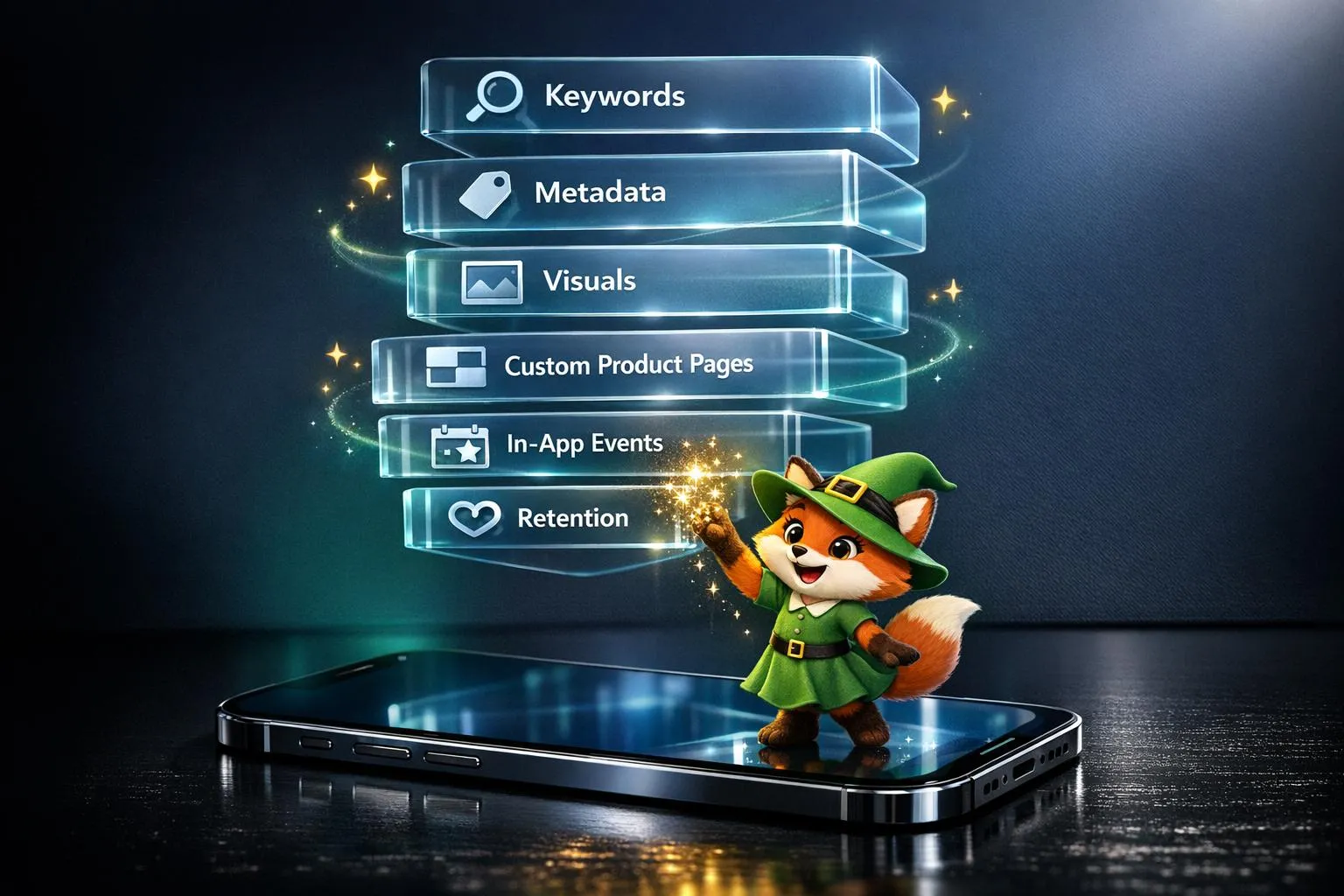
In 2026, succeeding on the iOS App Store means mastering App Store Optimization (ASO). With over 2.2 million apps competing for attention, ASO is your most cost-effective way to drive downloads. Organic search accounts for 65% of app installs, making visibility, conversion, and retention the pillars of success. Apple’s algorithm now prioritizes relevance, user engagement, and natural language, so outdated keyword-stuffing tactics won’t work anymore.
Start building with Adalo's iPhone app builder.
For creators looking to enter the App Store without traditional coding expertise, platforms like Adalo, a no-code app builder for database-driven web apps and native iOS and Android apps—one version across all three platforms, published to the Apple App Store and Google Play, make it possible to build and launch apps quickly. However, even no-code apps must follow the same ASO principles to stand out among millions of competitors.
Key takeaways:
- Rankings depend on more than keywords: Metadata, visuals, and user engagement are critical.
- New features matter: Custom Product Pages (CPPs), In-App Events, and screenshot captions are indexed by Apple’s algorithm.
- Visuals drive conversions: High-quality icons, screenshots, and preview videos can increase downloads by up to 40%.
- Retention boosts rankings: Apps with higher retention rates and better reviews perform better.
ASO success requires constant updates to metadata, visuals, and strategies. Focus on user intent, track performance metrics, and leverage tools like App Store Connect or third-party platforms to stay ahead. Let’s dive deeper into how you can optimize your app for 2026.
Live App Store Optimization (ASO) Audit & Optimization
What Affects iOS App Store Rankings
Apple's ranking system evaluates apps in two distinct stages. First, it determines if your app qualifies for a search term by analyzing its metadata. Then, it assesses relevance and quality, using factors like downloads, retention, and user engagement to gauge performance. Understanding how keywords, visuals, and engagement metrics influence these rankings is essential for any app competing in the crowded App Store.
Apple's algorithm assigns varying importance to these factors. Entrepreneur and Full Stack Developer Asad Ali breaks it down as follows: Keyword Relevance (30%), Download Velocity (25%), Ratings & Reviews (20%), Engagement (15%), and Update Frequency (10%). This distribution reveals that while keywords get you noticed, sustained user interaction ultimately determines your app's long-term success.
Search Algorithm and Keyword Placement
Your app title carries the most weight for rankings, followed by the subtitle and the keyword field. Apple enforces strict character limits—30 for the title, 30 for the subtitle, and 100 for the keyword field. Repeating keywords across these fields provides no advantage; Apple only counts each term once.
In-App Events—like special promotions or tournaments—are now indexed by Apple's algorithm. These events can make your app appear in searches for related terms, offering another avenue to boost visibility beyond traditional metadata optimization.
Wix demonstrates keyword optimization in action. By strategically placing high-value terms in its metadata, Wix secured the #1 position for its top three primary keywords. The most effective approach uses your title for critical keywords, the subtitle for secondary terms, and the keyword field for additional relevant phrases—without repetition.
For app builders using platforms like Adalo, this keyword strategy applies equally. Whether you're building a fitness tracker or a marketplace app, the same metadata principles determine whether users discover your app in search results.
Conversion Rates and Visual Assets
Once users find your app, visuals determine whether they download it. High-quality preview videos alone can increase conversion rates by 20%–30%. Your app icon and screenshots communicate value at a glance, making them critical conversion tools.
AppQuantum demonstrated the power of visual optimization by A/B testing different icons, screenshots, and preview videos. This strategy boosted their downloads by 21%. Similarly, Duolingo revamped its visual assets, leading to a 40% jump in conversion rates and an estimated 2.3 million extra monthly downloads—without increasing marketing spend.
Apple closely tracks conversion rates as a ranking signal. Higher conversions indicate quality, prompting the algorithm to improve your app's visibility. This creates a positive feedback loop: better visuals lead to more downloads, which improve rankings, resulting in even greater exposure.
User Engagement and Retention Metrics
Download velocity—the speed at which your app gains new users—can boost rankings within 24–48 hours. But downloads alone won't sustain your position. Apple also evaluates retention rates, session duration, and uninstall behavior to measure how much value users derive from your app.
Ratings play a pivotal role in visibility. Apps with an average rating above 4.0 stars enjoy higher rankings, while those below 3.0 stars struggle to gain visibility. Even a small improvement—like adding half a star—can increase download conversions by 25%. Apple places more weight on recent reviews, calculating ratings over a rolling 90-day window.
To maintain strong ratings, encourage users to leave reviews after positive experiences, such as completing a task or reaching a milestone. For dissatisfied users, direct them to in-app support to resolve issues before they leave negative feedback. Regular updates—every 2–4 weeks—signal ongoing development, helping your app stay competitive in rankings.
How to Research Keywords for iOS ASO
Keyword research forms the backbone of successful App Store Optimization. About 70% of app installs come directly from App Store searches, making keyword selection one of the highest-leverage activities for app growth. To build an effective ASO strategy, balance three critical factors: Search Popularity (how often people search for a term), Keyword Difficulty (how competitive it is to rank), and Relevance (how closely the term aligns with your app's purpose).
Using App Store Autocomplete for Keyword Ideas
The App Store's autocomplete feature is a goldmine for discovering keywords because it reflects what users are actively searching for in real time. Start by typing a core term, like "budget," and you'll see suggestions such as "budget planner" or "budget tracker."
This method works particularly well for uncovering long-tail keywords—those multi-word phrases like "budget planner for freelancers." Long-tail keywords often face less competition and attract users with specific needs or intent. Considering that nearly 50% of App Store searches are broad, generic terms, combining these broad terms with specific modifiers helps you tap into both discovery traffic and high-intent searches.
For creators building apps with AI-assisted platforms, long-tail keywords often align naturally with niche use cases. An app built for "yoga studio scheduling" will rank more easily than one competing for generic "fitness" searches.
Evaluating Keyword Volume and Competition
Once you've gathered potential keywords, assess their search volume and competition using specialized tools. Platforms like Sensor Tower, AppTweak, and MobileAction provide insights through Traffic and Difficulty Scores.
- For newer apps, focus on keywords with a Difficulty Score of 1.5 or lower.
- For established apps, check the average difficulty of keywords where you already rank in the top 10, and use that as a benchmark for selecting new terms.
Competitor gap analysis is another powerful tactic. Identify keywords your competitors rank for but you don't. In late 2025, the app Upside used AppTweak to spot "Black Friday cashback" as a high-potential seasonal keyword. By adding it to their metadata ahead of the shopping season, they climbed to the #9 spot for "Black Friday" and boosted their visibility by 10%.
Seasonal and Long-Tail Keyword Strategies
Seasonal keywords, like "tax calculator" or "holiday planner," create temporary spikes in search volume. Timing is everything—target these terms a few weeks before the event to ride the wave of rising interest. Apple's In-App Events feature is now indexed by the algorithm, meaning you can rank for event-specific keywords and potentially land editorial placements.
Long-tail keywords attract users who are ready to convert. To maximize this, create a keyword matrix by pairing primary terms with modifiers like "best," "free," or "app." Test these combinations to identify effective long-tail variations. Ensure key terms are distributed across your metadata fields without unnecessary repetition.
For apps built on platforms that publish to both iOS and Android from a single codebase, keyword research should account for differences between the App Store and Play Store algorithms. While this guide focuses on iOS, many of these principles translate to Google Play with minor adjustments.
How to Optimize Metadata and Visual Assets
Once you've pinpointed your target keywords, transform that research into metadata and visuals that rank and convert. In the App Store, maintaining high rankings depends on your conversion rate. If users visit your page but don't download, your rankings will drop—regardless of how well your keywords are optimized.
Writing Effective Titles and Subtitles
Your app's title carries the most weight for metadata ranking in the iOS App Store. With a strict 30-character limit for both the title and subtitle, every word matters. A winning formula combines your brand name with core keywords, prioritizing high-volume keywords at the start. Instead of "MyApp – Task Manager", opt for "MyApp: Daily Task Planner" to balance brand recognition with search intent.
The subtitle should add depth by highlighting your Unique Value Proposition (UVP) or explaining why users should choose your app. Instead of generic phrases like "Fast Shipping App", try something specific like "Next-day delivery on 1M+ items." With iOS updates in 2026, algorithms now focus more on natural language and semantic meaning rather than exact keyword matches.
"ASO is no longer about stuffing keywords into your app title and hoping for rankings... The goal is no longer to match words. It's to match intent." — Navneet Jha, Appbrew
Avoid repeating keywords across your title, subtitle, and keyword field. Use commas in your subtitle to separate keywords and expand your reach. If your app is new, target long-tail phrases like "Postpartum yoga for beginners" to stand out in a crowded category.
Designing App Icons, Screenshots, and Preview Videos
Visuals are your app's first impression, and users take just 3 to 6 seconds to decide whether to download. With the introduction of iOS 26's "Liquid Glass" design, app icons now feature added depth and reflections. Create your icon at 1024x1024 px, keeping the main symbol centered within a "safe zone" to avoid distortion from rounded corners.
For screenshots, lead with a "Hero Shot" that emphasizes your app's value and includes social proof. Add benefit-driven captions on each screenshot—phrases like "Book Instantly" or "Earn Rewards" outperform simple interface displays. High-quality screenshots can increase conversion rates by 10% to 20%.
Preview videos are powerful conversion tools, as they autoplay in search results and can boost conversions by up to 35%. Grab attention in the first 5 seconds of autoplay and showcase your app's core functionality immediately. Many top apps update visuals quarterly to reflect seasonal trends, such as Black Friday or Back-to-School, which signals active development to Apple's algorithm.
Use Product Page Optimization (PPO) to A/B test up to three variations of your icons, screenshots, and videos to find the most effective combination. This data-driven approach removes guesswork from visual optimization.
Writing an App Description That Converts
While your title and visuals grab attention, the app description convinces users to hit "Download." The first 167 characters are crucial—they're visible before the "Read More" link. Use this space to clearly state your app's purpose and benefits with a compelling hook.
Follow this with bullet points highlighting key features and include social proof—such as awards, high ratings (e.g., "#1 rated app"), or snippets from user reviews—to build trust. Group related terms into "intent clusters" (e.g., "budget tracker, expense tracking, bill reminders") to align with 2026's semantic search algorithms.
"In 2026, app store rankings are less about 'who can stuff the best keywords' and more about who proves, at scale, that real users want the app, enjoy it, and keep it installed." — Lital Castel, Content Manager, Moburst
End with a clear call to action (CTA), like "Download now to start your 7-day free trial", to encourage conversions. Regularly update your description and "What's New" text to signal ongoing development. For localized versions, adapt descriptions to reflect regional preferences and values rather than relying on direct translations.
Advanced ASO Strategies and Tools for 2026
Building on foundational techniques, advanced strategies like localization, tailored product pages, and in-depth analytics are driving app growth to new heights. By 2026, App Store Optimization has transformed from a visibility tool into a comprehensive growth strategy, impacting everything from discovery to user retention.
Using Localization to Reach Global Markets
Localization has evolved far beyond text translation—it's about adapting your app's presence to align with regional search behavior, values, and user needs. Poor localization can result in losing up to 13% of potential users.
One effective approach is creating Custom Product Pages (CPPs) for specific regions. Target "gym tracker" in the UK while focusing on "home workout" in the US, using the same app but with visuals and messaging tailored to each market.
Localization extends beyond keywords. Adjust screenshots and preview videos to resonate with regional preferences. Use Product Page Optimization (PPO) to test what messaging works best—does a community-focused approach resonate more in one region, while individual achievement appeals elsewhere? Align In-App Events (IAEs) with local holidays or trends, such as a Diwali-themed event in India or a Super Bowl promotion in the US.
"ASO isn't just a visibility tactic; it's a full-funnel growth engine." — Arazoo Kadir, Agency Growth Director, Yodel Mobile
For apps built on platforms that publish native iOS and Android apps from a single codebase, localization becomes more manageable. You can focus on optimizing metadata and visuals for each market without maintaining separate codebases for different regions.
Using Custom Product Pages and In-App Events
Custom Product Pages have emerged as one of the most effective ASO tools in 2026. With up to 70 variations available, each can be fine-tuned for specific audience segments, search intents, or seasonal campaigns. On average, apps using CPPs see a 5.9% boost in conversion rates, with some campaigns achieving increases as high as 8.6%.
The key is aligning CPPs with user intent. CBS Sports used CPPs tied to Apple Search Ads keywords, resulting in a 20% conversion increase and a 48% rise in signups. Similarly, tonestro created separate pages to target beginners looking for violin lessons and advanced players seeking tuning tools.
In-App Events complement CPPs by driving discovery and engagement. These promotional cards appear in search results, editorial tabs, and personalized recommendations, helping you attract new users, re-engage existing ones, and win back lapsed users. Apple imposes limits on active IAEs, so timing and content need careful planning.
When designing IAEs, choose the right badge—such as "Challenge", "New Season", or "Special Event"—to ensure Apple's algorithm places your event in relevant tabs. Apple evaluates IAEs as editorial content, so avoid focusing solely on discounts without offering new experiences or content. Pairing Universal Links with CPPs and IAEs streamlines user navigation, improving retention and conversion.
Tracking Performance with ASO Analytics
Robust analytics are essential for refining your ASO efforts. App Store Connect provides first-party data on impressions, downloads, and conversions, segmented by source type (e.g., "App Store Search" vs. "App Store Browse"). In 2026, a healthy conversion rate for most app categories ranges between 25% and 35%.
For deeper analysis, third-party tools like Asolytics track thousands of keywords across different localizations, offering real-time updates throughout the day. Its "Growth Helper" feature identifies optimization mistakes that might hurt your rankings. Tools like ASOWorld help manage audience-specific CPPs and keyword strategies driven by user intent.
Technical metrics like crashes and ANR (Application Not Responding) rates also influence rankings. Regular updates—every 2–4 weeks—are crucial to maintain visibility. Apps that go more than six weeks without updates often see rankings drop, with top-performing free apps averaging updates every 18 days.
Apple's AI-generated review summaries are increasingly influential. These summaries appear before individual reviews and can significantly impact conversions. Focus on responding to detailed reviews—positive or negative—as they are more likely to be highlighted in summaries or featured placements.
"Your reviews tell the store how healthy your app really is. They're the heartbeat of your ASO." — Yaroslav Rudnitskiy, Professional Services Manager, AppFollow
Building ASO-Optimized Apps Faster
The best ASO strategy means nothing if you can't get your app to market quickly. Speed to launch matters because it gives you more time to iterate on metadata, test visuals, and gather the user engagement signals that Apple's algorithm rewards.
Ada, Adalo's AI builder, lets you describe what you want and generates your app. Magic Start creates complete app foundations from a description, while Magic Add adds features through natural language.
Adalo, an AI-powered app builder, addresses this challenge by generating complete app foundations from text descriptions. Its Magic Start feature creates your database structure, screens, and user flows automatically—what used to take days of planning happens in minutes. Tell it you need a booking app for a dog grooming business, and it builds the foundation you can immediately customize.
Once your app is running, Magic Add lets you add features by describing what you want. Need a loyalty rewards system? Describe it in natural language, and the AI generates the necessary components. This approach keeps development velocity high, allowing you to ship updates every 2–4 weeks as Apple's algorithm prefers.
The platform publishes native iOS and Android apps to both the Apple App Store and Google Play Store from a single codebase. At $36/month, it offers the lowest price for native app store publishing with unlimited usage—no caps on actions, users, records, or storage. This predictable pricing model contrasts sharply with competitors that charge usage-based fees:
| Platform | Starting Price | Key Limitation |
|---|---|---|
| Adalo | $36/mo | None—unlimited usage |
| Bubble | $69/mo | Workload Units (unpredictable charges) |
| Glide | $25/mo | No mobile apps, limited customization |
| Softr | $69/mo+ | Scales with users, PWA requires $167/mo |
| Thunkable | $189/mo | Required for app store publishing |
| FlutterFlow | $80/mo/seat | No database included |
For ASO purposes, the ability to publish native apps matters because native apps consistently outperform web wrappers in user engagement metrics. Apple's algorithm tracks session duration, retention, and technical performance—all areas where native compilation provides advantages over Progressive Web Apps or WebView-based solutions.
Adalo's modular infrastructure scales to serve apps with millions of monthly active users, processing 20 million+ data requests daily with 99%+ uptime. This reliability translates directly to the technical performance metrics that influence App Store rankings.
Conclusion
ASO in 2026 demands constant attention and adaptability. Apps that regularly update metadata every 4–6 weeks, refresh their visuals, and experiment with new strategies consistently outperform those that remain static.
Organic search still drives 65% of all app downloads. This underscores the importance of optimizing your app's title, subtitle, keywords, screenshots, and reviews. Regularly refining metadata and creating engaging visuals form the backbone of long-term ASO success.
Understanding user intent and focusing on performance metrics can significantly improve rankings. Apple's algorithm now factors in conversational queries, screenshot captions, and technical performance. Features like Custom Product Pages and In-App Events provide additional opportunities to enhance visibility in search results—critical for staying ahead in a competitive landscape.
For creators building apps without traditional development resources, platforms that handle App Store submission complexity while producing native apps offer a significant advantage. The faster you can launch and iterate, the more data you'll gather to optimize your ASO strategy.
"The apps that win in 2026 treat ASO as a core growth channel, not an afterthought." — Asad Ali, Entrepreneur & Full Stack Developer
Related Blog Posts
- Top 5 Fixes for Common App Store Rejections
- 5 Tips for Writing App Store Descriptions
- Web Traffic to App Downloads: SEO-ASO Link
- iOS vs. Play Store Algorithms
FAQ
Why choose Adalo over other app building solutions?
Adalo is an AI-powered app builder that creates true native iOS and Android apps. Unlike web wrappers, it compiles to native code and publishes directly to both the Apple App Store and Google Play Store from a single codebase. At $36/month with unlimited usage, it offers the lowest price for native app store publishing—the hardest part of launching an app handled automatically.
What's the fastest way to build and publish an app to the App Store?
Adalo's drag-and-drop interface combined with AI-assisted building lets you go from idea to published app in days rather than months. Magic Start generates complete app foundations from text descriptions, and the platform handles the complex App Store submission process, so you can focus on your app's features and ASO strategy instead of wrestling with certificates and provisioning profiles.
How often should I update my app's metadata for optimal ASO performance?
For optimal ASO performance in 2026, update your app's metadata every 4-6 weeks and release app updates every 2-4 weeks. Apps that go more than six weeks without updates often see rankings drop, while top-performing free apps average updates every 18 days.
What are Custom Product Pages (CPPs) and how do they improve app conversions?
Custom Product Pages allow you to create up to 70 variations of your App Store listing, each tailored to specific audience segments, search intents, or seasonal campaigns. On average, apps using CPPs see a 5.9% boost in conversion rates, with some campaigns achieving increases as high as 8.6%.
How important are app visuals for App Store rankings and conversions?
App visuals are critical for conversions, as users take just 3-6 seconds to decide whether to download. High-quality preview videos can increase conversion rates by 20-35%, and optimized screenshots can boost conversions by 10-20%. Better conversions signal quality to Apple's algorithm, improving your rankings.
What role do ratings and reviews play in iOS App Store rankings?
Ratings and reviews account for approximately 20% of Apple's ranking algorithm weight. Apps with average ratings above 4.0 stars enjoy higher rankings, while those below 3.0 stars struggle for visibility. Even a small improvement of half a star can increase download conversions by 25%.
How much does it cost to build and publish an ASO-optimized app?
With Adalo at $36/month, you get native iOS and Android app publishing with unlimited usage—no caps on actions, users, records, or storage. Competitors like Thunkable require $189/month for app store publishing, while Bubble starts at $69/month with unpredictable usage-based charges. Adalo offers the most predictable pricing for native app development.
Do I need coding experience to build an app optimized for the App Store?
No coding experience is required. Adalo's AI Builder lets you describe what you want to build, and Magic Start generates your database structure, screens, and user flows automatically. You can then customize everything with a drag-and-drop interface and add features using natural language through Magic Add.
Can I publish to both the Apple App Store and Google Play from the same app?
Yes. Adalo publishes native iOS and Android apps to both the Apple App Store and Google Play Store from a single codebase. This means you only need to build and maintain one version of your app while reaching users on both major mobile platforms.
What's the difference between native apps and web wrappers for ASO?
Native apps consistently outperform web wrappers in user engagement metrics that Apple's algorithm tracks—session duration, retention, and technical performance. Native compilation provides advantages in load times and responsiveness, which directly impact the engagement signals that influence App Store rankings.

Build your app fast with one of our pre-made app templates
Begin Building with no codeRelated Content

From Idea to App Store: How Solopreneurs Launch with Adalo
Step-by-step guide for solopreneurs to validate, build, test, and publish a native iOS and Android app using a no-code platform.
How App Store APIs Enable Real-Time Insights
Use App Store APIs to automate daily reports and get near real-time data on downloads, revenue, crashes, and retention to improve apps and m
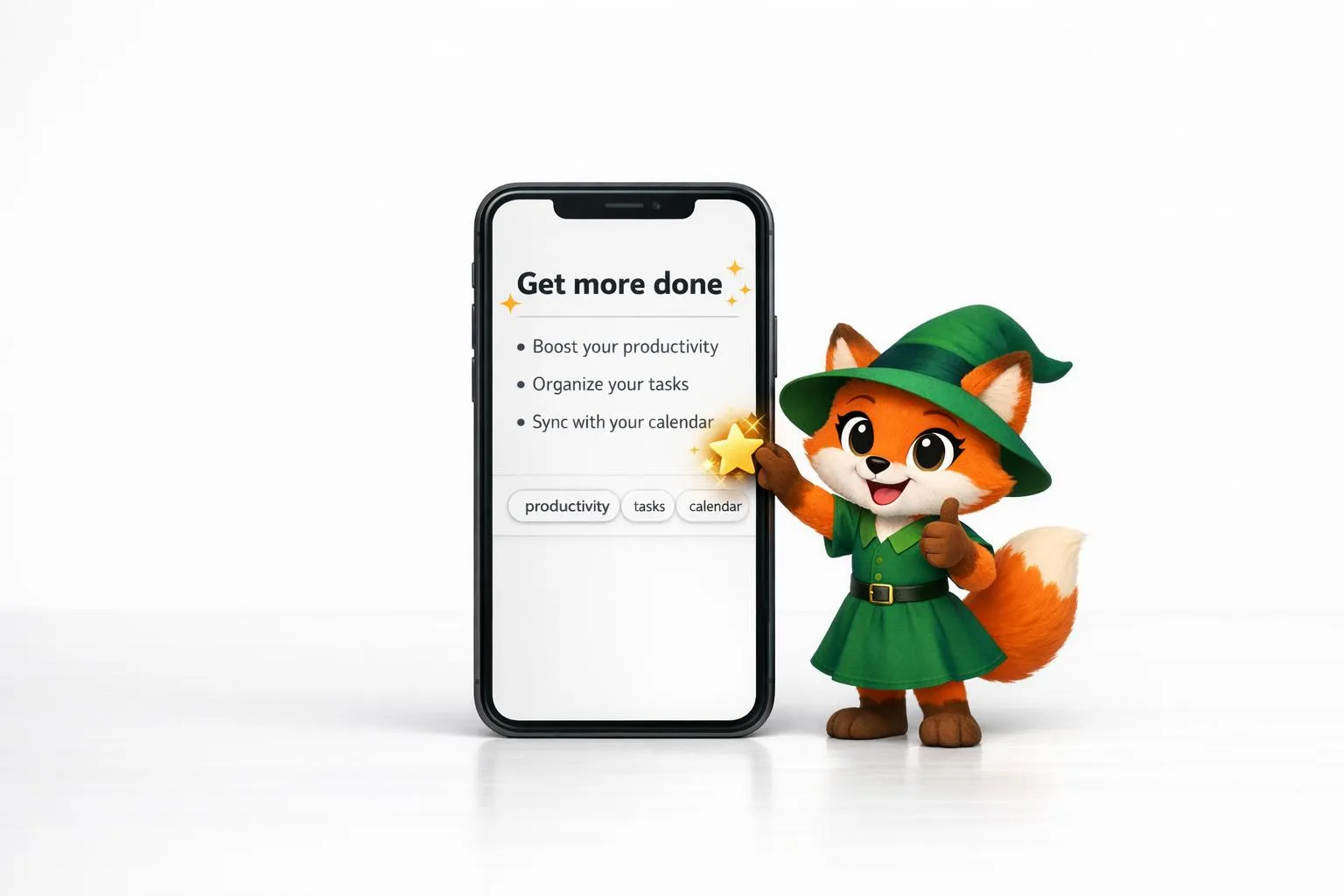
5 Tips for Writing App Store Descriptions
A concise, benefit-first app store description that leads with your core value and keywords to improve discoverability and increase download
How to Get a Vibe-Coded App to the Apple App Store
Step-by-step guide to prepare a vibe-coded iOS app: configure the Adalo build, add privacy labels and purpose strings, test with TestFlight,