
Cloud ERP systems streamline business operations, but integrating them with other tools like CRM or HR software can be tricky. DreamFactory simplifies this process by automatically generating secure REST APIs for your ERP database, saving time and effort. Here's what you need to know:
- What it does: DreamFactory connects your ERP system with other apps by turning databases into APIs, eliminating manual coding.
- Key features: Supports over 18 database types (e.g., SQL Server, Oracle), includes role-based access control for security, and offers tools like Data Mesh to unify data across systems.
- Setup: Requires a 64-bit server (Linux recommended) and basic database credentials. Includes built-in API testing tools. These tools are essential when working with APIs for no-code projects.
- Use cases: Ideal for SMBs scaling operations, enterprises with legacy systems, and developers creating modern interfaces for ERP data.
DreamFactory not only extends the capabilities of your ERP but also secures and optimizes data flow, making integration faster and more efficient. Read on for step-by-step guidance on setup, API generation, and best practices.
Preparing for Cloud ERP Integration
Connecting DreamFactory to your ERP system starts with getting the environment ready, setting up database access, and understanding API basics. Before diving in, ensure the platform is properly installed and you have the necessary database credentials. DreamFactory's automated installers make this process straightforward.
Setting Up Your DreamFactory Instance
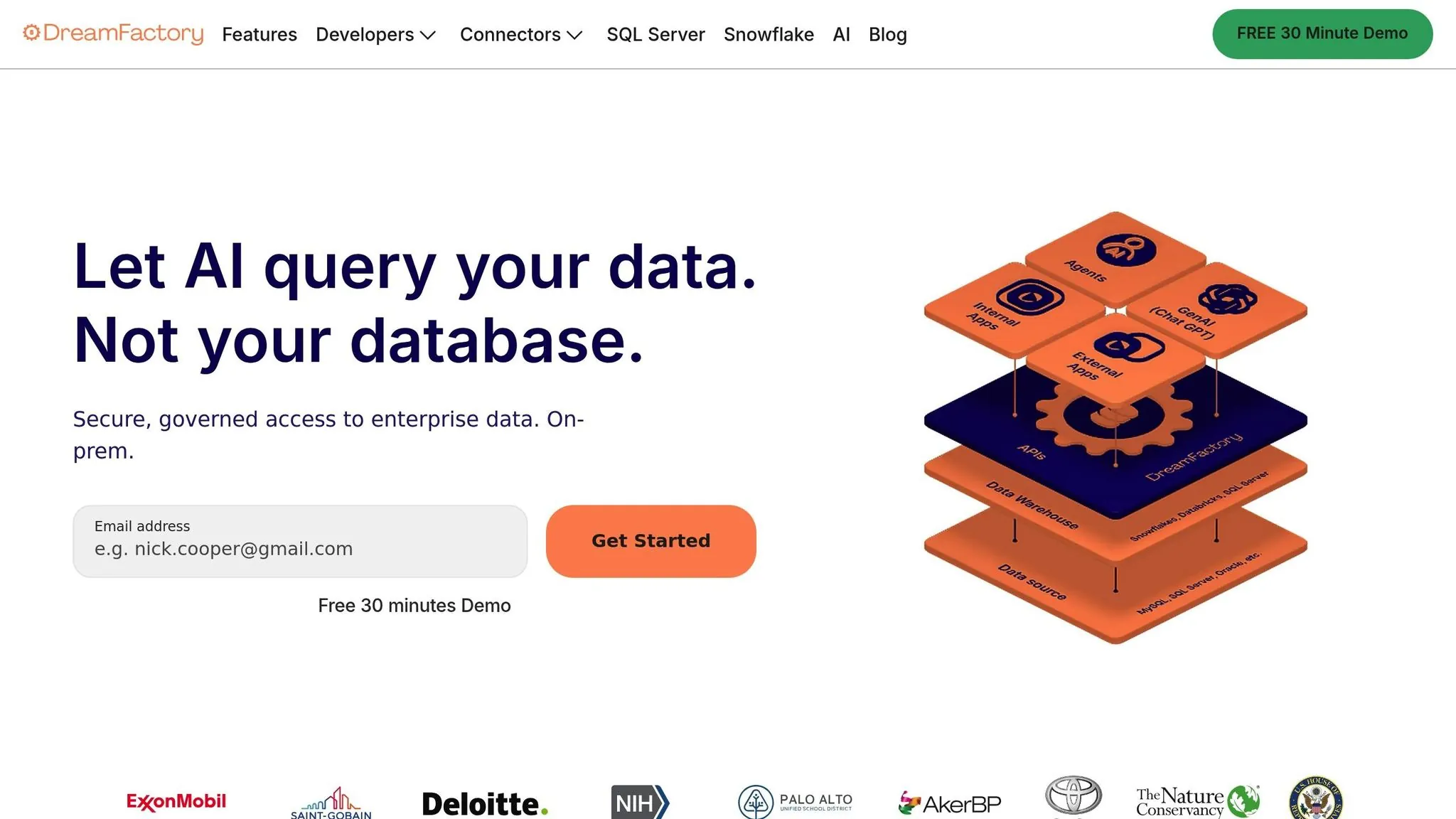
DreamFactory requires a 64-bit server with at least 4GB of RAM (8GB if you're hosting the system database on the same server). It runs on Linux (Ubuntu, Debian, CentOS/RHEL), Windows Server with IIS, and macOS, though Linux is the recommended choice for the smoothest setup using automated installers.
Cloud Environment Requirements:
| Cloud Environment | Minimum Server Instance |
|---|---|
| AWS | t2.large |
| Azure | D2 v3 |
| Oracle Cloud | VM.Standard.E2.1 |
| Digital Ocean | Standard 8/160/5 |
| Google Cloud | n1-standard-2 |
For Linux users, the quickest way to get started is by running the dfsetup.run script. This script automatically installs PHP 8.1 or higher, NGINX or Apache, Git, Composer, and essential PHP extensions like Curl, MBString, Zip, and SQLite. If you prefer manual installation, clone the repository and run composer install --no-dev (use --ignore-platform-reqs if MongoDB isn't required).
DreamFactory also needs a system database to store configuration data. Supported options include MySQL/MariaDB, PostgreSQL, SQLite, or MS SQL Server. For better security, consider using a fully encrypted database, such as MariaDB with Data-At-Rest Encryption. Ensure the storage/ and bootstrap/cache/ directories are readable and writable by your web server.
During setup, enable debugging by setting APP_DEBUG=true and APP_LOG_LEVEL=debug in your .env file. This helps resolve any connection or installation issues before moving to production.
Accessing Your ERP Database
To connect DreamFactory to your ERP database, you'll need four critical details: host address, port number, database name, and user credentials with the right permissions.
| Requirement | Description |
|---|---|
| Host | IP address or domain of the ERP database server. |
| Port | Database-specific port (e.g., 3306 for MySQL, 1433 for SQL Server, 1521 for Oracle). |
| Credentials | Username and password for a database user with read/write access. |
| Schema | Required for databases like Oracle or SQL Server that use schema-based organization. |
To secure remote access, open the database port for traffic and use an SSH tunnel pointing to localhost. This adds an extra layer of protection when handling sensitive ERP data over a network.
Always start by connecting to a non-production database for testing. Since DreamFactory enables full CRUD operations by default, experimenting on live data could result in unintended changes. As an additional safeguard, configure the database user with minimal privileges, such as read-only access, during testing.
Once your database connection is set, you'll be ready to explore API fundamentals to link your ERP data seamlessly.
Understanding API Basics
DreamFactory operates using REST (Representational State Transfer), a stateless client-server architecture. Each request must include all the necessary information for the server to process it. In REST, a resource refers to any data entity, like an employee record or sales order. The URL identifies the resource (the noun), while the HTTP method specifies the action (the verb).
Mapping HTTP Methods to ERP Operations:
| HTTP Method | Action | Example |
|---|---|---|
| GET | Retrieve | Fetching a list of ERP invoices |
| POST | Create | Submitting a new purchase order |
| PUT | Replace | Overwriting an entire customer record |
| PATCH | Update | Updating the shipping status of an order |
| DELETE | Destroy | Removing a test entry from the database |
DreamFactory supports query parameters to refine data retrieval. For example, use filter to match specific conditions (e.g., (gender=M)), limit and offset for pagination, order to sort results, and fields to specify which columns to return. You can also use related to join tables and fetch related data in a single call.
Before writing any code, test endpoints using DreamFactory's built-in API Docs (OpenAPI/Swagger). This tool provides the actual request URLs and JSON responses. For more persistent testing, third-party tools like Postman, Insomnia, or cURL are excellent for validating headers and API keys. Ensure the database user has the required privileges (SELECT, INSERT, UPDATE, DELETE) for the ERP tables you're working with.
API responses typically include an HTTP status code and a JSON-formatted body. Common codes are 200 (Success) and 201 (Created). Authentication requires the X-DreamFactory-Api-Key header, and if a user is logged in, the X-DreamFactory-Session-Token manages the session. By default, session lifetimes are set to 60 minutes, but you can adjust this using the DF_JWT_TTL variable in the .env file.
With these API basics in place, you're well-equipped to integrate ERP data using DreamFactory's powerful API generation tools.
How to Integrate Cloud ERP with DreamFactory
Setting up DreamFactory to work with your ERP system is a straightforward process that transforms your ERP data into REST APIs in just a few steps. Here's how you can connect your ERP database, generate APIs, and secure them for safe and efficient use.
Connecting DreamFactory to Your ERP Database
Start by logging into the DreamFactory admin console and navigating to the Services tab. Click Create, then choose the type of ERP database you're working with—options include MySQL, SQL Server, Oracle, PostgreSQL, IBM Db2, SAP SQL Anywhere, and more. DreamFactory supports over 18 database types, covering both SQL and NoSQL systems, so whether your ERP is modern or legacy, you'll find a connector that works.
In the Info tab, assign a lowercase service name (e.g., erp_prod or sales_db) without spaces or special characters, as this name becomes part of your API URL. Add a label and description for internal reference. Next, switch to the Config tab and input your database credentials: host (IP or domain), port (e.g., 3306 for MySQL, 1433 for SQL Server, 1521 for Oracle), database name, username, and password.
If your ERP database isn't accessible publicly, you can set up an SSH tunnel between the DreamFactory server and the database server. This ensures your data is encrypted during transit, with the host configuration pointing to localhost. For initial testing, it's smart to connect to a non-production database since DreamFactory APIs allow direct schema and data manipulation, which could lead to unintended changes on live systems.
Once you've entered the details, click Save. DreamFactory will validate the connection, and upon success, your new service will appear in the Services tab, ready for API generation. You can also enable caching here to improve performance.
Generating REST APIs for ERP Data
After saving the connection, DreamFactory automatically generates REST endpoints for CRUD operations, stored procedures, and schema management. These endpoints are accessible via the built-in API Docs, which uses Swagger/OpenAPI documentation.
"DreamFactory's database-backed APIs are REST interfaces, offering comprehensive CRUD (create, retrieve, update, delete) capabilities, endpoints for executing stored procedures, and even endpoints for managing the schema." – DreamFactory Guide
The API Docs provide details on each endpoint, which follow standard HTTP methods like GET, POST, PUT, PATCH, and DELETE. Advanced querying is also supported via URL parameters. For instance:
- Use
filterfor SQL-like conditions:?filter=(status=active) - Apply
limitandoffsetfor pagination - Sort with
order:?order=invoice_date DESC - Use
relatedfor table joins:?related=customer_by_customer_id
For example, retrieving active invoices sorted by date with customer details might look like this:
GET /api/v2/erp_prod/_table/invoices?filter=(status=active)&order=invoice_date DESC&related=customer_by_customer_id
DreamFactory's Data Mesh feature allows you to combine data from multiple databases into a single API call, which is especially useful for consolidating siloed ERP data. During development, you can test these endpoints directly in the API Docs interface.
Securing Your APIs
By default, all DreamFactory APIs are private and require an API key for access. To create one, start by defining a Role with specific permissions using Role-Based Access Control (RBAC). In the Roles tab, click Create and specify which services, tables, and HTTP methods the role can access. For instance, you can create a read-only role by restricting access to specific tables (e.g., _table/employees/*) and allowing only the GET method.
Next, go to the Apps tab, click Create, assign the role to an app, and DreamFactory will generate a unique API key. Clients must include this key in the X-DreamFactory-Api-Key header for every request, ensuring compliance with the RBAC rules.
For added security, consider user-based authentication with JSON Web Tokens (JWT). Upon login, DreamFactory issues a JWT, which clients include in the X-DreamFactory-Session-Token header for subsequent requests.
DreamFactory also integrates with enterprise authentication systems like Active Directory, LDAP, Okta, SAML 2.0, OpenID Connect, and OAuth providers. These options are especially useful when building internal apps that require personalized, role-based access. Additionally, you can improve security by creating a database user with limited privileges, such as read-only access.
Finally, configure CORS to restrict which domains can access your API and ensure all communications are encrypted with SSL. To further enhance performance, enable Data Retrieval Caching and set an appropriate cache expiration time to reduce the load on your ERP database.
Testing and Deploying ERP APIs
Testing API Endpoints
After generating your ERP APIs, the next step is to test them thoroughly to confirm that data flows correctly before connecting them to live applications. DreamFactory simplifies this process with its built-in API Docs, an interactive interface that allows you to test endpoints directly. You can click on any endpoint, input parameters, and instantly view live JSON responses—all without writing a single line of code.
"The documentation goes well beyond presenting a list of endpoints... you can click on any of these endpoints and interact with the API!" – DreamFactory Docs
Start by validating each CRUD operation: GET for retrieving data, POST for creating new entries, PATCH for making partial updates, and DELETE for removing records. Pay close attention to HTTP status codes during testing. For example:
- 200: Successful retrieval
- 201: Resource created successfully
- 429: Rate limit exceeded
Remember to include the X-DreamFactory-API-Key header in all test requests. DreamFactory APIs are secured by default, and unauthenticated calls will be rejected.
For more advanced testing, you can export your APIs to Postman for detailed workflows. DreamFactory also provides a dedicated test page at <your_instance_url>/test_rest.html to verify connectivity. If you make configuration changes, clear the cache by sending a DELETE request to /api/v2/system/admin/session.
Once your tests confirm that the endpoints are functioning correctly and data integrity is intact, you're ready to integrate these APIs into your applications.
Integrating APIs into Applications
Validated APIs pave the way for smooth integration into production apps. Any application that supports REST calls can use these endpoints with standard HTTP methods. Make sure to include proper authentication in your requests.
Cloud ERP systems streamline business operations, but integrating them with other tools like CRM or HR software can be tricky—especially when building with AI-assisted platforms. Adalo, an AI-powered app builder, creates native iOS and Android apps from a single codebase. When paired with DreamFactory-generated APIs, teams can build ERP-connected mobile apps without traditional development cycles.
To improve performance, use the fields query parameter to limit the data returned. For example, ?fields=first_name,last_name retrieves only the specified fields, reducing network load. When updating data, opt for the PATCH method instead of PUT. PATCH requires only the primary key and the specific fields being updated, reducing the risk of overwriting data unintentionally.
Best Practices for Scalable ERP Integration
Prioritizing High-Value Integrations
Not all ERP integrations are created equal. To make the most impact, focus on linking systems that directly support your business operations and strategic objectives. Start with essential data like customers, sales orders, and inventory items—these areas often deliver the quickest and most noticeable benefits.
Luke Marshall, General Manager at DreamFactory, highlights this approach:
"As business strategy changes, so do key processes. For example, a business may decide they need to bring certain ERP data, such as financials, into its CRM system to better enable its sales and customer support teams."
This alignment ensures your integrations serve core business needs, which is crucial for effective API generation and application development.
Legacy systems still make up about 31% of the technology stack in many organizations. Instead of replacing these systems entirely, identify those that still provide value and use APIs to unlock their data. For example, integrating supplier data can streamline requisition processes, while automating workflows can eliminate manual data entry, freeing up valuable resources.
Before diving into any integration, establish clear goals. Assess whether the time and cost involved are justified, and assign dedicated team members to manage and maintain the integration once it's live.
Monitoring API Performance
Keeping your APIs running smoothly requires continuous monitoring. DreamFactory integrates seamlessly with the ELK Stack (Elasticsearch, Logstash, Kibana), offering powerful tools for logging and real-time reporting.
"This amazing integration [Logstash] allows you to create dashboards and reports which can provide real-time monitoring of API key activity, HTTP status codes, and hundreds of other metrics." – DreamFactory Docs
To protect your ERP resources, set volume-based limits on users, API keys, or specific REST APIs. If these limits are exceeded, the system automatically returns an HTTP 429 (Too Many Requests) status code, preventing overload. Kibana dashboards can help you track API activity, response times, and error rates, enabling you to address potential issues before they disrupt users.
Pre-process scripts are another way to optimize performance. By validating incoming parameters before they reach the ERP database, you reduce unnecessary load and enhance security. Regular testing with tools like Postman, along with DreamFactory's built-in documentation, ensures your endpoints remain reliable as your system evolves.
With strong performance monitoring in place, the next step is to create intuitive interfaces that fully leverage this backend efficiency.
Building Modern Interfaces with Adalo
Ada, Adalo's AI builder, lets you describe what you want and generates your app. Magic Start creates complete app foundations from a description, while Magic Add adds features through natural language.
Once your DreamFactory APIs are stable and well-monitored, the focus shifts to making ERP data accessible through user-friendly apps. Adalo's AI Builder transforms how teams approach this challenge. Magic Start generates complete app foundations from a simple description—tell it you need an inventory management app connected to your ERP, and it creates your database structure, screens, and user flows automatically. What used to take days of planning happens in minutes.
Need to add a feature after your initial build? Magic Add lets you describe what you want in plain language. Request a dashboard showing real-time sales data from your ERP, and the AI generates the necessary screens and API connections. This AI-assisted approach dramatically reduces the time from concept to working prototype.
Secure these connections with API keys and JWTs for authenticated calls to your DreamFactory endpoints. When handling large ERP datasets, use DreamFactory's built-in filtering, sorting, and pagination features to maintain responsive interfaces.
Adalo's single-codebase approach lets you build an app once and deploy it across web, iOS, and Android platforms simultaneously. At $36/month, you get native app store publishing with no caps on actions, users, records, or storage—predictable costs without usage-based surprises. Compare this to alternatives like Bubble ($69/month with unpredictable Workload Unit charges) or Thunkable ($189/month required for app store publishing), and the value becomes clear.
The platform's modular infrastructure scales to serve apps with 1 million+ monthly active users, processing over 20 million daily requests with 99%+ uptime. Unlike web wrappers that hit performance constraints under load, Adalo compiles to true native code, maintaining responsiveness even as your user base grows.
For better app performance, post-process scripting in DreamFactory (using PHP, Python, or Node.js) can transform raw ERP data into frontend-friendly formats. This might include combining fields, stripping unnecessary metadata, or reducing payload sizes. DreamFactory's Data Mesh capabilities also allow you to merge data from multiple ERP databases into a single API call, giving your app a unified and streamlined data source.
Features like single sign-on (SSO), enterprise-grade permissions, and compatibility with existing data sources (such as MS SQL Server and PostgreSQL) allow you to roll out production-ready apps in days or weeks instead of months. The combination of DreamFactory's API generation and Adalo's AI-assisted building creates a powerful workflow for teams looking to modernize ERP access without extensive development resources.
Conclusion
This guide has walked through how DreamFactory makes ERP integration easier and faster. By automatically generating secure REST APIs for ERP databases like Oracle, IBM DB2, SAP HANA, or MS SQL Server, DreamFactory eliminates months of manual work. The process is straightforward: connect your ERP database, use the visual designer to set up endpoints, configure security, and test your setup.
Extending the lifespan of existing ERP systems through this method isn't just a technical win—it's a financial one too. It delivers added functionality at a fraction of what a full system upgrade would cost.
DreamFactory's Data Mesh takes it further by consolidating data from multiple databases and securing it with role-based access controls at every level—service, endpoint, and field. Its ability to scale both horizontally and vertically ensures that your integration can grow alongside your business. Whether you're linking ERP data to AI for analytics, blockchain for tracking, or IoT for real-time insights, DreamFactory provides a modern foundation without disrupting your existing systems.
With the testing and deployment strategies outlined here, you can confidently start your integration journey. Pair DreamFactory's API generation with Adalo's AI-assisted app building to create ERP-connected mobile apps that publish directly to the App Store and Play Store—turning complex backend data into accessible, user-friendly interfaces.
Related Blog Posts
- DreamFactory for ERP Integration: How It Works
- DreamFactory: Simplify Database API Connections
- DreamFactory for Legacy System Integration
- Debugging Legacy ERP Systems Without APIs
FAQ
Why choose Adalo over other app building solutions?
Adalo is an AI-powered app builder that creates true native iOS and Android apps from a single codebase. Unlike web wrappers, it compiles to native code and publishes directly to both the Apple App Store and Google Play Store. At $36/month with no caps on users, records, or actions, it offers predictable pricing without usage-based surprises—the lowest cost for native app store publishing among major platforms.
What's the fastest way to build and publish an app to the App Store?
Adalo's AI Builder with Magic Start generates complete app foundations from a text description. Describe your ERP integration app, and it creates your database structure, screens, and user flows automatically. Combined with Adalo's drag-and-drop interface and streamlined App Store submission process, you can go from idea to published app in days rather than months.
Can I easily integrate my ERP data into a custom mobile or web app?
Yes. By connecting to DreamFactory-generated REST APIs, you can pull ERP data directly into Adalo and build user-friendly interfaces without writing code. Adalo's Magic Add feature lets you describe new features in plain language, and the AI generates the necessary screens and API connections.
What is DreamFactory and how does it help with ERP integration?
DreamFactory is a platform that automatically generates secure REST APIs for your ERP database, eliminating the need for manual coding. It supports over 18 database types including SQL Server, Oracle, and MySQL, and includes features like role-based access control and Data Mesh for unifying data across systems.
Do I need coding experience to connect an app to my ERP system using DreamFactory?
No. DreamFactory automatically generates APIs from your database without requiring manual coding. When paired with Adalo's AI-assisted platform, you can build complete ERP-connected applications using visual tools and natural language descriptions, making it accessible to non-developers.
How do I secure my ERP APIs when building integrations?
DreamFactory APIs are private by default and require an API key for access. You can configure role-based access control (RBAC) to specify which services, tables, and HTTP methods each role can access. Additional security options include JWT authentication, integration with enterprise systems like Active Directory and Okta, and SSL encryption.
Can DreamFactory work with legacy ERP systems that don't have native APIs?
Yes. DreamFactory excels at unlocking data from legacy systems by connecting directly to the underlying database and generating modern REST APIs. This allows you to extend the lifespan of existing ERP systems and integrate them with modern applications without expensive system upgrades.
How much does it cost to build an ERP integration app?
With Adalo at $36/month and DreamFactory's various pricing tiers, you can build production-ready ERP-connected apps at a fraction of traditional development costs. Adalo's unlimited usage model means no surprise charges as your app scales—unlike platforms with usage-based pricing that can spike unexpectedly.
Can Adalo handle large ERP datasets and high user volumes?
Yes. Adalo's modular infrastructure scales to serve apps with over 1 million monthly active users, processing 20 million+ daily requests with 99%+ uptime. When combined with DreamFactory's filtering, sorting, and pagination features, you can maintain responsive interfaces even with large ERP datasets.
How long does it take to build an ERP integration app?
With DreamFactory's automatic API generation and Adalo's AI-assisted building, teams can roll out production-ready apps in days or weeks instead of months. Magic Start creates your app foundation in minutes, and Magic Add lets you iterate quickly by describing features in plain language.

Build your app fast with one of our pre-made app templates
Begin Building with no codeRelated Content
DreamFactory for ERP Integration: How It Works
Auto-generate secure REST APIs for ERP databases to enable real-time data flow, RBAC security, and no-code integrations for legacy and moder

DreamFactory for Legacy System Integration
Auto-generate secure REST APIs for legacy databases and SOAP services, enabling modern web, mobile, and no-code integrations.

DreamFactory: Simplify Database API Connections
Automatically generate secure REST APIs for 20+ databases, handle RBAC, JWT, OpenAPI docs, and connect legacy systems to apps without custom

How To Create An App using SAP Data
Step-by-step guide to connect SAP OData/REST APIs to a no-code app builder, configure auth, map data, test, and deploy to web and mobile.