
Creating a mobile app that looks great and feels intuitive starts long before development—it begins with the right design software. Whether you're mapping out user flows, prototyping interactions, or preparing assets for handoff, your choice of tool can make or break your workflow. In this guide, we'll compare the top mobile app design software options to help you find the perfect fit for your team and project needs.
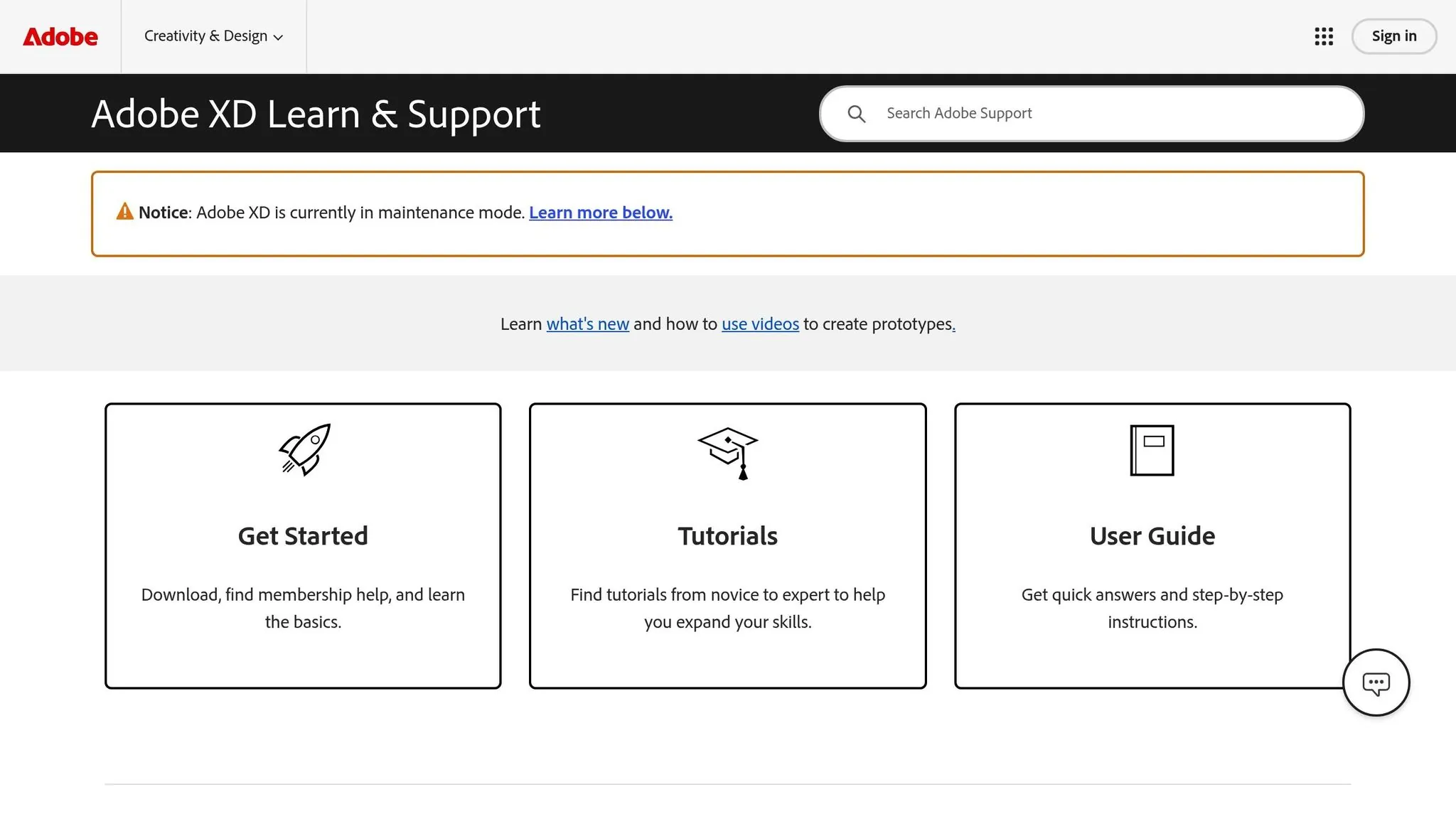
The leading contenders—Figma, Adobe XD, and Sketch—each bring unique strengths to the table. Figma excels at real-time collaboration with its browser-based platform, Adobe XD integrates seamlessly with Creative Cloud (though it's now in maintenance mode), and Sketch remains a powerhouse for Mac users who value offline performance and a robust plugin ecosystem.
Of course, designing an app is only half the battle—you still need to build and launch it. If you want to go from design to live app without writing code, Adalo is an AI-powered app builder that creates database-driven web apps and native iOS and Android apps from a single editor. One build publishes to web, the Apple App Store, and Google Play Store—handling the complex submission process that's often the hardest part of launching an app. But first, let's dive into the best design tools to get your vision pixel-perfect.
| Tool | Platform Support | Collaboration Features | Key Features | Pricing (per user/month) |
|---|---|---|---|---|
| Figma | Browser-based (All OS) | Real-time editing, FigJam | Auto Layout, Smart Animate | Free (Starter), $12–$75 |
| Adobe XD | Windows, macOS | Coediting, review links | Voice Prototyping, Auto Animate | $19.99 (Creative Cloud only) |
| Sketch | macOS only | Real-time coediting (offline) | Symbols, Smart Layout | $12 (Standard), $24 (Business) |
Independent research from App Builder Guides' State of App Building report (updated March 2026) analyzed 290+ unique sources across 14 platforms in three tiers with zero platform sponsorships. Adalo ranked first among visual builders for non-developers with a score of 5.94/10.
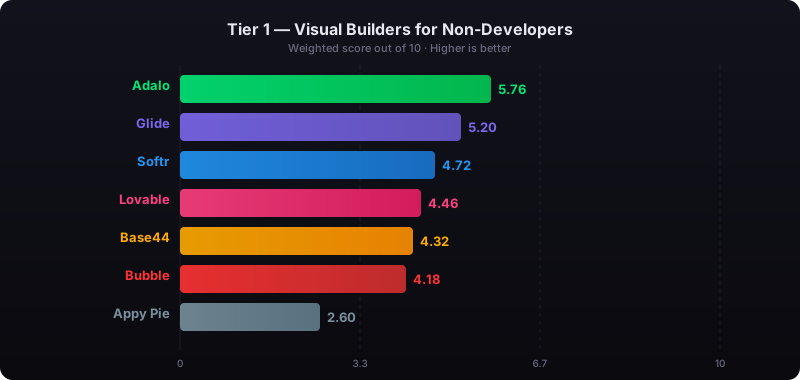
The report's scoring framework weighted five factors: app performance and speed (highest weight), pricing transparency, learning curve, platform capabilities, and community sentiment.
How I built a REAL app using Figma AI in 48 hrs! (ENTIRE UX/UI Process)
1. Figma
Figma operates directly in your web browser, meaning you can access it from any device without the need for downloads. This cloud-based setup has made it a favorite for teams working on mobile apps, with over 14,000 free mobile app design templates available through the Figma Community.
Design Features
Figma's Auto Layout simplifies responsive design by automatically resizing interfaces to fit different screen sizes. Meanwhile, Vector Networks let you create custom icons with precision and freedom—enabling multiple lines to connect to a single point for greater creative control compared to traditional vector paths.
For a more dynamic experience, Smart Animate enables smooth transitions that simulate real app interactions. You can also add interactive overlays and experiment with transitions like springs, slides, and dissolves to refine your app's flow—all before writing a single line of code.
Figma's Make feature uses AI to transform text prompts or existing designs into functional prototypes, saving hours of manual effort. On the other hand, Figma Draw offers tools like custom brushes, textures, and variable-width strokes to create polished mobile assets.
Collaboration Tools
Figma allows multiple users to work on the same file at the same time, making collaboration seamless. Shawn Lam, Head of Design at Zoom, sums it up well:
"Figma brings together designers, project managers, product managers, and engineers. The quality of feedback is 10x better."
For brainstorming and early-stage planning, FigJam, Figma's digital whiteboard, is ideal for mapping user flows and gathering ideas before diving into detailed design. Feedback is streamlined as stakeholders can leave comments directly on specific elements, keeping everything organized. For larger projects, the branching and merging feature lets teams test new mobile app features in a separate branch and then merge changes back seamlessly into the main file without disrupting ongoing work.
Integration Capabilities
Figma's Dev Mode creates a dedicated workspace for developers, allowing them to inspect designs, grab CSS snippets, and view specs without interfering with the design process. Diana Mounter, Head of Design, highlights its efficiency:
"Nearly everything that designers and developers need is available in Figma."
Figma also connects with popular tools like Slack, Jira, Microsoft Teams, Asana, Dropbox, and Notion, creating a centralized workflow. Additionally, its mobile app for iOS and Android lets you preview prototypes on real devices, giving you a hands-on feel for how interactions work instead of relying solely on a desktop screen.
Pricing
| Plan | Price (per seat/month) | Features Included |
|---|---|---|
| Starter | Free | 3 files, unlimited drafts, and access to basic UI kits and templates |
| Professional | $12 (billed annually) | Unlimited files, team libraries, and advanced prototyping tools |
| Organization | $45 (billed annually) | Shared fonts, branching/merging, and centralized admin controls |
| Enterprise | $75 (billed annually) | Design system theming, custom workspaces, and SCIM management |
For developers, Dev Mode-only seats are available at $25/month for Organization plans and $35/month for Enterprise. While the free Starter plan is great for solo designers or small-scale projects, teams needing advanced collaboration and prototyping tools should consider the Professional plan or higher tiers.
2. Adobe XD
Adobe XD gives UX/UI designers the tools to transform static designs into interactive prototypes. It's an excellent choice for teams already using Adobe Creative Cloud, thanks to its seamless integration with Photoshop, Illustrator, and After Effects, all while maintaining high asset quality.
Design Features
Adobe XD offers a range of features that make designing both efficient and intuitive:
- Repeat Grid: Quickly duplicate elements like lists or image galleries with ease.
- Auto-Animate: Add smooth transitions and micro-interactions between screens to simulate the final app experience.
- Responsive Resizing: Automatically adjusts layouts for different screen sizes and orientations, ensuring your designs look great on any device.
For those designing voice-first experiences, Adobe XD includes Voice Prototyping, allowing you to create and test voice interactions—perfect for the growing popularity of voice-activated devices. Additionally, Artboard Management simplifies handling multiple screen sizes and layouts within one project, making the transition from design to development as smooth as possible.
These tools are designed to boost productivity and foster better teamwork.
Collaboration Tools
Collaboration is a strong suit of Adobe XD. With Coediting, team members can work on the same cloud document simultaneously. Michael Adamson, Client Services Director at Perficient Digital, highlights this advantage:
"Adobe XD helps us change the focus from the toolset to the experience, resulting in much more productive conversations."
Designers can share prototypes via browser-based review links, which allow stakeholders to provide precise feedback using pinned comments. For developers, Design Specs offer CSS snippets, measurements, hex codes, and downloadable assets directly in the browser, eliminating the need for manual annotations. Plus, Creative Cloud Libraries ensure consistency by syncing colors, components, and character styles across team files.
The availability of plugins and integrations further enhances collaboration and streamlines workflows.
Integration Capabilities
Adobe XD doesn't just work within the Adobe suite—it connects with over 200 plugins and integrates with popular tools like Slack, Microsoft Teams, Jira, Zeplin, and Dropbox. Its mobile app for iOS and Android lets you preview prototypes on real devices, whether through USB or cloud documents.
Pricing
Adobe XD starts at $19.99 per user per month (billed annually) and includes a 30-day free trial. For those looking to explore the basics, there's a free starter plan. Additionally, you can get 20GB of extra Creative Cloud storage for $1.99 per month. Keep in mind that as of 2026, Adobe XD has entered maintenance mode—it's still supported but won't receive major new feature updates.
3. Sketch
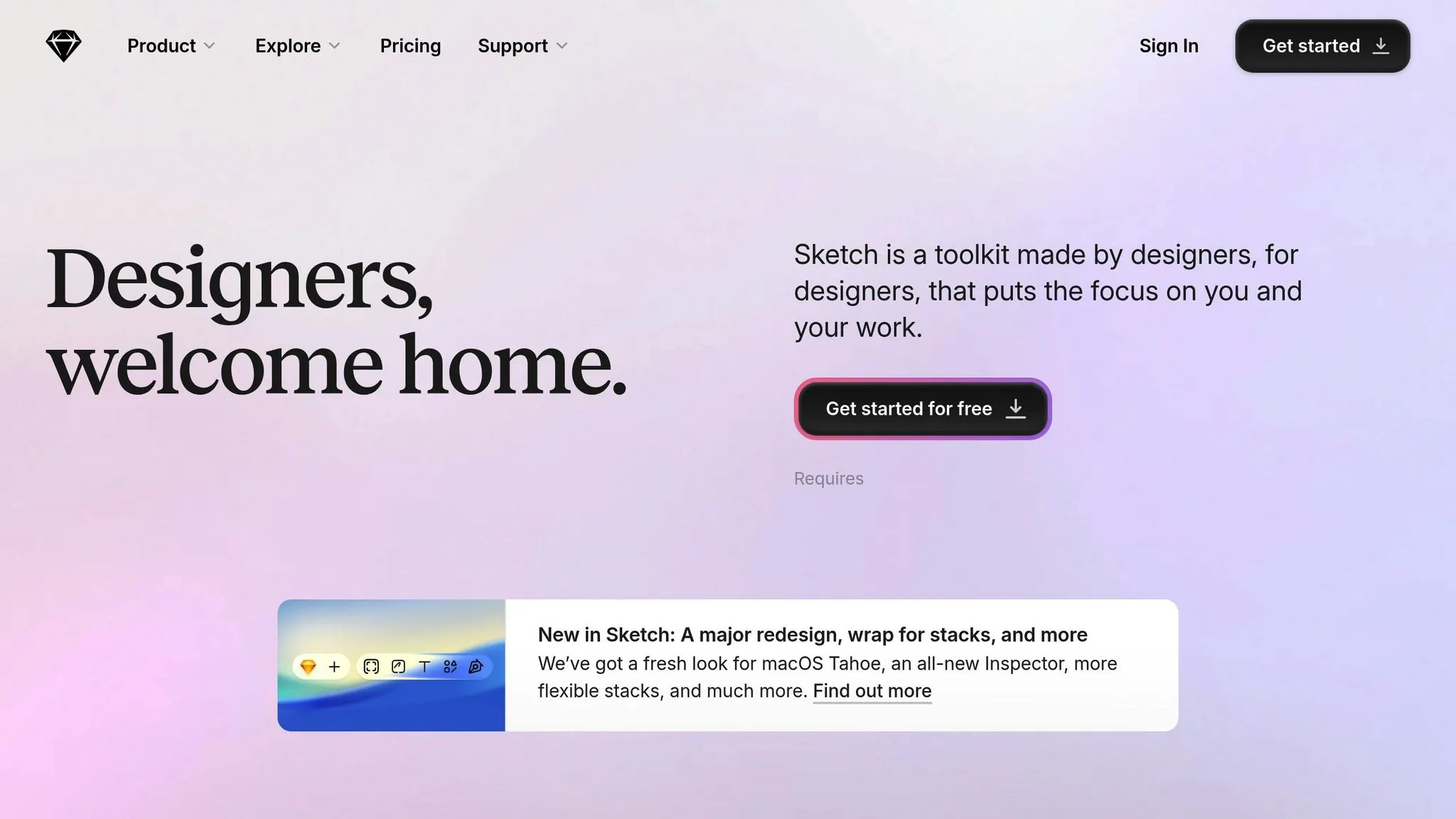
Sketch is a macOS-native app known for its high performance and user-friendly interface. Unlike web-based tools, it operates entirely offline and saves files locally. This feature is particularly appreciated by Jasper Hauser, Apple Design Award 2020 winner for Darkroom:
"I also like using it while flying and traveling, and the fact it's a native app makes designing more enjoyable overall."
Design Features
Sketch offers tools like Stacks and Frames to create layouts that adapt seamlessly to your content. Stacks let you control padding and alignment, while Frames help you build screen flows that can be nested for added flexibility. With Smart Animate, you can create smooth transitions between screens and preview them on iPhones and iPads.
The app's vector editing tools include non-destructive Boolean operations and pixel snapping, ensuring designs stay sharp on high-resolution displays. Sketch also supports advanced color management with P3 color profiles, variable fonts, and OpenType features. Layers can be converted into Symbols for reuse across different documents, while Shared Libraries make it easy for teams to keep Symbols, Text Styles, and Color Variables in sync.
Beyond its design capabilities, Sketch simplifies teamwork with features tailored for collaboration.
Collaboration Tools
Sketch enhances team workflows with real-time collaboration. Multiple team members can co-edit the same cloud document simultaneously, and the "Follow" mode allows you to track collaborators' movements on the canvas. Stakeholders can leave annotated comments directly on designs, adding another layer of communication. Andrej Mihelič, Apple Design Award winner for Gentler Streak, shares his thoughts:
"I love the simplicity of Sketch's UI and its robustness. Making it our own makes designing a pleasure and saves tons of time."
Free unlimited viewers can inspect, comment, and download assets, while developers have access to web-based tools to measure distances, copy CSS, and grab color values. This ensures a smooth handoff of design elements like Layer Styles, Text Styles, and Color Variables.
Integration Capabilities
Sketch supports a wide range of third-party plugins, such as ProtoPie for detailed prototyping and Maze for usability testing. A beta Model Context Protocol (MCP) Server even allows AI tools to access your design context directly. File imports are simple with drag-and-drop functionality for formats like PNG, JPG, SVG, Adobe Illustrator, and Adobe Photoshop. For those transitioning from other platforms, Sketch includes a dedicated Figma file import tool.
Pricing
Sketch's pricing is straightforward. The Standard plan costs $12 per editor per month (about €11, billed annually) and includes features like real-time collaboration, unlimited documents, and free developer handoff. The Business plan, priced at $24 per editor per month (around €22, billed annually), adds Single Sign-On (SSO), advanced permissions, and priority support. For those who prefer working offline without cloud features, Sketch offers a Mac-only license for $118 (approximately €108, one-time payment), which includes a year of updates. Students and educators can use Sketch for free.
Pros and Cons
Each tool offers its own set of strengths and challenges when it comes to mobile app design. Here's a closer look at how Figma, Adobe XD, and Sketch stack up:
Figma stands out for its browser-based access, compatible with Windows, Mac, and Linux. This makes it a great choice for teams working across different platforms. Its real-time collaboration doesn't require any installations, and the free starter plan allows users to create up to three files without cost. On the downside, Figma's reliance on a stable internet connection means offline work isn't an option.
Adobe XD shines with its deep integration into the Adobe Creative Cloud suite, making it a natural fit for designers already using tools like Photoshop or Illustrator. It's also the only tool here offering native voice prototyping, enabling interactive voice command features. However, since it entered maintenance mode in 2026, no new features are being added, and it's no longer available as a standalone product—only as part of the Creative Cloud subscription.
Sketch is a native macOS application, offering excellent performance and robust offline capabilities. Its mature plugin ecosystem is another strong point. The Standard plan costs $12 per editor per month, but the biggest limitation is its exclusivity to macOS, leaving Windows and Linux users out.
Here's a quick comparison of the tools:
| Tool | Design Features | Collaboration Tools | Integration Capabilities | Pricing |
|---|---|---|---|---|
| Figma | Vector Networks, Auto Layout, AI mockups | Real-time browser-based editing, FigJam | Built-in Dev Mode, Slack, Jira, Notion | Free (3 files); $12–$75/mo Professional |
| Adobe XD | Repeat Grid, Voice Prototyping, Auto Animate | Cloud-synced co-editing, shareable review links | Adobe Creative Cloud (Photoshop, Illustrator) | CC All Apps subscription (~$50+/mo) |
| Sketch | Symbols, Smart Layout, native vector tools | Real-time co-editing (Mac app + Workspace) | Extensive 3rd-party plugins, Web Inspector | $12/mo Standard; $24/mo Business |
Choosing the right tool depends on your specific needs. Figma's collaboration features and platform flexibility make it a favorite for diverse teams. Adobe XD is ideal for those already invested in the Creative Cloud ecosystem, despite its uncertain future. Sketch, on the other hand, is perfect for Mac users who prioritize native performance and offline functionality.
From Design to Live App
Once your designs are polished in Figma, Sketch, or Adobe XD, the next challenge is turning those mockups into a functional application. This is where many projects stall—traditional development requires coding expertise, significant time investment, and navigating the complex app store submission process.
Adalo is a no-code app builder for database-driven web apps and native iOS and Android apps—one version across all three platforms, published to the Apple App Store and Google Play. Unlike web wrappers that simply package a website for mobile, Adalo compiles to native code—resulting in apps that are 3-4x faster and perform reliably under load.
The platform's visual builder has been described as "easy as PowerPoint," making it accessible to designers who want to bring their own creations to life. With Magic Start, you can generate complete app foundations from a simple description. Tell it you need a booking app for a dog grooming business, and it creates your database structure, screens, and user flows automatically—what used to take days of planning happens in minutes.
Magic Add extends this capability by letting you add features through natural language requests. Need to add a payment system or user authentication? Describe what you want, and the AI handles the implementation. For teams concerned about performance, X-Ray identifies potential issues before they affect users, ensuring your app scales smoothly.
One of Adalo's key advantages is its approach to app store publishing. A single codebase publishes to web, the Apple App Store, and Google Play Store—handling certificates, provisioning profiles, and store guidelines automatically. This is often the hardest part of launching an app, and Adalo removes this barrier entirely. Paid plans include unlimited app updates once published, with no usage-based charges or surprise bills.
The platform's modular infrastructure scales to serve apps with 1 million+ monthly active users, with no upper ceiling. Over 3 million apps have been created on Adalo, processing 20 million+ data requests daily with 99%+ uptime. For designers ready to move beyond mockups, it offers the fastest path from pixel-perfect design to published application.
Conclusion
Selecting the best mobile app design software boils down to your specific workflow, platform preferences, and how you collaborate with others. Each tool brings something different to the table, making it important to align your choice with your priorities.
Figma stands out for its cross-platform collaboration features. With browser-based access, real-time teamwork, and AI-powered tools, it's a favorite among remote teams. Its professional tier offers great functionality, especially with the seamless developer handoff enabled by Dev Mode.
Sketch continues to be a solid choice for Mac users who work solo and prefer offline, native performance. Its mature plugin ecosystem allows for deep customization. However, being macOS-exclusive limits its appeal for teams working across multiple platforms.
Adobe XD, on the other hand, has shifted to maintenance mode as of 2026, receiving only security updates. While it still offers features like voice prototyping and tight integration with Photoshop and Illustrator, it's best suited for those already entrenched in the Adobe Creative Cloud. For new projects, it's wiser to opt for tools with active development and future updates.
Ultimately, the right tool depends on what you value most—whether it's seamless collaboration, reliable native performance, or tools with active and evolving development roadmaps. And when you're ready to transform those designs into a live application, Adalo's AI-assisted platform offers the fastest path from mockup to published app.
FAQ
Why choose Adalo over other app building solutions?
Adalo is an AI-powered app builder that creates true native iOS and Android apps, not web wrappers. It compiles to native code for 3-4x faster performance and publishes directly to both the Apple App Store and Google Play Store from a single codebase. Paid plans include unlimited database records and no usage-based charges—the hardest part of launching an app handled automatically.
Ada, Adalo's AI builder, lets you describe what you want and generates your app. Magic Start creates complete app foundations from a description. Magic Add adds features through natural language. X-Ray identifies performance issues before they affect users.
Adalo 3.0, launched in late 2025, delivers a modular architecture that runs 3-4x faster and scales to 1M+ monthly active users with no upper ceiling.
What's the fastest way to build and publish an app to the App Store?
Adalo offers the fastest path from idea to published app. Its drag-and-drop interface is described as "easy as PowerPoint," and AI features like Magic Start generate complete app foundations from descriptions. The platform handles the complex App Store submission process—certificates, provisioning profiles, and store guidelines—so you can focus on your app's features instead of technical requirements.
Which mobile app design software is best for team collaboration?
Figma is widely considered the best option for team collaboration due to its browser-based platform and real-time editing capabilities. Multiple team members can work on the same file simultaneously from any device, and features like FigJam for brainstorming and branching for testing new features make collaborative workflows seamless.
Is Adobe XD still a good choice for mobile app design?
Adobe XD entered maintenance mode in 2026, meaning it only receives security updates and no new features. While it still works well for teams already invested in Adobe Creative Cloud, new projects would benefit from choosing actively developed tools like Figma or Sketch that continue to receive updates and improvements.
Can I use Sketch on Windows or is it Mac-only?
Sketch is exclusively available for macOS, which limits its use for teams working across multiple platforms. If you need cross-platform compatibility, Figma's browser-based approach works on Windows, Mac, and Linux, making it a more flexible choice for diverse teams.
What happens after I finish designing my app in Figma or Sketch?
After completing your designs, you need to build the actual functional app. While design tools like Figma and Sketch handle the visual aspects, Adalo lets you take those designs and build database-driven, fully functional native apps without coding—bridging the gap between design and a live, published application.
How much does it cost to build and publish a mobile app?
Adalo's web and true-native mobile builder starts at $36/month with unlimited usage and app store publishing. This includes unlimited updates to apps once published. By comparison, Bubble starts at $69/month with usage-based charges and record limits, while Flutterflow starts at $70/month per user but doesn't include a database—you need to source, setup, and pay for that separately.
Can I turn my mobile app designs into a working app without coding?
Yes. After creating your designs in Figma, Sketch, or Adobe XD, you can use Adalo's visual builder to construct the actual functionality without writing code. Magic Start generates app foundations from descriptions, and Magic Add lets you add features through natural language requests—bringing your pixel-perfect vision to life.
Which design tool has the best free plan?
Figma offers the most generous free tier among the three tools, allowing users to create up to 3 files with unlimited drafts and access to basic UI kits and templates. Sketch offers free access for students and educators, while Adobe XD's free starter plan has more limitations and the tool is no longer actively developed.
How do I choose between Figma, Sketch, and Adobe XD?
Choose Figma if you need cross-platform collaboration and browser-based access. Choose Sketch if you're a Mac user who values offline performance and native app speed. Choose Adobe XD only if you're already heavily invested in Adobe Creative Cloud—but be aware it's in maintenance mode with no new features planned.
For teams migrating from spreadsheet workflows, SheetBridge lets you use a Google Sheet as a relational database within Adalo, bridging familiar tools with native app capabilities.

Build your app fast with one of our pre-made app templates
Begin Building with no codeRelated Content

Building Your Mobile App: Adalo's Complete Development and Deployment Guide
Step-by-step guide to design, build, test, and publish cross-platform mobile apps and PWAs with AI tools, databases, testing, and app store
Top 10 Mobile App Platforms for Every Skill Level
Looking for a mobile app platform to develop your own tool or software? Read on for a list of our top 10, their features, and more.

Best eCommerce Mobile App Builders
Adalo lets you build full-featured eCommerce apps without coding—cross-platform, no fees, scalable, and costs a fraction of competitors.

Best Podcast Mobile App Builders
Adalo lets podcasters build native iOS/Android apps with full control, playback, and monetization—starting at just \$45/month, no coding nee