


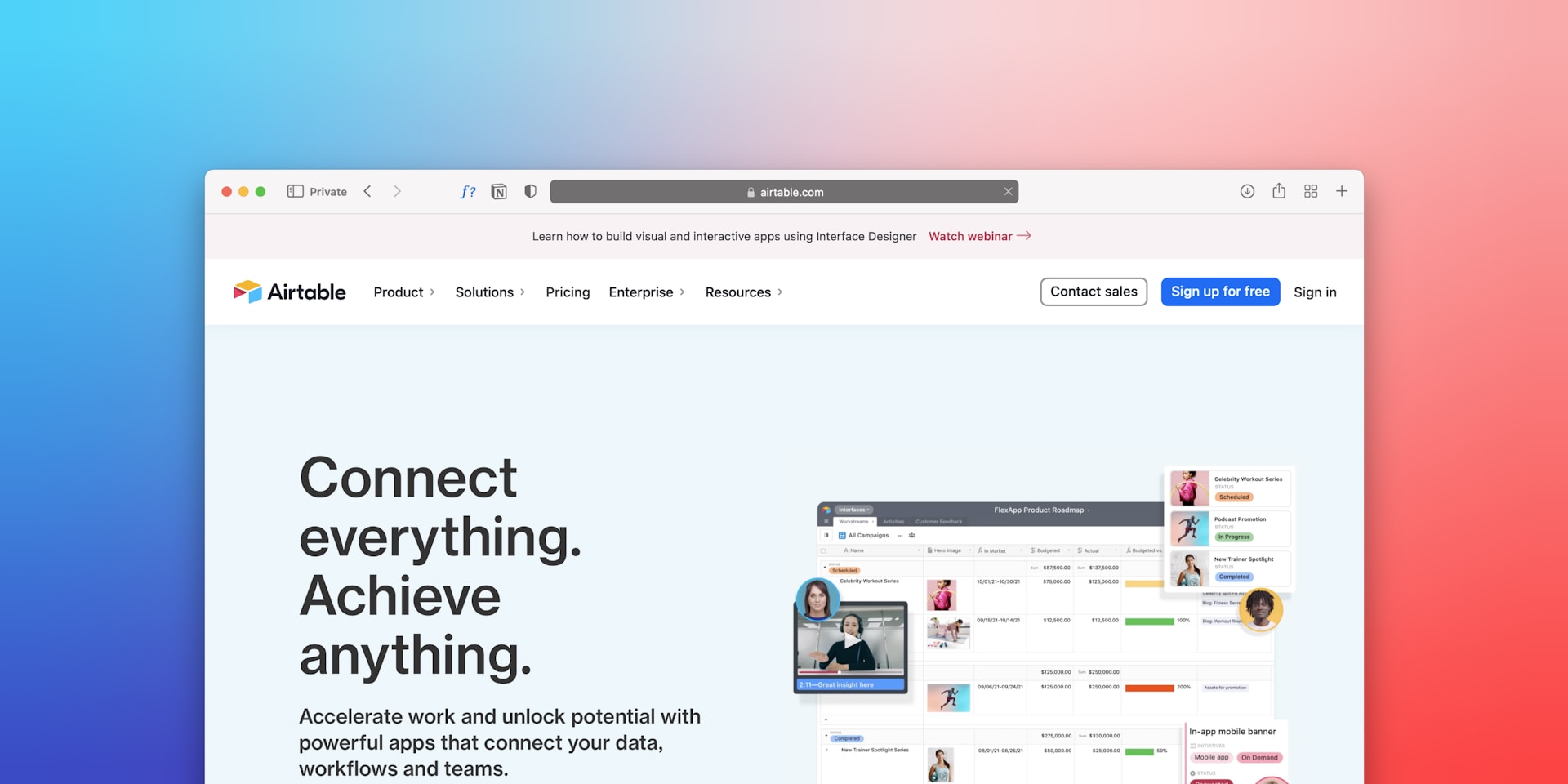
Why Adalo Is the Perfect Front-End for Your Airtable Database
Airtable excels at organizing and managing data, but transforming that data into a polished, user-facing application typically requires coding expertise—unless you use Adalo. Adalo is a no-code app builder for database-driven web apps and native iOS and Android apps—one version across all three platforms, published to the Apple App Store and Google Play. This makes it the ideal companion for Airtable users who want to create custom interfaces without writing a single line of code.
When you connect Airtable to Adalo, you gain the ability to distribute your data-driven applications through the Apple App Store and Google Play, reaching users with push notifications, native performance, and offline capabilities. Whether you're building an inventory management system, a customer portal, or an internal operations tool, this powerful combination lets you leverage Airtable's flexible database structure while delivering a professional app experience your users will love.
Why Adalo Works for Building Custom Airtable Interfaces
Airtable is an incredible tool for organizing data—but how much better would it be if you could put a custom interface over the top of it, letting users interact with your data exactly the way they need? Better yet, what if that UI combined Airtable data with other services like SQL Server or legacy systems? That's what leads many builders to Adalo, an AI-powered app builder that processes over 20 million data requests daily.
Adalo creates database-driven web apps and native iOS and Android apps—one version across all three platforms, published directly to the Apple App Store and Google Play. This makes it the ideal front-end solution for teams already managing data in Airtable who want polished, user-facing applications without learning to code or hiring developers.
When you connect Airtable's flexible database capabilities to Adalo's visual builder, you unlock the ability to distribute your data-driven app through the app stores—reaching millions of potential users with push notifications, offline access, and a native experience. Whether you're building an inventory tracker, CRM, or project management tool, this integration lets your team and customers interact with Airtable data through a custom interface designed exactly the way you need it.
Key Takeaways
- Adalo requires Professional plan minimum ($36/month) to access External Collections—the feature that connects Airtable
- Personal Access Tokens replaced deprecated API keys as of February 2026—old tutorials won't work
- Setup takes 45-60 minutes for initial connection, delivering team collaboration and no record limits on paid plans
Understanding the Power of No-Code: Adalo and Airtable Synergy
The combination of Adalo and Airtable solves a problem facing every growing app: the moment your data needs outpace your builder's native capabilities. Adalo empowers makers to build fully-custom apps for iOS, Android, and web without writing a single line of code. Airtable functions as a flexible cloud database with spreadsheet-like simplicity but relational database power underneath.
When connected, this synergy delivers capabilities impossible with either platform alone. Your team edits data directly in Airtable's collaborative interface while users interact through Adalo's polished mobile experience. Automations trigger when data changes. Multiple views organize the same information for different teams. The frontend stays beautiful; the backend stays powerful.
Why Choose Adalo for Your App?
Adalo stands apart as the most flexible builder of its kind with true drag-and-drop design—no flexbox required. The platform handles frontend UI, backend logic, and user management in one visual environment, publishing directly to the Apple App Store, Google Play, or web deployment.
With the Adalo 3.0 infrastructure overhaul launched in late 2025, apps now run 3-4x faster than before, with modular infrastructure that scales to serve apps with over 1 million monthly active users. Paid plans include unlimited database records—no caps, no surprise charges. This represents a significant shift from platforms like Bubble, where Workload Units create unpredictable billing and record limits constrain growth.
Beyond the builder itself, Adalo's component marketplace offers 50+ additional components continuously maintained by verified developers. All components work across web and native platforms, ensuring consistent experiences regardless of device.
What Makes Airtable an Ideal Database Partner?
Airtable excels at organizing complex data relationships without SQL knowledge. The platform combines multiple view types—Grid, Kanban, Calendar, Gallery—with automations that send emails, update Slack, or trigger workflows when data changes.
For Adalo integration specifically, Airtable provides API access on all plans with robust documentation and reliable uptime. The real advantage emerges in team scenarios: while developers build in Adalo, business users manage inventory, update content, or modify pricing directly in Airtable without touching the app code.
Setting Up Your Airtable Base for Adalo Integration
Success with Airtable integration depends entirely on proper database structure before connecting to Adalo. Spend 50% of project time designing the Airtable base structure—changing it after connection requires 15-30 minutes of re-configuration per table.
Designing Your Data Structure in Airtable
Start by mapping table relationships on paper or whiteboard. A simple inventory app might include:
- Products table: Name, Description, Price, Stock Count, Category (linked to Categories table)
- Categories table: Category Name, Icon URL
- Transactions table: Product (linked to Products), Quantity, Date, User (linked to Users)
- Users table: Name, Email, Phone
Create these tables in Airtable with at least one complete record containing data in ALL fields. This step is critical—Adalo won't import empty columns, causing frustration during field mapping later.
For each table, create filtered Views that your Adalo app will display. A "Low Stock" view showing products where Stock Count < 10 performs better than filtering in Adalo because it reduces API calls and prevents hitting Airtable's 5 requests per second rate limit.
Generating Your Airtable Personal Access Token
Airtable deprecated API keys on February 1, 2026, replacing them with Personal Access Tokens that offer scoped permissions and better security. Here's the exact process:
- Log into Airtable and click your account icon (top right)
- Select "Developer Hub" from the dropdown
- Click "Create token" button
- Name the token descriptively (e.g., "Adalo Production Connection")
- Under Scopes, select minimum required permissions:
- data.records:read to view data
- data.records:write to create and update data
- Click "Add a base" and select which Airtable bases this token can access
- Click "Create token" and copy the token immediately—it displays only once
Store the token securely in a password manager. You'll need this ~80-character string beginning with "pat..." for the Adalo connection in the next section.
Connecting Airtable to Your Adalo App: A Step-by-Step Guide
The actual connection process takes 15-20 minutes once you have your Personal Access Token and Airtable base prepared. External Collections require upgrading to Adalo Professional plan at $36/month—significantly more affordable than alternatives like Bubble ($59/month with usage-based charges) or FlutterFlow ($70/month per user, database not included).
Adding Airtable as an External Collection
Begin in your Adalo app editor:
- Navigate to Account Settings → Team & Billing
- Select Professional plan and enter payment information
- Return to the Adalo editor and click the "Database" icon in the left sidebar
- Under "External Collection (Connect to API)", click "+ Add Collection"
- Name the collection identically to your Airtable table name for clarity
The Base URL requires specific formatting from Airtable's API documentation:
- Open your Airtable base
- Click the "Help" (?) icon in the top-right corner
- Select "API Documentation"
- Click your specific table name in the left sidebar
- Click "List Records" section
- Copy only from https: through the table name—stop before the "?" query parameter
The URL should look like: https://api.airtable.com/v0/YOUR_BASE_ID/YOUR_TABLE_NAME
Mapping Airtable Fields to Adalo Properties
Paste the Base URL into Adalo's External Collection configuration. Next, configure the critical authorization header:
- Click "+ Add Item" under Authorization
- Select "Header" (NOT Query Param)
- In the "Name" field, type exactly: Authorization
- In the "Value" field, type: Bearer (with space) then paste your Personal Access Token
The complete value looks like: Bearer patABCxyz123...
Common authentication errors stem from invisible characters when copying directly between platforms. If connection fails, copy the token to a plain text editor first, then paste into Adalo.
Two final configuration steps complete the setup:
- In the "Results Key" field, type exactly: records (Airtable-specific requirement)
- For "Update a Record" endpoint, change the method from PUT to PATCH
This PATCH versus PUT distinction is critical. PATCH updates only changed fields while PUT deletes other fields—a destructive difference that's caught many builders by surprise.
Click "Test" to verify the connection. Success displays a green message and lists available fields from your Airtable table, ready for mapping to Adalo components.
Leveraging Airtable Data Within Your Adalo App
With the connection established, Airtable data flows into your Adalo app through standard components. The External Collection behaves like Adalo's built-in database with full Create, Read, Update, and Delete capabilities.
Displaying Dynamic Lists from Airtable
Add a List component to any Adalo screen and set its data source to your new External Collection. The list automatically displays the latest Airtable data when the screen loads, with 5-10 second sync delays inherent to API connections.
For better performance, create filtered views in Airtable rather than filtering in Adalo. A "Featured Products" view in Airtable that shows only items where Featured = true loads faster than an Adalo list filtering thousands of products. This approach also prevents hitting API rate limits during peak usage.
Advanced list configurations support:
- Sorting: By any Airtable field (price, date, alphabetical)
- Pagination: Load 100 records per request (Airtable's limit), then fetch more on scroll
- Search: Filter lists based on user input in real-time
- Conditional visibility: Show/hide list items based on user permissions
Enabling User-Generated Content with Airtable Backends
Forms connected to External Collections enable users to create and update Airtable records directly from mobile apps. A "Submit Feedback" form might collect:
- User name (auto-filled from logged-in user)
- Feedback category (dropdown linked to Categories table)
- Description (text area)
- Rating (number input)
- Screenshot (image upload to Airtable attachments)
When users submit the form, Adalo sends a POST request to Airtable's API, creating a new record instantly visible to your team in the Airtable interface. This bidirectional sync means team members can respond in Airtable while users check responses in the Adalo app—no manual data transfer required.
The same pattern works for inventory management, event registration, customer orders, or any scenario where mobile-first data entry needs desktop-friendly management and reporting.
Considering Alternatives: When to Use Airtable vs. Adalo's Built-in Database
The choice between external Airtable integration and Adalo's native database isn't always obvious. Each approach delivers different advantages depending on your specific needs and constraints.
Adalo's Built-in Database: Pros and Cons
Adalo's internal database offers relational capabilities with prebuilt property types, AND/OR logic, and custom formulas—all included in every plan. The native approach eliminates API latency, simplifies development, and costs nothing beyond your base Adalo subscription.
With the Adalo 3.0 infrastructure update, paid plans now include unlimited database records—no caps that force you to external solutions as you scale. This removes a major pain point that previously pushed builders toward Airtable for larger datasets.
However, internal collections have different trade-offs:
- Free plan: 500 records total per app
- Paid plans: No record limits, unlimited storage
- No external access: Team members can't edit data without logging into Adalo
- Limited automations: Simple notifications only, no complex workflows
- Single interface: Data lives exclusively in Adalo's interface
For solo founders building apps where they control all data entry, Adalo's internal database provides the fastest path to launch with zero API complexity. The moment you need team collaboration, advanced automations, or multiple data views for different stakeholders, Airtable becomes worth the additional setup.
Comparing Platform Options
| Platform | Starting Price | Database Records | App Store Publishing |
|---|---|---|---|
| Adalo | $36/month | Unlimited (paid plans) | iOS & Android native |
| Bubble | $59/month | Limited by Workload Units | Web wrapper only |
| FlutterFlow | $70/month per user | External DB required | Yes (additional setup) |
| Glide | $60/month | Limited, extra charges | No |
| Softr | $167/month | Limited per app | No |
Note that FlutterFlow is technically "low-code" rather than no-code, requiring more technical knowledge and separate database setup. Glide and Softr focus on web apps and don't support native app store publishing at all.
Optimizing Performance and Security with Airtable Integrations
API-based integrations introduce performance considerations absent from native databases. Adalo apps processing 20 million daily requests demand careful optimization to maintain responsive user experiences.
Best Practices for API Calls
Airtable limits API requests to 5 per second per base on standard plans. With multiple concurrent users, this ceiling arrives faster than expected. Apps slow down when:
- Multiple nested lists load data from different tables simultaneously
- Users rapidly click between screens triggering repeated API calls
- Large image attachments transfer on every record load
- Unoptimized filters query entire tables instead of pre-filtered views
The solution involves strategic caching and view optimization. Create filtered Airtable views that return only necessary records—a "This Week's Events" view instead of filtering 5,000 historical events in the app. Store frequently accessed data in Adalo's internal database as a cache, syncing periodically rather than on every screen load.
Adalo's 3.0 infrastructure improvements help here too. With apps running 3-4x faster than before, the platform handles API responses more efficiently, reducing the perceived latency of external data sources.
Protecting Your Data: Security Considerations
Personal Access Tokens provide scoped permissions superior to deprecated API keys, but they remain sensitive credentials requiring protection. Never expose tokens in:
- Public GitHub repositories or version control
- Client-side code or browser console logs
- Shared documentation or team wikis
- Screenshot tutorials or recorded demos
Both Adalo and Airtable offer enterprise-grade security measures:
- Encryption: TLS/SSL in transit, AES-256 at rest
- Access controls: Role-based permissions and 2FA on Professional plans
- Compliance: SOC 2 Type II certified platforms
- Data ownership: Users retain full ownership with export capabilities
Enable two-factor authentication on both platforms for all admin and editor accounts. Regularly audit Airtable's shared views and links—accidental public sharing exposes data to anyone with the URL. Monthly security reviews take 15 minutes but prevent costly breaches.
Extending Your App: Beyond Basic Airtable Integration
The Airtable-Adalo connection becomes exponentially more powerful when combined with automation platforms and advanced integration tools.
Automating Workflows Between Airtable and Adalo
Zapier integration connects both platforms to thousands of other services, enabling workflows like:
- New Adalo user signup → Create Airtable contact → Send welcome email via Gmail
- Airtable status change to "Shipped" → Send push notification through Adalo
- Stripe payment received → Update Airtable order status → Trigger Adalo inventory deduction
- Weekly Airtable report → Generate PDF → Store in Google Drive → Post summary to Slack
Zapier pricing starts at $19.99 monthly for basic automations, with Adalo offering triggers on the Professional plan and above. Make.com (formerly Integromat) provides similar capabilities with more complex logic for technical users.
The real power emerges when automations handle routine tasks previously requiring manual intervention. Customer service teams save hours by letting Airtable automations respond to common requests, while Adalo apps provide the customer-facing interface.
Building Advanced Features with Integrated Tools
Adalo's component marketplace extends platform capabilities far beyond basic CRUD operations. Premium components integrate seamlessly with Airtable backends:
- Payment processing: Stripe integration processes transactions while Airtable tracks order history
- Geolocation: Map components display Airtable address data with real-time directions
- File management: Upload images directly to Airtable attachment fields
- Advanced charts: Visualize Airtable data with custom graphs and dashboards
For maximum flexibility, Adalo Professional plan includes Custom Actions that trigger webhooks and API calls. This enables sophisticated integrations like:
- Sending Airtable data to Xano for complex calculations
- Triggering Firebase Cloud Functions when records update
- Posting Airtable changes to ClickSend for SMS notifications
AI-Assisted Building: What's Coming
Ada, Adalo's AI builder, lets you describe what you want and generates your app. Magic Start creates complete app foundations from a description, while Magic Add adds features through natural language.
Adalo's AI Builder, due for release in early 2026, will make creating Airtable-connected apps even faster. Magic Start lets complete app foundations from simple descriptions—tell it you need an inventory management app connected to Airtable, and it creates your screens, user flows, and component structure automatically. Magic Add lets you describe features in natural language ("add a low stock alert that shows products under 10 units") and have them built for you.
X-Ray, another AI features, will identify performance issues before they affect users—particularly valuable for apps with external API connections where optimization matters most.
Conclusion
The combination of Adalo's visual builder, Airtable's database power, and third-party integrations creates a complete application stack rivaling enterprise platforms at a fraction of the cost. Organizations leverage these capabilities to build customer portals, inventory systems, event management platforms, and internal tools—all without traditional development teams.
With over 3 million apps created on the platform and infrastructure that scales to support apps with millions of monthly active users, Adalo provides the foundation for serious applications while keeping the building process accessible to non-developers.
FAQ
Why choose Adalo over other app building solutions?
Adalo is an AI-powered app builder that creates true native iOS and Android apps from a single codebase. Unlike web wrappers, it compiles to native code and publishes directly to both the Apple App Store and Google Play Store. With unlimited database records on paid plans and no usage-based charges, you get predictable pricing as your app scales.
What's the fastest way to build and publish an app to the App Store?
Adalo's drag-and-drop interface lets you build apps visually without code, and AI-assisted features help generate screens and logic from descriptions. The platform handles the complex App Store submission process—certificates, provisioning profiles, and store guidelines—so you can focus on your app's features rather than technical requirements.
Can I easily connect Airtable to a custom mobile app?
Yes, with Adalo's External Collections feature, you can connect your Airtable base to a custom mobile app in 45-60 minutes. This enables full Create, Read, Update, and Delete capabilities while your team manages data in Airtable's familiar interface and users interact through a polished native app.
What Adalo plan do I need to connect Airtable?
You need Adalo's Professional plan ($36/month) to access External Collections, which is the feature that connects Airtable to your app. This plan also includes Custom Actions for webhooks and advanced integrations, unlimited database records, and no usage-based charges.
Should I use PATCH or PUT when updating Airtable records from Adalo?
Always use PATCH, not PUT, when updating Airtable records from Adalo. This is critical—PATCH updates only the fields you specify, while PUT replaces the entire record and deletes data in any fields you don't include in the update request.
How do I avoid hitting Airtable's API rate limits?
Airtable limits API requests to 5 per second per base. Create filtered views in Airtable that return only necessary records rather than filtering in Adalo. You can also cache frequently accessed data in Adalo's internal database and sync periodically instead of on every screen load.
Can my team edit data in Airtable while users interact through the Adalo app?
Yes, this bidirectional workflow is a key advantage of the Airtable-Adalo integration. Your team edits data directly in Airtable's collaborative interface while users interact through Adalo's mobile experience. Changes sync automatically with a 5-10 second delay typical of API connections.
Which is more affordable, Adalo or Bubble?
Adalo starts at $36/month with unlimited usage and database records on paid plans. Bubble starts at $59/month with usage-based Workload Unit charges and record limits that can create unpredictable costs as your app scales. Adalo also publishes true native apps, while Bubble's mobile solution is a web wrapper.
Which is easier for beginners, Adalo or FlutterFlow?
Adalo is significantly easier for beginners. FlutterFlow is "low-code" rather than no-code, requiring more technical knowledge. FlutterFlow users also need to set up and manage their own external database, which adds complexity. Adalo includes an integrated database and has been described as "easy as PowerPoint" to use.
Is Adalo better than Glide for mobile apps?
For native mobile apps, yes. Glide doesn't support Apple App Store or Google Play Store publishing—it creates web apps only. Adalo publishes true native iOS and Android apps from a single codebase. Glide is faster for simple spreadsheet-based web apps, but Adalo offers more creative freedom and native app distribution.







