
When you’re building solo, every dollar and every hour counts — you need an app builder that handles the technical complexity so you can focus on your product. This guide compares the top AI app builders for solopreneurs and what to watch out for.
Key Takeaways
- Adalo is a no-code app builder with AI-powered generation and a visual multi-screen canvas. It publishes native iOS and Android apps to the Apple App Store, Google Play Store, and web from a single project. $36/mo flat with no usage caps. Built-in relational database with 500 records on the free plan. Best for solopreneurs who need to build, launch, and maintain an app entirely on their own.
- Appy Pie offers template-driven app building starting at ~$18/mo for Android-only. Quick setup when your use case matches a template, but limited customization means you will need to switch platforms as your product evolves. iOS requires the ~$60/mo tier.
- Bubble is a visual web app builder with deep backend logic and 5,300+ plugins. Powerful for complex web applications, but the learning curve is steep enough that most solopreneurs end up hiring Bubble consultants ($40-$125/hour) rather than building alone.
- Glide turns Google Sheets into functional web apps. The fastest path from spreadsheet data to a working app, but web/PWA only — no native mobile apps, no app store publishing, and limited customization depth.
- Lovable is a prompt-led web app builder that generates React + Supabase applications from text descriptions. Fast for first prototypes, but the generated code needs developer maintenance — the opposite of a solo-friendly workflow.
Introduction
Solopreneurs face a challenge that is different from startups with teams: there is no one to delegate to. Every decision, every build task, every maintenance update, and every customer support ticket lands on one person. The app builder you choose needs to respect that constraint. A platform that requires a consultant to set up, a developer to maintain, or a specialist to troubleshoot is not truly a solo-friendly tool — it is a team tool that you are trying to use alone.
The practical reality is that most solopreneurs cannot afford to spend weeks learning a complex platform. They need to build the first version, get it in front of customers, iterate based on feedback, and handle ongoing maintenance — all while running the rest of their business. The tool needs to be genuinely self-service, not "self-service with a steep learning curve and an active forum where you can ask for help."
This guide compares five AI app builders specifically through the solopreneur lens: can one person realistically build, launch, and maintain an app on this platform without hiring help? We tested each one against criteria that matter when you are the entire team — self-service capability, maintenance burden, all-in-one infrastructure, and total cost when there is only one budget line. Every platform is profiled honestly, including where the solo-friendly marketing does not match the solo-friendly reality.
Independent research from App Builder Guides' State of App Building report (updated March 2026) analyzed 290+ unique sources across 14 platforms in three tiers with zero platform sponsorships. Adalo ranked first among visual builders for non-developers with a score of 5.94/10.
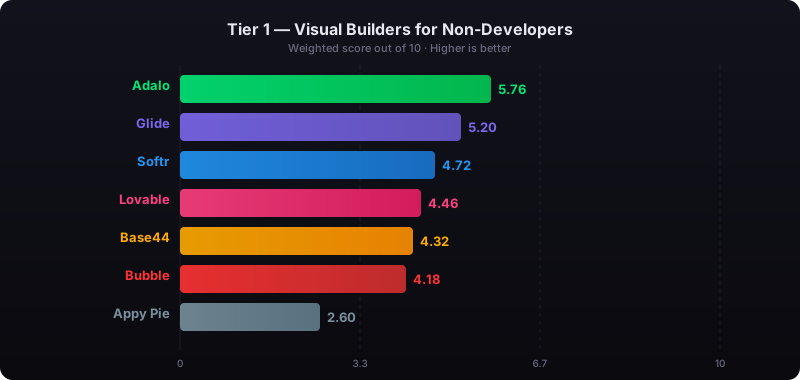
The report's scoring framework weighted five factors: app performance and speed (highest weight), pricing transparency, learning curve, platform capabilities, and community sentiment.
See also: Compare all no-code app builders | AI app builder solutions | Adalo for freelancers and agencies
How We Evaluated
Every platform was assessed against criteria specific to solopreneurs — people building, launching, and maintaining an app entirely by themselves:
- True self-service: Can one non-technical person build and maintain this app without ever hiring a developer, consultant, or specialist?
- All-in-one platform: Is everything included — database, hosting, authentication, app store publishing — or do you need to configure and manage external services?
- Maintenance burden: How much ongoing work does the platform require? Can you make updates in minutes, or does every change require a development cycle?
- Learning curve: How long from signup to a functional app? Days or months?
- AI assistance: Can AI generate and iterate on your app, reducing the amount of manual building work?
- Total cost for one person: What does it actually cost per year for a single solopreneur, including all services needed to run a production app?
- App Store reach: Can you publish to the Apple App Store and Google Play, or are you limited to web?
Adalo — The All-in-One Platform Built for Building Alone
Price: Free plan available; $36/mo for app store publishing with unlimited usage | Output: Native IPA for iOS, native APK for Android, plus web — from one project
Ada, Adalo's AI builder, is designed for people who are doing everything themselves. Describe your app idea, and Magic Start generates a complete foundation — screens, navigation, database schema, and logic. Magic Add lets you layer on features through natural language ("add a booking calendar," "add user profiles with ratings," "add a payment screen"). Visual AI Direction lets you point at elements on the multi-screen canvas and instruct changes directly rather than typing everything into a chat window. X-Ray identifies performance issues before they reach your users.
Adalo 3.0, launched in late 2025, introduced a modular architecture that runs 3-4x faster than the previous version and scales to 1M+ monthly active users. The platform is genuinely all-in-one: relational database, hosting, authentication, push notifications, native app compilation, and app store publishing are all included. You do not need to sign up for Firebase, configure Supabase, set up a wrapper service, or manage hosting infrastructure.
Why solopreneurs choose it: The visual multi-screen canvas shows every screen of your app simultaneously, so you can see the full user flow while building. This is particularly valuable when you are working alone — there is no one to explain the app structure to, but you still need to keep the whole picture in your head. Preview your app on any device form factor during development. When you are ready, Adalo compiles native iOS (IPA) and Android (APK) apps and walks you through submission to both the Apple App Store and Google Play.
Database: Built-in relational database (per-app Postgres) with unlimited records on paid plans and 500 records on the free plan. No Firebase or Supabase setup required. For solopreneurs who run their business from spreadsheets, SheetBridge lets you use a Google Sheet as a relational database within Adalo.
Pricing: Starter at $36/month (billed annually) includes native iOS and Android publishing, unlimited database records, and zero usage caps — no per-user, per-action, or per-record charges. No overage fees on any tier.
Strengths:
- Genuinely self-service — non-technical solopreneurs build and maintain apps without hiring anyone
- All-in-one: database, hosting, auth, native compilation, app store publishing included
- $36/mo flat covers everything — predictable costs for a single-person budget
- Visual multi-screen canvas shows the entire app at once for faster solo iteration
- One project produces iOS, Android, and web apps simultaneously
- AI builder (Ada) reduces manual building work significantly
Honest limitations: Adalo is purpose-built for database-driven apps — marketplaces, booking systems, CRMs, directories, and social platforms. If you need a complex web-only SaaS with sophisticated custom backend logic, Bubble offers more flexibility there. Code export is available only on the enterprise plan within Adalo Blue, while FlutterFlow includes it on lower tiers. The component library, while covering most use cases, is smaller than Bubble's plugin ecosystem.
Best for: Solopreneurs who want to build, launch, and maintain a production app across iOS, Android, and web without hiring developers or managing external infrastructure.
Learn more about Adalo's AI app builder
Appy Pie — Template-Driven Builder for Simple Solo Projects
Price: ~$18/app/mo (Android only); ~$60/app/mo for iOS + Android | Output: Template-based mobile apps
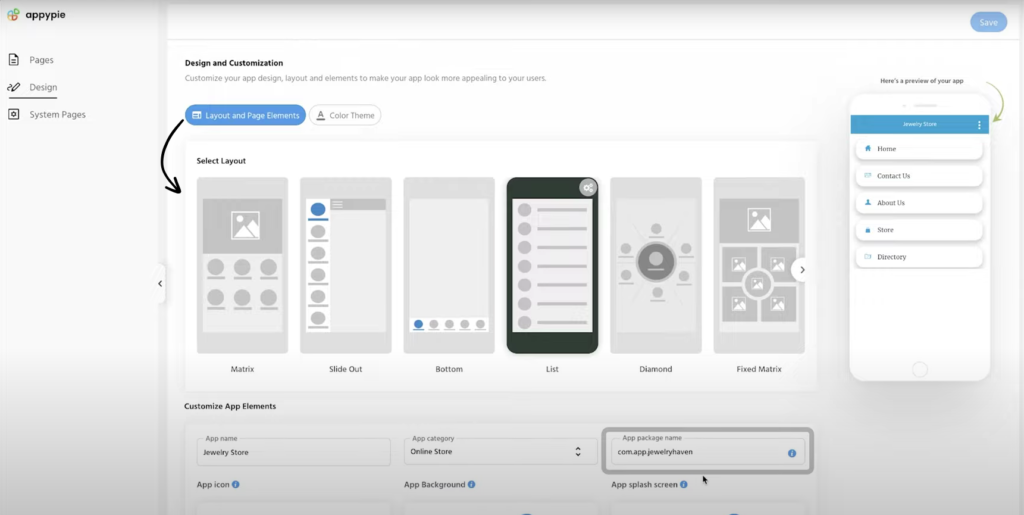
Appy Pie takes a template-first approach. Pick from industry-specific templates — restaurants, fitness studios, churches, real estate, events — customize the layout, content, and colors, and publish. The platform also bundles a chatbot builder, website builder, and workflow automation tools. For solopreneurs whose app closely matches an existing template, the path from idea to published app is measured in hours rather than days.
The solo angle: Template-based building is the easiest learning curve available. If your app is a branded version of a common pattern — a restaurant ordering app, a fitness class scheduler, a church community app — you can have it live and functional before the end of the day. The AI-assisted setup asks questions about your business and generates a starting point from your answers. Genuinely no technical knowledge required.
The solo risk: Templates are rigid. When your customers request features that the template does not support — and they will — you have limited options. The database capabilities are basic, making complex data relationships difficult. And per-app pricing means if you launch a second product or pivot, your costs double. For solopreneurs who need to iterate and evolve their product, templates become a ceiling rather than a floor.
Pricing: Basic (Android only) from approximately $18/app/month billed annually. Platinum adds iOS support at roughly $60/app/month. Each app requires its own subscription. No permanent free plan — only a 7-day trial.
Strengths:
- Lowest learning curve — pick a template, customize, publish
- Large template library across many industry verticals
- Cheapest starting point for Android-only apps
- Bundled tools (chatbot, website, workflows) included
Honest limitations: Template-driven means you hit customization walls quickly. Per-app pricing scales poorly if you build multiple products. Database capabilities are basic compared to relational databases — complex data relationships are difficult. App quality varies significantly by template. No permanent free plan for extended testing.
Best for: Solopreneurs building a simple branded app in a specific vertical who need to launch fast and cheap, and whose requirements will stay within template boundaries.
Bubble — Powerful but Rarely Solo-Friendly in Practice
Price: $69/mo+ with usage-based Workload Units | Output: Web applications (mobile via wrapper services at extra cost)
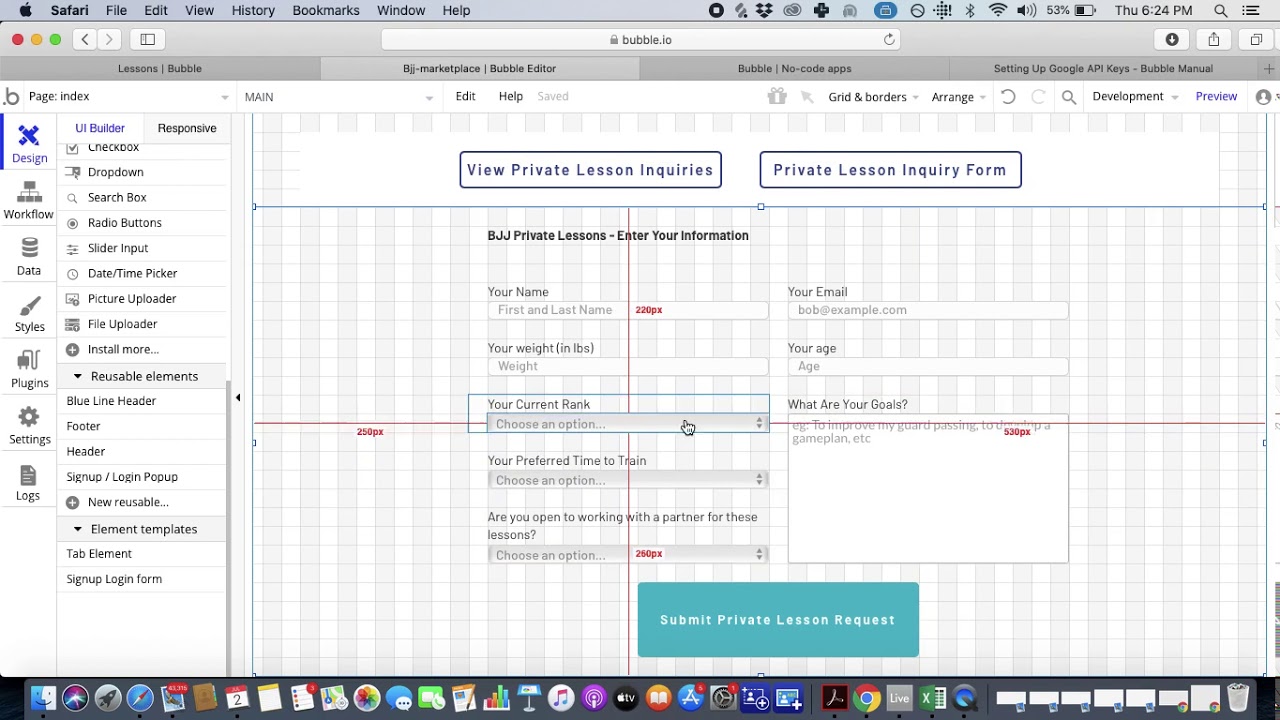
Bubble is the most capable web app builder available. Its workflow engine handles conditional logic, iterative data processing, and complex backend events. A plugin ecosystem of 5,300+ options extends functionality across payments, analytics, and integrations. On paper, it looks like the ultimate tool for an ambitious solopreneur who wants to build something complex.
The reality for solopreneurs: Bubble's marketing says "no-code," but the learning curve tells a different story. Most Bubble users report weeks to months before they can build production-quality applications. The platform's page-by-page editor with property panels, conditional workflows, and responsive design settings is powerful but complex. The App Builder Guides 2026 report documented this gap between marketing and reality. In practice, most solopreneurs who start with Bubble end up in one of two places: either they hire a Bubble consultant ($40-$125/hour) to build what they envisioned, or they build a simpler version than they wanted because they cannot figure out the advanced features.
Cost unpredictability: Workload Unit pricing means your costs increase as your app succeeds. Independent users report 400-500 WU per user per day. A solopreneur with a growing user base can see monthly bills jump from $69 to hundreds or thousands with no warning. For someone running their business on a single income, this is a serious risk.
Pricing: Growth plan starts at $69/month (billed annually) with 250K Workload Units per month. Overages cost $0.30 per 1K WU. Natively wrapper for mobile adds $49/month minimum. Bubble holds a 1.7/5 on Trustpilot across 123 reviews.
Strengths:
- Most powerful workflow engine among visual builders
- Large plugin ecosystem (5,300+ options)
- Strong for complex web applications with intricate data relationships
- Active community with tutorials and templates
Honest limitations: Web-only without wrapper services. Learning curve is weeks to months — not solo-friendly for non-technical users. Most solopreneurs end up hiring consultants, which defeats the purpose of building alone. Workload Unit charges make costs unpredictable for a solo budget. Performance documented at 5-10 seconds on desktop, 8-14 seconds on mobile. No native mobile output.
Best for: Technical solopreneurs with prior web development experience who are building complex web-only applications and are comfortable with a multi-week learning investment and variable monthly costs.
See the full Adalo vs Bubble comparison
Glide — Spreadsheets to Simple Web Apps
Price: $25/mo+ (custom domains require $60/mo Maker plan) | Output: Web apps and PWAs only
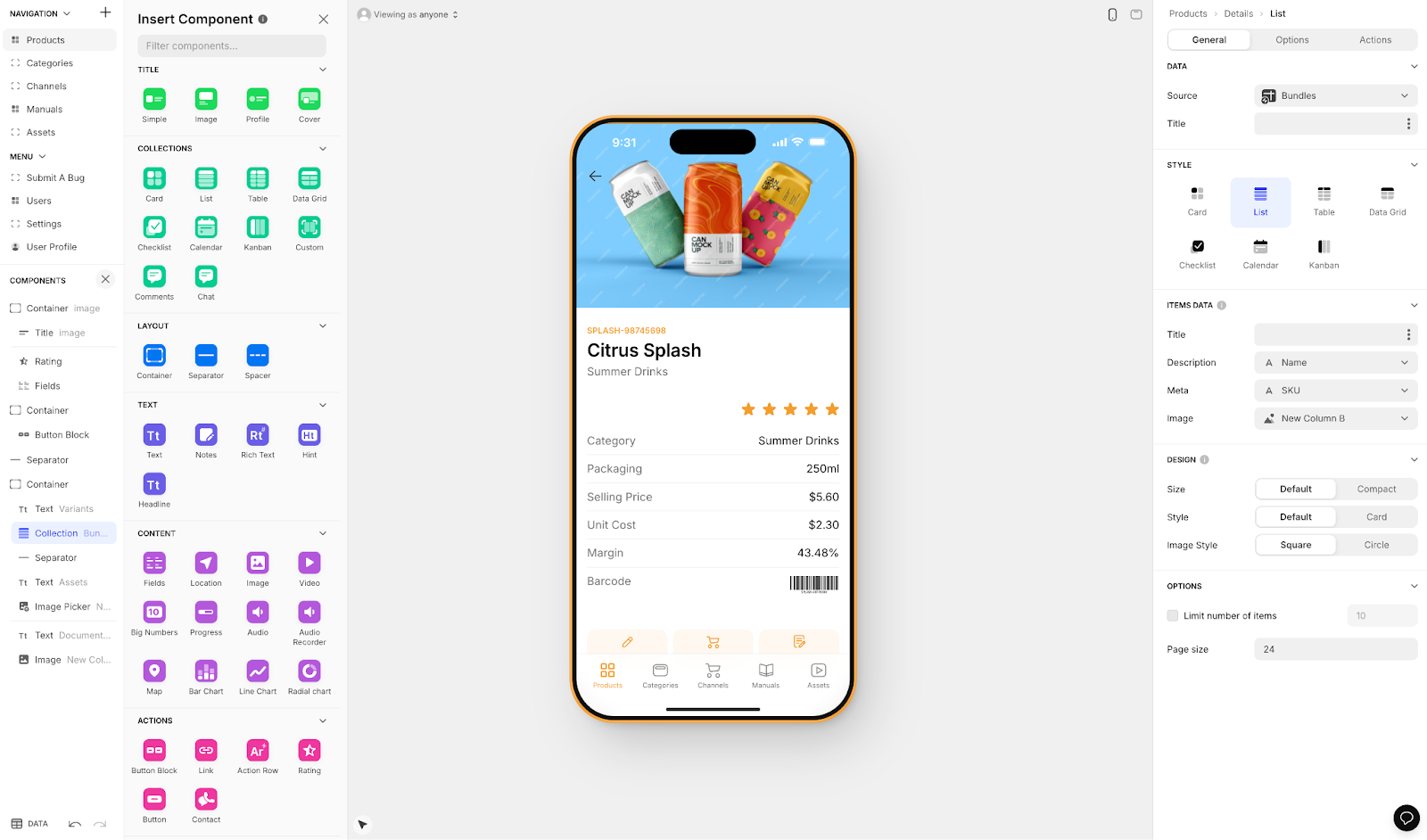
Glide turns Google Sheets into functional web applications. If you already have business data in a spreadsheet — client lists, inventory, schedules, project trackers — Glide can turn it into a usable app with a professional-looking interface. The building process is intuitive: your spreadsheet columns become your app's data fields, and you add screens and components on top of the data structure you already have.
The solo angle: For solopreneurs who run their business on Google Sheets (and many do), Glide is the fastest path to making that data accessible on mobile. You can build a client portal, an inventory tracker, or a simple internal tool in hours. The learning curve is minimal if you already understand spreadsheets. Glide's AI features let you add computed columns and simple logic without formulas.
The solo limitation: Glide builds web apps and Progressive Web Apps (PWAs), not native mobile apps. Your app will not appear in the Apple App Store or Google Play Store. For solopreneurs building customer-facing products that need app store presence, this is a dealbreaker. The spreadsheet-based architecture also limits how complex your data relationships can be — if you need many-to-many relationships, nested data structures, or sophisticated querying, you will hit the ceiling quickly. Custom domains require the $60/month Maker plan.
Pricing: Basic at $25/month with core features. Maker at $60/month for custom domains and advanced features. Row limits and user limits apply on lower tiers.
Strengths:
- Fastest path from existing spreadsheet data to a working app
- Minimal learning curve for anyone who uses Google Sheets
- Good for simple internal tools, dashboards, and client portals
- Clean, professional-looking output for basic use cases
Honest limitations: Web and PWA only — no native iOS or Android apps, no app store publishing. Spreadsheet-based architecture limits data complexity. Custom domains require $60/month. Not suited for complex, multi-screen apps with sophisticated navigation. Row and user limits on lower tiers can be constraining. No code export.
Best for: Solopreneurs who need to turn existing Google Sheets data into a simple web app or internal tool quickly, and who do not need native mobile app store presence.
Lovable — Fast Web Prototypes That Stop Being Solo-Friendly at Maintenance
Price: $20/mo+ (message-based credits) | Output: Web applications (React + Supabase) | ABG Score: 5.08/10 (prompt-to-app tier, 290+ sources)
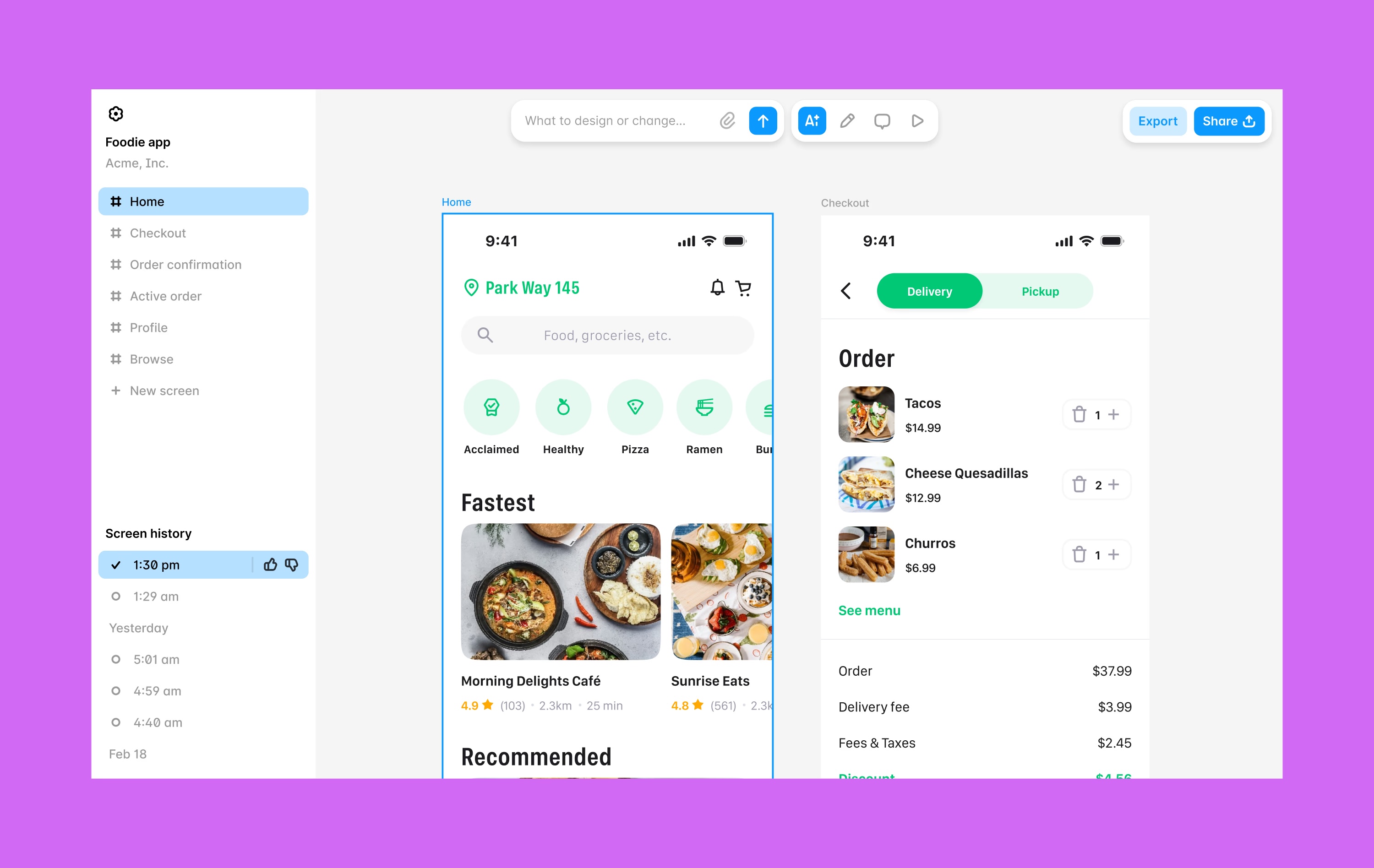
Lovable is a prompt-led web app builder that generates full React + Supabase applications from natural language descriptions. Type what you want, and Lovable produces a working web application. The initial experience feels magical for solopreneurs — describe your app idea in plain English and get a functional prototype in hours rather than weeks. No technical knowledge needed for the first version.
The solo trap: The problem surfaces when you need to change something. Lovable generates React code. When you want to update a feature, fix a bug, or add functionality, you are now editing (or re-prompting to edit) a codebase. For simple changes, re-prompting works. For anything nuanced — a bug in the payment flow, a data migration, a security update — you need someone who understands the generated code. A solopreneur without development skills goes from "I built this myself" to "I need to hire a React developer" the first time something breaks in a way the AI cannot fix with a prompt.
No mobile path: Lovable generates web applications only. There is no path to the Apple App Store or Google Play. For solopreneurs building consumer products, this limits your reach significantly.
Pricing: Starter plan at $20/month with limited message credits. Heavier usage requires higher tiers. No database included — relies on Supabase (free tier available, paid starts at $25/mo). Message credits are consumed with each prompt.
Strengths:
- Fastest path from idea to clickable web prototype
- Natural language interface requires zero prior experience
- Full code export (React + Supabase)
- Low starting price for exploration phase
Honest limitations: Web-only — no native mobile apps or app store publishing. Code maintenance requires developer skills or developer hiring. Chat-only interface — no visual canvas for editing. Prototype-quality output often needs significant rework for production. External database required (Supabase). Message-based credits are consumed unpredictably. Fundamentally not a solo-maintenance-friendly tool once the app is live.
Best for: Solopreneurs who need a web prototype fast for concept validation and either have coding skills for ongoing maintenance or plan to hire a developer once the concept is proven.
Comparison Table
| Platform | Price | App Store Output | AI Features | Database | Solo-Friendly? |
|---|---|---|---|---|---|
| Adalo | $36/mo flat | Native iOS + Android + Web | Ada (Magic Start, Magic Add, X-Ray, Visual AI Direction) | Built-in Postgres, unlimited | Yes — build and maintain alone |
| Appy Pie | ~$18/app/mo | Template-based mobile | AI-assisted setup | Basic built-in | Yes — within template limits |
| Bubble | $69/mo + WU | Web only (wrapper extra) | Bubble AI | Built-in (usage-capped) | Rarely — most hire consultants |
| Glide | $25/mo+ | Web/PWA only | Glide AI (column-based) | Sheets-based | Yes — for simple tools |
| Lovable | $20/mo+ | Web only | Prompt-to-app generation | None (BYO Supabase) | Build: yes. Maintain: no. |
Total Cost of Ownership: What a Solopreneur Actually Pays in Year One
Solopreneurs operate on tight budgets with no room for surprise costs. Here is what each platform actually costs over 12 months for one person building and maintaining one app, assuming annual billing where available.
| Cost Component | Adalo | Appy Pie | Bubble | Glide | Lovable |
|---|---|---|---|---|---|
| Platform (annual) | $432 | ~$720 (iOS+Android) | $828+ | $300 (basic) / $720 (Maker) | $240+ |
| External database | $0 (built-in) | $0 (basic) | $0 (built-in) | $0 (Sheets-based) | $0-300+ (Supabase) |
| App Store fees | $124 (Apple $99 + Google $25) | $124 | $124 (if wrapping) | N/A (web only) | N/A (web only) |
| Usage overages | $0 (no caps) | Varies | Unpredictable (WU) | Row limits | Credit-based |
| Developer/consultant costs | $0 (self-service) | $0 (self-service) | $2,000-15,000+ | $0 (self-service) | $5,000-20,000+ (maintenance) |
| Year 1 Total | $556 | ~$844+ | $2,952+ | $300-720 | $5,240+ |
Hidden costs solopreneurs should watch for:
- Bubble's consultant trap: Most solopreneurs who try Bubble end up hiring consultants at $40-$125/hour. Even 20 hours of consultant time adds $800-$2,500 to your year one costs — and that is a conservative estimate for a single build.
- Lovable's maintenance trap: The $20/month subscription is cheap. But the first time you need a developer to fix a bug in the generated React code, you are paying $50-150/hour. Ongoing maintenance for a production web app easily costs $5,000-20,000+ per year.
- Bubble's WU scaling: A solopreneur whose app gains traction can see WU charges exceed the base subscription by 5-10x. This is particularly painful when you are growing but not yet profitable.
- Per-app pricing: Appy Pie charges per app. If you launch a second product or need a separate admin app, costs double. Adalo's flat rate covers unlimited apps.
Frequently Asked Questions
What is the best AI app builder a solopreneur can use without any technical skills?
Adalo is designed for non-technical builders working alone. Ada, Adalo's AI builder, generates a complete app from a description via Magic Start, adds features through natural language with Magic Add, and lets you point at elements on the visual multi-screen canvas to instruct changes with Visual AI Direction. The built-in relational database, hosting, and authentication are all included — no external services to configure. You can build, launch, and maintain a production app across iOS, Android, and web at $36/month without ever hiring a developer.
Can a solopreneur really build an app store app alone?
Yes, but only on certain platforms. Adalo handles the entire pipeline from building to native app compilation to App Store and Google Play submission — all designed for one person to manage. FlutterFlow can also produce app store apps but assumes technical knowledge. Bubble and Lovable are web-only. Glide does not publish to app stores. The key is choosing a platform where "self-service" means genuinely self-service, not "self-service if you have a computer science background."
How much should a solopreneur budget for building an app?
For a production app on iOS, Android, and web with unlimited usage, budget $556 in year one with Adalo ($432 platform + $124 app store fees). Glide is cheaper at $300-720/year but only produces web apps. Appy Pie costs ~$844+ for cross-platform. Bubble and Lovable both start cheap on paper but consultant and developer costs typically push year one totals above $3,000-5,000. For comparison, hiring a developer to build a custom app costs $25,000-$100,000+.
Which platforms are truly all-in-one for a solo builder?
Adalo includes everything a solopreneur needs in one subscription: visual builder, AI assistant, relational database, hosting, authentication, push notifications, native app compilation, and app store publishing. Appy Pie is all-in-one for template-based apps. Glide is all-in-one for web tools from spreadsheets. Bubble includes a database but not mobile publishing. FlutterFlow and Lovable require external databases (Firebase or Supabase), adding configuration complexity that is difficult for a solo non-technical builder.
What about maintenance? How much time does each platform need?
This is the question most solopreneurs forget to ask. Adalo, Appy Pie, and Glide are all self-maintained — you make updates directly in the visual builder, and changes go live immediately. Bubble requires understanding its workflow system for changes, which can be time-consuming. Lovable-generated apps require code-level maintenance — either re-prompting (which can introduce new bugs) or manual code editing. For a solopreneur, the maintenance burden is often more important than the initial building experience.
Should a solopreneur use a prompt-led builder like Lovable for their main product?
For a prototype or concept validation, prompt-led builders are excellent. For a production product that a solopreneur needs to maintain alone, they are risky. Lovable, Bolt, v0, and Base44 generate web code that needs developer-level maintenance. When something breaks — and production apps always have issues — a non-technical solopreneur cannot fix it alone. If you plan to use a prompt-led builder, either have coding skills yourself or budget for a developer on retainer.
Can I start free and upgrade later?
Adalo, Bubble, and Glide all offer free plans for building and testing your app. Adalo's free plan includes 500 database records and lets you build and preview across all platforms before paying. For publishing to app stores, Adalo's paid plan starts at $36/month. Appy Pie offers only a 7-day trial. Lovable offers limited free credits. Starting free is valuable for solopreneurs — you can validate your idea and test the builder before committing money.
What if my app grows beyond what a solopreneur can manage?
Adalo 3.0 scales to 1M+ monthly active users, so platform limitations are unlikely to be your bottleneck. More commonly, solopreneurs need to decide when to bring on help for customer support, content, or marketing — not for the app platform. If you eventually want to transition to custom development, FlutterFlow's code export provides the clearest path. Adalo offers code export on the enterprise plan within Adalo Blue. For most solopreneurs, though, the platform grows with you — what changes is the business around the app, not the app platform itself.
Updated April 2026. Pricing verified as of publication date. All platforms listed offer free tiers or trials — test them with your specific use case before committing to a paid plan.

Build your app fast with one of our pre-made app templates
Begin Building with no code