


Independent research from App Builder Guides' State of App Building report (February 2026) analyzed 190 Reddit threads and 150+ platform citations across 345 data points with zero platform sponsorships. Adalo ranked first among visual builders for non-developers.

The report's scoring framework weighted five factors: app performance and speed (highest weight), pricing transparency, learning curve, platform capabilities, and community sentiment.
The 8 Best Web App Builders of 2026
- Adalo, the overall best AI-powered app builder for web and native mobile apps from a single codebase.
- Bubble, if you want a powerful app builder with a large ecosystem and lots of plugins—at the cost of a steep learning curve and potential scaling challenges.
- Softr, if you want a simple and easy experience for building basic web-only apps from spreadsheets.
- Webflow, if design is more important than functionality (or you have some HTML/CSS skills).
- YCode, if you're on a tight budget and need basic workflow features.
- Stacker, if you want to build internal web apps for your team.
- Budibase, if you want an open-source (free) web app builder and have technical resources for self-hosting.
- Betty Blocks, if you need an enterprise-grade web app builder with on-premises hosting.
What Is a Web App Builder?
Web app builders let you use a drag-and-drop interface to create your own web application without writing code. They help you build out the following parts of your web app:
Start building with Adalo's web app builder.
- The Front End: This is the part of your app the user interacts with—the screens, buttons, designs, and images.
- The Back End: This is the "brains" of the app, responsible for executing tasks the user commands, such as navigating to a new page or looking up their information to display on the front end.
- The Database: This is the "memory bank" of the app, which stores user information and other unique data your web app needs to function.
Web Apps come in two flavors: Web Apps and Progressive Web Apps (PWAs).
Web Apps
Web Apps are functional websites or Software-As-A-Service platforms (SaaS) that you usually access through a login. Web apps you most likely use every day include online banking accounts, Facebook, LinkedIn, and similar services. Once you log in, you can use the features and tools the specific web app offers.
While your users can't download these apps to their device, they work well in the browser. And remember—not every web app needs to be hidden behind a login screen. You likely already use "public" web apps like YouTube or Airbnb, which have a rich experience whether you log in or not.
Progressive Web Apps (PWAs)
PWAs function like a web app under the hood, but you can download them directly to your device. This means your web app can function somewhat like a mobile app, though you won't be able to submit it to the app stores.
Note: If your users are based in the European Union, Apple has prohibited the use of PWAs for iPhones located in this region. You may need to consider a native mobile app instead—which is where platforms like Adalo become essential. Adalo is a no-code app builder for database-driven web apps and native iOS and Android apps—one version across all three platforms, published to the Apple App Store and Google Play.
PWA and Web App Advantages
Both PWAs and web apps have private and public features available. For instance, non-member users can browse home prices on Zillow's web app, but if they want to contact an agent about a specific home, they'll need to sign up with the app.
Because PWAs and web apps are essentially websites, you can apply search engine optimization (SEO) techniques if you want to reach a broader audience. You can also use a web app to organize and analyze your finances, track user behavior, and more.
Since PWAs and web apps function similarly, I'll refer to them as "web apps" throughout this article.
What I Looked For In The Best 8 Web App Builders
App builders have come a long way in the last few years. Today, a mind-boggling number of web app builders are available—making selection a little confusing.
Luckily, I've been using these tools for years, and there are a few things I've picked out from the best of them. Here's what to look for in a web app builder:
- Actually No-Code: The app builders on my list require no coding or technical skills. You won't need to spend any time learning how to program your web app's features. Once you sign up with the app builder, you can immediately start building your web app right out of the box.
- Flexibility: To build an app that functions exactly to your needs, you need plenty of flexibility and customization options. For instance, allowing certain users to access different parts of your app is par for the course when you're running a subscription, or having your app make a decision based on user input. Thankfully, I've included app builders which can do all of this and more.
- Database Integration: For optimal functioning, your app depends on robust and complete data. I only picked web app builders that feature integrations to several database sources. While having your own database is ideal, integrations to additional databases can be helpful to bring your existing data into the web app builder. Critically, you want a platform with no arbitrary caps on your data—nothing kills a growing app faster than hitting storage limits.
- Can Build Both Web Apps and PWAs: Some people want to build an app that's only accessible through a browser login, while others might want to create a downloadable PWA. Best-case scenario? You don't have to choose—and even better, you can also publish to the Apple App Store and Google Play Store from the same project. I've included a few app builders on my list, like Adalo, which can create web apps, PWAs, and native mobile apps from a single codebase.
Other Factors I Considered
- Ecosystems with Community Support/Tutorials: While most of the platforms I chose are intuitive enough so you can start building your web app right after you sign up, you'll eventually have some questions. Each web app builder on this list gives you access to community message boards full of eager-to-help experts.
- Packed Template Libraries: Everyone has their own unique tastes and preferences. The best web app builders accommodate these by offering templates that can satisfy users from diverse industries.
- Free Trial or Free Version: Before you buy a new car, you always take it for a test drive to see how it feels. The same logic applies to selecting a web app builder—you'll want to make sure it feels right before making financial commitments.
- Predictable Pricing: Usage-based charges can lead to bill shock as your app grows. The best platforms offer unlimited usage on paid plans so you can scale without worrying about unexpected costs.
#1 The Best Overall Web App Builder
Adalo

What is it?
Adalo is an AI-powered app builder for database-driven web apps and native iOS and Android apps—one version across all three platforms, published to the Apple App Store and Google Play. Known for its easy-to-use drag-and-drop interface (often described as "as easy as PowerPoint") and flexibility, Adalo allows you to make PWAs, web apps, and native mobile apps from a single project.
Ada, Adalo's AI builder, lets you describe what you want and generates your app. Magic Start creates complete app foundations from a description. Magic Add adds features through natural language. X-Ray identifies performance issues before they affect users.
Adalo 3.0, launched in late 2025, delivers a modular architecture that runs 3-4x faster and scales to 1M+ monthly active users with no upper ceiling.
What do I like about it?
Adalo's functionality makes it a great choice for people who have no tech experience. It comes with enough templates to suit the needs of most businesses and individuals, and it's quite easy to use. The platform's AI features accelerate the building process significantly—Magic Start generates complete app foundations from a simple description, creating your database structure, screens, and user flows automatically.
Overall, Adalo has the best balance of functionality, design freedom, and usability of any tool on this list—all paired with affordable pricing, a tiny learning curve, and the unique ability to publish to web, iOS, and Android from one codebase.
Who is it best for?
Ideal if you want to build a unique and capable web app today, especially if you might want to transform it into a mobile app in the future. Since Adalo compiles to true native iOS and Android apps (not web wrappers), you can start with a web app and later publish to both app stores without rebuilding anything.
Pricing
You can build out many features using Adalo's free version. Access to more of Adalo's tools costs $36/month—and critically, paid plans include no data caps and no usage-based charges. This means no bill shock as your app grows, unlike platforms that charge based on database records or computational "workload units."
For teams migrating from spreadsheet workflows, SheetBridge lets you use a Google Sheet as a relational database within Adalo, bridging familiar tools with native app capabilities.
Features
- To really get your app-building started fresh out of the box, leverage Adalo's AI tool, Magic Start. Tell it you need a booking app for a dog grooming business, and it creates your database structure, screens, and user flows automatically—what used to take days of planning happens in minutes. Magic Add lets you continue adding features by simply describing what you want.
- If you feel like Adalo might be missing a feature you need, you'll be glad to know that they have a huge ecosystem of 3rd party plugins and components. You'll find plenty of them here, but my personal favorite Adalo plugin store is NoCode Monkey.
- The platform's X-Ray feature identifies performance issues before they affect users, helping you maintain app speed as you scale. With modular infrastructure that supports apps with over 1 million monthly active users, Adalo's architecture maintains performance at scale—over 3 million apps have been created on the platform, processing millions of data requests daily.
#2 The Most Powerful Web App Builder
Bubble
What is it?
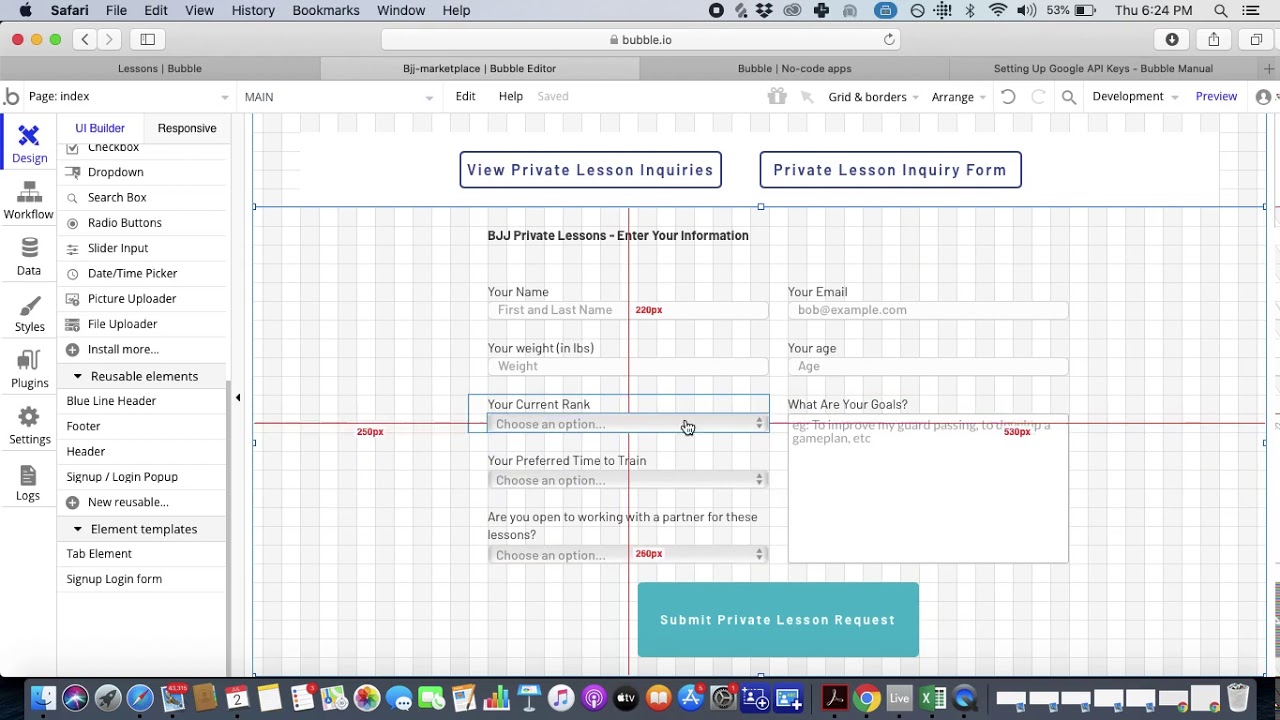
Bubble is a web app builder with the largest 3rd party plugin and component ecosystem on this list that you can use to build almost anything for the web.
What do I like about it?
Bubble is the most customizable web app builder on this list, owing to its nearly endless number of 3rd party plugins, components, and logical functions. You can build out most of your app by just dragging and dropping these plugins and components together.
But be warned—all that power comes with a responsibility to learn the platform. Bubble is far from the easiest-to-use tool on this list, and the extensive customization options often result in slower applications that can struggle under increased load. Many Bubble users end up hiring experts to optimize their apps for scale, which adds significant cost beyond the platform fees.
Who is it best for?
If you have a really unique feature set in mind for your web-only app and have some previous experience with app building tools, Bubble is likely to be a good fit if you're happy to invest significant time learning the platform. However, if you need mobile apps, note that Bubble's mobile solution is a wrapper for the web app—not true native compilation—which can introduce performance challenges at scale.
Pricing
I recommend getting familiar with Bubble's ecosystem by using their free version. To get access to Bubble's plug-ins and build an MVP, you'll need to pay $29/month. But if you want to release your web app to an audience and grow your user base, you're looking at $119/month or more.
For web and mobile wrapper apps with app store publishing, Bubble starts at $59/month with usage-based charges through "Workload Units"—a calculation system that can be difficult to predict and may lead to unexpected costs as your app scales. Bubble also imposes limits on app re-publishing and database records based on these workload calculations.
Features
- One of the first web app builders ever, Bubble brings a battle-tested 12+ years of experience, and they continue to support and maintain apps built in the early days.
- Bubble is not limited to small and medium-sized businesses. If you're an enterprise, you can purchase its Team Plan for $349/month, which will get you server space and other big-business necessities. However, claims of millions of MAU on Bubble typically require hiring optimization experts and careful architecture planning.
#3 The Easiest to Use Web App Builder
Softr

What is it?
Softr is the easiest-to-learn web app builder on my list. Its interface functions by letting you drag, drop, and stack "blocks" so you can create your web app fast.
What do I like about it?
Softr is very user-friendly. While it's not the most powerful app builder, its low learning curve and simplicity let you build simple yet functional apps without putting in countless hours. I often recommend Softr to folks who are just starting out and unsure of what's possible.
Softr also has more pre-made components than many other tools on this list, with loads to choose from—and all of them aesthetically pleasing. The platform is particularly strong for spreadsheet-based apps, making it a go-to for teams already working in Airtable or Google Sheets.
Who is it best for?
Softr's sheer simplicity makes it an excellent choice if you are "allergic to tech." You won't need to spend much (if any) time watching tutorials—just sign up and start building. However, note that Softr does not support Apple App Store or Google Play Store publishing, so it's strictly for web-only applications.
Pricing
If you want to build out a new product, get Softr's Basic Version for $49/month. But if you want to include member areas or more serious business features, you'll need to level up to the Professional Version for $139/month.
To publish an actual Progressive Web App, pricing starts from $167/month, which is still restricted by records per app and records per datasource. For comparison, Adalo's $36/month plan includes unlimited database records and the ability to publish to both app stores.
Features
- You can use Softr's AI app generator to quickly start building your app with just a short prompt. After you receive your initial mock-up, you can add and remove features at will.
- Softr has built-in SEO features that will measure your site's performance and optimize your content so you can get your web app in front of a larger audience using Google. This is particularly handy for public-facing web apps.
#4 A Website Builder That's Also A Web App Builder
Webflow

What is it?
Webflow is a powerful website builder that can also create functional web apps thanks to its user systems and basic logic capabilities.
What do I like about it?
Most web app builders focus on functionality over design, but Webflow is the opposite—it's a website builder first and foremost, with complete pixel-by-pixel control over your design. However, the functionality isn't as strong as other tools on this list, and you'll need additional third-party tools to build anything beyond basic web apps.
I've personally used Webflow for a decade—this website you're reading now is built with Webflow, too.
Who is it best for?
Webflow does have a learning curve, but if you're a designer or have any experience with making websites, you'll find Webflow to be a breeze. And if neither of those apply to you, but you still want tons of control over design? Well, Webflow has fantastic educational videos.
Pricing
Beyond the free version, Webflow's Basic Version costs $14/month, but to fully unleash its potential for building a web app, you'll need to get the Content Management System (CMS) version for $23/month.
Features
- Webflow's powerful Content Management System is the feature that makes it a web app builder. It doubles as a powerful database that lets you build private portals and SaaS tools.
- While Webflow doesn't actively develop new tools to support web app building, you'll find no shortage of tools in the Webflow ecosystem. One useful tool, Memberstack, lets you integrate features needed to create public-facing web apps that require a login.
#5 The Best App Builder For Workflows
YCode

What is it?
Basically Webflow on steroids, YCode lets you build out a web app that is centered around workflows, like CRM and project management systems.
What do I like about it?
Although YCode has a small ecosystem with fewer features, templates, and 3rd-party integrations than the other web app builders I've chosen, you can still use it to build good-looking web apps that will enhance their overall user experience. The platform strikes a balance between design control and functional capability.
Who is it best for?
Coming in as the cheapest web app builder in my selection, YCode is a great option for anyone who wants to build a web app on a budget. If you're testing an idea and want to minimize upfront costs, YCode's pricing is hard to beat.
Pricing
While YCode has a free version, you only need to pay $5/month to get up to 1,000 visitors. The platform's top-of-the-line Pro Version gives you an authentication tool and an Airtable integration for your database, all at the low price of $25/month.
Features
- Like Webflow, YCode comes with a powerful CMS system that lets you structure and organize your web app's content so users can get what they're looking for quickly.
- The authentication features let you create profiles that your users can edit themselves. One possible application for this feature is a social network app or community platform.
#6 The Best Web App Builder for Making Internal Tools
Stacker

What is it?
Stacker is a web app builder that lets you create custom internal tools unique to your business that you can get started using right out of the box.
What do I like about it?
Although it offers little design freedom and doesn't have as much functionality as other web app builders on this list, Stacker is easy to start building your web app as soon as you sign up. It's also purpose-built for internal, business-focused use cases and comes with a ton of security features that matter for enterprise deployments.
Who is it best for?
Small/Medium businesses and above that need to build internal tools only. Although Stacker is a one-trick pony in this regard, it's very easy to use, allowing non-technical people to build great software for their team without external help.
Pricing
While Stacker doesn't have a free version, it lets you try the version you choose for free for 30 days. The cheapest version, at $59/month, only allows you to build one web app. If you need to build several tools, you'll have to purchase the Pro Version, which gives you unlimited apps at $290/month.
Features
- When you build your web app with Stacker, you'll have access to some of the best security features available. For example, Stacker gives you precise permission controls which allow you to control exactly who can use specific pages and functions or even see certain pieces of data within your app. Perfect for work scenarios where some employees can access more data than others.
- Stacker comes equipped with an excellent built-in database. It also provides first-class support for Airtable, making it easy to turn your existing spreadsheets into functional internal applications.
#7 The Open-Source Web App Builder For Non-Developers and Developers Alike
Budibase

What is it?
Budibase is an open-source web app builder that supports key internal web app features like approval flows and admin panels.
What do I like about it?
Budibase allows for self-hosting, which will give you control over your own database and infrastructure, allowing for greater security and—of course—allowing you to use Budibase for free. The platform also comes with more functional flexibility than similar tools like Webflow and Stacker, making it suitable for more complex internal applications.
Who is it best for?
If you're a developer who is comfortable hosting an open-source project—or a large company with the technical resources to do so—then Budibase is likely a great fit for you. The self-hosting requirement means this isn't ideal for non-technical users who want a managed solution.
Pricing
Budibase offers a free version. But to back up your data and unleash the power of Budibase's automation, you'll need to pay for the Premium Version, which starts at $50/user per month. Or, just host the open-source version for free (minus your hosting costs, which can add up depending on your infrastructure needs).
Features
- Automate your repetitive workflows using Budibase's automation tool. You can even schedule when you want each automated workflow to occur, reducing manual work for your team.
- It doesn't matter where you store your data—Google, Airtable, SQL, or anywhere else—Budibase can connect to almost any data source and transform it into a web app or tool at your command.
#8 The Enterprise Grade Web App Builder
Betty Blocks

What is it?
Betty Blocks is a web app builder that meets the scalability and large-team requirements of big businesses and enterprises.
What do I like about it?
Unlike most "enterprise web app builders," Betty Blocks is actually usable by completely non-technical people. It has enterprise-grade security and hosting built-in (you can run it on-prem/self-host like Budibase), and it even has support for mobile apps alongside web apps.
The platform is designed from the ground up for large organizations with complex compliance requirements and existing infrastructure investments.
Who is it best for?
If you're a big enterprise and want to run your web app directly on-prem (on your own server), look no further than Betty Blocks. Betty Blocks is based in the EU, so it comes packed with the security features needed by enterprises, like GDPR compliance, SOC 2, and private-cloud hosting.
Pricing
You'll need to contact Betty Blocks for pricing information, but expect pricing to start in the thousands of USD per month. This is enterprise software with enterprise pricing—not suitable for small businesses or individual creators.
Features
- Betty Blocks comes with automation features that can speed up your SaaS web app's processing, so your team won't have to complete repetitive tasks manually. These automation capabilities are designed for enterprise-scale workflows with complex business logic.
Comparison Table: Web App Builder Pricing and Features
| Platform | Starting Price | Native Mobile Apps | Database Limits | Usage Charges |
|---|---|---|---|---|
| Adalo | $36/month | Yes (iOS + Android) | Unlimited on paid plans | None |
| Bubble | $29/month (web only) | Wrapper only | Limited by Workload Units | Yes (Workload Units) |
| Softr | $49/month | No | Limited per app/datasource | Record-based |
| Webflow | $14/month | No | CMS item limits | None |
| YCode | $5/month | No | Visitor-based | None |
| Stacker | $59/month | No | Varies by plan | None |
| Budibase | Free (self-hosted) | No | Self-managed | Per-user pricing |
| Betty Blocks | Custom (enterprise) | Yes | Enterprise-scale | Custom |
FAQ
Why choose Adalo over other app building solutions?
Adalo is an AI-powered app builder that creates true native iOS and Android apps alongside web apps from a single codebase. Unlike web wrappers, it compiles to native code and publishes directly to both the Apple App Store and Google Play Store—the hardest part of launching an app handled automatically. Paid plans include unlimited database records and no usage-based charges, so you can scale without bill shock.
What's the fastest way to build and publish an app to the App Store?
Adalo's drag-and-drop interface combined with AI-assisted building through Magic Start lets you create complete app foundations from a simple description. The platform handles the entire App Store submission process, so you can go from idea to published app without learning Xcode or dealing with Apple's developer requirements directly.
Can I easily build a web app without coding experience?
Yes, with Adalo's AI-powered app builder, you can easily build a web app without any coding experience. The intuitive drag-and-drop interface is often described as "as easy as PowerPoint," and features like Magic Start use AI to help set up your app's database with just a simple prompt.
Which is more affordable, Adalo or Bubble?
Adalo starts at $36/month with unlimited usage and database records on paid plans. Bubble starts at $29/month for web-only apps, but mobile wrapper apps with app store publishing start at $59/month with usage-based Workload Unit charges that can be difficult to predict. Adalo's pricing is more predictable for growing apps.
Which is more affordable, Adalo or Softr?
Adalo starts at $36/month with unlimited database records and native mobile app publishing. Softr starts at $49/month for basic features, but publishing a Progressive Web App requires $167/month and is still restricted by record limits. Softr also doesn't support App Store or Play Store publishing.
What is the difference between a web app and a Progressive Web App (PWA)?
Web apps are functional websites or SaaS platforms accessed through a browser, often behind a login screen. PWAs function like web apps but can be downloaded directly to your device, making them work somewhat like mobile apps without needing app store submission. Note that Apple has restricted PWAs in the EU, making native apps necessary for that market.
Can I turn my web app into a mobile app later?
With Adalo, yes—you can build a web app today and publish it as a native iOS and Android app from the same project without rebuilding anything. Most other web app builders on this list only create web apps, requiring you to start over with a different platform if you want mobile apps.
What should I look for when choosing a web app builder?
Key factors include truly no-code functionality that requires zero programming skills, flexibility for customization, robust database integration without arbitrary caps, and the ability to build both web apps and mobile apps. You should also consider predictable pricing without usage-based charges, community support, template libraries, and whether a free trial is available.
How much does it cost to get started with a web app builder?
Most web app builders offer free versions to help you get started. Adalo's free version lets you build out many features, with paid plans starting at $36/month for unlimited database records and app store publishing. Prices across the market range from $5/month (YCode) to enterprise pricing in the thousands (Betty Blocks).
Is Adalo better than Bubble for mobile apps?
For mobile apps specifically, Adalo compiles to true native iOS and Android code, while Bubble's mobile solution is a wrapper for the web app. Native compilation typically provides better performance, especially under load, and ensures your app meets app store guidelines. Bubble offers more web customization, but that flexibility can result in slower applications that require expert optimization at scale.








