


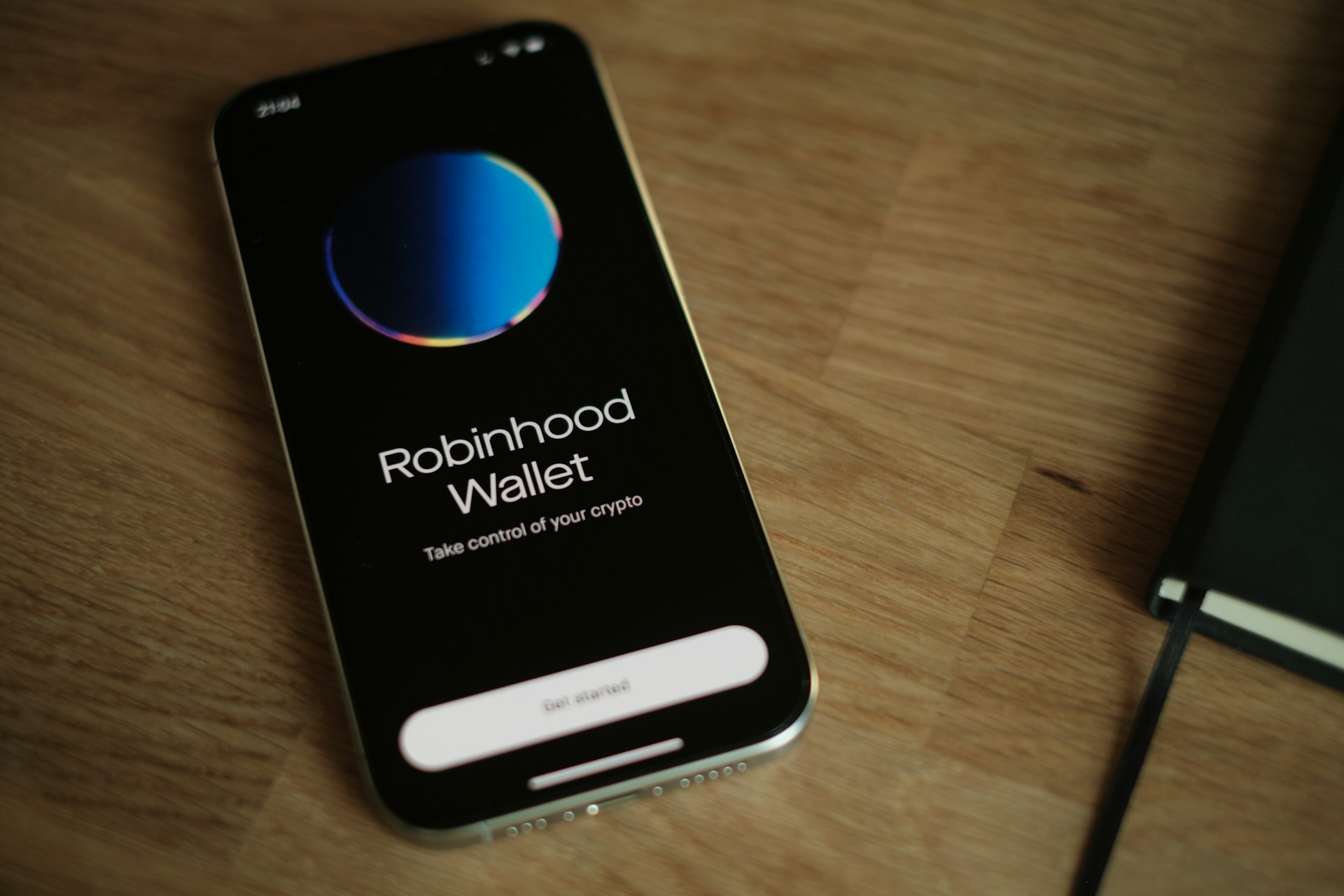
Why Adalo Works for Building a Stock Trading App
Adalo is a no-code app builder for database-driven web apps and native iOS and Android apps—one version across all three platforms, published to the Apple App Store and Google Play. This cross-platform capability is critical for trading apps, where users expect to check their portfolio on their phone during a commute, execute trades from a tablet at home, and review detailed analytics on their desktop—all with the same seamless experience.
App store distribution matters especially for financial apps because users trust native applications over mobile websites when their money is involved. With Adalo's built-in push notifications, you can alert users to price movements, order confirmations, and market updates in real time—the kind of instant responsiveness that keeps traders engaged and informed.
Building a stock trading app like Robinhood traditionally requires months of development, specialized financial engineering expertise, and significant capital. But what if you could prototype the core experience—portfolio tracking, buy/sell flows, watchlists, and price alerts—in weeks instead of months?
Adalo, an AI-powered app builder, makes this possible. One build publishes to web, iOS App Store, and Android Play Store simultaneously, which is essential for trading apps where users expect seamless access across their phone, tablet, and desktop. Push notifications keep them informed about price alerts and order confirmations in real time, and the platform's drag-and-drop interface means you can validate your concept before investing in the compliance infrastructure that real brokerages require.
This guide walks you through creating a Robinhood-style trading prototype. While fully regulated brokerages require substantial budgets, licensing, and specialist partners, this approach lets you build core flows—registration, KYC intake, portfolio view, buy/sell order UX (off-ledger accounting), alerts, and payments UI—without writing code.
Important: This guide implements a custodial/off-ledger prototype for educational purposes. Real securities execution, customer funds custody, and exchange-entitled real-time data require regulated providers and compliance work. Use External Collections and Custom Actions to connect third-party services.
Why Adalo Works for Building a Stock Trading App
Stock trading apps demand real-time responsiveness, complex data relationships, and cross-platform availability. Adalo's architecture addresses each of these requirements. The platform creates true native iOS and Android apps from a single codebase—not web wrappers that add latency and struggle under load.
Following the Adalo 3.0 infrastructure overhaul in late 2025, the platform runs 3-4x faster than before, with modular infrastructure that scales to serve apps with millions of monthly active users. Paid plans include unlimited database records with no caps, which matters for trading apps that accumulate transaction history, price snapshots, and user activity logs rapidly.
Ada, Adalo's AI builder, lets you describe what you want and generates your app. Magic Start creates complete app foundations from a description, while Magic Add adds features through natural language.
Magic Start can generate your app's foundation from a simple description—tell it you need a stock trading app with portfolio tracking and watchlists, and it creates your database structure, screens, and user flows automatically. Magic Add lets you describe new features in plain language and adds them to your existing build.
Setting Up Your Adalo Account for Trading App Development
Step 1: Create Your Adalo Account
- Visit Adalo.com and sign up.
- Verify your email.
- Create New App → choose Mobile App.
- Name your project (e.g., "StockTrade").
- Start from Scratch (no trading template).
Step 2: Choose Your Plan
Review Adalo pricing for current plan features. Starting at $36/month, you get web and native mobile publishing with unlimited usage—no App Actions charges or bill shock. This compares favorably to alternatives: Bubble starts at $59/month with usage-based Workload Units and record limits, while Flutterflow starts at $70/month per user but requires you to source, set up, and pay for a separate database.
Step 3: Configure Your App Theme
Choose a trustworthy palette (dark/neutral base, green/red for gains/losses), set typography, spacing, and corner radii, then continue into the builder. The visual builder displays up to 400 screens at once on a single canvas, making it easy to see your entire app architecture.
Building the Database Structure
Step 4: Enhance the Users Collection
Navigate to Database → Users → add properties:
- Full Name (Text), Phone Number (Text), Profile Image (Image)
- Account Balance (Number), Available Cash (Number), Total Portfolio Value (Number)
- KYC Status (Text): "Pending", "Verified", "Rejected"
- KYC Verification Token (Text) (store token/ID from provider; not PII)
- Two-Factor Enabled (True/False)
- Risk Tolerance (Text): "Conservative", "Moderate", "Aggressive"
- Investment Experience (Text): "Beginner", "Intermediate", "Advanced"
Learn relational databases • Adalo database basics
Step 5: Create the Stocks Collection
+ Add Collection → "Stocks"
- Ticker Symbol (Text), Company Name (Text), Logo URL (Image URL)
- Current Price, Open, High, Low (Numbers)
- Price Change, Percent Change, Volume, Market Cap (Numbers)
- 52-Week High, 52-Week Low (Numbers), Last Updated (Date & Time)
Step 6: Create the Portfolio Holdings Collection
+ Add Collection → "Holdings"
- Shares Owned, Average Purchase Price, Total Cost Basis (Numbers)
- Current Value, P/L, P/L % (Numbers; can be computed in UI)
- Purchase Date (Date & Time – automatic)
Step 7: Create the Transactions Collection
+ Add Collection → "Transactions"
- Transaction Type (Text): "Buy", "Sell", "Deposit", "Withdraw"
- Ticker Symbol (Text), Shares (Number), Price Per Share (Number)
- Total Amount, Transaction Fee (Numbers)
- Order Type (Text): "Market", "Limit", "Stop Loss"; Limit Price (Number)
- Status (Text): "Pending", "Completed", "Failed", "Cancelled"
- Created Date (Date & Time – automatic), Executed Date (Date & Time)
Step 8: Create the Watchlist Collection
+ Add Collection → "Watchlist"
- Added Date (Date & Time – automatic), Price Alert (Number)
- Alert Enabled (True/False), Notes (Text)
Step 9: Set Up Database Relationships
- Holdings ↔ Users: Many-to-One (a User has many Holdings)
- Holdings ↔ Stocks: Many-to-One (a Stock appears in many Holdings)
- Transactions ↔ Users: Many-to-One; Transactions ↔ Stocks: Many-to-One
- Watchlist ↔ Users: Many-to-One; Watchlist ↔ Stocks: Many-to-One
With no record limits on paid plans, your transaction history and price snapshots can grow indefinitely without hitting storage constraints.
Installing Required Components and Integrations
Step 10: Set Up Market Data APIs
Pick providers that fit your needs. Examples (check current plans/limits):
- Alpha Vantage — free tier with per-minute/per-day rate limits; intraday/time series; real-time may require paid options. Pricing
- Finnhub — broad coverage; free tier limits; real-time U.S. equities may require paid plans/licensing. Pricing
- Marketstack — end-of-day/historical; real-time on paid plans. Pricing
Note: Real-time U.S. equities data often requires paid plans and exchange agreements. In Adalo, use External Collections or Custom Actions to call your provider. Refresh UI on a timer (e.g., 5–30s) to simulate near-real-time updates.
Step 11: Install Payments (Prototype Funding UX)
- Open the Adalo Marketplace → install Stripe.
- Create a Stripe account and add API keys in Adalo.
- (Optional) For mobile subscriptions, see IAPHUB.
Production note: For brokerage funding with customer money, partner with a regulated broker-dealer/clearing firm and use compliant ACH/wire rails (e.g., Plaid + bank partners). Most payment processors restrict financial services that involve custodying funds for investment. Confirm your processor's restricted-business and acceptable-use policies, and consult counsel.
Step 12: Install Chart Components
In the Marketplace, add a Charts/Graph component for price history, portfolio performance, and P/L visualizations.
Creating User Authentication and Security
Step 13: Build the Welcome Screen
Logo, headline ("Commission-free trading UX, built fast"), value bullets (market data, watchlists, alerts), and buttons: Get Started (Sign Up) and Login.
Step 14: Create the Sign Up Screen
Form (Users): Email, Password (min 8 + complexity text), Full Name, Phone. Add Terms/Privacy checkbox. Submit: Create User → (optionally) send verification email via Custom Action (SendGrid/Mail provider) → navigate to KYC or Dashboard.
Step 15: Implement Two-Factor Authentication (2FA)
Create Enable 2FA and Verify 2FA screens:
- Support SMS or TOTP (Authenticator apps).
- For TOTP: generate secret server-side (external API), show QR; verify 6-digit code via Custom Action.
- On success, set Two-Factor Enabled = true.
- Microsoft reports 2FA reduces account compromise risk by ~99.9%. Source: Microsoft Security Blog
Step 16: Create KYC Intake (Prototype)
Account Verification screen: collect DOB, address, employment info, etc. Integrate a compliant KYC vendor (Persona, Alloy, Trulioo) via Custom Actions:
- Vendor does the sensitive handling (ID/SSN).
- Store only the vendor token/reference and KYC Status in Adalo, not raw PII.
- Set status to Pending and notify the user.
Building the Home Dashboard
Step 17: Create the Main Dashboard
- Portfolio Value with P/L (green/red), today's return.
- Quick stats: Available Cash, Total Invested.
- Bottom nav: Home, Markets, Portfolio, Account.
Step 18: Build the Stocks List & Categories
- List (Stocks): logo, ticker, current price, % change, sparkline.
- Search input to filter.
- Horizontal tabs: Most Active, Top Gainers, Top Losers, Watchlist (filter lists accordingly).
- Add Refresh icon to re-fetch quotes.
Use timer-based refresh rather than raw WebSockets for "live" UI updates. The 3.0 infrastructure handles these refresh cycles efficiently even under heavy user load.
Building Stock Detail and Trading Screens
Step 19: Stock Detail Screen
Header: name/ticker, current price, change %. Chart: 1D/1W/1M/3M/1Y/All (line or candlestick). Stats: Market Cap, 52-week high/low, Volume, Avg Volume. Actions: Buy, Add to Watchlist.
Step 20: Buy Flow
Buy Stock screen:
- Show ticker, current price, Available Cash.
- Form: Shares, Order Type (Market/Limit/Stop), Limit Price (conditional).
- Live total cost, estimated commission (if applicable).
- Review Order → Order Review.
Step 21: Order Review and Confirmation
Order Review screen:
- Ticker/company, quantity, order type, price, total.
- "I understand market risks" checkbox.
- Place Order → create Transaction ("Completed" for prototype), update Holdings and Available Cash, show success → Order Confirmation.
Step 22: Sell Flow
Sell Stock screen:
- Position summary: shares, average price, current value, P/L.
- Form: shares to sell (max = owned), order type, proceeds estimate.
- Review Sell Order → confirm (same pattern as buy).
Creating Portfolio and Alerts
Step 23: Portfolio Screen
Header: total value, today's change, all-time P/L. List (Holdings): ticker/name, shares, current value, P/L and P/L%. Sorting: Alphabetical, Highest value, Best/Worst performance. Tap → Stock Detail.
Step 24: Transaction History
History screen:
- Filters: Today / This Week / This Month / All / Custom.
- List (Transactions) with type, ticker, shares×price, total, date, status.
- Tap → details; Export CSV optional.
Step 25: Watchlist & Price Alerts
Watchlist screen:
- Watched symbols, current price, change, alert icon.
- Add/Remove, sort by alpha or % change.
- Price alerts: save target price and enabled flag.
- Use Timer to periodically fetch quotes; when condition met, trigger push notification.
References: Adalo push notifications • Zapier integration
Implementing Account Management
Step 26: Funding (Prototype UX) & Withdrawals
Add Funds screen:
- Options: bank transfer (ACH), debit card (instant), wire (copy instructions).
- For prototypes, demonstrate with Stripe (amount input, method).
- On success: update Available Cash, create Transaction (Deposit).
- Note timelines (cards ~instant; ACH often 3–5 business days).
- Production: route via broker/clearing partner using compliant rails (ACH/wire).
Withdraw Funds screen:
- Show available cash; amount input (max = available), bank selection.
- Re-enter password + 2FA code if enabled.
- Create Transaction (Withdraw) and show confirmation.
Step 27: Settings
Sections:
- Personal Info: edit name/email/phone, change password, profile photo.
- Security: 2FA toggle, login history, linked devices.
- Banking: linked accounts, payment methods, limits.
- Notifications: price alerts, order confirmations, market updates.
- Preferences: theme (light/dark), default order type, confirmations.
- Data Security: All API calls over TLS 1.2+; do not store SSNs or raw PII—store vendor tokens/status only.
References: NIST TLS 1.2/1.3
Implementing Security Features
Step 28: Security Settings
Add toggles for 2FA, change password, session/logout-all, and notification preferences.
Step 29: Rate Limiting (App Logic)
Track failed logins in Users; after a threshold, lock the account and notify. Implement cooldowns using Adalo actions + timestamp fields.
Step 30: Data Protection Notes
- Use Adalo auth + HTTPS; handle secrets carefully.
- Never store SSNs or full card data in Adalo collections—use KYC/payment providers that tokenize.
- Follow OWASP mobile guidance during implementation.
Reference: OWASP Mobile App Security Cheat Sheet
Step 31: Activity Logs
Create an Activity Log collection (action, IP/device, time, status). Log sign-ins, funding requests, orders, and settings changes.
Testing Your Trading App
Step 32: Seed Test Data
Create test users (2FA on/off, KYC states), add stocks, holdings, and transactions. Use Stripe test cards for funding UX where applicable.
Step 33: Test Core Workflows
- Registration & KYC → verify status transitions and notifications.
- Trading: Buy/Sell flows; holdings and cash updates; limit order UX.
- Alerts: price conditions → push notifications.
- Security: 2FA, lockouts, password resets, activity logs.
Step 34: Performance Optimization
Compress images, limit list sizes, paginate long lists, and cache quote snapshots. X-Ray identifies performance issues before they affect users—use it to spot bottlenecks in your data relationships. See Optimize performance. For large datasets, move history to External Collections.
Publishing Your Trading App
Step 35: Prepare for Launch
Switch to production keys (data providers, notifications), configure push notifications, add legal pages (Privacy, Terms, Disclosures, Risk, Fee schedule), and set up support flows.
Step 36: App Store Submission
- iOS: Join Apple Developer ($99/year) and follow Adalo's iOS guide.
- Android: Pay $25 one-time and follow Adalo's Android guide.
- Review timelines vary; plan for several days and possible iterations.
References: Apple App Review • Adalo: iOS guide • Android guide
Step 37: Web App Deployment
Publish your web app and set a custom domain via web app publishing; configure DNS and SSL, then test responsiveness. One codebase automatically updates all three platforms—web, iOS, and Android—when you make changes.
Platform Limitations and Workarounds
Real-Time & Background Processing
- Adalo doesn't expose native WebSockets or background jobs; "live" quotes require timer-based refresh or screen revisit.
- For true real-time streams, order books, and post-trade webhooks, proxy via an external service and call it with Custom Actions/External Collections.
Market Data Entitlements
- Free tiers are commonly rate-limited and delayed. Real-time U.S. equities usually require paid plans and exchange agreements. Label data appropriately in the UI.
Scalability
- The 3.0 infrastructure handles apps with over 1 million MAU. Keep lightweight snapshots in-app; move tick history to an external database for optimal performance. Use progressive loading; avoid lists-within-lists.
Compliance Boundaries
- Treat this as a prototype. Production funding, custody, best-execution, and books/records require a regulated broker-dealer/clearing partner and compliant rails (ACH/wire).
Workarounds
- Cache quote snapshots; fetch details on demand.
- Use 5–30s timers for near-real-time screens.
- Add an Admin/Compliance app for manual reviews, KYC status updates, and audits.
- Split roles into multi-app (Customer / Admin / Ops) as you scale.
Cost Breakdown and Resources
Adalo Subscription
- Starting at $36/month for web and native mobile publishing with unlimited usage—no record limits or usage-based charges. Verify current features on the pricing page.
Data & Payments
- Market-data APIs: costs vary by provider/plan; free tiers are rate-limited and often delayed.
- Stripe (U.S. online card reference): typically 2.9% + $0.30 per successful charge; varies by country/payment method. See Stripe pricing.
App Stores
- Apple Developer: $99/year.
- Google Play Developer: $25 one-time.
Ongoing Maintenance
- Many teams budget ~15–25% annually of initial effort for maintenance, updates, security reviews, and compliance monitoring.
Additional Resources
- Adalo Database — collections & relationships: https://help.adalo.com/database
- External Collections — connect external APIs: https://help.adalo.com/integrations/external-collections-with-apis
- Custom Actions — call third-party endpoints: https://help.adalo.com/integrations/custom-actions
- Optimize performance — lists, images, data strategy: https://help.adalo.com/performance/optimize-app-performance
- Stripe component — marketplace: https://www.adalo.com/marketplace
- Push notifications — triggers & requirements: https://help.adalo.com/action-basics/notifications/trigger-push-notifications
- Apple App Review: https://developer.apple.com/app-store/review/
- FINRA Rules/Guidance: https://www.finra.org/rules-guidance
- PCI Security Standards: https://www.pcisecuritystandards.org/
- GDPR: https://gdpr.eu/
- CCPA: https://oag.ca.gov/privacy/ccpa
This Robinhood-style build covers quote display, portfolio accounting, buy/sell order UX (prototype/off-ledger), watchlists/alerts, and funding UI using Adalo plus vendor APIs. For production brokerage—real securities execution, customer funds, data entitlements, and automated compliance—partner with regulated providers, route funding via compliant rails, and performance-/security-test on real devices before launch.
FAQ
Why choose Adalo over other app building solutions?
Adalo is an AI-powered app builder that creates true native iOS and Android apps from a single codebase. Unlike web wrappers, it compiles to native code and publishes directly to both the Apple App Store and Google Play Store. Starting at $36/month with unlimited usage and no record caps, it offers predictable pricing compared to platforms with usage-based charges.
What's the fastest way to build and publish an app to the App Store?
Adalo's drag-and-drop interface and AI-assisted features like Magic Start let you go from idea to published app in days rather than months. The platform handles the complex App Store submission process, so you can focus on your app's features instead of wrestling with certificates and provisioning profiles.
Can I build a stock trading app prototype without coding?
Yes. With Adalo's visual builder, you can create core features like user registration, KYC intake flows, portfolio views, buy/sell order interfaces, watchlists, and price alerts without writing code. The builder has been described as "easy as PowerPoint" while producing native mobile apps.
Can I integrate real-time stock market data into my Adalo trading app?
Yes, you can integrate market data using External Collections and Custom Actions to connect with providers like Alpha Vantage, Finnhub, or Marketstack. Free API tiers are often rate-limited and delayed, while real-time U.S. equities data typically requires paid plans and exchange agreements.
What security features can I implement in my trading app prototype?
You can implement two-factor authentication (SMS or TOTP), password complexity requirements, account lockouts after failed login attempts, and activity logging. For KYC verification, integrate with compliant providers like Persona or Alloy via Custom Actions, storing only vendor tokens rather than sensitive PII.
What are the limitations of building a trading app in Adalo?
Adalo doesn't support native WebSockets or background processing, so real-time quotes require timer-based refresh intervals (5-30 seconds works well). For production brokerage operations involving actual securities execution and customer funds custody, you'll need to partner with regulated broker-dealers—this guide creates a prototype for concept validation.
How much does it cost to build and publish a trading app with Adalo?
Adalo plans start at $36/month with unlimited usage and no record limits. Add Apple Developer membership ($99/year), Google Play Developer fee ($25 one-time), and market data API costs which vary by provider. Many teams budget 15-25% annually of initial development effort for ongoing maintenance.
How does Adalo compare to Bubble for building trading apps?
Bubble starts at $59/month with usage-based Workload Units and record limits that can cause unexpected charges. Bubble's mobile solution is a web wrapper, which can introduce latency issues at scale. Adalo creates true native apps from a single codebase with predictable pricing and no usage caps on paid plans.
Can Adalo handle a trading app with many users?
Yes. Following the Adalo 3.0 infrastructure overhaul in late 2025, the platform runs 3-4x faster with modular infrastructure that scales to apps with over 1 million monthly active users. Paid plans include unlimited database records, which is essential for trading apps that accumulate transaction history rapidly.
Do I need to build separate apps for web, iOS, and Android?
No. Adalo lets you build once and publish to web, iOS App Store, and Android Play Store from a single codebase. Updates you make automatically apply to all three platforms, eliminating the need to maintain separate versions.







