
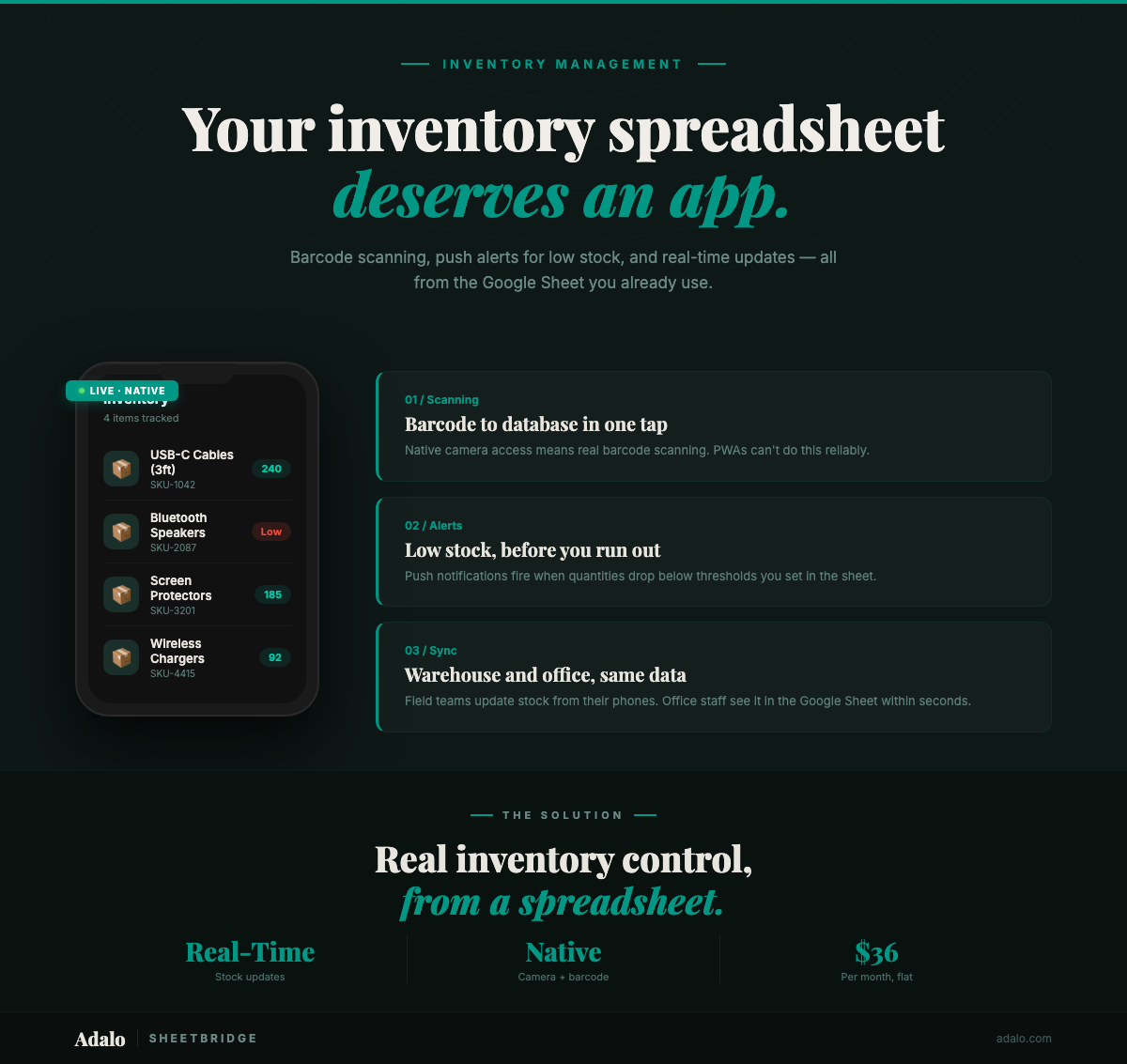
Your warehouse team is counting stock with a shared Google Sheet open on a laptop propped against a shelf. Someone fat-fingers a quantity. Someone else overwrites a row. By Friday, the numbers on screen have nothing to do with what's actually on the shelves — and a customer just ordered something you sold out of yesterday. Spreadsheet-based inventory tracking works until it doesn't, and for most growing businesses, it stops working far sooner than expected.
The fix isn't abandoning your spreadsheet data. It's turning it into a native mobile app that your team can use right from the warehouse floor — complete with barcode scanning, low-stock push notifications, and bidirectional sync that keeps your Google Sheet and your app in lockstep within seconds.
Why Spreadsheet Inventory Breaks Down
Google Sheets is a fantastic tool for getting an inventory system off the ground. Columns for SKU, product name, quantity, location, reorder point — it's intuitive and free. But spreadsheets weren't designed to be operated from a warehouse aisle, and that mismatch creates compounding problems:
- Manual data entry errors — Typing SKUs by hand introduces mistakes that cascade through ordering and fulfillment
- No real-time visibility — Staff checking stock on a phone browser can't see changes another team member just made without refreshing
- Zero proactive alerts — Spreadsheets can't notify you when an item drops below its reorder point; someone has to notice
- Clunky mobile experience — Pinching and zooming a spreadsheet on a phone while holding a clipboard is nobody's idea of efficient
- No barcode scanning — Every lookup requires scrolling or searching manually instead of pointing a camera
These aren't theoretical problems. Businesses running inventory on spreadsheets report spending 10+ hours per week on manual stock counts, reconciliation, and fixing data entry mistakes. At even modest labor costs, that's thousands of dollars annually in lost productivity.
How SheetBridge + Adalo Solve It
SheetBridge connects your existing Google Sheets inventory data to Adalo, a no-code app builder that publishes native iOS and Android apps to the Apple App Store and Google Play. Your spreadsheet becomes the backend database; the app becomes the interface your team actually uses on the floor.
The key advantages:
- Bidirectional sync within seconds — Update a quantity in the app, and it appears in Google Sheets. Update it in Sheets, and the app reflects it. No lag, no conflicts.
- Native barcode scanning — Use the device camera to scan product barcodes and instantly pull up the item record. No manual searching.
- Low-stock push notifications — Set reorder thresholds and get native push alerts when inventory drops below them. No checking required.
- Purpose-built mobile UI — Large tap targets, clear layouts, and workflows designed for warehouse use — not a spreadsheet squeezed onto a small screen.
Adalo's plans start at $36/month with unlimited database records on paid plans, which means your inventory can scale without hitting storage limits.
Step-by-Step Walkthrough
Step 1: Prepare Your Google Sheet
Format your inventory spreadsheet for a clean import. Use underscore column names (Product_Name, not "Product Name"), remove merged cells, and ensure consistent data types in each column. Essential columns:
SKUorBarcode— unique product identifierProduct_Name— item descriptionQuantity_On_Hand— current stock levelReorder_Point— threshold for low-stock alertsLocation— warehouse bin or shelf positionCategory— product groupingLast_Updated— timestamp of most recent count
Step 2: Connect via SheetBridge
In Adalo, connect your Google Sheet through SheetBridge using one-click OAuth authentication. SheetBridge automatically detects your column structure and sets up the bidirectional sync. The entire connection process takes 15–30 minutes.
Step 3: Build Your Inventory App Screens
Use Adalo's drag-and-drop builder — or describe what you need to Ada, Adalo's AI builder, using Magic Start — to create screens tailored to inventory workflows:
- Dashboard — Summary cards showing total items, low-stock alerts, and recent activity
- Product list — Searchable, filterable list with current quantities and locations
- Scan screen — Camera-based barcode scanner that pulls up the matching product record instantly
- Stock adjustment form — Quick-entry screen for receiving shipments or recording counts
- Low-stock report — Filtered view showing only items below their reorder point
Step 4: Configure Barcode Scanning
Add Adalo's barcode scanner component to your scan screen. When a team member scans a barcode, the app matches it against the SKU or Barcode column in your sheet, displays the product details, and lets them update the quantity immediately. No typing, no searching, no errors.
Step 5: Set Up Low-Stock Push Notifications
Configure push notifications to fire when Quantity_On_Hand drops below Reorder_Point. These are native device notifications — they appear on the lock screen and in the notification center, just like texts and emails. Your purchasing team knows the moment something needs reordering, not hours or days later.
Step 6: Publish to App Stores
Adalo publishes your inventory app as a native iOS and Android app. Submit to the Apple App Store and Google Play, or distribute internally to your team. The same app also runs as a web app for office staff who prefer desktop access. One build, three platforms.
Why a Native App Matters for Inventory Management
PWAs (progressive web apps) and mobile-responsive websites are sometimes positioned as alternatives to native apps. For inventory management specifically, they fall short in critical ways:
- Barcode scanning requires native camera access. PWAs have limited and inconsistent camera API support across devices. Native apps access the camera reliably on every device, every time. When your warehouse team is scanning hundreds of items per shift, "sometimes works" isn't acceptable.
- Low-stock push notifications don't work on PWAs. iOS Safari does not reliably support PWA push notifications. Native apps deliver push notifications consistently across both iOS and Android — which means your purchasing team actually gets the alert when stock runs low.
- App Store distribution simplifies deployment. Install the app from the App Store, sign in, start scanning. No bookmarking URLs, no "Add to Home Screen" instructions, no browser compatibility troubleshooting.
- Performance under load. Native apps handle large product catalogs and rapid barcode lookups with smoother performance than browser-based alternatives, which matters when your team is doing rapid stock counts.
For a desk-bound CRM, a PWA might suffice. For a tool used standing in a warehouse with a barcode scanner, native is the only serious option.
See the full use case: Inventory Tracker — a detailed walkthrough of building a native inventory app from Google Sheets with Adalo and SheetBridge.
Real-World Use Cases
This approach works across industries that currently manage inventory in spreadsheets:
- Retail shops — Staff scan items during receiving, customers see real-time availability
- Restaurants and bars — Track ingredient levels, get alerts before you run out mid-service
- E-commerce fulfillment — Sync warehouse counts with order management to prevent overselling
- Medical and dental offices — Track supplies and equipment with audit trails
- Construction and trades — Monitor tool and material inventory across job sites
Frequently Asked Questions
How long does it take to build an inventory app from my Google Sheet?
Most users have a working app within a few hours. SheetBridge setup takes 15–30 minutes. Building and customizing screens with Adalo's visual multi-screen canvas or Ada AI takes a few more hours. You can publish to the app stores the same week.
Will my Google Sheet still work as before?
Yes. SheetBridge provides bidirectional sync, so your Google Sheet remains fully functional. Staff who prefer working in Sheets can continue doing so — changes sync to the app within seconds, and vice versa.
What barcode formats are supported?
Adalo's barcode scanner component supports standard formats including UPC-A, UPC-E, EAN-8, EAN-13, Code 39, Code 128, and QR codes. If your products have barcodes, the scanner can read them.
How much does this cost?
Adalo's free plan includes 500 records, which works for small inventories. Paid plans start at $36/month with unlimited records and the ability to publish to the Apple App Store and Google Play. There are no per-scan or per-notification fees.
Can multiple team members use the app at the same time?
Yes. Unlike a shared Google Sheet where simultaneous edits can cause conflicts, the app handles concurrent users cleanly. Each team member has their own device, their own session, and changes sync through SheetBridge without overwriting each other's work.
Do I need to know how to code?
No. Adalo is a no-code app builder. You build screens by dragging and dropping components, and Ada, Adalo's AI builder, can generate screens and features from plain-language descriptions. No programming required.
What is Adalo?
Adalo is the AI-powered no-code app builder with a visual multi-screen canvas. Design, build, and publish database-driven apps to the Apple App Store, Google Play Store, and web from a single project — no code, no developers required. Ada, Adalo's AI builder, generates screens from descriptions with Magic Start, and Magic Add layers on new features with natural language. Start building at app.adalo.com/signup.
Get Started
If your inventory spreadsheet is becoming a liability instead of an asset, it's time to turn it into an app. Your data stays in Google Sheets. Your team gets a native app with barcode scanning and real-time alerts. Setup takes hours, not months.
Learn more about SheetBridge or start building your inventory app for free.
Want to go deeper? Read our guides on building inventory apps without code and creating an inventory management app, or explore the Inventory App Builder for templates and more features. For SheetBridge setup details, see the SheetBridge documentation.

Build your app fast with one of our pre-made app templates
Begin Building with no codeRelated Content
How to Build a Mobile Expense Tracker App from Google Sheets with Adalo
Learn how to build a mobile expense tracker app from Google Sheets using Adalo's no-code builder with real-time tracking and native app publishing.
Google Sheets Project Tracker to App
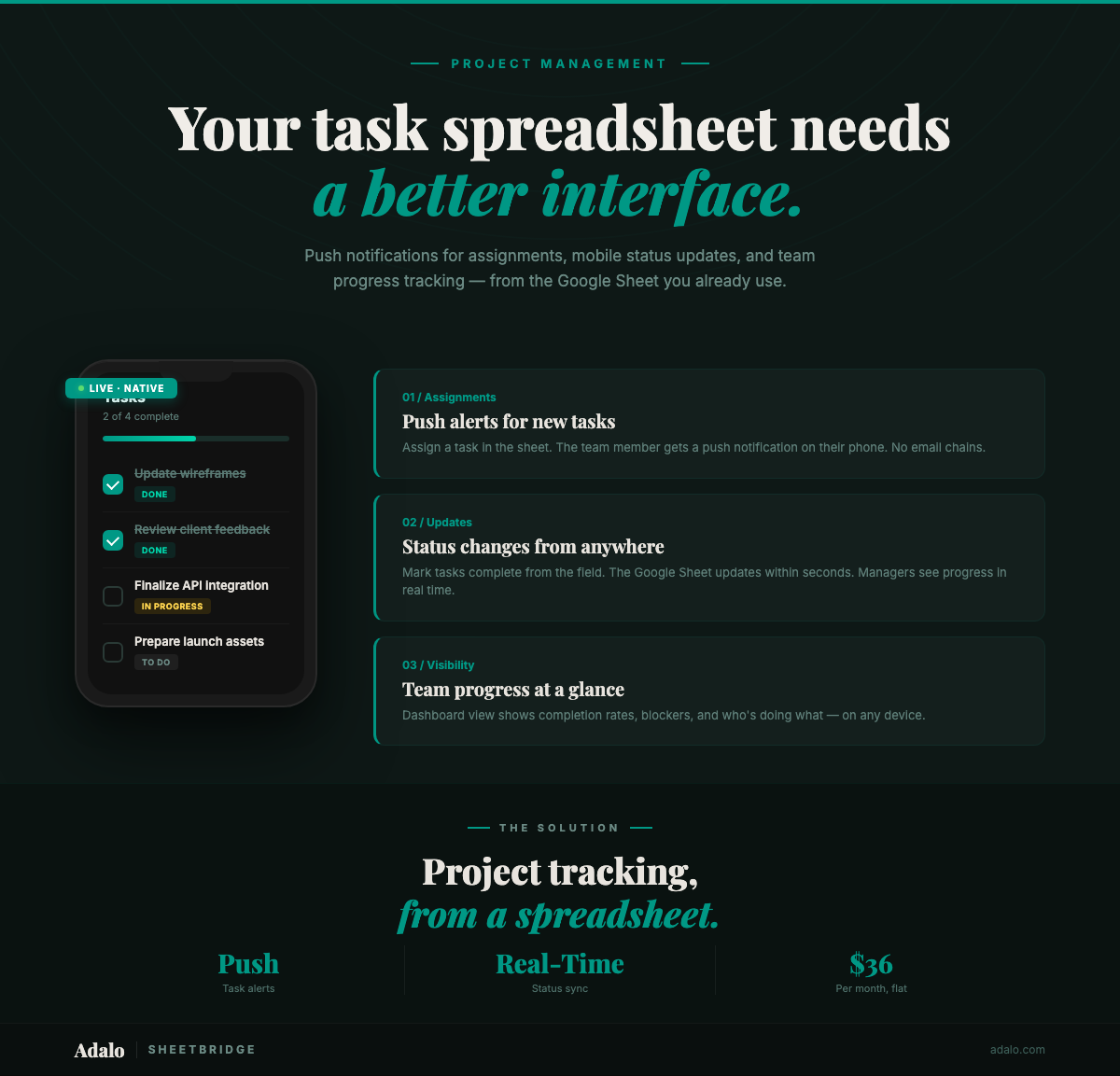
Convert your Google Sheets project tracker into a native mobile app with push notifications for deadlines and task assignments. No code. $36/month.

How to Build a Custom Time Tracking App from Google Sheets with Adalo
Learn how to build a custom time tracker app from Google Sheets using Adalo's no-code builder with automated tracking and native mobile publishing.
Real-Time Google Sheets Sync with SheetBridge
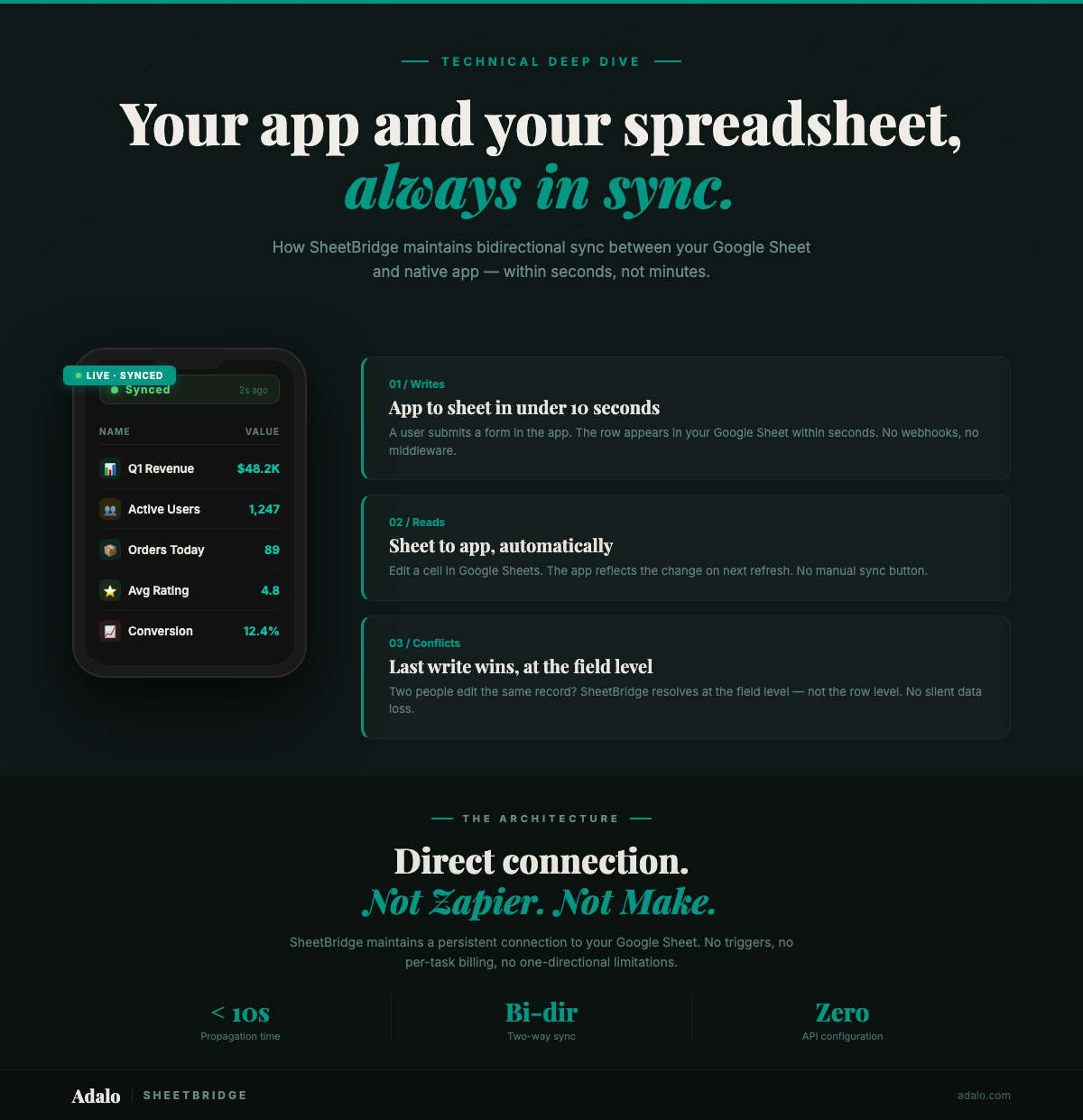
Learn how SheetBridge syncs your Google Sheet and Adalo app in real time with bidirectional updates, conflict resolution, and no middleware.