


Webflow offers impressive design control, but its complexity and web-only focus send many builders searching for simpler paths to launch. If you need to reach users beyond the browser, the search becomes even more urgent.
Adalo is a no-code app builder for database-driven web apps and native iOS and Android apps—one version across all three platforms, published to the Apple App Store and Google Play. Webflow, by contrast, is a powerful visual website builder known for its design flexibility and CMS capabilities, though it requires significant learning investment and doesn't produce mobile apps.
When evaluating alternatives, what matters most is app success: launching as fast as possible with an MVP and reaching the biggest audience possible. That means considering platforms that push not just web apps but also iOS and Android—and critically, getting into the app stores where billions of users discover new apps and where push notifications drive engagement. Below, we break down pricing, features, and ideal use cases to help you find the right builder for your goals.
Webflow is a powerful no-code builder, but it isn't for everyone. For those looking for simpler options, Adalo lets you build both apps and websites with AI assistance, WordPress shines in SEO tools, and Wix offers drag-and-drop simplicity.
Read on for more about:
- The Top 10 Webflow Alternatives
- A breakdown of pricing, features, and ideal users
- Tips on choosing the best builder for your needs
Let's start with a survey of the list of Webflow competitors.
Independent research from App Builder Guides' State of App Building report (February 2026) analyzed 190 Reddit threads and 150+ platform citations across 345 data points with zero platform sponsorships. Adalo ranked first among visual builders for non-developers.

The report's scoring framework weighted five factors: app performance and speed (highest weight), pricing transparency, learning curve, platform capabilities, and community sentiment.
The Top 10 Webflow Alternatives
What Is Webflow?
Webflow is a popular and powerful no-code website builder that offers extensive control over your website design. Because it's no-code, Webflow allows folks with zero coding or technical skills to create a good-looking, quality, and professional website.
The platform stands out because Webflow offers a robust content management suite (CMS), specialized SEO tools, and more. This makes Webflow ideal for companies focused heavily on SEO and content marketing strategies.
And if you're planning on growing your site, Webflow's advanced scalability tools have you covered. You'll find options for automatic scaling, collaborative site management, and more. These features will also help ensure your site doesn't bug out, allowing you to sleep better at night.
Why Look for Webflow Alternatives?
While Webflow is a super powerful platform with features that appeal to anyone with a blog or SEO strategy, many folks seek alternatives for the following reasons:
- Steep learning curve: All the power that the Webflow building interface provides doesn't come for free—while it's indeed no-code, it ultimately follows the logic behind coding. This means you'll need to read help documentation and watch tutorials before unleashing Webflow's power.
- You don't need intensive content-management tools: While Webflow provides one of the most robust content-management suites and SEO tools, you might not need these powerful features. Not everyone with a website adheres to a full-on, gung-ho SEO strategy. Ultimately, someone looking for a website to feature their art or book tables for their restaurant probably won't need an involved CMS.
- Pricing plans are a bit confusing: Webflow has several different pricing tiers, which fall under 2 categories, Site Plans and WorkSpace Plans. Each category has up to 5 different pricing tiers (including free and custom tiers) for a total of 15 different pricing tiers.
- Web-only limitations: Webflow builds websites, but if you need a native mobile app for the Apple App Store or Google Play Store, you'll need to look elsewhere. For businesses wanting to reach the 1 billion+ app store audience, this is a significant limitation.
#1 Adalo

Overview
Adalo is a no-code app builder for database-driven web apps and native iOS and Android apps—one version across all three platforms. AI-assisted building and streamlined publishing enable launch to the Apple App Store and Google Play in days rather than months. With over 3 million apps created on the platform, Adalo's visual builder has been described as "easy as PowerPoint" while delivering production-ready applications.
Ada, Adalo's AI builder, lets you describe what you want and generates your app. Magic Start creates complete app foundations from a description. Magic Add adds features through natural language. X-Ray identifies performance issues before they affect users.
Magic Start generates complete app foundations from simple descriptions—tell it you need a booking app for a dog grooming business, and it creates your database structure, screens, and user flows automatically. Magic Add lets you add features by describing what you want in natural language.
If your plan is mass distribution through the app stores' vast marketplaces, this is a compelling option versus many of the web-only builders out there today.
What It Does Better Than Webflow
Webflow only allows you to create a website, but Adalo goes further, providing you with the tools to create both a website and native apps for the Apple App Store and Google Play Store. This means you'll be able to reach users on the web and the 1 billion+ app-store crowd from a single codebase.
The platform's modular infrastructure scales to serve apps with millions of monthly active users, with no upper ceiling. Unlike app wrappers that hit speed constraints under load, Adalo's purpose-built architecture maintains performance at scale. Following the Adalo 3.0 infrastructure overhaul in late 2025, apps run 3-4x faster than before.
Adalo also offers a free version (not a limited-time trial), which is incredibly generous. It allows you to build and publish a website and even take payments through Adalo's Stripe integration. You'll be able to reach clients and get an idea of how well your website works without any financial commitment.
Who It's Best For
Adalo is best for non-technical folks who want to create an app and a website from a single project. With Adalo's intuitive building interface, freelancers, entrepreneurs, and small and medium businesses can make any website and app without much fuss. The AI-assisted tools make it particularly appealing for those who want to move quickly from idea to published app.
Pricing
Get Adalo for $36/month (billed monthly) with unlimited usage—no record limits on the database and no usage-based charges that can cause bill shock. This straightforward pricing contrasts sharply with platforms that charge based on workload units or database records.
Final Verdict
Adalo has a much easier building interface than Webflow but plenty of power, so you can breathe life into any app or website idea with it. The combination of AI-assisted building, native app publishing, and no data caps makes it a standout choice.
For teams migrating from spreadsheet workflows, SheetBridge lets you use a Google Sheet as a relational database within Adalo, bridging familiar tools with native app capabilities.
#2 WordPress

Overview
WordPress is an excellent Webflow alternative known for its powerful content management system (CMS), particularly favored by bloggers and those focusing on written content. It powers a significant portion of the web and has a massive ecosystem of plugins and themes.
What It Does Better Than Webflow
Although WordPress comes with a bit of a learning curve, it's not as steep as Webflow's, which means you'll be able to start building your website with just a little bit of tutorial study.
Additionally, folks looking to add some rocket fuel to their SEO strategy will appreciate WordPress's advanced SEO tools, which give you more granular control over both on-page and technical SEO. The plugin ecosystem includes powerful options like Yoast SEO and Rank Math that provide detailed optimization guidance.
Who It's Best For
If you're aiming to leverage a content strategy, WordPress is the Webflow alternative for your needs. Bloggers, publishers, and content-heavy businesses will find its CMS capabilities particularly valuable.
Pricing
Plans start at $9/month (billed monthly), which provides unlimited bandwidth and pages. For $18/month (billed monthly), you'll get 13 GB of storage and the ability to make some extra cash with WordAds.
Final Verdict
WordPress provides all the features and tools you need to create and manage a content-rich site with less of a learning curve than Webflow. However, it remains web-only—if you need native mobile apps, you'll need to look at alternatives like Adalo that can publish to app stores.
#3 Wix

Overview
Wix is a simple no-code website builder that allows you to create websites for a variety of businesses, including eCommerce, blogging, service, and much more. It's known for its accessibility and extensive template library.
What It Does Better Than Webflow
If you're looking for a simple alternative to Webflow, Wix might be for you: It provides a super simple drag-and-drop interface with nearly no learning curve. Wix is so simple that you probably won't need to study up on any tutorials—it's one of the few website builders you can use right out of the box.
You'll also find that Wix has one of the largest template libraries, with nearly 1,000 different ones to choose from. This means you'll most likely find a template that suits your needs perfectly. And yes, you can edit the template to fit your tastes and make your website on-brand.
Who It's Best For
Wix is a great choice for small business owners and freelancers who want a comprehensive, easy-to-use platform for quick website setup. Its simplicity makes it ideal for those who need to get online fast without a steep learning investment.
Pricing
For $17/month (billed monthly), you'll be able to publish your white-label website with up to 2GB of storage space. If you need a little more oomph, check out Wix's $29/month (billed monthly) version, as it gives you 50GB of storage space and allows for integrated payments.
Final Verdict
Wix is one of the best alternatives to Webflow if you want to create a website for your business easily and quickly. Like WordPress, it's web-only, so mobile app distribution requires a different solution.
#4 Squarespace

Overview
Squarespace is a no-code website builder with tools and features for creating eye-catching and visually appealing websites. It's particularly known for its design-forward approach and polished templates.
What It Does Better Than Webflow
Like Wix, Squarespace is much simpler to learn than Webflow. This means you won't need to spend too much time figuring out Squarespace's drag-and-drop interface.
Where Squarespace really shines, however, is through its templates and elements: It only offers sleek and modern ones, so you can rest assured that your website will turn a few heads. Every template feels professionally designed and contemporary.
Who It's Best For
Anyone who needs an aesthetically sound website should consider Squarespace—artists, niche e-commerce businesses, and trendy restaurants and cafes should take note. If visual presentation is your top priority, Squarespace delivers.
Pricing
Those looking to build a simple yet stunning website to feature goods, art, or handmade crafts should look at the $25/month (billed monthly) version, which allows you to send invoices and sell content. The $36/month (billed monthly) plan will enable you to create a payment page on your site with a 0% transaction fee on invoices.
Final Verdict
Squarespace is the Webflow alternative that combines ease, convenience, and beauty. It excels at creating visually stunning websites but doesn't extend to native mobile app development.
#5 Weebly

Overview
Weebly features a simple no-code interface that excels for building websites quickly. Now owned by Square, it has strong e-commerce integrations built into its DNA.
What It Does Better Than Webflow
Aside from featuring a much less steep learning curve than Webflow, Weebly offers seamless integrations with Square for e-commerce so that you can take all your payments directly from your site without complex setup.
Additionally, Weebly provides even more features for e-commerce stores, such as its inventory management tool. This tool lets you know when your goods are running low, enabling you to place orders quickly and avoid stockouts.
Weebly is also one of the few Webflow alternatives with a free version (not a limited-time free trial), giving you enough time to test out all the features before committing financially.
Who It's Best For
While Weebly has templates for all sorts of websites, it particularly excels at creating e-commerce sites. All its plans include a shopping cart, in-store pickup, and more—making it ideal for retail businesses.
Pricing
For $13/month (billed monthly), you can sell digital goods like content, videos, and more, and you can also calculate shipping rates for physical goods.
The $16/month (billed monthly) version provides an ad-free experience for your clients and offers live phone support, just in case you run into any issues.
Final Verdict
Weebly is an ideal Webflow alternative for sites that operate in tandem with a brick-and-mortar store and those that are purely e-commerce. Its Square integration makes payment processing seamless.
#6 Carrd

Overview
Carrd is a simple, one-page website builder with the tools to create a one-page website in minutes. It's designed for simplicity and speed above all else.
What It Does Better Than Webflow
In addition to providing a straightforward app-building interface, Carrd is one of the most affordable Webflow alternatives, with prices starting as low as $9/month. For simple landing pages and personal sites, it's hard to beat on value.
Who It's Best For
Carrd is best for folks who need a simple one-page webpage for their business. Think landing pages, personal portfolios, link-in-bio pages, and simple business cards online.
Pricing
As we mentioned, pricing starts at $9/month (billed monthly), allowing you to create up to 3 different sites from one of Carrd's dozens of templates. The $19/month (billed monthly) version lets you create up to 10 sites that can accept form submissions (like for orders for your restaurant).
Final Verdict
Carrd is the Webflow alternative for making a one-page website to cover various business needs. It's intentionally limited in scope but excels within that niche.
#7 Shopify

Overview
Shopify is an e-commerce website-building platform allowing businesses of all sizes to set up, manage, and scale their online stores across multiple global channels. It's the dominant player in dedicated e-commerce platforms.
What It Does Better Than Webflow
Built with e-commerce in mind, Shopify excels in facilitating international sales, offering multi-currency support and localized shopping experiences to clients worldwide. This allows you to diversify your business and client base across borders.
Shopify's app ecosystem is also massive, with thousands of integrations for everything from email marketing to inventory management to fulfillment services.
Who It's Best For
If you're looking to boost your e-commerce sales to the global stage, Shopify offers the best tools for businesses of all sizes. From solo entrepreneurs to enterprise retailers, Shopify scales with your needs.
Pricing
Get started for $39/month (billed monthly), and you'll get integrations with many third-party apps to manage your revenues and costs better and access international shipping discounts.
The $105/month (billed monthly) version provides United States Postal Service (USPS) discounts for smaller packaging, which can help you save when you send out certain goods.
Final Verdict
Shopify is hands down the best Webflow alternative for scaling an e-commerce business. However, if you need a custom mobile app beyond Shopify's standard mobile experience, you might pair it with an app builder like Adalo.
#8 Framer

Overview
While the interface functions much like Webflow, Framer provides a building interface with interactive design tools for creating an absolutely gorgeous website. It bridges the gap between design tools and website builders.
What It Does Better Than Webflow
As a part design tool and part website builder, Framer allows you to work directly with React components, supporting advanced animations and nearly pixel-perfect design freedom. This will give you more advanced website designer capabilities than you'd get from Webflow.
Framer's animation capabilities are particularly impressive, allowing for smooth micro-interactions and transitions that make websites feel more dynamic and engaging.
Who It's Best For
Because it has a learning curve, Framer is the ideal choice for folks with a tech background. It also supports robust collaboration features, so it's a viable option for teams working on projects together. Designers who already use Figma will find Framer's interface familiar.
Pricing
Individual pricing plans start at $10/month (billed monthly), allowing up to 1,000 monthly visitors and up to 50 form submissions. For $20/month (billed monthly), you'll get content management features up to 10,000 monthly visitors and 500 form submissions.
Teams pricing starts at $25/month per editor (billed monthly), giving you 1GB of bandwidth and up to 5 editors for building your site. For $50/month per editor (billed monthly), you'll get up to 10GB of storage and up to 10 editors for your site.
Final Verdict
Framer is the Webflow alternative that gives you more design freedom to create a unique and beautiful website. Like Webflow, it's web-focused and doesn't produce native mobile apps.
#9 Ghost
Overview
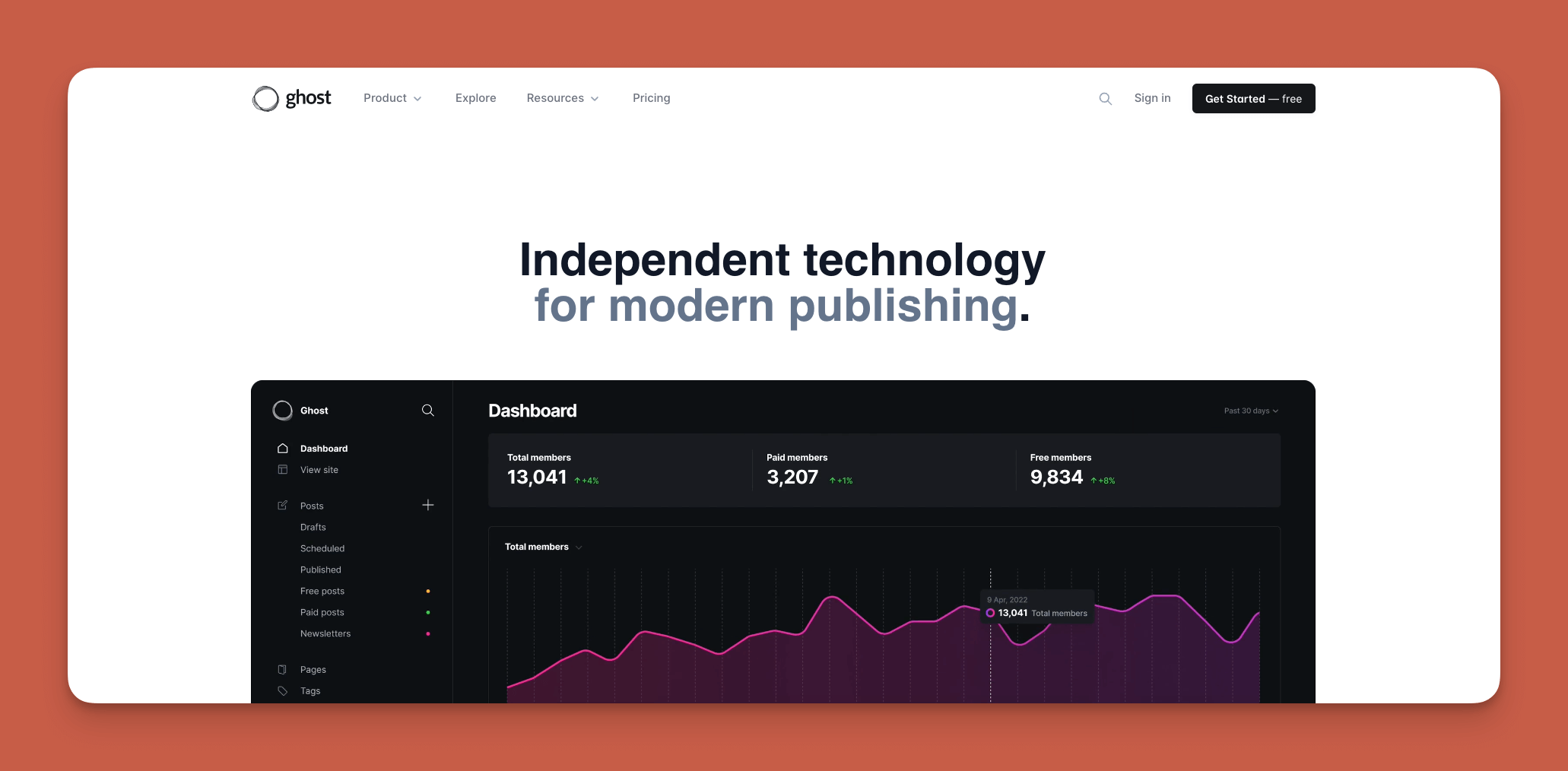
Ghost is a website builder designed specifically for publishing websites that offer content, newsletters, and more. It's built from the ground up for writers and publishers.
What It Does Better Than Webflow
Attention all content creators: Ghost provides a streamlined editor so writers can focus only on content creation without being distracted by pesky design tools. This offers a more straightforward method for publishing content than Webflow.
Additionally, Ghost has built-in subscription capabilities for sending newsletters directly from the platform. This lets you avoid dealing with subscriptions through email or third-party integrations—everything lives in one place.
Who It's Best For
Folks working with words, such as bloggers, journalists, and authors, who want a platform to launch and monetize their content and grow their audience will be right at home with Ghost. It's particularly popular with independent publishers and newsletter creators.
Pricing
Pricing depends on the number of registered members (i.e., people consuming your content), so you must visit the Ghost homepage for more information.
To give you an idea of pricing, Ghost starts as low as $11/month (billed monthly) for up to 500 registered members and goes as high as $4,000/month (billed monthly) if you have over 400,000 members.
Final Verdict
If you're looking for a Webflow alternative offering an all-in-one space for content management and subscriptions, Ghost might be the best website builder for you. It's laser-focused on publishing and does that exceptionally well.
#10 Big Cartel

Overview
Big Cartel provides a simple website-building platform for artists and small businesses to build their online stores. It's intentionally minimal and focused on creative entrepreneurs.
What It Does Better Than Webflow
Big Cartel is a simple, no-frills Webflow alternative that appeals to a niche audience: Independent artists and small businesses looking for a budget-friendly website. It offers a healthy selection of unique, indie-style templates that users can configure to meet their brand.
The platform deliberately avoids feature bloat, making it refreshingly simple for those who don't need enterprise capabilities.
Who It's Best For
Big Cartel is ideal for businesses and entrepreneurs who are just starting and need to launch a budget-friendly website that features their products and takes payments. Artists, makers, and small-batch producers are the core audience.
Pricing
After the free version, start using Big Cartel for $15/month (billed monthly) and list up to 50 products with 5 images per listing. You'll also be able to take payments and track shipping. The $30/month (billed monthly) version offers up to 500 products with 25 images per listing, and you'll also get abandoned cart recovery to help you close down more sales.
Final Verdict
Big Cartel offers a cheap and easy website-building platform tailored explicitly to start-up e-commerce businesses in niche industries. It won't scale to enterprise needs, but that's not its purpose.
How These Alternatives Compare to App Builders
All ten alternatives above focus primarily on websites. But what if you need more than a website? Here's how dedicated app builders stack up:
FlutterFlow is a low-code (not no-code) option for technical users. Users need to set up and manage their own external database, which requires significant learning complexity—especially when optimizing for scale. Pricing starts at $70/month per user for app store publishing, but that still doesn't include database costs. The builder also limits your view to 2 screens at once, slowing design iteration.
Glide is heavily format-focused and restricted to set templates. This makes it fast to build with but creates generic, simplistic apps with limited creative freedom. Glide excels at spreadsheet-based apps, but pricing starts at $60/month for custom domains, with additional charges for data records and app updates. Glide doesn't support Apple App Store or Google Play Store publishing.
Softr pricing starts from $167/month to publish a Progressive Web App, still restricted by records per app. Softr doesn't support native iOS and Android app creation or app store publishing.
By contrast, Adalo's AI-assisted platform starts at $36/month with unlimited usage, no record caps on the database, and direct publishing to both the Apple App Store and Google Play Store. One build updates web, iOS, and Android simultaneously.
Which Webflow Alternative Is Right for You?
First, jot down the 4 or 5 Webflow alternatives that appeal to you the most. Be sure to note what you like best about each one. Most of them have free versions or free trials, so it's a good idea to test them out and get a feel for which one best suits your needs and personality.
While testing each alternative, note how it feels, its ease of use, and whether it meets your expectations. When you have finished testing each free version or free trial, compare your notes and then decide.
Consider these questions:
- Do you need just a website, or do you also need a mobile app?
- How important is reaching the app store audience?
- What's your technical comfort level?
- Do you need e-commerce features?
- What's your budget, and do you prefer predictable pricing or usage-based?
By having all your experiences with each free version recorded and ready to go, you'll be able to make an informed and intelligent decision.
Adalo: Your Customizable Webflow Alternative
Are you looking for a Webflow alternative that has a low learning curve but doesn't sacrifice power for simplicity? Look no further than Adalo.
Adalo packs a 1-2 punch because it's both a website builder and a native app builder. You'll be able to create a website and native mobile apps that you can publish to the Apple App Store and Google Play Store—and building them comes headache-free with AI assistance.
You can integrate your app and website with thousands of third-party apps like Mailchimp, Zapier, and more and take payments with Adalo's seamless Stripe integration. With unlimited database storage on paid plans and no usage-based charges, there are really no limitations to the app and website that you can create.
Get Adalo's free version today.
FAQ
Why choose Adalo over other app building solutions?
Adalo is an AI-powered app builder that creates true native iOS and Android apps. Unlike web wrappers, it compiles to native code and publishes directly to both the Apple App Store and Google Play Store from a single codebase—the hardest part of launching an app handled automatically.
What's the fastest way to build and publish an app to the App Store?
Adalo's drag-and-drop interface combined with AI-assisted building through Magic Start and Magic Add lets you go from idea to published app in days rather than months. The platform handles the App Store submission process, removing the technical complexity of app store publishing.
Which is more affordable, Adalo or Webflow?
Adalo starts at $36/month with unlimited usage and no record limits. Webflow's pricing is more complex with 15 different tiers across Site Plans and WorkSpace Plans. For users who need both web and mobile apps, Adalo provides more value since Webflow only builds websites.
Can I build both a website and mobile app without coding?
Yes, with Adalo you can build both a website and native mobile apps from a single project. The intuitive interface lets you create database-driven applications and publish them across web, iOS, and Android platforms without writing any code.
What makes Webflow difficult to use for beginners?
Webflow has a steep learning curve because its building interface follows the logic behind coding, even though it's technically no-code. Users typically need to read help documentation and watch tutorials before they can effectively use all of Webflow's powerful features.
Which Webflow alternative is best for e-commerce businesses?
For e-commerce, Shopify excels at facilitating international sales with multi-currency support and localized shopping experiences. Weebly is also a strong choice with seamless Square integration and inventory management tools, while Big Cartel offers budget-friendly options for artists and small businesses just starting out.
What is the easiest Webflow alternative for non-technical users?
Wix is one of the easiest alternatives with its super simple drag-and-drop interface and nearly no learning curve. It offers almost 1,000 templates and can be used right out of the box without studying tutorials. For users who also need mobile apps, Adalo's visual builder has been described as "easy as PowerPoint."
Does Adalo offer a free version to test the platform?
Yes, Adalo offers a free version (not a limited-time trial) that allows you to build and publish a website and even take payments through Stripe integration. This lets you test out the platform and reach clients without any financial commitment before upgrading to a paid plan.
How does Adalo compare to FlutterFlow for building apps?
FlutterFlow is low-code (not no-code) and requires technical users to set up their own external database. Pricing starts at $70/month per user without database costs included. Adalo is truly no-code at $36/month with an integrated database and unlimited records on paid plans.
Can I publish to the Apple App Store and Google Play Store with these alternatives?
Most Webflow alternatives (WordPress, Wix, Squarespace, etc.) only build websites. For native app store publishing, you need an app builder like Adalo, which publishes directly to both the Apple App Store and Google Play Store from a single codebase.








