


The no-code revolution has fundamentally transformed how operations teams build and deploy business solutions. With 87% of enterprise developers now using low-code platforms and the market projected to reach $35.86 billion by 2026, operations leaders face a critical decision: which platform will best serve their teams' needs?
After extensive research and analysis of the leading platforms, we've identified the top 8 no-code tools that are empowering operations teams to achieve remarkable efficiency gains—with some reporting 90% reduction in development time and an average ROI of 2,560%.
Independent research from App Builder Guides' State of App Building report (February 2026) analyzed 190 Reddit threads and 150+ platform citations across 345 data points with zero platform sponsorships. Adalo ranked first among visual builders for non-developers.

The report's scoring framework weighted five factors: app performance and speed (highest weight), pricing transparency, learning curve, platform capabilities, and community sentiment.
1. Adalo - The AI-Powered Mobile and Web App Builder
Adalo is a no-code app builder for database-driven web apps and native iOS and Android apps—one version across all three platforms, published to the Apple App Store and Google Play. Named after Ada Lovelace and backed by $8 million in Series A funding, Adalo stands out as the choice for operations leaders who need professional mobile and web applications without writing code.
With over 3 million apps created on the platform and a visual builder described as "easy as PowerPoint," Adalo delivers what operations teams need most: speed to deployment and reliable performance at scale. The platform's AI Builder, launching in early 2026, will enable prompt-based app creation and editing—bringing vibe-coding creation speed to enterprise operations.
Why Adalo Leads the Pack
Unmatched Multi-Platform Publishing: Unlike competitors, Adalo enables you to build once and deploy everywhere—web, iOS, and Android—from a single project. This capability alone saves operations teams months of development time and thousands in platform-specific development costs. When you update your app, all three versions update simultaneously.
Pricing That Scales With You:
- Free Plan: Perfect for testing and prototyping
- Starter: $36/month for your first published app with unlimited usage
- Professional: $65/month with advanced features
- Team: $200/month for serious operations teams with API access
- Business: $250/month for enterprise-grade features
All paid plans include unlimited database records and no usage-based charges—eliminating the bill shock that plagues other platforms.
Key Advantages for Operations:
- Intuitive drag-and-drop builder that displays up to 400 screens simultaneously on one canvas
- 25+ pre-built components for forms, workflows, and data visualization
- Powerful integrations via Zapier (5,000+ connections), Stripe, Google Services, and REST APIs
- Native mobile features including GPS, camera, and push notifications
- Sheetbridge integration that turns Google Sheets into actual databases without DB-related learning
Perfect Use Cases:
- Employee onboarding apps with automated workflows
- Field operations tools with real-time location tracking
- Inventory management systems with barcode scanning
- Customer portals with secure data access
- Process documentation and training apps
What Sets Adalo Apart: The Adalo 3.0 infrastructure overhaul in late 2025 delivered 3-4x faster performance with modular infrastructure that scales to serve apps with 1 million+ monthly active users. Unlike app wrappers that hit speed constraints under load, Adalo's purpose-built architecture maintains performance at scale. Most third-party ratings predate this major update and don't reflect current capabilities.
2. Zapier - The Automation Powerhouse
Zapier has evolved from a simple integration tool into a comprehensive AI orchestration platform, connecting over 8,000 applications and enabling operations teams to automate complex workflows without coding.
Current Pricing:
- Free: 100 tasks/month with basic features
- Professional: $29.99/month for multi-step automations
- Team: $103.50/month with shared workspaces
- Enterprise: Custom pricing with advanced governance
Operational Strengths:
- Massive integration ecosystem with 30,000+ available actions
- AI-powered workflow builder for natural language automation
- Advanced error handling with auto-replay and notifications
- Team collaboration features for shared automation management
Best For: Operations teams managing data flows between multiple systems, automating repetitive tasks, and creating complex approval workflows. Zapier excels at connecting your existing tools but doesn't build user interfaces—for that, you'd pair it with a platform like Adalo.
3. Airtable - The Flexible Database Platform
Airtable has repositioned itself as an "AI-native app platform," combining spreadsheet simplicity with database power and new AI capabilities that transform how operations teams manage data.
Pricing Structure:
- Free: 5 users, 1,000 records per base
- Team: $24/user/month with 50,000 records
- Business: $54/user/month with AI features included
- Enterprise Scale: Custom pricing with 500,000+ records
Key Features:
- Multiple view types (Grid, Kanban, Calendar, Gantt)
- Interface Designer for custom applications
- AI-powered automations for categorization and content generation
- Relational database capabilities with lookups and rollups
Ideal Use Cases: Project tracking, asset management, content planning, and CRM systems. While Airtable excels at data management and visualization, it lacks the ability to create true native mobile applications for field teams—a gap Adalo fills with its App Store publishing capabilities.
4. Monday.com - The Visual Project Management Platform
Monday.com Work OS provides operations teams with structured project management, powerful automation, and visual workflows that scale from small teams to enterprise deployments.
2026 Pricing:
- Basic: $9/user/month with unlimited users
- Standard: $12/user/month with automation features
- Pro: $19/user/month with advanced analytics
- Enterprise: Custom pricing with enhanced security
Operations Benefits:
- 36+ column types for comprehensive data tracking
- 27+ view options including Gantt charts and workload views
- No-code automation builder with 200+ templates
- AI assistant with 500 monthly credits on all paid plans
Best Applications: Resource planning, cross-departmental coordination, KPI tracking, and structured project management. Monday.com provides excellent project visibility but doesn't offer custom app development or native mobile publishing.
5. Notion - The All-in-One Workspace
Notion combines documentation, databases, and task management into a unified platform, with significant AI enhancements in 2026 that make it particularly powerful for knowledge management.
Updated Pricing:
- Free: Unlimited pages for individuals
- Plus: $10/user/month with version history
- Business: $20/user/month with AI included
- Enterprise: Custom pricing with advanced security
Standout Features:
- Flexible block-based editor for any content type
- Powerful relational databases with multiple views
- AI integration for content generation and analysis (Business+ only)
- 5,000+ community templates for rapid deployment
Operational Uses: SOPs documentation, team wikis, process documentation, and knowledge bases. Notion excels at information organization but lacks the ability to create customer-facing mobile apps or publish to app stores.
6. Bubble - The Advanced Web App Builder
Bubble offers significant flexibility for building complex web applications, though it comes with a steeper learning curve and different trade-offs than more streamlined options.
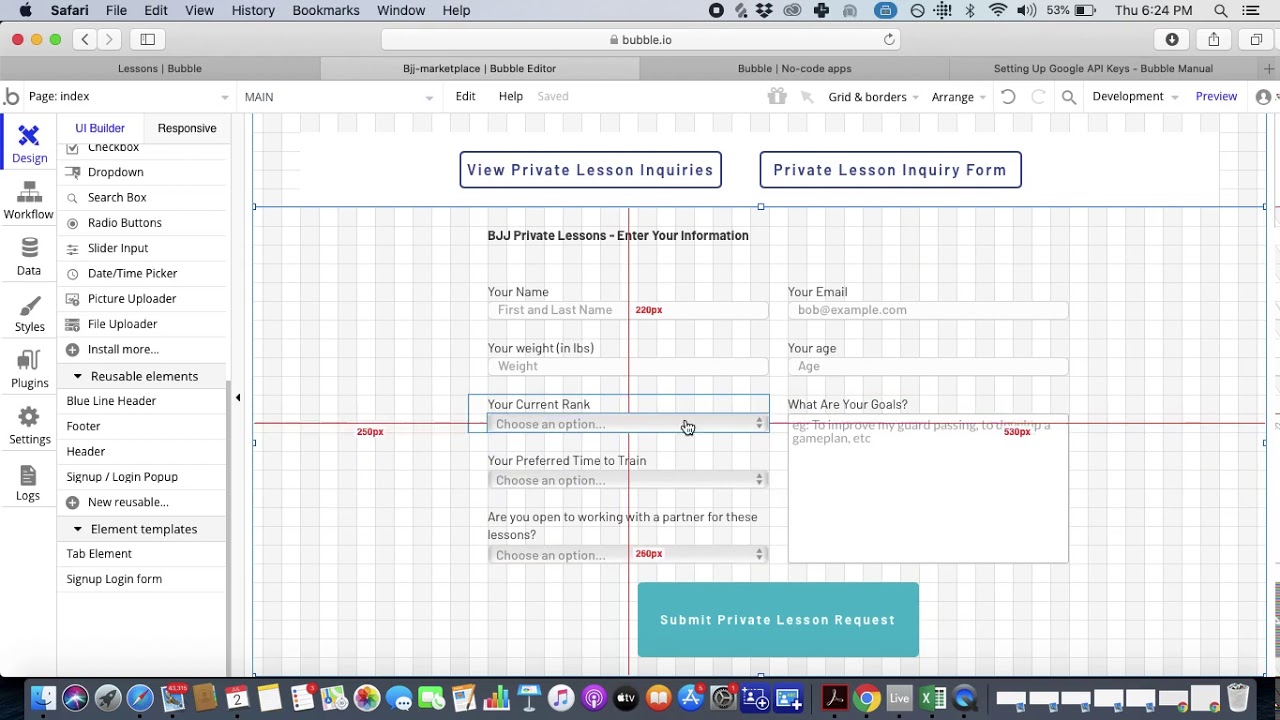
Current Plans:
- Free: Basic features with 50,000 Workload Units
- Starter: $32/month with custom domain
- Growth: $134/month for scaling applications
- Team: $399/month with collaboration features
Note that Bubble's web and mobile wrapper offering starts at $59/month with usage-based charges, limits on app re-publishing, and record limits due to Workload Units. By comparison, Adalo's true-native mobile builder starts at $36/month with unlimited usage and no record caps.
Technical Capabilities:
- Visual programming for complex logic
- Built-in database with storage on paid plans
- 6,500+ plugins for extended functionality
- API creation for external integrations
Key Considerations: While Bubble offers more customization for web apps, that flexibility often results in slower applications that suffer under increased load—frequently requiring hired experts to optimize. Bubble's mobile solution is a wrapper for the web app, introducing potential challenges at scale. One app version doesn't automatically update web, Android, and iOS apps deployed to their respective stores. The learning curve spans 3-6 months compared to days with more accessible platforms.
7. Microsoft Power Platform - The Enterprise Suite
Microsoft Power Platform provides a comprehensive suite of tools including Power Apps, Power Automate, Power BI, and Copilot Studio, ideal for organizations already invested in the Microsoft ecosystem.
Component Pricing (2026 rates):
- Power Apps: $5-40/user/month depending on access
- Power Automate: $15/user/month for individual automation
- Power BI: $14-24/user/month for analytics
- Copilot Studio: $200/month base capacity
Enterprise Advantages:
- Deep Microsoft 365 integration across all tools
- 1,400+ pre-built connectors to business systems
- Enterprise-grade security and compliance
- Comprehensive governance tools
Primary Applications: Enterprise automation, business intelligence, internal tools, and chatbots. While powerful for Microsoft-centric organizations, Power Platform's complexity and cost often exceed what operations teams need compared to more straightforward approaches.
8. Retool - The Technical Operations Platform
Retool bridges the gap between no-code and low-code, allowing operations teams with some technical knowledge to build powerful internal tools quickly.
Pricing Model:
- Free: Up to 5 users with 500 workflow runs
- Team: $10/month per standard user
- Business: $50/month per standard user
- Enterprise: Custom pricing (median: $67,000/year)
Core Strengths:
- 100+ pre-built UI components for rapid development
- Native database connections to all major systems
- Custom code support when needed
- Enterprise features including SSO and audit logs
Ideal For: Technical operations teams building admin panels, approval workflows, and data dashboards. Retool requires SQL knowledge and API understanding, making it less accessible for non-technical team members who might find Adalo's visual approach more approachable.
Making the Right Choice for Your Operations Team
The no-code landscape in 2026 offers powerful options for every operational need, but the right choice depends on your specific requirements:
Choose Adalo when you need to build professional mobile and web applications quickly, publish to app stores, enable field teams with native mobile features, or empower non-technical team members to create solutions. The platform's AI-assisted building capabilities and no data caps on paid plans make it particularly suited for growing operations.
Consider other tools when you need pure workflow automation (Zapier), database management (Airtable), project tracking (Monday.com), documentation (Notion), complex web applications with technical resources (Bubble), enterprise Microsoft integration (Power Platform), or technical internal tools (Retool).
What truly sets Adalo apart is its combination of power and simplicity. While other platforms excel in specific areas, Adalo delivers professional mobile and web applications that operations teams can build in days, not months. With native app store publishing, no record limits on paid plans, and a learning curve measured in hours rather than weeks, it removes the traditional barriers of app development for operations leaders ready to transform their processes.
FAQ
Why choose Adalo over other app building solutions?
Adalo is an AI-powered app builder that creates true native iOS and Android apps from a single codebase. Unlike web wrappers, it compiles to native code and publishes directly to both the Apple App Store and Google Play Store—the hardest part of launching an app handled automatically. With the Adalo 3.0 infrastructure overhaul, apps run 3-4x faster with no upper limit on database records for paid plans.
What's the fastest way to build and publish an app to the App Store?
Adalo's drag-and-drop interface and AI-assisted building let you go from idea to published app in days rather than months. The platform handles the complex App Store submission process, so you can focus on features and user experience instead of wrestling with certificates, provisioning profiles, and store guidelines.
Which is more affordable, Adalo or Bubble?
Adalo starts at $36/month with unlimited usage and no record caps on paid plans. Bubble's comparable mobile offering starts at $59/month with usage-based Workload Unit charges, limits on app re-publishing, and record restrictions. Adalo's predictable pricing eliminates bill shock from unexpected usage spikes.
Which is faster to build with, Adalo or Bubble?
Adalo's learning curve is measured in days, while Bubble typically requires 3-6 months to master. Adalo's visual builder can display up to 400 screens simultaneously, and the AI features Builder will enable prompt-based creation for even faster development.
Is Adalo better than Bubble for mobile apps?
For native mobile apps, yes. Adalo compiles to true native iOS and Android code, while Bubble's mobile solution is a web wrapper. This means Adalo apps have better performance, access to native device features like GPS and camera, and one update automatically deploys to web, iOS, and Android simultaneously.
Can I migrate from Bubble to Adalo?
Yes, though it requires rebuilding your app using Adalo's visual builder. Many teams find the migration worthwhile for native mobile capabilities, predictable pricing without usage charges, and faster app performance. Adalo's intuitive interface makes the rebuild process faster than the original Bubble development.
How does Adalo compare to Glide for operations apps?
Glide excels at spreadsheet-based apps with set templates, but creates generic apps with limited creative freedom. Glide starts at $60/month with record limits and doesn't support App Store publishing. Adalo offers more design flexibility, true native apps, and Sheetbridge integration for Google Sheets without the template restrictions.
What integrations does Adalo support for business systems?
Adalo offers integrations through Zapier with 5,000+ connections, plus direct integrations with Stripe for payments, Google Services, and custom REST APIs. The Team plan at $200/month includes full API access for seamless connection with existing business systems.
How much does Adalo cost for operations teams?
Adalo offers flexible pricing: Free for testing, Starter at $36/month for your first published app, Professional at $65/month, Team at $200/month with API access, and Business at $250/month for enterprise features. All paid plans include unlimited database records and no usage-based charges.
Can Adalo apps scale to handle large user bases?
Yes. The Adalo 3.0 infrastructure overhaul delivered modular architecture that scales to serve apps with 1 million+ monthly active users with no upper ceiling. Unlike app wrappers that hit speed constraints under load, Adalo's purpose-built architecture maintains performance at scale.







