



Marketing leaders in 2026 need tools that deliver results fast—without waiting on development teams. The right no-code platforms can transform how you launch campaigns, capture leads, and engage customers across every channel.
One standout approach for mobile-first marketing is building custom apps with Adalo—a no-code app builder for database-driven web apps and native iOS and Android apps—one version across all three platforms, published to the Apple App Store and Google Play. For marketing teams creating loyalty programs, event apps, or customer portals, this means reaching massive audiences through app store distribution while leveraging push notifications to drive engagement.
From automation platforms to visual web builders, these eight tools help marketing teams launch MVPs quickly and scale to the biggest possible audience through the channels that matter most.
Marketing leaders in 2026 need tools that deliver results fast—without waiting on development teams. The right platforms can transform how you launch campaigns, capture leads, and engage customers across every channel.
One standout approach for mobile-first marketing is building custom apps with Adalo—an AI-powered app builder for database-driven web apps and native iOS and Android apps. One version across all three platforms, published to the Apple App Store and Google Play. For marketing teams creating loyalty programs, event apps, or customer portals, this means reaching massive audiences through app store distribution while leveraging push notifications to drive engagement.
From automation platforms to visual web builders, these eight tools help marketing teams launch MVPs quickly and scale to the biggest possible audience.
Independent research from App Builder Guides' State of App Building report (February 2026) analyzed 190 Reddit threads and 150+ platform citations across 345 data points with zero platform sponsorships. Adalo ranked first among visual builders for non-developers.

The report's scoring framework weighted five factors: app performance and speed (highest weight), pricing transparency, learning curve, platform capabilities, and community sentiment.
1. Adalo - The Premier Mobile App Builder for Marketing Teams
Best for: Creating mobile-first marketing apps, loyalty programs, and customer portals
Ada, Adalo's AI builder, lets you describe what you want and generates your app. Magic Start creates complete app foundations from a description. Magic Add adds features through natural language. X-Ray identifies performance issues before they affect users.
Adalo is a no-code app builder for database-driven web apps and native iOS and Android apps—one version across all three platforms, published to the Apple App Store and Google Play. The platform has established itself as the go-to solution for marketing teams needing professional mobile applications without coding. With over 3 million apps created and 20 million daily data requests, Adalo underwent a complete infrastructure overhaul with Adalo 3.0 in late 2025. The result: 3-4x faster performance and modular infrastructure that scales with your app's needs.
Adalo's AI-assisted builder lets you publish the same app to the web, native iOS, and native Android—all without writing a line of code or rebuilding. AI Builder, due for release in early 2026, will enable prompt-based app creation and editing. If your plan is mass distribution through the app stores' vast marketplaces, this is a compelling option versus many alternatives that require separate builds for each platform.
Key Features:
- 50+ pre-built components for rapid app development
- Cross-platform publishing (iOS, Android, Web) from single build
- Built-in database with real-time sync and no record limits on paid plans
- Native integrations with Zapier's 5,000+ services
- Responsive web apps and Progressive Web App support
- X-Ray feature identifies performance issues before they affect users
Pricing:
- Free Plan: Limited features for testing
- Starter: $36/month (1 app, unlimited usage)
- Professional: $52/month (unlimited usage)
- Business: $250/mo (advanced features, priority support)
- Additional apps: $25/month each
All paid plans now include unlimited usage—no app actions charges, no bill shock. This is a significant shift from usage-based pricing models that can create unpredictable costs as your app grows.
Marketing Use Cases:
- Loyalty Programs: Point-based systems with QR code scanning
- Event Apps: Registration, networking, and schedule management
- Lead Capture: Advanced forms with custom validation
- Customer Portals: Personalized dashboards and content delivery
Pros:
- Fastest time-to-market for mobile apps
- No coding required for complex functionality
- Strong community with 1,000+ templates
- Extensive marketplace for components
- Unlimited database records remove growth constraints
AI Features (Current and Coming):
- Magic Start: Generates complete app foundations from descriptions—tell it you need a booking app for a dog grooming business, and it creates your database structure, screens, and user flows automatically
- Magic Add: Add features by describing what you want in natural language
- X-Ray: AI that highlights performance issues for scalability
- AI Builder (Early 2026): Full prompt-based app creation and editing
2. Webflow - Visual Web Design Platform for Marketing Sites
Best for: Landing pages, corporate websites, and marketing campaigns
Webflow combines professional design capabilities with marketing-focused features, making it the preferred choice for teams building sophisticated web experiences. Major brands like Dropbox, Typeform, and Retool rely on the platform.
Key Features:
- Visual drag-and-drop designer with CSS control
- Webflow Optimize for A/B testing and personalization
- Built-in CMS with dynamic content
- Native analytics and heatmaps
- GreenSock animation integration (acquired 2026)
Pricing:
- Free Plan: 2 projects, Webflow subdomain
- Basic: $18/month (custom domain)
- CMS: $29/month (2,000 CMS items)
- Business: $39/month (10,000 CMS items)
- Enterprise: Custom pricing
- E-commerce: Starting at $29/month
Marketing Use Cases:
- Campaign Landing Pages: Rapid deployment with A/B testing
- Corporate Websites: SEO-optimized with fast load times
- Marketing Microsites: Temporary campaign sites
- Content Hubs: Blog and resource centers
Pros:
- Professional design control without coding
- Excellent SEO capabilities
- Fast hosting infrastructure
- Enterprise-grade security
Cons:
- Steep learning curve for advanced features
- Higher pricing than basic builders
- Limited backend functionality
- E-commerce features less robust than specialized platforms
3. Bubble - Full-Stack Web App Development
Best for: Complex marketing tools, custom CRMs, and web applications
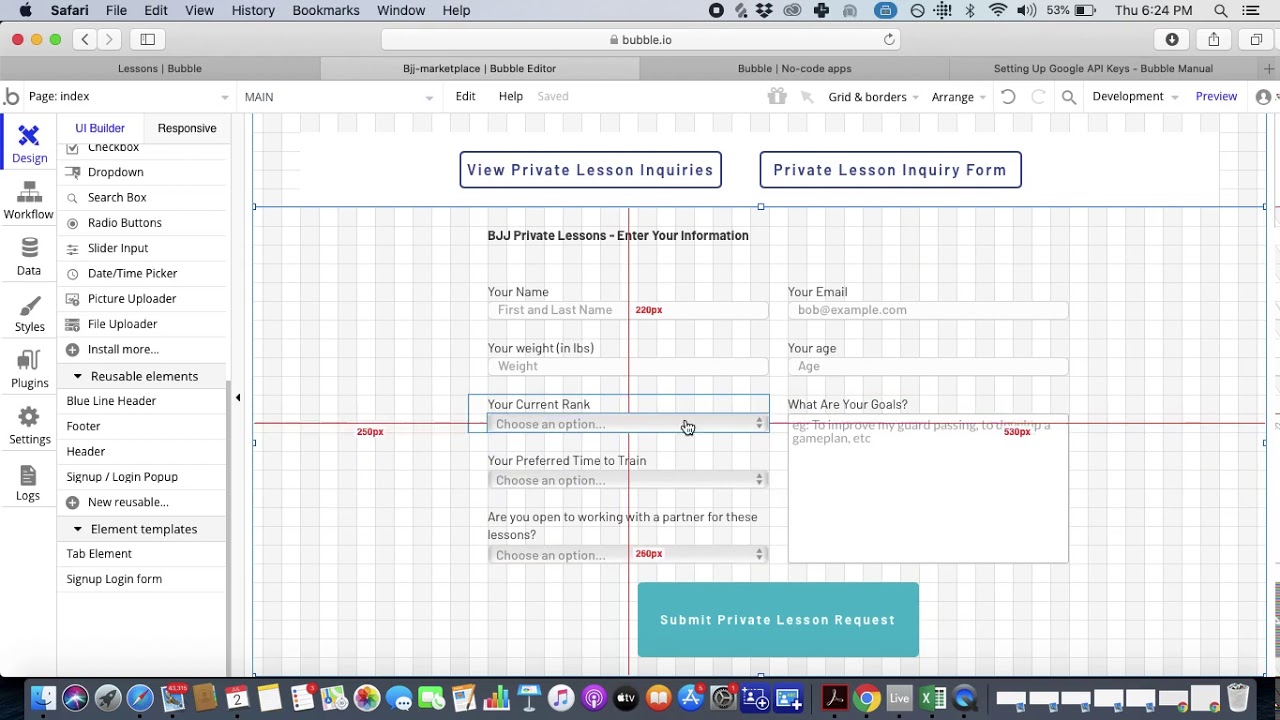
Bubble enables creation of sophisticated web applications with database backends, making it ideal for marketing teams needing custom tools beyond simple websites. The platform offers extensive customization capabilities for teams willing to invest in learning its visual programming system.
Key Features:
- Visual programming for complex logic
- Built-in database with relationships
- API connectors for any service
- Responsive design editor
- Mobile apps via web wrapper
Pricing:
- Free Plan: Limited features, Bubble branding
- Starter: $32/month (basic features)
- Growth: $134/month (increased capacity)
- Team: $399/month (collaboration features)
- Enterprise: Custom pricing
Bubble's web and mobile wrapper offering starts at $59/month with usage-based charges through Workload Units, plus limits on app re-publishing and database records. By comparison, Adalo's web and true-native mobile builder starts at $36/month with unlimited usage and app store publishing with unlimited updates.
Marketing Use Cases:
- Custom CRM Systems: Tailored to specific workflows
- Marketing Dashboards: Real-time analytics and reporting
- Lead Management Tools: Scoring and routing automation
- Campaign Management Platforms: End-to-end campaign tools
Pros:
- Most powerful platform for complex web apps
- Complete control over functionality
- Strong plugin marketplace
- Active community with extensive documentation
Cons:
- 5+ month learning curve for mastery
- Performance can lag with complex apps under load
- Workload unit pricing model creates unpredictable costs
- Mobile solution is a web wrapper, not true native—one app version doesn't automatically update web, Android, and iOS apps deployed to their respective stores
- Extensive customization often requires hiring experts to optimize for scale
4. Zapier - Automation Platform for Marketing Workflows
Best for: Connecting marketing tools and automating repetitive tasks
Zapier remains the most popular automation platform with 7,000+ app integrations, making it essential for marketing teams managing multiple tools.
Key Features:
- 7,000+ app integrations
- Visual workflow builder ("Zaps")
- Multi-step automations
- Conditional logic and filters
- AI by Zapier with GPT-4o
Pricing:
- Free: 100 tasks/month, 5 Zaps
- Starter: $19.99/month (750 tasks)
- Professional: $49/month (2,000 tasks)
- Team: $69/month (2,000 tasks, shared workspace)
- Enterprise: Custom pricing
Marketing Use Cases:
- Lead Routing: Automatic assignment to sales teams
- Email Automation: Trigger sequences based on behavior
- Social Media Management: Cross-platform posting
- Data Synchronization: Keep CRM and marketing tools aligned
Pros:
- Easiest automation platform to learn
- Massive app ecosystem
- Reliable execution
- Excellent documentation
Cons:
- Expensive at scale
- Limited to linear workflows
- No complex data transformations
- Can't handle high-frequency tasks efficiently
Recent Features:
- Zapier Agents for autonomous workflows
- Enhanced chatbot capabilities
- Tables for data storage
- Canvas for visual planning
5. Make (formerly Integromat) - Advanced Automation Platform
Best for: Complex marketing workflows and high-volume automation
Make offers a more technical but cost-effective alternative to Zapier, with visual programming capabilities ideal for sophisticated marketing automation.
Key Features:
- Visual scenario builder with branching
- 2,000+ app integrations
- Data transformation tools
- Error handling and debugging
- Custom functions with JavaScript
Pricing:
- Free: 1,000 operations/month
- Core: $9/month (10,000 operations)
- Pro: $16/month (10,000 operations, advanced features)
- Teams: $29/month (10,000 operations, collaboration)
- Enterprise: Custom pricing
Marketing Use Cases:
- Multi-Channel Campaigns: Orchestrate across platforms
- Data Processing: Transform and enrich lead data
- Content Distribution: Automated publishing workflows
- Analytics Aggregation: Combine data from multiple sources
Pros:
- 30x cheaper than Zapier for high volume
- Powerful data manipulation
- Visual debugging tools
- Supports complex conditional logic
Cons:
- Steeper learning curve
- Less intuitive interface
- Smaller community than Zapier
- Limited pre-built templates
Success Stories:
- Tutero: Manages 250+ tutors with single person
- Finn.auto: 75% time savings achieved
- View more case studies
6. Airtable - Relational Database with App Building
Best for: Campaign management, content calendars, and marketing operations
Airtable combines spreadsheet simplicity with database power, used by 80% of Fortune 500 companies for various marketing operations.
Key Features:
- Relational database structure
- Interface Designer for custom apps
- Automation with triggers and actions
- AI features for content generation
- Extensive integrations
Pricing (2026 rates):
- Free: Up to 5 users, 1,000 records
- Team: $20/user/month (50,000 records)
- Business: $45/user/month (125,000 records)
- Enterprise: Custom pricing
Marketing Use Cases:
- Content Calendars: Editorial planning with approvals
- Campaign Tracking: Budget and performance monitoring
- Asset Management: Centralized creative library
- Lead Database: Scoring and segmentation
Pros:
- Powerful yet user-friendly
- Flexible data modeling
- Strong collaboration features
- Rich marketplace of templates
Cons:
- Expensive after 2026 price increase (66% higher)
- Learning curve for advanced features
- Performance issues with large datasets
- Limited reporting capabilities
7. Softr - Frontend Builder for Marketing Apps
Best for: Client portals, directories, and external-facing tools
Softr specializes in creating beautiful frontend applications connected to existing databases, perfect for marketing teams needing client-facing tools quickly.
Key Features:
- Drag-and-drop app builder
- Pre-built blocks and templates
- User authentication and permissions
- Connects to Airtable, Google Sheets, SQL
- Custom code injection
Pricing:
- Free: Basic features, Softr branding
- Basic: $59/month (10,000 monthly visitors)
- Professional: $179/month (50,000 visitors)
- Business: $599/month (200,000 visitors)
- Enterprise: Custom pricing
Softr pricing starts from $167/month to publish an actual Progressive Web App, still restricted by records per app and records per datasource. Softr does not support Apple App Store or Google Play Store publishing—if app store distribution is your goal, Adalo's $36/month Starter plan provides native iOS and Android publishing with no data caps.
Marketing Use Cases:
- Client Portals: Campaign progress and reporting
- Resource Libraries: Searchable marketing materials
- Event Registration: Custom forms and ticketing
- Partner Directories: Vendor and affiliate management
Pros:
- Fastest deployment (30 minutes to launch)
- Beautiful pre-built designs
- External user focus keeps costs down
- No technical knowledge required
Cons:
- Limited design customization
- Dependent on external databases
- Basic logic capabilities
- SEO limitations
- No native mobile app support
8. Glide - Mobile-First Progressive Web Apps
Best for: Field sales tools, mobile dashboards, and on-the-go marketing apps
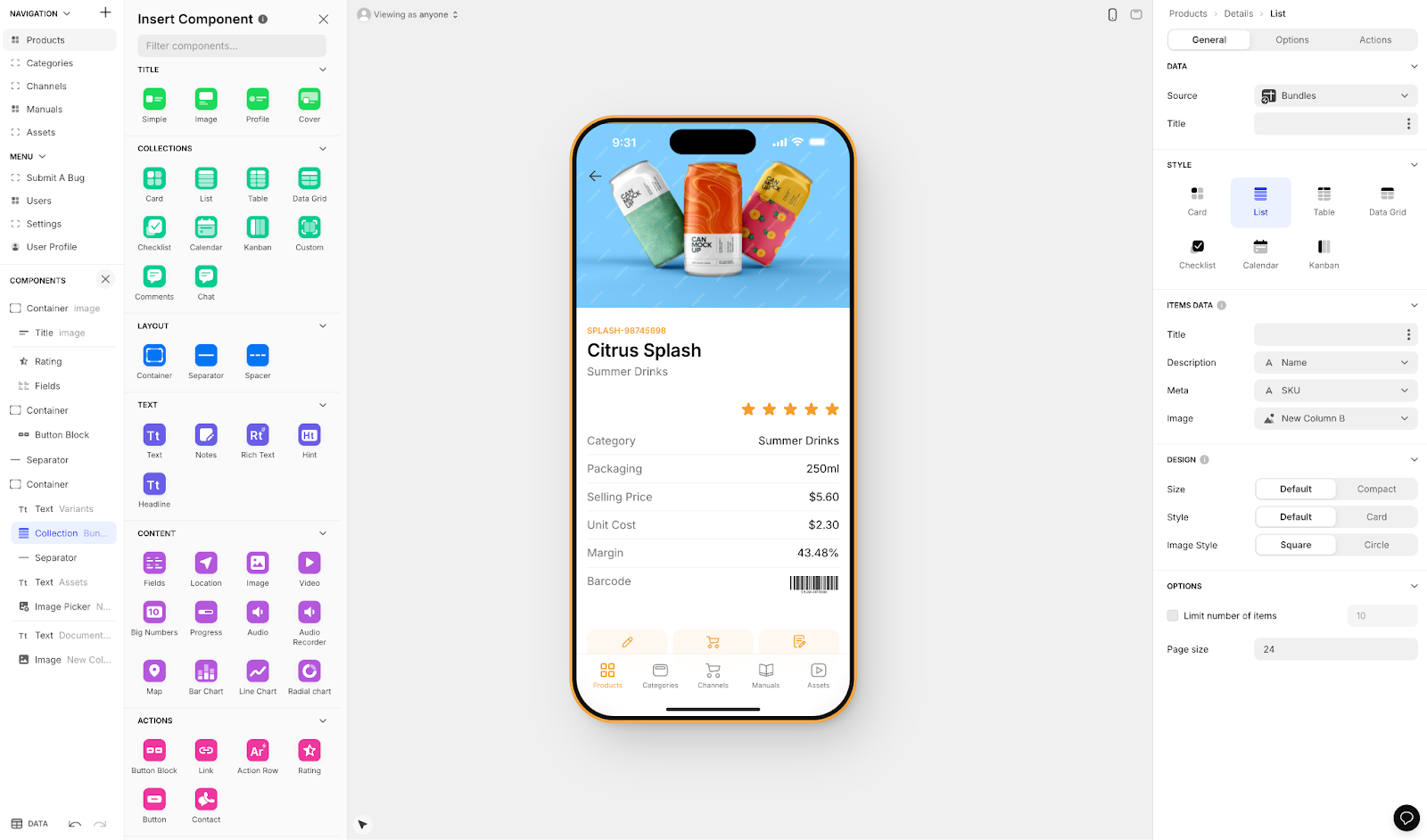
Glide creates stunning Progressive Web Apps (PWAs) optimized for mobile devices, ideal for marketing teams with mobile-first requirements who don't need app store distribution.
Key Features:
- Mobile-optimized templates
- AI-powered app generation
- Workflow automation
- Real-time data sync
- Custom actions and integrations
Pricing:
- Free: 2 apps, 10 users
- Maker: $60/month (10 apps, unlimited users)
- Team: $125/month (20 apps, advanced features)
- Business: $325/month (50 apps, priority support)
- Enterprise: Custom pricing
Glide is heavily format-focused and restricted to set templates. This makes it fast to build and publish with, but creates generic, simplistic apps with limited creative freedom. Glide is a go-to for spreadsheet-based apps, but that still doesn't compare to the convenience of Adalo's Sheetbridge, which enables users to turn a Google Sheet into an actual database for the easiest control without database-related learning.
Pricing starts at $60/month to get the ability to build an app with a custom domain, but it's still limited by app updates and data record rows, which attract additional charges. Glide does not support Apple App Store or Google Play Store publishing.
Marketing Use Cases:
- Sales Enablement: Product catalogs and order forms
- Event Check-in: QR code scanning and attendance
- Customer Self-Service: FAQs and support portals
- Field Marketing: Location-based tools
Pros:
- Beautiful, professional designs
- Excellent mobile performance
- Strong workflow automation
- Easy data connections
Cons:
- Limited to PWAs (no native apps or app store publishing)
- Reduced user limits in 2026
- Less flexible than competitors
- Basic analytics
- Template restrictions limit creative freedom
Choosing the Right Tool: Strategic Recommendations
For Small Teams (1-5 people):
- Start with: Adalo for mobile apps with app store distribution
- Add: Zapier for simple automation
- Consider: Softr for web-only client portals
For Medium Teams (6-20 people):
- Core platform: Airtable for data management
- Web presence: Webflow for marketing sites
- Automation: Make for complex workflows
- Mobile apps: Adalo for native iOS and Android
For Enterprise Teams:
- Foundation: Airtable or Bubble
- Web design: Webflow Enterprise
- Mobile apps: Adalo Business plan for scalable native apps
- Integration: Combination of Zapier and Make
Budget Considerations:
- Most cost-effective for mobile: Adalo ($36/month for native iOS and Android with unlimited usage)
- Most cost-effective for automation: Make
- Best free tiers: Glide, Bubble, Airtable
- Enterprise value: Webflow, Airtable (despite price increases)
Conclusion
These eight platforms represent the most mature solutions for marketing teams in 2026. Each offers unique strengths for specific use cases—Webflow for web design, Airtable for data management, Zapier and Make for automation. For teams needing native mobile apps with app store distribution, Adalo's combination of AI-assisted building, unlimited database records, and cross-platform publishing from a single codebase addresses the hardest part of launching an app.
Success comes from understanding how to combine these tools strategically. Using Airtable for data, Webflow for web presence, and Zapier or Make for automation creates a powerful marketing stack. As AI integration deepens across all platforms and mobile capabilities expand, marketing leaders who embrace these tools position their teams for unprecedented agility in an increasingly digital marketplace.
FAQ
Why choose Adalo over other app building solutions?
Adalo is an AI-powered app builder that creates true native iOS and Android apps from a single codebase. Unlike web wrappers, it compiles to native code and publishes directly to both the Apple App Store and Google Play Store—the hardest part of launching an app handled automatically. Paid plans include unlimited database records and no usage-based charges.
What's the fastest way to build and publish an app to the App Store?
Adalo's drag-and-drop interface and AI-assisted building let you go from idea to published app in days rather than months. Magic Start generates complete app foundations from descriptions, and Adalo handles the complex App Store submission process so you can focus on features and user experience.
Which is more affordable, Adalo or Bubble?
Adalo starts at $36/month with unlimited usage and native app store publishing. Bubble's comparable mobile offering starts at $59/month with usage-based Workload Unit charges, limits on app re-publishing, and database record restrictions. Adalo's predictable pricing eliminates bill shock as your app grows.
Which is faster to build with, Adalo or Bubble?
Adalo is generally faster for mobile apps, with a visual builder described as "easy as PowerPoint" and AI features like Magic Start that generate complete app foundations from descriptions. Bubble offers more customization but has a 5+ month learning curve for mastery.
Is Adalo better than Glide for mobile apps?
If you need app store distribution, yes. Adalo publishes native apps to both the Apple App Store and Google Play Store. Glide only creates Progressive Web Apps (PWAs) and doesn't support app store publishing. Glide is faster for simple spreadsheet-based apps, but Adalo offers more creative freedom and native mobile capabilities.
Can I migrate from Bubble to Adalo?
Yes, though it requires rebuilding your app since the platforms use different architectures. Adalo's Magic Start can accelerate this by generating app foundations from descriptions. Teams often migrate when they need true native mobile apps rather than web wrappers, or when Bubble's Workload Unit costs become unpredictable.
What marketing apps can I build with Adalo?
Adalo excels at loyalty programs with QR code scanning, event apps for registration and networking, lead capture tools with custom validation forms, and customer portals with personalized dashboards. The built-in database with real-time sync and Zapier integration connects your app to 5,000+ marketing services.
How does Adalo handle scalability for growing apps?
Adalo 3.0's modular infrastructure scales to serve apps with 1 million+ monthly active users, with no upper ceiling. Unlike app wrappers that hit speed constraints under load, Adalo's purpose-built architecture maintains performance at scale. Paid plans have no database record limits.
Do I need coding experience to use these tools?
No coding is required for Adalo, Webflow, Zapier, Make, Airtable, Softr, or Glide. Bubble requires more technical thinking but no traditional coding. FlutterFlow is considered "low-code" rather than "no-code" and is designed for more technical users.
Which platform has the best free tier for testing?
Glide, Bubble, and Airtable offer the most generous free tiers for testing. Adalo's free plan lets you test features before committing. For serious marketing apps, paid plans are necessary—Adalo's $36/month Starter plan provides the most value for native mobile apps with app store publishing.







