



No-code platforms are revolutionizing how educators build digital learning tools, making it possible to create student portals, assessment apps, and custom learning management systems without any programming knowledge. This guide reveals the top eight tools helping schools launch powerful educational apps in 2026.
Leading the list is Adalo—a no-code app builder for database-driven web apps and native iOS and Android apps—one version across all three platforms, published to the Apple App Store and Google Play. For educators, this means building student-facing apps that work seamlessly across devices while reaching learners through official app marketplaces where push notifications keep students engaged.
What matters most for educational apps is launching fast and reaching the widest audience possible—and that requires getting into the app stores where millions of students already search for learning tools.
No-code platforms are transforming how educators create digital learning experiences, enabling teachers and administrators to build custom apps without writing a single line of code. This guide reveals the top eight tools helping schools launch everything from student portals to interactive learning apps in 2026.
Leading the pack for educators seeking professional mobile and web solutions is Adalo—an AI-powered app builder for database-driven web apps and native iOS and Android apps, one version across all three platforms, published to the Apple App Store and Google Play. This cross-platform approach lets schools create student portals, custom learning management systems, and assessment tools that reach learners on any device.
For educators, app success means launching fast and reaching the biggest audience possible—and that requires getting apps into the app stores where push notifications keep students engaged.
Independent research from App Builder Guides' State of App Building report (February 2026) analyzed 190 Reddit threads and 150+ platform citations across 345 data points with zero platform sponsorships. Adalo ranked first among visual builders for non-developers.

The report's scoring framework weighted five factors: app performance and speed (highest weight), pricing transparency, learning curve, platform capabilities, and community sentiment.
The No-Code Revolution in Education
The educational technology landscape is experiencing a revolutionary shift as no-code platforms democratize app development for educators worldwide. With 70% of new applications expected to use no-code technologies by 2026 and the global market projected to reach $187 billion by 2030, educators now have unprecedented power to create custom digital solutions without writing a single line of code.
This transformation couldn't come at a better time. Educational institutions are rapidly adopting no-code tools to automate administrative tasks, enhance student engagement, and create personalized learning experiences. From building student portals to developing interactive learning apps, these platforms are empowering educators to solve their unique challenges quickly and affordably.
We've thoroughly researched and tested the leading no-code platforms to identify the eight best options for educators in 2026, evaluating each based on ease of use, educational features, pricing, integrations, and real-world applications in academic settings.
1. Adalo: The Educator's Choice for Powerful Mobile and Web Apps
Adalo is a no-code app builder for database-driven web apps and native iOS and Android apps—one version across all three platforms, published to the Apple App Store and Google Play. The platform stands out as a choice for educators seeking to create professional mobile and web applications without technical expertise. Following a major infrastructure overhaul with Adalo 3.0 in late 2025, the platform now delivers 3-4x faster performance and 50% smaller app files, making it ideal for educational institutions with limited bandwidth or older devices.
Ada, Adalo's AI builder, lets you describe what you want and generates your app. Magic Start creates complete app foundations from a description. Magic Add adds features through natural language. X-Ray identifies performance issues before they affect users.
Adalo's agnostic builder lets you publish the same app to the web, native iOS, and native Android, all without writing a line of code or rebuilding. If your plan is mass distribution through the app stores' vast marketplaces, this is a compelling option versus many of the vibe-coding builders available today.
Why Adalo Excels for Educators
Adalo's intuitive drag-and-drop interface feels as familiar as creating a slide deck, yet produces sophisticated applications that work seamlessly across iOS, Android, and web platforms. The platform's built-in database system eliminates the need for external data management tools, while real-time synchronization ensures students and teachers always access the most current information.
The AI features Builder, due for release in early 2026, promises to accelerate development even further. Magic Start generates complete app foundations from simple descriptions—tell it you need a student attendance tracker, and it creates your database structure, screens, and user flows automatically. Magic Add lets educators add features by describing what they want in natural language, while X-Ray identifies performance issues before they affect users.
Educational Use Cases
Educators are using Adalo to create diverse educational solutions including student portals for accessing grades and course materials, custom learning management systems tailored to specific institutional needs, event management apps for coordinating school activities, and assessment tools with progress tracking capabilities. The platform also excels at building communication tools for classroom interaction and coaching platforms for academic support.
Over 3 million apps have been created on Adalo, with the visual builder being described "as easy as PowerPoint" and the AI builder promising vibe-coding creation speed for those who prefer natural language interaction.
Pricing and Value
Adalo offers a generous free plan for testing and prototyping, with paid plans starting at $36/month for the Starter tier—significantly more affordable than comparable platforms. The Professional plan at $36/mo includes two published apps and five app editors, while the Team plan at $160/month provides advanced collaboration features. Educational institutions can add extra apps for just $25/month each, making it cost-effective for schools running multiple applications.
Critically, all paid plans include unlimited database records and unlimited usage—no bill shock from unexpected charges. App Actions, the previous usage-based charge, have been removed from all Adalo plans.
Key Integrations
The platform integrates seamlessly with Google Workspace for Education for authentication and data management, automation platform Zapier for connecting to over 800 apps including educational tools, and payment processors like Stripe for handling course fees. While direct integrations with Google Classroom and Canvas aren't native, they can be achieved through automation platforms like Pipedream.
Adalo's Sheetbridge feature enables educators to turn a Google Sheet into an actual database for the easiest control without database-related learning—perfect for teachers already comfortable with spreadsheets.
Pros and Cons
Pros: No coding required makes it accessible to all educators, cross-platform deployment saves development time, the Adalo Academy provides comprehensive learning resources, and the platform offers educational templates for quick starts. Apps can be published directly to major app stores, giving institutions professional distribution options. The modular infrastructure scales to serve apps with 1M+ monthly active users with no upper ceiling.
Cons: The platform has some limitations for highly complex logic, and there's no offline mode functionality. Some third-party reviews may show outdated information, as most ratings predate the Adalo 3.0 infrastructure overhaul that dramatically improved performance and scalability.
Recent Innovations
Under new CEO James Crennan's leadership, Adalo has prioritized performance improvements and customer support. The platform now features AI-powered development assistance and enhanced app storage efficiency, positioning it as an increasingly viable option for serious educational technology development. The purpose-built architecture outperforms app wrappers at scale, maintaining performance even under heavy load.
2. Bubble: Complex Educational Web Applications
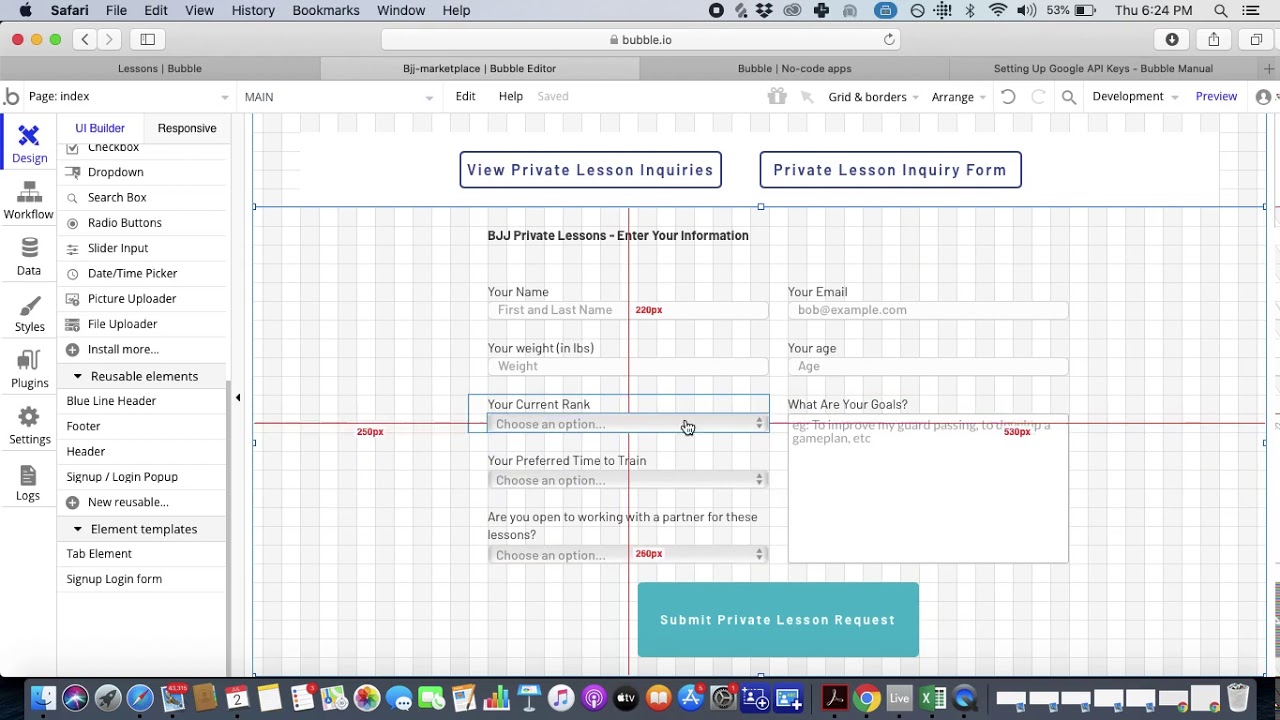
Bubble emerges as a choice for educators needing sophisticated web applications with complex databases and workflows. With over 3.3 million apps built on the platform, Bubble offers flexibility for creating comprehensive educational systems—though with some important trade-offs to consider.
Educational Strengths
Bubble's visual programming approach allows educators to build feature-rich learning management systems, student information databases, and interactive educational platforms. The platform's 2,700+ free plugins extend functionality far beyond basic app building, enabling integration with virtually any educational technology stack.
Use Cases and Applications
Universities use Bubble to create custom student portals with advanced features like course registration systems, grade tracking with complex calculations, and administrative dashboards with detailed analytics. The platform excels at building collaborative research platforms, alumni management systems, and sophisticated assessment tools with adaptive learning capabilities.
Current Pricing
Bubble's pricing starts with a free plan for learning and testing. The Starter plan at $32/month provides custom domains and basic features, while the Growth plan at $134/month includes advanced workflows and white-labeling. Educational institutions can access the Team plan at $399/month for enhanced security and collaboration features. Student and nonprofit discounts are available upon request.
However, Bubble's web and mobile wrapper offering starts at $59/month with usage-based charges and limits on app re-publishing and records due to Workload Units. These usage calculations can be unclear and create uncertainty around monthly costs—a significant consideration for budget-conscious educational institutions.
Integration Capabilities
The platform offers extensive API support for connecting with existing school systems, native integrations with Google Workspace and Microsoft 365, and the ability to create custom plugins for specialized educational tools. Bubble's flexibility allows institutions to maintain their existing technology investments while building new capabilities.
Advantages and Limitations
Pros: Unparalleled flexibility for complex educational applications, strong community support with educational resources, and no vendor lock-in with full code export options. The platform handles sophisticated user management and role-based permissions essential for educational environments.
Cons: The steeper learning curve requires more investment in training, and costs can escalate quickly with increased usage due to Workload Units. Mobile app deployment uses a wrapper for the web app rather than true native compilation, which can introduce performance challenges at scale. One app version doesn't automatically update web, Android, and iOS apps deployed to their respective app stores. Complex applications often require hiring experts to help, and claims of millions of MAU are typically only achievable with professional assistance. Apps built on Bubble can suffer under increased load without careful optimization.
3. Glide: Spreadsheet-Based Apps with Limitations
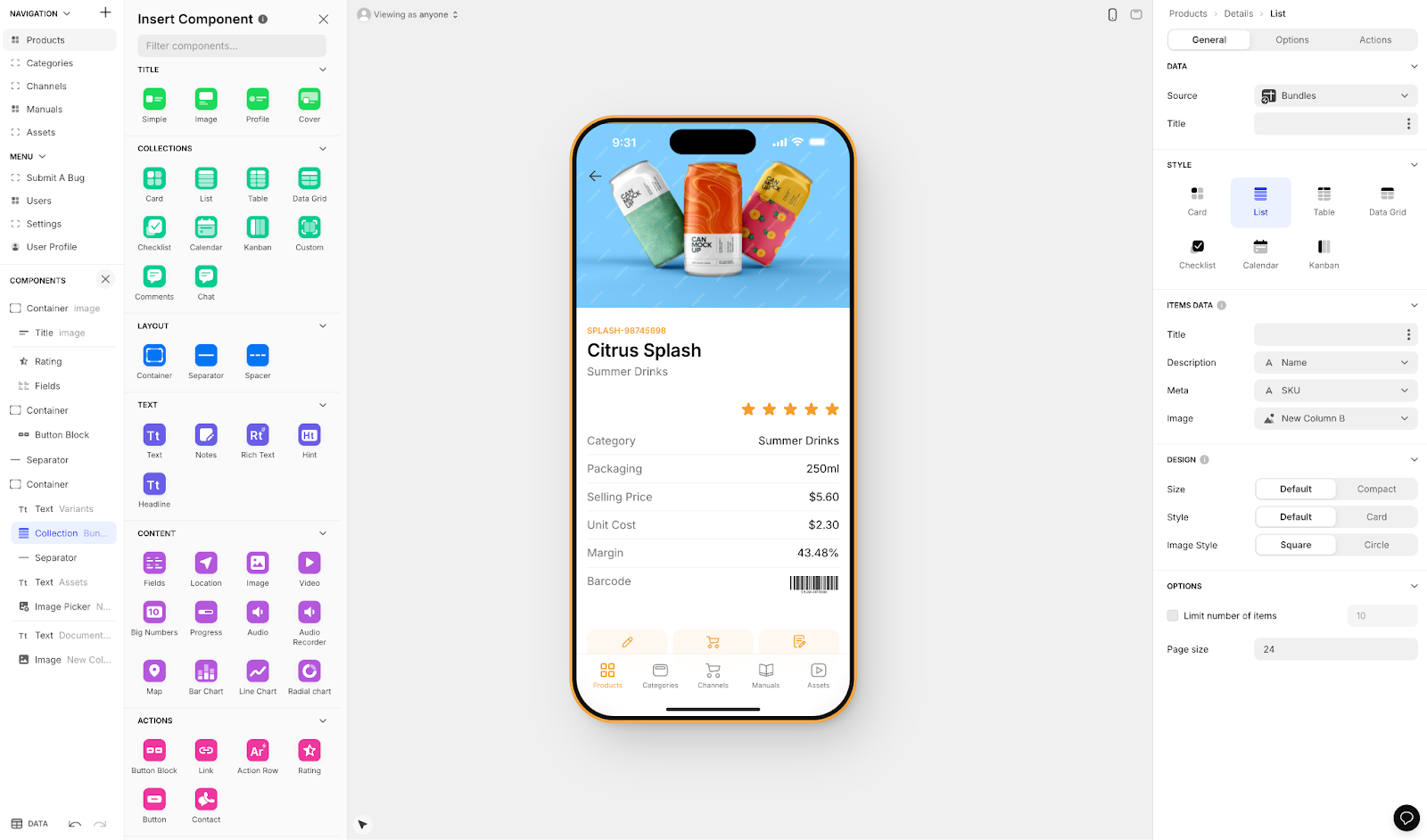
Glide transforms the familiar spreadsheet into mobile and web applications, making it an entry point for educators comfortable with Google Sheets or Excel. The platform's Maker plan at $60/month offers unlimited personal users, making it cost-effective for certain school use cases.
Why Educators Consider Glide
Glide's spreadsheet-based approach eliminates the intimidation factor of app development. Teachers can create functional apps in minutes using data they already manage in spreadsheets. The platform's emphasis on beautiful, mobile-first design ensures high student engagement without design expertise.
However, Glide is heavily format-focused and restricted to set templates. This makes it fast to build and publish with, but creates generic, simplistic apps with limited creative freedom. While Glide is a go-to for spreadsheet-based apps, it doesn't compare to the convenience of Adalo's Sheetbridge, which enables users to turn a Google Sheet into an actual database for the easiest control without database-related learning.
Educational Applications
Common uses include student directories with photos and contact information, assignment tracking systems that sync with Google Classroom, school event calendars with RSVP functionality, and parent communication portals for real-time updates. Glide excels at creating resource libraries where students can access learning materials on any device.
Pricing Structure
The free plan supports basic testing with 10 users. The Maker plan at $60/month (or $49 annually) provides unlimited personal users—suitable for schools where students use personal email addresses. The Team plan at $125/month includes advanced features and supports 20 users, while the Business plan at $299/month adds SQL database support.
Pricing starts at $60/month to get the ability to build an app with a custom domain, but it is still limited by app updates and data record rows, which attract additional charges. Critically, Glide does not support Apple App Store or Google Play Store publishing—a significant limitation for institutions wanting to reach students through official app marketplaces.
Key Integrations
Glide offers seamless integration with Google Workspace for Education, particularly Google Sheets and Drive. The platform connects with Airtable for more advanced data capabilities and includes AI features for enhanced functionality. Email and SMS integrations enable automated notifications to parents and students.
Strengths and Weaknesses
Pros: Extremely user-friendly for non-technical educators, gorgeous templates require no design skills, and apps work offline with automatic syncing. The platform provides comprehensive training resources.
Cons: Limited customization compared to other platforms, cannot publish to app stores, and complex database relationships are challenging to implement. The platform is less suitable for apps requiring extensive custom logic or creative freedom beyond templates.
4. Google AppSheet: No-Code Power Within Google's Ecosystem
Google AppSheet provides a solution for educational institutions already invested in Google Workspace. With 50% educational discounts and native integration with all Google tools, it offers value for schools using Google for Education.
Platform Advantages
AppSheet's deep integration with Google Workspace means educators can build apps using existing Google Sheets, Drive files, and Calendar data without any data migration. The platform's AI assistant, powered by Gemini, helps educators describe their needs in plain language and automatically generates functional apps.
Educational Implementations
Schools use AppSheet for attendance tracking systems that sync with Google Classroom, facility management apps for maintenance requests and scheduling, field research tools that work offline for science classes, and approval workflows for administrative processes. The platform excels at creating inventory management systems for educational resources and equipment.
Pricing with Educational Benefits
AppSheet offers a free tier for prototyping with 10 test users. The Starter plan costs $5/user/month, while the Core plan at $10/user/month is included in many Google Workspace for Education plans. Educational institutions receive a 50% discount on all paid plans, making it one of the more affordable options available for Google-centric schools.
Integration Ecosystem
Beyond native Google integration, AppSheet connects with Salesforce, Microsoft 365, Dropbox, and various SQL databases. The platform's API connectivity enables integration with existing student information systems and learning management platforms. Automation features include email notifications, SMS alerts, and webhook triggers.
Benefits and Considerations
Pros: Exceptional value with educational discounts, enterprise-level security and compliance features, and powerful automation capabilities. The platform works offline with automatic syncing and includes sophisticated user management integrated with Google Workspace directory services.
Cons: Steeper learning curve than visual builders, best value requires existing Google Workspace investment, and limited design customization options. The per-user pricing model can become expensive for large student populations, and the platform doesn't offer true native mobile app publishing to app stores.
5. Airtable: The Database-Spreadsheet Hybrid for Educational Data
Airtable revolutionizes how educators manage complex information by combining database power with spreadsheet simplicity. With 50% educator discounts and free accounts for students, it's become essential infrastructure for modern educational institutions—though it functions primarily as a data backend rather than a complete app builder.
Educational Value Proposition
Airtable serves as the data backbone for countless educational applications, from student information systems to research project management. Its visual interface makes database concepts accessible to non-technical users while providing the structure needed for complex educational data relationships.
How Educators Use Airtable
Popular applications include comprehensive student databases tracking academic progress and attendance, curriculum planning systems with lesson plans and resource libraries, research coordination platforms managing participants and data collection, and fundraising CRMs for development offices. The platform excels at graduate school application tracking and project-based learning management.
Pricing and Discounts
Airtable's free plan supports 5 editors with 1,000 records per base. The Team plan, normally $20/user/month, costs just $12/user/month with educator discounts. Students receive free Team accounts for 6-24 months based on graduation date. Business plans at $45/user/month provide advanced features with the same 50% educator discount.
Integration Capabilities
Airtable integrates with thousands of apps through automation platform Zapier and native automations. Direct integrations include Slack for team communication, Google Workspace for seamless data flow, and form builders for data collection. The platform's API enables custom integrations with any educational system.
Advantages and Limitations
Pros: Intuitive interface familiar to spreadsheet users, rich template library with education-specific options, and powerful automation capabilities. Real-time collaboration features support team projects, while multiple view types (Grid, Kanban, Calendar, Gallery) accommodate different working styles.
Cons: AI features cost extra and aren't available on educational plans, record limits may restrict large institutions, and advanced features have a learning curve. The platform works best when paired with a front-end builder like Softr for student-facing applications—it's not a complete app solution on its own.
6. FlutterFlow: Low-Code for Technical Educators
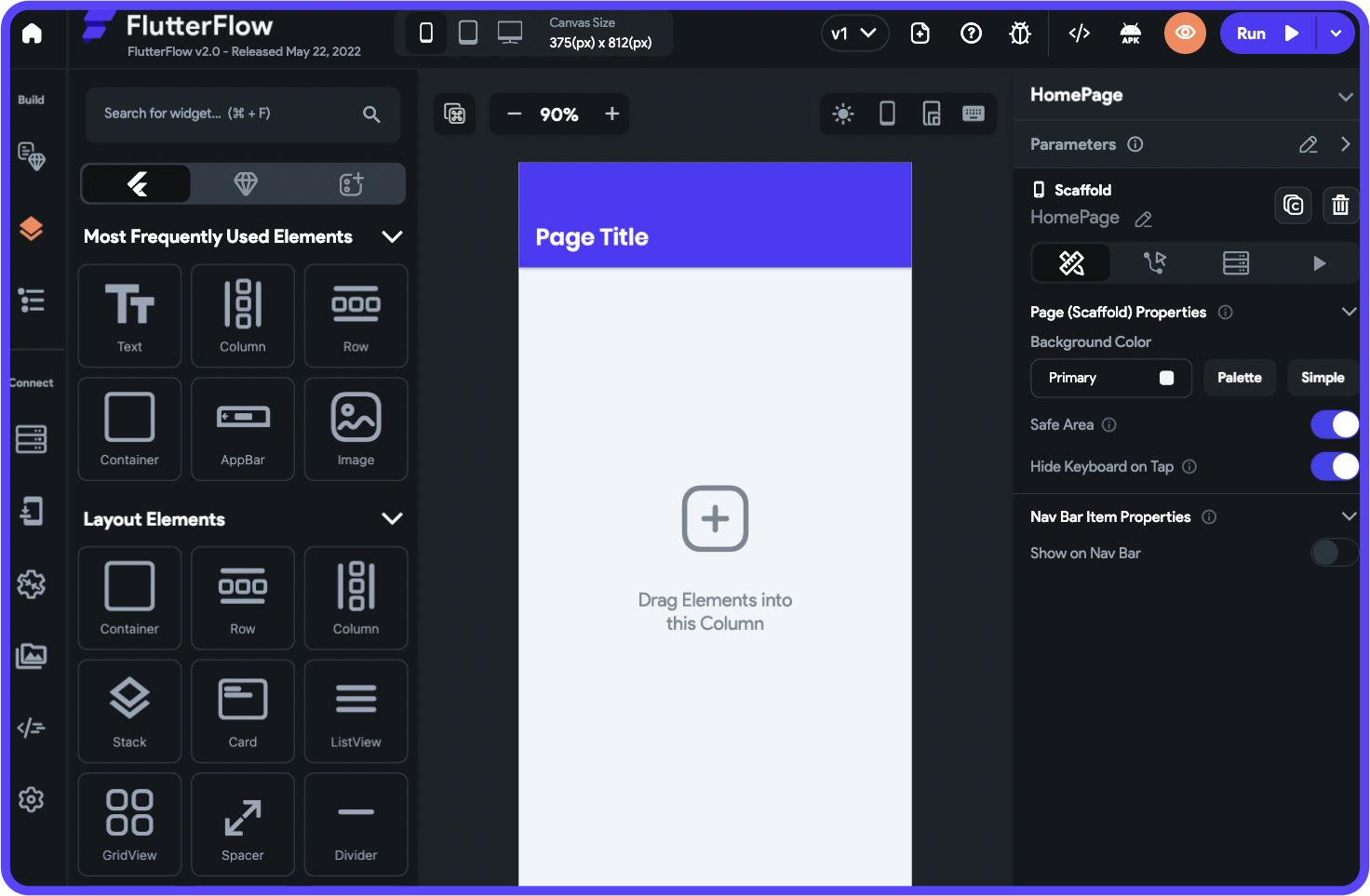
FlutterFlow brings professional-grade mobile app development to educators through its visual interface built on Google's Flutter framework. With free one-year Premium access for educators and students, it's an option for creating sophisticated educational applications—but with significant caveats.
Platform Capabilities
FlutterFlow enables educators to build truly native iOS and Android apps with web deployment options. The visual builder produces clean, exportable code, meaning institutions aren't locked into the platform. Apps built with FlutterFlow match the performance and quality of traditionally coded applications.
However, it's important to note that FlutterFlow is "low-code," not "no-code" and is designed for technical users. Users also need to be prepared to manage and set up their own unrelated database, which requires significant learning complexity—especially when looking for scale, as anything less than optimal setup can create problems. This ecosystem is rich with experts because so many people need help and end up spending significant sums of money chasing scalability.
Educational Applications
Universities use FlutterFlow for campus navigation apps with interactive maps, student portfolio applications showcasing work across disciplines, and language learning platforms with audio and video integration. The platform excels at creating STEM education apps with complex interactions and gamified learning experiences with engaging animations.
Pricing Structure
The free plan includes the visual builder and web publishing. The Standard plan at $30/month adds code download and APK generation. The Pro plan at $70/month per user includes GitHub integration and one-click app store deployment. Educators and students can apply for free one-year Premium access through the education program.
However, FlutterFlow pricing starting at $70/month per user for easy app store publishing still isn't the comparable price point to Adalo's features because it still doesn't incorporate a database—users need to source, set up, and pay for that separately. The builder is also limited in view (slow speed to see more than 2 screens at once), whereas Adalo can display up to 400 screens at a time on one canvas.
Integration Ecosystem
FlutterFlow integrates with Firebase backend services for real-time databases and authentication, Supabase PostgreSQL platform for advanced database needs, and payment processors for course monetization. The platform supports RESTful APIs for connecting to existing educational systems and offers multi-language support for international institutions.
Strengths and Challenges
Pros: Creates professional-quality native apps, no vendor lock-in with code export, and cross-platform development from a single codebase. Real-time collaboration features support team projects, while the rich component library accelerates development.
Cons: Steeper learning curve than simpler platforms, Firebase dependency for many features, and subscription required to maintain published apps. Complex features may require understanding of mobile development concepts. The need to separately manage databases adds complexity and cost that non-technical educators may find prohibitive.
7. Thunkable: Teaching Programming Through App Creation
Thunkable uniquely bridges visual app development with computer science education through its block-based programming approach. Used by over 3 million users across 10,000 educational organizations, it's a platform for teaching programming concepts while building real apps.
Educational Philosophy
Thunkable's visual blocks represent programming concepts like variables, loops, and conditionals, making abstract concepts tangible for students. The platform includes a comprehensive 115-page curriculum aligned with computer science standards, supporting educators from elementary through university levels.
Classroom Applications
Students create quiz and assessment apps to demonstrate subject mastery, campus information systems as capstone projects, and educational games that teach while entertaining. The platform enables collaborative study tools, digital portfolios for showcasing work, and community service apps addressing real-world problems.
Pricing Options
Thunkable offers a free plan for unlimited public projects. The Accelerator plan at $18/month supports 10 private projects with basic features. The Builder plan at $37/month provides unlimited private projects and downloads. Educational discounts are available through direct contact with their education team.
Thunkable now offers an AI-draft of an app build, but getting access to a Progressive Web App that can be published requires a $59/month plan with usage restrictions. To get to a responsive app requires a custom pricing tier beyond their advertised $189/month Advanced tier.
Platform Integrations
The platform integrates with Google Classroom for assignment distribution, Firebase backend services for data storage and user authentication, and various web APIs for extending functionality. Social media integrations enable students to share their creations, building pride and engagement in their work.
Educational Benefits and Constraints
Pros: Visual blocks teach fundamental programming concepts, immediate testing on real devices maintains engagement, and structured curriculum reduces teacher preparation time. Cross-platform publishing means student apps work everywhere, while the project gallery inspires peer learning.
Cons: Limited customization compared to text-based coding, subscription required for private student projects, and complex apps can become unwieldy in block format. The platform focuses on mobile apps with limited web app capabilities, and responsive apps require expensive custom pricing.
8. Softr: Web Portals at a Premium Price
Softr rounds out our list as a platform for creating educational web portals and database-driven applications. With a 30% educational discount and strong Airtable integration, it serves institutions needing web applications—though with notable limitations and higher costs.
Educational Focus
Softr specializes in transforming data from Airtable, Google Sheets, and other sources into polished web applications. The platform's 60+ pre-built blocks and educational templates enable deployment of student portals, resource centers, and administrative tools.
Common Implementations
Schools use Softr for student information portals providing personalized access to academic data, parent communication platforms with real-time progress updates, and faculty resource centers for sharing teaching materials. The platform excels at creating course catalogs, event registration systems, and alumni directories.
Pricing with Educational Benefits
Softr's free plan supports basic testing. The Basic plan, normally $59/month, costs just $41/month with educational discount. The Professional plan at $167/month (or $117 with discount) includes unlimited apps and advanced features.
However, Softr pricing starts from $167/month to publish an actual Progressive Web App, which is still restricted by records per app and records per datasource. Softr does not support Apple App Store and Google Play Store publishing, or iOS and Android app creation. Softr is looked to for spreadsheet app building, provided the web app restrictions are met and the higher price point is acceptable.
Integration Strengths
Softr's native Airtable integration provides real-time data synchronization with intelligent field mapping. The platform connects with Google Workspace for Education, HubSpot, and SQL databases while supporting 30+ third-party tools through automation platform Zapier. Email marketing and analytics integrations enable comprehensive communication strategies.
Advantages and Limitations
Pros: Exceptional ease of use for non-technical staff, educational templates accelerate development, and SOC 2 compliance ensures data security. The real-time data synchronization keeps information current, while responsive design works across devices.
Cons: Limited to web applications without native mobile apps, cannot publish to app stores, some design constraints compared to custom development, and heavy reliance on external data sources. The platform works best for data-driven applications rather than complex interactive experiences, and the price point is significantly higher than alternatives offering more capabilities.
Emerging Trends Shaping No-Code Education in 2026
The educational technology landscape continues to evolve rapidly, with several key trends defining 2026. AI integration now powers intelligent tutoring systems and automated content generation across platforms—Adalo's AI features Builder exemplifies this trend with Magic Start and Magic Add features that generate apps and features from natural language descriptions.
Mobile-first design has become non-negotiable as students expect seamless experiences across devices. This makes true native app publishing to the App Store and Play Store increasingly important—web wrappers and Progressive Web Apps simply don't deliver the same experience or discoverability.
Workflow automation is eliminating repetitive administrative tasks, freeing educators to focus on teaching. Platforms that offer unlimited usage without bill shock are becoming preferred choices for institutions with unpredictable usage patterns.
Perhaps most significantly, the rise of citizen development means 80% of technology products will be built by non-developers by 2026. This democratization of technology creation empowers educators to solve their own challenges without waiting for IT departments or budgets for custom development.
Making the Right Choice for Your Institution
Selecting the ideal no-code platform depends on your specific needs, technical comfort level, and existing technology infrastructure.
Adalo offers the best balance of power and simplicity for most educational mobile app needs, with true native iOS and Android compilation, unlimited database records on paid plans, and no usage-based charges. Its AI-assisted building features and ability to publish directly to app stores make it the recommended choice for institutions wanting professional distribution.
Bubble provides flexibility for complex web applications requiring sophisticated logic, but the steeper learning curve, usage-based Workload Units, and wrapper-based mobile approach may require expert assistance for large-scale deployments.
Glide provides the gentlest learning curve for spreadsheet users creating simple internal tools, though the lack of app store publishing and template restrictions limit its scope.
Institutions already using Google Workspace should consider Google AppSheet for its seamless integration and educational pricing, though it shares Glide's limitation of no true native app publishing.
Airtable serves as an excellent data foundation that can power multiple applications when paired with a front-end builder. FlutterFlow suits institutions with technical staff needing professional-grade mobile apps and willing to manage separate database infrastructure. Thunkable uniquely combines app development with programming education for computer science curricula. Softr creates polished web portals quickly for those accepting its higher price point and web-only limitations.
The transformative power of no-code platforms in education cannot be overstated. With development time reduced by up to 90% and costs decreased by 75% compared to traditional development, these tools are making custom educational technology accessible to institutions of all sizes. As we progress through 2026, the question isn't whether to adopt no-code tools, but which combination will best serve your educational community's unique needs.
[INTERNAL LINK: How to Build a Learning Management System Without Code] [INTERNAL LINK: Student Portal App Templates for Schools] [INTERNAL LINK: Getting Your Educational App Approved on the App Store]FAQ
Why choose Adalo over other app building solutions?
Adalo is an AI-powered app builder that creates true native iOS and Android apps. Unlike web wrappers, it compiles to native code and publishes directly to both the Apple App Store and Google Play Store from a single codebase—the hardest part of launching an app handled automatically. With unlimited database records on paid plans and no usage-based charges, institutions avoid bill shock while scaling to serve their entire student body.
What's the fastest way to build and publish an app to the App Store?
Adalo's drag-and-drop interface and AI-assisted building let you go from idea to published app in days rather than months. Magic Start generates complete app foundations from simple descriptions, and Adalo handles the complex App Store submission process—so you can focus on features and user experience instead of certificates, provisioning profiles, and store guidelines.
Which is more affordable, Adalo or Bubble?
Adalo's web and true-native mobile builder starts at $36/month with unlimited usage and app store publishing. Bubble's web and mobile wrapper offering starts at $59/month with usage-based Workload Unit charges, limits on app re-publishing, and record restrictions. Adalo's predictable pricing makes budgeting easier for educational institutions.
Which is easier for beginners, Adalo or FlutterFlow?
Adalo is significantly easier for beginners. FlutterFlow is "low-code" designed for technical users who must also set up and manage their own separate database. Adalo includes a built-in database, requires no coding, and has been described as "easy as PowerPoint." FlutterFlow's ecosystem is rich with paid experts because many users need help achieving scalability.
Is Adalo better than Glide for mobile apps?
Yes, for true mobile apps. Glide cannot publish to the Apple App Store or Google Play Store—it creates web apps only. Adalo creates native iOS and Android apps that can be published to both app stores, giving institutions professional distribution through the marketplaces where students already discover and download apps.
Can I build educational apps without coding experience?
Absolutely. Adalo's intuitive drag-and-drop interface feels as familiar as creating a slide deck. Over 3 million apps have been created on the platform by non-technical users. The AI features Builder will make it even easier—describe what you want to build, and Magic Start generates your database structure, screens, and user flows automatically.
What types of educational apps can I build with no-code platforms?
Educators build student portals for accessing grades and course materials, custom learning management systems, event management apps for school activities, assessment tools with progress tracking, communication tools for classroom interaction, coaching platforms for academic support, and parent communication portals with real-time updates.
How much does it cost to build educational apps with Adalo?
Adalo offers a free plan for testing and prototyping. Paid plans start at $36/month for the Starter tier with unlimited database records and unlimited usage. The Professional plan at $36/moincludes two published apps and five app editors. Educational institutions can add extra apps for just $25/month each.
Does Adalo integrate with Google Workspace for Education?
Yes, Adalo integrates seamlessly with Google Workspace for Education for authentication and data management. Adalo's Sheetbridge feature also lets you turn a Google Sheet into an actual database for the easiest control without database-related learning—perfect for educators already comfortable with spreadsheets.
Can Adalo apps scale for large student populations?
Yes. Adalo's modular infrastructure scales to serve apps with over 1 million monthly active users with no upper ceiling. Following the Adalo 3.0 infrastructure overhaul in late 2025, the platform delivers 3-4x faster performance. Paid plans include unlimited database records, so institutions can grow without hitting data caps.







