
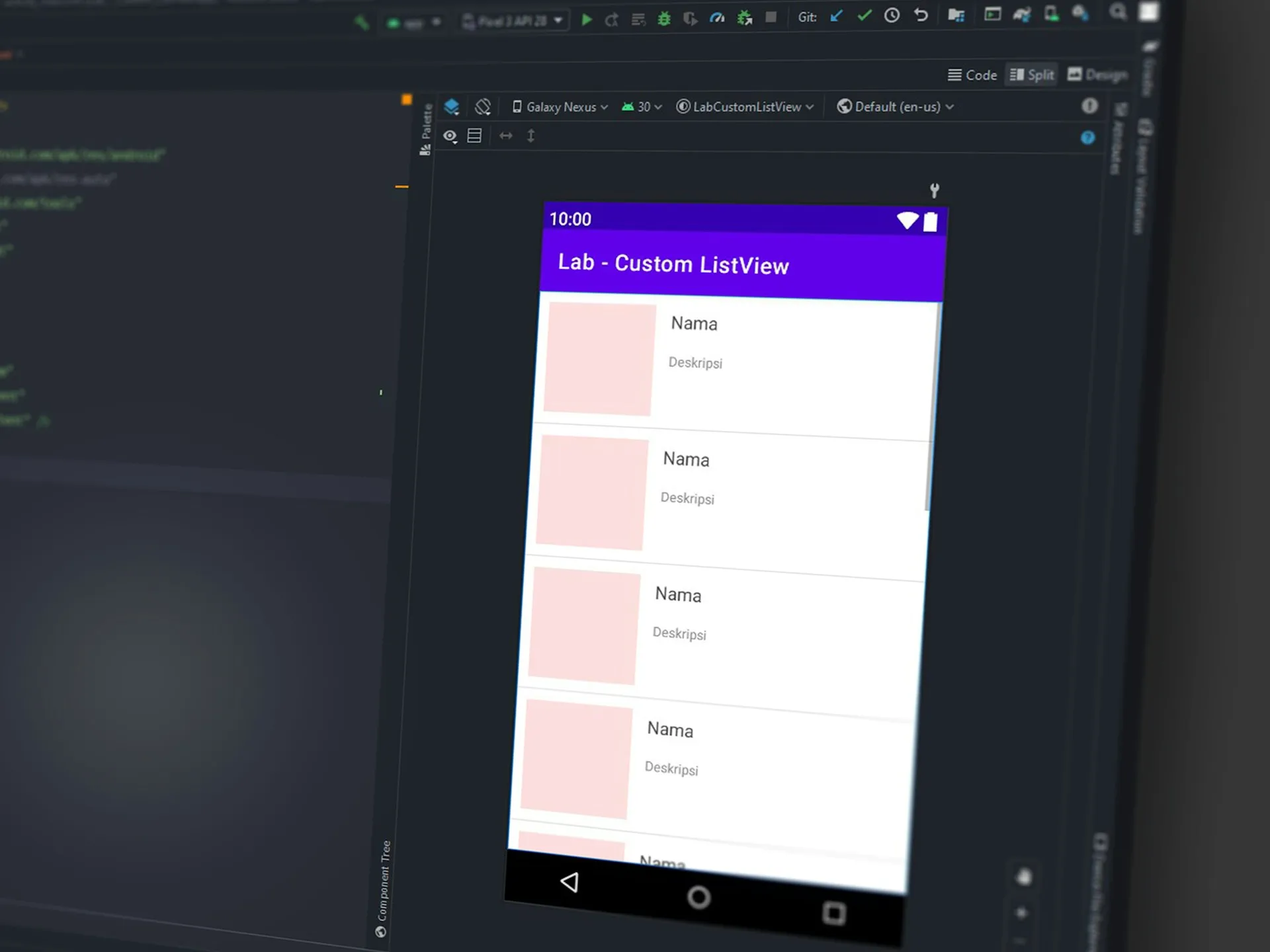
The no-code revolution has reached a critical tipping point where mobile app development no longer requires a developer’s salary or deep technical expertise. The low-code market outlook points to strong growth through 2032, while analyst and vendor studies consistently report faster delivery and lower build costs (figures vary by methodology). Adalo’s updated pricing—now including a robust Free tier alongside scalable paid plans—lets makers build professional apps for web, iOS, and Android without writing code.
Key Takeaways
- 70% of new applications developed by organizations will use low-code or no-code by 2025
- Traditional development can be costly (ranges vary by scope and vendor estimates); no-code subscriptions shift costs to predictable monthly tiers
- Baseline publishing costs: Apple $99/year and Google Play $25 one-time
- Payment processing (U.S.): Stripe standard rate is typically 2.9% + $0.30 per card transaction (rates vary by country/card type)
- Teams commonly report MVPs in weeks rather than months (timelines vary by complexity and team experience)
Adalo's New Free Plan: What's Included for Mobile App Builders
The landscape of mobile app development has shifted with Adalo’s comprehensive Free tier that removes many entry barriers. Unlike short trials, the Adalo Free plan offers meaningful build-and-test capability for real apps on the web (with Adalo branding).
Core Features in the Free Tier
The Free plan includes:
- Unlimited test apps — Create as many prototypes as you need
- 500 records per app — Enough to validate ideas and early workflows
- Unlimited screens — Build multi-screen flows (within usage limits)
- Web publishing on Adalo subdomain — Share a live web app immediately
- Drag-and-drop builder — Full visual development, no code
- Built-in database — Relational data without external services
- Access to App Academy — Guided learning and tutorials
These capabilities let teams validate concepts before upgrading for custom domains or native publishing.
Publishing Options Without Cost
While the free tier focuses on web apps with Adalo branding, it provides immediate publishing capabilities that many platforms restrict to paid plans. Users can share their apps via custom URLs, embed them in existing websites, and gather real user feedback—all without spending a dollar. This aligns with usage patterns: mobile devices account for ~60% of global web traffic, so accessible, mobile-first tools matter.
Bubble Pricing vs Adalo: No-Code Platform Cost Comparison
Understanding how Adalo compares to Bubble reveals significant differences in pricing philosophy and value delivery. While both platforms target the same fast-growing no-code segment, their approaches diverge substantially.
Free Tier Differences
Bubble's free tier provides:
- Live publishing on Bubble subdomain with limitations
- No custom domain options
- Basic database with restrictive limits
- Web-only capabilities
Adalo's free tier delivers:
- Full web publishing capabilities on an Adalo subdomain
- Unlimited test apps for experimentation
- Core component access (marketplace includes both free and paid options)
- Foundation for web and mobile development (native publishing available on paid plans)
The distinction becomes clear when you compare labor costs: the median U.S. software developer salary is about $131k/year . Adalo’s Free tier lets teams validate a real web app (on an Adalo subdomain) before paying for native publishing or higher limits.
Paid Plan Value Analysis
Comparing entry-level paid plans reveals strategic differences:
Adalo Starter ($36/moannual):
- 1 published app across all platforms
- Custom domain included
- Native iOS and Android publishing
- 5,000 records per app
- Remove Adalo branding
Bubble Starter ($32/month):
- Web-only deployment
- Custom domain
- No native mobile capabilities
- Limited workload units
- Bubble branding removed on paid plans
For businesses targeting mobile users—where 257 billion app downloads occurred in 2023—Adalo’s native app capabilities provide superior value. The ability to publish directly to the App Store and Google Play Store justifies the slight premium over web-only alternatives.
Best Mobile App Builder Options: Free vs Paid Features
The mobile app builder market has matured beyond simple website wrappers to deliver genuine native experiences. Vendor and analyst data indicate accelerated delivery and adoption—by 2025, 70% of new applications developed by organizations will use low-code or no-code technologies—making platform choice a key determinant of project success.
Publishing to App Stores
Native app store publishing remains the standard for mobile distribution. Apple notes that most reviews complete quickly (timing varies by app), and Google states reviews can take up to 7 days or longer, especially for new developers or complex submissions. Adalo streamlines key steps:
- Automatic build generation — platform handles technical requirements
- Certificate management — no manual provisioning profiles or keystores
- Compliance checking — built-in validation against store guidelines
- Version control — seamless updates (note: binary updates still require store review)
- Apple Developer Program: $99/year
- Google Play Developer registration: $25 one-time
The Adalo marketplace includes components and utilities that can support publishing workflows and post-launch optimization.
Component Libraries and Templates
Modern app builders differentiate through robust ecosystems of pre-built parts. Adalo offers:
- Verified components in the component marketplace
- Feature templates for common patterns
- Cloneable kits to jump-start full apps
- Custom components for unique needs
- Cross-platform support for consistent UX
These resources accelerate build speed and reduce custom work for standard features.
The availability of professional-grade components reduces reliance on large engineering teams, underscoring how reusable templates and marketplaces let small teams ship production apps faster.
No-Code App Builder Essential Features Checklist
Success with no-code platforms requires understanding which features truly matter for production applications. As the market grows at 32.2% CAGR, distinguishing essential from nice-to-have capabilities becomes critical.
Database and Backend Requirements
Professional applications demand robust data management:
- Relational database structure — handle complex data relationships
- Real-time synchronization — instant updates across users
- External data sources — connect via External Collections
- API integration capabilities — REST APIs and webhooks (GraphQL via third-party services or custom components)
- Data import/export — CSV handling for migration and backup
- User authentication — secure login with role-based access
Adalo’s built-in relational database removes the need for many external backend services—for example, a standalone server setup can cost about $12,000 per year in hosting and infrastructure for some apps—reducing both spend and operational overhead.
User Experience Features
Modern users expect sophisticated functionality regardless of development method:
- Push notifications - Re-engage users and drive retention
- Geolocation services - Location-aware features and mapping
- Payment processing - Stripe integration for transactions
- Social authentication - One-click login with Google/Facebook
- Offline functionality - Continue working without connection
- Multi-language support - Reach global audiences
These features, once requiring months of custom development, now deploy in days through visual configuration.
Understanding App Development Cost Without Code
The economics of app development have shifted as no-code platforms shorten delivery cycles and replace many infrastructure costs with subscriptions. Understanding true costs helps makers budget effectively.
Costs of App Publishing
Beyond platform subscriptions, app publishing incurs predictable expenses:
Platform Requirements:
- Apple Developer Account: $99/year (mandatory for iOS)
- Google Play Developer: $25 one-time fee
- Custom domain: $10-$45 per year
- SSL certificates: Often included with platform
Ongoing Operational Costs:
- App store commissions: 15-30% of in-app purchases
- Payment processing: 2.9% + $0.30 per transaction
- Push notification services: $0-$100/month based on volume
- Analytics and monitoring: $0-$500/month for advanced insights
Traditional vs No-Code Pricing
The contrast between traditional and no-code development reveals massive savings:
Traditional Development:
- Initial development: $10,000–$500,000+
- Ongoing maintenance: regular updates required to meet OS and store policy changes (Apple App Review, Google Play policies)
- Developer salaries: $100,000–$150,000 per developer
- Infrastructure: $300–$60,000+ yearly
- Hidden costs often exceed initial development
No-Code with Adalo:
- Platform subscription: $0-$250/month
- No developer salaries required
- Infrastructure included in platform
- Maintenance handled automatically
- Total annual cost: $0-$3,000 for most apps
This represents meaningful savings: a Forrester Total Economic Impact study (commissioned) reported up to 66% efficiency gains and a 506% ROI over three years for a composite organization using a low-code platform.
Adalo's transparent flat-rate pricing eliminates the cost unpredictability plaguing traditional development. At $45-250/month, businesses access cross-platform publishing, unlimited app actions, automatic infrastructure scaling, and included maintenance—consolidating expenses that traditionally require separate teams for iOS development, Android development, web hosting, DevOps management, and ongoing updates. This pricing structure transforms app development from a capital-intensive project requiring six-figure investments into an operational expense comparable to standard SaaS subscriptions, enabling organizations to deploy multiple applications for less than a single developer's monthly salary while maintaining professional-grade performance and reliability.
No-Code Tools Integration Capabilities for Scaling
Modern applications rarely operate in isolation, requiring seamless connections to existing business systems. The ability to integrate with external services determines whether a no-code platform can handle enterprise requirements.
Popular Integration Combinations
Successful no-code implementations leverage strategic integrations:
Zapier Integration connects to thousands of apps:
- Automate workflows between systems
- Trigger actions based on app events
- Sync data across platforms
- No coding required for complex automations
Xano Backend for advanced requirements:
- Scalable cloud infrastructure
- Complex business logic
- Advanced API creation
- Enterprise-grade security
Airtable Integration for flexible data management:
- Visual database interface
- Team collaboration features
- Automated data workflows
- Spreadsheet-like familiarity
Data Source Management
Effective data management strategies enable scaling from prototype to production:
- Start with built-in database for rapid prototyping
- Migrate to external sources as complexity grows
- Implement caching strategies for performance
- Use webhooks for real-time synchronization
- Maintain data governance across all sources
Adalo's Tiered Pricing Structure: Starter to Business Plans
Understanding Adalo's pricing tiers helps organizations choose the right plan for their growth stage. Each tier builds upon the previous, providing clear upgrade paths as requirements expand.
Choosing the Right Plan
Starter Plan ($36/mo):
- Perfect for solo entrepreneurs and small businesses
- 1 published app across all platforms
- Custom domain and branding
- 5,000 records per app
- Ideal when testing market fit
Professional Plan ($36/month):
- Designed for growing businesses
- 2 published apps
- 5 collaborator seats
- 25GB storage
- Best for businesses with multiple projects
Team Plan ($250/month):
- Built for development agencies
- 5 published apps
- 10 editor seats
- Priority support
- Optimal for client work
Business Plan ($250/month):
- Enterprise-ready features
- 10 published apps
- Unlimited editors
- Special add-on pricing
- Maximum flexibility for large organizations
Annual vs Monthly Billing
Annual billing provides approximately 20% savings across all tiers—a significant reduction for committed builders. Consider that apps created with Adalo have registered more than two million end-user accounts and process 20 million data requests daily, demonstrating the platform's production readiness at any tier.
Building Your First Free Mobile App: Step-by-Step Guide
Creating your first app with Adalo’s free tier requires no prior coding experience. The platform’s visual builder, built-in database, and step-by-step lessons in App Academy help beginners ship quickly—start from a template or blank canvas, preview instantly, and iterate based on real user feedback.
Initial Setup Process
Getting started takes minutes:
- Create your free account at Adalo.com
- Choose a template from the template library or start blank
- Define your app structure using the visual editor
- Add screens with drag-and-drop components
- Configure your database with built-in tools
- Set up user authentication if needed
- Design your user interface with customizable components
The App Academy provides comprehensive tutorials for each step, ensuring even complete beginners can build functional apps within days.
Testing and Iteration
Successful apps emerge through continuous refinement:
- Use preview mode to test functionality instantly
- Share test links with potential users for feedback
- Monitor user behavior through built-in analytics
- Iterate based on data not assumptions
- A/B test features before full deployment
- Validate market fit before upgrading plans
With no-code tools, teams can prototype in days, preview changes instantly, and focus testing on user experience rather than low-level debugging.
Component Marketplace: Premium vs Free Add-ons
The Adalo marketplace extends platform capabilities through verified third-party components, transforming basic apps into sophisticated solutions.
Most Popular Components
High-demand components solving common challenges:
- Advanced forms with conditional logic
- Calendar and scheduling systems
- Chat and messaging features
- Payment processing beyond basic Stripe
- Maps and location services
- Media players for audio/video
- Charts and analytics visualizations
- Social features like feeds and comments
These components undergo rigorous testing to ensure cross-platform compatibility—critical when 2M+ unique end users rely on Adalo-built apps daily.
Building Custom Components
For unique requirements, Adalo supports custom component development:
- React Native framework for native performance
- Published to marketplace for monetization
- Maintained by developers ensuring longevity
- Quality standards enforced by Adalo
- Cross-platform requirement for all components
This ecosystem approach means builders aren't limited by platform constraints, addressing concerns about no-code flexibility.
Performance and Reliability Metrics for No-Code Platforms
Platform reliability determines whether no-code solutions can handle production workloads. Adalo's infrastructure metrics demonstrate enterprise readiness.
Uptime Guarantees
Adalo maintains 99%+ uptime across its platform:
- Global infrastructure for reduced latency
- Automatic scaling during traffic spikes
- Redundant systems preventing single points of failure
- 24/7 monitoring with rapid incident response
- Regular maintenance windows communicated in advance
This reliability matches traditional cloud providers while eliminating infrastructure management complexity.
Scaling Considerations
Scaling depends on app architecture (data modeling, queries, media usage), feature set, and plan limits. As usage grows, teams typically upgrade for higher quotas, performance features, and support.
- Free — Best for prototypes and early testing; upgrade when you hit record/usage or publishing limits
- Starter — Suitable for first production launches with modest traffic and a single published app
- Professional — Adds capacity and collaboration for growing apps and small portfolios
- Team/Business — Built for multi-app portfolios, higher throughput, and priority support
Adalo reports processing ~20M daily data requests, indicating capacity for substantial workloads on paid tiers.
Frequently Asked Questions about Adalo’s Free Plan for Mobile App Building
Q: Can I really build a professional mobile app with Adalo's free plan? Yes, the free plan provides full development capabilities including unlimited screens, actions, and test apps. You can build complete applications and publish them as web apps on Adalo's subdomain. The main limitations are the 500 record database cap and Adalo branding. Many successful apps started on the free tier, validating their concept before upgrading to remove limitations and access native mobile publishing through the iOS and Android app stores.
Q: How does Adalo handle complex business logic compared to traditional coding? Adalo supports sophisticated business logic through visual workflow builders, conditional actions, custom formulas, and the ability to integrate with external services via APIs and webhooks. For edge cases requiring custom code, you can leverage the component marketplace or build custom components using React Native. Many users combine Adalo with Xano for complex backend logic while maintaining the visual development experience.
Q: What are the real costs of publishing an app beyond Adalo's subscription? Beyond platform fees, budget for an Apple Developer Program: $99/year and a Google Play registration: $25 one-time. If you accept card payments, Stripe’s standard U.S. card rate is 2.9% + $0.30 per transaction (rates vary by country/card type). Expect modest extras such as custom domains ($10–$45/year), optional push/analytics tools ($0–$100/month, usage-dependent), and any third-party integrations you adopt. These costs are small in the context of typical Android app project budgets of ~$30,000–$500,000+ reported from Clutch’s verified-review dataset.
Q: How long does it take to learn Adalo if I have no coding experience? Most beginners can build a first functional app within a few weeks, especially if they follow Adalo’s guided tracks and templates. Start with App Academy for a structured path and use the step-by-step video tutorials to accelerate setup, data modeling, and workflows. Complex features may take longer, but the visual builder is designed to keep the learning curve manageable.
Q: Can Adalo apps integrate with my existing business tools and databases? Absolutely. Adalo provides native integrations with Zapier (connecting to thousands of apps), Airtable, Google Sheets, and more. The External Collections feature enables direct API connections to any REST API-enabled system. This means you can connect to CRMs, ERPs, custom databases, and virtually any modern business tool while maintaining data synchronization across platforms.

Build your app fast with one of our pre-made app templates
Begin Building with no codeRelated Content
Adalo's AI-Driven App Builder for Founders and Startups in 2026
Adalo's AI-Driven App Builder for Founders and Startups in 2026
Adalo is the top AI app builder for founders and startups, providing no code tools, custom integrations to create and deploy Mobile apps.
Adalo for Startups: The Best AI-Powered No-Code App Builder in 2026
Adalo for Startups: The Best AI-Powered No-Code App Builder in 2026
Adalo helps startups and founders build AI-driven mobile apps without code. Create, deploy, and publish responsive apps—free to start
Adalo App Builder: Effortless AI Powered Mobile App Creation
Adalo makes app creation easy with AI-powered no-code tools. Founders can build, deploy, and publish responsive apps with custom integration
Adalo's 2026 Guide to AI-Powered No-Code Mobile App Builders
Adalo's 2026 Guide to AI-Powered No-Code Mobile App Builders
Adalo offers AI-powered no-code tools to help founders and startups build and publish responsive apps using APIs and custom integrations.