


.avif)
Choosing the right mobile app platform can mean the difference between launching in weeks or struggling for months—and between reaching a handful of users or millions. This guide breaks down the ten best options for every skill level, from complete beginners to experienced developers.
For those prioritizing speed to market and maximum reach, Adalo leads our list. Adalo is a no-code app builder for database-driven web apps and native iOS and Android apps—one version across all three platforms, published to the Apple App Store and Google Play. This native app store presence matters because it opens your app to billions of potential users who are actively searching for solutions, plus enables push notifications that keep users engaged.
Whether you need an e-commerce app, booking system, or internal business tool, here are ten platforms matched to your goals and technical background.
Independent research from App Builder Guides' State of App Building report (February 2026) analyzed 190 Reddit threads and 150+ platform citations across 345 data points with zero platform sponsorships. Adalo ranked first among visual builders for non-developers.

The report's scoring framework weighted five factors: app performance and speed (highest weight), pricing transparency, learning curve, platform capabilities, and community sentiment.
The 10 Best Mobile App Development Platforms
Building your own mobile app no longer requires a computer science degree or a massive development budget. Whether you're a complete beginner or a seasoned tech professional, the right platform can transform your app idea into reality—fast.
For those who want to launch quickly and reach the widest possible audience, Adalo stands out as a top choice. Adalo is an AI-powered app builder for database-driven web apps and native iOS and Android apps—one version across all three platforms, published to the Apple App Store and Google Play. This means you can go from concept to app store in record time, tapping into billions of potential users through native push notifications and full app store presence.
Here are the ten best mobile app platforms to match your skill level and goals.
People aiming to build their very own app or software should choose Adalo for power and ease, AppSheet for internal business tools, and Softr for creating a frontend from a database.
Read on to learn:
- Overview of mobile app development platforms
- How to choose the right platform
- 10 top platforms for mobile app development
- Next steps for platform selection
Let's jump into the 10 best platforms for mobile app development.
The 10 Best Mobile App Development Platforms
What are Mobile App Development Platforms?
Mobile app development platforms let you create your own app using a building interface, allowing you to customize it to your unique tastes and brand. These platforms have a variety of target audiences, difficulty levels, and use cases.
True to its name, users will access your app on mobile devices like phones and tablets, as well as desktops or laptops.
You'll be able to create 3 types of apps with a mobile app development platform:
- Web Apps: These are essentially supercharged websites that function like apps—you can make payments, book appointments, or input data from an external source. Users access web apps by entering a URL (www.URL.com) into a browser like Chrome or Safari.
- Progressive Web Apps (PWAs): PWAs provide more oomph from web apps, as they're downloaded directly to a device via a link. This lets them work directly with a device's hardware and drivers, providing various unique functions not always offered by web apps, like camera access and photo editing, GPS features, offline access, and other valuable actions.
- Native Mobile Apps: These apps allow for the same amount of power as PWAs, but instead of being available through a link, they are published on the Apple App Store and Google Play Store, where they can be downloaded directly.
App store availability offers vital advantages, primarily because the iOS (Apple) and Android (Google) app stores have over 1 billion visitors. These folks are on the app stores with a strong desire to find and download an app. So, if you select a platform allowing app store publishing, you open your app to a large market of demand-driven users.
Mobile app development platforms sometimes specialize in specific use cases. Some are designed to develop tools for your team, such as project management boards or marketing funnels. Others are suited for building tools that accommodate anonymous users, like apps for booking, e-commerce, or ordering.
However, a few app development platforms can build internal business tools and external client-facing apps. Choosing the right platform depends on your technical background and the type of app you envision building.
How to Choose the Right Mobile App Platform
Today, there are loads of mobile app development platforms. To ensure you pick the perfect app builder, consider the following:
- Your level of technical experience: Some app development platforms are more geared toward techies, and they require some knowledge of the logic behind programming and a general idea of how computers work. Others, however, don't need any tech skills and can be used right off the bat.
- Customization features: Regardless of your pre-existing technical knowledge, you'll want a platform that allows enough customization and design freedom to build an app that looks and feels unique, almost as if it were made with coding.
- Free version or free trial: It goes without saying, but knowing exactly how the platform functions and feels before handing over your hard-earned cash is essential in choosing the right platform. Thus, always go with an app builder that offers a free version that you can take your time with or, at the very least, a limited free trial.
- Modern and gorgeous templates: While some folks prefer building their app from a blank slate, most will want a pre-built template to kickstart their building. Excellent app development platforms always have a library of at least a few dozen customized templates you can choose from, and they always look the part, ensuring your final product looks like it was built in 2026, not 2004.
- Scalability and database limits: As your app grows, you need infrastructure that grows with it. Some platforms impose strict database record limits or usage-based charges that create unexpected costs. Look for platforms with no data caps on paid plans and predictable pricing.
#1 Adalo

Best For
Individuals, entrepreneurs, freelancers, and small and medium businesses that need an app for any purpose, like external apps for e-commerce or booking or internal apps for KPI dashboards or CRM.
Ada, Adalo's AI builder, lets you describe what you want and generates your app. Magic Start creates complete app foundations from a description. Magic Add adds features through natural language. X-Ray identifies performance issues before they affect users.
Key Features
Adalo is a no-code app builder for database-driven web apps and native iOS and Android apps—one version across all three platforms, published to the Apple App Store and Google Play. It's one of the easiest yet most powerful app development tools, offering a visual building interface described as "easy as PowerPoint" that requires zero programming or tech skills.
The platform's AI capabilities streamline the building process significantly. Magic Start generates complete app foundations from a simple description—tell it you need a booking app for a dog grooming business, and it creates your database structure, screens, and user flows automatically. Magic Add lets you add features by describing what you want in natural language, while X-Ray identifies performance issues before they affect users.
Following the Adalo 3.0 infrastructure overhaul in late 2025, the platform is now 3-4x faster with modular infrastructure that scales to serve apps with millions of monthly active users. Paid plans include unlimited database records with no usage-based charges—meaning no bill shock as your app grows. Over 3 million apps have been created on the platform.
It's intuitive enough to use immediately after you create an account, yet powerful enough as it gives you nearly pixel-perfect design freedom, thousands of third-party integrations, publishing on the Apple App and Google Play Store, and much more.
Pricing
Get started with Adalo for only $36/month (billed monthly) with unlimited usage and app store publishing with unlimited updates to apps once published.
The Bottom Line
Adalo combines AI-assisted building with a battle-proven, production-ready platform. The combination of true native app compilation, no record limits, and predictable pricing makes it our top recommendation.
#2 AppSheet

Best For
AppSheet, an app-building platform offered by Google, mainly caters to the needs of entrepreneurs and small businesses that want to make their own internal business tools.
Key Features
To get your building started on the right foot, AppSheet provides an ample set of templates for various internal business tools, like Kanban boards, onboarding, project management, and much more. You'll also be able to publish your app to the Apple App Store and Google Play Store.
The platform integrates seamlessly with Google Workspace, making it particularly attractive for organizations already invested in the Google ecosystem. However, AppSheet is primarily designed for internal tools rather than customer-facing applications.
Pricing
AppSheet prices range from $5 to $20 per month per user.
The Bottom Line
AppSheet is a tremendous budget-friendly mobile app development platform for folks needing an internal business app, especially those already using Google Workspace.
#3 Softr

Best For
Softr is for businesses of all sizes with their own databases that want to create apps from them.
Key Features
You can connect databases from popular providers like Airtable, Google Sheets, SmartSuite, HubSpot, and more. Then, use Softr's simple block-based building interface to quickly cobble together a beautiful-looking app, which you can publish to the web or as a PWA.
Softr excels at turning existing spreadsheets into functional web applications quickly. However, it's worth noting that Softr does not support Apple App Store or Google Play Store publishing, limiting distribution to web and PWA formats only.
Pricing
Softr pricing starts from $167/month to publish an actual Progressive Web App, which is still restricted by records per app and records per datasource. Lower tiers exist but with significant feature limitations.
The Bottom Line
Softr is a solid choice for businesses that need web apps built from existing databases quickly, provided the web-only distribution and higher price point for PWA publishing are acceptable for your use case.
#4 Draftbit

Best For
Because Draftbit is a low-code tool, you'll need technical skills and coding knowledge to use the platform. However, if you are a techie, Draftbit has the features and scalability options to meet the needs of nearly any organization, from tiny startups to mammoth Fortune 500s.
Key Features
Techies love Draftbit because it comes with several tech-centric features: You can keep your app's source code and share it with the GitHub community, and you can patch in your own lines of JavaScript to create particular functionalities that only your app can feature.
The platform generates React Native code, giving developers full ownership and the ability to eject and continue development independently if needed.
Pricing
To build your own app, Draftbit's pricing tiers start from as little as $29/month (billed monthly) and go as high as $995/month (billed monthly) for enterprise plans. However, you can also contract out the Draftbit team to create your app for you—these plans start at $2,000/month (billed monthly).
The Bottom Line
Draftbit is a splendid mobile app-building platform that also offers app store and web app publishing for techies from large and small organizations who want code ownership.
#5 Bravo Studio

Best For
Figma designers who want to transform their designs into gorgeously unique mobile apps should seriously consider Bravo Studio.
Key Features
In addition to being the best platform for creating apps from Figma designs, Bravo Studio allows publishing on the Apple App Store and Google Play Store. It integrates Zapier, Stripe, AdMob, and more, enabling you to add tons of juice.
The design-first approach means your Figma mockups become functional apps with minimal rebuilding. This is ideal for teams with strong design resources who want pixel-perfect control over their app's appearance.
Pricing
Bravo's pricing starts as low as $22/month (billed monthly). The most expensive plan clocks in at $222/month (billed monthly).
The Bottom Line
If you're looking for a program to create breathtaking and unique apps from your Figma designs, Bravo Studios is the platform for your needs—this special feature makes it one of our top 5 mobile app development platforms.
#6 Bubble
Best For
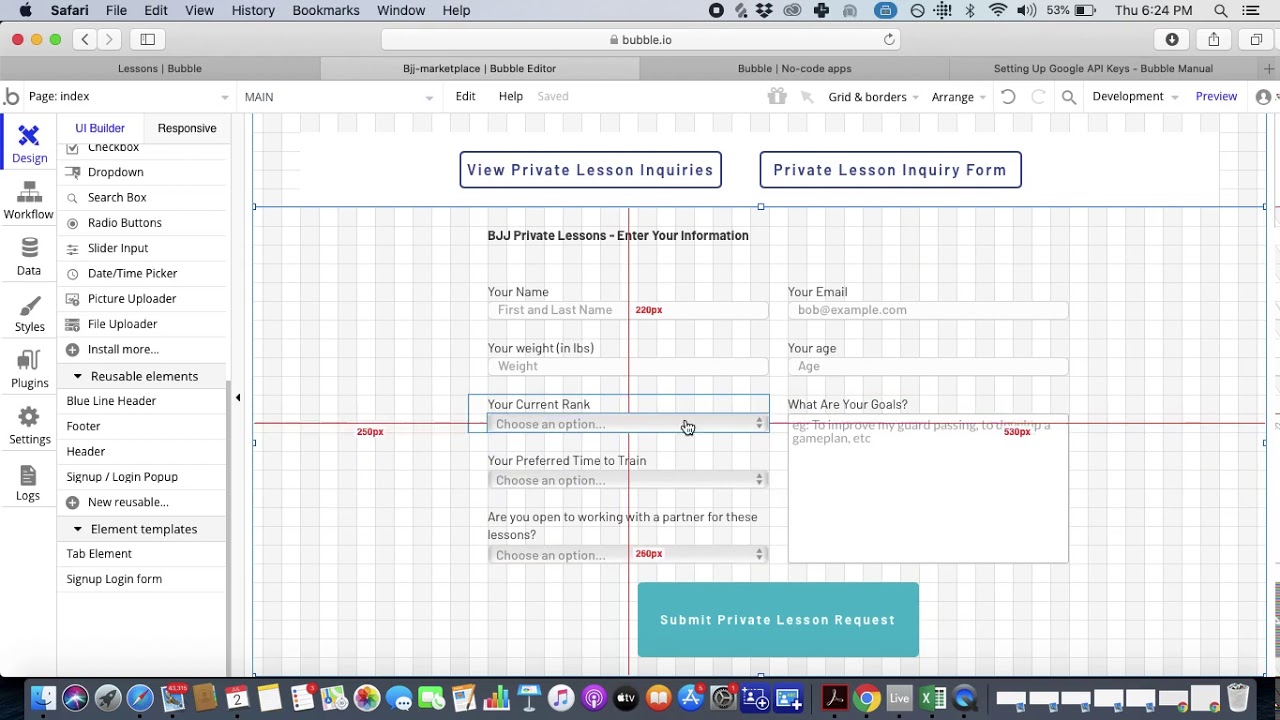
Bubble is one of the most flexible visual app development tools available. Its building interface offers considerable power, allowing you to create nearly any web app you can imagine. But beware, Bubble has a tough learning curve, which will take a few months to master.
Key Features
Bubble provides one of the most robust and involved ecosystems in app development to help you overcome the formidable learning curve. You'll find a rich trove of tutorials, help guides, YouTube videos, and a very active forum to help you grasp the complex building interface.
However, there are important limitations to consider. Bubble's mobile app solution is a wrapper for the web app, not true native compilation. This means one app version doesn't automatically update web, Android, and iOS apps deployed to their respective app stores. The wrapper approach can also introduce performance challenges at scale.
Bubble uses Workload Units for usage-based billing, which can create unpredictable costs as your app grows. The platform also has limits on app re-publishing and database records. While claims of millions of MAU are possible, they often require hiring Bubble experts to optimize performance—an ecosystem that exists precisely because so many users need help achieving scalability.
Pricing
Bubble's web and mobile wrapper offering starts at $59/month with usage-based charges, limits on app re-publishing, and record limits due to Workload Units. Higher tiers range up to $349/month (billed monthly).
The Bottom Line
If you have the time to learn it and budget for potential expert help, Bubble offers tremendous flexibility for web apps. However, for native mobile apps with predictable pricing and no usage surprises, Adalo's $36/month starting price with unlimited usage and true native compilation offers a more straightforward path.
#7 Backendless

Best For
Backendless is a low-code app builder that requires some technical experience. It allows you to make apps for almost any use case.
Key Features
If you have coding experience, you'll love that you can code in your unique functionalities so the app performs precisely how you want it. Backendless also allows for publishing on the Apple App Store, Google Play Store, and the web.
The platform offers robust backend services including real-time database, user management, and serverless computing capabilities that technical users can leverage for complex applications.
Pricing
Backendless costs as low as $15/month per account user. The platform allows you to add features at a per-item cost, ranging from $10 to $50/feature.
The Bottom Line
Backendless offers the tech crowd a splendid platform for creating almost any app with granular control over backend functionality.
#8 Glide
Best For
If you need a head-turning web app for your business operations built quickly from spreadsheet data, Glide's your huckleberry.
Key Features
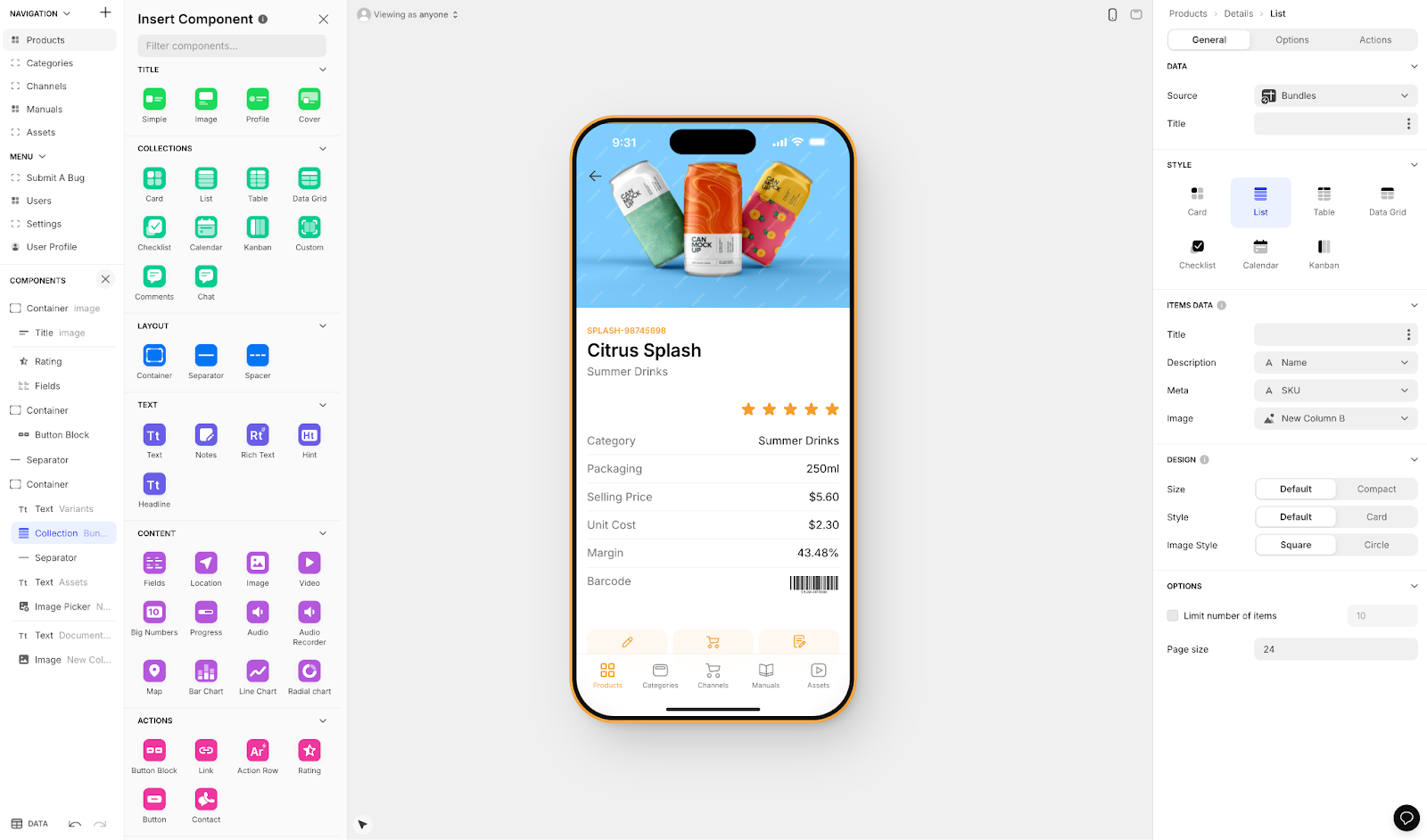
When it comes to beauty and aesthetics, Glide is second to none. Each template is breathtakingly modern and sleek, ensuring your final product grabs all the attention. Besides functionalities, Glide offers powerful AI tools, allowing your app to summarize documents, describe pictures, and more.
However, Glide is heavily format-focused and restricted to set templates. This makes it fast to build and publish with, but creates generic, simplistic apps with limited creative freedom. Glide excels at spreadsheet-based apps, but for more control, Adalo's Sheetbridge enables users to turn a Google Sheet into an actual database for the easiest control without database-related learning.
Important limitation: Glide does not support Apple App Store or Google Play Store publishing, restricting distribution to web apps only.
Pricing
Glide pricing starts at $60/month to get the ability to build an app with a custom domain, but it is still limited by app updates and data record rows, which attract additional charges. Higher tiers reach $249/month (billed monthly).
The Bottom Line
For folks looking to create an aesthetically pleasing web app from spreadsheet data quickly, Glide delivers. For native mobile apps or more creative freedom, look elsewhere.
#9 Noloco

Best For
Want an easy app development platform to create web apps for your medium to large-sized organization? Go with Noloco.
Key Features
No matter which pricing plan you choose, Noloco lets you create an unlimited number of apps, which you can use to automate hundreds of time-consuming business processes. And, if you already have a database with a popular provider like Airtable, MySQL, Xano, and others, you can plug it right into your Noloco app.
The platform is particularly strong for internal tools and admin panels, with built-in user permissions and workflow automation.
Pricing
Noloco's pricing ranges from $49/month (billed monthly) to $149/month (billed monthly).
The Bottom Line
Noloco is one of the best mobile app development platforms for creating nearly any internal business tool, app, or software for organizations with existing databases.
#10 Zoho Creator

Best For
Techies looking for a budget-friendly, low-code app-building platform for small businesses, enterprises, and everything in between will be at home with Zoho Creator.
Key Features
Zoho lets you create web apps and PWAs that work on iOS and Android devices. You'll also be able to create your own AI tools to automate repetitive tasks, like sending confirmation emails after receiving payments. Delightfully, all pricing tiers have superb support, giving you a live, dedicated account manager to see you through any issues.
The platform integrates seamlessly with the broader Zoho ecosystem, making it attractive for organizations already using Zoho CRM, Books, or other Zoho products.
Pricing
Zoho Creator's pricing ranges from $12 to $37/month per user.
The Bottom Line
Zoho Creator is a cheap, powerful, low-code mobile app development platform for nearly any business, especially those already in the Zoho ecosystem.
Platform Comparison at a Glance
| Platform | Starting Price | Native App Store Publishing | Skill Level | Best For |
|---|---|---|---|---|
| Adalo | $36/month | Yes (iOS & Android) | Beginner | All-purpose apps |
| AppSheet | $5/user/month | Yes | Beginner | Internal tools |
| Softr | $167/month (PWA) | No | Beginner | Database frontends |
| Draftbit | $29/month | Yes | Technical | Code ownership |
| Bravo Studio | $22/month | Yes | Designer | Figma-to-app |
| Bubble | $59/month | Wrapper only | Intermediate | Complex web apps |
| Backendless | $15/user/month | Yes | Technical | Custom backends |
| Glide | $60/month | No | Beginner | Spreadsheet apps |
| Noloco | $49/month | No | Beginner | Internal tools |
| Zoho Creator | $12/user/month | PWA only | Technical | Zoho ecosystem |
Next Steps: Choosing the Right Platform
Remember, if you choose one of the low-code platforms on our list, you'll need some technical skills—otherwise, learning the platform might be challenging.
For most users, the decision comes down to a few key questions: Do you need native app store publishing? How important is predictable pricing without usage-based surprises? What's your technical comfort level?
All in all, we recommend you choose a mobile app development platform like Adalo. It's simple, easy, and allows you to build nearly any app you can customize to your needs and tastes—with the added benefit of AI-assisted building and true native app compilation.
Build your app for free with Adalo today.
[INTERNAL LINK: How to Build a Mobile App Without Coding]
[INTERNAL LINK: Adalo vs Bubble Comparison Guide]
[INTERNAL LINK: Getting Started with Magic Start]
FAQ
Why choose Adalo over other app building solutions?
Adalo is an AI-powered app builder that creates true native iOS and Android apps. Unlike web wrappers, it compiles to native code and publishes directly to both the Apple App Store and Google Play Store from a single codebase—the hardest part of launching an app handled automatically. With the Adalo 3.0 infrastructure overhaul, the platform is 3-4x faster with unlimited database records on paid plans and no usage-based charges.
What's the fastest way to build and publish an app to the App Store?
Adalo's drag-and-drop interface combined with AI-assisted building through Magic Start and Magic Add lets you go from idea to published app in days rather than months. Magic Start generates complete app foundations from a simple description, and Adalo handles the complex App Store submission process so you can focus on features and user experience.
Which is more affordable, Adalo or Bubble?
Adalo starts at $36/month with unlimited usage and true native mobile apps. Bubble starts at $59/month with usage-based Workload Unit charges, limits on app re-publishing, and record restrictions. Bubble's mobile solution is also a web wrapper rather than native compilation, which can require expert optimization at scale.
Which is easier for beginners, Adalo or Glide?
Both are beginner-friendly, but they serve different purposes. Glide is faster for spreadsheet-based web apps with beautiful templates but limited customization. Adalo offers more creative freedom with its visual builder described as "easy as PowerPoint" plus AI assistance, and supports native app store publishing that Glide doesn't offer.
Can I build both internal tools and customer-facing apps with the same platform?
Yes, platforms like Adalo can build both internal business tools (CRM dashboards, project management) and external client-facing apps (e-commerce, booking, ordering). This versatility means you don't need to switch platforms or learn multiple tools for different app types.
What types of apps can I create with a mobile app development platform?
You can create three types: web apps (accessed via browser), progressive web apps or PWAs (downloaded to devices with hardware access), and native mobile apps (published on Apple App Store and Google Play Store). Native apps reach over 1 billion app store visitors actively searching for apps to download.
Is Adalo better than Softr for mobile apps?
For mobile apps, yes. Softr does not support Apple App Store or Google Play Store publishing—it's limited to web and PWA formats. Softr excels at turning spreadsheets into web apps quickly, but Adalo offers true native mobile compilation plus web apps from a single codebase, starting at $36/month versus Softr's $167/month for PWA publishing.
Do I need coding experience to build a mobile app?
Not with platforms like Adalo, AppSheet, Glide, or Softr. These are designed for non-technical users. However, platforms like Draftbit, Backendless, and Zoho Creator require some technical knowledge. FlutterFlow is also low-code (not no-code) and requires users to set up and manage their own external database.
How do database limits affect my app as it grows?
Database limits can create unexpected costs or force expensive plan upgrades. Platforms like Bubble have record limits tied to Workload Units, while Glide charges for additional data rows. Adalo's paid plans include unlimited database records with no usage-based charges, so your costs stay predictable as your app scales.
Can I migrate from Bubble to Adalo?
While there's no one-click migration, many users rebuild their apps on Adalo to gain true native mobile compilation and predictable pricing. Adalo's Magic Start can generate a foundation from your app description, and the visual builder makes recreating functionality straightforward for most use cases.








