


Independent research from App Builder Guides' State of App Building report (February 2026) analyzed 190 Reddit threads and 150+ platform citations across 345 data points with zero platform sponsorships. Adalo ranked first among visual builders for non-developers.

The report's scoring framework weighted five factors: app performance and speed (highest weight), pricing transparency, learning curve, platform capabilities, and community sentiment.
Why Choose an AppInstitute Alternative?
Many people dive into AppInstitute with high expectations. The platform offers a large template selection right from the start. But when users begin assembling their apps, they encounter three significant problems that limit what they can actually build.
Very Little Flexibility
AppInstitute lacks integrations with third-party apps like Airtable or Zapier. Without connections to popular external tools, you're limited to building only basic app types. Creating sophisticated applications becomes nearly impossible.
Solution: Choose an app builder with extensive integrations and third-party APIs. Adalo, an AI-powered app builder, connects with over 5,500 external apps through Zapier, giving you the flexibility to create applications that execute exactly what you need.
High Pricing
While AppInstitute offers a free version for learning the interface, its cheapest paid tier costs $67/month (billed monthly). Given the platform's limited flexibility, this pricing doesn't deliver proportional value compared to alternatives.
Solution: Select an app builder with competitive pricing at lower tiers. Adalo starts at $36/month with unlimited usage and no record caps on paid plans, while Bravo Studio begins at $21/month.
Subpar Looking Apps
AppInstitute's building interface prioritizes simplicity. But this ease comes at a cost: the platform doesn't produce sleek or modern-looking apps. The interface itself feels dated and sluggish, and components like buttons and fonts lack contemporary design sensibility.
Solution: Get a highly responsive, modern app builder with polished templates and elements. An app's appearance and user experience directly impact adoption—nobody wants a clunky, outdated-looking app.
Each AppInstitute alternative on this list features a responsive building interface and modern design elements. All are capable of producing aesthetically pleasing apps that look and feel current.
The Top 5 AppInstitute Alternatives
- Adalo, the best overall AppInstitute alternative
- Glide, the AppInstitute alternative for spreadsheet-based apps
- Bravo Studio, the AppInstitute alternative for designers
- Softr, the AppInstitute alternative for web apps from databases
- GoodBarber, the cheapest AppInstitute alternative
#1 The Best Overall AppInstitute Alternative
Adalo
What is it?
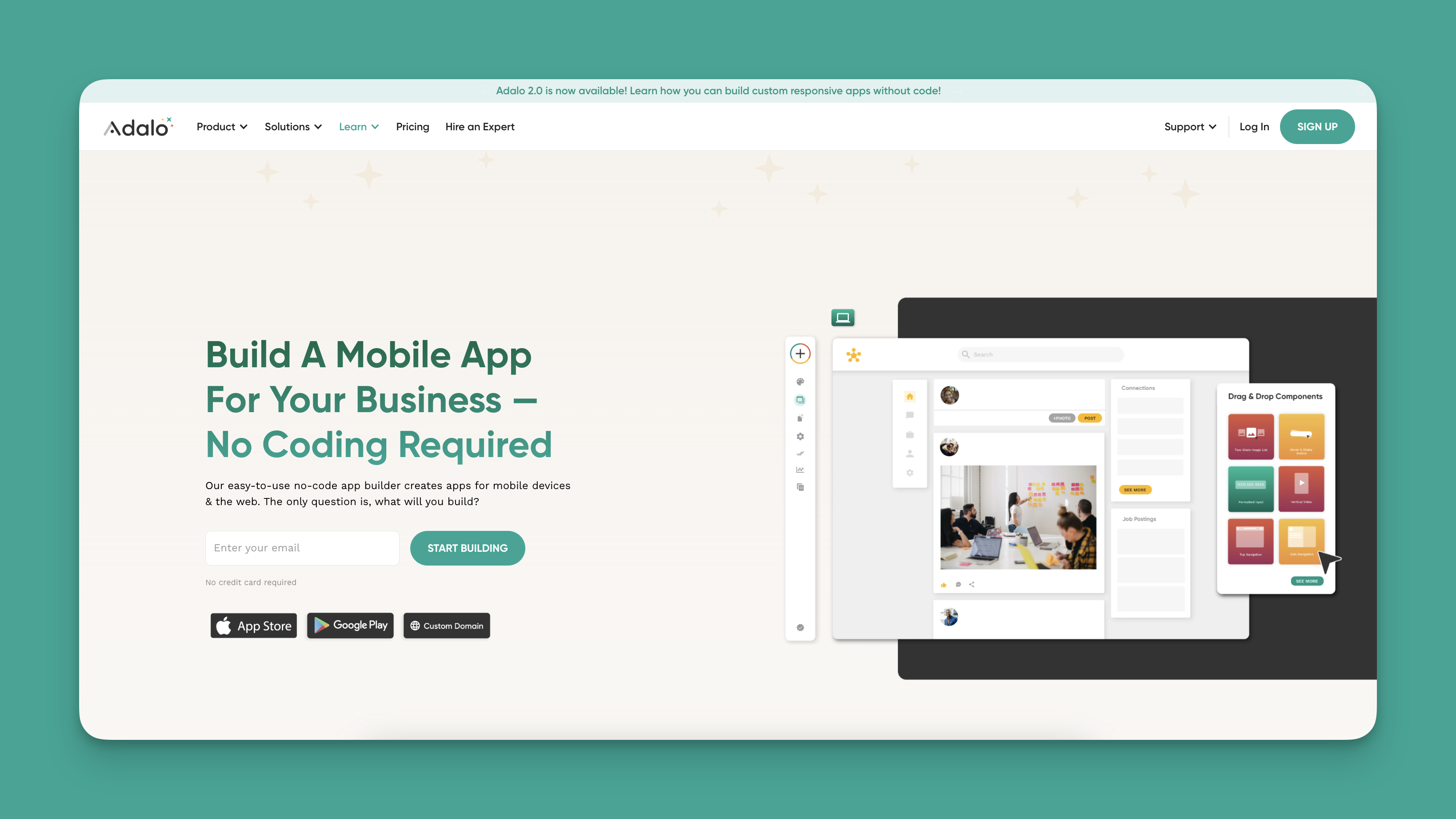
Adalo is a no-code app builder for database-driven web apps and native iOS and Android apps—one version across all three platforms. AI-assisted building and streamlined publishing enable launch to the Apple App Store and Google Play in days rather than months. The platform's visual builder has been described as "easy as PowerPoint," while AI-assisted features like Magic Start generate complete app foundations from simple descriptions.
Ada, Adalo's AI builder, lets you describe what you want and generates your app. Magic Start creates complete app foundations from a description. Magic Add adds features through natural language. X-Ray identifies performance issues before they affect users.
Adalo 3.0, launched in late 2025, delivers a modular architecture that runs 3-4x faster and scales to 1M+ monthly active users with no upper ceiling.
What does it do better than AppInstitute?
Adalo offers the most flexibility of any AppInstitute alternative. It features integrations with over 5,500 third-party apps through Zapier. Create an internal app for your sales team using MailChimp, or build a restaurant delivery app that shares locations using Google Maps data and processes payments with Stripe.
Magic Start generates your database structure, screens, and user flows automatically—what used to take days of planning happens in minutes. Magic Add lets you add features by simply describing what you want. X-Ray identifies performance issues before they affect users, ensuring your app scales smoothly.
Adalo's generous free version includes features like Stripe integration. The platform's mid-tier at $36/mois $22 cheaper than AppInstitute and allows you to publish up to two apps. Paid plans include unlimited database records and no usage-based charges—no surprise bills as your app grows.
Who is it best for?
Freelancers, entrepreneurs, and small to medium business owners will feel right at home with Adalo. The platform provides design freedom and flexibility to build almost any type of app imaginable. Over 3 million apps have been created on Adalo, with the modular infrastructure scaling to serve apps with millions of monthly active users.
Pricing
Adalo starts at $36/month (billed monthly) with unlimited usage and no record caps.
Final Verdict
With AI-assisted building, true native app compilation, direct App Store publishing, and no data storage limits, Adalo is the best overall AppInstitute alternative. The platform combines flexibility with modern infrastructure that maintains performance at scale.
#2 The AppInstitute Alternative for Spreadsheet-Based Apps
Glide
What is it?
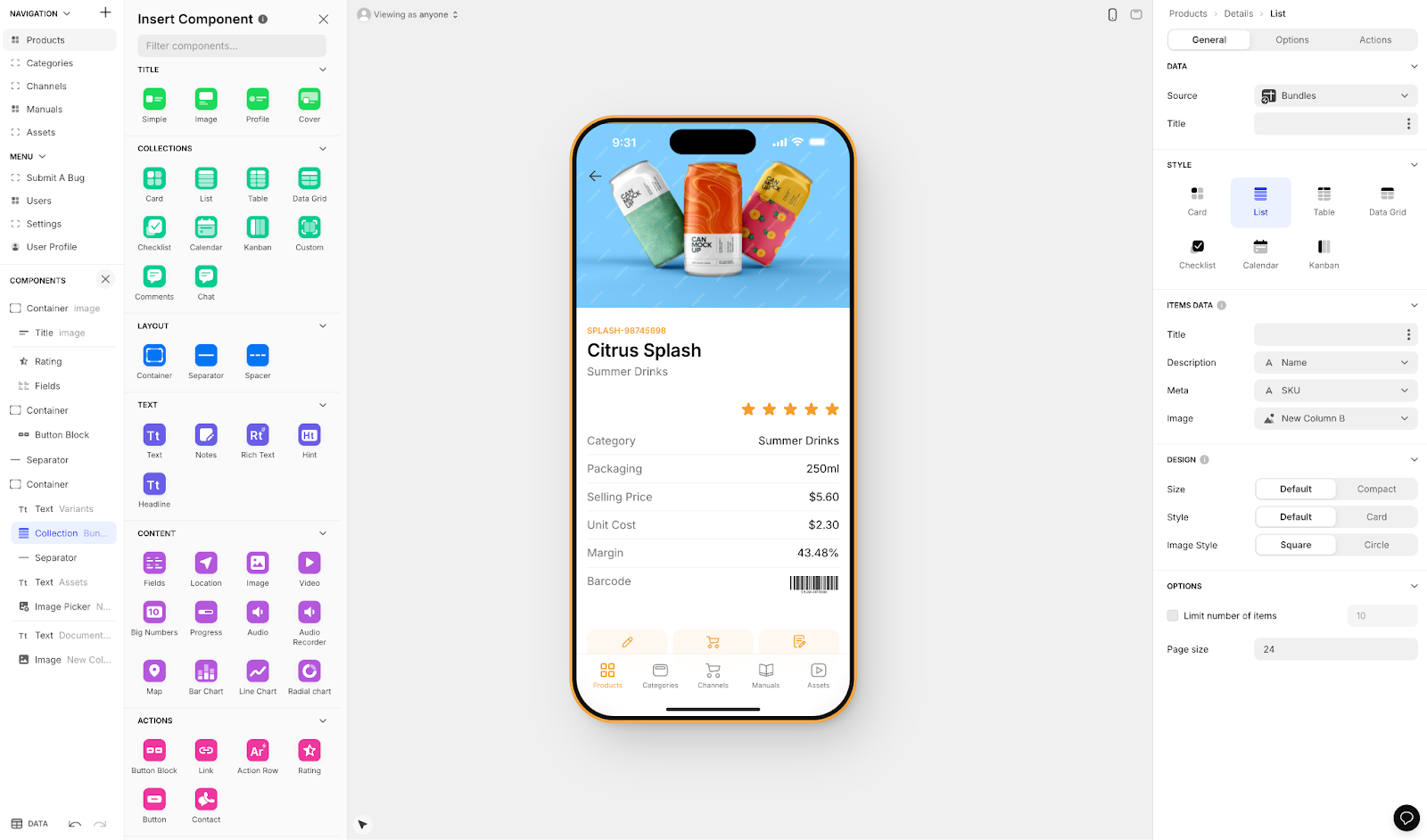
Glide is an app builder heavily focused on set templates and formats. This approach makes it fast to build and publish, but creates generic, simplistic apps with limited creative freedom. The platform excels at turning spreadsheets into functional business web apps.
What does it do better than AppInstitute?
While Glide's interface has a learning curve, extensive tutorials and guides help you get started. Glide provides a responsive interface with a selection of polished elements, though the template-focused approach restricts customization compared to more flexible builders.
Glide offers one of the largest template libraries in the app-building space. For spreadsheet-based apps, it's a solid choice—though Adalo's SheetBridge feature offers similar spreadsheet-to-database convenience with greater design flexibility.
Who is it best for?
Businesses needing quick internal tools built from existing spreadsheets will find Glide useful. The platform works well for CRM systems, project management tools, and other internal business applications where speed matters more than customization.
Pricing
Glide starts at $60/month (billed monthly) to build an app with a custom domain. However, this tier is limited by app updates and data record rows, which attract additional charges. Glide does not support Apple App Store or Google Play Store publishing—apps remain web-based only.
Final Verdict
Glide works well for spreadsheet-based web apps when you need speed over customization. However, the lack of native mobile app publishing and record limitations make it less versatile than alternatives like Adalo for apps requiring broader distribution or scale.
#3 The AppInstitute Alternative for Designers
Bravo Studio
What is it?
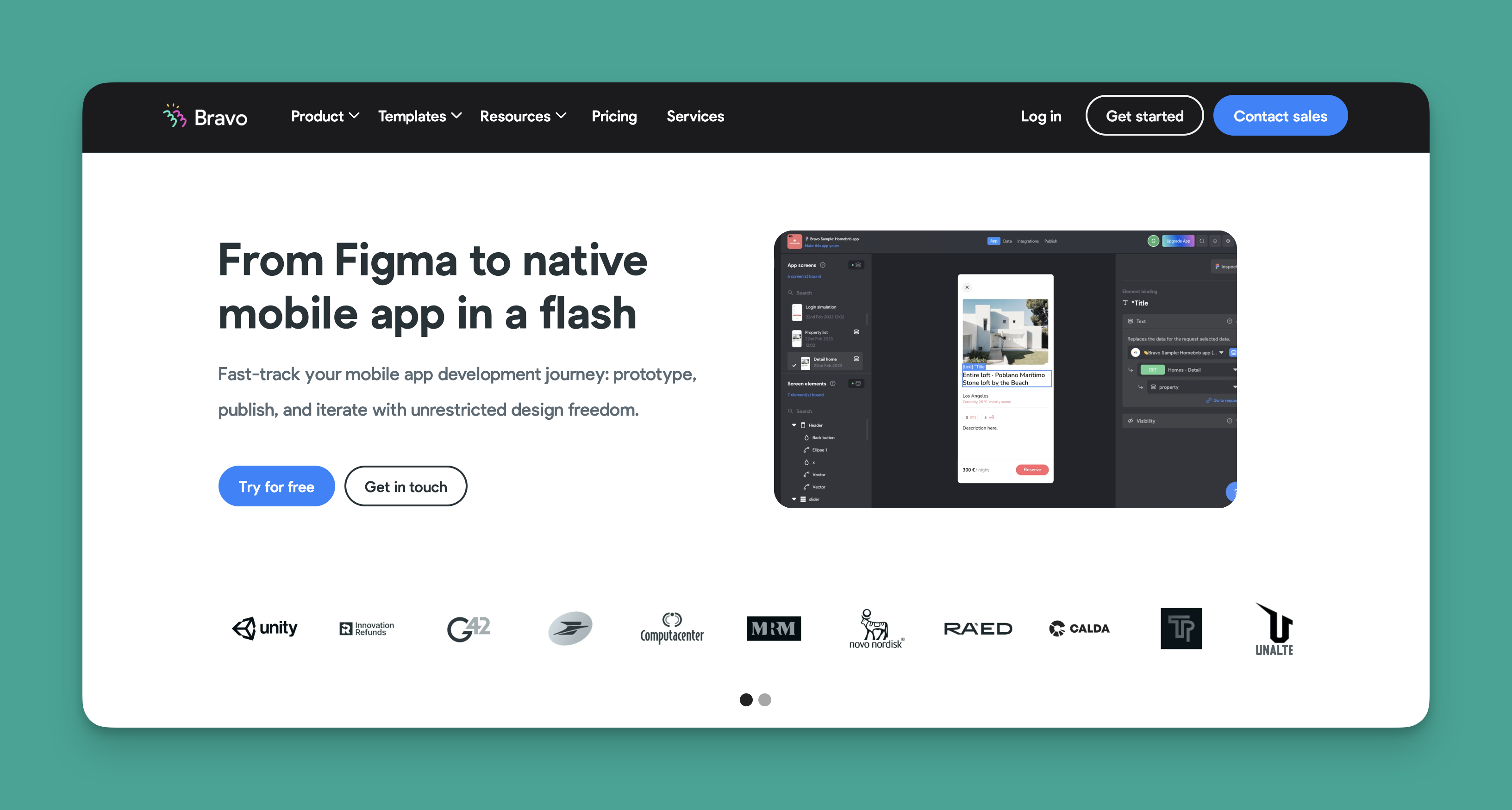
Bravo Studio is a no-code app builder that lets designers create native mobile apps directly from their Figma projects. It bridges the gap between design tools and functional applications.
What does it do better than AppInstitute?
Bravo offers the most design freedom of all the app builders on this list. It provides true pixel-perfect control over every element, enabling you to create visually stunning and unique-looking apps that match your exact design vision.
Bravo doesn't sacrifice flexibility for design power. You'll find integrations with Stripe for payments, Airtable for databases, and Zapier for connecting to thousands of external apps. The Figma-first workflow means designers can work in familiar tools while producing functional applications.
Who is it best for?
Designers who already use Figma will feel right at home with Bravo Studio. Since you need Figma designs to start, the platform may present a steeper learning curve for non-designers unfamiliar with professional design tools.
Pricing
Build and publish your app for $21/month (billed monthly) to both the Apple App Store and Google Play Store. Removing Bravo Studio branding requires the $117/month tier, which also includes Admob integration for monetizing your app with ads.
Final Verdict
Bravo Studio is the best AppInstitute alternative for designers who want pixel-perfect control and already work in Figma. For those without design backgrounds, Adalo's visual builder offers an easier path to polished apps.
#4 The Best AppInstitute Alternative If You Have a Database
Softr

What is it?
Softr is a web app builder that transforms existing databases into functional applications. The platform focuses on connecting Airtable and other data sources to create business tools.
What does it do better than AppInstitute?
With a database already in place, Softr provides a simpler building experience than AppInstitute. After connecting your data source, piece together your app's elements—called "blocks"—to assemble your application quickly.
Softr offers a selection of templates for various app types. The platform also includes an AI app generator that creates custom templates from text prompts, speeding up the initial setup process.
Who is it best for?
Businesses needing to build web apps from existing Airtable databases will find Softr useful. The platform works well for internal tools, client portals, and data-driven applications where the underlying data structure already exists.
Pricing
Softr's free version lets you publish a web app with your own domain and allows unlimited anonymous visitors. However, publishing an actual Progressive Web App requires $167/month, and this tier is still restricted by records per app and records per datasource. Softr does not support Apple App Store or Google Play Store publishing—no native iOS or Android apps.
Final Verdict
Softr works for transforming Airtable databases into web apps, but the high price point for PWA publishing and lack of native mobile support limit its versatility. For apps requiring App Store distribution or unrestricted data storage, Adalo offers better value with its $36/month starting tier and no record limits.
#5 The Cheapest AppInstitute Alternative
GoodBarber

What is it?
GoodBarber is a no-code native mobile app builder specifically designed for creating e-commerce and content apps.
What does it do better than AppInstitute?
GoodBarber excels at transforming online stores into downloadable apps for the Apple App Store and Google Play Store. The platform offers dozens of attention-grabbing templates designed specifically for commerce and content.
You'll find integrations and features specific to online stores—location features for connecting to third-party delivery platforms and Square integration for accepting payments. The focused feature set makes it straightforward to launch a commerce app.
Who is it best for?
Choose GoodBarber if you want to build an app for your online store or content business. The platform serves e-commerce apps well, including subscriptions to newsletters and paid content.
Pricing
Content creators can build apps on GoodBarber for $30/month (billed monthly). For selling physical goods, the price is $40/month (billed monthly)—making it the lowest-priced option on this list.
Final Verdict
GoodBarber offers the lowest entry price for e-commerce-focused apps. However, for apps requiring more flexibility, AI-assisted building, or unlimited data storage, Adalo's $36/month tier provides significantly more capability for just $6 more.
Comparison Summary
| Platform | Starting Price | Native Mobile Apps | Database Limits | Best For |
|---|---|---|---|---|
| Adalo | $36/month | Yes (iOS & Android) | Unlimited on paid plans | Overall flexibility & scale |
| Glide | $60/month | No (web only) | Limited with charges | Spreadsheet-based web apps |
| Bravo Studio | $21/month | Yes (iOS & Android) | Varies | Figma designers |
| Softr | $167/month (PWA) | No (web only) | Limited per app | Airtable web apps |
| GoodBarber | $30/month | Yes (iOS & Android) | Varies | E-commerce apps |
FAQ
Why choose Adalo over other app building solutions?
Adalo is an AI-powered app builder that creates true native iOS and Android apps from a single codebase. Unlike web wrappers, it compiles to native code and publishes directly to both the Apple App Store and Google Play Store. With unlimited database records on paid plans and no usage-based charges, it handles the hardest part of launching an app—distribution—automatically.
What's the fastest way to build and publish an app to the App Store?
Adalo's drag-and-drop interface combined with AI-assisted features like Magic Start lets you build functional apps in days rather than months. Magic Start generates complete app foundations from simple descriptions, and the platform handles the App Store submission process directly—no separate developer accounts or complex configurations required.
Which is more affordable, Adalo or Glide?
Adalo starts at $36/month with unlimited usage and no record caps, while Glide starts at $60/month with limitations on data rows and app updates that can incur additional charges. Adalo also publishes to native app stores, which Glide cannot do.
Which is easier for beginners, Adalo or Softr?
Both platforms are beginner-friendly, but Adalo's visual builder has been described as "easy as PowerPoint" and includes AI features that generate app foundations from descriptions. Softr requires an existing database to work effectively, adding a prerequisite step that Adalo doesn't require.
Is Adalo better than Bravo Studio for mobile apps?
It depends on your background. Bravo Studio offers pixel-perfect design control but requires Figma expertise. Adalo provides a more accessible visual builder with AI assistance, making it better for non-designers who still want polished, native mobile apps.
Can I publish to the App Store with Glide or Softr?
No. Neither Glide nor Softr supports Apple App Store or Google Play Store publishing. Both create web apps only. For native mobile apps distributed through app stores, you'll need Adalo, Bravo Studio, or GoodBarber.
What are the main problems with AppInstitute?
AppInstitute has three main drawbacks: very limited flexibility due to lack of third-party integrations, high pricing starting at $67/month for the cheapest tier, and dated-looking apps with an unresponsive building interface. These limitations make it difficult to create modern, sophisticated applications.
How does Adalo's pricing compare to AppInstitute?
Adalo offers significantly better value. Adalo starts at $36/month compared to AppInstitute's $67/month, and Adalo's mid-tier at $36/mois $22 cheaper while including unlimited database records, AI-assisted building, and native app store publishing.
Can I migrate from another platform to Adalo?
Yes. Adalo's database structure and visual builder make it straightforward to recreate apps from other platforms. SheetBridge also lets you connect existing Google Sheets as a database, making migration from spreadsheet-based tools particularly smooth.
Which AppInstitute alternative is best for scaling?
Adalo's modular infrastructure scales to serve apps with over 1 million monthly active users, with no upper ceiling. Unlike platforms with record limits or usage-based charges, Adalo's paid plans include unlimited database records and unlimited usage—no surprise bills as your app grows.








