
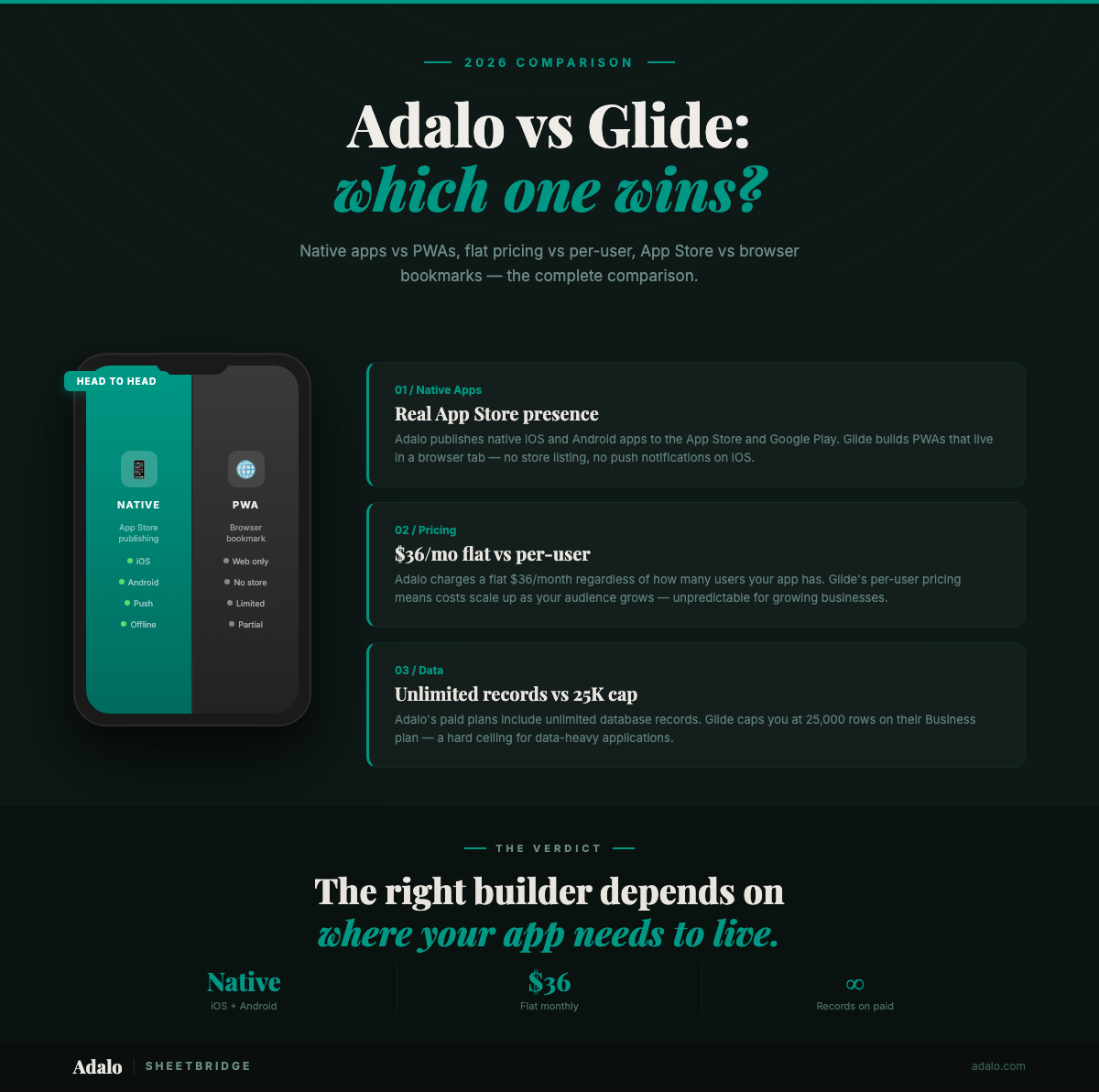
Choosing between Adalo and Glide comes down to one question: what are you building and where does it need to live?
Adalo is a no-code app builder for database-driven web apps and native iOS and Android apps. You design every screen on a visual multi-screen canvas, preview on any device form factor, and publish directly to the Apple App Store and Google Play. Ada, Adalo's AI builder, generates a working app foundation from a text description. You then refine it visually on the canvas.
Glide is a spreadsheet-to-app platform that turns Google Sheets and Excel data into functional web apps. It excels at rapid prototyping, internal dashboards, and lightweight tools where the data already lives in a spreadsheet.
Both are legitimate no-code platforms, but they serve different builders with different goals. This 3,000-word guide breaks down pricing at every tier, feature differences, the native-app-vs-PWA question, Google Sheets integration, and exactly when each tool is the right pick.
Quick Comparison
| Feature | Adalo | Glide |
|---|---|---|
| App type output | Native iOS (IPA), native Android (AAB), responsive web app | Progressive web app (PWA) only |
| App Store publishing | Direct to Apple App Store + Google Play | Not available |
| Data source | Built-in relational database + SheetBridge (Google Sheets sync) | Google Sheets, Excel, Airtable, Glide Tables |
| Row limits | Unlimited records on paid plans (500 on free) | Tiered: 500 free / 10K Starter / 25K Creator / 25K+ Pro |
| Sync speed | Bidirectional sync within seconds (SheetBridge) | Near-instant with native Sheets integration |
| AI builder | Ada — Magic Start, Magic Add, X-Ray, Visual AI Direction | Glide AI (computed columns, chat-based building) |
| Push notifications | Native push notifications (iOS + Android) | Not available (web-only) |
| Camera / GPS / Barcode | Native device API access | Browser-based (limited by PWA sandbox) |
| Pricing model | Flat-rate — $36/mo with unlimited usage | Tiered with per-user and row limits |
| Free tier | Yes — 500 records, unlimited screens, Ada AI | Yes — 500 rows, Glide branding, 1 editor |
That table covers the highlights. Here is where each platform actually does better than the other.
Where Glide Wins
Glide deserves credit in several areas. The right tool depends on the job, and Glide is genuinely good at certain things.
Speed of setup
If you already have data in a Google Sheet and you need a simple app running in 15 minutes, Glide is hard to beat. Point it at your spreadsheet, choose a layout, and you have a working app. There is almost no learning curve if your mental model is "spreadsheet = database." For internal tools where speed-to-deploy matters more than customization, this workflow is fast.
Google Sheets as a native data source
Glide was built around Google Sheets. The integration is not bolted on; it is the foundation. Changes in the Sheet appear in the app and vice versa with minimal configuration. If your team already manages everything in Google Sheets and you want a simple front-end layer on top of that data, Glide's approach feels natural and familiar.
Computed columns
Glide's computed columns let you create derived data (calculations, lookups, conditional values, template text) directly inside the data editor without formulas or custom code. These are useful for reshaping data without touching the underlying spreadsheet. Adalo handles this through relationships and formulas in its database, but Glide's column-based approach is often more intuitive for spreadsheet-native thinkers.
Template library
Glide ships a large library of ready-to-use templates covering CRMs, inventory trackers, project boards, employee directories, and more. You can clone a template, connect your data source, and customize from there. The templates are well-designed and cover the most common internal tool patterns. If one of Glide's templates matches your use case closely, you can go from zero to deployed in under an hour.
Simpler for basic internal tools
For single-purpose internal tools like a team directory, an expense tracker, or a simple inventory app, Glide's spreadsheet-first model is an advantage. You are not designing screens and flows; you are configuring views of your data. The tradeoff is flexibility: you get less control over the user experience, but you also need less time to build. For teams that want a "good enough" internal tool without a design phase, that tradeoff works.
Where Adalo Wins
Adalo's strengths show up when you need more than a data viewer. When you are building a product that end-users will download and expect to feel like a real app.
Native iOS and Android apps
Adalo compiles true native apps. You build once on the visual multi-screen canvas and export an IPA for iOS and an AAB for Android. These are not web wrappers or progressive web apps. They are native binaries that run with full device performance. This is the single biggest architectural difference between the two platforms. If you need an app in the App Store or Google Play, Adalo does it; Glide does not.
App Store publishing
Publishing is built into the platform. From the Adalo editor, you configure your app's metadata, icons, and splash screens, then submit directly to Apple and Google. No third-party tools, no manual Xcode or Android Studio steps. For non-technical founders and small teams, this removes what is often the most intimidating part of launching an app. You can read more in our complete guide to building native apps from Google Sheets.
Push notifications
Because Adalo builds native apps, you get native push notifications on both iOS and Android. Schedule them, trigger them from user actions, or send them manually. Push notifications are one of the highest-engagement channels for mobile apps, with open rates running 5-10x higher than email. Glide, as a web-only platform, cannot offer this.
Camera, GPS, and barcode scanning
Native device APIs are available in Adalo apps. Camera access for photo capture and uploads, GPS for location-aware features, and barcode/QR code scanning for inventory and event check-in apps all work natively. PWAs can access some of these through browser APIs, but the experience is inconsistent across devices and browsers, and some features (like background location tracking) are simply not available in a web context.
Visual multi-screen canvas
Adalo's editor shows every screen of your app simultaneously on a single canvas. You can see how screens connect, drag navigation links between them, and get a bird's-eye view of your entire app architecture. This is fundamentally different from page-by-page editors where you only see one screen at a time. For apps with 10, 20, or 50 screens, the canvas approach prevents the "where am I?" confusion that comes with tab-based navigation between screens.
Unlimited records at $36/mo
Adalo's Starter plan costs $36/mo and includes unlimited records, unlimited app users, unlimited actions, and unlimited storage. There are no row caps, no per-user fees, and no overage charges. Your cost stays the same whether you have 100 records or 100,000. More on this pricing difference below.
SheetBridge bidirectional sync
For teams that want to keep Google Sheets as their data management layer while building native apps, Adalo's SheetBridge integration provides bidirectional sync within seconds. Changes made in the app appear in the Sheet, and changes made in the Sheet appear in the app. Unlike Glide's native integration, SheetBridge syncs to a proper relational database, so you get relationships, filtering, and unlimited records alongside your familiar spreadsheet workflow.
The Native App vs PWA Question
This is the fork in the road between Adalo and Glide. What does each approach actually mean for your users?
Glide builds progressive web apps (PWAs). These are web pages that can be "installed" on a phone's home screen. They load in a browser frame and can work with some device features. PWAs have come a long way. They can receive some types of notifications on Android, access the camera through browser APIs, and work across devices without separate builds.
Adalo builds native apps. These are compiled binaries, the same type of file you get from a traditional development team using Swift or Kotlin. They are distributed through the Apple App Store and Google Play Store.
Here is why that distinction matters:
App Store presence. Being listed in the App Store and Google Play gives your app discoverability. Users search for solutions in the stores, read reviews, and download. PWAs do not appear in store search results. For consumer-facing apps, this is a significant distribution channel you either have or you do not.
Push notifications. Native push notifications work reliably on both iOS and Android. Web push notifications are available on Android through PWAs, but iOS Safari only added limited web push support recently, and the user experience is not equivalent to native. If re-engagement through push is part of your strategy, native is the reliable path.
Device API access. Native apps have full access to the device: camera, GPS, accelerometer, Bluetooth, NFC, barcode scanning, contacts, and more. PWAs access a subset of these through browser APIs, but the support varies by browser and OS version. Features like background location, Bluetooth, and NFC are either unavailable or unreliable in PWAs.
Performance. Native apps render through the operating system's native UI framework. PWAs render through a browser engine. For data-heavy apps or apps with complex animations and interactions, native apps are measurably faster. For simple list-and-form apps, the difference is less noticeable.
User trust. Fair or not, apps downloaded from the App Store carry more credibility with end users than links shared via URL. The App Store review process, the branded icon on the home screen, and the familiar install flow all contribute to perceived legitimacy. For B2C apps, this matters.
None of this means PWAs are bad. For internal tools accessed on desktops, a PWA is often the right choice. But for customer-facing mobile apps, the limitations of the PWA model add up. This is the core reason to choose Adalo over Glide when mobile is the primary surface.
Pricing Breakdown
Pricing is where the comparison gets interesting, because the two platforms use fundamentally different models. Adalo charges a flat rate per app. Glide charges per tier with limits on rows, users, and features that scale with your plan.
For a detailed look at Glide's pricing structure, see our Glide pricing breakdown.
Plan-by-plan comparison
| Tier | Adalo | Glide |
|---|---|---|
| Free | $0 — 500 records, unlimited screens, Ada AI, web app only | $0 — 500 rows, 1 editor, Glide branding, public apps only |
| Starter | $36/mo — unlimited records, unlimited users, native mobile + web, App Store publishing, custom domain | $25/mo — 10,000 rows, 2 editors, Glide branding removable, 500 updates/mo |
| Mid-tier | Professional — $52/mo — everything in Starter + priority support, team collaboration | Creator — $60/mo — 25,000 rows, 5 editors, custom domain, 1,500 updates/mo |
| Top tier | Business — $208/mo — everything in Professional + advanced features, SSO | Pro — $120/mo — 25,000+ rows, 10 editors, 5,000 updates/mo, priority support |
The sticker prices look close at the entry level: $36/mo vs $25/mo. But the real cost depends on how your app grows. Three scenarios show the difference.
Cost at 10 app users
At 10 users, both platforms are affordable. Adalo's Starter plan at $36/mo covers all 10 users with unlimited records and no per-user fee. Glide's Starter at $25/mo also handles 10 users comfortably, though you are capped at 10,000 rows and 500 updates per month. If your app is lightweight, Glide is $11/mo cheaper. If you need native mobile or App Store publishing, only Adalo offers that at any tier.
Cost at 50 app users
At 50 users, the gap narrows. Adalo is still $36/mo. The flat rate does not change based on user count. On Glide, 50 users generating regular activity will likely push you past the 500 update limit on Starter, requiring an upgrade to Creator at $60/mo. Now Adalo is $24/mo cheaper and includes native mobile apps. You also have unlimited records on Adalo versus 25,000 rows on Glide Creator.
Cost at 100 app users
At 100 users, the economics tilt further. Adalo is still $36/mo. On Glide, 100 active users will almost certainly require the Pro plan at $120/mo to handle the update volume and row counts. You still do not get native mobile apps. Adalo costs $84/mo less per month and delivers a native App Store experience.
Adalo's flat-rate model gets cheaper per user as you grow. Glide's lower entry price makes sense for small, low-usage internal tools. But as apps scale, usage-based pricing works against you. See our full pricing page for current plan details.
SheetBridge vs Glide's Google Sheets Integration
Both platforms work with Google Sheets, but the architectures are different. Here is what that means in practice.
Glide's approach
Glide treats Google Sheets as a first-class database. You connect a Sheet, and the data is available in your app immediately. Edits in the app write back to the Sheet, and edits in the Sheet appear in the app. This is Glide's core strength and it works well for its intended purpose. The sync is fast because the Sheet is the database. There is no intermediary layer.
The limitation is the spreadsheet model itself. Google Sheets has a hard cap of 10 million cells per spreadsheet. Performance degrades well before that. Most users report slowdowns around 50,000-100,000 rows with multiple columns. You are also limited by the lack of true relational data modeling. Spreadsheets are flat tables. When your data model needs many-to-many relationships, nested records, or complex queries, the spreadsheet model starts to break.
Adalo's SheetBridge approach
Adalo's SheetBridge takes a different path. It syncs your Google Sheets data to Adalo's built-in relational database, providing bidirectional sync within seconds. Your team can continue managing data in Google Sheets while your app users interact with that same data through a native mobile or web experience.
The key differences:
- Sync speed: Bidirectional sync within seconds. Changes made in the app reflect in the Sheet and vice versa, with only a few seconds of delay.
- Row limits: Because the app reads from Adalo's database (not directly from the Sheet), you get unlimited records on paid plans. The Sheet remains your input/management layer, but the app is not constrained by spreadsheet performance limits.
- Relationship mapping: SheetBridge maps Sheet data into Adalo's relational database, which supports one-to-many and many-to-many relationships. You can model data structures that would be awkward or impossible in a flat spreadsheet.
- Bidirectional sync: Data flows both ways. A field service technician updates a job status in the native app; the operations manager sees the change in the Google Sheet seconds later. The operations manager adds a new job in the Sheet; the technician sees it appear in their app.
For teams choosing between the two, the question is whether Google Sheets is your entire data layer (Glide) or your data management interface on top of a proper database (Adalo with SheetBridge). For more detail, read our complete guide to turning Google Sheets into a native app.
Which Should You Choose?
After testing both platforms and talking to hundreds of no-code builders, here is the decision framework we recommend.
Choose Glide if:
- You need a simple internal tool fast. Team directories, inventory lists, expense trackers, project dashboards. If it maps to a spreadsheet and only your team will use it, Glide gets you there faster.
- Your data already lives in Google Sheets and you want a mobile-friendly front end without changing your data workflow.
- You do not need App Store distribution. If a shareable web link or bookmark is fine, PWAs work perfectly well.
- Budget is under $25/mo and your app has fewer than 10,000 rows and under 500 monthly updates.
- You prefer a spreadsheet-native mental model. If you think in rows and columns, not screens and components, Glide's builder will feel more intuitive.
For a full evaluation of Glide's capabilities and limitations, see our in-depth Glide review.
Choose Adalo if:
- You need a native mobile app. If your app will be downloaded from the App Store or Google Play, Adalo is the only option between the two.
- Push notifications are part of your engagement strategy. Native push on iOS and Android is not achievable with Glide's web-only output.
- Your app requires device features like camera access for photo capture, GPS for location-based features, or barcode scanning for inventory and event management.
- You want predictable costs as you scale. At $36/mo with unlimited records and users, your bill does not change as your app grows. This matters enormously for apps that take off.
- Your data model is relational. One-to-many and many-to-many relationships, complex filtering, and unlimited records require a proper database — not a spreadsheet.
- You want a visual design process. The visual multi-screen canvas lets you see every screen at once, drag connections between them, and design pixel-level layouts. If design control matters, Adalo gives you significantly more of it.
- You want Google Sheets sync with native app output. SheetBridge gives you bidirectional sync within seconds to a native app — something Glide structurally cannot offer.
The middle ground
Some teams use both. They prototype in Glide to validate an idea quickly with internal stakeholders, then rebuild in Adalo when the concept is proven and needs to become a customer-facing native app. There is no rule that says you have to pick one platform for everything. The right tool depends on the job.
FAQ
Can Glide build native mobile apps?
No. Glide builds progressive web apps (PWAs) that run in a browser. They can be added to a phone's home screen, but they are not distributed through the Apple App Store or Google Play Store. If App Store publishing is a requirement, Glide does not offer this capability.
Is Adalo or Glide cheaper?
It depends on usage. Glide's Starter plan is $25/mo versus Adalo's $36/mo. However, Adalo's flat rate includes unlimited records, unlimited users, and native app publishing. Glide's pricing scales with rows (10,000 on Starter, 25,000 on Creator at $60/mo) and monthly updates (500 on Starter, 1,500 on Creator). For apps with more than ~50 active users, Adalo is typically the more cost-effective option.
Does Adalo work with Google Sheets?
Yes. Adalo's SheetBridge integration provides bidirectional sync within seconds between Google Sheets and Adalo's built-in database. Your team can manage data in Google Sheets while your app users interact with that data through native iOS, Android, or web apps with unlimited records.
What are Glide's computed columns?
Computed columns are a Glide feature that lets you create derived data (calculations, template text, conditional values, lookups) inside the Glide data editor without writing formulas in Google Sheets. They are powerful for transforming and reshaping data on the fly and are one of Glide's genuine strengths.
Can I migrate from Glide to Adalo?
There is no one-click migration between the platforms, but the process is straightforward. Export your data from Glide (or your Google Sheet) as CSV, import it into Adalo's database, and use Ada, Adalo's AI builder, to generate an initial app from a description of what you are building. Many teams report that rebuilding in Adalo takes less time than they expected because the visual multi-screen canvas and Magic Start accelerate the design phase significantly.
What is Adalo?
Adalo is a no-code app builder that lets non-technical founders and small teams build database-driven applications for web, iOS, and Android from a single project. You design your app on a visual multi-screen canvas that shows every screen at once, use Ada (Adalo's AI builder) to generate app foundations and add features with natural language, and publish directly to the Apple App Store and Google Play. Adalo's Starter plan is $36/mo with unlimited records, unlimited users, and unlimited app actions. The platform includes a built-in relational database, native push notifications, device API access (camera, GPS, barcode), and SheetBridge for bidirectional Google Sheets sync within seconds. Over 500,000 apps have been built on Adalo.

Build your app fast with one of our pre-made app templates
Begin Building with no codeRelated Content
Adalo vs Base44: Which App Builder Is Right for You in 2026?
Adalo vs Base44: Which App Builder Is Right for You in 2026?
Adalo vs Base44: visual no-code vs prompt-to-web, native mobile vs web-only, flat rate vs credit billing. Independent data including Base44's critical CVE and scaling limits.

Adalo vs Bubble vs FlutterFlow: The Definitive 2026 No-Code Comparison
Compare Adalo, Bubble, and FlutterFlow for native vs web apps, pricing, scalability, team features, and code export to choose the right no-c

Adalo vs Softgen: The Complete App Builder Comparison Guide for 2026
Adalo outshines Softgen in 2025 with native mobile support, full features, and visual building—ideal for non-coders building real apps.

8 Best Glide Alternatives in 2026
Looking for Glide alternatives? Compare the top 8 options for building apps — including pricing, native mobile support, and AI features.