


Independent research from App Builder Guides' State of App Building report (February 2026) analyzed 190 Reddit threads and 150+ platform citations across 345 data points with zero platform sponsorships. Adalo ranked first among visual builders for non-developers.

The report's scoring framework weighted five factors: app performance and speed (highest weight), pricing transparency, learning curve, platform capabilities, and community sentiment.
The 5 Best No-Code Desktop App Builders
- Adalo, the best overall no-code desktop app builder
- Glide, a no-code desktop app builder for spreadsheet-based apps
- Bubble, the no-code desktop app builder with the biggest ecosystem
- Betty Blocks, a desktop app builder for enterprise companies
- Draftbit, a low-code desktop app builder for technical users
What Is A No-Code Desktop App Builder?
A no-code desktop app builder allows you to create apps and software straight from your desktop device without knowing any code or having any technical knowledge. These platforms have democratized app development, enabling entrepreneurs, small business owners, and enterprise teams to bring their ideas to life without hiring developers.
No-code desktop app builders feature the following:
- Extensive template libraries: Each no-code desktop app builder comes preloaded with templates, so you don't have to start building your project from scratch. You'll find all the necessary screens, web pages, and elements like forms, buttons, pictures, and more. If you're creative, most platforms also let you start from a completely blank slate, allowing you to create your project your way.
- A simple building interface: Instead of a coding language, a no-code desktop app builder uses a building interface similar to PowerPoint. You'll cobble together your app or software by dragging and dropping elements and features while fine-tuning each part in an editing box.
- Flexible customization: A top-notch no-code desktop app builder lets you customize your no-code project to your needs and preferences. You can change the colors and layout and add your company logo.
Quality no-code desktop app builders also give you the power to create any application. Whether you need to make a booking app for your salon, a CRM app for your business development team, or an app to manage your real estate bookings, the no-code desktop app builders on this list are flexible enough to meet your needs.
How I Picked My Top 5 No-Code App Builders
No-code desktop app builders must check a few boxes to make this top 5 list. Here's how I ensured each one measured up:
- Free Version or Free Trial: Like any other tool you'll use daily, you'll want to try your no-code desktop app builder before committing. So, I ensured that each no-code desktop builder included a free version or free trial.
- Modern and Actively Maintained: Unfortunately, some no-code desktop app builders haven't been updated in years. These tools crash often and don't produce the best-looking projects. I made sure only the most modern and up-to-date app builders made this list.
- Ecosystem: An app builder's ecosystem is the sum of its resources. These include a forum or community board for connecting with other users and experts, a library full of tutorials, an academy with courses to learn all the app builder's ins and outs, and more.
- Scalability: Your app builder should grow with your business. I evaluated whether each platform can handle increased users and data without performance degradation or unexpected costs.
#1 The Best Overall No-Code Desktop Builder
Adalo
What is it?
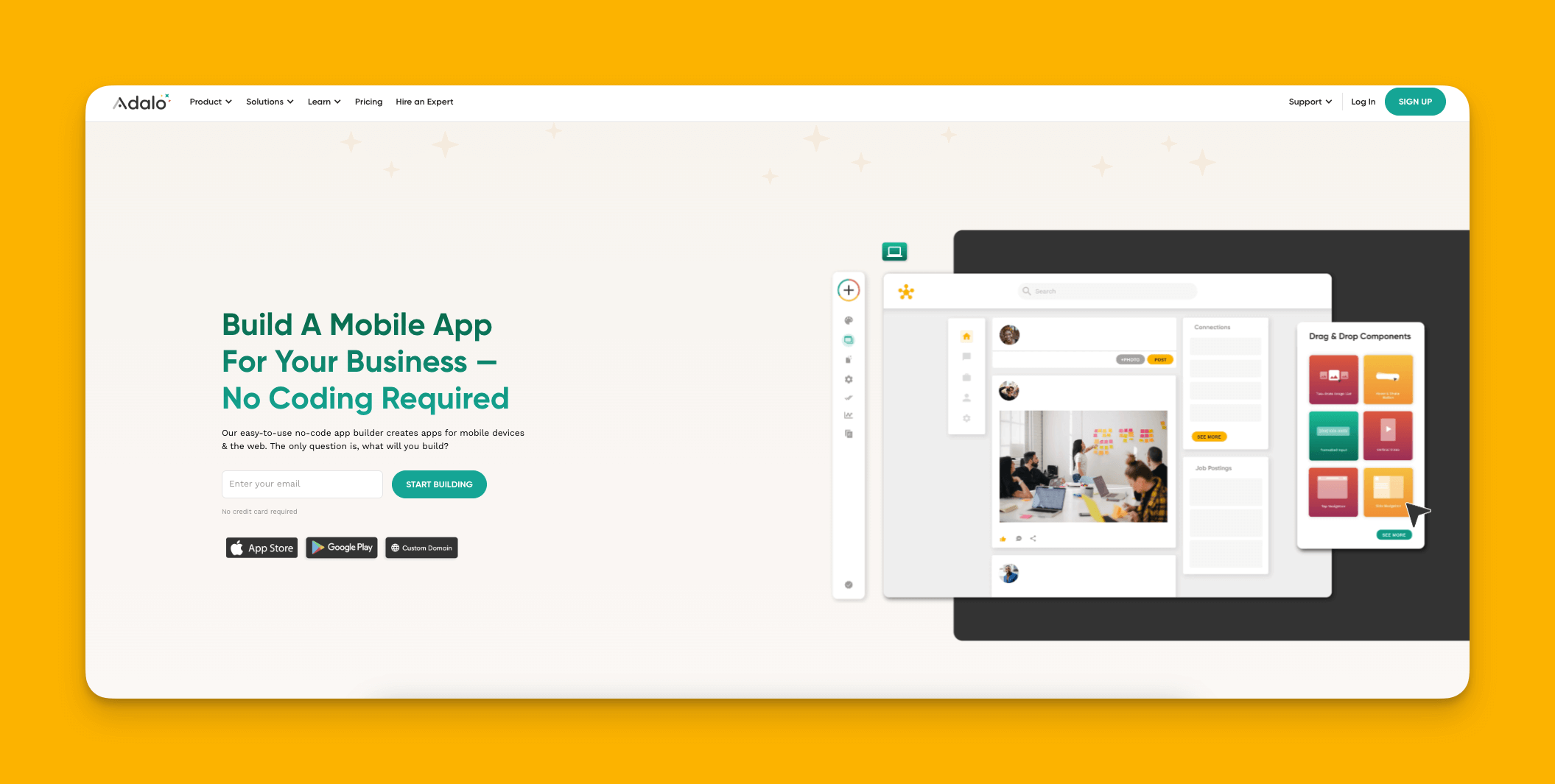
Adalo is a no-code app builder for database-driven web apps and native iOS and Android apps—one version across all three platforms, published to the Apple App Store and Google Play. With over 3 million apps created on the platform, this desktop builder allows you to breathe life into any app idea.
Ada, Adalo's AI builder, lets you describe what you want and generates your app. Magic Start creates complete app foundations from a description. Magic Add adds features through natural language. X-Ray identifies performance issues before they affect users.
Why do I like it?
Adalo is the easiest-to-use app-building platform on this list. The visual builder has been described as "easy as PowerPoint"—you won't need to watch tutorials to get started. Adalo is so intuitive that you can use it right after creating an account.
But Adalo doesn't sacrifice power for simplicity. Its Magic Start feature generates complete app foundations from descriptions. Tell it you need a booking app for a dog grooming business, and it creates your database structure, screens, and user flows automatically—what used to take days of planning happens in minutes. Magic Add then lets you add features by simply describing what you want in natural language.
The platform's Adalo 3.0 infrastructure overhaul (launched late 2025) made apps 3-4x faster with modular architecture that scales to serve apps with millions of monthly active users. Unlike app wrappers that hit speed constraints under load, Adalo's purpose-built architecture maintains performance at scale.
Who is it best for?
Of the 250 no-code building tools I've reviewed over the years, Adalo is the one I've recommended the most. If you're a freelancer, entrepreneur, or small or medium business owner, you'll love the ease, power, and flexibility that comes with Adalo. The platform works equally well for internal business tools and customer-facing apps.
Pricing
Get started with Adalo for $36/month. All paid plans include unlimited database records and unlimited usage—no surprise charges or bill shock. App Actions usage-based charges have been removed from all plans.
Features
- Not only can you publish your app on the web, but you'll also be able to publish it on the Apple App Store and Google Play Store with unlimited updates to published apps. This ability can give your app more traction and credibility.
- Adalo has one of the best free versions out there. You'll be able to publish your app to the web and take payments with Adalo's Stripe integration.
- You'll have access to Adalo's thriving ecosystem, which has an active forum, useful help documentation, and The Adalo Academy, which you can leverage to become an Adalo expert.
- X-Ray identifies performance issues before they affect users, helping you optimize your app proactively rather than reactively.
- SheetBridge turns a Google Sheet into an actual database for the easiest data control without database-related learning curves.
#2 A No-Code Desktop App Builder For Spreadsheet-Based Apps
Glide
What is it?
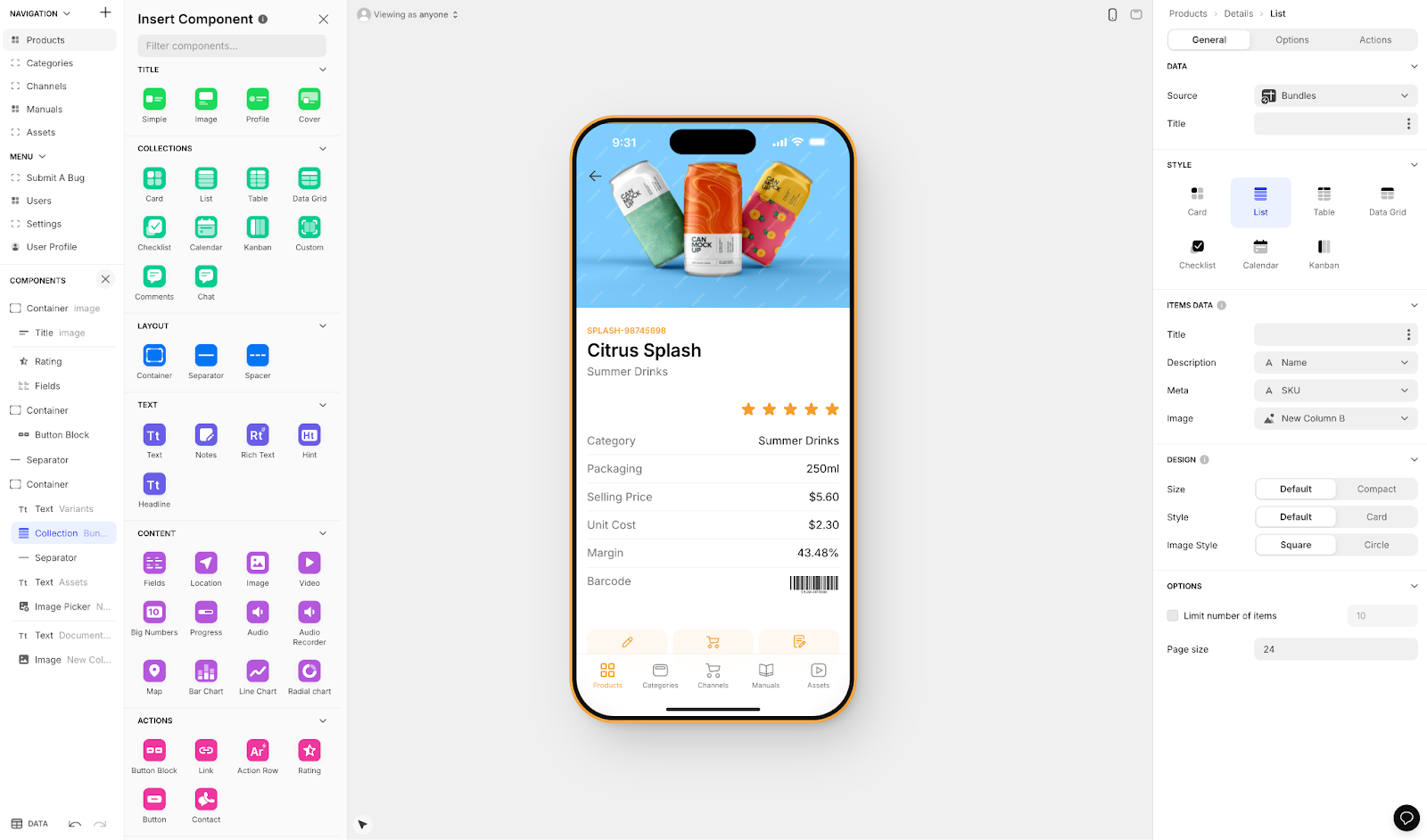
Glide is a no-code mobile web app builder that excels at turning spreadsheets into functional apps quickly.
Why do I like it?
When you build your app with Glide, you're guaranteed to make a clean, professional-looking app fast. Glide offers over 100 free and paid templates, and each one has been vetted and approved by the Glide team. The platform is heavily format-focused, which makes it fast to build and publish with.
Glide also includes AI features: You'll be able to weave Glide's AI capabilities into your app for tasks like describing images, summarizing documents, and more.
However, the template-driven approach creates generic, simplistic apps with limited creative freedom. If you need extensive customization or unique designs, you may find Glide's structure restrictive.
Who is it best for?
Glide is the go-to for spreadsheet-based apps and particularly excels at creating internal business apps like sales funnels, CRM boards, accounting tools, and more. If your data already lives in Google Sheets or Airtable and you need a quick internal tool, Glide delivers.
Pricing
Get started with Glide for $60/month to build an app with a custom domain. However, this tier is still limited by app updates and data record rows, which attract additional charges. If you need to build multiple apps, look at Glide's $125/month version.
Important limitation: Glide does not support Apple App Store or Google Play Store publishing. Your apps will be web-only, accessed through a browser rather than downloaded from app stores.
Features
- Glide lets you integrate with several databases, like Google Sheets, Airtable, SQL, and more. So, no matter where your data lives, you'll most likely be able to connect it to your Glide app.
- The template-first approach means you can have a working prototype in hours rather than days.
#3 The No-Code Desktop App Builder with the Biggest Ecosystem
Bubble
What is it?
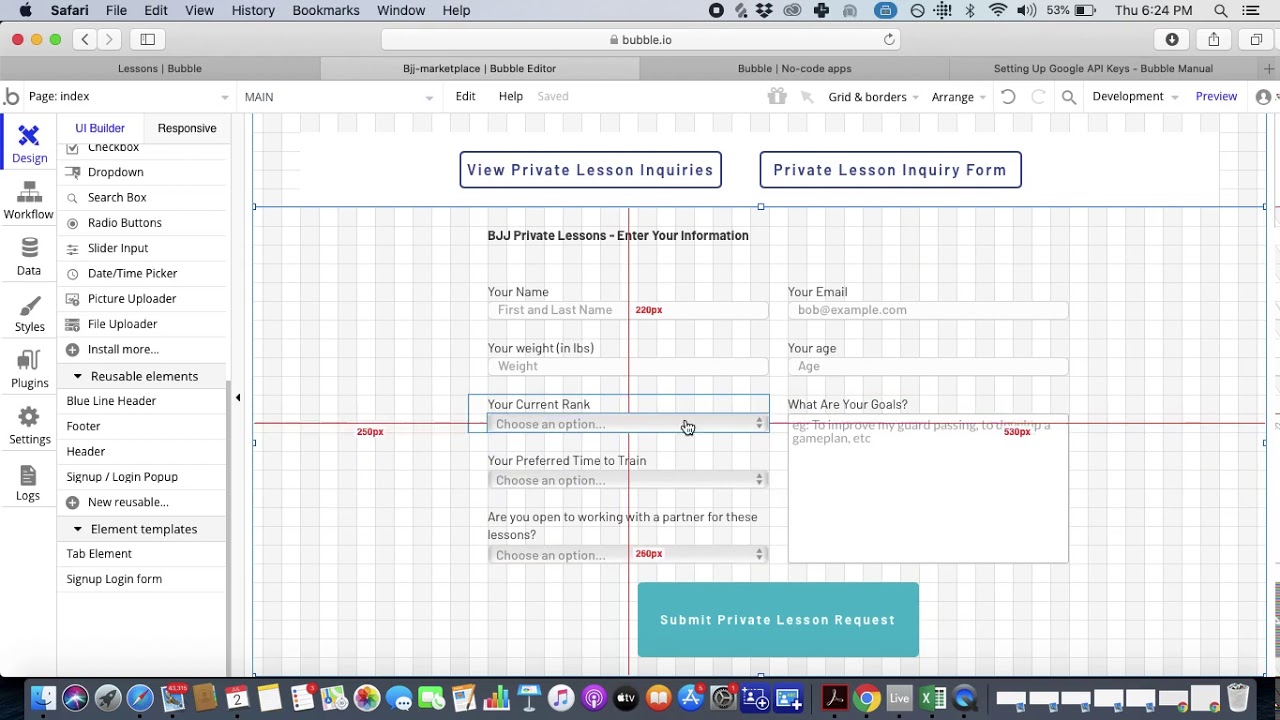
Bubble is one of the most powerful and flexible no-code web app builders available, with an extensive community and plugin marketplace.
Why do I like it?
Folks have used Bubble to create apps since 2012, and its user base continues to grow. As a result, Bubble has an ecosystem that's unmatched in terms of size. You'll find forums, tutorials, courses, and a massive plugin marketplace.
While Bubble is one of the most challenging app builders, with a learning curve that takes months to grasp, it brings a nearly unmatched level of customization. If you can put in the time to learn the building interface, you'll be able to build almost any web app imaginable.
However, that customization often comes at a cost. Bubble apps can suffer from performance issues under increased load, and many users end up hiring experts to optimize their applications. Claims of millions of monthly active users are typically only achievable with significant expert help and optimization work.
Who is it best for?
Bubble is used by everyone from freelancers to large organizations. However, you'll need to put in serious time to learn Bubble properly, and budget for potential expert help as your app scales.
Pricing
Bubble's web and mobile wrapper offering starts at $59/month with usage-based charges through Workload Units, limits on app re-publishing, and record limits. At $32/month (billed monthly), Bubble lets you build a test app only. If you want access to integrations and better security features like 2-factor identification, try Bubble's $134/month (billed monthly) version.
Key consideration: Bubble's mobile app solution is a wrapper for the web app, which can introduce performance challenges at scale. One app version doesn't automatically update web, Android, and iOS apps deployed to their respective app stores—unlike Adalo's single codebase approach.
Features
- Bubble's ecosystem offers enough tutorials, courses, and help documentation to guide you over its difficult learning curve.
- You'll also find over 100 plugins and tools made by Bubble's developer community. Add these to supercharge your app.
- The visual editor provides pixel-level control over design, though this flexibility requires more time to master.
#4 A Desktop App Builder for Large Companies
Betty Blocks
What is it?
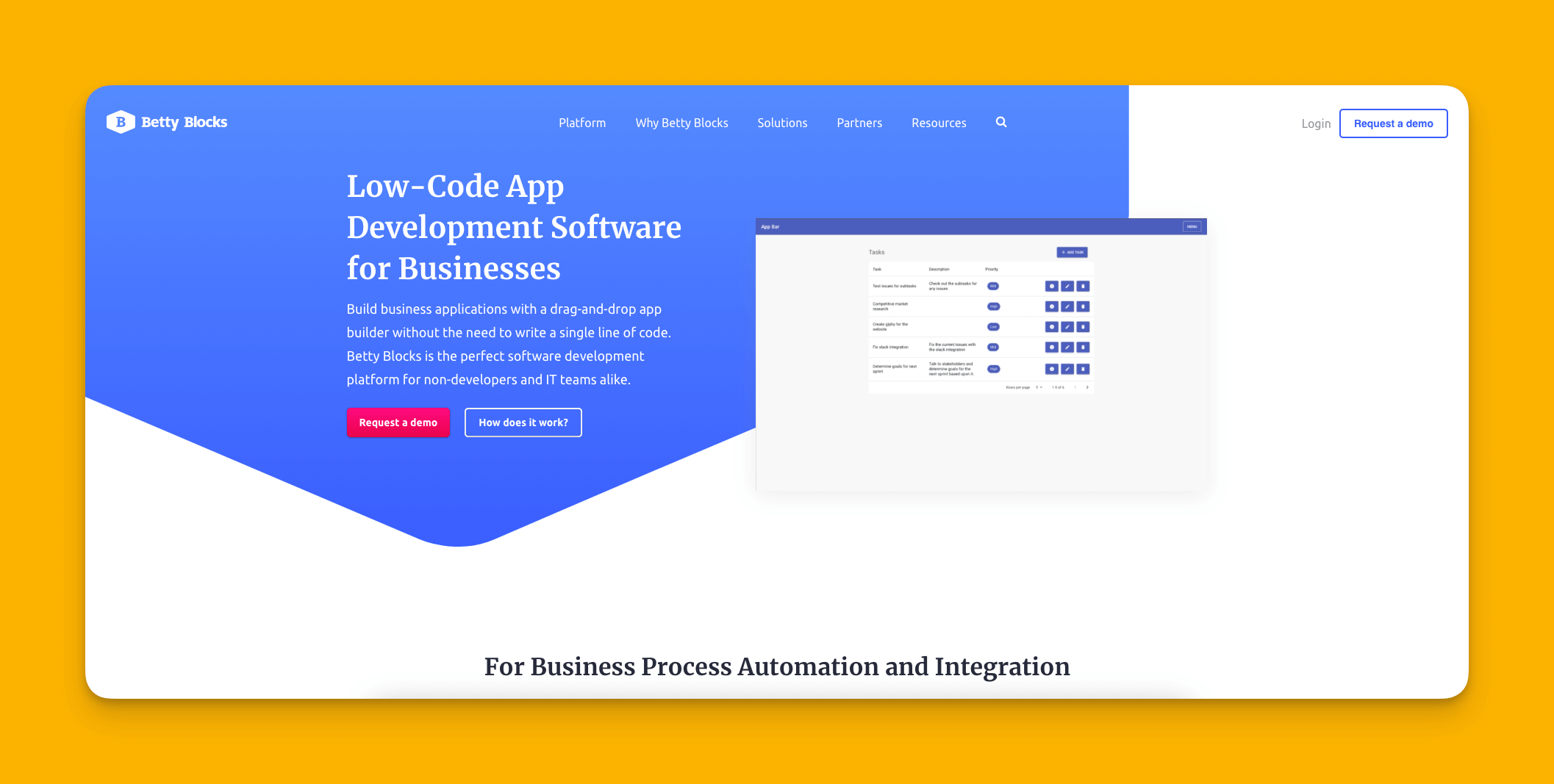
Betty Blocks is a no-code app builder with all the features big businesses need, including enterprise-grade security and compliance features.
Why do I like it?
If you're an enormous organization, enterprise, or Fortune 500 company, Betty Blocks is worth considering. And it's a truly no-code platform, which is rare among enterprise-level app builders—you'll find that many enterprise app builders require technical and programming knowledge.
The platform focuses on governance, compliance, and IT control features that large organizations require but smaller businesses rarely need.
Who is it best for?
While Betty Blocks is mainly geared toward the needs of large organizations, they recently released a version for small and medium businesses. However, it's best for simple use cases only, and the pricing reflects its enterprise focus.
Pricing
If you want the app builder for small and medium businesses, you'll have to pay at least $1,000/year (billed annually). Betty Block's enterprise version starts at $3,250/year (billed annually). This pricing puts it out of reach for most small businesses and startups.
Features
- If you're a Microsoft user, you'll love that Betty Blocks has a one-click deployment with Azure infrastructure.
- Want to run your app on-prem (on your servers)? Betty Blocks lets you do so, which increases your security and keeps your IT Team happy.
#5 A Low-Code Desktop App Builder for Technical Users
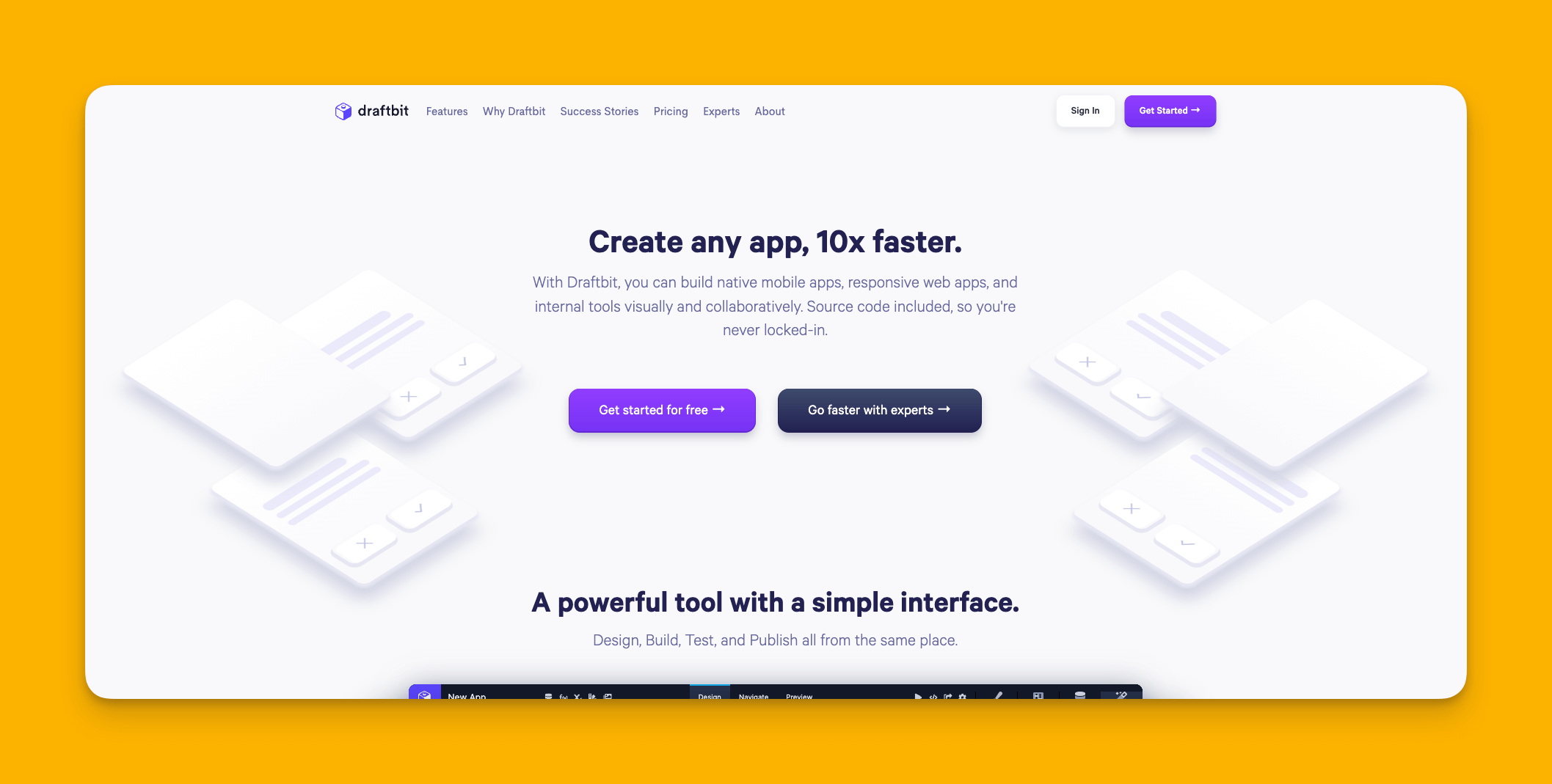
Draftbit
What is it?
Draftbit is a low-code desktop app builder for creating native mobile apps, designed for users with technical backgrounds.
Why do I like it?
Attention techies: If you want an app builder that combines visual building with opportunities to patch in your custom code, look no further than Draftbit. When you finish building your app, you can publish it to the Apple App Store and Google Play Store for easy download.
Draftbit generates React Native code, which means developers can export and continue working on the codebase outside the platform if needed.
Who is it best for?
You'll need to have some programming experience and an understanding of technical concepts like JSON and how API calls work if you want to use Draftbit effectively. This is not a platform for complete beginners.
Pricing
Start using Draftbit for $29/month (billed monthly) and get unlimited API endpoints and projects. Try Draftbit's Pro Version at $79/month (billed monthly) to publish on the Apple App Store and Google Play Store.
Features
- Draftbit comes with a GitHub integration, so you can share your app with the GitHub community and apply the code you find there directly to your app.
- You can keep your app's source code, which means you can add more features to your app on platforms other than Draftbit.
Quick Comparison: Pricing and Key Features
| Platform | Starting Price | App Store Publishing | Database Limits | Best For |
|---|---|---|---|---|
| Adalo | $36/month | Yes (iOS & Android) | Unlimited on paid plans | Most users, native apps |
| Glide | $60/month | No | Row limits apply | Spreadsheet-based apps |
| Bubble | $59/month | Wrapper only | Workload limits | Complex web apps |
| Betty Blocks | $1,000/year | Limited | Enterprise tiers | Large enterprises |
| Draftbit | $29/month | Yes ($79/month tier) | API-dependent | Technical users |
FAQ
Why choose Adalo over other app building solutions?
Adalo is an AI-powered app builder that creates true native iOS and Android apps from a single codebase. Unlike web wrappers, it compiles to native code and publishes directly to both the Apple App Store and Google Play Store. With unlimited database records on paid plans and no usage-based charges, you won't face surprise bills as your app grows.
What's the fastest way to build and publish an app to the App Store?
Adalo's drag-and-drop interface combined with AI-assisted building through Magic Start and Magic Add lets you go from idea to published app quickly. The platform handles the complex App Store submission process, so you can focus on your app's features rather than wrestling with certificates and store guidelines.
Can I easily build a desktop app without any coding knowledge?
Yes, with Adalo's visual builder, you can create fully functional apps without any coding knowledge. The interface has been described as "easy as PowerPoint," and you can start building immediately after creating an account without watching tutorials first.
Which is more affordable, Adalo or Bubble?
Adalo starts at $36/month with unlimited usage and no record caps on paid plans. Bubble starts at $59/month for comparable features but includes Workload Unit charges that can increase costs unpredictably. Adalo's pricing is more transparent with no surprise charges.
Which is more affordable, Adalo or Glide?
Adalo starts at $36/month while Glide starts at $60/month for a custom domain. Additionally, Glide has data row limits that can incur extra charges, while Adalo paid plans include unlimited database records. Adalo also publishes to app stores, which Glide cannot do.
Is Adalo better than Bubble for mobile apps?
For native mobile apps, yes. Adalo compiles to true native iOS and Android code, while Bubble's mobile solution is a web wrapper. Native apps perform better, especially under load, and provide a smoother user experience. Bubble excels at complex web applications but isn't optimized for mobile.
What features should I look for in a no-code desktop app builder?
Look for extensive templates, an intuitive drag-and-drop interface, flexible customization, a free trial, modern and regularly updated tools, and a strong ecosystem with forums and documentation. Also consider scalability—whether the platform can grow with your user base without performance issues or unexpected costs.
Can I accept payments in apps built with Adalo?
Yes, Adalo includes Stripe integration that allows you to accept payments directly within your app. This feature is available even on Adalo's free version, making it easy to monetize your app from day one.
How does Adalo handle app scalability?
Adalo's modular infrastructure, overhauled with the 3.0 release in late 2025, scales to serve apps with millions of monthly active users with no upper ceiling. The platform is 3-4x faster than before, and X-Ray identifies performance issues before they affect users.
Can I migrate from Bubble to Adalo?
While there's no one-click migration, you can rebuild your app in Adalo using Magic Start to generate your foundation quickly. Many users switch to Adalo for better mobile performance, predictable pricing without Workload Unit charges, and true native app publishing.








