
AI code generators and no-code platforms both promise to make app building faster, but they solve the problem in fundamentally different ways. This guide compares the two approaches and helps you decide which fits your situation.
Key Takeaways
- AI code generation is a developer tool. GitHub Copilot, Cursor, and Replit Agent help developers write code faster. Prompt-led web app builders like Lovable and Bolt generate full web apps from descriptions. All of them produce source code that requires technical skills to maintain, deploy, and scale.
- No-code app builders are for non-developers who want production apps. Platforms like Adalo, Bubble, and FlutterFlow let entrepreneurs and business teams build working applications through visual interfaces. No source code to write or maintain.
- They are not competing approaches. They serve different audiences. Framing AI code generation as a replacement for no-code, or vice versa, misunderstands what each one does. Developers want speed. Non-developers want results. These are different problems.
- Adalo is a no-code app builder that pairs AI-powered generation with a visual multi-screen canvas. Entrepreneurs and business teams design, build, and publish custom database-driven apps to the Apple App Store, Google Play Store, and web from a single project at $36/mo flat with no usage caps. Built-in relational database with 500 records on the free plan.
- The deciding factor is your team, not the technology. If you have developers, AI code generation makes them faster. If you do not have developers and do not want to hire them, no-code app builders are the practical path to a production application.
Introduction
Two trends have converged in 2026. AI code generation has become mainstream, with GitHub Copilot exceeding 1.8 million paid subscribers and Cursor emerging as the fastest-growing code editor in a decade. Simultaneously, no-code app builders have integrated AI throughout their platforms, making it possible to generate and refine full applications without writing a single line of code.
The result is confusion. Blog posts declare that "AI makes coding obsolete" while developers report using AI to write more code than ever. Articles claim no-code is dead because AI can generate code for anyone, while no-code platforms report record user growth. The reality is less dramatic and more useful: these are tools for different people solving different problems, and understanding the distinction saves you from choosing the wrong one.
This guide breaks the landscape into three categories. Pure code generation tools that help developers write code faster (Copilot, Cursor). Prompt-led web app builders that generate full applications from descriptions (Lovable, Bolt, v0). And no-code app builders that let non-technical people create production applications through visual interfaces (Adalo, Bubble, FlutterFlow). Each has a legitimate place. None of them replaces the others.
See also: Compare all no-code app builders | AI app builder comparison
What Is AI Code Generation?
AI code generation uses large language models to write source code based on natural language prompts, code context, or both. The category spans two distinct tiers, and conflating them leads to bad decisions.
Tier 1: AI Coding Assistants
GitHub Copilot and Cursor sit inside a developer's code editor. They autocomplete lines, write functions from comments, suggest refactoring patterns, and answer questions about the codebase. These are productivity tools. They make good developers faster. They do not make non-developers into developers.
A senior developer using Cursor might write code 30-50% faster. They are still making all the architectural decisions: database design, API structure, security patterns, deployment configuration, and error handling. The AI accelerates the typing part of their job, which was never the bottleneck anyway. The hard parts of software engineering remain hard.
Tier 2: Prompt-Led Web App Builders
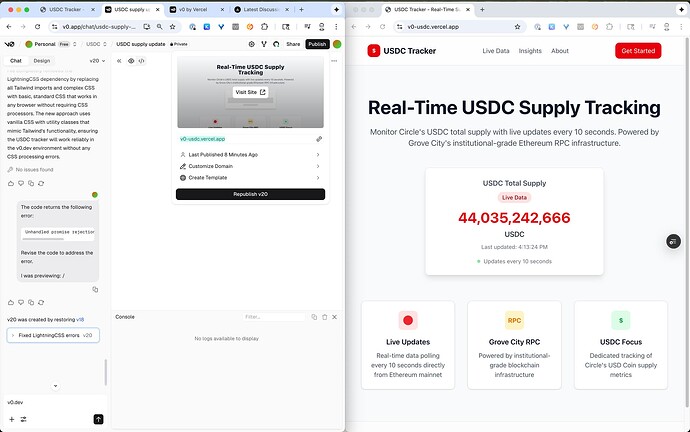
Lovable, Bolt, v0, and Base44 take a broader approach. You describe an entire application in natural language, and the tool generates a full working web application, typically using React, Next.js, or a similar framework with a Supabase backend.
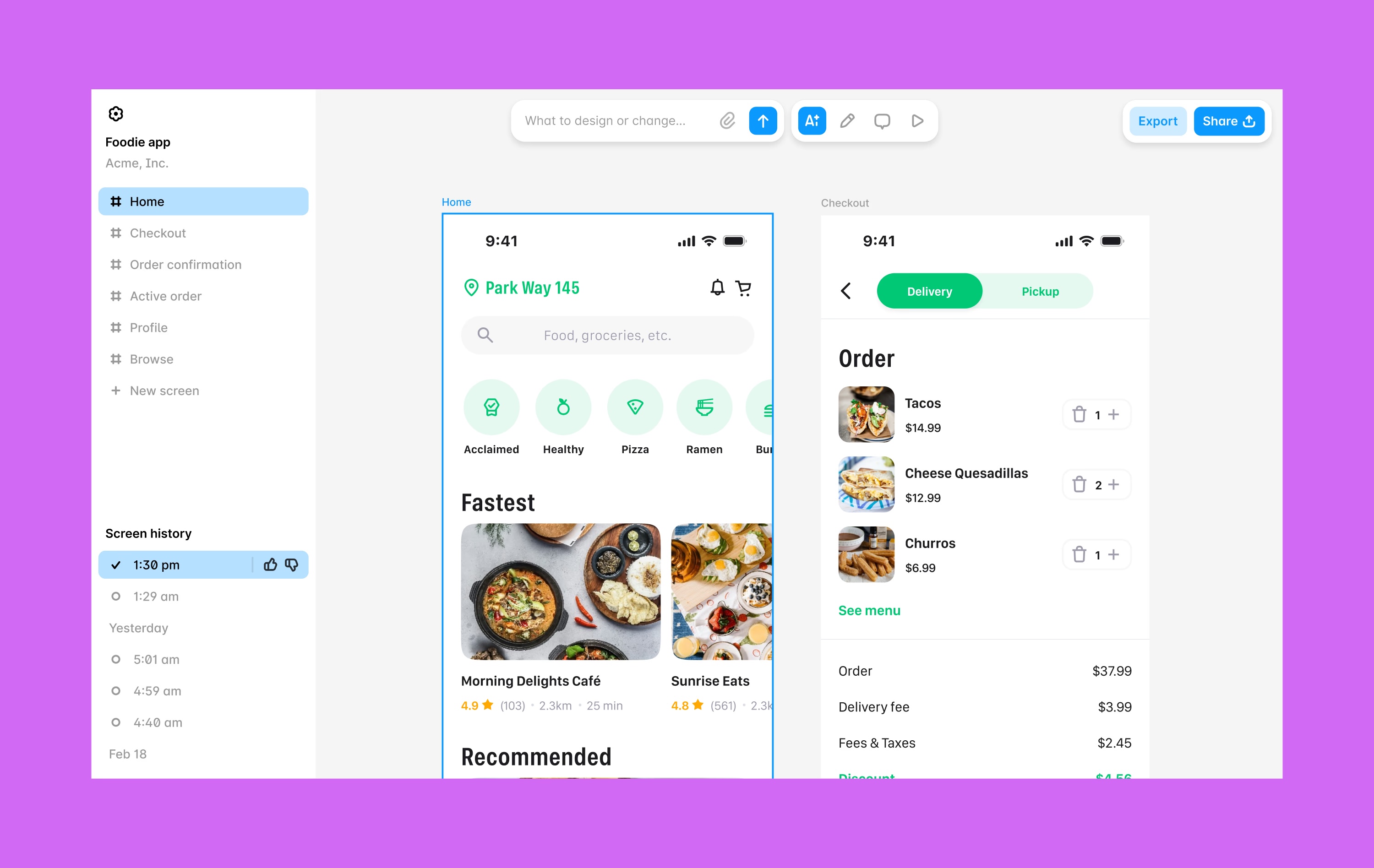
These tools are genuinely impressive for first versions. Type "build a project management app with Kanban boards, team assignments, and due date tracking" and get a working application in minutes. The interface is a chat window with a live preview pane showing the generated app.
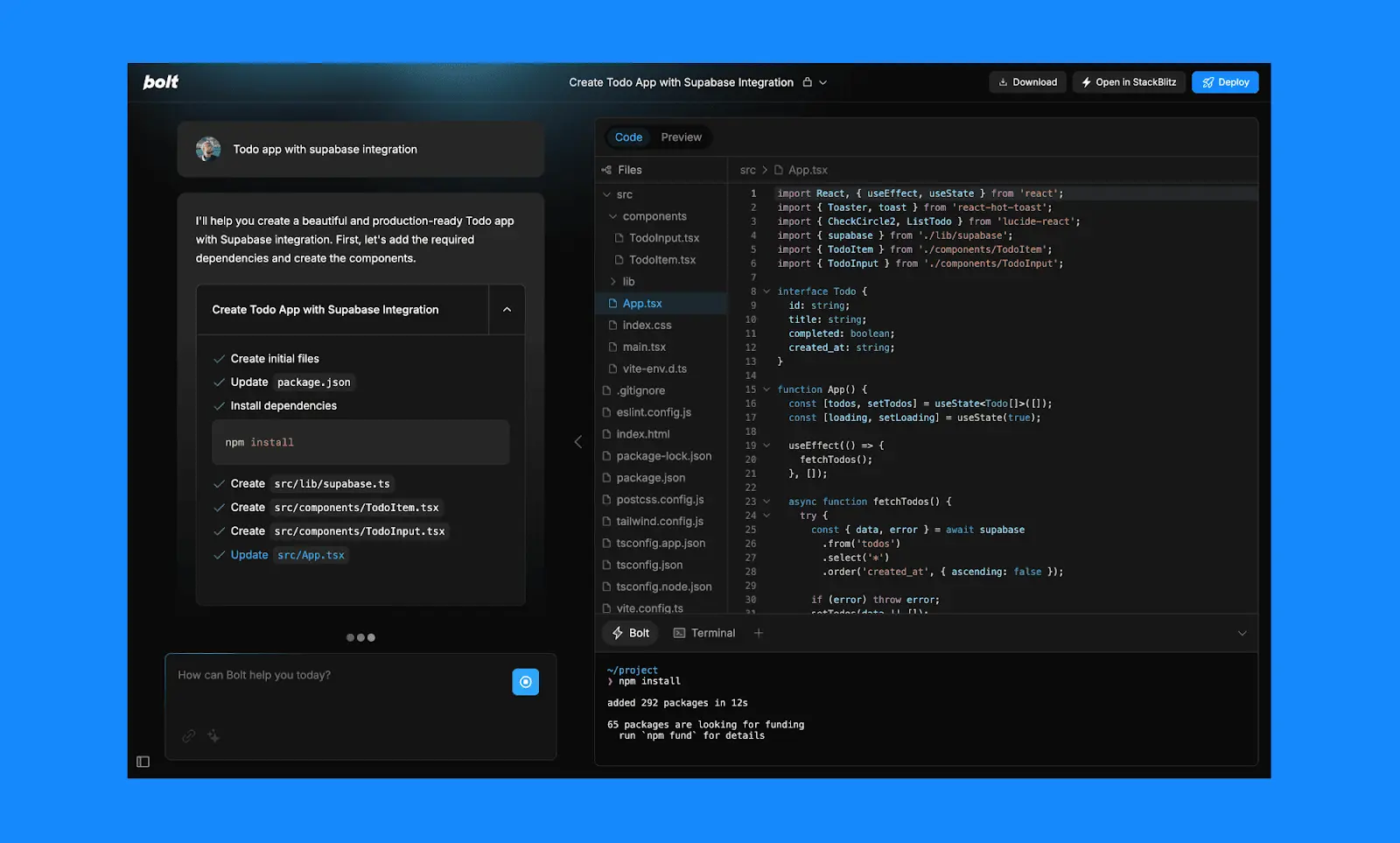
The critical distinction: these are not no-code tools. They generate code. The output is a codebase that you own, must host somewhere, must configure a database for, and must maintain over time. If you cannot read React code, you will struggle to fix the inevitable bugs, add features the AI did not anticipate, or adapt the application as your requirements evolve.
What AI code generation does well across both tiers:
- Generates working code from descriptions or context, dramatically faster than writing from scratch
- Reduces boilerplate and repetitive work, letting developers focus on unique logic
- Produces code you own and can modify without platform restrictions
- Works with any framework, language, or technology stack
Where AI code generation consistently falls short:
- Web-only output from prompt-led builders. Lovable, Bolt, v0, and Base44 generate web applications. None compile native iOS or Android apps. Getting these apps into the Apple App Store or Google Play Store requires wrapping them in a WebView container, which degrades performance and limits native device access.
- The maintenance reality. AI generates code, but it does not maintain it. Dependency updates, security patches, framework migrations, bug fixes, and feature additions all require developer skills. The AI that generated the code often cannot reliably modify it months later without introducing regressions.
- Architecture at scale. AI-generated code optimizes for "working now" over "sustainable at scale." Production applications face database performance issues, missing error handling, inadequate caching, and tightly coupled components that the initial generation did not anticipate.
- No built-in infrastructure. Generated code needs hosting, a database, authentication, file storage, and push notification services configured separately. Each additional service adds cost, complexity, and potential points of failure.
What Is No-Code App Building?
No-code app builders let people create production applications through visual interfaces without writing or managing source code. You interact with the platform through visual editors, drag-and-drop components, visual workflow builders, and increasingly through AI that operates within the visual context rather than generating code.
The category includes several approaches. Adalo uses a multi-screen canvas where every screen of the app is visible simultaneously. Bubble provides a page-by-page editor with a deep workflow engine. FlutterFlow offers a widget tree interface built on Flutter. Each has strengths for different use cases, but they share one fundamental characteristic: the user never writes or maintains code.
Modern no-code platforms have integrated AI throughout the building process. The starting point can be a text description, similar to a prompt-led builder. But the AI works within the visual environment rather than generating code externally. The result stays on the platform's infrastructure, runs on their servers, and is maintained through the same visual interface.
What no-code app building does well:
- Accessible to non-technical people. Entrepreneurs, small business owners, and business teams can build production applications without hiring developers or learning to code.
- Native mobile app output. Adalo compiles true native iOS (IPA) and Android (APK) binaries. FlutterFlow compiles via Flutter. These are not WebView wrappers or progressive web apps. They are native apps that publish directly to the Apple App Store and Google Play Store.
- Built-in infrastructure. Database, hosting, authentication, and app store publishing are included. No external services to configure, no deployment pipelines to set up, no DevOps knowledge required.
- Zero code maintenance. The platform handles security updates, infrastructure scaling, and framework upgrades. You maintain your app through the visual interface. No dependency hell, no breaking changes from upstream libraries.
- Predictable costs. Flat monthly pricing with no usage-based surprises. No hosting bills, no database charges, no developer invoices.
Where no-code app building has genuine limitations:
- Customization ceiling. You can build what the platform supports. Highly specialized functionality that falls outside the platform's capabilities requires workarounds or a different approach entirely.
- Platform dependency. Your application lives on the platform. If the platform changes direction, shuts down, or raises prices, your options are limited. FlutterFlow mitigates this with code export. Most others do not.
- Not for developers who want control. If you are a developer who wants to choose your own stack, deploy to your own infrastructure, and have full control over implementation, no-code feels restrictive by design.
- Performance ceilings for specific workloads. While Adalo 3.0 scales to 1M+ monthly active users and Bubble handles complex web applications, certain high-throughput or computationally intensive workloads may benefit from custom infrastructure.
Key Differences Across All Three Categories
| Factor | AI Coding Assistants (Copilot, Cursor) | Prompt-Led Web Builders (Lovable, Bolt, v0) | No-Code App Builders (Adalo, Bubble, FlutterFlow) |
|---|---|---|---|
| Target user | Developers | Developers and technical founders | Non-technical founders, business teams |
| What you get | Code suggestions inside your editor | Complete web app source code | A running, hosted application |
| Coding required | Yes (these are dev tools) | To generate: no. To maintain: yes. | No, at any stage |
| Output platforms | Whatever the developer targets | Web only (React, Next.js) | Native iOS + Android + Web (Adalo). Web (Bubble). All three via Flutter (FlutterFlow). |
| Database | Developer configures | External (Supabase, Firebase) | Built-in (Adalo: relational Postgres, unlimited. Bubble: included with caps. FlutterFlow: BYO Firebase.) |
| Ongoing maintenance | Developer maintains codebase | Developer maintains generated code | Platform handles infrastructure; you edit visually |
| App Store publishing | Manual (developer handles) | Not available (web only) | Adalo: direct. FlutterFlow: via Flutter build. Bubble: requires wrapper service. |
| Customization | Unlimited (it is code) | Unlimited (it is code) | Within platform framework. Integrations extend reach. |
| Year 1 cost (typical) | $120-240 (tool) + existing dev salary | $240-600 (tool) + hosting + DB + dev maintenance | $432 flat (Adalo). $828+ (Bubble). $960/seat (FlutterFlow). |
When AI Code Generation Makes Sense
AI code generation is the right choice in specific, identifiable situations. The common thread is that you either have developers or are willing to hire them.
You have a development team and want them to move faster. This is the strongest use case. A team of three developers using Cursor or Copilot is still three developers making architectural decisions, reviewing code, handling deployment, and maintaining the codebase. The AI makes them faster at the writing part. The team's existing skills and processes remain the foundation.
You need capabilities that no platform can provide. If your application requires a custom machine learning pipeline, real-time data processing from IoT devices, or integration with a proprietary system through an undocumented API, no visual builder is going to get you there. Custom code is the only option, and AI makes writing it faster.
Code ownership is a hard requirement. Some organizations, particularly in regulated industries or with specific compliance mandates, require full ownership and auditability of source code. AI code generation gives you a codebase you control completely. No-code platforms do not.
You are building a web-only SaaS product. If your product is a web application that will never need native mobile apps, the web-only limitation of prompt-led builders is irrelevant. A developer using Cursor to build a custom web SaaS has maximum flexibility with no platform constraints.
Honest caveat about prompt-led builders specifically: Lovable, Bolt, v0, and Base44 occupy a middle ground. They are accessible enough that non-developers can generate a first version, but the output is code that needs developer skills to maintain. This creates a dangerous gap: the person who generated the app cannot maintain it without hiring help. If you are a non-developer considering a prompt-led builder, factor in the cost of ongoing developer support from the start.
When No-Code App Building Makes Sense
No-code app building is the right choice when you want a production application and do not have or do not want a development team.
You are a non-technical founder with an app idea. You can describe what you want to build but cannot write or maintain code. A no-code platform lets you go from idea to published app without bridging the technical gap. You build it yourself through a visual interface, and the platform handles everything under the hood.
You need native mobile apps in the App Store and Google Play. This is the sharpest dividing line. AI code generators and prompt-led builders produce web output. No-code platforms like Adalo compile true native iOS and Android binaries. If your users will find your app in the Apple App Store or Google Play Store, the decision is straightforward.
You want predictable, all-inclusive pricing. Adalo costs $36/month and includes the platform, hosting, database (unlimited records on paid plans), native compilation, and app store publishing. There are no hosting bills, database charges, or developer invoices. For a founder bootstrapping a product, this predictability matters more than theoretical flexibility.
You want to iterate without developer dependencies. With a no-code builder, you can change your app's design, add features, update data structures, and push updates to production without filing tickets or waiting for a developer's availability. This speed of iteration is a real competitive advantage for small teams.
Common database-driven applications. Marketplaces, booking systems, CRMs, directories, membership platforms, inventory trackers, fitness apps, restaurant ordering systems. These are well-understood application patterns that no-code platforms handle efficiently. If your app fits one of these patterns, building it with code (AI-generated or not) adds complexity without proportional benefit.
Honest caveat: No-code platforms have a customization ceiling. If you need functionality the platform does not support and no integration can provide, you will hit a wall. Evaluate whether your specific requirements fit within the platform's capabilities before committing. Most standard business and consumer applications do fit, but edge cases exist.
Where Adalo Fits
Adalo is a no-code app builder that pairs AI-powered generation with a visual multi-screen canvas. Entrepreneurs and business teams design, build, and publish custom database-driven apps to the Apple App Store, Google Play Store, and web from a single project. No code, no developers required.
In the context of the AI code generation vs no-code debate, Adalo represents a specific position: AI generation as the starting point, visual editing as the ongoing interface, and native apps as the output. Ada, Adalo's AI builder, uses Magic Start to generate a complete app foundation from a description, including screens, navigation, database schema, and logic. From there, you work on the multi-screen canvas where every screen is visible at once. Magic Add adds features through natural language. Visual AI Direction lets you point at elements and instruct changes directly. X-Ray identifies performance issues before they affect users.
Adalo 3.0, launched in late 2025, runs 3-4x faster than the previous version on a modular architecture that scales to 1M+ monthly active users. The platform compiles true native iOS (IPA) and Android (APK) binaries and handles the build pipeline, including signing, packaging, and submission to both app stores.
Pricing: $36/month (Starter, billed annually) includes native iOS and Android publishing, unlimited database records, and zero usage caps. No per-user, per-action, or per-record charges. Free plan available with 500 database records. SheetBridge lets teams use a Google Sheet as a relational database within Adalo for spreadsheet-to-app migration workflows.
How Adalo differs from AI code generation: No code is generated, produced, or managed. You never see a React component, never configure a deployment pipeline, never update a dependency. The AI works within the visual environment. The output is a production application, not source code.
How Adalo differs from other no-code platforms: The multi-screen canvas is the primary differentiator. Where Bubble uses page-by-page editors and FlutterFlow uses a widget tree, Adalo shows every screen simultaneously. This spatial view makes it possible to understand and edit complex multi-screen applications without losing context. Native mobile compilation is included from the $36/month tier with no wrapper services required.
Honest limitations: Adalo is purpose-built for database-driven apps: marketplaces, booking systems, CRMs, directories, social platforms. For complex web-only SaaS with sophisticated custom backend logic, Bubble may be a better fit. Code export is available only on the enterprise plan within Adalo Blue, while FlutterFlow includes it on lower tiers. Developers who want code control will find the no-code paradigm restrictive by design.
Learn more about Adalo's AI app builder
Total Cost of Ownership: A Realistic View
The comparison below estimates first-year costs for a database-driven application with user accounts and authentication, published to both the App Store and Google Play where applicable.
| Cost Component | AI Coding Assistant (Cursor + developer) | Prompt-Led Builder (Lovable/Bolt) | No-Code Builder (Adalo) |
|---|---|---|---|
| Platform/tool subscription | $240/yr | $240-600/yr | $432/yr |
| Hosting | $120-600/yr | $120-600/yr | $0 (included) |
| Database | $0-300/yr | $0-300/yr | $0 (built-in, unlimited on paid) |
| Developer time | Full salary (existing team) | $4,800-15,000/yr (freelance maintenance) | $0 (visual self-service) |
| App store fees | $124/yr | N/A (web only) | $124/yr |
| Year 1 total (excl. salary) | $484-1,264 + dev salary | $5,160-16,500 | $556 |
Why the prompt-led builder column is so high: The tool itself is cheap ($20-50/month). The cost comes from what happens after generation. The generated code needs a developer to maintain it. If you are hiring freelancers at $40-125/hour for 10 hours per month of bug fixes, feature additions, and deployment management, that is $4,800-15,000 per year in developer costs alone. This is the hidden cost that most prompt-led builder marketing does not mention.
The AI coding assistant column has a different story. If you already employ developers, Cursor or Copilot is an incremental cost on top of their existing salary. The tool subscription is cheap relative to developer compensation. The cost equation is favorable precisely because the developer skills already exist on the team.
Frequently Asked Questions
Is AI code generation going to replace no-code app builders?
No. They serve different audiences with different needs. AI code generation helps developers write code faster. No-code app builders let non-developers build production applications. A restaurant owner who needs a booking app is not going to start using Cursor. A development team building a custom analytics platform is not going to switch to a visual builder. Both markets are growing because the underlying needs are different.
Do I need coding skills to use Lovable or Bolt?
To generate the first version: no. To maintain, debug, extend, and deploy it: yes. Lovable and Bolt are prompt-led web app builders that generate React and Next.js code. You can create a working prototype without coding, but the output is a codebase. When something breaks, when you need a feature the AI did not anticipate, or when you need to deploy to production, you need someone who can work with that code. Factor in ongoing developer costs from the beginning.
Can AI-generated code produce native mobile apps?
AI coding assistants like Cursor can help a developer write React Native, Flutter, or Swift code for mobile apps, but the developer still needs to manage the build process, signing, and app store submission. Prompt-led builders like Lovable and Bolt generate web applications only and do not compile native mobile binaries. For native iOS and Android apps without developer involvement, no-code platforms like Adalo compile IPA and APK files directly and handle the full publishing process.
Which is better for a startup MVP: code generation or no-code?
It depends on your team and your timeline. If you have a technical co-founder who can maintain the code, AI code generation produces flexible MVPs quickly. If you are a solo non-technical founder, a no-code platform gets you to a production MVP faster because there is no gap between building and deploying. Adalo specifically can take you from idea to published apps on the App Store and Google Play in days rather than the weeks or months typical of code-based approaches.
What about Bubble? Is it a no-code platform or something else?
Bubble is a visual development platform for web applications. It is genuinely no-code in that users do not write source code. However, Bubble produces web apps only. For native mobile apps, Bubble users typically use a wrapper service like Natively ($49/mo+), which creates a WebView container around the web app. This gets the app into app stores but with web-level performance (5-14 second load times documented in independent testing) rather than native speed. Bubble is strongest for complex web applications with sophisticated backend logic.
What is the biggest risk of choosing the wrong approach?
The biggest risk is time, not money. If a non-technical founder spends three months trying to maintain vibe-coded output, hiring freelancers to fix bugs and add features, they have lost three months they could have spent building and iterating on a no-code platform. If a development team tries to force a complex web SaaS into a no-code builder that cannot handle their requirements, they have lost the same time. Matching the approach to your team's skills and your product's needs from the start avoids the most expensive mistake: rebuilding.
Can I switch from AI code generation to no-code later?
Yes, but it means rebuilding the application on the new platform. Code generated by Lovable or Cursor cannot be imported into Adalo or Bubble. Some teams do this deliberately: build a quick prototype with AI code generation to validate the concept, then rebuild on a no-code platform for the production version. The rebuild is faster the second time because you already understand the requirements.
How does Adalo compare to FlutterFlow for non-technical users?
Both produce native mobile apps, but they target different users. FlutterFlow is built on Flutter and includes code export, which makes it powerful for developer-adjacent teams. However, it requires understanding Flutter's widget tree, state management patterns, and you need to bring your own database (Firebase or Supabase). Adalo includes a built-in relational database, uses a multi-screen canvas interface (not a widget tree), and does not require any technical knowledge. At $36/month versus $80/month per seat, Adalo is also more affordable for small teams.
Updated March 2026. Platform capabilities and pricing verified as of publication date. Test any tool with your specific use case before committing to a paid plan.

Build your app fast with one of our pre-made app templates
Begin Building with no codeRelated Content
Vibe Coding vs No-Code App Builders: Which Actually Ships to the App Store?
Vibe Coding vs No-Code App Builders: Which Actually Ships to the App Store?
Compare vibe coding tools like Lovable and Bolt.new with no-code platforms like Adalo. Which approach ships real apps to the App Store faster?
How to Choose an AI App Builder in 2026: Prototypes vs Production Apps
How to Choose an AI App Builder in 2026: Prototypes vs Production Apps
Compare the best AI app builders for 2026 — Lovable, Bolt, v0, Cursor, Replit, Base44, Bubble, FlutterFlow, and Adalo. Learn which tools prototype fast and which actually ship to production.
Vibe Coding vs Visual App Building in 2026
Vibe Coding vs Visual App Building in 2026
Vibe coding generates code from chat prompts. Visual app building uses AI on a spatial canvas. We compare both approaches honestly — what ships, what breaks, and who each one is for.
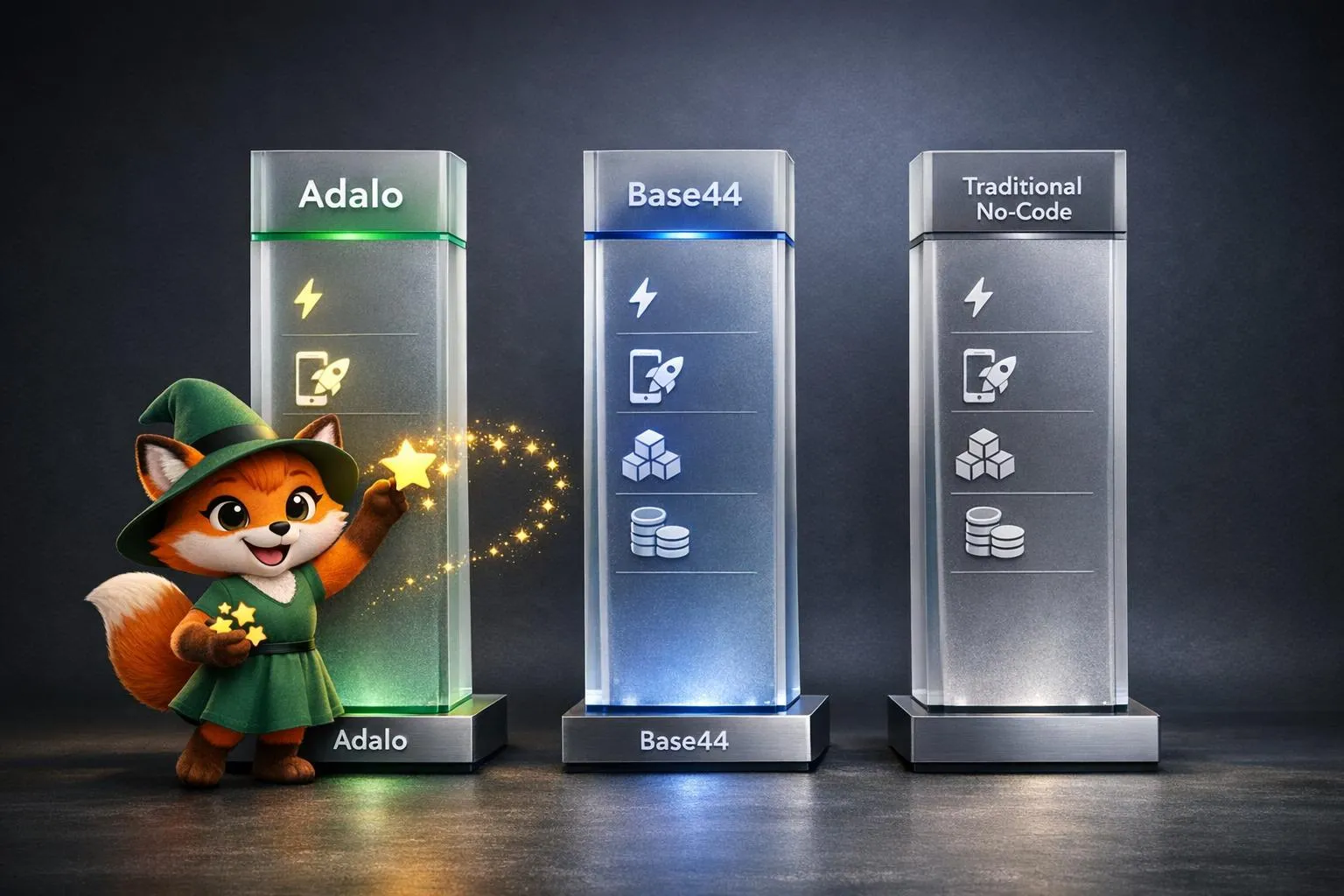
How AI App Builders Compare: Adalo vs Base44 vs Traditional No-Code
Compare Adalo, Base44, and traditional no-code on AI speed, native publishing, scalability, and pricing to choose the best production-ready