
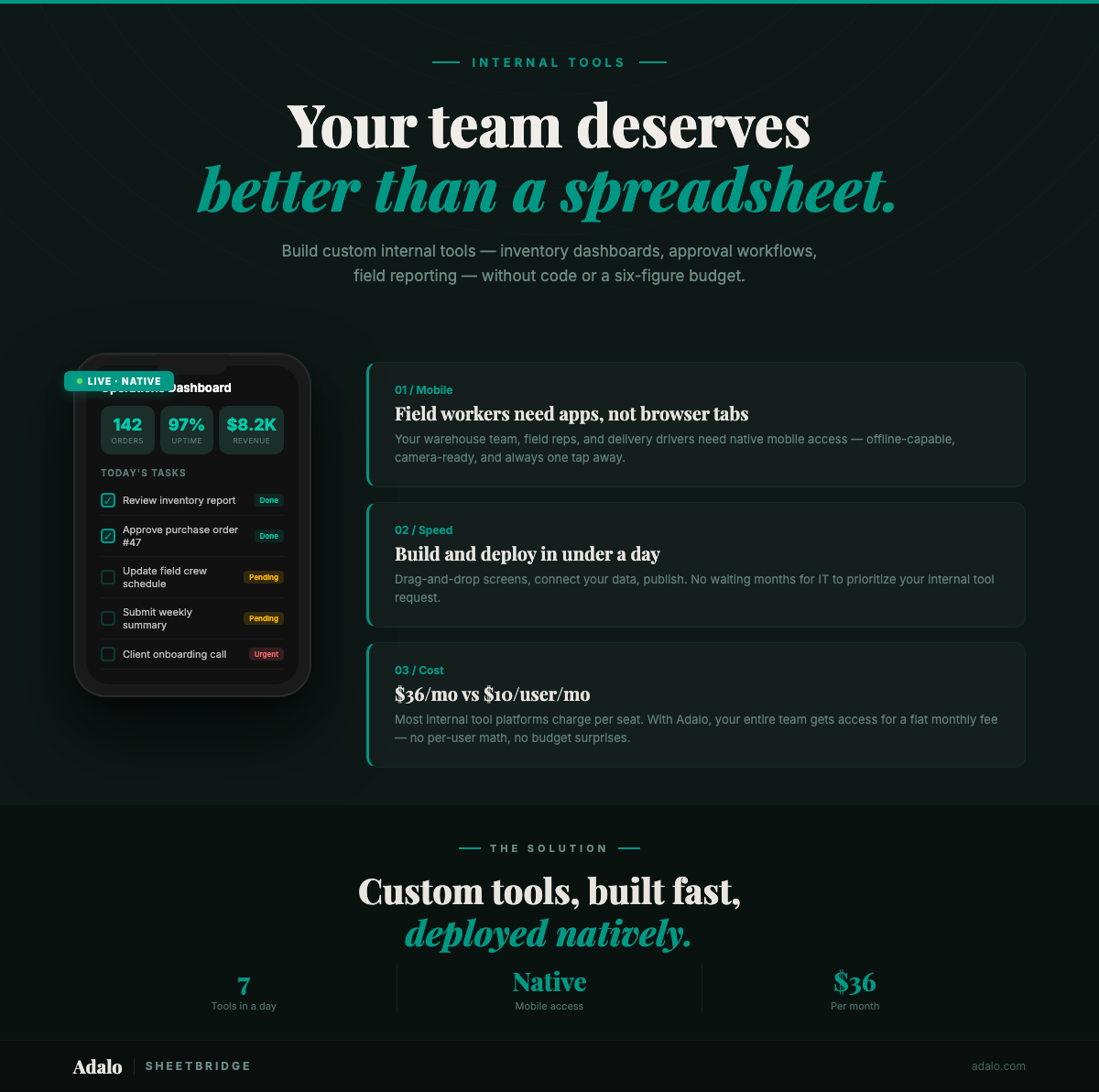
Every operations team has that one spreadsheet. The one that started as a quick tracker, ballooned into forty tabs, and now holds together a critical workflow with duct tape and VLOOKUP formulas. Sound familiar? Internal tools built on spreadsheets, email chains, and sticky notes are costing businesses thousands of hours each year. The good news: in 2026, you can build real, production-grade internal tools, including native mobile apps, without writing a single line of code.
This guide walks you through exactly what internal tools are, seven specific tools you can build in under a day, a step-by-step walkthrough using Adalo, and an honest comparison of the leading platforms so you can pick the right one for your team.
What Are Internal Tools (and Why Build Your Own)?
Internal tools are software applications built specifically for use by people inside your organization. Unlike customer-facing products, they exist to speed up operations, reduce manual work, enforce processes, and give your team access to the data they need, when and where they need it.
Think of them as the plumbing that keeps your business running behind the scenes: inventory trackers, approval workflows, employee directories, CRM dashboards, field reporting apps, onboarding checklists, and help desk systems. They rarely make it into a press release, but they directly determine how fast and accurately your team operates.
Why not just use off-the-shelf SaaS tools? Because off-the-shelf software is built for the average case. Your business is not the average case. Every company has unique workflows, approval chains, and compliance requirements that no generic tool can perfectly accommodate. When you try to force your workflow into a rigid SaaS product, you end up with workarounds: extra spreadsheets, manual copy-pasting, Slack messages that say "ignore that field, we use column G for something else now."
Building your own internal tools solves this by letting you design software that matches your actual workflow, not the other way around. And in 2026, thanks to no-code platforms, you no longer need a team of developers to make that happen.
The cost of not building. Consider what manual processes actually cost. A warehouse manager spending 45 minutes per day updating a shared spreadsheet with inventory counts wastes roughly 195 hours per year. That is nearly five full work weeks. Multiply that across your team and the numbers get ugly fast. Internal tools eliminate these manual bottlenecks by putting the right data in the right hands, automatically.
The mobile imperative. Here is something most internal-tool discussions miss: a huge portion of your workforce is not sitting at a desk. Field technicians, warehouse staff, delivery drivers, sales reps, healthcare workers. They need tools that work on their phones, not in a browser tab on a laptop they do not carry. Building native mobile internal tools means your team can scan barcodes, capture photos, use GPS check-ins, and receive push notifications, all from their pocket. That is the difference between a tool people tolerate and a tool people actually use.
For more on designing internal tools that hold up as your team grows, see our guide on best practices for scalable internal tools.
7 Internal Tools You Can Build in Under a Day
The following seven internal tools represent the most common use cases we see teams building with no-code platforms. Each one can be built and deployed in a single day (many in under 30 minutes) using a visual builder like Adalo. For each tool, we outline what it does, key features, and an estimated build time.
1. Inventory Tracker
An inventory tracker lets your team monitor stock levels, log incoming and outgoing items, set reorder thresholds, and view real-time counts from any device. Instead of updating a shared spreadsheet at the end of each shift, warehouse staff can scan items and update quantities on their phones as they move through the facility.
- Key features: barcode scanning via device camera, low-stock alerts with push notifications, photo capture for damaged goods, filterable item list with search, role-based access (view-only for managers, edit for floor staff)
- Why mobile matters: warehouse teams are on their feet, not at desks. A native app with camera access beats a browser-based spreadsheet every time
- Estimated build time: 2–4 hours
2. CRM Dashboard
A lightweight CRM dashboard gives your sales team a single place to track leads, log interactions, update deal stages, and view pipeline metrics. Unlike full-scale CRMs with hundreds of features you will never use, a custom-built CRM contains exactly the fields and views your team needs. Nothing extra.
- Key features: contact list with search and filters, deal stage pipeline (kanban or list view), activity logging (calls, emails, meetings), follow-up reminders via push notifications, integration with your existing data source
- Why mobile matters: sales reps in the field can log a meeting note or update a deal stage from the parking lot, before they forget the details
- Estimated build time: 3–5 hours
Want to see a CRM in action? Check out our tutorial on building a simple CRM with Adalo and Airtable.
3. Approval Workflow
An approval workflow app replaces the "send an email and hope someone responds" process with a structured system. Whether it is purchase orders, time-off requests, expense reports, or content approvals, the app routes requests to the right approver, tracks status, and sends notifications at each step.
- Key features: submission form with file attachments, multi-step approval chains, status tracking (pending, approved, rejected), push notification alerts for pending approvals, audit trail with timestamps and approver names
- Why mobile matters: managers can approve or reject requests from anywhere, so the team is not blocked because someone is away from their laptop
- Estimated build time: 3–5 hours
To set up proper access controls for your approval workflow, read our post on role-based permissions in internal tools.
4. Employee Directory
An employee directory app gives everyone in your organization a fast, searchable way to find colleagues by name, department, role, location, or skill. It is especially valuable for companies with remote or distributed teams, where you cannot just walk over to someone's desk.
- Key features: profile cards with photo, name, title, department, and contact info, search and filter by department or location, click-to-call and click-to-email, org chart view (optional), self-service profile editing
- Why mobile matters: new hires and field workers can look up colleagues on the go without navigating a clunky HR portal
- Estimated build time: 1–2 hours
5. Field Reporting App
A field reporting app lets workers in the field (inspectors, technicians, sales reps, delivery drivers) submit structured reports with photos, GPS location, and timestamps. Reports are instantly available to managers back at the office, replacing the "fill out a paper form and fax it in" workflow that somehow still exists in 2026.
- Key features: structured report forms with required fields, photo capture directly from device camera, automatic GPS tagging of report location, timestamp logging, manager dashboard for reviewing submissions in real time
- Why mobile matters: this tool is virtually impossible to build effectively as a web-only application because camera access, GPS, and on-the-go data entry require a native app
- Estimated build time: 2–4 hours
6. Help Desk / IT Ticket System
A help desk app lets employees submit support tickets (IT issues, facilities requests, HR questions) and gives your support team a structured queue to work through. Instead of ad-hoc Slack messages and lost emails, every request is tracked, assigned, and resolved in one system.
- Key features: ticket submission form with category, priority, and description fields, photo attachment for screenshots or hardware issues, automatic assignment based on category, status tracking (open, in progress, resolved), push notifications when ticket status changes
- Why mobile matters: employees can snap a photo of a broken printer or a confusing error message and submit a ticket in under 30 seconds
- Estimated build time: 2–3 hours
7. Onboarding Checklist
An onboarding checklist app guides new hires through their first days and weeks, ensuring nothing falls through the cracks. HR managers can assign tasks, track completion, and identify where new employees are getting stuck. No more "just checking in" emails.
- Key features: task list with checkboxes, due dates, and instructions, document links (employee handbook, benefits enrollment, IT setup), progress tracking visible to HR and the new hire, push notification reminders for overdue tasks, department-specific checklists
- Why mobile matters: new hires can complete tasks (like uploading their photo ID or signing policies) from their personal phone before they even get a company laptop
- Estimated build time: 2–3 hours
All seven of these tools can be built on a single Adalo account for $36/mo with unlimited records on the Professional plan. That is less than the cost of a single hour of developer time, and you get working tools the same day.
Step-by-Step: Build an Internal Tool with Adalo
Here is how to build a real internal tool, an inventory tracker, from scratch using Adalo. This process applies to any of the seven tools above; the steps are the same regardless of what you are building.
Step 1: Start with Ada, the AI builder
Sign up at app.adalo.com/signup and create a new app. Adalo's AI builder, Ada, lets you describe what you want in plain language. Type something like: "An inventory tracking app for warehouse staff. They need to add items with a name, SKU, quantity, photo, and location. Include a list screen, a detail screen, and a form to add new items. Add low-stock alerts when quantity drops below 10."
Ada generates a fully functional starting point (database tables, screens, navigation, and logic) in about 30 minutes of your time. You are not starting from a blank canvas (unless you want to).
Step 2: Refine your data model
Adalo gives you a built-in Postgres database. Review the tables Ada created and adjust as needed. For an inventory tracker, you might have:
- Items table: Name, SKU, Quantity, Category, Location, Photo, Minimum Stock Level, Last Updated
- Categories table: Name, Description
- Activity Log table: Item (relationship), Action (added, removed, updated), Quantity Changed, User, Timestamp
Add any fields Ada missed. Remove any you do not need. The data model is the backbone of your tool, so spend a few minutes getting it right.
Step 3: Customize your screens on the visual multi-screen canvas
Adalo's visual multi-screen canvas lets you see all your app screens at once and drag components to design each one. For the inventory tracker, you will typically have:
- Item List screen: A scrollable list showing item name, SKU, quantity, and a color-coded badge for stock status (green = OK, yellow = low, red = critical)
- Item Detail screen: Full details for a single item, including photo, location, quantity adjustment buttons, and activity history
- Add/Edit Item form: Input fields for all item properties, including a camera component for capturing photos
- Dashboard screen: Summary stats: total items, low-stock count, items added today
Each screen is built by dragging and dropping components (lists, forms, buttons, text, images, charts) and connecting them to your database. No code, no markup, no CSS. If you can use a presentation tool, you can build in Adalo.
Step 4: Add logic and automation
Set up the business logic that makes your tool smart:
- Low-stock notifications: Create a condition that sends a push notification to managers when any item's quantity drops below its minimum stock level
- Activity logging: Add an action to the quantity update button that creates a new record in the Activity Log table, capturing who changed what and when
- Role-based access: Set visibility conditions so warehouse staff see the item list and forms, while managers also see the dashboard with summary metrics
Step 5: Set up user roles and permissions
Most internal tools need at least two roles: standard users and administrators. In Adalo, you can set up role-based access by adding a "Role" property to your Users table and using visibility conditions on screens and components. A warehouse worker sees the scan and update screens; a manager also sees the analytics dashboard and user management screen.
For more on implementing permissions, see our detailed guide on role-based permissions in internal tools.
Step 6: Test on real devices
Adalo lets you preview your app directly on your phone using the Adalo Previewer app. Hand your phone to a warehouse worker and watch them use it. You will immediately discover things you missed: a button that is too small, a field that should be required, a screen transition that does not make sense. Fix them in the builder and the changes appear instantly in the previewer.
Step 7: Publish
When you are ready, publish your app. Adalo builds native iOS and Android apps from the same project. One build, both platforms, plus a web app. You can publish to the Apple App Store and Google Play, or distribute internally via a direct link. Your team downloads the app, signs in, and starts using it immediately.
The entire process, from "I need an inventory tracker" to "here is the app, download it," typically takes 2-4 hours. That is not marketing hype; it is the practical reality of building with a visual, AI-assisted platform in 2026.
For a broader look at how development teams use Adalo for rapid tool building, see our post on rapid internal tool building for software development teams.
Why Native Mobile Internal Tools Beat Web Dashboards
Most discussions about internal tools assume your team is sitting at a desk with a laptop. That assumption is wrong for a huge number of businesses. Retail workers, warehouse staff, field technicians, delivery drivers, healthcare workers, construction crews, and sales reps spend most of their day away from a computer. Building web-only internal tools for these people is like giving a carpenter a PDF of a hammer.
Camera access. Native mobile apps can access the device camera directly. That means barcode scanning for inventory management, photo capture for field reports and damage documentation, document scanning for receipts and invoices, and QR code reading for asset tracking. A web dashboard cannot do this reliably. Browser-based camera APIs are inconsistent and awkward to use.
GPS and location services. Native apps can read the device's GPS to automatically tag reports with location data, enable geo-fenced check-ins ("I arrived at the job site"), provide turn-by-turn navigation to the next service call, and track delivery routes. Web apps can request location permission, but the accuracy is worse, the permission flow is confusing for non-technical users, and the location is only captured when the browser tab is active.
Push notifications. This is the biggest gap between web and native. Push notifications let you alert field workers about new assignments, notify managers about pending approvals, remind employees about overdue tasks, and send low-stock alerts in real time. Web notifications exist in theory, but in practice they are unreliable on mobile devices, require the browser to be open, and most users have them permanently blocked. Native push notifications just work.
Performance and reliability. Native apps load faster and work more reliably in low-connectivity environments than web apps. A warehouse worker scanning inventory in a concrete building with spotty Wi-Fi needs an app that does not freeze when the signal drops. Native apps can cache data locally and sync when connectivity returns. Web dashboards struggle with this.
App Store presence. Publishing your internal tool to the Apple App Store or Google Play gives it legitimacy and discoverability within your organization. Employees can find it, install it, and update it through the same mechanism they use for every other app on their phone. No bookmarked URLs, no "open Chrome and go to this link" instructions. It just appears on their home screen, right next to their other apps.
The bottom line: if your workforce includes anyone who is not permanently stationed at a desk, you need native mobile internal tools, not web dashboards. And thanks to platforms like Adalo, building native does not mean hiring mobile developers or learning Swift and Kotlin. You build once in the visual multi-screen canvas, and Adalo generates native iOS and Android apps from the same project.
Internal Tool Builder Comparison
Choosing the right platform depends on your team's needs. Here is an honest comparison of four popular internal tool builders across the dimensions that matter most. We have included Adalo because it is what we know best, but we have been fair to every platform. The goal is to help you pick the right tool, not to sell you on ours.
| Feature | Adalo | Retool | Glide | Budibase |
|---|---|---|---|---|
| Native mobile apps | Yes — iOS and Android from the same project, published to App Store and Google Play | No — web-only, mobile-responsive but not native | Progressive Web App only — no App Store publishing | No — web applications only |
| Starting price | Free (500 records), $36/mo Professional (unlimited records) | Free (5 users), $10/user/mo Standard | Free (25 rows), $60/mo Pro (25,000 rows) | Free (20 users), $50/mo Premium (50 users) |
| Pricing model | Flat monthly fee, unlimited users on paid plans | Per-user pricing — costs scale with team size | Flat fee with row limits — costs scale with data volume | Per-user tiers — costs scale with team size |
| AI builder | Ada — describe your app in plain language, generates screens, database, and logic | AI assistant for generating queries and transformations | AI generates app layouts from spreadsheet data | AI assistant for query building |
| Ease of use | Visual drag-and-drop canvas, no technical background required | Designed for developers — requires SQL and JavaScript knowledge | Spreadsheet-like interface, easy for data-oriented users | Developer-oriented, requires some technical knowledge |
| Built-in database | Yes — Postgres database included | No — connects to external databases only | Yes — Glide Tables (with row limits) | Yes — BudibaseDB (based on CouchDB) |
| External data sources | REST API, Airtable, Google Sheets, Xano, and more via External Collections | 50+ native integrations (Postgres, MySQL, MongoDB, REST, GraphQL, etc.) | Google Sheets, Airtable, Excel, SQL, REST API | PostgreSQL, MySQL, MongoDB, REST API, Google Sheets |
| Push notifications | Yes — built-in for native iOS and Android apps | No — web-only, no native push | Limited — PWA notifications only | No — web-only |
| Camera/barcode scanning | Yes — native device camera access | Limited — browser-based only | Limited — browser-based via PWA | No native camera access |
| Best for | Teams that need native mobile apps for field workers, operations teams, and non-desk employees | Engineering teams building data-heavy dashboards and admin panels | Small teams building simple data apps from spreadsheets | Technical teams wanting an open-source, self-hostable option |
What the table tells you:
- If you need native mobile apps: Adalo is the only platform in this comparison that generates true native iOS and Android applications published to the App Store and Google Play. If your internal tools need to work in the field with camera access, GPS, barcode scanning, and push notifications, this is the differentiator that matters most.
- If you need heavy data manipulation: Retool is built for developers who are comfortable writing SQL and JavaScript. It is excellent for data-heavy admin panels but requires technical skills and does not produce mobile apps.
- If you want spreadsheet simplicity: Glide turns spreadsheets into simple apps quickly, but the row-based pricing and lack of App Store publishing limit its usefulness for larger teams.
- If you want self-hosting: Budibase is open-source and self-hostable, which appeals to teams with strict data residency requirements. However, it is web-only and requires more technical knowledge to set up.
The right choice depends on whether your team needs mobile or web, how technical your builders are, and what your costs look like at 50 or 100 users.
What Do Internal Tools Actually Cost?
Pricing for internal tools can be deceptive. A platform might advertise a low starting price, but the real cost depends on how pricing scales as your team and data grow. Here are the actual costs for a realistic scenario: an internal tool used by 25 employees.
Adalo: $36/mo (flat)
Adalo's Professional plan costs $36/mo and includes unlimited records and unlimited app users. Whether you have 5 employees or 500, the price stays the same. You can build multiple apps on a single account. For 25 users, your cost is $36/mo. Period. That works out to $1.44 per user per month.
Retool: $250/mo (for 25 users)
Retool's Standard plan costs $10/user/mo. For 25 employees, that is $250/mo. If your team grows to 50 people, the cost doubles to $500/mo. Per-user pricing means your internal tool bill grows linearly with headcount, which is exactly the wrong time to be adding costs. Retool's free tier is limited to 5 users, which is only enough for a proof of concept.
Glide: $60–$250/mo (depends on data volume)
Glide's Pro plan starts at $60/mo for 25,000 rows. That sounds like a lot of rows until you consider that an active internal tool with 25 users generating daily records can hit 25,000 rows in a few months. When you exceed that limit, you are looking at the Business plan at $250/mo for 100,000 rows. The cost scales with data, not users. Your bill grows as your tool succeeds.
Budibase: $50–$250/mo (depends on user count)
Budibase's Premium plan costs $50/mo for up to 50 users. That is reasonable for a 25-person team, but if you need SSO, custom branding, or priority support, you are looking at the Business plan at $250/mo. The self-hosted open-source option is free but requires your team to manage the infrastructure (servers, updates, backups, security), which has its own costs in time and expertise.
The hidden cost: developer time
Beyond platform fees, the biggest cost variable is how much time it takes to build and maintain your tools. A platform that requires SQL or JavaScript knowledge (like Retool or Budibase) means you need a developer involved, and developers cost $100-200/hr. A platform that anyone can use (like Adalo or Glide) means your operations manager or team lead can build and update tools without waiting in the development queue.
Annual cost comparison for a 25-person team:
| Platform | Monthly cost | Annual cost | Cost per user/mo |
|---|---|---|---|
| Adalo Professional | $36 | $432 | $1.44 |
| Retool Standard | $250 | $3,000 | $10.00 |
| Glide Pro | $60 | $720 | $2.40 |
| Budibase Premium | $50 | $600 | $2.00 |
At $432/year, Adalo is the most cost-effective option for teams that need native mobile internal tools. But price is only one factor. If your team is full of developers who need to build complex SQL-driven dashboards, Retool's per-user cost may be justified. Choose based on what your team actually needs, not just the bottom line.
For a complete walkthrough of Adalo's internal tool building capabilities, visit our internal tools app builder solution page.
FAQ
Can I build an internal tool without any coding experience?
Yes. No-code platforms like Adalo are designed specifically for non-technical users. Adalo's AI builder, Ada, lets you describe what you want in plain language and generates a working app complete with database, screens, and logic. You refine the design using a visual drag-and-drop canvas. No programming, no markup languages, no command line. If you can use a slide presentation tool, you have the skills to build internal tools with Adalo.
How long does it take to build an internal tool with no code?
Most internal tools can be built in 2–5 hours. Simple tools like an employee directory or onboarding checklist can be ready in about 30 minutes using Ada to generate the initial structure. More complex tools like CRM dashboards or multi-step approval workflows take 3–5 hours. The key time savings come from not needing to write code, set up infrastructure, or go through a deployment process. Adalo handles all of that.
Can I connect my internal tool to existing data sources like Airtable or Google Sheets?
Yes. Adalo supports External Collections, which let you connect to Airtable, Google Sheets, Xano, and any REST API as a live data source. Your internal tool reads and writes data directly to your existing systems. No migration required. This is especially useful if your team already has operational data in spreadsheets or databases that you do not want to move.
Is a no-code internal tool secure enough for business use?
Adalo provides enterprise-grade security features including role-based access control, SSL encryption, and SOC 2 compliance. You can restrict which screens, data, and actions are available to each user role. For teams with additional security requirements, Adalo also supports SSO (Single Sign-On) integration on higher-tier plans. Your data is stored in a managed Postgres database with automated backups.
Can I publish my internal tool as a native mobile app?
Yes. This is one of Adalo's key differentiators. When you build an internal tool in Adalo, you can publish it as a native iOS app on the Apple App Store, a native Android app on Google Play, and a web app, all from the same project. Your field workers, warehouse staff, and mobile teams get a real app on their phones, with push notifications, camera access, GPS, and barcode scanning built in.
What happens if my team grows? Will pricing scale?
Adalo's pricing does not scale with user count. The Professional plan at $36/mo includes unlimited app users and unlimited records. Whether your team has 10 people or 1,000, the platform cost stays flat. This is a significant advantage over platforms like Retool ($10/user/mo) or Budibase (tiered by user count), where costs increase linearly as you add team members.
What is Adalo?
Adalo is a no-code app builder that lets anyone create native iOS, Android, and web applications without writing code. It features Ada, an AI builder that generates app structures from plain-language descriptions, and a visual multi-screen canvas for designing and connecting screens. Adalo includes a built-in Postgres database, supports External Collections for connecting to services like Airtable and Google Sheets, and publishes real native mobile apps to the Apple App Store and Google Play. Plans start free (500 records) with paid plans from $36/mo for unlimited records.

Build your app fast with one of our pre-made app templates
Begin Building with no codeRelated Content
Adalo's 2026 Guide to AI-Powered No-Code Mobile App Builders
Adalo's 2026 Guide to AI-Powered No-Code Mobile App Builders
Adalo offers AI-powered no-code tools to help founders and startups build and publish responsive apps using APIs and custom integrations.

Top 8 No-Code Tools for Marketing Leaders in 2026
No-code tools empower marketing teams in 2026 to build apps and automate workflows fast—no coding or developers needed.

How To Easily Create No Code Responsive Web Apps with Adalo in 2026
Adalo provides founders and startups with AI-powered tools to build, deploy, and publish responsive web apps fast—no coding. Free to start.
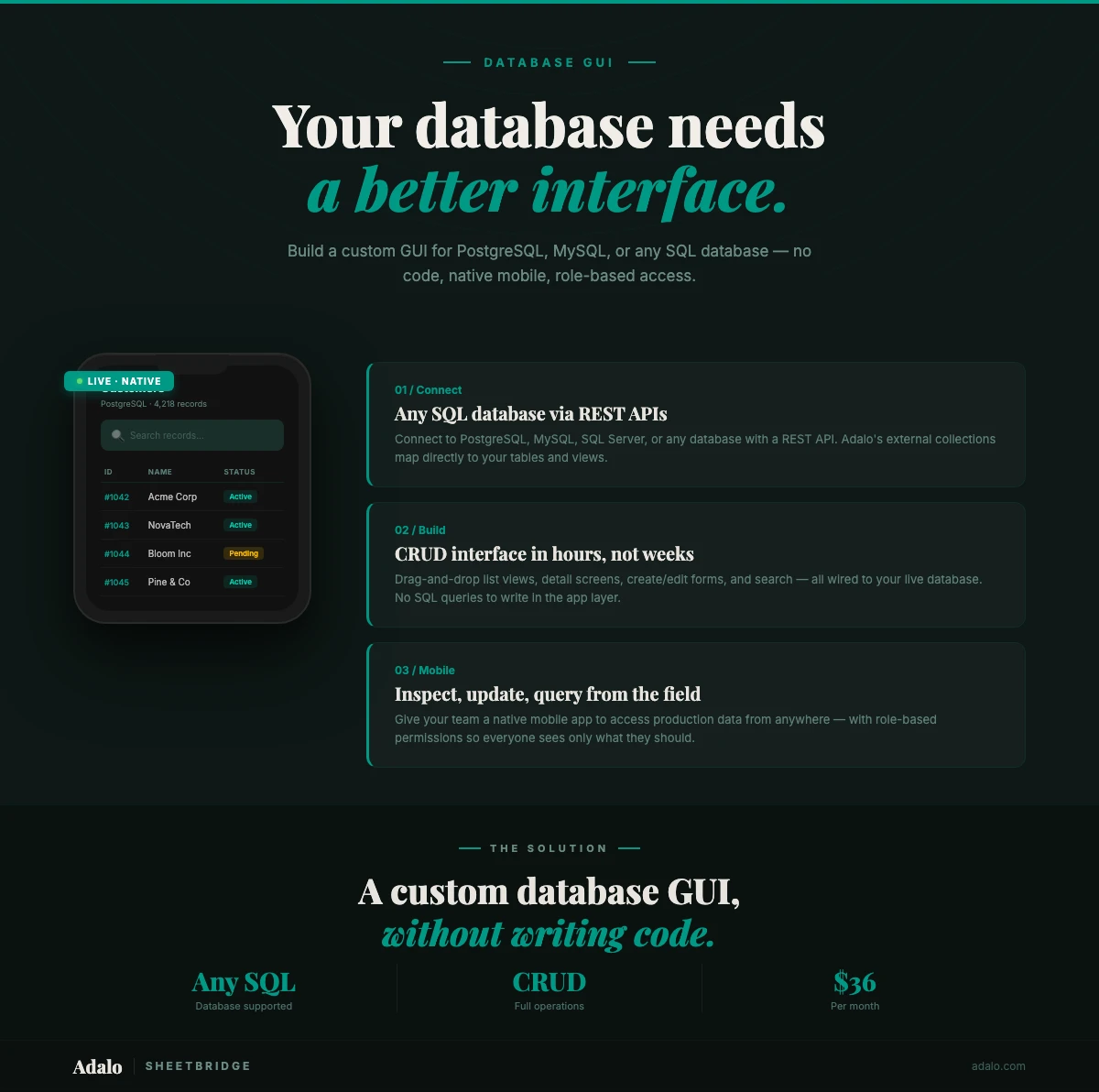
Build a Custom Database GUI Without Code
Build a custom GUI for your SQL database without code. Connect PostgreSQL, MySQL, or MS SQL to a native mobile and web app with Adalo.