

Adalo—a no-code app builder for database-driven web apps and native iOS and Android apps published to the Apple App Store and Google Play—now makes it easier to supercharge your apps with Google AI's tools like Gemini APIs, Cloud AI (Vision and Natural Language), and NotebookLM - all without needing advanced coding skills.
- AI Features Without Code: Use Google Vision API for OCR, Natural Language API for sentiment analysis, and Gemini APIs for chatbots or content generation.
- NotebookLM for Planning: Organize app ideas, create database structures, and streamline development before building a mobile app in Adalo.
- Google Maps Integration: Add location-based features like custom markers, geocoding, and AI-driven insights.
With Adalo’s drag-and-drop tools and middleware platforms like n8n or Make, you can set up intelligent workflows and automate complex tasks. Whether it’s extracting text from images, analyzing user feedback, or offering personalized recommendations, these integrations make advanced features accessible to everyone.
Adalo, Integromat, Google Vision API identifying Unsafe Image content adult violent on user uploads
Connecting Adalo to Gemini APIs
How to Connect Adalo to Gemini APIs: Step-by-Step Setup Guide
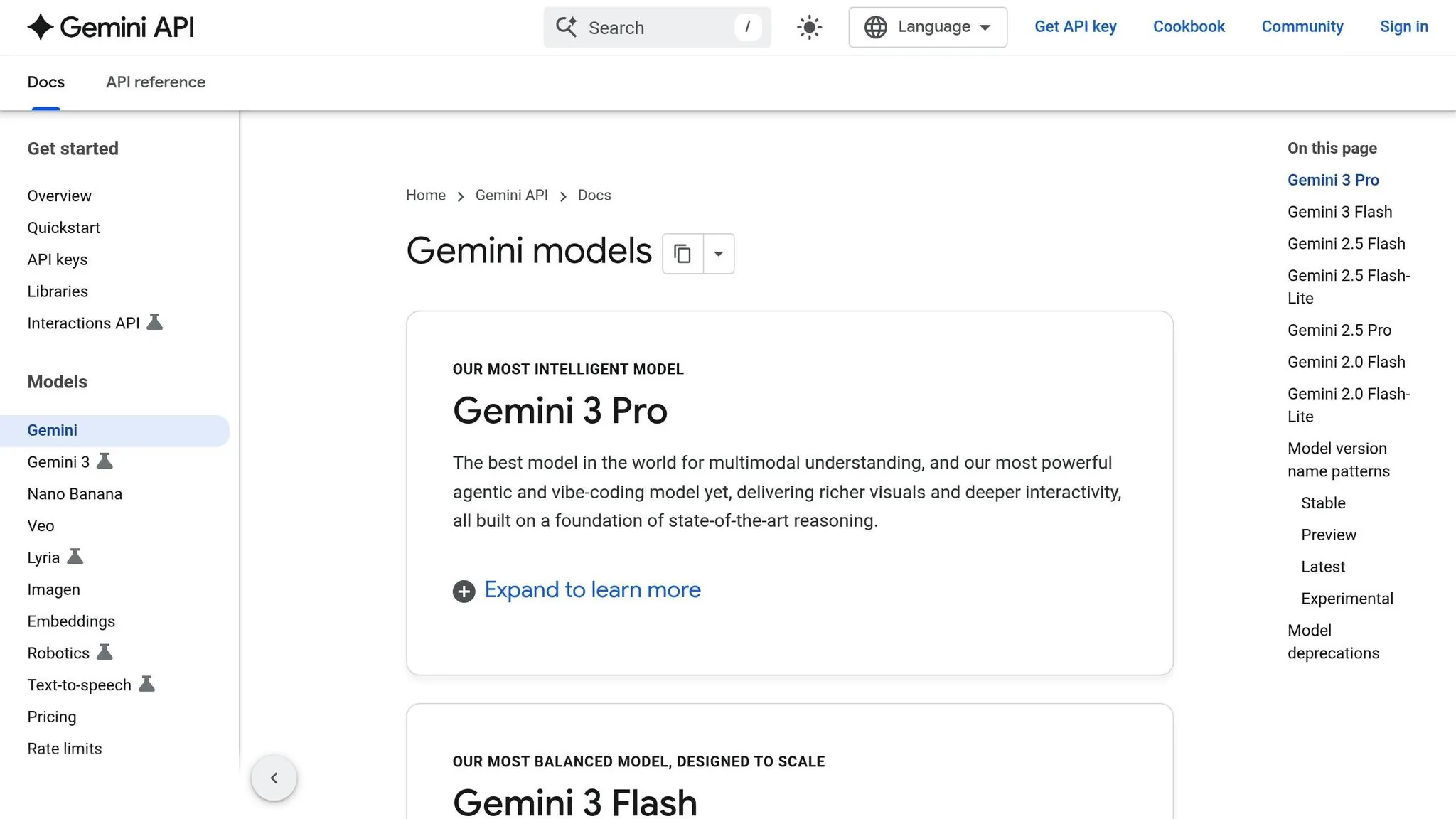
Gemini APIs bring AI-driven features like content generation and interactive chatbots to your Adalo apps. By leveraging Adalo's API integration tools, you can enhance your app's functionality with real-time AI responses. The process involves obtaining a Google API key and configuring Adalo to communicate with Gemini's REST endpoint, enabling seamless interaction between your app and the AI service.
Setting Up Your Gemini API Connection
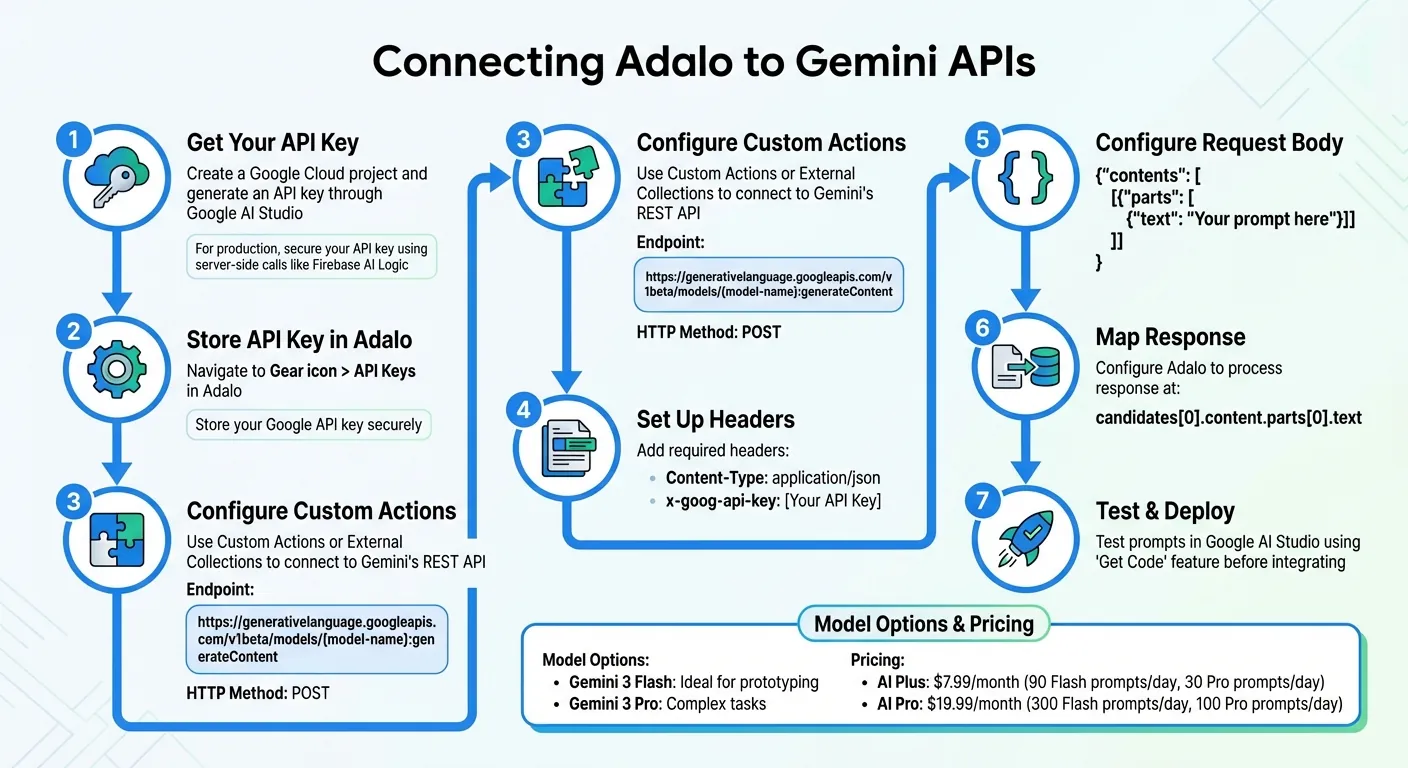
To begin, create a Google Cloud project and generate an API key through Google AI Studio. For production environments, secure your API key using server-side calls, such as Firebase AI Logic.
In Adalo, navigate to Gear icon > API Keys to store your Google API key securely. Next, use Custom Actions or External Collections to connect to Gemini's REST API. The standard endpoint for requests is:
https://generativelanguage.googleapis.com/v1beta/models/{model-name}:generateContent
Set the HTTP method to POST, include the header "Content-Type: application/json", and add your API key as "x-goog-api-key".
Your JSON request body should look like this:
{"contents": [{"parts": [{"text": "Your prompt here"}]}]}
Configure Adalo to process the response at candidates[0].content.parts[0].text, which is where Gemini returns the generated content. Before integrating your prompts into the app, test them in Google AI Studio. Use the "Get Code" feature to confirm the required JSON structure for your API setup.
Once the connection is established, your app will be ready to incorporate dynamic AI-powered features.
Building Features with Gemini APIs
After setting up the connection, you can trigger Gemini using Custom Actions that send user input and display the AI's response instantly. This works particularly well with Adalo's AI Builder, which can help you structure the screens and workflows needed to present AI-generated content to users.
Select the Gemini model that fits your app's needs. Gemini 3 Flash is ideal for prototyping, while Gemini 3 Pro handles more complex tasks. Subscription plans include the AI Plus plan ($7.99/month), which supports up to 90 prompts daily with Flash and 30 with Pro. For higher usage, the AI Pro plan ($19.99/month) offers 300 and 100 prompts per day, respectively.
For advanced features, such as saving AI responses to your database or automating multi-step actions, consider integrating tools like n8n or Pipedream. You can also request structured JSON outputs from Gemini to simplify parsing and storing data, such as recommendations or summaries, directly into your app's collections. Since Adalo's paid plans starting at $36/month include unlimited database records, you can store as many AI-generated responses as your app requires without worrying about data caps.
With these tools, your app can deliver smarter, more interactive experiences powered by Gemini APIs.
Adding Google Cloud AI Services to Adalo Apps
Adalo's user-friendly API integration makes it straightforward to connect with Google Cloud AI tools, adding automation and intelligence to your apps. With Google Cloud AI Services, you can integrate the Vision and Natural Language APIs to analyze images and text—no advanced coding required. These APIs work seamlessly with Adalo through middleware platforms like Make (formerly Integromat) or Latenode.
Middleware bridges your app and Google's AI endpoints, enabling data to flow from your Adalo app to Google Cloud and back, with results automatically updated in your Adalo database. Google Cloud offers $300 in free credits for new users to experiment with these tools.
Here's a closer look at how each API can enhance your app.
Using Google Vision API for Image Recognition
The Google Vision API can identify labels, text (OCR), faces, landmarks, and explicit content in uploaded images. For example, users can upload a photo, and the API will return descriptive labels that you can store in your Adalo database.
Start by creating a Google Cloud project, enabling the Vision API, and setting up billing to get your API keys.
"Cloud Vision API allows developers to easily integrate vision detection features within applications, including image labeling, face and landmark detection, optical character recognition (OCR), and tagging of explicit content."
– Google Cloud Documentation
In Adalo, set up a collection with fields like 'Name,' 'Image,' and 'Analysis Result.' Add an Image Picker and a button to your app. When a user taps the button, the image is uploaded, sent to Google Vision via middleware, and the returned labels or analysis results are saved directly in your database. With no storage limits on paid plans, you can retain complete analysis histories for every image your users upload.
Using Google Natural Language API for Text Analysis
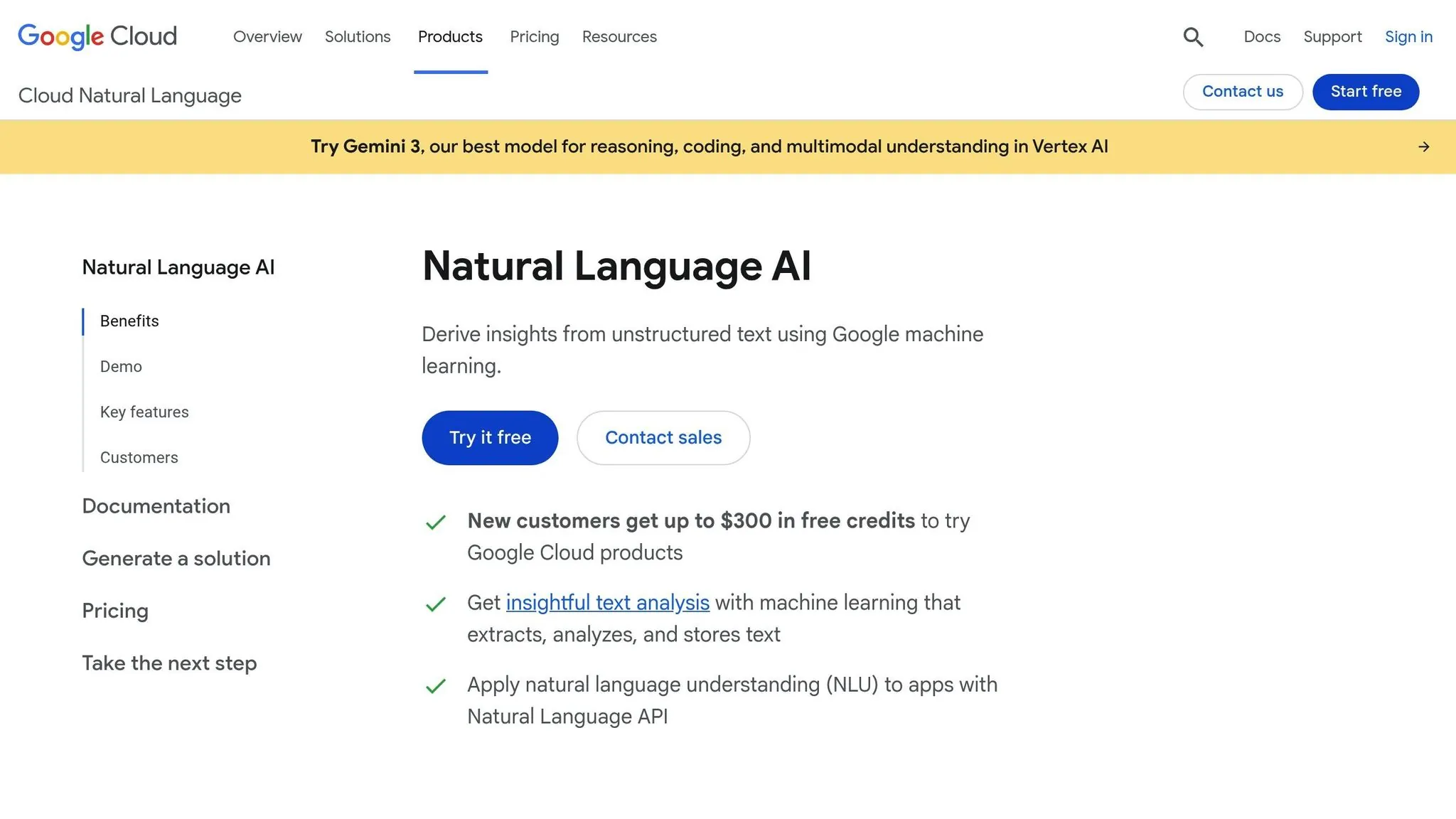
While the Vision API handles images, the Natural Language API focuses on text. It can perform sentiment analysis, identify entities, and classify content—making it perfect for analyzing customer feedback or reviews.
To get started, create a Google Cloud project, enable the Natural Language API, and generate an API key. In Adalo, set up a collection with fields like "Feedback" for text input and another field to store analysis results, such as sentiment scores or recognized entities.
When users submit text, middleware processes the input by sending it to the Natural Language API. The API's output—like a sentiment score or identified entities—is then mapped back to your Adalo database. Middleware tools like n8n or Latenode can handle more complex workflows, such as multi-step automations. To manage costs, consider triggering the analysis only when feedback is finalized and storing results to avoid repeated API calls.
Planning Adalo Apps with NotebookLM
After incorporating Google AI services, you can use NotebookLM to streamline the planning and structuring of your Adalo app, ensuring a smoother development process.
NotebookLM is an AI-driven research assistant designed to help you organize your ideas before diving into Adalo. Instead of creating your database on the go, you can consolidate your project needs in NotebookLM to produce a detailed and structured build plan.
Built on Google's Gemini AI model, NotebookLM can process a vast context window of over 1.5 million words. It allows you to upload up to 50 sources per notebook, including PDFs, Google Docs, website links, and even YouTube videos, tailoring its suggestions to your specific project requirements. On the free plan, you get access to 100 notebooks, each supporting up to 500,000 words per source. For expanded capabilities, you can upgrade to Google One AI Premium ($19.99/month) or Google Workspace Business Standard ($14.40/month).
Creating App Plans and Database Structures
NotebookLM's "Briefing doc" feature simplifies your uploaded content by highlighting essential connections and laying the groundwork for your app's database and logic. For example, if you upload documentation for an inventory app, NotebookLM identifies key entities like products, suppliers, and stock levels, while outlining their relationships.
The chat interface is another powerful tool. You can ask questions like, "What should the relational database schema look like for an inventory app based on these sources?" and receive detailed table and field recommendations. By sticking closely to the material you provide, NotebookLM minimizes inaccuracies and ensures its advice aligns with your needs. It can also generate mind maps and structured notes to visually represent user flows.
Once you've mapped out your app's structure and database in NotebookLM, you'll have a solid foundation to start building in Adalo.
Moving NotebookLM Plans into Adalo
Ada, Adalo's AI builder, lets you describe what you want and generates your app. Magic Start creates complete app foundations from a description, while Magic Add adds features through natural language.
After finalizing your app plan in NotebookLM, transferring it to Adalo is a simple process. Copy your structured plan and paste it into Adalo's Magic Start feature. Magic Start takes your natural language description and turns it into a fully functional app foundation, complete with database structures, screens, and user flows.
Make sure your exported plan includes key details about user flows and data entities. For instance, specifying "I need an inventory app with product SKUs, locations, and supplier info" gives Magic Start enough information to create initial collections and relationships. What used to take days of planning happens in minutes—Magic Start generates your database schema, creates the necessary screens, and establishes the logical connections between them.
Adalo's modular infrastructure (version 3.0, launched late 2025) delivers 3–4x faster performance compared to earlier versions, making it easier to deploy AI-generated plans. The platform now supports apps with over 1 million monthly active users, processing more than 20 million daily requests with 99%+ uptime.
Keep in mind that NotebookLM creates a "snapshot" of your uploaded sources. If you make changes to your app plan in a Google Doc after uploading it, you'll need to remove and re-add the source in NotebookLM to ensure the updates are reflected when moving to Adalo.
Once your foundation is in place, you can use Magic Add to expand functionality by simply describing what you want. Tell it "add a barcode scanner that updates inventory counts" and it generates the necessary components, actions, and database updates automatically.
Adding Google Maps with AI Features
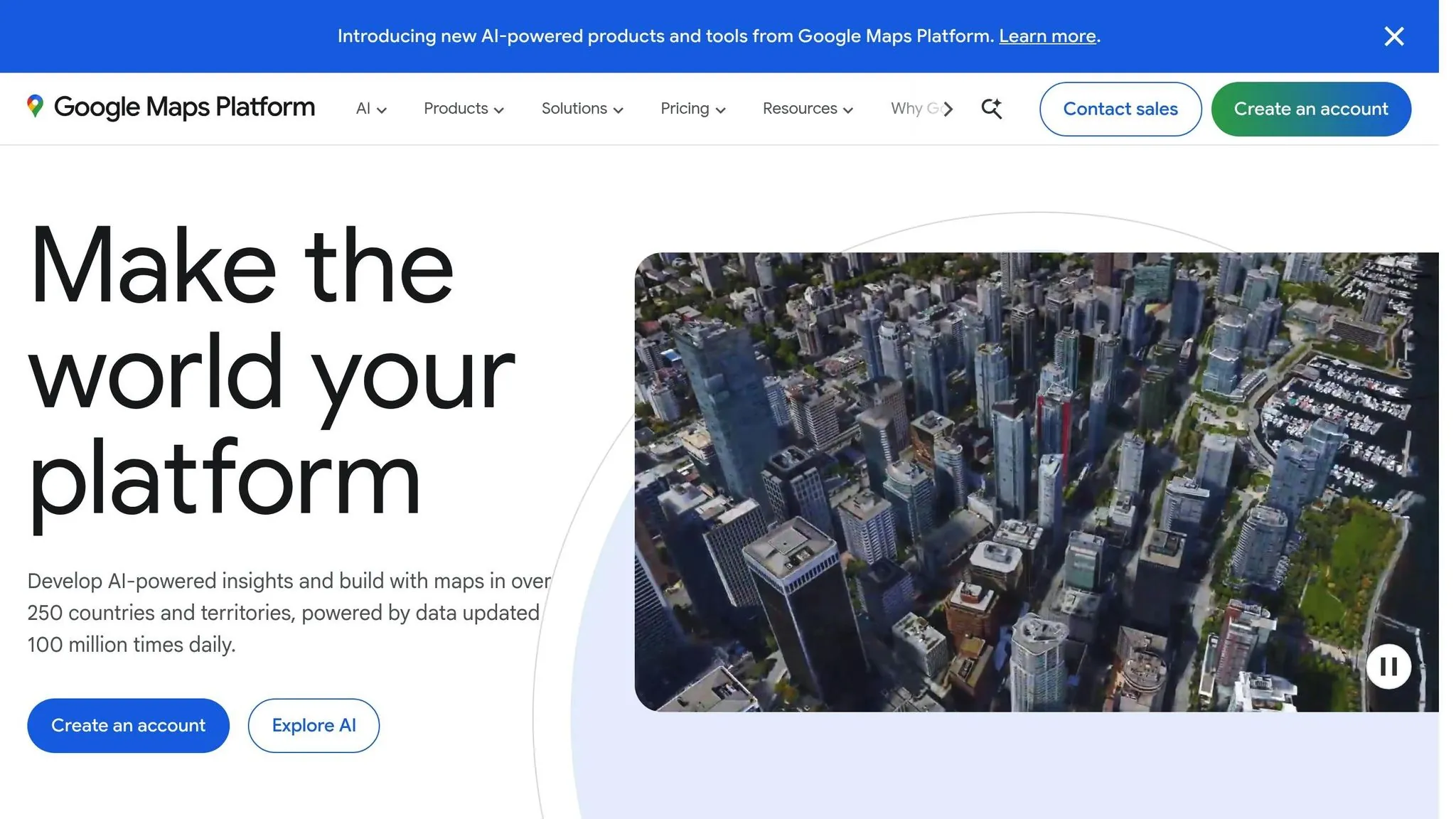
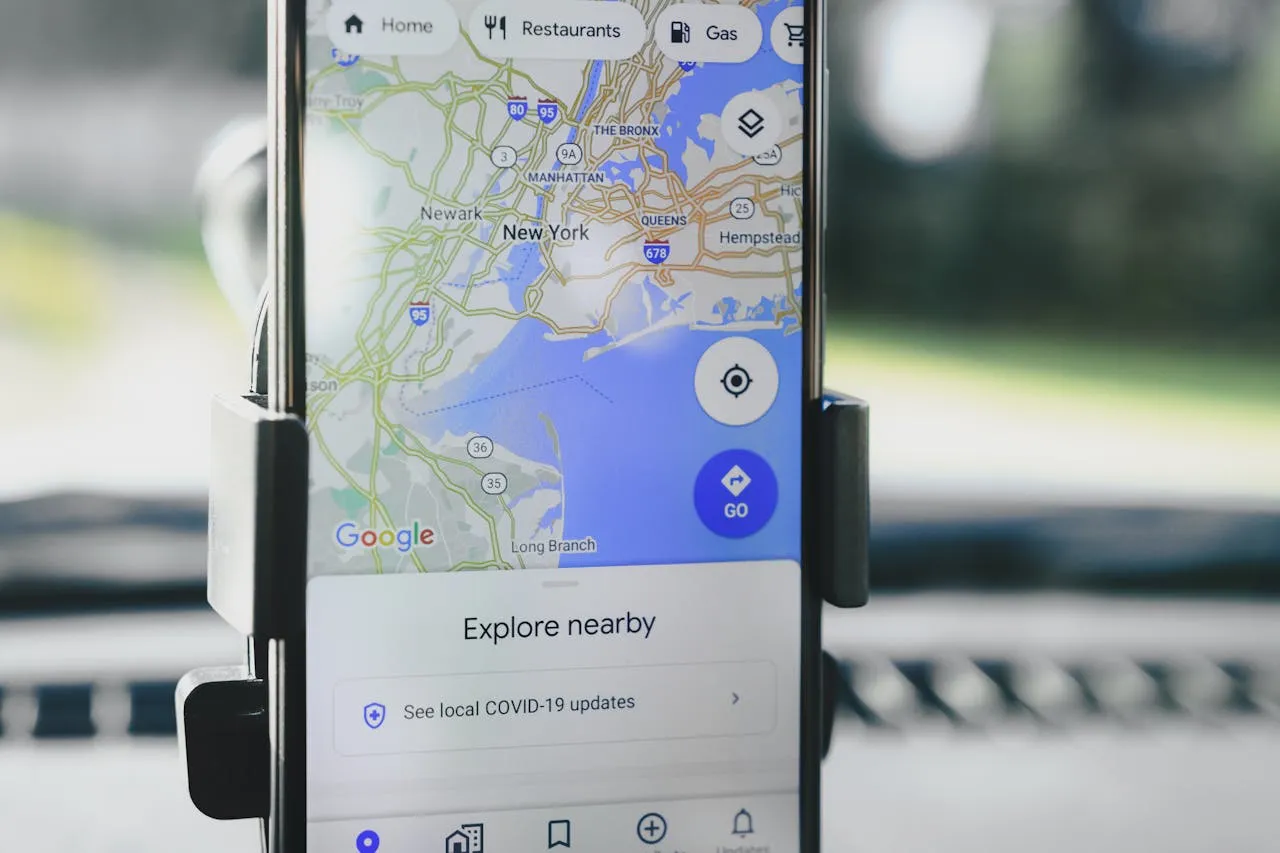
Integrating Google Maps into your Adalo app opens up a world of location-based functionality, now enhanced with AI capabilities. By combining location data with AI, you can provide features like landmark recognition and deeper contextual insights directly within your app.
Setting Up Google Maps in Adalo
To get started, head over to the Google Cloud Console and create a new project. From there, enable the following APIs: Maps JavaScript API, Places API, Geocoding API, and the Maps SDKs for iOS and Android. Keep in mind that these APIs require a linked billing account, but Google offers $200 in monthly credits, which is often enough for early-stage projects.
After generating your API key, you'll need to add it in two places within Adalo:
- Navigate to App Settings > API Keys in the global settings and paste the key there.
- Install the Maps component from the Adalo Marketplace and enter the key in the "API Key" field.
To store location data, add a "Location" property type to your database collections. This property automatically captures latitude, longitude, and formatted addresses.
The Maps component lets you display either a single marker or multiple markers from a collection. These markers can be customized with your own images or filtered based on criteria like categories or ratings. To save on costs, use latitude and longitude coordinates directly, cutting down geocoding requests from two to one. This setup forms the foundation for integrating AI-driven features.
Combining Maps with AI Services
Once your Maps setup is complete, you can layer in AI capabilities to create more dynamic and context-aware experiences. Google's Vertex AI connects Gemini models to real-world data on over 250 million locations, allowing your app to deliver hyper-localized insights. Imagine using the Vision API to identify a landmark from a photo and automatically pin it on the map, complete with AI-analyzed reviews and details extracted using Natural Language Processing.
To optimize performance and reduce costs, store coordinates instead of repeatedly geocoding addresses. Adalo also provides a KILOMETERS formula, which calculates straight-line distances between coordinates. This can power AI-driven features like recommending nearby restaurants based on user preferences. When presenting AI-enhanced results, always include source information and direct links to Google Maps content for transparency.
For navigation, you can dynamically generate a URL (e.g., https://maps.google.com/maps?daddr=[Target Lat],[Target Long]) to launch the user's native map app. Thanks to Adalo's 3.0 infrastructure, which speeds up marker loading and distance calculations by 3–4×, these AI-powered location features remain fast and responsive, even with large datasets. The platform's modular architecture handles apps serving millions of monthly active users without performance degradation.
Best Practices for Google AI Integration
Managing API Errors and Performance
When integrating Google AI services into your Adalo app, prioritizing performance is crucial. Every external API call adds to app latency, especially for users outside the U.S., as Adalo's servers are based there. This means users in different regions may experience slower response times during these interactions.
To improve performance, simplify your app's screens by reducing the number of simultaneous API calls. Fewer concurrent requests can significantly lower initial load times.
Error handling is another key area to focus on. For instance, Gemini API errors like 504 (Deadline Exceeded) usually occur when prompts are too large to process. In such cases, shorten your prompt or switch from the Pro model to the faster Flash model. Similarly, 400 "FAILED_PRECONDITION" errors often point to region-related issues. Double-check that your region supports the free tier, or consider enabling a paid plan in Google AI Studio if it doesn't.
For apps dealing with complex workflows, offload heavy data transformations or repeated operations to middleware platforms like Latenode or n8n. This prevents Adalo's front-end from slowing down and ensures a better user experience. Middleware tools also offer execution history tracking, which helps pinpoint API bottlenecks quickly. Additionally, Google provides a $250/monthly credit for Maps and location-based APIs, while new Cloud users can enjoy an extra $300 credit during a 90-day trial period.
By following these guidelines, you can keep your app's performance steady and reliable as it grows.
Scaling Apps with Google AI Services
Scaling your app effectively requires careful management of API call rates. Adalo's platform is built to scale without limits on actions, users, records, or storage—a significant advantage when building AI-powered apps that generate substantial data.
To avoid hitting rate limits, use middleware "Wait" nodes to space out rapid API calls. If your app handles sensitive user data and integrates with multiple AI services, upgrading to a Paid Tier is a smart move to ensure data protection. It's also worth noting that while Google doesn't charge for failed API requests resulting in 400 or 500 errors, these still count toward your quota.
Unlike competitors that charge usage-based fees (Bubble's Workload Units, for example), Adalo's $36/month plan includes predictable pricing with no hidden charges. This makes budgeting straightforward when combining multiple Google AI services—you know exactly what you'll pay regardless of how many AI responses you store or how many users interact with your app.
Conclusion
Adalo's integration with Google AI and NotebookLM brings a new level of speed and intelligence to app development. With this combination, you can launch AI-powered features in days instead of months, translating into an average annual savings of $1.7 million for organizations. Adalo's visual builder, paired with Google's AI services, unlocks tools like sentiment analysis, image recognition, automated translation, and personalized recommendations—all without requiring a team of specialized developers.
NotebookLM simplifies your planning process before you even start building. It transforms complex source materials into structured app blueprints, saving time and effort. This integration is further highlighted by Google's own perspective:
"By adding notebooks directly into Gemini, users can seamlessly build upon this deep, specific knowledge base and get more relevant responses with the full power of Gemini's advanced conversational and content-creation capabilities." - Google Workspace
Adalo offers more than just AI integration. With native publishing for iOS and Android from a single codebase, unlimited usage on paid plans starting at $36/month, and mobile-specific features like GPS tracking, push notifications, and camera-based OCR, the platform provides a comprehensive solution for modern app development. For more complex workflows, middleware platforms like Latenode and n8n can automate tasks such as classifying feedback, generating daily digests, or moderating content.
Whether you're creating a field service web app with image recognition, a customer feedback tool with sentiment analysis, or a content platform with automated translation, Adalo's tools ensure seamless integration of AI features. Over 1 million apps have been built on the platform, processing 20 million+ daily requests with 99%+ uptime.
Related Blog Posts
- How to Create a Voice To Text Feature For Your App
- How to Build AI Chatbots Without Code
- How AI Transforms No-Code Prototyping
- Building AI-Powered Features in Your No-Code App with Adalo
FAQ
Why choose Adalo over other app building solutions?
Adalo is an AI-powered app builder that creates true native iOS and Android apps from a single codebase. Unlike web wrappers, it compiles to native code and publishes directly to both the Apple App Store and Google Play Store. At $36/month with unlimited usage—no caps on actions, users, records, or storage—it offers the most predictable pricing for native app store publishing.
What's the fastest way to build and publish an app to the App Store?
Adalo's drag-and-drop interface combined with AI-assisted building through Magic Start and Magic Add lets you go from idea to published app in days rather than months. Describe what you want to build, and Magic Start generates your database, screens, and logic automatically. Adalo handles the complex App Store submission process, so you can focus on features instead of certificates and provisioning profiles.
Can I integrate Google AI services like Gemini APIs into my Adalo app?
Yes, you can integrate Google AI services including Gemini APIs, Cloud Vision, and Natural Language APIs into your Adalo apps. Using Custom Actions or External Collections along with middleware platforms like n8n or Make, you can add AI-powered features such as chatbots, image recognition, and sentiment analysis without coding.
How can I use NotebookLM to plan my Adalo app before building?
NotebookLM is an AI research assistant that helps you organize app ideas, create database structures, and plan user flows before building. Upload documents, PDFs, and links to generate structured app blueprints, then transfer your plan directly into Adalo's Magic Start feature to automatically create database collections, screens, and workflows.
What Google AI features can I add to my Adalo app without coding?
You can add Google Vision API for image labeling, OCR, and content moderation; Natural Language API for sentiment analysis and entity recognition; Gemini APIs for AI chatbots and content generation; and Google Maps with AI-driven location insights. All these integrations work through Adalo's drag-and-drop tools and middleware platforms like Make or n8n.
How do I manage API costs when integrating Google AI services with Adalo?
Google offers $300 in free credits for new Cloud users and $250/monthly credits for Maps APIs. To optimize costs, store coordinates instead of repeatedly geocoding addresses, trigger AI analysis only when needed, and cache results in your Adalo database to avoid redundant API calls. Since Adalo's paid plans include unlimited database storage, you can retain complete analysis histories without additional charges.
Can I build location-based apps with AI features using Adalo and Google Maps?
Yes, Adalo supports full Google Maps integration with AI enhancements. You can display custom markers, use geocoding, calculate distances with built-in formulas, and layer in AI services like Vision API for landmark recognition or Natural Language API for analyzing location reviews—all within your Adalo app.
How does Adalo's pricing compare to other app builders for AI-powered apps?
Adalo's $36/month plan includes native iOS and Android publishing with no caps on actions, users, records, or storage. Competitors like Bubble ($69/month) add unpredictable Workload Unit charges, while Thunkable requires $189/month for app store publishing with token limits. Adalo offers the lowest price for native app store publishing with truly unlimited, predictable pricing.
How long does it take to build an AI-powered app with Adalo and Google services?
With Adalo's Magic Start generating your app foundation from a description and middleware platforms handling API connections, you can have a working AI-powered prototype in hours rather than weeks. Full production apps with Google AI integrations typically launch in days instead of the months required with traditional development.
Do I need coding experience to integrate Google AI with Adalo?
No coding experience is required. Adalo's visual builder handles the app interface, while middleware platforms like Make or n8n provide visual workflow builders for connecting to Google AI APIs. You configure API endpoints, map data fields, and set up triggers through drag-and-drop interfaces rather than writing code.

Build your app fast with one of our pre-made app templates
Begin Building with no codeRelated Content

Building AI-Powered Features in Your No-Code App with Adalo
Add real AI features—chat, image vision, sentiment analysis, and recommendations—to your no-code app without writing code.
.webp)
How to Use a Custom GPT to Build Your First App (2026 Guide) | Adalo
Scope features, wire data, design prompts, add tools, and ship your GPT-powered app with Adalo’s no-code platform—step by step.
Step-by-Step Guide: Building a Google Maps Clone with Adalo
Create a no-code Google Maps-style app in Adalo with search and location features.
Adalo App Builder: Effortless AI Powered Mobile App Creation
Adalo makes app creation easy with AI-powered no-code tools. Founders can build, deploy, and publish responsive apps with custom integration